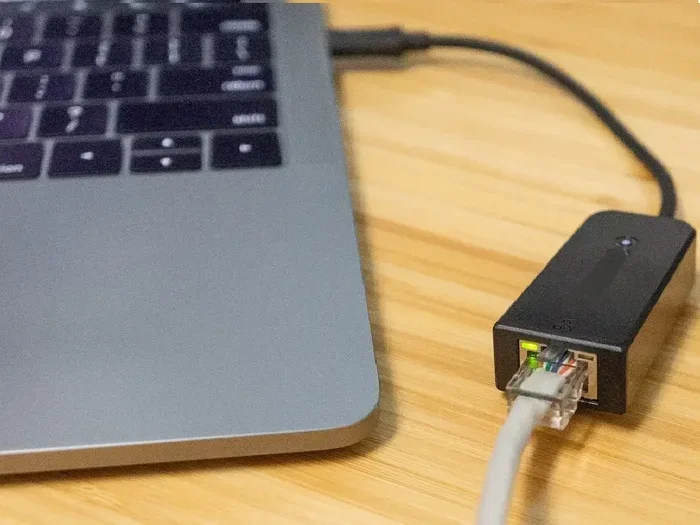
Why Are Usb C Docking Stations So Expensive

USB C docking stations carry a high price tag because of advanced chipsets, premium materials, and complex manufacturing. The technology inside them, including Thunderbolt support and power delivery, drives costs up significantly. Understanding what you are paying for helps you make a smarter buying decision.
You have probably stared at the price tag of a USB C docking station and thought, “Why does this little gadget cost so much?” It is a fair question. After all, it is just a box with a few ports, right? Wrong. The reality is far more complex. A USB C docking station packs a lot of sophisticated technology into a small footprint. That technology comes at a cost.
If you have ever compared a basic USB hub to a full-featured docking station, the price difference can be shocking. But there are very good reasons for that gap. From the chips inside to the licensing fees for proprietary tech, every component adds to the final price. In this article, we will break down exactly why USB C docking stations are so expensive. You will learn what you are actually paying for and whether the cost is justified.
Key Takeaways
- Advanced Chipsets: The internal controller chips are one of the biggest cost drivers in any USB C docking station.
- Thunderbolt Premium: Thunderbolt 3 and 4 docking stations cost more due to licensing fees and superior bandwidth.
- Power Delivery Costs: USB C power delivery circuitry adds significant manufacturing expense.
- Build Quality Matters: Premium materials and compact designs raise the overall docking station price.
- Not All Docks Are Equal: A higher price often reflects better compatibility, faster data transfer, and more display support.
- Hidden Costs Exist: Research, development, and brand reputation all factor into the final retail price.
📑 Table of Contents
- What Makes USB C Docking Stations So Expensive
- The Technology Behind USB C Docking Stations
- Thunderbolt vs Standard USB C Docking Stations
- What Features Drive the Price Up
- Are Expensive Docking Stations Worth It
- How to Choose the Right USB C Docking Station
- Common Mistakes People Make When Buying Docking Stations
- Quick Tips for Getting the Best Value
- Conclusion
What Makes USB C Docking Stations So Expensive
The short answer is technology. The long answer involves several layers of engineering, licensing, and manufacturing. Let us dive into the core reasons that make these devices pricier than they might seem.
The Cost of Advanced Chipsets
Every USB C docking station needs a central controller chip. This chip handles all the communication between your laptop and the connected devices. These chips are not cheap. They require serious research and development. Companies like Texas Instruments and VIA Labs spend years perfecting their chipset designs. The cost of these chips gets passed on to you. A basic USB hub might use a simple, inexpensive controller. But a high-quality docking station needs a much more powerful one. That powerful chip can handle multiple data streams, video output, and power delivery all at once.
Licensing Fees Add Up Fast
Here is something many people do not think about. If a docking station supports Thunderbolt, the manufacturer must pay licensing fees to Intel. These fees are not small. They can add significant cost to every single unit produced. The same goes for USB-IF certification. Companies must pay to use the USB trademark and pass compliance testing. These licensing costs stack up quickly. They are a big reason why Thunderbolt docking stations cost more than standard USB C hubs.
For comparison, check out how other tech products handle licensing costs in our article on why thermal imaging cameras are so expensive. The same principle applies across the tech world.
USB C Power Delivery Circuitry
One of the biggest selling points of a USB C docking station is power delivery. Many docks can charge your laptop at 60W, 85W, or even 100W. To achieve this, the dock needs complex power management circuitry. This includes voltage regulation chips, temperature sensors, and safety mechanisms. All of these components add to the bill of materials. A dock that can push 100 watts through a single USB C cable requires serious engineering. That engineering does not come cheap.
The Technology Behind USB C Docking Stations
To understand the price, you need to understand the technology. USB C docking stations are not simple adapters. They are mini computing hubs. Let us look at what is happening inside that small box.
How USB C Data Transfer Works
USB C is just a connector shape. It can carry different types of data protocols. The most common are USB 3.1, USB 3.2, and USB4. Each generation offers faster speeds. A USB 3.1 port moves data at 10 Gbps. USB4 can hit 40 Gbps. To achieve these speeds, the dock needs specialized controller chips. These chips manage the data flow and ensure everything stays stable. The faster the speed, the more expensive the chip.
DisplayLink and Video Output Technology
Many USB C docking stations support external monitors. Some use native USB C display output, which is fast and efficient. Others rely on DisplayLink technology. DisplayLink uses software compression to send video over a USB connection. This technology requires its own dedicated hardware. The DisplayLink chip adds cost to the dock. However, it also allows the dock to support multiple monitors on systems that do not natively support video output over USB C.
The Role of Firmware and Software
A USB C docking station is not just hardware. It also runs firmware. This is the software that controls how the dock communicates with your computer. Developing this firmware takes skilled engineers and months of testing. Companies must ensure compatibility with Windows, macOS, and sometimes Linux. They also need to push regular updates to fix bugs and improve performance. This ongoing development work adds to the overall cost of the product.
Thunderbolt vs Standard USB C Docking Stations
The biggest price difference in the docking station world comes down to Thunderbolt. Let us compare the two main categories.
| Feature | Standard USB C Dock | Thunderbolt Dock |
|---|---|---|
| Max Data Speed | 10 Gbps (USB 3.1) | 40 Gbps (Thunderbolt 3/4) |
| Video Support | 1-2 displays | Up to 2-3 displays |
| Power Delivery | Up to 100W | Up to 100W |
| Typical Price Range | $50 – $150 | $150 – $400+ |
| Licensing Fees | Lower | Higher (Intel licensing) |
| Compatibility | Universal USB | Best with Thunderbolt laptops |
As you can see, Thunderbolt docking stations offer significantly better performance. But that performance comes at a premium. The Intel licensing fee alone can add $20 to $40 to the cost of each unit. On top of that, Thunderbolt chips are more expensive than standard USB C controllers. If you are wondering whether the extra cost is worth it, our article on whether expensive office chairs are worth it offers a similar cost-benefit perspective.
What Features Drive the Price Up
Not all docking stations are created equal. The features you choose directly impact the price. Here are the key features that add cost.
Multiple Display Outputs
Docks that support three or more monitors cost more. Each display output requires its own video processing circuitry. Some docks use dedicated GPU chips for this. Others rely on the host computer’s graphics capabilities. Either way, more displays means more hardware and more cost. If you need a multi-monitor setup, expect to pay a premium.
High-Wattage Power Delivery
A dock that delivers 100W of power needs robust power components. These include high-quality capacitors, voltage regulators, and heat sinks. The USB C cable itself must also be rated for high wattage. All of these components add to the manufacturing cost. A dock that only delivers 60W will be noticeably cheaper.
Build Quality and Materials
Premium docking stations use aluminum housings, reinforced ports, and high-grade wiring. These materials improve durability and heat dissipation. They also look and feel more premium. A plastic-shelled dock will always cost less than an aluminum one. But the aluminum version will likely last longer and perform better under heavy loads.
Ethernet and Audio Ports
Built-in Ethernet jacks and audio ports add convenience. But they also add components to the bill of materials. A Gigabit Ethernet controller chip costs money. An audio codec chip does too. When a dock includes these features, the price goes up. However, the convenience is often worth it.
Are Expensive Docking Stations Worth It
This is the question everyone wants answered. The short answer is: it depends on your needs. Let us break it down.
If you are a casual user who just needs a few extra USB ports, a budget USB C hub might be all you need. These cost $20 to $40 and get the job done. But if you are a professional who relies on multiple monitors, fast data transfer, and reliable power delivery, a premium dock is a smart investment.
Think about it this way. Your docking station is the bridge between your laptop and your entire workspace. A cheap dock might cause connection issues, display flickering, or slow data transfers. These problems can cost you productivity. A quality dock provides a stable, reliable connection every single time. Over time, that reliability pays for itself.
For a deeper dive into USB C accessories and pricing, check out our guide on Sandisk Extreme Portable SSD to see how USB C storage devices compare in terms of value and pricing.
How to Choose the Right USB C Docking Station
With so many options on the market, choosing the right dock can feel overwhelming. Here are some practical tips to help you decide.
Check Your Laptop’s Compatibility
Not all docking stations work perfectly with every laptop. Thunderbolt docks work best with Thunderbolt-enabled laptops. Standard USB C docks work with any laptop that has a USB C port. Before you buy, check what ports your laptop supports. This simple step can save you money and frustration.
Prioritize the Features You Actually Need
Do not pay for features you will never use. If you only need one external monitor, do not buy a dock that supports three. If you do not need Ethernet, skip the dock with a built-in Ethernet port. Focus on the features that matter to your daily workflow. This approach keeps costs down without sacrificing functionality.
Consider the Brand Reputation
Well-known brands like CalDigit, Anker, and Belkin tend to charge more. But they also offer better customer support and more reliable firmware updates. Cheaper, no-name brands might save you money upfront. But they often have worse build quality and limited warranty coverage. Think of it as a long-term investment rather than a one-time purchase.
Read Reviews Before Buying
Always read user reviews before purchasing a docking station. Look for feedback on stability, heat output, and compatibility. Real-world experiences can reveal issues that product descriptions might not mention. Pay special attention to reviews from users with the same laptop model as you.
Common Mistakes People Make When Buying Docking Stations
Avoid these common pitfalls to save money and frustration.
- Assuming all USB C docks are the same: There is a huge difference between a basic hub and a full docking station.
- Ignoring power delivery requirements: If your laptop needs 85W to charge, a 60W dock will not cut it.
- Overlooking firmware updates: A dock with active firmware support will work better over time.
- Buying the cheapest option: Ultra-cheap docks often have poor build quality and unreliable connections.
- Not checking display support: Make sure the dock supports the resolution and refresh rate you need.
Quick Tips for Getting the Best Value
- Wait for sales events like Black Friday or Amazon Prime Day to grab a premium dock at a lower price.
- Consider refurbished options from reputable sellers to save money without sacrificing quality.
- Check if your laptop manufacturer sells a certified docking station. These often have the best compatibility.
- Read our article on M.2 NVMe SSD docking stations if you also need storage expansion alongside your USB C connectivity.
Conclusion
So, why are USB C docking stations so expensive? The answer comes down to the technology inside them. Advanced chipsets, licensing fees, power delivery circuitry, and premium build materials all contribute to the higher cost. Thunderbolt docks carry an even steeper price due to Intel licensing and superior performance capabilities.
But here is the good news. Understanding what drives the price helps you make a smarter choice. You do not have to overspend. By focusing on the features you actually need and choosing a reputable brand, you can find a USB C docking station that delivers excellent value. The right dock transforms your laptop into a powerful workstation. That is a worthwhile investment for anyone who depends on their computer for work or creative projects.
Take your time, do your research, and pick the dock that fits your workflow best. Your future self will thank you every time you plug in and everything just works.
Frequently Asked Questions
Why do Thunderbolt docking stations cost more than regular USB C hubs?
Thunderbolt docking stations cost more because of Intel licensing fees and the use of more advanced controller chips. Thunderbolt technology offers faster data speeds, better video support, and lower latency. These premium features require more expensive hardware and pass those costs on to the consumer.
Is a cheap USB C docking station worth buying?
A cheap dock can work fine for basic tasks like connecting a mouse and keyboard. However, cheaper models often have lower build quality and may struggle with multiple displays or fast data transfers. If you need reliability and performance, spending a bit more is usually a better long-term choice.
Can I use any USB C cable with my docking station?
Not all USB C cables are created equal. For best performance, especially with power delivery and high-speed data, you should use a certified USB C cable that matches your dock’s specifications. Using a cheap or low-quality cable can limit speeds and cause connection issues.
Do USB C docking stations work with all laptops?
Most USB C docking stations work with any laptop that has a USB C port. However, Thunderbolt docks work best with Thunderbolt-enabled laptops. Some advanced features like multi-display support may be limited on non-Thunderbolt systems. Always check compatibility before purchasing.
How long do USB C docking stations last?
A quality USB C docking station can last several years with normal use. Build quality plays a big role in longevity. Docks with metal housings and reinforced ports tend to outlast plastic models. Regular firmware updates from the manufacturer also help extend the lifespan of your dock.
What should I look for when buying a USB C docking station?
Focus on the features you actually need. Consider the number of displays you want, the power delivery wattage, and the types of ports you use most. Reading user reviews and checking compatibility with your specific laptop model will also help you make the best choice.