Do You Need Hdmi 2 1 for 144hz
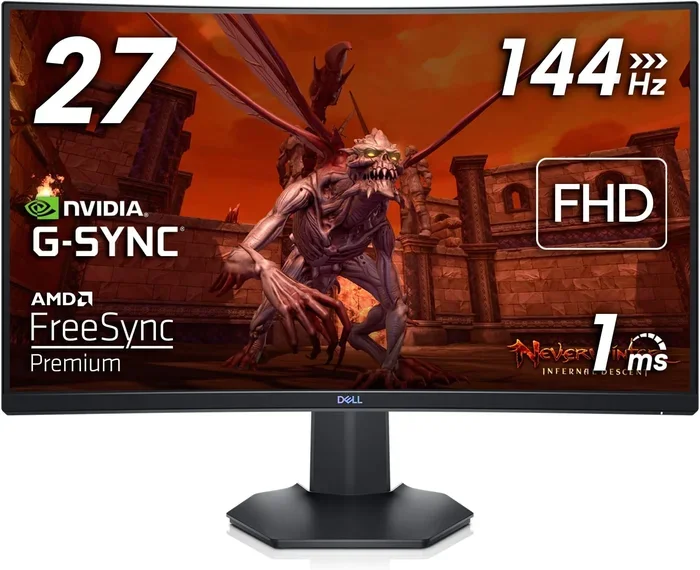
You do not always need HDMI 2.1 for 144Hz. HDMI 2.0 can handle 144Hz at 1080p and 1440p easily. But if you want to push 4K at 120Hz or use advanced gaming features like VRR, then HDMI 2.1 becomes essential. This guide breaks down exactly when you need it and when you do not.
This is a comprehensive guide about Do You Need Hdmi 2 1 For 144hz.
Key Takeaways
- HDMI 2.0 is enough for 144Hz at 1080p and 1440p: Most gamers do not need HDMI 2.1 for standard high refresh rate gaming.
- HDMI 2.1 unlocks 4K at 120Hz: If you want ultra-high resolution with a smooth refresh rate, HDMI 2.1 is a must.
- Advanced gaming features require HDMI 2.1: Features like VRR, ALLM, and higher bandwidth only work with HDMI 2.1 cables and ports.
- Check your devices first: Your monitor, GPU, and console all need to support HDMI 2.1 for it to work.
- You can save money with HDMI 2.0: If your setup does not demand ultra-high resolution, HDMI 2.0 saves you cash without sacrificing quality.
[FEATURED_IMAGE_PLACEHOLDER]
What Is HDMI 2.1 and Why Does It Matter?
HDMI 2.1 is the latest version of the HDMI standard. It brings bigger bandwidth, better resolution support, and new gaming features. If you are building a gaming setup, you have probably heard people say you need HDMI 2.1. But what does that actually mean for you?
The short answer is: it depends on your setup. HDMI 2.1 offers up to 48 Gbps of bandwidth. That is a huge jump from HDMI 2.0, which maxes out at 18 Gbps. This extra bandwidth opens the door to higher resolutions and faster refresh rates. But not everyone needs all of that power.
For most people gaming at 1080p 144Hz or 1440p 144Hz, HDMI 2.0 handles the job just fine. You only really need HDMI 2.1 if you are pushing 4K at 120Hz or using next-gen consoles like the PS5 or Xbox Series X. So before you rush out and buy an expensive HDMI 2.1 cable, let us break down exactly what you need.
Understanding Refresh Rate: What Does 144Hz Mean?
Refresh rate is how many times your screen updates per second. A 144Hz monitor refreshes the image 144 times every second. That is double the speed of a standard 60Hz display. The result is smoother motion, less blur, and a more responsive feel when you play games or scroll through content.
Your GPU needs to push enough frames to match that refresh rate. If your graphics card can output 144 frames per second (fps), a 144Hz monitor will show every single one. If it can only do 90 fps, you will see 90 frames. The monitor simply displays what the GPU gives it.
The cable between your GPU and monitor carries that signal. And here is where things get interesting. The cable standard determines how much data can flow through at once. That is where HDMI versions come into play.
Why Refresh Rate Matters for Gaming
Higher refresh rates give you a competitive edge in fast-paced games. When you are playing a shooter or racing game, every millisecond counts. A high refresh rate monitor makes movement look buttery smooth. You can track enemies more easily and react faster.
But refresh rate is not just for competitive gamers. Even casual players notice the difference. Scrolling through a web browser, watching videos, or navigating your desktop feels noticeably smoother at 144Hz compared to 60Hz. It is one of those upgrades that you never want to go back from once you try it.
Do You Need HDMI 2.1 for 144Hz?
This is the big question. And the honest answer is: it depends on your resolution and what features you want. Let us look at the different scenarios.
When HDMI 2.0 Is Enough for 144Hz
HDMI 2.0 supports 144Hz at 1080p and 1440p without any issues. If you are gaming at these resolutions, you do not need HDMI 2.1. The bandwidth of 18 Gbps is more than enough to carry a 144Hz signal at 1080p or 1440p.
Here is a quick breakdown of what HDMI 2.0 can handle:
- 1080p at 144Hz: No problem at all. HDMI 2.0 handles this easily.
- 1440p at 144Hz: Still within the limits of HDMI 2.0. You are good to go.
- 4K at 60Hz: HDMI 2.0 supports this perfectly for most uses.
If your gaming setup falls into any of these categories, an HDMI 2.0 cable will serve you well. There is no need to spend extra on HDMI 2.1.
When You Actually Need HDMI 2.1 for 144Hz
You need HDMI 2.1 if you want to game at 4K resolution with a 120Hz or 144Hz refresh rate. The higher resolution requires much more bandwidth. HDMI 2.0 simply cannot push that much data through its 18 Gbps pipe.
HDMI 2.1 also unlocks important gaming features:
- VRR (Variable Refresh Rate): This syncs your monitor refresh rate with your GPU output. It reduces screen tearing and stuttering.
- ALLM (Auto Low Latency Mode): This automatically switches your display to low-latency mode for gaming.
- Higher color depth: HDMI 2.1 supports deeper color ranges for more vivid visuals.
If you are using a PS5 or Xbox Series X and want the full experience, HDMI 2.1 is important. These consoles support 4K 120Hz output, and only HDMI 2.1 can carry that signal.
HDMI 2.0 vs HDMI 2.1: A Side-by-Side Look
Let us compare the two versions side by side so you can see the real differences.
- Bandwidth: HDMI 2.0 gives you 18 Gbps. HDMI 2.1 jumps to 48 Gbps. That is 2.6 times more data capacity.
- Max Resolution at High Refresh: HDMI 2.0 handles 4K at 60Hz. HDMI 2.1 handles 4K at 120Hz or even 8K at 60Hz.
- Gaming Features: HDMI 2.1 supports VRR, ALLM, and QMS. HDMI 2.0 has none of these advanced features.
- Cable Length: Both standards work well with standard cable lengths up to about 6 feet. Longer runs may need active cables.
The bottom line is that HDMI 2.1 is future-proof. It gives you room to grow as your games and displays get more demanding. But for a pure 144Hz setup at 1080p or 1440p, HDMI 2.0 does the job perfectly.
How to Choose the Right HDMI Cable for Your Setup
Choosing the right cable can feel confusing with all the options out there. Here is a simple guide to help you decide.
Check Your Monitor and GPU First
Before buying any cable, check what your monitor and graphics card support. If your monitor only has HDMI 2.0 ports, no cable will make it HDMI 2.1. The port version is the bottleneck. Similarly, your GPU needs to output the signal your monitor can display.
If you are building a gaming laptop setup, check the HDMI port version on your laptop too. Many laptops still come with HDMI 2.0 ports, even if the internal GPU is powerful enough for 144Hz.
Match the Cable to Your Needs
If you are gaming at 1080p or 1440p with a 144Hz monitor, a standard ultra high speed HDMI cable rated for HDMI 2.1 will work perfectly. These cables are backward compatible with HDMI 2.0 devices. They cost around $10 to $20 and offer great value.
But if you are pushing 4K at 120Hz or using a PS5, invest in a certified HDMI 2.1 cable. Look for cables that are officially certified as “Ultra High Speed HDMI.” These guarantee the full 48 Gbps bandwidth.
Do You Need Expensive Cables?
Here is a secret: not all expensive cables are better. A $15 certified HDMI 2.1 cable performs the same as a $50 one. Look for certification from HDMI Licensing LLC. Avoid cables that make exaggerated claims about “boosting” your signal. A good certified cable is all you need.
Common Mistakes People Make with HDMI and 144Hz
Many people run into problems because of simple mistakes. Here are the most common ones to avoid.
Buying an HDMI 2.1 Cable for an HDMI 2.0 Port
An HDMI 2.1 cable will work in an HDMI 2.0 port. But it will only operate at HDMI 2.0 speeds. The cable does not magically upgrade your port. You will not get the extra bandwidth or features of HDMI 2.1 this way.
Assuming All 144Hz Monitors Need HDMI 2.1
This is the biggest misconception. Most 144Hz monitors at 1080p or 1440p work perfectly with HDMI 2.0. You only need HDMI 2.1 for 4K at 120Hz or higher. Before spending money, check your monitor specifications carefully.
Ignoring DisplayPort as an Alternative
DisplayPort is another great option for high refresh rate gaming. DisplayPort 1.4 supports 144Hz at 4K with compression. Many gamers prefer DisplayPort over HDMI for PC gaming. If your GPU has a DisplayPort output, consider using that instead of HDMI.
Final Thoughts on HDMI 2.1 and 144Hz
So, do you need HDMI 2.1 for 144Hz? For most gamers, the answer is no. If you are gaming at 1080p or 1440p with a 144Hz monitor, HDMI 2.0 is more than enough. You will get a smooth, responsive experience without spending extra on HDMI 2.1 gear.
However, if you are chasing 4K at 120Hz, using a PS5 or Xbox Series X, or want features like VRR and ALLM, then HDMI 2.1 is worth the investment. It gives you the bandwidth and features to get the most out of your setup.
The key is to match your cable and ports to your actual needs. Do not overspend on features you will never use. And do not underspend if your setup demands the extra power of HDMI 2.1. Check your devices, understand your goals, and choose accordingly.
Your gaming experience matters. Whether you stick with HDMI 2.0 or upgrade to HDMI 2.1, what matters most is that you enjoy smooth, tear-free gameplay at the refresh rate your monitor delivers. A 144Hz monitor is already a great upgrade from standard displays. Pair it with the right cable, and you will see the difference immediately.
Take a moment to review your current setup. Check your monitor specs, your GPU outputs, and your console capabilities. Then decide if HDMI 2.1 is right for you. In most cases, it is not a requirement for 144Hz. But in some cases, it makes all the difference in the world.
FAQs
Can I get 144Hz on HDMI 2.0?
Yes, you can absolutely get 144Hz on HDMI 2.0 at 1080p and 1440p resolutions. HDMI 2.0 has enough bandwidth to support these refresh rates without any issues. You only need HDMI 2.1 if you are pushing 4K at 120Hz or higher.
What is the difference between HDMI 2.0 and HDMI 2.1?
The main differences are bandwidth and features. HDMI 2.0 offers 18 Gbps of bandwidth and supports 4K at 60Hz. HDMI 2.1 offers 48 Gbps and supports 4K at 120Hz or 8K at 60Hz. HDMI 2.1 also adds VRR, ALLM, and other gaming-focused features.
Do I need HDMI 2.1 for PS5 gaming at 144Hz?
The PS5 does not currently output 144Hz over HDMI. It supports 4K at 120Hz, which does require HDMI 2.1. If you want to use your PS5 with a 144Hz monitor, you would need to check if the monitor supports 120Hz at 1080p or 1440p, which HDMI 2.0 can handle.
Is DisplayPort better than HDMI for 144Hz?
For PC gaming, DisplayPort often has an edge. DisplayPort 1.4 can handle 144Hz at 4K with compression. It also tends to support more advanced gaming features natively. However, HDMI 2.1 is perfectly fine and offers excellent performance for most setups.
Will an HDMI 2.1 cable improve my 144Hz gaming experience?
Only if your monitor and GPU support HDMI 2.1 features. If you are already getting 144Hz at your resolution, the cable will not improve your experience. But if you are using 4K at 120Hz or want VRR, an HDMI 2.1 cable unlocks those capabilities.
Can I use a regular HDMI cable for 144Hz?
It depends on the cable version. A standard HDMI cable (version 1.4 or earlier) cannot handle 144Hz at most resolutions. You need at least an HDMI 2.0 cable for reliable 144Hz performance at 1080p or 1440p. Look for cables labeled “High Speed HDMI” or “Ultra High Speed HDMI.”
Frequently Asked Questions
What is Do You Need Hdmi 2 1 For 144hz?
Do You Need Hdmi 2 1 For 144hz is an important topic with many practical applications.