Will Hdmi 2 0 Do 144hz
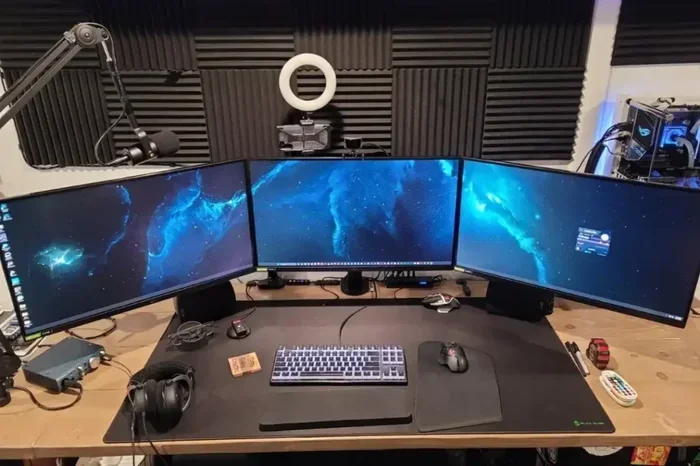
Yes, HDMI 2.0 can support 144Hz, but with important limits. It works great at 1080p and 1440p, but struggles at 4K. Understanding HDMI 2.0 bandwidth helps you choose the right cable and setup for your high-refresh gaming monitor.
You just bought a sleek 144Hz monitor. You plugged in your HDMI 2.0 cable. But will it actually run at 144Hz? This is a question many gamers ask, and the answer is not as simple as a yes or no. The truth depends on your resolution, your GPU, and a few other factors that are worth understanding.
HDMI 2.0 has been around for several years now. It became the standard on most TVs, monitors, and graphics cards. But when high-refresh-rate gaming took off, people started asking whether this older cable standard could keep up. The short answer is that HDMI 2.0 can do 144Hz, but only up to a point. Let us break down exactly what that point is and how to get the most out of your setup.
Key Takeaways
- HDMI 2.0 supports 144Hz at 1080p and 1440p without any issues, making it a solid choice for most gamers.
- 4K at 144Hz is not possible with HDMI 2.0 due to its 18 Gbps bandwidth limit. You need HDMI 2.1 for that.
- Color depth and chroma subsampling affect whether HDMI 2.0 can push 144Hz at higher resolutions.
- Using the right cable and port matters just as much as the HDMI version itself.
- HDMI 2.1 is the future for 4K 144Hz and even 8K gaming, but HDMI 2.0 still covers most current setups well.
📑 Table of Contents
- What Is HDMI 2.0 and Why Does It Matter?
- Can HDMI 2.0 Do 144Hz at 1080p?
- Can HDMI 2.0 Do 144Hz at 1440p?
- Why HDMI 2.0 Cannot Do 4K at 144Hz
- What Else Affects 144Hz Over HDMI 2.0?
- Tips to Get the Best 144Hz Experience with HDMI 2.0
- The Role of HDMI 2.0 in Modern Gaming Setups
- When Should You Upgrade to HDMI 2.1?
- Final Thoughts
What Is HDMI 2.0 and Why Does It Matter?
HDMI 2.0 is a version of the High-Definition Multimedia Interface standard. It was released in 2013 and brought some big improvements over HDMI 1.4. The most important upgrade was bandwidth. HDMI 2.0 offers 18 gigabits per second of data transfer. That is double what HDMI 1.4 could handle.
This extra bandwidth matters because higher refresh rates need more data. Every frame your GPU renders has to travel through the cable to your monitor. At 144 frames per second, that is a lot of data moving very fast. HDMI 2.0 was designed to handle this, but only within certain resolution limits.
HDMI 2.0 Bandwidth Explained
The 18 Gbps bandwidth of HDMI 2.0 is shared between resolution, refresh rate, color depth, and chroma format. Think of it like a highway. The more lanes you need for one thing, the fewer are left for other things. If you want 4K resolution, you use up a lot of lanes. That leaves less room for a high refresh rate.
Here is how the bandwidth works out in practice:
- 1080p at 144Hz: This uses a small portion of the available bandwidth. HDMI 2.0 handles this with ease.
- 1440p at 144Hz: This is still within the limits of HDMI 2.0, but you may need to use chroma subsampling or reduce color depth slightly.
- 4K at 144Hz: This exceeds HDMI 2.0 bandwidth. You will not get 144Hz at 4K with HDMI 2.0.
Understanding this trade-off helps you set realistic expectations for your gaming display setup.
Can HDMI 2.0 Do 144Hz at 1080p?
Absolutely. 1080p at 144Hz is well within the capabilities of HDMI 2.0. In fact, this combination has been the go-to setup for competitive gamers for years. At 1080p, each frame contains about 2 million pixels. At 144 frames per second, that is roughly 288 million pixels per second. HDMI 2.0 can handle this without breaking a sweat.
Most entry-level and mid-range gaming monitors use this exact configuration. If you have a 1080p 144Hz monitor, an HDMI 2.0 cable will work perfectly. You will get smooth gameplay, responsive controls, and a great visual experience.
What About Color Depth?
At 1080p and 144Hz, HDMI 2.0 can also support 8-bit color depth and 4:4:4 chroma sampling. This means you get full, rich color without any compression artifacts. Your image quality will be excellent. This is one of the reasons why 1080p 144Hz remains such a popular choice for gamers on a budget.
Can HDMI 2.0 Do 144Hz at 1440p?
This is where things get a little more nuanced. HDMI 2.0 can do 144Hz at 1440p, but you might need to make small adjustments. 1440p has about 3.7 million pixels per frame. At 144 frames per second, that is a lot of data for an 18 Gbps connection.
In most cases, HDMI 2.0 will deliver 1440p at 144Hz using chroma subsampling. Chroma subsampling reduces the color information slightly while keeping the brightness detail intact. The human eye barely notices the difference in most gaming scenarios. You will still get a smooth, vibrant picture.
Some users prefer to run 1440p at 144Hz with 8-bit color and 4:2:0 or 4:2:2 chroma. This is perfectly fine for gaming. If you are doing professional photo or video editing, you might notice the difference, but for pure gaming, 1440p at 144Hz over HDMI 2.0 works great.
Real-World Performance at 1440p
Many popular gaming monitors ship with HDMI 2.0 ports and support 1440p at 144Hz out of the box. Brands like ASUS, Acer, and LG have built entire product lines around this combination. You do not need a fancy HDMI 2.1 cable to enjoy high refresh gaming at 1440p.
Just make sure your GPU can push 144 frames per second at 1440p. That is where the real bottleneck often lies, not the cable. A mid-range graphics card will struggle to hit 144 fps at 1440p in demanding titles, regardless of the display cable you use.
Why HDMI 2.0 Cannot Do 4K at 144Hz
4K resolution has about 8.3 million pixels per frame. That is more than double 1440p and four times 1080p. When you multiply that by 144 frames per second, the data requirements far exceed what HDMI 2.0 can handle. The 18 Gbps bandwidth cap is the hard limit here.
With HDMI 2.0, the maximum you can get at 4K is 60Hz. That is fine for movies and casual gaming, but competitive gamers who want ultra-smooth motion at 4K will be disappointed. If 4K at 144Hz is your goal, you need HDMI 2.1.
HDMI 2.0 vs HDMI 2.1 at a Glance
| Feature | HDMI 2.0 | HDMI 2.1 |
|---|---|---|
| Bandwidth | 18 Gbps | 48 Gbps |
| Max 4K Refresh Rate | 60Hz | 120Hz (uncompressed) |
| Max 1080p Refresh Rate | 240Hz | 240Hz+ |
| Max 1440p Refresh Rate | 144Hz (with subsampling) | 144Hz+ (native) |
| Dynamic HDR | No | Yes |
| eARC Support | No | Yes |
As you can see, HDMI 2.1 is a massive leap forward. But if your current setup uses HDMI 2.0, there is no need to panic. For most gaming scenarios at 1080p and 1440p, HDMI 2.0 is still perfectly capable.
What Else Affects 144Hz Over HDMI 2.0?
The cable and port are not the only factors. Several other elements play a role in whether you actually get 144Hz on your screen.
Your Graphics Card Matters
Your GPU needs to be powerful enough to render 144 frames per second. A weak graphics card will bottleneck your setup no matter what cable you use. For 1080p 144Hz gaming, cards like the NVIDIA GTX 1660 Super or AMD RX 5600 XT are solid starting points. For 1440p 144Hz, you will want something more powerful like an RTX 3060 Ti or RX 6700 XT.
Also, make sure your GPU has an HDMI 2.0 port. Some older cards only have HDMI 1.4, which cannot do 144Hz at any resolution above 1080p. Check your card specs carefully before buying a monitor.
The Cable Quality Counts
Not all HDMI cables are created equal. A cheap or damaged cable might not support the full bandwidth of HDMI 2.0. Look for cables that are certified as Premium High Speed HDMI or Ultra High Speed HDMI. These are tested to handle the data rates needed for 144Hz.
A good HDMI 2.0 cable costs around 10 to 15 dollars. It is a small investment that can make a big difference in your gaming experience. Avoid ultra-chep cables from unknown brands, as they may not meet the official specifications.
Monitor Settings and EDID
Sometimes the monitor itself is the issue. Some monitors have firmware that limits refresh rates over HDMI. Check your monitor manual or on-screen display settings to make sure 144Hz is available as an option. Updating your monitor firmware can also unlock higher refresh rates that were previously unavailable.
On your PC, you can check the available refresh rates by going to Display Settings, then Advanced Display Settings, and then Display Adapter Properties. The list of supported modes will show you exactly what your setup can do over HDMI 2.0.
Tips to Get the Best 144Hz Experience with HDMI 2.0
Follow these practical tips to make sure you are getting the most out of your HDMI 2.0 connection:
- Use a certified Premium High Speed HDMI cable. This ensures the cable can handle 18 Gbps without signal loss.
- Check your GPU output ports. Make sure you are plugging into an HDMI 2.0 port, not an older HDMI 1.4 port.
- Update your monitor firmware. Manufacturers sometimes release updates that improve HDMI compatibility and add refresh rate options.
- Use chroma subsampling if needed. If 1440p at 144Hz with full 4:4:4 chroma does not work, switch to 4:2:2 or 4:2:0. Your gaming experience will still be excellent.
- Match your game settings to your GPU. Lowering in-game settings can help your graphics card hit 144 fps consistently.
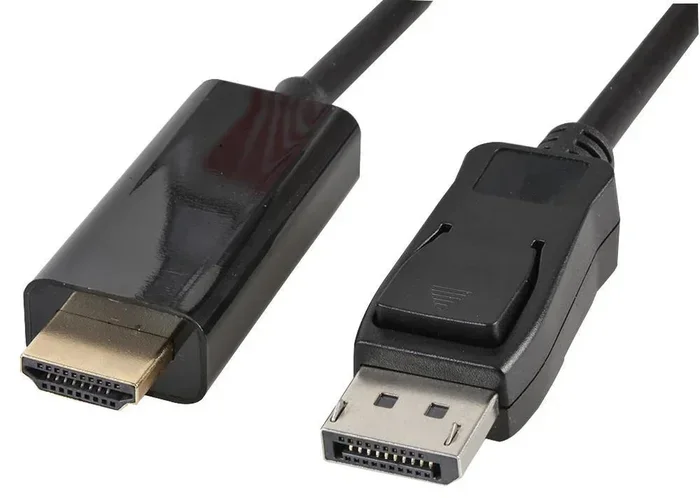
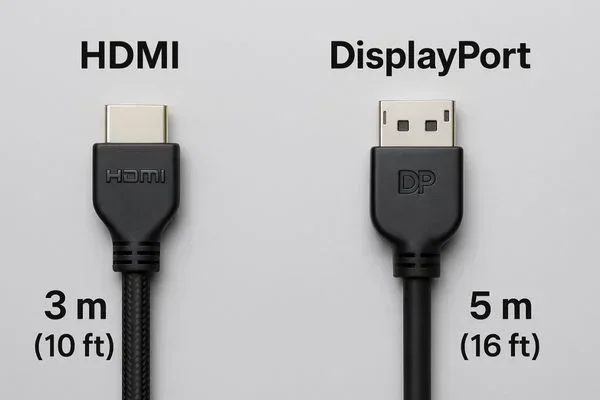
- Consider a DisplayPort connection. DisplayPort 1.2 and 1.4 also support 144Hz at various resolutions and may offer more flexibility than HDMI 2.0 in some setups.
Common Mistakes to Avoid
Many users run into frustration with 144Hz and HDMI 2.0 because of simple mistakes. One common error is using an HDMI 1.4 cable with an HDMI 2.0 port. The cable, not the port, becomes the bottleneck. Another mistake is assuming all HDMI ports on a GPU are the same version. Some GPUs have a mix of HDMI 2.0 and HDMI 2.1 ports. Always check which port you are using.
Some people also forget to select the correct refresh rate in their operating system. Windows defaults to 60Hz unless you change it manually. Go to Settings, System, Display, Advanced Display, and choose 144Hz from the dropdown menu.
The Role of HDMI 2.0 in Modern Gaming Setups
Even though HDMI 2.1 is the latest standard, HDMI 2.0 is still everywhere. Most mid-range monitors, budget TVs, and older graphics cards use HDMI 2.0. For casual and competitive gamers alike, HDMI 2.0 with 144Hz at 1080p or 1440p remains a reliable and affordable setup.
Pairing your high-refresh monitor with fast storage also boosts your overall gaming experience. A 1TB PCIe 4.0 NVMe M.2 SSD loads games in seconds, so you spend less time waiting and more time playing. Fast storage complements your smooth display perfectly, creating a complete gaming rig that feels responsive from boot to gameplay.
If you are building a new setup, HDMI 2.0 is a perfectly valid choice. It is widely supported, affordable, and handles 144Hz at common gaming resolutions with ease. Only upgrade to HDMI 2.1 if you specifically need 4K at 120Hz or higher.
When Should You Upgrade to HDMI 2.1?
HDMI 2.1 is worth considering if you have a 4K monitor and want to push beyond 60Hz. It is also essential for next-gen console gaming. The PS5 and Xbox Series X both support 4K at 120Hz, and they require HDMI 2.1 to do so. If you are a console gamer or a PC gamer with a 4K 120Hz+ display, HDMI 2.1 is the way to go.
For most PC gamers still using 1080p or 1440p panels, HDMI 2.0 is more than enough. Save your money and invest in a better GPU or more games instead. The difference between HDMI 2.0 and 2.1 only becomes meaningful at higher resolutions and refresh rates.
Final Thoughts
So, will HDMI 2.0 do 144Hz? Yes, it absolutely can. At 1080p, it handles 144Hz effortlessly. At 1440p, it works well with minor settings adjustments. At 4K, it falls short and you need HDMI 2.1. For the majority of gamers, HDMI 2.0 is still a perfectly capable standard that delivers smooth, responsive gameplay at high refresh rates.
The key is understanding the limits and working within them. Use the right cable, check your ports, update your settings, and pair your monitor with a GPU that can actually push 144 frames per second. Do all of that, and you will enjoy a fantastic gaming experience without spending extra on hardware you do not need yet.
Technology moves fast, and HDMI 2.1 is certainly the future. But HDMI 2.0 is not going away anytime soon. It remains a solid, dependable standard that powers millions of gaming setups around the world. Make the most of it, and your gaming experience will be smooth and satisfying.
Frequently Asked Questions
Can I get 144Hz at 1080p with HDMI 2.0?
Yes, HDMI 2.0 fully supports 1080p at 144Hz without any compromises. You get full color depth and no need for chroma subsampling. This is the easiest and most common way to enjoy high-refresh gaming over HDMI 2.0.
Why does my HDMI 2.0 monitor only show 60Hz at 1440p?
This usually happens when the monitor or GPU defaults to a lower refresh rate. Check your Windows display settings and make sure 144Hz is selected. Also, ensure you are using a certified HDMI 2.0 cable and plugging into the correct port on your GPU.
Do I need a special cable for 144Hz over HDMI 2.0?
You need a Premium High Speed HDMI cable rated for 18 Gbps. Standard or older cables may not support the bandwidth required for 144Hz at higher resolutions. Look for the official certification on the cable packaging.
Can HDMI 2.0 do 144Hz at 4K?
No, HDMI 2.0 cannot do 4K at 144Hz. The 18 Gbps bandwidth is not enough for that combination. The maximum 4K refresh rate over HDMI 2.0 is 60Hz. You would need HDMI 2.1 for 4K at 120Hz or higher.
Is DisplayPort better than HDMI 2.0 for 144Hz?
DisplayPort 1.2 and later can deliver 144Hz at higher resolutions than HDMI 2.0 without compression. If you have a choice between the two, DisplayPort often gives you more flexibility. However, HDMI 2.0 is still perfectly fine for most gaming setups.
Should I wait for HDMI 2.1 instead of using HDMI 2.0 now?
Only if you specifically need 4K at 120Hz or higher. For 1080p and 1440p gaming at 144Hz, HDMI 2.0 is more than sufficient. There is no need to spend extra on HDMI 2.1 gear unless your display and GPU truly require it.
=== CONCLUSION ===
HDMI 2.0 does support 144Hz, and for most gamers, that is all you need. At 1080p, it works flawlessly. At 1440p, it works well with minor tweaks. The 18 Gbps bandwidth cap only becomes a problem at 4K, where you need HDMI 2.1 to push beyond 60Hz.
Make sure you use the right cable, check your GPU and monitor settings, and pair your setup with hardware that can actually deliver 144 frames per second. With the right combination of components, HDMI 2.0 provides a smooth and responsive gaming experience that many players are very happy with. Do not let cable confusion stop you from enjoying high-refresh gaming today.