Which Samsung Tablet Has Hdmi Output
Not all Samsung tablets come with a built-in HDMI port, but many models support HDMI output through adapters or docks. The Samsung Galaxy Tab S series and select Tab A models offer the best options for connecting your tablet to a larger display. In this guide, we break down exactly which Samsung tablet has HDMI output and how to set it up with ease.
Have you ever wanted to mirror your Samsung tablet on a bigger screen? Maybe you want to watch movies on your TV, present slides at work, or play games on a monitor. Whatever your reason, the question which Samsung tablet has HDMI output comes up a lot. The answer is not as straightforward as you might think.
Most Samsung tablets do not have a built-in HDMI port. Instead, they use USB-C connections with adapters or docking stations to send video to external displays. This design keeps the tablets slim and portable, but it can confuse buyers who want a simple plug-and-play setup. In this article, we will walk you through everything you need to know about Samsung tablet HDMI output.
We will cover the best Samsung tablet models, the adapters you need, and tips for getting the best experience. Whether you are a student, a professional, or a casual viewer, this guide has you covered. Let us dive right in.
Key Takeaways
- Built-in HDMI is rare: Most Samsung tablets rely on USB-C to HDMI adapters or docking stations for display output.
- Galaxy Tab S series leads: The Tab S6, Tab S7, Tab S8, and Tab S9 offer the best HDMI-compatible experiences.
- USB-C is the key: Look for tablets with USB-C ports that support DisplayPort Alt Mode for direct HDMI connections.
- DeX mode matters: Samsung DeX enhances your HDMI output experience with a desktop-like interface.
- Adapters are essential: A quality USB-C to HDMI adapter unlocks HDMI capability on most Samsung tablets.
- Check specs before buying: Always verify the tablet’s display output support before purchasing an adapter.
📑 Table of Contents
- Understanding HDMI Output on Samsung Tablets
- Which Samsung Tablets Support HDMI Output
- How to Connect Your Samsung Tablet to an HDMI Display
- Best HDMI Adapters for Samsung Tablets
- Common Issues with Samsung Tablet HDMI Output
- Tips for Getting the Best HDMI Experience
- Samsung Tablet HDMI Output vs. Other Brands
- Final Thoughts
Understanding HDMI Output on Samsung Tablets
Before we list specific models, it helps to understand how HDMI output works on Samsung tablets. Unlike laptops or desktop computers, most tablets do not include full-size HDMI ports. This is by design. Tablet makers prioritize thin profiles and lightweight builds over extra ports.
So how does HDMI output work on a Samsung tablet? The answer lies in the USB-C port. Many modern Samsung tablets use USB-C connectors that support DisplayPort Alt Mode. This technology allows the tablet to send video signals through a USB-C to HDMI adapter or cable. The result is a clean HDMI connection to your TV, monitor, or projector.
What Is DisplayPort Alt Mode?
DisplayPort Alt Mode is a standard built into USB-C connections. It lets devices like tablets and phones transmit video and audio through a single cable. When you plug a USB-C to HDMI adapter into a compatible Samsung tablet, the tablet recognizes the external display and mirrors or extends the screen.
Not all USB-C ports support this mode, though. Some tablets only charge through USB-C or transfer data. This is why checking the specs of your tablet matters. Samsung has done a great job of including DisplayPort Alt Mode in its higher-end tablet lineup, especially the Galaxy Tab S series.
Which Samsung Tablets Support HDMI Output
Now for the part you have been waiting for. Which Samsung tablets can actually output HDMI? Here is a breakdown of the most popular models and their HDMI capabilities.
Samsung Galaxy Tab S9 Series
The Galaxy Tab S9, Tab S9+, and Tab S9 Ultra are among the latest Samsung tablets. They all feature USB-C ports that support DisplayPort Alt Mode. This means you can connect them to any HDMI display using a reliable USB-C to HDMI adapter. These tablets also support Samsung DeX, which turns your tablet into a desktop-like experience when connected to a monitor.
The Tab S9 Ultra, with its massive 14.6-inch screen, makes an especially impressive HDMI output option. You get sharp visuals and vibrant colors when mirroring to a TV or projector.
Samsung Galaxy Tab S8 Series
The Tab S8, Tab S8+, and Tab S8 Ultra are previous-generation flagships that still deliver excellent HDMI output. They share the same USB-C DisplayPort Alt Mode support as the S9 series. If you own one of these tablets, you can use the same adapters and enjoy a seamless connection to external displays.
Many users love the Tab S8+ for its balanced size and powerful performance. It handles HDMI output smoothly, whether you are streaming content or giving a presentation.
Samsung Galaxy Tab S7 Series
The Tab S7 and Tab S7+ were game-changers when they launched. They introduced Samsung DeX support and reliable USB-C video output. While they are older models, they still work well with HDMI adapters and remain popular choices for budget-conscious buyers.
Samsung Galaxy Tab A Series
The Tab A lineup includes more affordable Samsung tablets. Some models, like the Tab A8 and Tab A9+, feature USB-C ports that can support HDMI output through adapters. However, the experience may vary. Lower-end models sometimes have limitations with display resolution or refresh rate over HDMI.
If you are looking for a budget-friendly option, the Tab A series is worth considering. Just make sure to check the specific model’s specs for display output support.
How to Connect Your Samsung Tablet to an HDMI Display
Setting up HDMI output on your Samsung tablet is simple once you have the right gear. Here is a step-by-step guide to get you started.
Step 1: Get the Right Adapter
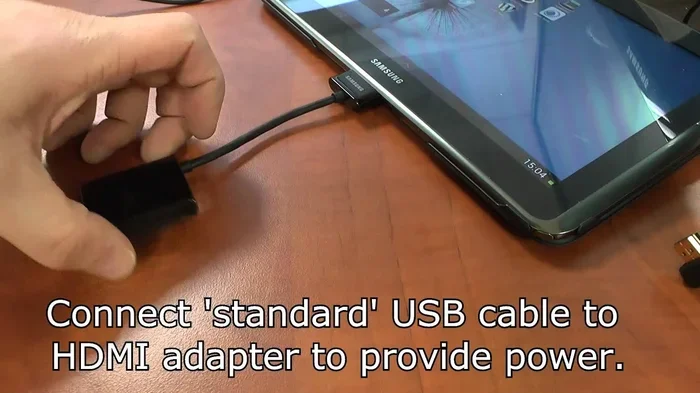
You need a USB-C to HDMI adapter or cable. Samsung sells its own official adapters, but many third-party options work great too. Look for adapters that support 4K resolution and are certified for Samsung devices. A high-quality adapter ensures a stable connection and crisp video output.
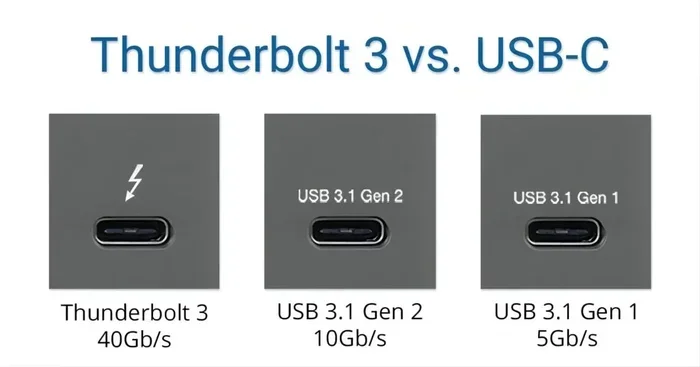
When shopping for an adapter, check whether it supports your tablet’s USB-C version. USB 3.2 and Thunderbolt adapters offer the best performance for video output.
Step 2: Enable DeX Mode (Optional)
If your tablet supports Samsung DeX, you can enable it for a desktop-like interface on your external display. DeX gives you a taskbar, resizable windows, and multi-window support. It is perfect for productivity tasks like editing documents or browsing the web on a larger screen.
To enable DeX, connect your tablet to the HDMI display, then swipe down from the top of your screen and tap the DeX icon. Your tablet screen will switch to the DeX layout on the external display.
Step 3: Adjust Display Settings
Once connected, go to your tablet’s display settings. You can choose to mirror your screen or extend it as a second display. Mirroring is great for watching videos or sharing photos. Extending the display works well for multitasking and productivity.
You may also want to adjust the resolution and refresh rate in your tablet’s settings. Higher resolutions give sharper images, while higher refresh rates make motion smoother.
Best HDMI Adapters for Samsung Tablets
Not all adapters are created equal. Here are some tips for choosing the best one for your Samsung tablet.
Samsung Official USB-C to HDMI Adapter
Samsung’s own adapter is a safe bet. It is designed specifically for Samsung tablets and phones. It supports 4K resolution at 60Hz and delivers reliable performance. If you want plug-and-play simplicity, this is the one to get.
Certified Third-Party Adapters
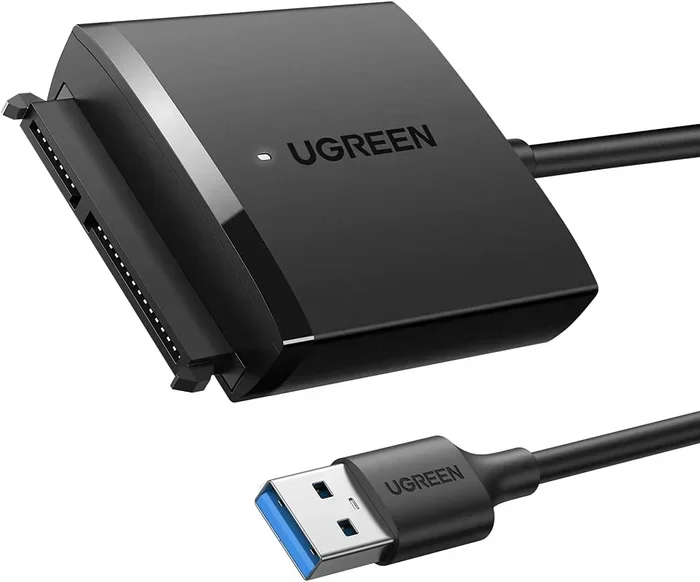
Brands like Anker, UGREEN, and Cable Matters offer excellent USB-C to HDMI adapters. Look for adapters that are USB-IF certified and support the DisplayPort Alt Mode standard. These adapters often cost less than Samsung’s official option while delivering similar performance.
Docking Stations with HDMI
If you need more than just HDMI output, consider a USB-C docking station. These devices add HDMI ports along with USB-A ports, SD card readers, and charging passthrough. A docking station turns your Samsung tablet into a full workstation. This is especially useful for professionals who connect their tablets to monitors and peripherals daily.
For users who also work with laptops, pairing a Samsung laptop with a docking station creates a seamless ecosystem. You get consistent connectivity across all your devices.
Common Issues with Samsung Tablet HDMI Output
HDMI output on Samsung tablets is generally reliable, but you may run into occasional issues. Here are the most common problems and how to fix them.
No Signal on the External Display
If your TV or monitor shows no signal, try these steps. First, check that your adapter is firmly connected to both the tablet and the HDMI cable. Second, make sure your TV is on the correct input source. Third, try a different USB-C port on your tablet if it has one.
Sometimes the adapter simply needs a firmware update. Check Samsung’s support website for the latest adapter software.
Low Resolution or Flickering
If your HDMI output looks blurry or flickers, the adapter may not support your tablet’s resolution. Upgrade to a higher-quality adapter that supports 4K output. Also, make sure your HDMI cable is rated for the resolution you want to achieve.
DeX Mode Not Working
Some older Samsung tablets may not support DeX over HDMI. Make sure your tablet model is DeX-compatible. You can also try updating your tablet’s software to the latest version, as Samsung adds DeX support through updates.
Tips for Getting the Best HDMI Experience
Want to squeeze every bit of performance from your Samsung tablet’s HDMI output? Follow these quick tips.
- Use a short, high-quality HDMI cable. Longer cables can cause signal loss. Keep your cable under 6 feet for the best results.
- Close unused apps. HDMI output uses processing power. Closing background apps improves performance and reduces lag.
- Use a cooling pad. Extended video output can heat up your tablet. A cooling pad keeps temperatures in check.
- Update your tablet software. Samsung regularly improves HDMI and DeX performance through software updates.
- Pair with a Bluetooth keyboard. For DeX productivity, a wireless keyboard makes your setup feel more like a laptop.
Samsung Tablet HDMI Output vs. Other Brands
How does Samsung compare to other tablet makers when it comes to HDMI output? Apple’s iPad uses a proprietary connector called Thunderbolt/USB-4 on newer models. While it supports video output, it requires Apple’s own adapters. Android tablets from brands like Lenovo and Microsoft Surface often include full-size HDMI ports or more flexible output options.
Samsung strikes a balance. Its tablets are sleek and portable, and the USB-C to HDMI ecosystem is well-supported. For most users, Samsung’s approach works perfectly fine. You just need the right adapter, and you are good to go.
Final Thoughts
So, which Samsung tablet has HDMI output? The truth is, most modern Samsung tablets can output HDMI with the right adapter. The Galaxy Tab S series offers the best experience, with full DeX support and reliable USB-C video output. Even the more affordable Tab A models can handle basic HDMI mirroring.
Investing in a quality USB-C to HDMI adapter opens up a world of possibilities. You can turn any Samsung tablet into a media center, a presentation tool, or a portable workstation. The key is to know your tablet’s specs and choose the right accessories.
Whether you are streaming your favorite show on the big screen or giving a pitch in the boardroom, Samsung tablets make HDMI output easy and convenient. With the tips and recommendations in this guide, you are now ready to set up your own Samsung tablet HDMI connection with confidence.
Explore our other articles on Samsung accessories and tablet tech to learn more about getting the most out of your devices. Check out our best Samsung laptops guide if you are also looking for a laptop that pairs well with your tablet setup. For those who need a full productivity station, our best tablet PC with keyboard article covers top picks for a complete mobile workspace.
And if you want to explore more Android tablet options, our best buy Android tablet PC review highlights the top models worth considering this year.
Frequently Asked Questions
Do all Samsung tablets have HDMI output?
No, not all Samsung tablets have built-in HDMI ports. Most Samsung tablets use USB-C to HDMI adapters for display output. Higher-end models like the Galaxy Tab S series support HDMI output natively through USB-C with DisplayPort Alt Mode.
Can I use any USB-C to HDMI adapter with my Samsung tablet?
Most USB-C to HDMI adapters work with Samsung tablets, but it is best to use adapters that support DisplayPort Alt Mode and are certified for Samsung devices. Cheap, uncertified adapters may cause resolution issues or connection problems.
Does Samsung DeX work over HDMI?
Yes, Samsung DeX works over HDMI on supported tablets. When you connect your Samsung tablet to an external display via HDMI, you can enable DeX mode for a desktop-like experience with a taskbar and resizable windows.
What resolution can I get with HDMI output on a Samsung tablet?
Most Samsung tablets support HDMI output at up to 4K resolution (3840 x 2160) at 60Hz. The exact resolution depends on your tablet model and the quality of your adapter and HDMI cable.
Can I extend my Samsung tablet screen over HDMI?
Yes, you can extend your Samsung tablet screen to an external display over HDMI. Go to your tablet’s display settings and choose the “Extend” option instead of “Mirror.” This lets you use the external display as a second screen.
Is HDMI output the same as screen mirroring?
HDMI output can be used for screen mirroring, but it can also be used to extend your display. Screen mirroring shows the same content on both screens, while extending your display gives you more workspace on the external monitor.