Which Is Better Hdmi or S Video
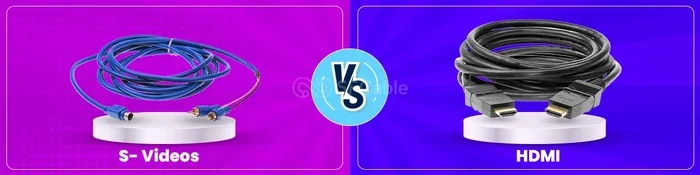
HDMI and S Video are two very different video connection types. HDMI is a modern digital standard that carries high-definition video and audio through a single cable. S Video is an older analog connection that separates video signals but lacks audio support. For most users today, HDMI is the clear winner in terms of quality, convenience, and versatility.
When you plug in a cable to connect your device to a screen, the type of connection matters more than most people realize. HDMI or S Video — these two standards have been around for decades, but they serve very different purposes. If you have ever stared at the back of your TV or monitor and wondered which port to use, you are not alone.
The short answer is that HDMI is better for almost everyone today. It delivers sharper images, carries sound, and works with modern devices. But S Video still has a place in the world of legacy equipment and retro setups. Let us dive deep into what makes each connection type tick and why you should care about the difference.
Understanding HDMI vs S Video helps you make smarter buying decisions. Whether you are setting up a home theater, connecting an old gaming console, or troubleshooting a display issue, knowing your connection options saves time and frustration. This guide covers everything you need to know about both standards in plain, simple language.
Key Takeaways
- HDMI supports digital video and audio: One cable handles everything, making it far more convenient than S Video.
- S Video is an older analog standard: It still works for legacy devices but cannot match HDMI’s resolution and clarity.
- HDMI offers much higher resolutions: Up to 4K and beyond, while S Video maxes out at standard definition.
- Compatibility matters: Newer devices rarely have S Video ports, so HDMI is the go-to choice for modern setups.
- Signal quality differs greatly: Digital HDMI signals are cleaner and less prone to interference than analog S Video signals.
- Price and availability favor HDMI: HDMI cables are widely available and affordable, making them the practical choice.
- S Video still has niche uses: Older gaming consoles, legacy equipment, and retro setups may still require S Video connections.
📑 Table of Contents
What Is HDMI?
HDMI stands for High-Definition Multimedia Interface. It is a digital connection standard that transmits both video and audio signals through a single cable. This is a huge deal because it means fewer cables cluttering your setup and a simpler, cleaner experience overall.
How HDMI Works
HDMI uses digital signaling to send uncompressed video and compressed or uncompressed audio data. The signal travels from the source device — like a laptop, Blu-ray player, or gaming console — directly to the display. Because it is digital, the signal stays clean and does not degrade the way analog signals do over distance.
HDMI has gone through several versions over the years. Each new version added more bandwidth, which means support for higher resolutions and refresh rates. Here is a quick look at what different HDMI versions offer:
- HDMI 1.4: Supports 4K at 30Hz. Good for basic 4K content.
- HDMI 2.0: Supports 4K at 60Hz. Great for smooth 4K gaming and video playback.
- HDMI 2.1: Supports up to 10K resolution and refresh rates up to 120Hz or higher. Built for next-gen gaming and professional displays.
Most people use HDMI cables every day without thinking twice. Your smart TV, streaming box, game console, and even your laptop likely use HDMI as the primary output. It has become the universal standard for audio and video connections.
Advantages of HDMI
- Carries both video and audio: One cable does the job of two or three older cables.
- Supports high resolutions: From 1080p Full HD all the way up to 8K in newer versions.
- Digital signal means no quality loss: The picture stays crisp and clear from end to end.
- Widely available and affordable: HDMI cables cost just a few dollars and are sold everywhere.
- Supports smart features: HDMI-CEC lets you control multiple devices with one remote. Ethernet sharing is also built into some versions.
What Is S Video?
S Video stands for Separate Video. It is an analog connection that was popular in the 1990s and early 2000s. Unlike HDMI, S Video carries only video signals — no audio at all. You need a separate cable for sound, which adds to the cable mess.
How S Video Works
S Video splits the video signal into two separate channels: luminance (brightness) and chrominance (color). This separation was a big improvement over the older composite video standard, which combined everything into one signal. The result was a noticeably clearer picture compared to composite cables.
S Video uses a round connector with multiple pins. The cable is typically a coaxial-style cable, similar to what you might find in older audio setups. This is actually quite different from the flat, slim HDMI cables most people use today.
The maximum resolution S Video can support is standard definition, usually around 480i or 576i. That means no HD, no 4K, and no modern high-resolution content. It was designed for a time when standard definition was the norm, and it served that purpose well.
Advantages of S Video
- Better than composite video: The separated signal gives a cleaner picture than old-school yellow RCA cables.
- Works with legacy devices: Older VCRs, retro gaming consoles, and vintage equipment often only have S Video outputs.
- Simple and reliable: No fancy digital handshakes or compatibility issues. Plug it in and it works.
- Low cost for what it offers: S Video cables are cheap and easy to find for retro setups.
HDMI vs S Video: Head-to-Head Comparison
Now let us put both connection types side by side. This comparison table makes it easy to see where each standard falls short and where it shines.
| Feature | HDMI | S Video |
|---|---|---|
| Signal Type | Digital | Analog |
| Max Resolution | Up to 10K (HDMI 2.1) | Standard Definition (480i/576i) |
| Audio Support | Yes, multi-channel | No |
| Cable Type | Flat, slim digital cable | Round coaxial-style cable |
| Common Uses | Modern TVs, monitors, projectors | Retro consoles, VCRs, older projectors |
| Availability | Universal on modern devices | Rare on new devices |
| Price | $3 to $25+ depending on version | $2 to $10 |
| Signal Degradation | Minimal over distance | Noticeable over longer runs |
The table makes it pretty clear that HDMI wins in almost every category. The only area where S Video holds any advantage is backward compatibility with older devices. If you are working with retro gear, S Video might be your only option for a decent picture.
Video Quality Comparison
When it comes to video signal quality, HDMI is in a completely different league. The digital nature of HDMI means the picture arrives at your screen exactly as it was sent. There is no interference, no noise, and no signal degradation.
S Video, being analog, is more vulnerable to interference. Electromagnetic interference from nearby electronics can introduce noise and ghosting into the picture. Over longer cable runs, this becomes even more noticeable. The best S Video connection still cannot match even the most basic HDMI setup in terms of clarity and color accuracy.
Audio Comparison
This is one of the biggest differences between the two standards. HDMI carries multi-channel audio, including Dolby Digital and surround sound formats. You get theater-quality sound through the same cable that delivers your picture.
S Video carries zero audio. You must use a separate audio connection, such as RCA stereo cables or an optical audio cable. This means more cables, more complexity, and more potential points of failure. For anyone who values a clean, simple setup, this alone makes the decision easy.
When to Use HDMI
For the vast majority of people, HDMI is the best choice. Here are some common situations where HDMI is the clear winner:
- Setting up a modern home theater: HDMI connects your streaming device, soundbar, and TV with minimal cables.
- Gaming on a console: PlayStation 5, Xbox Series X, and Nintendo Switch all use HDMI for the best quality output.
- Connecting a PC to a monitor: Most desktop computers and laptops feature HDMI outputs for external displays.
- Projector setups: Modern projectors almost exclusively use HDMI for input, delivering sharp and bright images.
- Streaming devices: Roku, Apple TV, Chromecast, and Fire Stick all rely on HDMI connections.
If you are trying to decide between HDMI or S Video for a modern setup, there really is no contest. HDMI delivers better quality, simpler connections, and future-proof compatibility. The digital signal also means you get the full benefit of your device’s capabilities, whether you are watching 4K movies or playing high-resolution games.
When S Video Still Makes Sense
Despite being an older standard, S Video is not completely obsolete. There are specific situations where it remains useful or even necessary:
- Retro gaming setups: Old consoles like the Sega Genesis, SNES, and early PlayStation models often only offer S Video or composite outputs. Retro gamers who want the best picture from these systems sometimes prefer S Video over composite.
- Vintage VCR playback: Many VCRs only have S Video or composite outputs. If you still watch tapes, S Video gives you a better picture than the yellow RCA cable.
- Legacy projectors: Some older projectors used S Video inputs. If you have one of these, S Video is the way to go.
- Educational or institutional setups: Some schools and businesses still use older equipment with S Video connections.
- Art and installation projects: Retro tech enthusiasts sometimes use S Video as part of a vintage aesthetic or installation piece.
If you fall into any of these categories, do not dismiss S Video entirely. It still provides a perfectly acceptable picture for standard definition content. Just understand that you are working within the limits of an older technology, and you will be satisfied with the results.
Common Mistakes with S Video
One mistake people make is trying to use S Video for high-definition content. It simply cannot handle it. The picture will look blurry, pixelated, or not display at all. Another common error is forgetting that S Video does not carry audio, leading to confusion when no sound comes through the video cable.
Expert Insights on Connection Standards
Display technology has evolved rapidly over the past two decades. Experts in the audio-visual industry consistently recommend HDMI as the primary connection for any modern setup. The reasons are straightforward: better quality, simpler installation, and broader device support.
When evaluating your display setup, it is also worth considering the GPU and monitor temperature factors that can affect performance. A stable, high-quality digital connection like HDMI helps ensure your display hardware operates efficiently without unnecessary strain. Analog connections like S Video do not offer any advantages in this area.
For those working with older equipment, the best approach is to use S Video where needed but plan for a transition to HDMI. Many modern devices include adapters that convert HDMI to other formats, making it easier to bridge the gap between old and new technology. This way, you get the best of both worlds without sacrificing quality.
Which Connection Should You Choose?
The answer depends entirely on your devices and what you want to accomplish. Here is a simple guide to help you decide:
Choose HDMI if: You are connecting modern devices, you want high-definition or 4K quality, you need audio through the video cable, or you want a simple, clean setup with fewer cables.
Choose S Video if: You are working with older equipment that only has S Video outputs, you need a standard definition connection for retro gear, or you are setting up a vintage display system.
For most people reading this today, the choice is already made. HDMI is the better option in nearly every scenario. It is faster, cleaner, and more versatile. S Video belongs to the past, and while it still works, it simply cannot compete with modern digital standards.
If you ever find yourself needing to connect multiple devices, consider investing in an HDMI switch or splitter. These affordable accessories let you connect several sources to a single display, keeping your setup tidy and organized. They are especially helpful in home theater setups where you have a gaming console, streaming box, and Blu-ray player all sharing one TV.
One more thing to keep in mind: not all HDMI cables are created equal. A basic High Speed HDMI cable handles 1080p and 4K at 30Hz just fine. If you want 4K at 60Hz or higher refresh rates, look for Premium High Speed or Ultra High Speed cables. Using the wrong cable can limit your setup’s capabilities, so it is worth checking the specifications before you buy.
Conclusion
The debate between HDMI or S Video is really not much of a debate at all in today’s world. HDMI has won the standard-setting war by offering superior digital video and audio quality, universal compatibility, and support for the highest resolutions available. S Video served its purpose well during the analog era, but it has been surpassed by modern technology.
If you are setting up a new display, building a home theater, or connecting modern gaming hardware, HDMI is the only sensible choice. It is simple, reliable, and future-proof. S Video remains useful only for retro enthusiasts and legacy equipment. Understanding the strengths and limitations of each connection type helps you make informed decisions and get the best experience from your devices.
Take a moment to check the ports on your devices right now. If you see HDMI, use it. You will enjoy a sharper picture, better sound, and a much simpler setup. That is the power of choosing the right connection standard for your needs.
Frequently Asked Questions
Can I convert S Video to HDMI?
Yes, you can use an S Video to HDMI converter or adapter. These devices convert the analog S Video signal to a digital HDMI signal. However, the quality will still be limited by the original S Video source, which is standard definition. You will not get true HD or 4K quality through this conversion.
Is S Video better than HDMI for retro gaming?
For retro consoles that only have S Video outputs, S Video is the best option available. It provides a cleaner picture than composite cables. However, if your retro console has an HDMI output option through an aftermarket adapter, that will give you a better result than the native S Video connection.
Does HDMI carry better sound than S Video?
HDMI carries multi-channel audio, including surround sound formats like Dolby Digital and DTS. S Video carries no audio at all. This is one of the biggest advantages of HDMI and a major reason to choose it over S Video for any modern setup.
Can I use S Video for 1080p content?
No, S Video cannot support 1080p or any high-definition resolution. S Video is limited to standard definition, typically 480i or 576i. Attempting to use it with HD content will result in a poor or non-functional picture.
Are HDMI cables expensive?
No, HDMI cables are very affordable. A basic High Speed HDMI cable costs just a few dollars and works perfectly for most setups. You do not need to spend a lot on premium cables unless you need specific features like 8K support or very long cable runs.
What is the maximum length for an HDMI cable?
A standard HDMI cable works well up to about 15 feet. Beyond that, signal quality can degrade. For longer runs, you can use an HDMI extender, fiber optic HDMI cable, or signal booster to maintain a strong digital connection without quality loss.