What Is an Advertising Rough Layout
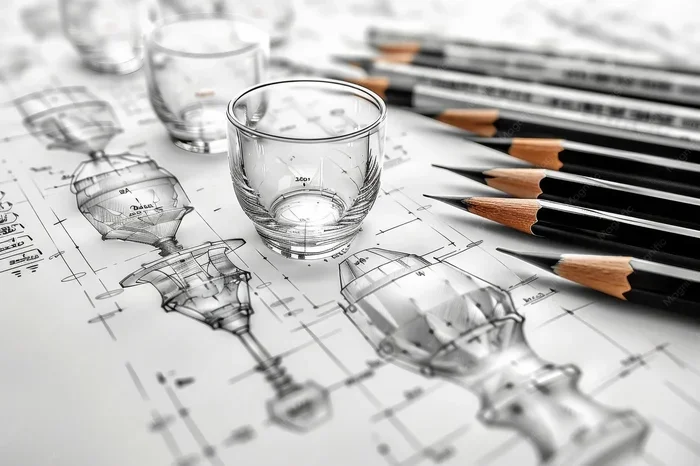
An advertising rough layout is a simple sketch or blueprint that shows where text, images, and other elements will go in an ad before final design. It helps teams plan the ad layout early, save time, and align on a shared vision. Whether for print or digital, a solid rough layout keeps the creative process focused and efficient.
Have you ever jumped straight into designing an ad without a plan? If so, you know how messy it can get. Text ends up in weird spots. The call to action gets lost. And suddenly you are three rounds of revisions deep with no end in sight.
That is exactly where the advertising rough layout comes in. Think of it as the blueprint for your ad. It is a simple, early-stage sketch that maps out the basic structure before any polished design work begins. Whether you are working on a print ad, a social media post, or a full digital campaign, a rough layout keeps everyone on the same page.
In this guide, we will walk through everything you need to know about rough layout design. You will learn what it is, why it is so important, the different types you can use, and practical tips to create one that actually works. Let us dive in.
Key Takeaways
- What it is: An advertising rough layout is a preliminary visual plan for an ad.
- Why it matters: It saves time, reduces revisions, and aligns the whole team before production.
- Types: There are thumbnail sketches, detailed roughs, and digital wireframes for different needs.
- Key elements: Copy placement, visual hierarchy, branding, and call-to-action positioning are all mapped out.
- Best practices: Start simple, focus on structure first, and iterate before moving to final design.
📑 Table of Contents
- What Is an Advertising Rough Layout?
- The Different Types of Rough Layouts
- Key Elements of a Great Rough Layout
- The Step-by-Step Process for Creating a Rough Layout
- Common Mistakes to Avoid
- How Rough Layouts Fit Into the Ad Project Workflow
- Tips for Creating Effective Rough Layouts
- Rough Layouts for Print vs. Digital
- Final Thoughts
What Is an Advertising Rough Layout?
An advertising rough layout is a simplified visual representation of an ad. It shows the basic placement of headlines, body copy, images, logos, and call-to-action buttons. It is not meant to be pretty. It is meant to be clear.
A rough layout answers one big question: “Where does everything go?” It strips away colors, fonts, and fine details. Instead, it focuses on structure and flow. Designers, copywriters, and clients all use it to agree on the ad composition before investing time in the final version.
The term “rough layout” might sound informal, but it plays a very serious role in the ad production process. It is the bridge between a creative brief and a finished design. Without it, teams often waste hours going back and forth, guessing what the client or team actually wants.
Why a Rough Layout Is Essential
You might wonder why you cannot just start designing the final ad right away. Here is the truth: jumping into final design without a plan almost always leads to problems. A rough layout solves several common issues at once.
First, it forces you to think about visual hierarchy. That means deciding what the viewer sees first, second, and third. Is the headline the most important element? Should the image take up most of the space? A rough layout helps you answer these questions before you get attached to any one design choice.
Second, it saves a ton of time. When everyone can see the basic structure upfront, there are fewer misunderstandings. Clients approve the direction faster. Designers spend less time redoing work. And copywriters know exactly where their text will go.
Third, it makes collaboration easier. A rough layout sketch is a shared reference point. The art director, the copywriter, the client, and the project manager can all look at it and say, “Yes, this is what we want” or “Let us adjust this part.” It keeps communication simple and visual.
The Different Types of Rough Layouts
Not all rough layouts are the same. The type you choose depends on the project, the medium, and how much detail is needed. Here are the most common ones.
Thumbnail Sketches
Thumbnails are the smallest and simplest form of a rough layout. They are usually tiny, quick drawings no bigger than a sticky note. Designers create several thumbnails in minutes to explore different ideas.
Thumbnails are perfect for the early brainstorming phase. They let you quickly test multiple ad layout options without getting bogged down in details. Think of them as the “what if” stage of design. You are just exploring possibilities.
For example, a designer might sketch five different thumbnail options for a social media ad. One might place the image on the left and text on the right. Another might stack everything vertically. A third might center the image with a bold headline overlay. All of these get explored fast, with no pressure to make them look polished.
Detailed Rough Layouts
A detailed rough layout goes a step further. It includes more specific placement of elements. You can see where the headline goes, where the body copy sits, and where the logo and tagline will be positioned.
Detailed roughs often include notes about font size, image dimensions, and color directions. They are not final designs, but they give a much clearer picture of the finished product. These are the ones you would typically show to a client for approval before moving to the next stage.
If you are managing an ad campaign with multiple pieces, detailed roughs are especially helpful. They ensure that every ad in the campaign has a consistent look and feel. The layout planning stays uniform across all assets.
Digital Wireframes
For digital ads, many teams use digital wireframes. These are created using design tools or even simple SaaS environment platforms. They look similar to detailed roughs but exist on a screen.
Digital wireframes are great for web banners, social media ads, and landing pages. They can be easily shared, edited, and reviewed in real time. If your team uses a tool like Webflow for building landing pages, the wireframe often becomes the starting point for the actual page build.
The beauty of digital wireframes is that they bridge the gap between a rough sketch and a high-fidelity design. They give you structure without the distraction of colors and images.
Key Elements of a Great Rough Layout
A good rough layout includes several essential elements. Each one plays a role in making the final ad effective. Let us break them down.
Headline Placement
The headline is usually the first thing a viewer reads. In your rough layout, you need to decide exactly where it goes. Top center is a common choice. So is the top left. The key is to make sure it stands out and draws the eye immediately.
Your rough layout should also show the headline size relative to other elements. Is it huge and bold? Or more subtle and integrated into the design? These decisions matter for the visual hierarchy of the ad.
Copy Placement
Body copy is the text that tells your story. In a rough layout, you map out where the copy block will sit. You do not need to write the full text yet, but you should estimate how much space it will take.
A common mistake is crowding too much text into a small space. Your rough layout helps you spot this problem early. If the copy block looks too big for the ad, you know to trim the text or adjust the layout before reaching the final design stage.
Image and Visual Placement
Images bring ads to life. In your rough layout, you should indicate where the main image or graphic will go. You do not need to insert the actual image. A simple box or placeholder works fine.
Think about the relationship between the image and the text. Do they sit side by side? Does the image wrap around the copy? Does the headline overlay the image? Your rough layout answers these questions and ensures the ad creative feels balanced.
Call-to-Action (CTA)
Every ad needs a clear call to action. In your rough layout, make sure the CTA is visible and easy to find. It should not be buried under blocks of text or hidden in a corner.
Use a simple box or arrow in your rough layout to mark the CTA. This reminds everyone involved that the ultimate goal of the ad is to get the viewer to take action. Whether it is “Shop Now,” “Learn More,” or “Sign Up,” the CTA deserves a prominent spot.
Branding Elements
Logos, taglines, and brand colors are all part of the rough layout. Even at this early stage, you should indicate where the logo goes and how brand identity will be reflected. This ensures consistency across all ads in a campaign.
When the layout planning includes branding from the start, the final design feels cohesive and professional. It also makes the approval process smoother because stakeholders can see the brand presence upfront.
The Step-by-Step Process for Creating a Rough Layout
Creating an advertising rough layout does not have to be complicated. Follow these steps and you will have a solid plan in no time.
Step 1: Start with the Creative Brief
Before you draw anything, make sure you have a clear creative brief. The brief should outline the goal of the ad, the target audience, the key message, and any technical requirements like dimensions or format.
Think of the creative brief as your roadmap. It tells you exactly what the ad needs to accomplish. Without it, your rough layout will lack direction.
Step 2: Sketch Thumbnails
Grab a pencil and paper (or a digital sketching tool) and start drawing small thumbnails. Create at least three to five different options. Explore different arrangements of text and images.
Do not worry about making them look good. The goal is speed and exploration. Pick the thumbnail that best communicates the core message and move on to the next step.
Step 3: Develop a Detailed Rough
Take your chosen thumbnail and develop it into a more detailed rough layout. Add specific placement for the headline, body copy, images, logo, and CTA. Include notes about size, spacing, and any design directions.
This is the stage where you refine the structure. Make sure the visual hierarchy works. The viewer should naturally flow from the headline to the image to the copy to the CTA.
Step 4: Review and Get Feedback
Share your detailed rough with the team or client. Ask for feedback on the layout, placement, and overall structure. This is much easier to adjust at the rough stage than after the final design is complete.
Use this feedback to make revisions. The goal is to get alignment before anyone invests significant time in the polished design phase.
Step 5: Move to Final Design
Once the rough layout is approved, you can move confidently into the final design. The heavy lifting of structure and placement is already done. Now you just add color, typography, images, and finishing touches.
This final stage goes much faster when you have a solid rough layout to build on. Teams that skip this step often find themselves stuck in endless revision cycles.
Common Mistakes to Avoid
Even experienced designers sometimes make mistakes when creating rough layouts. Here are a few to watch out for.
- Skipping the rough layout entirely. This is the biggest mistake. It always leads to more revisions and wasted time.
- Adding too much detail too early. A rough layout is not a final design. Keep it simple and focus on structure.
- Ignoring the target audience. The layout should speak to the intended viewer. A layout that works for one audience may not work for another.
- Forgetting the CTA. If the call to action is not prominent, the ad will underperform no matter how good the design looks.
- Not leaving enough white space. Crowded layouts feel overwhelming. Give your elements room to breathe.
How Rough Layouts Fit Into the Ad Project Workflow
A rough layout is just one part of a larger workflow. Understanding where it fits helps you appreciate its value. Here is a typical sequence for an ad project.
It starts with the creative brief and strategy phase. Next comes brainstorming and thumbnail sketches. Then the rough layout gets developed and reviewed. After approval, the final design is created. Finally, the ad goes through production and gets published.
The rough layout sits right in the middle of this process. It connects strategy to execution. It turns abstract ideas into something visual and tangible. Without it, the jump from strategy to final design is too big and too risky.
Many teams also use project management tools to track rough layout approvals and revisions. This keeps the workflow organized and ensures nothing gets lost in the shuffle.
Tips for Creating Effective Rough Layouts
Here are some practical tips to make your rough layouts more effective and useful.
- Keep it simple. Use basic shapes and lines. Do not worry about fine details or polished visuals.
- Use placeholders. Replace images with simple boxes. Replace text with lorem ipsum or short notes. The goal is structure, not content.
- Think in grids. Use a grid system to align elements. This keeps the layout clean and balanced.
- Explore multiple options. Never settle on the first thumbnail. Create several variations and compare them.
- Get feedback early. Share your rough layout with others before spending too much time on it. Fresh eyes catch problems you might miss.
- Label everything. Add labels for headlines, copy, images, CTAs, and logos. This makes the rough layout easier to understand for everyone.
These tips might seem basic, but they make a huge difference. A well-crafted rough layout sets the foundation for a strong final ad. It keeps the design process moving forward and prevents costly mistakes.
Rough Layouts for Print vs. Digital
There are some differences between creating rough layouts for print ads and digital ads. Understanding these differences helps you tailor your approach.
For print ads, the rough layout needs to account for physical dimensions, bleed areas, and resolution. You also need to think about how the ad will be viewed in a magazine, newspaper, or billboard. The layout sketch must be precise enough to guide the final print production.
For digital ads, the rough layout needs to consider screen sizes, responsiveness, and interactive elements. A digital ad might need to work on a desktop, a tablet, and a mobile phone. The rough layout should account for these variations. Tools like Webflow can help bridge the gap between a rough layout and a live digital page.
Regardless of the medium, the core principles remain the same. Structure, hierarchy, and clarity should always come first in any rough layout.
Final Thoughts
An advertising rough layout is one of the most valuable tools in any ad creator’s toolkit. It is simple, fast, and incredibly effective. Whether you are sketching thumbnails on a napkin or building a digital wireframe, the rough layout gives your ad a solid foundation.
It saves time, reduces revisions, and keeps everyone aligned. It turns a vague idea into a clear plan. And it ensures that the final design actually works as intended.
So the next time you start a new ad project, do not skip the rough layout. Take the time to sketch it out, refine it, and share it with your team. You will be glad you did. Your ads will be stronger, your workflow will be smoother, and your results will speak for themselves.
A well-planned rough layout design is the secret behind every great ad. Master this step, and you will see a real difference in your ad campaign results.
Frequently Asked Questions
What is the difference between a rough layout and a final design?
A rough layout is a simple sketch that shows the basic structure and placement of elements in an ad. A final design is the polished, production-ready version with colors, fonts, and fine details. The rough layout comes first and guides the final design.
Do I need special software to create a rough layout?
No, you do not need special software. Many designers start with pencil and paper for thumbnails. For digital roughs, simple tools like drawing apps or basic design software work perfectly. The goal is clarity, not complexity.
How long does it take to create a rough layout?
A rough layout can take anywhere from a few minutes for thumbnails to an hour or two for a detailed rough. The time depends on the complexity of the ad and the number of options you want to explore. Speed is one of the main benefits of this stage.
Can a rough layout include color and images?
Yes, it can, but it usually does not. A rough layout focuses on structure and placement. Colors and images are typically represented as placeholders. The goal is to plan the layout, not to create a finished visual.
Who should review a rough layout?
The creative team, the client, and any key stakeholders should review the rough layout. It is the best stage to get alignment on the overall structure before moving to detailed design work. Getting feedback early saves time and reduces rework later.
Is a rough layout the same as a wireframe?
They are very similar. A rough layout is often a hand-drawn sketch, while a wireframe is usually a digital version. Both serve the same purpose: mapping out the structure and placement of elements before final design begins.