What Is an Ethernet Controller
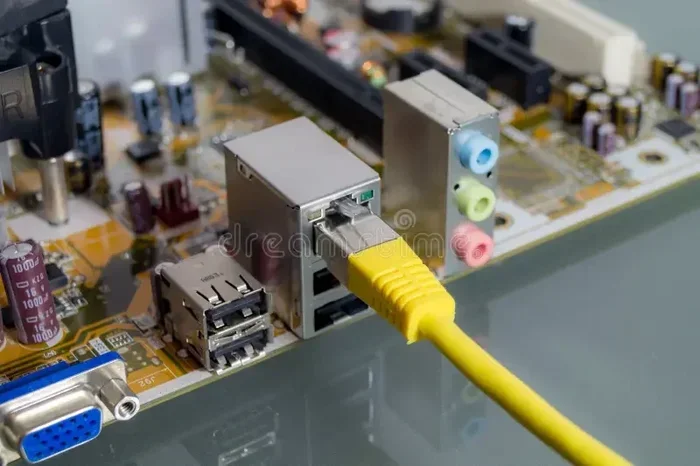
An Ethernet controller is a hardware component that manages wired network connections in your computer. It handles data transfer between your PC and the network, making Ethernet connectivity possible. Understanding how this component works helps you troubleshoot internet issues and upgrade your network hardware with confidence.
Have you ever wondered how your computer connects to the internet through a cable? It is not magic. A small but powerful component inside your PC handles all of that work. This component is called an Ethernet controller. It is the unsung hero behind every wired internet connection you rely on daily.
In simple terms, the Ethernet controller is the bridge between your computer and your network. It takes digital data from your PC and converts it into signals that travel through an Ethernet cable. Without it, your computer would have no way to talk to your router or modem. Whether you are gaming, streaming, or working from home, this tiny chip makes it all happen.
So what exactly does an Ethernet controller do? Why does it matter? And how do you know if yours is working properly? This guide breaks it all down in plain language. You will learn about the different types, how they function, and how to fix common problems. Let us dive in.
Key Takeaways
- Core Function: An Ethernet controller manages how your computer sends and receives data over a wired network connection.
- Built-In or Add-On: Most modern motherboards include a built-in Ethernet controller, but you can also use external adapters.
- Driver Matters: Keeping your network driver updated ensures the best internet speed and stability.
- Types Exist: You will find wired and wireless variants, with Gigabit and faster options available.
- Troubleshooting: Many connectivity issues stem from outdated drivers, disabled controllers, or faulty cables.
- Investment Value: Upgrading your network hardware can be one of the best investments for the lifespan of your PC.
📑 Table of Contents
- What Is an Ethernet Controller?
- How Does an Ethernet Controller Work?
- Types of Ethernet Controllers
- Why Wired Connections Still Matter
- How to Check If Your Ethernet Controller Is Working
- Common Ethernet Controller Problems and Fixes
- How to Choose the Right Ethernet Controller for Your Needs
- The Future of Ethernet Connectivity
- Final Thoughts
What Is an Ethernet Controller?
An Ethernet controller is a hardware component that manages wired network connections. It lives on your motherboard or inside a separate network adapter card. Its main job is to send and receive data packets between your computer and the local area network (LAN). Think of it as the traffic controller for your internet data.
Every time you load a webpage or send an email, the Ethernet controller steps in. It packages your data, sends it out through the Ethernet port, and receives incoming data. This process happens in milliseconds. You never even notice it is working, which is exactly how it should be.
Most modern computers come with a built-in Ethernet controller right on the motherboard. You do not need to buy anything extra. However, older PCs or some laptops might not have one. In those cases, you can add an external USB adapter or a PCIe card. These add-on options give you the same wired connectivity without replacing your entire system.
How Does an Ethernet Controller Differ from a Network Adapter?
People often use the terms Ethernet controller and network adapter interchangeably. They are closely related but not exactly the same thing. The Ethernet controller is the actual chip or circuit on your hardware. A network adapter is the broader device that includes the controller plus the physical port and connectors.
Think of it this way. The controller is the brain. The network adapter is the whole setup, including the brain, the plug, and the housing. When you plug an Ethernet cable into your laptop, you are using the network adapter. The controller inside it does the heavy lifting of processing data.
How Does an Ethernet Controller Work?
Understanding how an Ethernet controller works is simpler than it sounds. The process follows a clear sequence every time you go online. Let us walk through it step by step.
First, your computer generates data. This could be a request to load a website or a file you want to upload. The Ethernet controller takes that data and breaks it into smaller packets. Each packet gets labeled with source and destination addresses. This labeling follows network protocols that ensure the data reaches the right place.
Next, the controller sends these packets out through the Ethernet cable. The cable carries electrical signals to your router or modem. From there, the data travels through your internet service provider and reaches its final destination. The same process works in reverse when you receive data.
The controller also handles error checking. It verifies that each packet arrives intact. If a packet is damaged or lost, the controller requests a resend. This ensures your internet connection stays reliable and fast.
The Role of the Network Driver
A network driver is the software that tells the Ethernet controller what to do. Without the right driver, your controller cannot communicate with your operating system. This is why keeping your network driver updated matters so much.
When you install Windows or macOS, the system often installs a basic driver automatically. But manufacturers release updated drivers that improve performance and fix bugs. Checking for driver updates every few months can boost your internet speed and resolve connectivity issues.
Types of Ethernet Controllers
Not all Ethernet controllers are the same. They come in different shapes, speeds, and form factors. Knowing the types helps you choose the right one for your setup.
Built-In Motherboard Controllers
Most desktop computers and laptops today have a built-in Ethernet controller soldered right onto the motherboard. This is the most common type. It is convenient because you do not need to install anything extra. You just plug in a cable and you are online.
These built-in controllers typically support Gigabit speeds, which means up to 1,000 Mbps. Some high-end motherboards even support 2.5 Gigabit or 10 Gigabit Ethernet. If you are building a new PC, check the motherboard specs to see what Ethernet speed it supports.
PCIe Network Cards
A PCIe network card plugs directly into a slot on your motherboard. It gives you a dedicated Ethernet controller that is separate from the built-in one. This is a great option if your motherboard lacks Ethernet support or if you need faster speeds.
Gamers and professionals often use PCIe cards for a more stable connection. They also benefit from lower CPU usage because the card handles networking independently. You can find PCIe cards that support 10 Gigabit speeds for serious home networks.
USB Ethernet Adapters
A USB Ethernet adapter is the easiest way to add wired connectivity to any computer. You simply plug it into a USB port, and it works. These adapters are popular for laptops that lack an Ethernet port.
USB adapters come in different speeds. Basic models support 100 Mbps, while better ones handle Gigabit speeds. They are affordable and portable, making them a solid choice for travel or temporary setups. However, they rely on your USB port for power, which can sometimes limit performance.
Why Wired Connections Still Matter
In a world dominated by Wi-Fi, wired connections often get overlooked. But an Ethernet connection offers real advantages that wireless simply cannot match. Let us look at why a wired setup is still worth considering.
First, wired connections are more stable. Wi-Fi signals can drop or weaken due to walls, distance, or interference from other devices. An Ethernet cable gives you a direct, consistent path to your router. This stability is crucial for online gaming, video calls, and large file transfers.
Second, wired connections are faster. A quality Ethernet cable can deliver speeds that Wi-Fi struggles to match. If you have a fast internet plan, a wired connection ensures you actually get those speeds. Wi-Fi overhead and signal loss can cut your real-world speed significantly.
Third, wired connections are more secure. Data traveling through a cable is harder to intercept than wireless signals. For sensitive work or financial transactions, this extra layer of security matters. You can also check your internet speed with a simple speed test to see the difference for yourself.
If you are deciding between wired and wireless, consider your needs. For most home users, a mix of both works well. Use Wi-Fi for mobile devices and Ethernet for desktops, consoles, and anything that needs a rock-solid connection.
How to Check If Your Ethernet Controller Is Working
Not sure if your Ethernet controller is active? It is easy to check. Here are a few simple steps you can follow on most computers.
On Windows, right-click the Start menu and select Device Manager. Look for Network adapters in the list. Expand it, and you should see your Ethernet controller listed there. If you see a yellow triangle with an exclamation mark, there is a driver problem.
On macOS, click the Apple menu and go to System Settings. Then click Network. You should see Ethernet listed if your controller is detected. If it shows as unavailable, the controller might be disabled or the driver needs updating.
Another quick test is to plug in an Ethernet cable and see if the connection lights up. Most routers and computers have LED indicators near the Ethernet port. A solid or blinking light means the controller is communicating with the network.
If your controller does not show up at all, it might be disabled in your BIOS settings. Restart your computer, enter the BIOS, and look for the onboard network setting. Make sure it is enabled. This simple fix resolves the issue more often than you might think.
Common Ethernet Controller Problems and Fixes
Even the best hardware can run into issues. Here are the most common problems people face with their Ethernet controllers and how to fix them.
No Internet Connection After Plugging In
This is the most common complaint. You plug in the cable, but nothing happens. Start by checking the cable itself. A damaged or bent cable can kill your connection. Try a different cable to rule this out.
If the cable is fine, check your network settings. Go to your network adapter settings and make sure the Ethernet controller is enabled. Sometimes Windows or macOS disables it after a sleep cycle or update. Re-enabling it often fixes the problem right away.
Slow Internet Speeds Over Ethernet
If your wired speed feels slower than expected, the controller or cable might be the culprit. First, check what speed your controller supports. A Gigabit controller paired with a Cat 5 cable will cap at 100 Mbps. You need a Cat 5e or Cat 6 cable for full Gigabit speeds.
Next, update your network driver. An outdated driver can limit your speeds. Visit your motherboard or network card manufacturer’s website and download the latest driver. This simple step often restores full speed.
Intermittent Connection Drops
A connection that drops randomly is frustrating. This usually points to a driver conflict or a hardware issue. Try uninstalling the network driver and reinstalling it fresh. If that does not work, test with a different Ethernet port on your router.
If none of these fixes work, the controller itself might be failing. In that case, a USB Ethernet adapter can serve as a temporary replacement. For a permanent fix, consider installing a new PCIe network card. It is a reliable way to restore stable connectivity.
How to Choose the Right Ethernet Controller for Your Needs
Not sure which Ethernet controller is right for you? Your choice depends on what you need from your network connection.
For casual browsing and streaming, a built-in Gigabit controller is more than enough. Most modern motherboards include one, so you do not need to buy anything extra. Just make sure your Ethernet cable supports Gigabit speeds.
For gaming or content creation, look for a controller that minimizes latency. A PCIe network card with low overhead is ideal. These cards handle data processing without burdening your CPU, giving you a smoother online experience.
For professionals who need maximum speed, a 10 Gigabit Ethernet controller is worth considering. These are pricier but deliver incredible throughput for large file transfers and server work. They also future-proof your setup for faster internet plans coming down the road.
No matter what you choose, make sure your controller is compatible with your system. Check the form factor, driver support, and speed ratings before purchasing. A little research goes a long way in avoiding compatibility headaches.
The Future of Ethernet Connectivity
Ethernet technology keeps evolving. New standards promise even faster speeds and better efficiency. The latest controllers support speeds up to 40 Gigabit and beyond. These are already finding their way into high-end motherboards and enterprise hardware.
As internet speeds continue to climb, your Ethernet controller needs to keep pace. Upgrading your network hardware can be a smart investment for the lifespan of your PC. A modern controller ensures you are ready for whatever the next generation of internet brings.
For most users today, a standard Gigabit controller is perfectly fine. But if you are building or upgrading a system, consider what the future holds. Choosing a controller with room to grow saves you from needing another upgrade too soon.
Final Thoughts
The Ethernet controller might be a small component, but it plays a huge role in your daily internet experience. It is the link between your computer and the wider network. Without it, your wired connection simply would not work.
Now that you understand what an Ethernet controller does, you can troubleshoot problems with confidence. You can also make smarter decisions about upgrading your network hardware. Whether you stick with a built-in controller or add a dedicated card, the right setup makes a real difference.
Keep your drivers updated, use quality cables, and do not be afraid to explore add-on options. A reliable wired connection is one of the best investments you can make for your PC. Take care of your Ethernet controller, and it will take care of your connectivity for years to come.
Frequently Asked Questions
Can I use my computer without an Ethernet controller?
Yes, you can use Wi-Fi or a USB Ethernet adapter instead. However, if you want a wired connection, you need a working Ethernet controller either built into your motherboard or added through an adapter card.
How do I update my Ethernet controller driver?
Go to Device Manager on Windows, find your network adapter, right-click it, and select Update Driver. You can also visit your motherboard or network card manufacturer’s website to download the latest driver manually.
Is a wired Ethernet connection faster than Wi-Fi?
Yes, in most cases. A wired connection through an Ethernet controller delivers more consistent and faster speeds than Wi-Fi. It is less affected by walls, distance, and interference from other devices.
What is the difference between an Ethernet controller and a Wi-Fi adapter?
An Ethernet controller manages wired connections through a cable, while a Wi-Fi adapter handles wireless connections using radio signals. Both serve the same purpose of connecting your PC to a network, but they use different methods.
Do I need a separate Ethernet controller if my motherboard has one built in?
No, you do not need a separate one for basic use. The built-in controller handles most tasks just fine. You only need an add-on card if you want faster speeds, better reliability, or if your built-in controller is damaged.
Can a faulty Ethernet cable damage the controller?
It is very unlikely. A bad cable will usually just cause connection drops or slow speeds. However, using a cable with the wrong wiring or extreme damage could potentially cause issues. Stick with quality, certified cables to stay safe.
=== CONCLUSION ===
An Ethernet controller is a small but essential piece of PC hardware that makes wired internet possible. It handles data transfer, ensures reliable connectivity, and keeps your network running smoothly. Whether it is built into your motherboard or added as a separate card, it works hard behind the scenes every single day.
Understanding how this component works empowers you to troubleshoot issues and make better hardware choices. Keep your drivers updated, use the right cables, and consider upgrading when needed. Your Ethernet controller is one of those components that quietly earns its place in your system.
Take a moment to check your own setup today. Make sure your controller is working properly and your drivers are current. A little attention goes a long way toward keeping your wired connection fast and reliable. You will be glad you did.