Are Mini Pcs Worth It A Comparison With Desktops and Laptops

Are mini PCs worth it? The answer depends on your needs, budget, and how you plan to use them. Mini PCs offer space-saving design and energy efficiency but may lack the raw power of full-size desktops. In this comparison, we explore how mini PCs stack up against traditional desktops and laptops for gaming, work, and everyday use.
Are Mini Pcs Worth It? A Detailed Comparison With Desktop Computers And Laptops
You have probably seen those tiny computers sitting quietly on a desk and wondered, “Are mini PCs worth it?” These small machines have grown in popularity fast. People love the idea of a compact PC that does not take up half the desk. But the real question is whether they can truly replace a full-size desktop or a trusty laptop.
The short answer is yes, but with some trade-offs. Mini PCs shine in certain situations and fall short in others. This guide breaks down everything you need to know. We compare mini PCs against desktop computers and laptops side by side. By the end, you will know exactly which option fits your life best.
Let us dive in.
Key Takeaways
- Mini PCs save space: They are compact, portable, and perfect for small desks or living rooms.
- Desktops deliver more power: Full-size towers offer better upgrade options and higher performance for demanding tasks.
- Laptops win on portability: If you need to move around, a laptop still beats a mini PC in mobility.
- Mini PCs offer great value: They balance cost and performance well for casual users and office work.
- Gaming on mini PCs has limits: They can handle light gaming but struggle with AAA titles at high settings.
- Energy bills are lower: Mini PCs consume less power than full desktops, saving money over time.
📑 Table of Contents
What Is a Mini PC?
A mini PC is a small, fully functional computer packed into a tiny case. Think of it as a desktop computer shrunk down to the size of a book or even a small box. Despite the small size, these machines still run full operating systems like Windows 10 or Windows 11.
Mini PCs come in different shapes. Some look like small cubes. Others resemble a USB stick or a small media box. Popular brands include Intel NUC, Minisforum, and Beelink. They often use low-power processors like Intel Core i5 or AMD Ryzen chips.
What Makes a Mini PC Different?
The main difference is size and power consumption. A standard desktop tower has room for large fans, big graphics cards, and multiple storage drives. A mini PC crams similar components into a much smaller space. This means less heat, less noise, and lower energy use.
Mini PCs also tend to be space-saving heroes. They fit easily behind a monitor or on a tiny desk. For people who value a clean workspace, this is a huge win.
Mini PCs vs. Desktop Computers
This is the biggest comparison to make. Desktop computers have been the go-to choice for power users for decades. Mini PCs are the new kids on the block. How do they really compare?
Performance and Power
Desktop computers clearly win in raw performance. A full-size tower can hold powerful processors, dedicated graphics cards, and lots of RAM. If you need serious processing power for video editing or 3D rendering, a desktop is hard to beat.
Mini PCs use low-power processors that handle everyday tasks well. Web browsing, email, document editing, and video calls all run smoothly. But push a mini PC too hard, and it may struggle. Heavy workloads heat up the small case fast, and thermal throttling can kick in.
Upgradeability
This is where desktops really shine. You can swap out RAM, add a new graphics card, or install a bigger hard drive. Upgrading a desktop is easy and flexible.
Mini PCs are different. Most have limited upgrade options. RAM is often soldered onto the motherboard. Storage might be replaceable, but that is usually it. If you want future-proof flexibility, a desktop gives you much more room to grow.
Cost Comparison
Desktop computers range widely in price. A basic setup can cost around $400. A high-end gaming rig can easily exceed $2,000. Mini PCs tend to fall in the middle. You can find a capable mini PC for $300 to $700. They offer good value for money if your needs are moderate.
If you want top-tier performance, desktops cost more but deliver more. Mini PCs save money upfront and on energy bills. They are a smart choice for budget-conscious buyers.
Mini PCs vs. Laptops
Laptops and mini PCs share one big thing in common: portability. But they are very different in how you use them.
Portability and Convenience
Laptops are built to go anywhere. They have a built-in screen, keyboard, trackpad, and battery. You can work from a couch, a coffee shop, or a park bench. A laptop is a complete package in one device.
Mini PCs are not portable in the same way. You need to connect them to a monitor, keyboard, and mouse. However, they are still small enough to move between rooms. Some mini PCs weigh under two pounds. They are easy to pack up if you travel light.
Performance on the Go
Laptops come with built-in batteries, which is a huge advantage. You can work for hours without a wall outlet. Mini PCs need constant power. They are not designed for use away from an outlet.
If you need workstation power while traveling, a laptop is the clear winner. But for a fixed desk setup, a mini PC works great and takes up far less room.
Screen and Peripherals
A laptop comes with everything attached. A mini PC is just the computer. You must buy your own monitor, keyboard, and mouse. This adds to the total cost. However, it also means you can choose exactly the peripherals you want. Want a big 4K monitor? Go for it. Prefer a mechanical keyboard? Pick one. A mini PC lets you build the setup you love.
Who Should Buy a Mini PC?
Not everyone needs a mini PC, and that is okay. Let us look at who benefits most from these compact machines.
Home Office Workers
If you work from home and mainly do email, video calls, and document work, a mini PC is a great fit. It is small, quiet, and efficient. You get a clean desk setup without the bulk of a desktop tower.
Home Theater Enthusiasts
Mini PCs make excellent media centers. They can stream 4K video, run Netflix, and even play casual games. Plug one into your TV and you have a home theater PC that does not clutter your entertainment center.
Students and Budget Buyers
Students who need a computer for research, writing papers, and light multitasking will find mini PCs very useful. They are affordable and reliable. For those who also need portable computer options, pairing a mini PC with a cheap laptop can cover all bases.
Gamers (Light to Medium)
Some mini PCs can handle casual gaming. They run indie games, older titles, and less demanding games well. If you want to game on a budget, a mini PC might surprise you. But for serious gaming, you will want a full desktop or a dedicated gaming laptop. If you are curious, check out our article on are mini PCs good for gaming for a deeper look.
Are Mini PCs Worth It? The Verdict
So, are mini PCs worth it? The answer really comes down to what you need them for.
For everyday tasks, mini PCs are absolutely worth it. They handle browsing, streaming, office work, and light multitasking with ease. They are quiet, energy efficient, and look great on any desk.
For heavy workloads, a mini PC may leave you wanting more. Video editing, 3D modeling, and intensive gaming need the power of a full desktop. A mini PC simply cannot match a high-end tower in these areas.
For on-the-go work, a laptop remains the better choice. Mini PCs are meant to stay in one place. They are not built for mobility the way laptops are.
The sweet spot for mini PCs is the middle ground. They are perfect for people who want a compact, affordable computer for daily use without the bulk of a desktop or the compromise of a smaller laptop screen.
Quick Tips for Choosing the Right Mini PC
- Check the processor: Look for Intel Core i5 or AMD Ryzen 5 for solid performance.
- Go for at least 8GB of RAM: 16GB is better if you multitask often.
- Pick an SSD: Solid-state drives make the system fast and responsive.
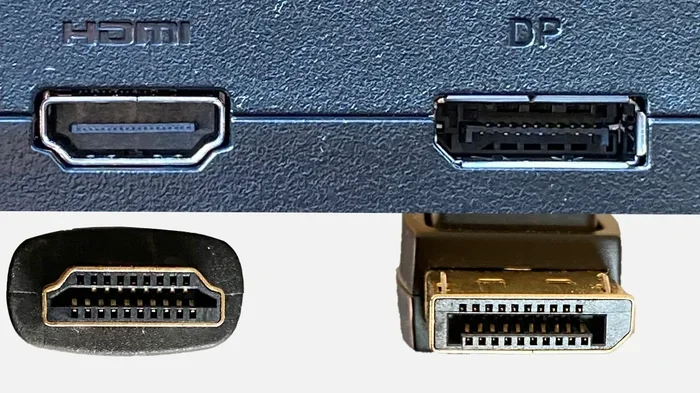
- Consider connectivity: Make sure it has enough USB ports and supports your monitor.
- Read reviews: Check real-world performance before buying.
Common Mistakes When Buying a Mini PC
- Expecting desktop-level gaming: Mini PCs are not gaming machines. Set realistic expectations.
- Ignoring upgrade limits: You cannot always add RAM or storage later. Buy what you need upfront.
- Skipping the power supply: Some mini PCs need a specific power adapter. Check what is included.
- Forgetting about cooling: Even though they are quiet, mini PCs can overheat in warm rooms.
Expert Insights on Mini PCs
Industry experts agree that mini PCs have come a long way. Just a few years ago, they were weak and limited. Today, they can handle most daily tasks with confidence. The small form factor market is growing fast, and manufacturers are packing more power into smaller cases every year.
One thing experts always mention is the importance of matching the PC to your needs. A mini PC is not a one-size-fits-all solution. Think about what you will do with it every day. If your tasks are light to moderate, a mini PC will serve you well. If you push your computer hard, consider a full desktop instead.
Conclusion
Are mini PCs worth it? Yes, for the right user. They offer a space-saving, quiet, and affordable computing solution. They are not meant to replace high-end desktops or replace laptops for travel. But for home office work, media consumption, and everyday tasks, they are hard to beat.
If you are still deciding, think about your primary use case. Do you need raw power? Go desktop. Do you need mobility? Go laptop. Do you want a compact, efficient machine for daily use? A mini PC is a fantastic choice.
Take your time, compare options, and pick the computer that fits your life. The best computer is the one that meets your needs without breaking the bank.
Frequently Asked Questions
Can a mini PC replace a desktop computer?
For light to moderate use, yes. A mini PC can handle web browsing, office work, and media streaming. But for heavy tasks like video editing or gaming, a full desktop is still better. Think of a mini PC as a complement to your needs, not always a full replacement.
Are mini PCs good for gaming?
Mini PCs can run casual and older games well. They struggle with modern AAA titles at high settings. If you are a casual gamer, a mini PC might surprise you. For serious gaming, a dedicated desktop or laptop is a better choice.
How much does a good mini PC cost?
Good mini PCs range from $300 to $700. The price depends on the processor, RAM, and storage. Budget models start around $200, while more powerful options can reach $1,000. They generally offer solid value for the price.
Can I upgrade a mini PC?
Upgrade options are limited compared to desktops. Some mini PCs allow RAM and storage upgrades. Others have everything soldered in. Always check the specifications before buying if you plan to upgrade later.
Do mini PCs use a lot of electricity?
No, mini PCs are very energy efficient. They typically use 15 to 30 watts, compared to 100 to 300 watts for a full desktop. Over time, this can save you money on your electricity bill.
What is the best mini PC for home office work?
Look for a mini PC with an Intel Core i5 or AMD Ryzen 5 processor, at least 8GB of RAM, and a 256GB SSD. These specs handle office tasks smoothly. Brands like Beelink and Minisforum offer reliable options in this range.
=== INTERNAL LINKS ===
are mini PCs good for gaming
are gaming laptops good for video editing
are expensive office chairs worth it