Doodlemaker Transform Text into Vibrant Doodle Clips
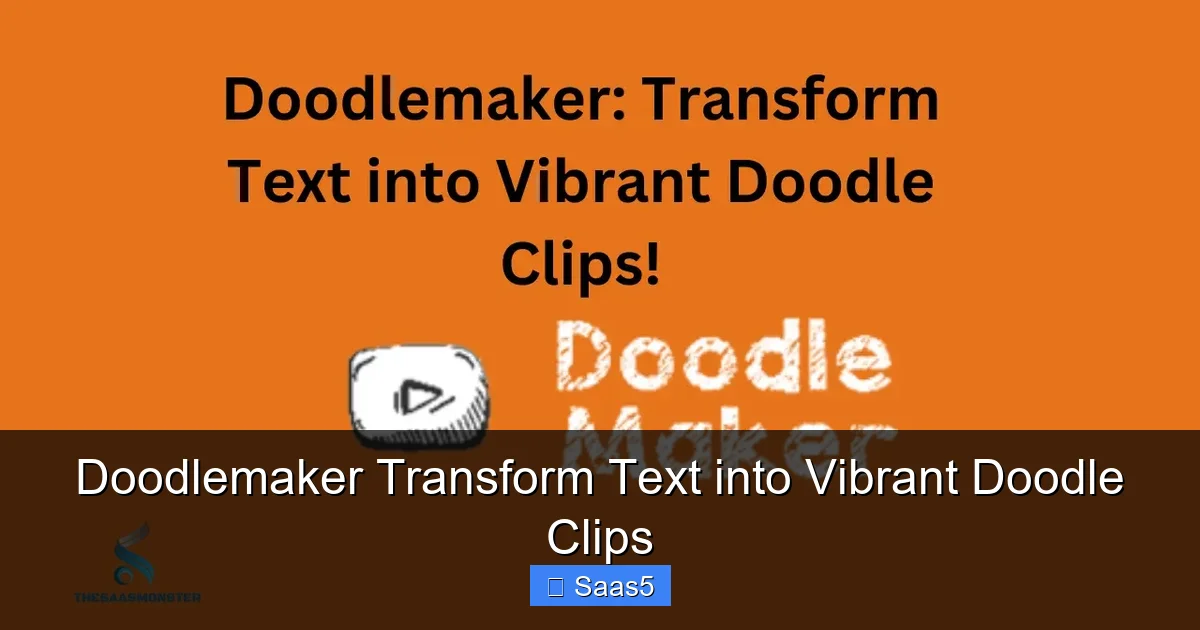
Doodlemaker is a revolutionary SaaS tool that uses AI to instantly transform any text script into a professional, animated doodle video. It eliminates the need for complex animation skills, expensive software, or time-consuming manual creation. With a vast library of assets, characters, and voices, you can produce captivating “whiteboard” style clips that boost engagement and explain ideas clearly. It’s the fastest, most accessible way to leverage the power of video content.
Key Takeaways
- AI-Powered Conversion: Doodlemaker’s core engine automatically interprets your text and generates synchronized doodle animations, complete with a drawing hand and visual metaphors.
- Complete Customization Control: While AI handles the heavy lifting, you retain full control over characters, colors, backgrounds, music, and voiceovers to match your brand perfectly.
- Massive Asset Library: Access thousands of pre-made doodle images, icons, and characters across countless categories, ensuring you never run out of creative options.
- Versatile Export Options: Download your finished clips in various resolutions and formats (MP4, GIF) optimized for YouTube, Instagram, TikTok, presentations, and ads.
- Diverse Use Cases: Perfect for marketing explainers, educational lessons, social media content, internal training, and even personalized greeting cards or stories.
- No Design Skills Required: The platform is built for beginners. If you can type a script, you can create a professional-looking doodle video in under 30 minutes.
- Cost and Time Efficient: It slashes the traditional cost and production time of animation from days/weeks and thousands of dollars to minutes and a low monthly subscription.
📑 Table of Contents
- Imagine Turning a Simple Paragraph into a Captivating Animated Story
- How Does Doodlemaker Actually Work? The Simple 3-Step Magic
- Unpacking the Powerhouse Features That Fuel Your Creativity
- Who Needs This? The Surprising and Powerful Use Cases
- Pro Tips for Getting the Most Out of Your Doodlemaker Experience
- How It Stacks Up: Doodlemaker vs. The Alternatives
- The Future is Drawn: Where AI Video Tools Like Doodlemaker Are Headed
- Conclusion: Your Big Idea Deserves to Be Seen (and Drawn)
Imagine Turning a Simple Paragraph into a Captivating Animated Story
Have you ever stared at a blank page, knowing you need a video to explain your product, teach a lesson, or promote an idea, but the thought of learning complex animation software or hiring an expensive studio felt overwhelming? You’re not alone. Video is the undisputed king of content, but creating it has historically been a barrier for many. What if you could simply write down what you want to say, click a button, and watch as a charming, hand-drawn style video comes to life before your eyes? This isn’t a futuristic fantasy; it’s the reality offered by tools like Doodlemaker, a SaaS platform designed to transform text into vibrant doodle clips with stunning ease.
The magic of doodlemaker transform text into vibrant doodle clips lies in its sophisticated yet user-friendly AI. It understands the narrative flow of your script, identifies key concepts, and intelligently pairs them with relevant doodle illustrations from its massive library. A mention of “growth” might see a small plant sprout; “teamwork” could show stick figures collaborating. This automatic visual storytelling is what makes the output so engaging and easy to follow, tapping into the timeless appeal of whiteboard animation that holds viewer attention like little else.
How Does Doodlemaker Actually Work? The Simple 3-Step Magic
At its heart, the process is deceptively simple, which is its greatest strength. You don’t need to be a filmmaker or an artist. The entire workflow is designed to get you from idea to finished video in the shortest time possible. Let’s break down the three core steps that make doodlemaker transform text into vibrant doodle clips a seamless experience.
Visual guide about Doodlemaker Transform Text into Vibrant Doodle Clips
Image source: imgcdn.stablediffusionweb.com
Step 1: Feed It Your Script (The Brain)
Everything begins with your text. You paste or type your script into the Doodlemaker editor. This could be a blog post summary, a product description, a lesson plan, or even just a few bullet points. The AI analyzes this text for sentence structure, keywords, and overall meaning. It’s here that you also make initial decisions: do you want a male or female voice? What language? What’s the overall mood? The AI uses this script as the absolute blueprint for everything that follows.
Step 2: The AI Creates the Visual Storyboard (The Hands)
This is where the transformation happens. The AI cross-references your script with its vast database of doodle assets. It generates a scene-by-scene storyboard, automatically placing doodles on the canvas and timing their appearance to match the voiceover narrative. You’ll see a simulated hand drawing the images in real-time as the audio plays. While the AI does the initial heavy lifting, this is not a rigid, unchangeable output. You can go in and manually adjust every single element.
Step 3: Customize, Polish, and Export (The Artist’s Touch)
Now you step into the director’s chair. You can replace any AI-chosen doodle with a different one from the library that you feel fits better. Change the color palette to match your brand. Swap out the background. Add your own logo as a watermark. Select a different background music track from the royalty-free library or upload your own. You can even record your own voiceover directly in the platform if you prefer. Once you’re happy, you hit export and download your high-quality video file.
Unpacking the Powerhouse Features That Fuel Your Creativity
While the text-to-doodle engine is the star, the supporting cast of features is what truly makes Doodlemaker a comprehensive video creation suite. These tools ensure that your final doodlemaker transform text into vibrant doodle clips project is not just generated, but crafted to professional standards.
Visual guide about Doodlemaker Transform Text into Vibrant Doodle Clips
Image source: thumbs.dreamstime.com
The Unrivaled Doodle Asset Library
Forget limited templates. Doodlemaker boasts a library with tens of thousands of individual doodle elements. This includes:
- Characters: Hundreds of diverse, professional, and casual characters in various poses and outfits.
- Icons & Objects: Everything from business-related icons (charts, graphs, laptops) to everyday objects (coffee cups, phones, cars) and abstract concepts (lightbulbs, gears, hearts).
- Backgrounds & Textures: Clean whiteboards, notepaper, chalkboards, and textured canvases to set the scene.
- Hand Styles: Choose from different drawing hand styles (e.g., human hand, robotic claw) for a unique aesthetic.
This depth means you can illustrate almost any niche topic, from fintech to fitness, without ever hitting a creative wall.
Professional Voiceovers Made Simple
The platform integrates with leading text-to-speech (TTS) engines, offering a stunning array of natural-sounding voices in multiple languages and accents. You can fine-tune the speech rate, pitch, and emphasis. For a more personal touch, you can record your own audio directly through your microphone, and the AI will still synchronize the doodles to your pacing. This eliminates the need for separate voiceover hiring and recording sessions.
Smart Scene Management & Timeline Control
The timeline editor gives you frame-by-frame control. You can easily:
- Add, delete, or reorder scenes.
- Adjust the duration of each doodle’s appearance.
- Control the drawing speed.
- Add text annotations, highlights, and callouts.
This ensures the video’s pacing matches your message’s rhythm, emphasizing key points with longer dwell times or faster cuts for energetic sections.
Who Needs This? The Surprising and Powerful Use Cases
You might think “doodle videos” are just for cute explainers on YouTube. But the versatility of doodlemaker transform text into vibrant doodle clips makes it a secret weapon across industries. Here’s how different professionals are leveraging it.
Visual guide about Doodlemaker Transform Text into Vibrant Doodle Clips
Image source: i.etsystatic.com
Marketing & Sales: Cutting Through the Noise
In a world of static images and talking heads, a doodle video is unforgettable. Marketers use it for:
- Product Explainer Videos: Launch a new software feature or physical product with a 60-second doodle that simplifies its value proposition.
- Social Media Ads: Create scroll-stopping ads for Facebook, Instagram, and TikTok that boost engagement and conversion rates.
- Email Campaigns: Embed short doodle clips in newsletters to dramatically increase click-through rates.
- Landing Page Hero Videos: Replace generic stock footage with a custom doodle that instantly communicates your brand’s story.
Education & E-Learning: Making Learning Stick
Educators and course creators know that visual engagement is key to retention. Doodlemaker helps by:
- Lesson Introductions & Summaries: Hook students with an animated overview of a complex topic like the water cycle or economic principles.
- Concept Breakdowns: Visually deconstruct difficult ideas (e.g., how a blockchain works, grammar rules) in a step-by-step, digestible format.
- Flipped Classroom Content: Produce high-quality instructional videos without a camera crew or editing suite.
- Corporate Training: Onboard employees or explain compliance policies in a format that’s far more engaging than a PDF manual.
Content Creators & Entrepreneurs: The Personal Brand Boost
Bloggers, podcasters, and solopreneurs use doodle videos to:
- Repurpose Blog Content: Turn your most popular article into a shareable video for YouTube Shorts or Instagram Reels, reaching a whole new audience.
- Podcast/Audiogram Enhancement: Go beyond static waveform graphics. Create a doodle that illustrates a key point from your latest episode.
- Personalized Messages: Create custom birthday or thank you doodles for clients or community members, building incredible loyalty.
Pro Tips for Getting the Most Out of Your Doodlemaker Experience
While the tool is intuitive, a few strategic moves can elevate your videos from good to great. Think of these as your directorial cheat sheet for mastering doodlemaker transform text into vibrant doodle clips.
Write for the Eye, Not Just the Ear
Your script is the foundation. Write in short, punchy sentences. Use active voice. Explicitly mention visual elements you want to see. Instead of “Our software improves efficiency,” try “Imagine a tool that automates your reports, drawing a graph that shoots upward.” These visual cues give the AI stronger signals for relevant doodles. Read your script aloud to check its natural rhythm—this will translate to better voiceover timing and doodle pacing.
Master the Art of the Scene Break
Don’t let one scene drag. Use natural pauses in your script (periods, new paragraphs) to trigger scene changes in Doodlemaker. A new scene resets the canvas and focuses attention. Aim for a new visual concept or doodle every 3-5 seconds. This constant gentle motion is what makes doodle videos so hypnotic and effective at maintaining viewer attention.
Brand Consistency is Key
Don’t let every video look like it’s from a different creator. Create a “brand kit” within Doodlemaker:
- Save your specific color palette (hex codes for your logo colors).
- Use the same character style (e.g., always the “professional” character set).
- Choose 1-2 signature background textures and stick to them.
- Always include your logo in a consistent corner position.
This builds instant recognition and professional credibility with your audience over time.
Sound Design is 50% of the Experience
Never underestimate the background music and sound effects. The right upbeat, copyright-free track sets the emotional tone. Use subtle sound effects (a “whoosh” for scene transitions, a “ding” for key points) sparingly but effectively. Doodlemaker’s library is good, but consider supplementing with a premium royalty-free site for even more options. Always ensure the music volume is low enough that the voiceover remains crystal clear.
How It Stacks Up: Doodlemaker vs. The Alternatives
The market for video creation tools is crowded. How does doodlemaker transform text into vibrant doodle clips compare? Here’s a quick, honest breakdown.
Vs. Traditional Animation Software (Toon Boom, Adobe Animate)
These are professional tools for skilled animators. The learning curve is steep (months or years), costs are high (subscriptions + training), and production is slow. Doodlemaker is the antithesis: zero learning curve, low cost, and minutes-long production. It trades ultimate custom artistic control for unprecedented accessibility and speed.
Vs. Other AI Video Generators (Synthesia, InVideo AI)
Many AI tools now generate “talking head” videos with AI avatars. Doodlemaker’s niche is the unique doodle/whiteboard animation style. This style is proven to increase information retention and is often perceived as more friendly, less “salesy,” and more creative than a human or AI avatar speaking directly to camera. If your goal is explanation and engagement through visual metaphor, doodles win. If you need a presenter-style video, those other tools may be better.
Vs. Hiring a Freelancer/Studio
This is the most dramatic comparison. A 60-second custom doodle video from a pro can cost $500-$3000+ and take a week or more for revisions. With Doodlemaker, you have unlimited video creation for a monthly fee (often under $100). You also have complete creative control and can iterate instantly. The trade-off is the “hand-drawn” look is template-based, not a one-of-a-kind artistic piece. For 95% of business and educational use cases, Doodlemaker’s output is more than sufficient and offers insane ROI.
The Future is Drawn: Where AI Video Tools Like Doodlemaker Are Headed
We are at the beginning of a massive shift in content creation. Tools that transform text into vibrant doodle clips are paving the way. Expect to see:
- Hyper-Personalization: AI that doesn’t just draw generic doodles, but inserts your specific product screenshots, logos, or even data points dynamically into the animation.
- Real-Time Collaboration: Teams editing the same script and video project simultaneously, with comment and approval workflows built-in.
- Even Smarter Context Awareness: AI that understands industry-specific jargon and automatically selects the most accurate visual metaphors (e.g., drawing a specific legal document for a law firm, not just a generic scroll).
- Integration Everywhere: Direct publishing to social platforms, seamless connection to CMS systems like WordPress, and API access to generate videos from your own app’s data.
Doodlemaker is already a leader in this space. By democratizing high-engagement video, it’s putting powerful storytelling tools into the hands of teachers, small business owners, and marketers who were previously priced out. The barrier to entry for professional video is not just lowering; it’s being dismantled.
Conclusion: Your Big Idea Deserves to Be Seen (and Drawn)
The challenge of creating engaging video content is no longer technical skill or budget—it’s simply having a great idea and the courage to share it. Doodlemaker removes every technical obstacle between your text and a vibrant, watchable doodle video. It’s more than a tool; it’s a storytelling partner that works while you sleep. Whether you’re a solopreneur trying to explain your SaaS product, a teacher trying to make history come alive, or a marketer needing five video ads by noon, this platform delivers. The next time you have a message to share, don’t just write it or say it. Doodlemaker transform text into vibrant doodle clips—and watch as your words take on a whole new life, one drawn line at a time. The only question left is: what will you create first?
Frequently Asked Questions
Is Doodlemaker truly easy for a complete beginner with no video experience?
Absolutely. The entire workflow is designed for non-technical users. If you can type and use a basic web browser, you can create a doodle video. The AI handles the complex animation timing, and the interface is intuitive with drag-and-drop customization.
Can I use my own voice or music instead of the provided options?
Yes, you have full flexibility. You can record your own voiceover directly within the Doodlemaker editor using your microphone. You can also upload your own MP3 music files or sound effects to use as the background track, giving you complete creative and legal ownership of the audio.
What video formats and quality can I export my finished doodle clips in?
Doodlemaker exports to the universally compatible MP4 format, which works on all social platforms, websites, and presentation software. You can choose from multiple resolutions, including standard definition (SD) for quick shares and full HD (1080p) for professional use. GIF export is also available for simple animated loops.
How is the doodle art generated? Is it all generic clipart?
The art comes from a massive, professionally designed library of thousands of unique doodle elements. The AI intelligently selects and sequences these pre-made assets based on your script. While the individual elements are from a shared library, your specific combination, timing, colors, and script make each final video unique to you.
Can I create videos in languages other than English?
Yes, Doodlemaker supports multiple languages for both the AI-generated voiceovers (through its TTS integration) and the text input. The doodle asset library is largely universal (icons, characters), so the visual style works globally. You can create videos in Spanish, French, German, Hindi, and many more.
What’s the licensing? Can I use the videos for commercial purposes and client work?
All plans include a commercial license. This means you can use the videos you create for business purposes, client projects, YouTube monetization, and paid advertisements without owing additional royalties to Doodlemaker. You own the final video file outright.