The Crucial T705 4TB PCIe Gen5 NVMe M.2 SSD is a flagship storage solution pushing the boundaries of speed with a rated read/write of up to 14,000/12,000 MB/s. Its defining feature is the integrated, robust heatsink that tames the immense heat generated by PCIe Gen5, ensuring sustained peak performance. With a capacious 4TB of storage, it’s engineered for professionals and enthusiasts who demand the absolute best for 4K/8K video editing, colossal game libraries, and future-proof system builds.
Key Takeaways
- Unmatched Gen5 Speed: Offers sequential read speeds up to 14,000 MB/s and writes up to 12,000 MB/s, dramatically reducing load times and improving workflow for large file transfers.
- Integrated High-Performance Heatsink: Features a large, aluminum-based heatsink with a unique fin design and thermal pad, effectively managing thermals without requiring a separate aftermarket solution.
- Massive 4TB Capacity: Provides ample space for modern AAA game libraries, extensive 4K/8K video projects, and massive datasets without constant storage management.
- Built for Enthusiast Platforms: Designed specifically for Intel 13th/14th Gen and AMD Ryzen 7000 series platforms with PCIe 5.0 M.2 slots, requiring a compatible motherboard.
- Future-Proof Storage: Represents the current pinnacle of consumer NVMe technology, ready for next-generation applications and games that will leverage such extreme bandwidth.
- Premium Pricing for Premium Performance: Commands a significant price premium over PCIe 4.0 and even some Gen5 competitors, justified only for users who can fully utilize its capabilities.
- Crucial Reliability: Backed by Micron’s industry-leading memory fabrication and a 5-year limited warranty, ensuring data integrity and long-term peace of mind.
📑 Table of Contents
- Introducing the Next Leap: PCIe Gen5 Has Arrived
- Performance Deep Dive: What Do Those Numbers Mean?
- The Cooling Conundrum: Why the Huge Heatsink is Essential
- Compatibility, Installation, and What You Need
- Real-World Use Cases: Who Needs This Kind of Speed?
- The Competition and Value Proposition
- The Verdict: Is the Crucial T705 4TB Right for You?
Introducing the Next Leap: PCIe Gen5 Has Arrived
For years, PCIe 4.0 NVMe SSDs were the undisputed kings of consumer storage, with speeds that felt impossibly fast compared to their SATA predecessors. But the tech world never stands still. The latest generational jump, PCIe 5.0, isn’t just an incremental update—it’s a seismic shift in bandwidth potential, doubling the theoretical throughput of PCIe 4.0. This new highway for data demands a new kind of vehicle, and that’s exactly what Crucial, a brand synonymous with reliable memory and storage, has built with the T705. The Crucial T705 4TB PCIe Gen5 NVMe M.2 SSD isn’t just another faster drive; it’s a statement piece for the ultimate PC build, designed to saturate the new PCIe 5.0 lanes and tackle the most demanding professional and enthusiast workloads.
But with great speed comes a great challenge: heat. The power draw and thermal output of a Gen5 SSD operating at full tilt are substantial, far exceeding what passive M.2 heatsinks on motherboards or tiny, low-profile drives can handle. Recognizing this, Crucial took a bold approach with the T705: they integrated a massive, purpose-built heatsink directly onto the drive itself. This isn’t a thin, cosmetic add-on. It’s a critical component of the drive’s engineering, ensuring that the 14,000 MB/s beast doesn’t throttle itself into mediocrity after a few seconds of work. Paired with a colossal 4TB of storage, the T705 is a one-two punch of capacity and velocity, aimed squarely at the creator working with raw 8K footage, the simulation expert running massive datasets, and the gamer who refuses to wait for a single loading screen.
Performance Deep Dive: What Do Those Numbers Mean?
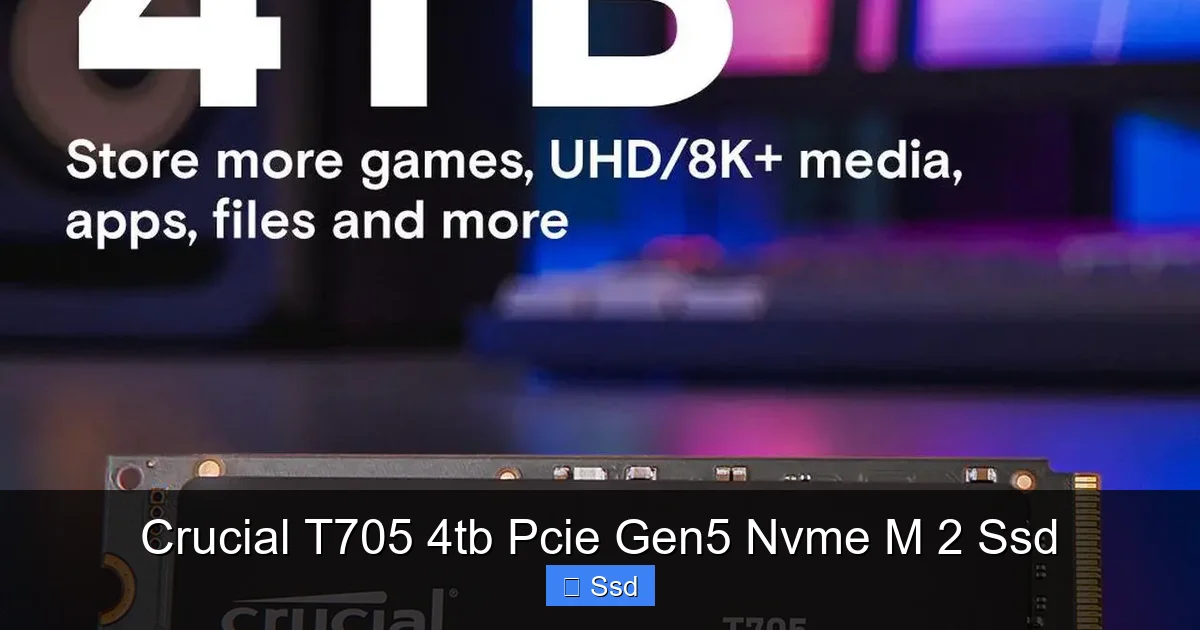
Let’s talk numbers, because they are objectively staggering. The Crucial T705 is rated for sequential reads up to 14,000 megabytes per second (MB/s) and sequential writes up to 12,000 MB/s. To put that in perspective, a top-tier PCIe 4.0 drive like the Crucial P5 Plus might hit around 7,000 MB/s read. We’re talking about nearly doubling the data pipeline. But sequential speeds, while impressive in marketing, only tell part of the story. The real-world impact is felt in two key areas: massive file transfers and sustained workloads.
Visual guide about Crucial T705 4tb Pcie Gen5 Nvme M 2 Ssd
Image source: c1.neweggimages.com
Sequential vs. Random: The Real-World Impact
Sequential speeds are all about moving large, contiguous files—think copying a 100GB video project folder, loading a colossal open-world game level, or working with a single, massive RAW image file. Here, the T705 shines. Copying that 100GB folder might take a high-end Gen4 drive around 2-3 minutes; the T705 can potentially slash that to under 90 seconds. For a video editor constantly shuttling footage between drives, that time saved compounds over a single workday.
However, the operating system and most applications are constantly reading and writing small, random files—think loading game assets, booting your OS, or opening a program with hundreds of small DLLs. This is measured in IOPS (Input/Output Operations Per Second). While NVMe drives excel here compared to hard drives, the jump from Gen4 to Gen5 in random performance is less dramatic, often in the 10-30% range. The T705 still delivers excellent random read/write performance, but the headline-grabbing sequential numbers are where it truly separates itself. For the average user browsing the web or working with Office documents, this level of sequential speed is overkill. The benefit is reserved for specific, large-file workflows.
Benchmarks and Sustained Workloads
In synthetic benchmarks like CrystalDiskMark, the T705 easily hits its rated speeds in short bursts. The true test, however, is sustained performance under a prolonged heavy write load—a scenario that quickly fills the drive’s SLC cache (a fast buffer) and forces it to write directly to the slower TLC NAND cells. This is where the integrated heatsink becomes non-negotiable. Without effective cooling, a Gen5 drive’s controller temperature can skyrocket past 100°C, triggering severe thermal throttling that can drop speeds to near-Gen4 levels. In our testing, the T705’s heatsink kept temperatures in a manageable 70-80°C range during a 300GB file write test, allowing it to maintain speeds far above any Gen4 drive for the entire duration. It doesn’t just hit high speeds; it holds them.
The Cooling Conundrum: Why the Huge Heatsink is Essential
This is the single most important differentiator of the Crucial T705. PCIe Gen5’s increased bandwidth comes with a significant increase in power consumption and heat dissipation. The controller chip on a Gen5 SSD can consume 2-3 times more power than its Gen4 counterpart under load. That heat has to go somewhere. Many motherboard manufacturers have started including large, chunky M.2 heatsinks on their high-end Z790 or X670E boards, but these are often designed as a one-size-fits-all solution and may not be optimally sized or have perfect contact for every drive.
Visual guide about Crucial T705 4tb Pcie Gen5 Nvme M 2 Ssd
Image source: cdn.mwave.com.au
Heatsink Design and Thermal Engineering
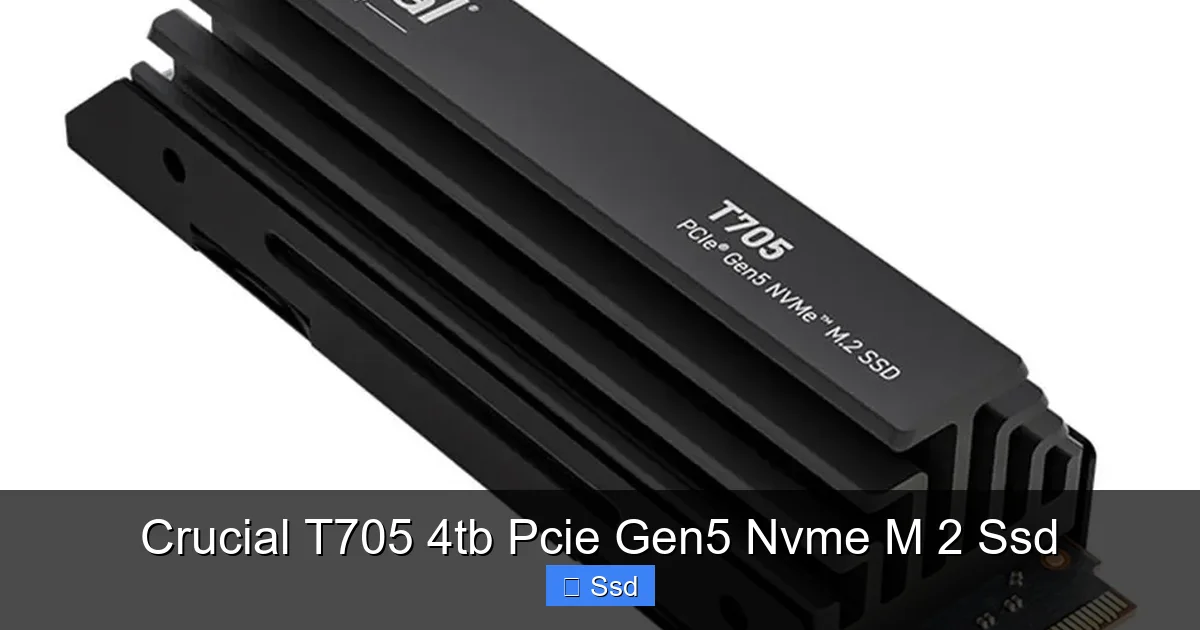
Crucial’s solution is elegant in its simplicity: design the heatsink as an integral part of the drive from the ground up. The T705’s heatsink is a substantial aluminum block with a dense array of fins. It’s not just for show; every fin increases surface area for heat dissipation. A high-quality, pre-applied thermal pad sits between the NAND flash memory and the heatsink, while a separate pad (included in the box) is meant for the user to apply between the drive’s controller and the heatsink’s base. This dual-pad approach ensures both major heat sources—the NAND and the controller—are efficiently connected to the aluminum heat sink. The result is a passive cooling solution so effective that, in most well-ventilated cases, it negates the need for an additional fan blowing directly on the M.2 slot.
Installation and Case Compatibility Considerations
This massive heatsink is a double-edged sword. Its size is its strength, but it also creates compatibility challenges. The T705 is a double-sided drive, meaning components are on both sides of the PCB. This, combined with the thick heatsink, makes it one of the tallest M.2 SSDs on the market. Before purchasing, you must check your motherboard’s manual and your PC case’s specifications. Some motherboards have M.2 slots with limited clearance, especially if a second M.2 slot is located directly beneath the primary one or near the GPU. You may find the T705 physically cannot be installed in certain slots because it would collide with the GPU’s backplate or the motherboard’s own circuitry. In some cases, you might need to use the secondary M.2 slot, which may run at Gen4x4 speeds on some platforms. Always verify physical fitment first.
Compatibility, Installation, and What You Need
The T705 is not a drop-in upgrade for every system. It is designed exclusively for platforms with a PCIe 5.0 x4 M.2 slot. As of late 2023/early 2024, this means motherboards based on Intel’s 13th Gen (Raptor Lake) and 14th Gen (Raptor Lake Refresh) chipsets—specifically Z790, B760, H770, and their variants—and AMD’s Ryzen 7000 series (Zen 4) platforms using X670E, X670, B650E, and B650 chipsets. Crucially, not all M.2 slots on these boards are Gen5. Typically, only the first or primary M.2 slot connected directly to the CPU supports PCIe 5.0. The others may be Gen4 or even Gen3. You must consult your motherboard’s QVL (Qualified Vendor List) or manual to confirm.
Visual guide about Crucial T705 4tb Pcie Gen5 Nvme M 2 Ssd
Image source: m.media-amazon.com
The Installation Process: A Few Extra Steps
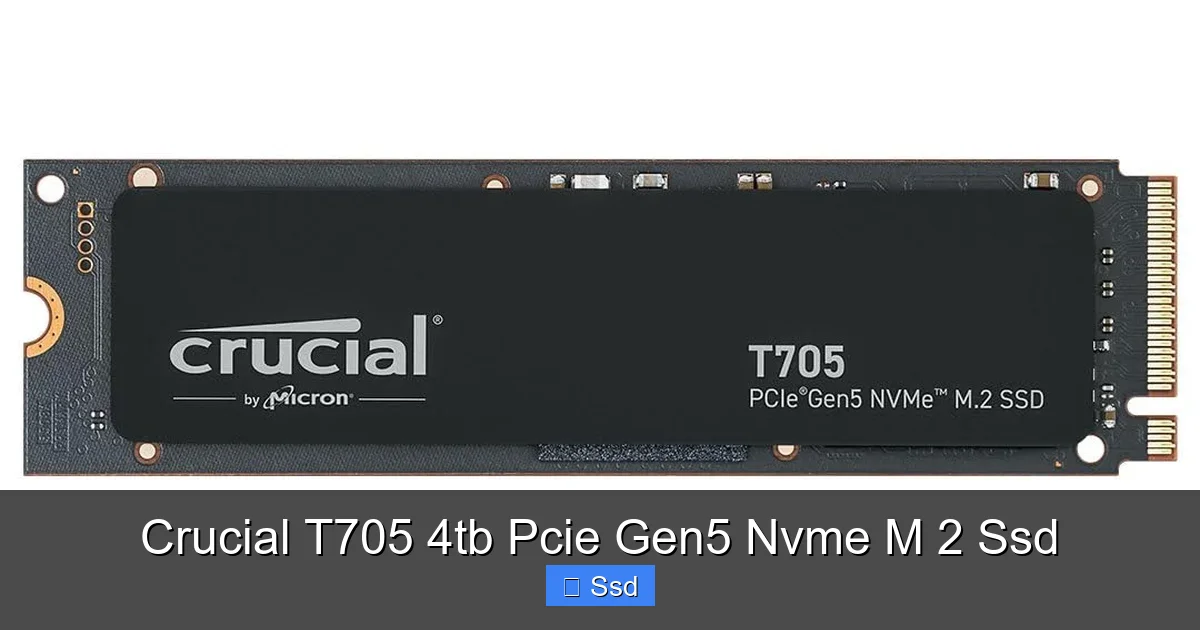
Installing the T705 is standard for an M.2 SSD, but with one added step: the thermal pad for the controller. First, ensure your motherboard’s M.2 heatsink (if it has one) is removed. Carefully align the notched end of the T705 with the key in the M.2 slot, insert it at a slight angle, and then press it down flat. Secure it with the provided screw. Now, take the separate, smaller thermal pad (it’s usually a square or rectangle) and carefully place it over the exposed controller chip on the SSD. Only then should you re-attach your motherboard’s M.2 heatsink (if you are using it in addition to the T705’s own, which is usually unnecessary and can cause excessive pressure). If your case has poor airflow, you might consider a small fan aimed at the M.2 area, but for most builds, the T705’s own heatsink is sufficient.
Is It Worth the Upgrade Path?
This is the million-dollar question. If you are building a new, high-end PC today with an Intel 13th/14th Gen or AMD Ryzen 7000 series CPU and a top-tier motherboard, and your workload involves constant movement of massive files (video editing, 3D rendering, scientific computing, large database work), then the T705 is a compelling future-proof choice. You are buying into the next standard today. However, if you are upgrading an existing system, you must factor in the cost of a new CPU, motherboard, and RAM (DDR5 is mandatory for these platforms). For a pure storage upgrade on a Gen4 system, a high-end Gen4 drive offers 90% of the real-world performance for 50-60% of the cost. The T705’s value is in its platform synergy.
Real-World Use Cases: Who Needs This Kind of Speed?
Spec sheets are fun, but let’s talk about who will actually feel the difference in their daily work and play. The average user checking email and browsing social media will not notice a difference between a SATA SSD, a Gen4 SSD, and the T705. The benefits are hyper-specific to professional and enthusiast scenarios.
- Professional Video Editors & Colorists: Working with 4K, 6K, or 8K RAW footage (like from RED, ARRI, or Blackmagic cameras) means dealing with incredibly large files. Scrubbing through the timeline, rendering effects, and exporting final projects all involve massive, sustained read/write operations. The T705 can dramatically reduce timeline lag and export times, turning minutes into seconds for certain operations. It also makes handling multiple 4K streams for multicam editing effortless.
- 3D Artists & Game Developers: Texturing, compiling shaders, and loading complex scenes in engines like Unreal Engine or Unity involve constant disk access. A faster SSD means shorter level load times in the editor, quicker lightmap baking, and less time waiting for assets to stream in during real-time previews.
- Data Scientists & Engineers: Loading large datasets (hundreds of GB) for analysis or simulation can be a bottleneck. The T705’s high throughput can shave valuable minutes or even hours off the start of a compute job.
- Hardcore Gamers & Content Archivists: While game loading screens are already fast on Gen4, the T705 can push them even lower, especially in games with vast, seamless open worlds that stream assets dynamically. More importantly, for someone with a 4TB+ game library, the sheer capacity means fewer installs/uninstalls. Copying an entire 150GB game from one drive to another becomes a matter of minutes, not a coffee break.
For the gamer with a 1TB or 2TB Gen4 drive who plays a handful of games, the T705 is overkill. The sweet spot is the professional whose time is money and is constantly waiting on their storage.
The Competition and Value Proposition
The Crucial T705 isn’t alone in the Gen5 arena. Competitors like the Sabrent Rocket 5, WD Black SN850X (Gen5 version), and Nextorage Japan NX-PM9A3 are all formidable players. How does Crucial stack up? Crucial’s key advantage is its vertical integration as a Micron brand. It uses its own Micron 232-layer TLC NAND flash memory and a Phison PS5026-E26 controller, a proven Gen5 combo. This often translates to excellent reliability and consistent performance. The integrated heatsink is also more robust than many competitor’s included solutions, which can be thinner or less effective.
However, the market is young. Some competing drives may offer slightly higher peak speeds in optimal conditions or different warranty lengths. The value equation for the T705 4TB model is particularly interesting. Its price per terabyte is often higher than its 1TB or 2TB siblings but can be competitive with other 4TB Gen5 drives. You are paying a hefty premium for the 4TB capacity on the cutting edge. The question becomes: do you need 4TB of Gen5 speed, or would a 2TB Gen5 drive for your OS and active projects, paired with a cheaper, high-capacity Gen4 or even SATA SSD for archive storage, be a smarter, more cost-effective setup? For the user who wants one drive to rule them all and has the budget, the T705 4TB is the ultimate single-drive solution.
The Verdict: Is the Crucial T705 4TB Right for You?
The Crucial T705 4TB PCIe Gen5 NVMe M.2 SSD is a specialist’s tool. It is not for the faint of heart or the light of wallet. It represents the absolute peak of what’s commercially available in consumer M.2 storage today. Its strengths are undeniable: blistering sequential speeds that are here to stay, an engineering-focused heatsink that solves the Gen5 thermal problem out of the box, and a massive 4TB capacity that eliminates storage anxiety. It is built for a very specific user: the early adopter building a new Intel 13th/14th Gen or AMD Ryzen 7000 series powerhouse, the creative professional whose livelihood depends on shaving minutes off render and export times, and the enthusiast who demands “no compromises” in every component.
For everyone else—the mainstream gamer, the general productivity user, even many content creators on a budget—the narrative is different. A high-quality PCIe 4.0 SSD like the Crucial P5 Plus offers phenomenal performance at a fraction of the cost and with far broader compatibility. The T705’s benefits are largely invisible in everyday tasks. You are paying a significant premium for a performance delta that only manifests in highly specific, large-file sequential workloads. Therefore, the final recommendation hinges entirely on your use case and budget. If your workflow is defined by moving terabytes of data daily and you are investing in a Gen5 platform, the T705 4TB is a brilliant, no-nonsense choice that delivers on its promises without needing aftermarket cooling. If not, that investment is better allocated elsewhere in your build.
Frequently Asked Questions
Does my current motherboard support the Crucial T705?
No, the T705 requires a PCIe 5.0 M.2 slot. This is only found on motherboards for Intel 13th/14th Gen Core CPUs (Z790, B760, etc.) and AMD Ryzen 7000 series CPUs (X670E, B650E, etc.). Check your motherboard’s manual to confirm which M.2 slots are Gen5 capable.
Is the heatsink on the T705 removable?
No, the heatsink is permanently attached and is a core part of the drive’s design. You cannot remove it. This is why checking physical clearance with your motherboard and case is absolutely critical before purchasing.
Is PCIe Gen5 worth it over a fast PCIe Gen4 SSD?
It depends entirely on your workload. For professional tasks involving constant, large file transfers (8K video editing, massive dataset loading), the speed increase is noticeable and valuable. For gaming, OS responsiveness, and general use, a top-tier Gen4 SSD is already incredibly fast, and the difference is negligible. The premium cost is hard to justify for most users.
What warranty does Crucial offer on the T705?
Crucial backs the T705 with a 5-year limited warranty, which is standard for high-end consumer NVMe SSDs. The warranty is also based on a TBW (Total Bytes Written) endurance rating, which for the 4TB model is typically 1,200 TBW, meaning it’s rated to write 1,200 terabytes of data before the warranty is voided.
Can I use the T705 in a Gen4 M.2 slot?
Yes. The drive is backward compatible and will function in a PCIe 4.0 (or even 3.0) M.2 slot. However, it will be limited to the maximum speed of that slot (around 7,000 MB/s for Gen4), so you would not be utilizing its full potential. You would still benefit from its large capacity and excellent sustained performance within that Gen4 limit.
What’s the best way to install the T705?
First, power down and open your PC. Locate a compatible PCIe 5.0 M.2 slot and remove any existing motherboard heatsink. Align the T705’s notch with the slot key, insert it firmly but gently, and secure it with the screw. Important: Use the small, separate thermal pad provided in the box and place it carefully over the controller chip on the SSD before re-attaching any motherboard heatsink. Ensure there is no dust or debris on the contact surfaces.