Do You Need an Audio Interface for Usb Mic
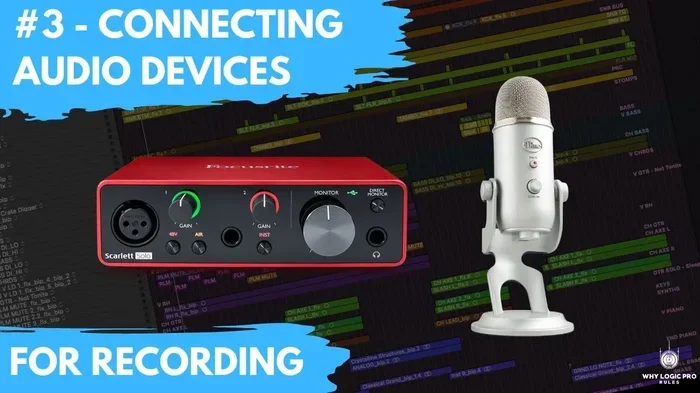
You do not always need an audio interface for a USB mic, since most USB mics have everything built in. However, adding an audio interface can improve your sound quality, give you more control, and unlock features that a standalone USB mic cannot offer. This guide helps you decide if an audio interface is the right move for your recording setup.
Do you need an audio interface for USB mic setup? If you have been wondering whether that extra box between your microphone and computer is worth the money, you are in the right place.
A USB microphone plugs directly into your computer and works right out of the box. That simplicity is one of the biggest reasons people love them. But there is another side to the story. An audio interface opens up a world of better sound, more connections, and more control over your recordings.
In this article, we will walk through everything you need to know. We will cover what an audio interface does, when you need one, and when you can skip it. By the end, you will have a clear answer for your own setup.
Key Takeaways
- USB mics work on their own: Most USB microphones have a built-in sound card and need no extra equipment to record.
- An audio interface adds flexibility: It lets you connect multiple mics, instruments, and headphones at the same time.
- Sound quality can improve: A dedicated audio interface often provides better preamps, lower noise, and higher sample rates than a USB mic alone.
- Podcasting and music production benefit most: If you record multiple people or use studio gear, an interface is a smart investment.
- Budget matters: USB mics are cheaper and simpler, while audio interfaces cost more but offer professional-grade features.
- Latency can be reduced: A good audio interface minimizes delay, making real-time monitoring smoother during recording sessions.
📑 Table of Contents
What Is an Audio Interface?
An audio interface is a device that connects your microphones, instruments, and other audio gear to your computer. It acts as a bridge between the analog world of sound and the digital world of your computer. Think of it as a translator that takes real sound waves and turns them into digital files your computer can understand.
Most audio interfaces include preamps, which boost the weak signal from a microphone so it is strong enough to record. They also provide headphone outputs, gain control, and better audio drivers than what your computer has built in.
How Does an Audio Interface Work?
When you speak into a microphone, the sound creates tiny electrical signals. An audio interface takes those signals, cleans them up, boosts them with its preamp, and sends them to your computer through a USB connection. The process happens very fast, usually in just a few milliseconds.
The quality of the analog-to-digital converter inside the interface plays a big role in how your recordings sound. Better converters mean cleaner audio, less background noise, and more detail in your recordings.
What Is a USB Microphone?
A USB microphone has everything you need to record built right into the mic itself. It contains its own sound card, preamp, and analog-to-digital converter. You simply plug it into a USB port on your computer, and it is ready to go.
USB microphones come in many shapes and sizes. Some are condenser microphones that capture detailed, bright sound. Others are dynamic microphones that handle loud sources like guitar amps or drums. There are even USB handheld recorders that work as both the mic and the recorder.
Why People Choose USB Mics
- Plug and play simplicity: No extra gear needed. Just connect and record.
- Lower cost: Most USB mics are affordable, making them great for beginners.
- Portability: You can easily take a USB mic on the road or move it between rooms.
- No extra software: Most USB mics work with basic recording software right away.
- Less cable clutter: One USB cable is all you need.
Do You Need an Audio Interface for a USB Mic?
The short answer is no. A USB mic does not require an audio interface to work. It has all the internal components it needs to capture and convert sound on its own. For casual recording, voiceovers, podcasting, or simple home setups, a USB mic alone does the job just fine.
But the longer answer is maybe. There are situations where adding an audio interface to your setup can make a real difference. Let us look at when it makes sense and when it does not.
When You Do NOT Need an Audio Interface
If you are just starting out with podcasting or recording voiceovers at home, a USB mic is all you need. You do not need an audio interface if you are recording one person at a time. You also do not need one if you are happy with the sound quality of your USB mic and do not plan to expand your gear.
For gaming streams, YouTube videos, and simple online meetings, a USB mic works perfectly. The built-in sound card handles everything you need. You can even use best audio recording software for PC or best audio player for PC programs to edit and play back your recordings without any extra hardware.
When You DO Need an Audio Interface
There are several situations where an audio interface becomes a must-have. If you record multiple people at once, you need multiple microphone inputs. A USB mic only has one input, so you would need an interface to connect more than one mic.
If you use professional studio microphones that connect with XLR cables, you need an audio interface to power them and convert their signal. Condenser microphones require something called phantom power, which most USB mics provide internally but XLR mics need from an external source.
Musicians who play instruments and want to record them alongside vocals also benefit from an audio interface. The extra inputs and better preamps give you more options for your recording setup.
Audio Interface vs USB Mic: Head-to-Head Comparison
Let us compare both options side by side so you can see the differences clearly.
| Feature | USB Mic | Audio Interface + XLR Mic |
|---|---|---|
| Ease of Setup | Very easy, plug and play | Moderate, requires extra gear |
| Number of Mic Inputs | One | Two or more |
| Sound Quality | Good for most uses | Professional grade |
| Preamp Quality | Built in, decent | Dedicated, superior |
| Portability | Very portable | Less portable |
| Cost | Lower upfront cost | Higher total cost |
| Expandability | Limited | Very flexible |
| Latency Control | Basic | Advanced, lower latency |
As you can see, both options have strong points. Your choice depends on what you plan to do with your recordings and how much you are willing to spend.
Sound Quality Differences
One of the biggest debates is whether an audio interface really improves sound quality. The answer depends on your current USB mic and what you consider good sound. A quality audio interface for PC setup with a professional XLR microphone will almost always sound better than a budget USB mic.
However, a high-end USB mic like a Shure MV7 or Rode NT-USB can rival entry-level audio interfaces in sound quality. The difference becomes more noticeable when you start comparing mid-range gear to professional-grade equipment.
If you are serious about audio quality and plan to grow your setup over time, investing in an audio interface is a smart move. It gives you room to upgrade your microphone without replacing your entire setup.
Benefits of Using an Audio Interface with a USB Mic
Even though a USB mic works on its own, there are some real benefits to pairing it with an audio interface. Here are the main advantages you can expect.
Better Preamps and Lower Noise
Audio interfaces have better preamps than what you find inside most USB mics. This means cleaner audio with less hiss and background noise. If you record in a room that is not perfectly soundproof, a good interface can help reduce unwanted noise in your recordings.
More Input Options
An audio interface gives you the ability to connect multiple microphones and instruments at the same time. This is perfect for recording duets, band practices, or podcasts with multiple hosts. You can also connect dynamic microphones, condenser microphones, and even instruments like guitars and keyboards.
Improved Latency Performance
Audio latency is the delay you hear when you speak into a mic and the sound comes back through your headphones. A good audio interface reduces this delay significantly. This makes monitoring your recordings in real time much more comfortable and natural.
When you use a USB mic alone, your computer handles all the audio processing. This can introduce noticeable lag, especially on older or slower computers. An audio interface takes that processing load off your computer and handles it with dedicated hardware.
Future-Proof Your Setup
Buying an audio interface now means you can upgrade your microphone later without replacing your entire setup. If you start with a USB mic and later decide to invest in a professional XLR microphone, your audio interface is already ready to go.
More Control Over Your Sound
Most audio interfaces come with physical knobs and buttons for gain control, volume, and monitoring. This hands-on control makes it easy to adjust your sound on the fly without diving into software settings. You get a more tactile and intuitive recording experience.
Common Mistakes People Make
Here are some mistakes to avoid when deciding whether to use an audio interface with your USB mic.
- Buying an interface you do not need: If you only record one person and do not plan to expand, a USB mic alone is enough. Do not spend extra money on gear you will not use.
- Ignoring driver compatibility: Make sure your audio interface works with your operating system. Some interfaces have driver issues on certain versions of Windows or macOS.
- Skipping the preamp quality check: Not all audio interfaces have the same preamp quality. Read reviews and compare options before buying.
- Overlooking cable costs: XLR cables, adapters, and other accessories add to the total cost. Factor these into your budget before making a purchase.
- Assuming more expensive is always better: A higher price tag does not always mean better sound for your specific needs. Focus on features that matter for your recording goals.
Quick Tips for Choosing the Right Gear
Here are some quick tips to help you make the best decision for your recording setup.
- Start with a USB mic if you are a beginner. It is simple, affordable, and gets you recording right away.
- Upgrade to an audio interface when you hit the limits of your USB mic. If you need more inputs, better sound, or lower latency, it is time to make the switch.
- Check your computer’s USB ports. Make sure you have enough USB ports and that they support the data transfer speed your interface needs.
- Read reviews before buying. Both USB mics and audio interfaces vary widely in quality. Real user reviews help you avoid buyer’s remorse.
- Consider your recording environment. If you record in a noisy room, an interface with better preamps can help clean up your sound.
- Plan for growth. If you see yourself expanding your setup in the future, investing in an audio interface now saves money later.
Expert Insight
Many professional recording engineers recommend starting with a USB mic and adding an audio interface as your needs grow. This approach lets you learn the basics of recording without spending too much money upfront. Once you understand what you need, the upgrade to an interface feels natural and worthwhile.
The team behind the best audio interface for PC options often suggests that podcasters and content creators should consider their long-term goals. If you plan to produce regular content, interview multiple guests, or record music, an audio interface is a smart investment that pays for itself over time.
Final Verdict
So, do you need an audio interface for USB mic setup? The honest answer is it depends on your goals. For casual recording, a USB mic works perfectly on its own. You get great sound without the extra gear, the extra cost, or the extra complexity.
But if you are serious about audio quality, plan to record multiple people, or want to grow your setup over time, an audio interface is a valuable addition. It gives you more control, better sound, and the flexibility to use professional microphones and other gear.
Start simple. Add an interface when you feel the need. This approach keeps your costs low while giving you room to grow as a recorder or content creator.
No matter which path you choose, the most important thing is to start creating. Good audio comes from practice, technique, and understanding your gear. Whether you use a USB mic alone or pair it with an audio interface, the best setup is the one that helps you make great recordings.
Frequently Asked Questions
Can I use a USB mic with an audio interface?
Yes, you can connect a USB microphone to an audio interface, but it is not the most common setup. Most people connect an XLR microphone to the interface instead. Using a USB mic with an interface adds an extra step without much benefit, since the USB mic already has its own built-in converter.
Does an audio interface improve USB mic sound quality?
An audio interface does not directly improve the sound of a USB mic because the mic handles its own conversion. However, using an XLR microphone with an audio interface will give you noticeably better sound quality than a USB mic alone, thanks to better preamps and converters.
What is the best audio interface for a beginner?
For beginners, simple and affordable interfaces like the Focusrite Scarlett Solo or the Behringer U-Phoria UM2 are excellent choices. They offer solid sound quality, easy setup, and enough inputs for most home recording needs.
Do I need an audio interface for podcasting?
For a solo podcaster using a USB mic, an audio interface is not necessary. However, if you interview multiple guests or use professional XLR microphones, an audio interface becomes essential for managing multiple inputs and maintaining sound quality.
How much does a good audio interface cost?
Entry-level audio interfaces start around $50 to $100 and offer great value for beginners. Mid-range options between $150 and $300 provide professional features and better preamps. High-end interfaces can cost $500 or more and are designed for studio professionals.
Can I record music with just a USB mic?
Yes, you can absolutely record music with just a USB mic. Many musicians use USB mics for vocals, acoustic instruments, and home demos. The sound quality is good enough for most purposes, though professional studios prefer XLR mics with audio interfaces for maximum control and quality.