Laptop Power Button Stuck

A stuck laptop power button is more than just annoying, it can stop your computer from turning on or shutting down properly. This guide covers the most common reasons your power button gets stuck, step-by-step fixes you can do at home, and warning signs that mean it is time to see a professional. You will learn how to safely troubleshoot, repair, and prevent a stuck power button on any laptop model.
A stuck laptop power button can turn a simple startup into a real headache. You press the button, but nothing happens, or it feels weird and does not pop back out right. This is one of those laptop problems that seems small at first but can grow into something much bigger if you ignore it.
The good news is that most power button issues are fixable without spending a lot of money. Whether the button is stuck because of dust, wear and tear, or a spill, there are steps you can take to get things working again. In this guide, we will walk you through the causes, fixes, and prevention tips for a stuck power button. By the end, you will feel confident tackling this issue on your own or knowing exactly when to call in a pro.
Key Takeaways
- Dust and debris are the most common reasons a power button gets stuck
- Simple cleaning with compressed air can often fix the problem at home
- A stuck power button can lead to overheating and other laptop hardware issues
- Liquid damage is a serious cause that needs immediate attention
- Knowing when to seek professional help saves you from causing more damage
- Regular maintenance keeps your power button working smoothly for years
📑 Table of Contents
Why Does a Laptop Power Button Get Stuck?
Understanding what causes a power button stuck problem is the first step toward fixing it. Most of the time, the issue comes down to a few common culprits. Let us break them down so you can figure out what is going on with your laptop and start your laptop troubleshooting right away.
Dust and Debris Buildup
Over time, tiny particles like dust, crumbs, and lint can work their way under the power button. This buildup pushes against the button and keeps it from moving freely. If your laptop lives on a desk or bed where lint floats around, this is especially likely to happen. A dusty power button is one of the top stuck power button causes in laptops of all ages.
You might notice the button feels gritty or does not click the way it used to. In some cases, the debris presses the button down just enough that the laptop starts randomly or does not turn on at all. This is a clear sign that laptop cleaning is overdue. Even small particles like crumbs from a snack can create enough pressure to jam the button and cause a power button sticking issue that worsens over time.
Worn Out Internal Springs
Every power button has small springs or rubber mechanisms underneath that help it bounce back after you press it. After months or years of daily use, these parts wear down. When they weaken, the button can start to feel loose or stay stuck in one position.
This type of wear is very common in older laptops. If you have been using the same laptop for several years and the power button feels different, worn springs might be the stuck power button cause. You will usually notice the button wiggles more than it used to or does not return to its normal position quickly. A loose power button like this is a telltale sign of internal mechanism fatigue.
Liquid Damage
Spilling water, coffee, or any other liquid on your laptop is a serious problem. Even a small splash near the power button area can cause the button to stick. Liquids can corrode the metal contacts and make the button swell or seize up completely.
If you have ever spilled something on your laptop and then noticed the power button acting weird afterward, liquid damage is a very likely stuck power button cause. The sooner you address this, the better your chances of avoiding long-term laptop hardware issues. A jammed power button from liquid damage can also affect the surrounding keyboard and internal circuitry if left untreated.
How to Fix a Stuck Laptop Power Button at Home
Before you rush to a repair shop, try these simple fixes. Many power button stuck problems can be solved with tools you already have at home. Just be gentle and patient throughout the process. Here is a step-by-step approach to fixing a stuck power button on your own.
Cleaning the Power Button Area
Start by giving the power button a thorough cleaning. Use a soft, dry cloth to wipe around the button and remove any surface dust. Then, dip a cotton swab in a small amount of isopropyl alcohol and gently clean around the edges of the button. The alcohol helps dissolve any sticky residue that might be holding the button in place.
Avoid using too much liquid. You want the swab damp, not soaking wet. Let the area dry completely before you try pressing the button again. This simple step fixes many cases of a power button not working and is often the first thing to try. For a power button sticking caused by grime or oily residue from your fingers, this cleaning method works really well.
Using Compressed Air
Compressed air is one of the best tools for clearing out dust and debris from tight spaces. Hold the can upright and spray short bursts around the power button. The force of the air can push out particles that are trapped underneath or around the button mechanism.
Do not tilt the can sideways or hold the button down while spraying. You want to lift any debris out, not push it deeper in. After a few bursts, try pressing the button to see if it moves more freely. This is an easy stuck power button fix that works surprisingly well for light dust buildup. It is also a great way to maintain your laptop without opening it up.
Applying Gentle Pressure
Sometimes the button just needs a little extra encouragement to pop back out. Press down gently around the edges of the stuck button, not directly on top of it. This can help release it from whatever is holding it down. You can also try pressing the surrounding area in a circular motion to loosen things up.
Be very careful with this method. If you press too hard, you could damage the button further. Only use gentle pressure, and stop immediately if the button feels like it is about to break. This works best for buttons that are slightly stuck due to minor debris or spring fatigue. If the button is really jammed, skip this step and move on to professional help.
Can a Stuck Power Button Cause Other Laptop Problems?
A stuck power button is not just an inconvenience, it can lead to bigger problems with your laptop if you do not address it. Here is how a stuck button can affect other parts of your system and why timely power button repair matters.
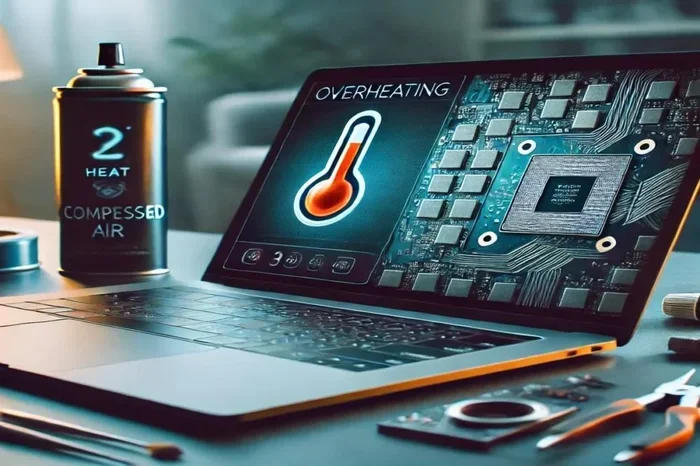
Overheating Risks
When a power button stays stuck in the pressed position, your laptop may not be able to shut down properly. This means the system keeps running even when you want it to stop. A laptop that cannot power down will overheat over time, and in severe cases, can a laptop explode from overheating becomes a real concern.
Overheating damages internal components and shortens the life of your laptop. If your power button is stuck and your laptop feels unusually hot, this is a warning sign you should not ignore. Addressing the stuck button quickly can help protect your entire system from heat-related damage. This is especially important if you use your laptop for demanding tasks like gaming or video editing.
Random Shutdowns and Restarts
A malfunctioning power button can send mixed signals to your laptop motherboard. The system might interpret a stuck button as a command to shut down or restart. This leads to random shutdowns in the middle of work or unexpected reboots that can cause data loss.
If you have noticed your laptop turning off by itself or restarting without warning, the power button could be the culprit. Checking for a power button malfunction early can save you from frustrating interruptions and potential data loss. These random restarts can also corrupt files and slow down your system over time.
Signs Your Power Button Is About to Fail
Catching a failing power button early can save you from a complete lockout. Watch for these warning signs that your button is on its way out:
- The button feels loose or wobbly when you press it
- The laptop turns on by itself without you touching the button
- The button does not click like it used to
- You need to press very hard or press multiple times to get a response
- The button stays stuck down after you release it
- Your laptop will not start even when you press the button firmly
If you notice any of these signs, do not wait. The sooner you address the issue, the easier and cheaper the repair will be. Ignoring these warning signals can lead to a completely non-functional power button, which means you will need a full power button replacement. A power button repair cost is much lower when you catch the problem early, before the internal mechanisms fail entirely.
Preventing Power Button Issues Before They Start
Prevention is always better than repair. A few simple habits can keep your power button working smoothly for years. Here are some easy steps you can take right now to protect your laptop from power button issues.
- Keep your laptop clean. Wipe the surface and keyboard area regularly to prevent dust from building up around the button.
- Avoid eating or drinking near your laptop. Crumbs and spills are the enemies of any laptop component, especially delicate buttons.
- Use a laptop cover or sleeve. This protects against dust and debris when you are carrying your laptop around.
- Check your power consumption. If your laptop draws unusual amounts of power, it could stress the power circuit. Learn more about how much power does a laptop use when plugged in to understand your laptop power draw better.
- Handle your laptop gently. Do not press the power button with excessive force. A firm, single press is all it needs.
These small habits add up over time. A well-maintained laptop is less likely to develop a stuck power button or other hardware problems. Think of it as an investment in the longevity of your device. Regular care also helps prevent a power switch stuck situation that could leave you stranded without a working computer.
When to See a Professional for Power Button Repair
Not every power button stuck problem can be fixed at home. If you have tried the cleaning and pressure methods and the button is still not working, it is time to consider professional help. Here are situations where you should definitely see a technician:
- The button is physically broken or cracked
- Liquid damage has occurred and the button is corroded
- The laptop still will not turn on after you try all the home fixes
- You smell burning or see smoke coming from the laptop
- The button sticks even after cleaning and compressed air treatment
A professional technician can assess whether you need a power button replacement or if the issue is deeper inside the motherboard. The power button repair cost varies depending on your laptop model and the extent of the damage. In many cases, a simple replacement part and a bit of labor can get your laptop back to normal. Most repair shops can diagnose the problem quickly and give you a clear estimate before starting any work.
If you are already planning to open up your laptop for any reason, you might also look into upgrading other components at the same time. For example, if you have been thinking about a RAM upgrade for my laptop, having a professional open the machine gives you a perfect opportunity to boost performance while the case is already open. This way, you get more value out of every service visit.
Conclusion
A stuck power button is a common laptop issue, but it does not have to be a permanent one. Most of the time, simple cleaning and gentle fixes can bring your power button back to life. The key is to act quickly before the problem gets worse or causes damage to other parts of your laptop.
Remember to keep your laptop clean, avoid liquids near the keyboard, and handle the power button with care. If home fixes do not work, do not hesitate to seek professional help. Your laptop is a valuable tool, and taking care of small issues like a stuck button today can save you from bigger headaches tomorrow. With the right approach, you can keep your laptop running smoothly for years to come.
Frequently Asked Questions
What causes a laptop power button to get stuck?
The most common causes are dust and debris buildup, worn out internal springs, and liquid damage. Each of these can prevent the button from moving freely or returning to its normal position after you press it.
Can I fix a stuck power button myself?
Yes, in many cases you can. Start by cleaning the area with a soft cloth and isopropyl alcohol, then use compressed air to remove debris. Gentle pressure around the edges of the button can also help release it.
How much does power button repair cost?
The power button repair cost varies depending on your laptop model and the extent of the damage. Simple cleaning is free, while a full replacement typically ranges from $50 to $150 at most repair shops.
Is a stuck power button a sign of a bigger problem?
Sometimes it is just a minor issue like dust, but it can also signal deeper laptop hardware issues such as motherboard problems or liquid damage. If the button stays stuck after cleaning, it is best to get a professional diagnosis.
Can a stuck power button damage my laptop?
Yes, if left unchecked, a stuck power button can cause overheating, random shutdowns, and even data loss. The longer the issue persists, the more stress it puts on your laptop internal components.
How do I prevent my power button from getting stuck again?
Keep your laptop clean, avoid eating or drinking near it, use a protective sleeve, and handle the button gently. Regular maintenance goes a long way in preventing power button sticking and other hardware problems.