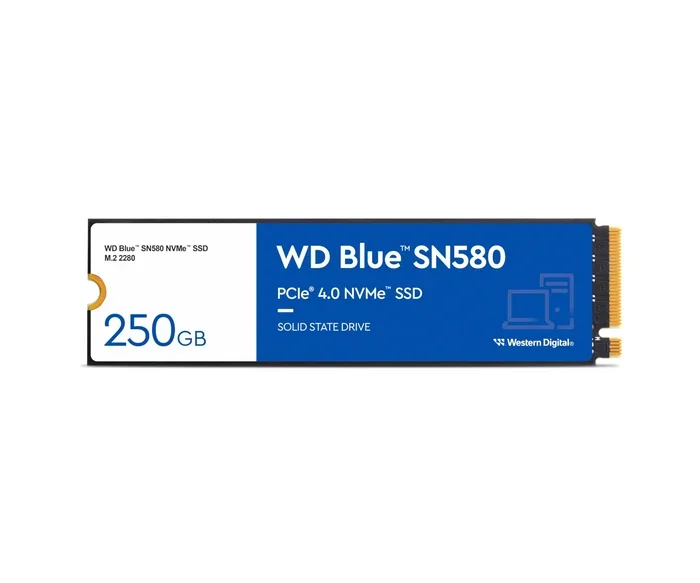
Kc3000 Pcie 4.0 Nvme M 2 Ssd
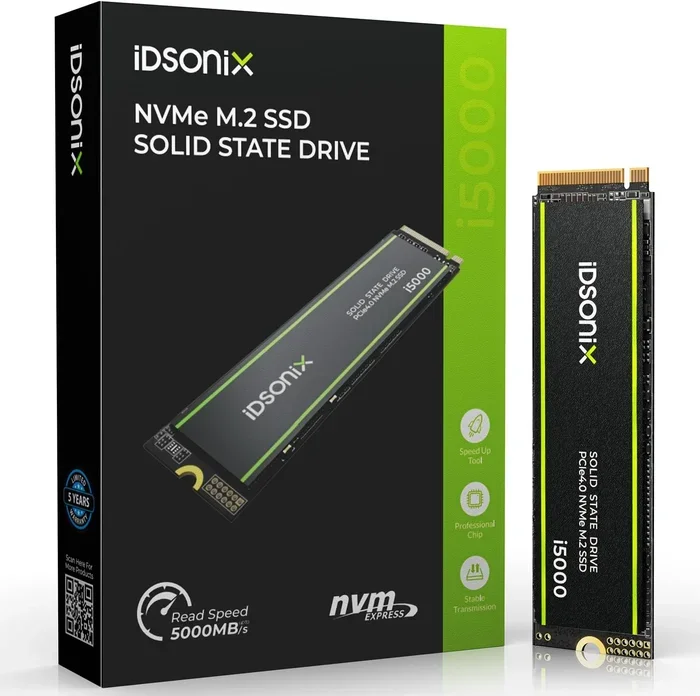
The KC3000 PCIe 4.0 NVMe M.2 SSD delivers blazing fast read speeds up to 7000 MB/s and write speeds reaching 6000 MB/s. This Kingston solid state drive uses a Phison E18 controller and TLC NAND for reliable, high performance storage. Whether you are building a new PC or upgrading an existing one, the KC3000 offers excellent value for gamers, creators, and power users.
Key Takeaways
- Blazing Speeds: The KC3000 PCIe 4.0 NVMe M.2 SSD achieves up to 7000 MB/s sequential read and 6000 MB/s sequential write, making it one of the fastest consumer SSDs available.
- Phison E18 Controller: This drive uses a high quality controller paired with TLC NAND for consistent performance under heavy workloads.
- Great for Gaming and Creative Work: The KC3000 excels as a boot drive, gaming storage, and content creation workspace thanks to its low latency and high IOPS.
- M.2 2280 Form Factor: The standard 2280 size fits most modern desktops and laptops with an M.2 slot, making installation simple.
- DRAM Cache Included: The onboard DRAM cache helps maintain steady performance during sustained read and write operations.
- Competitive Pricing: Compared to other PCIe Gen4 NVMe drives, the KC3000 offers strong performance at a reasonable price point.
📑 Table of Contents
What Is the KC3000 PCIe 4.0 NVMe M.2 SSD?
The KC3000 PCIe 4.0 NVMe M.2 SSD is a high performance solid state drive made by Kingston Technology. It belongs to the NVMe family of drives, which means it uses the NVMe protocol to communicate with your motherboard. This is a big step up from older SATA SSDs in terms of speed and efficiency.
This drive uses the M.2 2280 form factor, which is the most common size for modern NVMe drives. You will find it in many desktops and laptops that support M.2 slots. The KC3000 is built for users who want fast storage without paying premium prices. It is an excellent choice for a boot drive, game library, or creative project workspace.
What makes the KC3000 stand out is its combination of speed, reliability, and value. Kingston is a trusted name in the storage world, and the KC3000 lives up to that reputation. It uses a Phison E18 controller and 3D TLC NAND flash memory. These components work together to deliver consistent, high speed performance every day.
KC3000 Performance and Speed Tests
Sequential Read and Write Speeds
The KC3000 PCIe 4.0 NVMe M.2 SSD boasts impressive sequential read speeds of up to 7000 MB/s. Sequential write speeds reach up to 6000 MB/s. These numbers are among the best you can get from a consumer grade NVMe drive. To put this in perspective, a typical SATA SSD tops out around 550 MB/s. The KC3000 is more than ten times faster in theory.
In real world use, you will notice the difference when booting your operating system, loading large games, or transferring big files. The sequential read and sequential write speeds make everyday tasks feel instant. Large video files, photo libraries, and game installs complete much faster than with older drives.
Random Read and Write IOPS
Beyond sequential speeds, the KC3000 also delivers strong random read and write performance. It achieves high IOPS (input/output operations per second), which matters for multitasking and running multiple applications at once. If you are a gamer who keeps dozens of titles installed, or a creator working with several large files simultaneously, this matters a lot.
The DRAM cache on the KC3000 helps maintain these speeds during sustained workloads. Without DRAM, many SSDs slow down significantly when the cache fills up. The KC3000 avoids this problem, keeping performance steady even during long transfer sessions.
KC3000 SSD Specifications
Here are the key technical details of the KC3000 PCIe 4.0 NVMe M.2 SSD:
- Interface: PCIe Gen4 NVMe
- Form Factor: M.2 2280
- Controller: Phison E18
- NAND Type: 3D TLC NAND
- Sequential Read: Up to 7000 MB/s
- Sequential Write: Up to 6000 MB/s
- Random Read IOPS: Up to 1,000,000
- Random Write IOPS: Up to 1,200,000
- Capacity Options: 1TB, 2TB
- DRAM Cache: Yes
- Power Consumption: Low, typical for PCIe Gen4 drives
- Warranty: 5 year limited warranty from Kingston
The M.2 2280 size is the standard for most modern systems. If your motherboard has an M.2 slot, the KC3000 will fit. It also comes with a heatsink option in some models, which helps keep temperatures in check during heavy use. Thermal management is important for any NVMe M.2 SSD running at PCIe Gen4 speeds.
Who Should Buy the KC3000?
Gamers
Gamers will love the KC3000. Game load times drop significantly with a fast NVMe drive. Modern games are huge, often exceeding 100GB per title. The KC3000 makes installing and loading these games much faster. It also serves as an excellent boot drive, meaning your entire system responds faster from the moment you press the power button.
If you are building a gaming PC and want strong storage performance without breaking the bank, the KC3000 is a top contender. It competes well with other PCIe Gen4 drives in its price range.
Content Creators and Professionals
Video editors, photographers, and 3D artists benefit greatly from the KC3000’s fast read and write speeds. Working with large video files becomes much smoother. The drive handles sustained write workloads well, which is essential for editing 4K or even 8K footage. The TLC NAND technology provides better endurance and reliability compared to QLC drives, which is important for professionals who write large amounts of data daily.
General Users Upgrading from HDD or SATA SSD
If you are still using a hard drive or an older SATA SSD, the KC3000 will feel like a completely new computer. Boot times, application launches, and file transfers all improve dramatically. It is one of the best storage upgrades you can make for an older system. The installation process is straightforward, and most modern motherboards support M.2 NVMe drives natively.
KC3000 vs Other NVMe SSDs
How does the KC3000 compare to other popular NVMe drives? Here is a quick comparison with some well known alternatives:
- KC3000 vs SATA SSD: The KC3000 is dramatically faster. A SATA SSD maxes out around 550 MB/s, while the KC3000 reaches 7000 MB/s read. The difference is night and day in everyday use.
- KC3000 vs PCIe Gen3 NVMe: PCIe Gen3 drives top out around 3500 MB/s read. The KC3000 doubles that speed thanks to the Gen4 interface. The real world improvement is noticeable in file transfers and game loading.
- KC3000 vs PCIe Gen5 NVMe: Gen5 drives offer even higher speeds, but they cost significantly more. The KC3000 provides excellent value for users who do not need the absolute fastest speeds available.
For most users, the KC3000 hits the sweet spot between performance and price. It is not the absolute fastest drive on the market, but it comes very close while costing less than top tier Gen5 options.
Installation and Setup Tips
Installing the KC3000 is straightforward if your system has an M.2 slot. Here are some tips to ensure a smooth setup:
- Check your motherboard manual for compatible M.2 slots. Most modern boards support NVMe M.2 drives.
- Use the included mounting screw to secure the drive in the M.2 slot. The drive slides in at an angle and then presses down flat.
- Enable PCIe Gen4 in BIOS if your motherboard supports it. This ensures you get the full speed benefit of the KC3000.
- Consider a heatsink if you are running the drive in a tight enclosure or under heavy workloads. Some KC3000 models come with a built in heatsink.
- Initialize the drive through Disk Management on Windows or Disk Utility on macOS after installation.
Once installed, the KC3000 works right out of the box. You do not need special drivers or software. Kingston provides the Kingston SSD Manager tool if you want to monitor drive health and firmware updates. This is a nice bonus for users who like to keep their storage optimized.
Reliability and Endurance
Kingston is known for building reliable storage products, and the KC3000 is no exception. The drive comes with a 5 year limited warranty, which gives you peace of mind. The 3D TLC NAND used in the KC3000 offers better endurance than QLC or TLC without 3D stacking.
For most users, the endurance of the KC3000 is more than sufficient. The TBW (terabytes written) rating for the 1TB model is typically around 600 TBW, and the 2TB model around 1200 TBW. These numbers mean the drive can handle years of heavy daily use before wearing out. The onboard DRAM cache also contributes to long term reliability by managing data placement efficiently.
One thing to keep in mind is that NVMe drives run warmer than SATA SSDs. The KC3000 does generate more heat than older drives, but it stays within safe operating temperatures under normal use. If you are pushing the drive hard with continuous large file transfers, a heatsink or proper case airflow will help maintain optimal temperatures.
Value and Final Thoughts
The KC3000 PCIe 4.0 NVMe M.2 SSD is an outstanding choice for anyone looking to upgrade their storage. It combines top tier PCIe Gen4 speeds with Kingston’s reputation for reliability and solid customer support. The pricing is competitive, making it accessible for a wide range of users.
Whether you are a gamer who wants faster load times, a creator who needs quick file transfers, or a general user tired of slow boot times, the KC3000 delivers. It is one of the best value propositions in the NVMe SSD market today. If you are shopping for an M.2 NVMe SSD and want strong performance without overspending, the KC3000 should be at the top of your list.
For those who want even more options, you can also check out other Kingston NVMe drives and PCIe Gen4 SSDs available on our site. The KC3000 fits perfectly into the lineup of high performance storage solutions that Kingston offers.
Frequently Asked Questions
What makes the KC3000 different from a regular SATA SSD?
The KC3000 uses the PCIe Gen4 interface and NVMe protocol, which are much faster than SATA. While a SATA SSD maxes out around 550 MB/s, the KC3000 reaches up to 7000 MB/s read speeds. This means faster boot times, quicker game loading, and speedier file transfers.
Does the KC3000 need a heatsink?
The KC3000 can run warm under heavy workloads, but it does not always require a heatsink. If you have good airflow in your PC case, the stock cooler that comes with the drive is usually enough. However, if you are running the drive in a tight M.2 enclosure or doing sustained heavy writes, a heatsink helps maintain optimal performance.
Is the KC3000 good for gaming?
Absolutely. The KC3000 is an excellent gaming SSD. Its fast read speeds reduce game load times significantly, and the large capacity options let you store many games on a single drive. It also works great as a boot drive, making your entire system feel faster.
What capacities does the KC3000 come in?
The KC3000 is available in 1TB and 2TB capacity options. The 1TB model is great for an operating system and several games or applications. The 2TB model is ideal for users who need more storage for large game libraries, video projects, or professional workloads.
Is the KC3000 compatible with PCIe Gen3 motherboards?
Yes, the KC3000 is backward compatible with PCIe Gen3 motherboards. However, you will not get the full Gen4 speed benefits on a Gen3 board. The drive will still perform much faster than a SATA SSD even on a Gen3 connection.
How does the KC3000 compare to the Crucial T705?
Both the KC3000 and the Crucial T705 are excellent PCIe Gen4 NVMe drives. The KC3000 uses a Phison E18 controller while the T705 uses a different controller design. Both offer similar sequential speeds and strong real world performance. The choice often comes down to price, availability, and brand preference.
=== CONCLUSION ===
The KC3000 PCIe 4.0 NVMe M.2 SSD is a fantastic storage solution that delivers on speed, reliability, and value. With read speeds up to 7000 MB/s and write speeds reaching 6000 MB/s, it handles everything from gaming to content creation with ease. The Phison E18 controller, 3D TLC NAND, and DRAM cache make it a well rounded drive for any user.
If you are looking for a solid state drive upgrade, the KC3000 should be high on your list. It is fast, reliable, and backed by Kingston’s excellent warranty support. Whether you are building a new PC or upgrading an existing one, this NVMe M.2 SSD will breathe new life into your system. Take the leap and experience the difference that PCIe Gen4 storage can make.