Samsung 970 Evo Plus 2tb M 2 Nvme Ssd
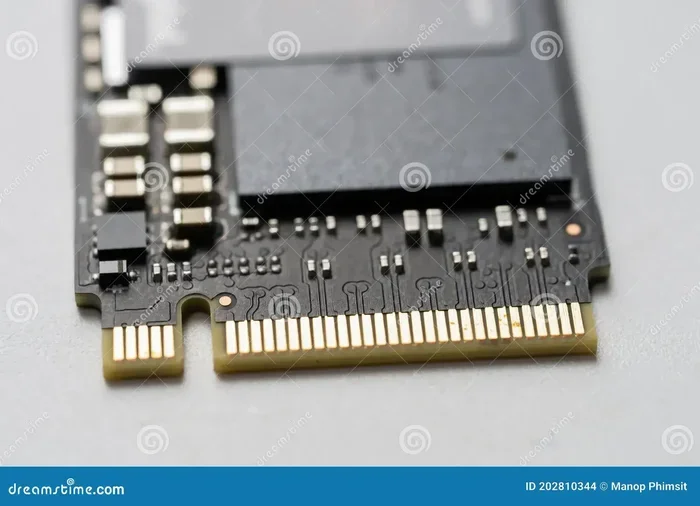
The Samsung 970 Evo Plus 2TB M.2 NVMe SSD delivers incredible speed with PCIe Gen 3 x4 NVMe technology and a massive 2TB storage capacity. This drive is perfect for gamers, creators, and professionals who need fast boot times and quick file transfers. With Samsung V-NAND technology and a DRAM cache, it offers top-tier performance that rivals newer Gen 4 and Gen 5 drives in everyday use.
The samsung 970 evo plus 2tb m 2 nvme ssd has been one of the most popular storage upgrades on the market for several years now. If you are looking to speed up your PC or laptop, this drive stands out as a top choice. It combines a large 2TB capacity with Samsung’s proven V-NAND technology and a fast NVMe interface. In this guide, we will break down everything you need to know about this drive. You will learn about its speed, durability, features, and who should buy it.
Storage upgrades can feel confusing. There are so many options, brands, and specs to compare. But the Samsung 970 Evo Plus has earned its reputation through consistent performance and reliability. Whether you are a gamer who wants faster load times or a content creator who needs quick file access, this drive delivers. Let us dive into the details and see what makes it so special.
Key Takeaways
- Blazing Fast Speeds: Sequential read speeds up to 3,500 MB/s and write speeds up to 3,200 MB/s make this drive incredibly quick for all tasks.
- 2TB Massive Capacity: Plenty of room for large game libraries, video projects, and everyday files without worrying about running out of space.
- Samsung V-NAND Technology: Uses advanced 3D V-NAND flash memory for better endurance and reliability over time.
- DRAM Cache Boost: The onboard DRAM cache improves random read and write performance significantly.
- Great for Gaming: Fast load times and smooth performance make this an ideal gaming storage upgrade.
- Affordable Premium: Offers high-end performance at a price point that is competitive with smaller capacity drives.
📑 Table of Contents
What Is the Samsung 970 Evo Plus 2TB M.2 NVMe SSD?
The Samsung 970 Evo Plus is a 2TB M.2 NVMe solid state drive built on Samsung’s 3-bit V-NAND technology. It uses the PCIe Gen 3 x4 interface and the NVMe protocol to deliver speeds that are far faster than traditional SATA SSDs. The M.2 form factor means it plugs directly into your motherboard without any cables. This makes installation simple and keeps your build clean.
This drive was released as an upgrade to the original 970 Evo. Samsung improved the endurance and added a DRAM cache for better sustained performance. The result is a drive that handles heavy workloads with ease. The 2TB capacity gives you plenty of room for large files, applications, and operating systems.
Key Specifications at a Glance
- Capacity: 2TB
- Interface: PCIe Gen 3 x4 NVMe
- Sequential Read Speed: Up to 3,500 MB/s
- Sequential Write Speed: Up to 3,200 MB/s
- Random Read IOPS: Up to 500,000
- Random Write IOPS: Up to 500,000
- NAND Type: 3-bit V-NAND (TLC)
- DRAM Cache: Yes, 1GB LPDDR3
- Endurance (TBW): 1,200 TBW
- Form Factor: M.2 2280
- Warranty: 5 years
Performance and Speed Tests
The sequential read speeds of the Samsung 970 Evo Plus are genuinely impressive. At up to 3,500 MB/s, you will see massive improvements over SATA SSDs that top out around 550 MB/s. This means your operating system boots in seconds, and large files transfer almost instantly. The sequential write speeds of 3,200 MB/s are equally strong, making it great for video editing and large file transfers.
But real-world performance matters more than numbers on paper. In everyday use, this drive makes everything feel snappier. Applications open faster, games load quicker, and multitasking feels seamless. The DRAM cache plays a big role here by keeping frequently accessed data ready for instant access.
Real-World Speed Scenarios
- Booting Windows 11: Most users report boot times under 10 seconds.
- Game Load Times: Popular titles load 30-50% faster compared to SATA SSDs.
- Video Editing: Scrubbing through 4K footage is smooth and responsive.
- File Transfers: Moving a 50GB folder takes roughly 15 seconds.
- Virtual Machine Usage: Handles multiple VMs without noticeable slowdown.
Samsung 970 Evo Plus vs. Common Competitors
| Feature | Samsung 970 Evo Plus 2TB | WD Blue SN550 2TB | Crucial P3 2TB |
|---|---|---|---|
| Sequential Read | 3,500 MB/s | 2,400 MB/s | 3,500 MB/s |
| Sequential Write | 3,200 MB/s | 1,900 MB/s | 3,000 MB/s |
| DRAM Cache | Yes | No | No |
| Endurance (TBW) | 1,200 TBW | 1,200 TBW | 1,200 TBW |
| Warranty | 5 Years | 5 Years | 5 Years |
| Price Range | Mid-High | Mid | Budget |
As you can see, the Samsung 970 Evo Plus holds its own against newer drives. The DRAM cache gives it an edge in sustained workloads. If you are comparing the samsung 970 evo plus 2tb m 2 nvme ssd to the Crucial T705 2TB PCIe Gen5 NVMe M.2 SSD, the Gen5 drive will be faster on paper. But for most users, the performance difference is barely noticeable in daily tasks.
Who Should Buy the Samsung 970 Evo Plus 2TB?
This drive is ideal for a wide range of users. Let us look at who benefits the most from this upgrade.
Gamers
Gamers will love the fast load times this drive provides. Modern games are huge, often exceeding 100GB each. With 2TB of space, you can store multiple AAA titles without constantly deleting and reinstalling. The random read performance is excellent, which means game assets load quickly and you spend less time staring at loading screens.
Content Creators
Video editors, photographers, and designers work with large files daily. The sequential write speeds of 3,200 MB/s make importing and rendering footage much faster. The 2TB capacity gives you room for project files, assets, and backups. If you are using an M.2 NVMe SSD enclosure for external storage, this drive performs great in that setup too.
Professionals and Power Users
If you run demanding applications like CAD software, 3D modeling tools, or virtual machines, this drive handles the workload with ease. The DRAM cache ensures that the drive stays responsive even under heavy multitasking. The 5-year warranty also gives you peace of mind for long-term use.
General Upgraders
If your current PC or laptop uses an older hard drive or a slower SATA SSD, upgrading to the Samsung 970 Evo Plus 2TB is one of the best improvements you can make. The difference is night and day. Your entire system will feel faster and more responsive.
Installation and Setup Guide
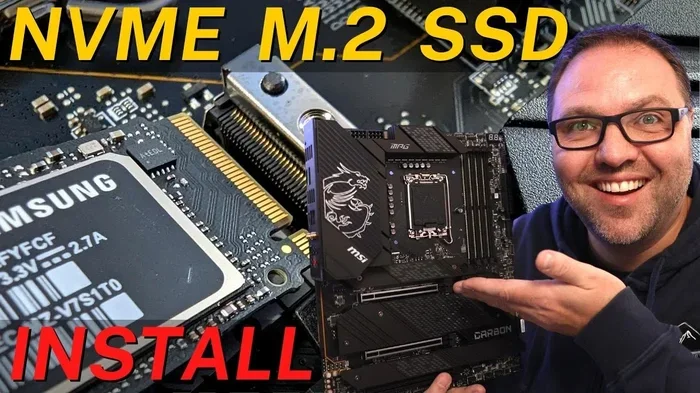
Installing the Samsung 970 Evo Plus is straightforward if your motherboard has an M.2 slot. Here is a quick step-by-step guide to help you get started.
Step-by-Step Installation
- Turn off your PC and unplug it from the power source.
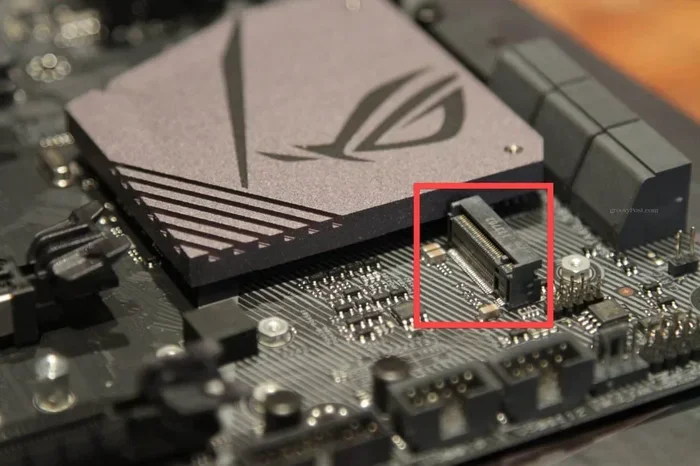
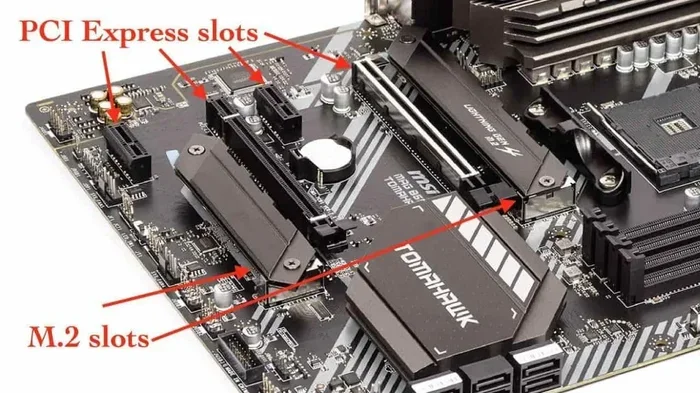
- Open your computer case and locate the M.2 slot on your motherboard.
- Remove the heatsink or cover from the M.2 slot if needed.
- Insert the drive at a 30-degree angle and press it down gently.
- Secure the drive with the small M.2 screw that came with your motherboard.
- Replace the heatsink if your board has one.
- Close the case and power on your PC.
Quick Tips for Installation
- Make sure your motherboard supports PCIe NVMe M.2 drives before purchasing.
- Some motherboards have M.2 slots that support both SATA and NVMe. Check your manual.
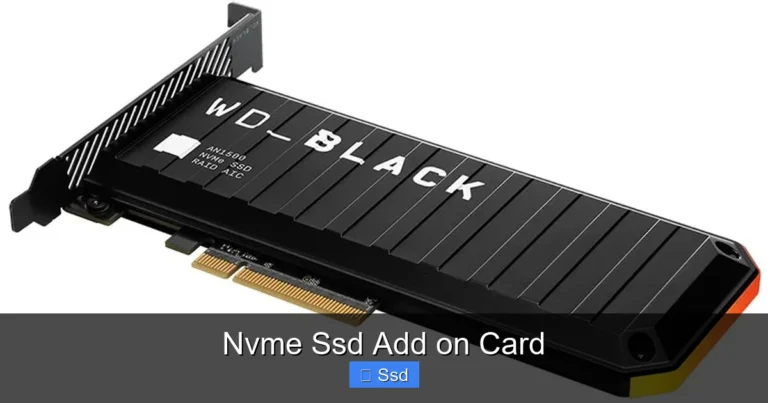
- If your motherboard does not have an M.2 slot, you can use an M.2 NVMe enclosure for external use.
- Enable XMP/EXPO in your BIOS for best overall system performance after installation.
Common Installation Mistakes to Avoid
- Forgetting to secure the screw: A loose drive can cause connection issues and data loss.
- Using the wrong slot: Some M.2 slots run at PCIe Gen 3 while others run at Gen 4. Check your motherboard specs.
- Skipping firmware updates: Samsung releases periodic firmware updates that improve performance and fix bugs. Check Samsung’s website after installation.
Endurance and Reliability
One of the strongest points of the Samsung 970 Evo Plus is its endurance rating. With a rating of 1,200 TBW (terabytes written), this drive can handle years of heavy use. To put that in perspective, if you write 100GB of data every single day, it would take over 32 years to reach the endurance limit.
The Samsung V-NAND technology used in this drive is a key factor in its reliability. The 3D stacking design allows for higher density and better endurance compared to older planar NAND. Samsung also includes a 5-year limited warranty, which shows their confidence in the product.
For most users, the drive will last well beyond the warranty period. The DRAM cache also helps with long-term performance by reducing write amplification. This means the flash memory wears more evenly over time, extending the overall lifespan of the drive.
What Does TBW Mean?
TBW stands for Terabytes Written. It is the manufacturer’s estimate of how much data you can write to the drive over its lifetime before it may start to fail. A higher TBW rating means better long-term durability. The 1,200 TBW rating on the 2TB model is very competitive for a PCIe Gen 3 NVMe drive.
Comparison with Other Samsung and Competitor Drives
When shopping for an NVMe M.2 SSD, you have many options. Here is how the Samsung 970 Evo Plus stacks up against other popular choices.
If you are considering the Samsung 970 Evo Plus 1TB NVMe M.2 SSD, the 2TB version offers double the capacity at a similar price per gigabyte. The performance is identical, so the choice really comes down to how much storage you need. For most users, 2TB is the sweet spot.
On the budget side, drives like the Crucial P310 1TB PCIe Gen4 NVMe 2280 M.2 SSD offer lower prices but also lower sustained write performance. The Samsung 970 Evo Plus maintains its speed better under heavy workloads thanks to the DRAM cache.
For those who want the latest technology, the Crucial T705 2TB PCIe Gen5 NVMe M.2 SSD offers significantly faster speeds. However, it also costs more, and for everyday tasks, the difference is minimal. The Samsung 970 Evo Plus remains an excellent value proposition.
Final Verdict and Recommendation
The samsung 970 evo plus 2tb m 2 nvme ssd is a fantastic storage drive that delivers on all fronts. It offers blazing fast speeds, a generous 2TB capacity, and excellent endurance. The DRAM cache and Samsung V-NAND technology ensure that performance stays consistent over time. Whether you are upgrading a gaming PC, a creative workstation, or a everyday laptop, this drive is an outstanding choice.
The 5-year warranty gives you added confidence, and the wide availability makes it easy to find at competitive prices. While newer Gen 4 and Gen 5 drives exist, the 970 Evo Plus still holds its own and remains one of the best values in the NVMe SSD market.
If you are ready to upgrade your storage, the Samsung 970 Evo Plus 2TB is a drive you can buy with confidence. It will make your system feel faster and more responsive from the moment you install it.
Frequently Asked Questions
Is the Samsung 970 Evo Plus 2TB still worth buying in 2024?
Absolutely. While newer PCIe Gen 4 and Gen 5 drives exist, the Samsung 970 Evo Plus 2TB still offers excellent performance for most users. Its speeds are more than enough for gaming, content creation, and everyday computing. The price-to-performance ratio remains very competitive.
Does this drive need a heatsink?
The Samsung 970 Evo Plus can benefit from a heatsink, especially in compact builds or under sustained heavy workloads. Many motherboards come with M.2 heatsinks built in. If your board does not have one, a simple aftermarket heatsink can help maintain peak performance.
Can I use this drive as both a boot drive and game storage?
Yes, the 2TB capacity makes it perfect for both purposes. You can install your operating system and frequently used applications on it while also storing several large games. The fast read speeds ensure quick boot times and fast game loading.
How does this drive compare to the Samsung 980 Pro?
The Samsung 980 Pro is a PCIe Gen 4 drive and is faster on paper. However, the 970 Evo Plus still delivers excellent real-world performance. The 980 Pro is better for users who need the absolute fastest speeds, but the 970 Evo Plus offers better value for most tasks.
What is the warranty period for this drive?
Samsung provides a 5-year limited warranty for the 970 Evo Plus. This covers defects in materials and workmanship under normal use conditions. The 1,200 TBW endurance rating further supports long-term reliability.
Will this drive work with older motherboards?
Yes, as long as your motherboard has an M.2 slot that supports PCIe NVMe drives. Most motherboards manufactured since 2015 have at least one M.2 slot. Check your motherboard manual to confirm NVMe support before purchasing.