Processor Requirements for Python
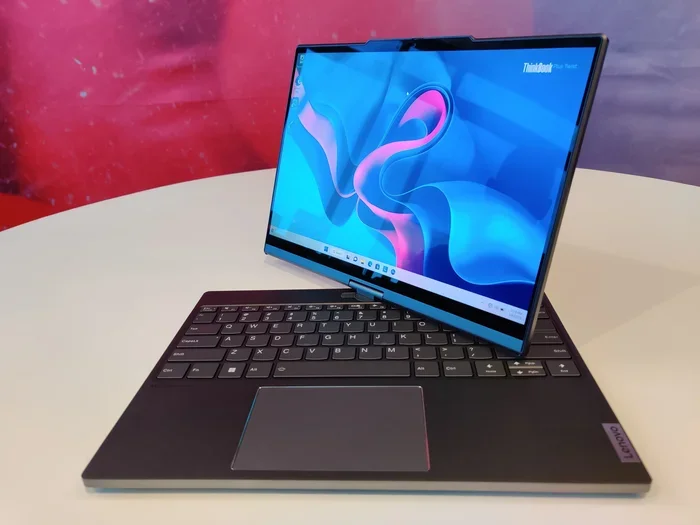
Python runs on almost any processor, but the right CPU makes a huge difference in speed and performance. Whether you are writing simple scripts or training machine learning models, your processor requirements for Python depend on what you are building. This guide breaks down everything you need to know about choosing the best processor for Python development.
Python is one of the most popular programming languages in the world. It powers everything from simple scripts to complex artificial intelligence systems. But here is a question many new developers ask: what processor do you really need to run Python?
The answer might surprise you. Python is not a resource-hungry language at its core. You can write and run Python code on almost any modern computer. But if you want to work with data science, machine learning, or large-scale applications, your choice of processor matters a lot more.
In this guide, we will walk through everything you need to know about processor requirements for Python. We will cover minimum specs, recommended hardware, and how to choose the right CPU for your specific needs. Whether you are a beginner learning to code or a professional building AI models, this article has you covered.
Key Takeaways
- Minimum Specs Are Enough for Beginners: A dual-core processor with 4GB RAM can handle basic Python scripting and learning.
- Multi-Core Processors Boost Performance: Python benefits from multi-core CPUs, especially for data science and machine learning tasks.
- Clock Speed Matters for Compilation: Higher GHz means faster code execution and quicker package installations.
- RAM Works Hand-in-Hand with Your Processor: Pairing a strong CPU with adequate RAM ensures smooth Python development.
- Intel and AMD Both Work Great: Either brand delivers solid performance for Python workloads.
- Match Your Processor to Your Use Case: Casual coding needs differ greatly from heavy data processing or AI training.
📑 Table of Contents
- Why Your Processor Matters for Python
- Minimum Processor Requirements for Python
- Recommended Processor Requirements for Python
- Best Processors for Python Development
- How RAM and Processor Work Together for Python
- Processor Requirements for Specific Python Use Cases
- Common Mistakes When Choosing a Processor for Python
- Quick Tips for Optimizing Python Performance
- Final Thoughts
Why Your Processor Matters for Python
Python is an interpreted language. This means your code gets translated line by line at runtime, rather than being compiled ahead of time. Because of this, the processor speed directly affects how fast your code runs.
A slow processor will not stop Python from working. But it will make your development experience frustrating. Long wait times for script execution, slow package installations, and laggy IDE performance all trace back to CPU limitations.
How Python Uses Your Processor
Python uses a single thread for most operations by default. This means a single-core processor can handle basic Python tasks. However, modern Python frameworks like NumPy, Pandas, and TensorFlow can take advantage of multiple cores. When they do, a multi-core processor makes a big difference.
Here is a simple breakdown of how Python uses your CPU:
- Basic Scripting: Uses one core. A simple dual-core CPU handles this easily.
- Data Processing: Benefits from multiple cores. Libraries like Pandas spread work across threads.
- Machine Learning: Heavily depends on multi-core performance and high clock speeds.
- Web Development: Light CPU usage. Most of the load sits on your server or database.
- Compiling C Extensions: Requires strong single-thread and multi-thread performance.
Understanding how Python uses your processor helps you pick the right hardware without overspending.
Minimum Processor Requirements for Python
If you are just starting out with Python, you do not need a powerful machine. The minimum processor requirements for Python are very modest. Let us look at what you actually need to get started.
Minimum Specs for Beginners
For learning Python and writing basic scripts, you need very little processing power. Here is what the minimum looks like:
- Processor: Dual-core CPU (Intel Core i3 or AMD Ryzen 3)
- Clock Speed: 1.5 GHz or higher
- Cores: 2 cores
- RAM: 4GB (but 8GB is strongly recommended)
With these specs, you can run Python, write scripts, and learn the basics without any issues. You will be able to use tools like VS Code, PyCharm Community Edition, or Jupyter Notebook comfortably.
However, you may notice some slowness when installing large packages or running more complex examples. This is normal and expected on minimum hardware.
Recommended Processor Requirements for Python
If you plan to do more than just learn the basics, you should aim for recommended specs. These will give you a smooth experience across most Python use cases.
Recommended Specs for Intermediate Users
For comfortable daily Python development, here is what we recommend:
- Processor: Quad-core CPU (Intel Core i5 or AMD Ryzen 5)
- Clock Speed: 2.5 GHz or higher
- Cores: 4 to 6 cores
- RAM: 8GB to 16GB
With a quad-core processor, you can handle data analysis, web development, and light machine learning tasks. Your IDE will feel responsive, package installations will be faster, and script execution will be smooth.
If you are shopping for a laptop for Python development, look at options like a laptop with 8GB RAM and an i5 processor. This combination strikes a great balance between performance and price.
Best Processors for Python Development
Not all processors are created equal for Python work. Some deliver better performance per dollar, while others excel in specific workloads. Let us explore the best options available.
Intel Processors for Python
Intel has long been a favorite for development work. Their processors offer strong single-core performance, which benefits Python’s default execution model. Here are some solid choices:
- Intel Core i5-1240P: Great all-rounder for Python development. 12 cores, strong single-thread speed.
- Intel Core i7-12700H: Excellent for heavier workloads like data processing and ML training.
- Intel Core i3-1215U: Budget-friendly option for beginners learning Python.
Intel processors generally offer strong single-thread performance, which matters a lot for Python since most scripts run on a single thread by default.
AMD Processors for Python
AMD has made incredible strides in recent years. Their Ryzen lineup offers excellent multi-core performance at competitive prices. Here are top picks:
- AMD Ryzen 5 5600U: Great for Python development on a budget laptop. 6 cores, efficient power use.
- AMD Ryzen 7 5800H: Handles data science and ML workloads with ease. 8 cores, high clock speeds.
- AMD Ryzen 3 4300U: Entry-level option that still delivers solid Python performance.
AMD processors shine when you need multi-core performance. If you are running parallel tasks or working with large datasets, AMD Ryzen chips often deliver better value.
Intel vs AMD for Python: Which Is Better?
The truth is both brands work excellently for Python. Your choice should depend on your specific needs and budget. Here is a quick comparison:
| Feature | Intel | AMD |
|---|---|---|
| Single-Core Performance | Slightly better | Very good |
| Multi-Core Performance | Good | Excellent |
| Battery Efficiency | Good | Excellent |
| Price Range | Wide | Competitive |
| Best For Python | General development | Data science & ML |
For most Python developers, either brand will serve you well. Focus more on core count and clock speed than the brand name.
How RAM and Processor Work Together for Python
Your processor does not work alone. The amount of RAM you have directly affects how well your CPU performs during Python tasks. Let us talk about how these two components interact.
The RAM-Processor Relationship
When you run Python, your code loads into RAM. Your processor then reads from RAM to execute instructions. If you do not have enough RAM, your processor sits idle waiting for data to load. This creates bottlenecks that slow everything down.
For Python development, we strongly recommend pairing a good processor with adequate RAM. Here is a simple guide:
- 4GB RAM + Dual-Core CPU: Enough for learning Python basics. Expect some slowness with large packages.
- 8GB RAM + Quad-Core CPU: The sweet spot for most Python developers. Handles data analysis and web dev comfortably.
- 16GB RAM + 6+ Core CPU: Ideal for data science, machine learning, and heavy workloads.
- 32GB RAM + 8+ Core CPU: Overkill for most users. Needed only for large-scale AI training or enterprise work.
If you are wondering how much RAM you actually need, check out our detailed guide on how much RAM for a laptop. It will help you make the right choice for your Python setup.
Processor Requirements for Specific Python Use Cases
Different Python projects demand different levels of processing power. Let us break this down by use case so you can choose the right CPU for your needs.
Casual Learning and Scripting
If you are just learning Python or writing small automation scripts, a basic processor is all you need. An Intel Core i3 or AMD Ryzen 3 with 4GB RAM will handle this workload easily. You can write code, run scripts, and learn at your own pace without any hardware worries.
Web Development with Python
Python web frameworks like Django and Flask are not very demanding on the processor. A dual-core or quad-core CPU with 8GB RAM is more than enough. Most of the performance bottleneck in web development sits on the server side, not your local machine.
Data Science and Analysis
This is where things get more serious. Libraries like Pandas, NumPy, and Matplotlib can push your CPU hard when working with large datasets. For data science work, we recommend:
- A quad-core processor with a clock speed of at least 2.5 GHz
- 8GB to 16GB of RAM
- An SSD for faster data loading
The processor requirements for Python in data science are higher than for casual coding. A strong CPU will make your data analysis workflows much faster and more enjoyable.
Machine Learning and AI
Machine learning is the most processor-intensive Python use case. Training models, processing large datasets, and running neural networks all demand serious computing power. Here is what you need:
- A multi-core processor (6+ cores recommended)
- High clock speed (3.0 GHz or higher)
- At least 16GB RAM (32GB preferred)
- A dedicated GPU for deep learning tasks
For machine learning, the processor requirements for Python go beyond just the CPU. A GPU becomes essential for training neural networks efficiently. But even with a GPU, your CPU still plays a vital role in data preprocessing and pipeline management.
Common Mistakes When Choosing a Processor for Python
Many people make avoidable mistakes when picking hardware for Python development. Let us highlight the most common ones so you can steer clear.
Overbuying for Simple Tasks
Not everyone needs an expensive high-end processor. If you are writing basic Python scripts or learning the language, spending $1,500 on a top-tier CPU is wasteful. Match your processor to your actual workload.
Ignoring RAM
A great processor with insufficient RAM will still perform poorly. These two components work together. Always balance your CPU choice with adequate memory. For most Python developers, 8GB RAM is the practical minimum.
Focusing Only on Core Count
More cores do not always mean better performance for Python. Since Python runs mostly on single threads, high single-core speed often matters more than raw core count. A 6-core processor running at 2.0 GHz may perform worse than a 4-core chip running at 3.5 GHz for many Python tasks.
Skipping the SSD
Your processor is not the only component that affects Python performance. A traditional hard drive will bottleneck your system significantly. Always pair your CPU with an SSD for fast package installations, quick file access, and smooth IDE operation.
Quick Tips for Optimizing Python Performance
Even with the right processor, there are simple steps you can take to make Python run faster. Here are some quick tips:
- Use Virtual Environments: They keep your projects organized and prevent dependency conflicts that slow things down.
- Upgrade to Python 3.11+: Newer Python versions include significant speed improvements.
- Use Built-in Functions: Python’s built-in functions are optimized in C and run much faster than custom loops.
- Leverage NumPy: NumPy operations run much faster than pure Python loops because they use optimized C code under the hood.
- Close Unused Applications: Free up CPU and RAM for your Python processes.
- Profile Your Code: Use tools like cProfile to find slow parts of your code and optimize them.
These small changes can make a noticeable difference in your Python development experience, even on modest hardware.
Final Thoughts
The processor requirements for Python are more flexible than many people think. Python is a lightweight language that runs well on a wide range of hardware. Whether you have a budget laptop or a powerful workstation, you can write and run Python code effectively.
That said, choosing the right processor makes a real difference in your daily workflow. A solid quad-core CPU with decent clock speed will serve most Python developers very well. Pair it with at least 8GB of RAM, and you have a machine that handles everything from web development to data analysis with ease.
Start with your actual needs. If you are learning Python, do not overspend on hardware. If you are building machine learning models, invest in a powerful multi-core processor and plenty of RAM. The key is to match your processor to your workload, not to chase the most expensive option.
With the right setup, Python will reward you with a smooth, productive, and enjoyable development experience. Happy coding!
Frequently Asked Questions
Can I run Python on a low-end processor?
Yes, you can. Python runs on almost any modern processor, even low-end ones. A dual-core CPU with 4GB RAM is enough to write and execute basic Python scripts. You may experience some slowness with large packages or complex data tasks, but learning and simple scripting will work fine.
Is an Intel or AMD processor better for Python?
Both Intel and AMD processors work great for Python. Intel tends to have slightly better single-core performance, which benefits most Python scripts. AMD offers excellent multi-core performance, which helps with data science and machine learning workloads. Choose based on your budget and specific needs.
How many CPU cores do I need for Python?
For basic Python coding, 2 cores are sufficient. For comfortable daily development, 4 to 6 cores are recommended. If you work with machine learning or data processing, 6 or more cores will significantly improve your workflow. Most Python tasks benefit from having multiple cores available.
Does Python use GPU processing?
Standard Python does not use GPU processing by default. However, libraries like TensorFlow, PyTorch, and CUDA-enabled frameworks can offload work to a GPU for faster computation. If you are doing deep learning or heavy data processing, a GPU becomes very important alongside your CPU.
Is 4GB RAM enough for Python development?
4GB RAM is the absolute minimum for Python. It works for learning and simple scripts, but you will run into limitations quickly. For a comfortable development experience, 8GB RAM is the recommended minimum. If you work with data science or machine learning, aim for 16GB or more.
What processor speed is best for Python?
A clock speed of 2.5 GHz or higher is ideal for Python development. Higher speeds mean faster script execution and smoother IDE performance. For machine learning and data science, look for processors with 3.0 GHz or higher base clocks for the best experience.
=== INTERNAL LINKS USED ===