Rear View Camera with Sensors
Rear view camera with sensors combine video and ultrasonic detection to give drivers a clear, obstacle‑free view when reversing. They improve safety, reduce parking mishaps, and integrate easily with modern dashboards or smartphones.
Key Takeaways
- Enhanced safety: Sensors detect objects beyond the camera’s visual range, warning drivers before a collision.
- Easy installation: Most units plug into the reverse light circuit and mount on the license‑plate area.
- Smart integration: Many models work with Android Auto, Apple CarPlay, or dedicated monitors.
- Variety of options: Choose from single‑camera kits, dual‑camera systems, or units with built‑in license‑plate readers.
- Cost‑effective upgrades: Prices range from under $50 for basic kits to $300+ for advanced sensor suites.
- Regulatory compliance: Some regions require rear‑view cameras on new cars, making aftermarket kits a legal upgrade.
- Maintenance tips: Keep lenses clean and test sensors regularly for reliable performance.
📑 Table of Contents
- Why a Rear View Camera with Sensors Is a Game Changer
- How the Technology Works
- Choosing the Right System for Your Vehicle
- Step‑by‑Step Installation Guide
- Real‑World Benefits and Use Cases
- Maintenance and Longevity
- Cost vs. Value: Is It Worth the Investment?
- Future Trends: What’s Next for Rear View Camera with Sensors?
- Conclusion
Why a Rear View Camera with Sensors Is a Game Changer
Imagine backing out of a tight driveway with confidence, knowing a gentle beep will warn you of a hidden pole even before you see it on the screen. That’s the power of a rear view camera with sensors. Traditional cameras only show what the lens can capture, but when you add ultrasonic or infrared sensors, the system “sees” beyond the visual field. The result is a layered safety net that protects pedestrians, pets, and your vehicle’s paintwork.
Since the U.S. mandated rear‑view cameras on most new cars in 2018, drivers have grown accustomed to the convenience of a live video feed. Yet many still struggle with blind spots that sensors alone can cover. By merging video with distance‑measuring technology, these hybrid systems become indispensable for daily commuting, city parking, and even off‑road adventures.
How the Technology Works
Camera Component
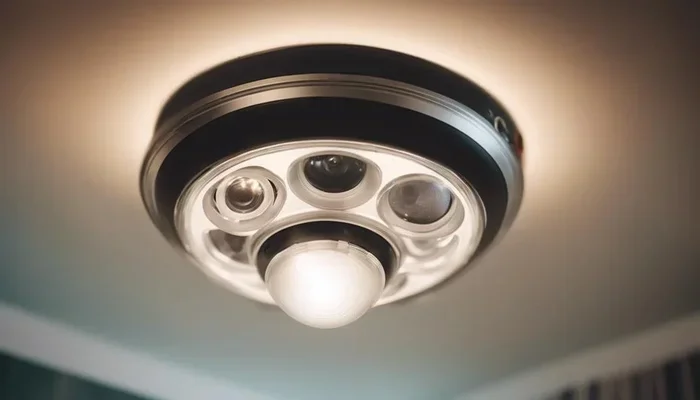
The camera is usually a wide‑angle (120°–180°) CMOS sensor mounted near the rear bumper or integrated into the license‑plate holder. It sends a real‑time video stream to a display—either a dedicated monitor, the vehicle’s infotainment screen, or a smartphone app.

Visual guide about Rear View Camera with Sensors
Image source: newsatcl-pctr.c.yimg.jp
Sensor Suite
Most rear view camera with sensors kits include four to eight ultrasonic transducers. These emit sound waves that bounce off nearby objects and return to the sensor. The system calculates distance based on the time it takes for the echo to return, typically accurate within a few centimeters. Some premium models add infrared or radar modules for better performance in low‑light or rainy conditions.
Alert Mechanisms
When an object is detected within a preset range (usually 0.5–2 meters), the system triggers visual cues—colored grid lines that change from green to red—and audible alerts that increase in frequency as you get closer. This dual‑feedback approach helps drivers react quickly without staring at the screen.
Choosing the Right System for Your Vehicle
Assess Your Needs
Do you mainly need help in tight city spots, or do you frequently haul trailers and need longer detection ranges? Basic kits are perfect for everyday parking, while heavy‑duty models with extended sensor ranges (up to 4 meters) suit trucks and SUVs.
Visual guide about Rear View Camera with Sensors
Image source: yanerepair.jp
Key Features to Look For
- Resolution: 720p is common; 1080p offers sharper images, especially useful at night.
- Field of view: Wider angles reduce blind spots.
- Sensor type: Ultrasonic is standard; radar or infrared adds extra reliability.
- Display options: Built‑in monitor, dash‑mounted screen, or smartphone integration.
- Power source: Direct connection to reverse lights is easiest; some units also support a 12 V accessory socket.
Popular Configurations
1. Single‑camera kits – Ideal for compact cars; includes a small monitor that mounts on the dash.
2. Dual‑camera systems – Provide both rear and front views, useful for larger vehicles.
3. License‑plate camera with sensor – Integrates the camera into the plate holder, keeping the look clean. For more on license‑plate cameras, see our guide on License Plate Rear View Camera.
Step‑by‑Step Installation Guide
What You’ll Need
- Rear view camera with sensors kit (camera, sensors, monitor, wiring harness)
- Basic tools: screwdriver set, trim removal tools, wire strippers
- Electrical tape and zip ties
- Optional: a professional monitor – learn more at Monitor For Rear View Camera
Installation Steps
- Plan the mounting spot. Most cameras snap into the license‑plate frame. Ensure the lens faces directly downward.
- Route the wiring. Run the camera’s power cable to the reverse‑light circuit. Use the vehicle’s wiring diagram to locate the reverse‑light wire.
- Connect the sensors. Sensors are usually placed near the bumper corners. Secure them with zip ties and connect to the control unit.
- Install the monitor. Mount the display on the dash or connect to the infotainment screen via HDMI or RCA.
- Test the system. Turn on the car, shift into reverse, and verify video feed and sensor alerts. Adjust sensor sensitivity if needed.
Troubleshooting Tips
If the image is blurry, clean the lens with a soft microfiber cloth. If sensors beep constantly, check for debris on the transducers or recalibrate the detection range using the system’s menu.

Visual guide about Rear View Camera with Sensors
Image source: eromanga-milf.com
Real‑World Benefits and Use Cases
Urban Parking
City streets are full of hidden obstacles—shopping carts, cyclists, and low‑lying signs. A rear view camera with sensors alerts you before the camera even sees the object, preventing costly dents.
Family Safety
Kids love to dart out from between parked cars. The audible alert gives parents an extra moment to stop, making school‑run drop‑offs safer.
Commercial Fleets
Delivery trucks often reverse into tight loading bays. Sensor‑enhanced cameras reduce accident claims and improve driver confidence. For fleet managers, integrating a License Plate With Backup Camera can also help with asset tracking.
Off‑Road Adventures
When navigating rocky trails, dust can obscure the camera view. Radar‑based sensors cut through the haze, warning you of rocks or ditches that aren’t yet visible.
Maintenance and Longevity
Cleaning the Lens and Sensors
Use a damp cloth and mild soap to remove road grime. Avoid abrasive cleaners that could scratch the protective coating.
Software Updates
Many modern units run on firmware that can be updated via USB or over‑the‑air. Check the manufacturer’s website for the latest version to improve detection algorithms.
When to Replace
Typical lifespan is 5–7 years, depending on exposure to elements. Replace the camera if you notice persistent image distortion or sensor drift that cannot be calibrated.
Cost vs. Value: Is It Worth the Investment?
Entry‑level kits start around $45, offering basic video and simple ultrasonic alerts. Mid‑range models ($120–$200) add higher resolution, better night vision, and customizable alert tones. Premium systems ($250–$350) include radar sensors, integrated license‑plate readers, and wireless smartphone apps.
When you factor in reduced repair costs, lower insurance premiums in some regions, and the peace of mind for families, the return on investment becomes clear. In fact, a study by the Insurance Institute for Highway Safety showed that vehicles equipped with rear‑view cameras experience 30% fewer backing‑into‑object collisions.
Future Trends: What’s Next for Rear View Camera with Sensors?
Artificial Intelligence
AI will soon enable real‑time object classification—distinguishing between a child, a pet, or a shopping cart—and prioritize alerts accordingly.
Full‑Vehicle Integration
Future cars may merge rear‑view cameras with side‑view and front‑view units into a single 360° surround‑view system, all managed through the central infotainment hub.
Wireless Power and Data
Battery‑free sensors that draw power from the vehicle’s CAN bus and transmit data via Bluetooth or Wi‑Fi will simplify installation and reduce wiring clutter.
Conclusion
A rear view camera with sensors is more than a luxury gadget; it’s a practical safety tool that bridges the gap between visual awareness and invisible obstacles. By choosing the right system, installing it correctly, and keeping it maintained, drivers can enjoy smoother parking, fewer accidents, and greater confidence on the road. Whether you’re a city commuter, a parent shuttling kids, or a fleet manager, the added layer of sensor intelligence makes every reverse maneuver safer and stress‑free.
Frequently Asked Questions
What is the difference between a rear view camera and a rear view camera with sensors?
A standard rear view camera only shows a video feed, while a rear view camera with sensors adds ultrasonic or radar detection that warns you of objects before they appear on the screen.
Can I install a rear view camera with sensors myself?
Yes, most kits are DIY‑friendly. You’ll need basic tools and a bit of wiring knowledge, but the process usually takes under an hour.
Do the sensors work in rain or snow?
Ultrasonic sensors can be affected by heavy water or snow buildup, but many newer models use radar or infrared which perform better in adverse weather.
Will a rear view camera with sensors reduce my insurance premium?
Some insurers offer discounts for vehicles equipped with advanced safety features, including sensor‑enhanced cameras. Check with your provider for specific rates.
How far can the sensors detect objects?
Most consumer kits detect objects between 0.5 and 2 meters. Premium models can reach up to 4 meters, making them suitable for larger vehicles.
Is a separate monitor necessary?
Not always. Some systems integrate with the car’s existing infotainment screen, while others include a small dedicated monitor. For a deeper dive on monitors, see our article on Monitor For Rear View Camera.