What Are Computer Keyboards Made Of All These Materials

Computer keyboards are built from a mix of plastic, metal, rubber, and electronic components. The main materials include keycaps, switches, a printed circuit board, and a housing frame. Whether you type on a membrane or mechanical keyboard, understanding what goes into your keyboard helps you choose better and maintain it longer.
Have you ever wondered what your keyboard is really made of? It looks simple enough. You press a key, and a letter shows up on screen. But underneath that smooth surface is a fascinating mix of materials. Each part plays a specific role in making your typing experience smooth, responsive, and long-lasting.
In this guide, we break down every material that goes into a computer keyboard. From the outer shell to the tiny switches beneath each key, you will learn what your computer keyboard is made of and why it matters. Whether you use a basic office keyboard or a fancy mechanical setup, this article covers it all.
Key Takeaways
- Plastic dominates keyboard construction: ABS and PBT plastics form the keycaps, housing, and frame of nearly every keyboard.
- Switches are the heart of the typing experience: Mechanical and membrane switches determine how your keyboard feels and lasts.
- Metal and rubber parts add structure and function: Aluminum frames and rubber feet keep your keyboard stable and durable.
- The PCB carries all the electrical signals: This hidden board connects every key to your computer.
- Material choice affects durability, feel, and cost: Higher-quality materials mean a better typing experience and longer keyboard lifespan.
📑 Table of Contents
- The Outer Shell: Plastic and Metal Housing
- The Keys: Keycaps and Their Materials
- Inside the Keyboard: Switches and Their Parts
- The Brain: Printed Circuit Board (PCB)
- Additional Materials and Components
- Keyboard Materials by Type
- Why Keyboard Materials Matter
- Maintaining Your Keyboard Materials
- Final Thoughts
The Outer Shell: Plastic and Metal Housing
The first thing you touch on any keyboard is the outer body. Most keyboards use plastic for the main housing. The two most common types are ABS and PBT plastic. ABS, or acrylonitrile butadiene styrene, is the cheaper option. It is lightweight and easy to mold into shapes. Most budget keyboards use ABS plastic for the body.
PBT, or polybutylene terephthalate, is a step up. It feels rougher and more textured. PBT plastic resists shine and wear much better than ABS. If you have ever seen a keyboard that looks smooth and greasy after months of use, that was likely an ABS keycap. PBT keycaps keep their texture for years.
Why Plastic Is So Common
Plastic is cheap to produce. It weighs less than metal. And it can be molded into complex shapes easily. These qualities make plastic the go-to material for keyboard manufacturers. Nearly every keyboard you buy off the shelf uses plastic in some form.
However, not all keyboards are pure plastic. Some premium models use aluminum or steel frames. These metal bodies add rigidity and a premium feel. They also help with heat dissipation. Metal keyboards tend to feel more solid and sound deeper when you type. If you have ever noticed a keyboard that feels heavy and sturdy, it probably has a metal internal frame.
Some keyboards also use rubber feet on the bottom. These small rubber pads prevent the keyboard from sliding on your desk. They also tilt the keyboard slightly for a more comfortable typing angle. Rubber is a simple but important material in keyboard design.
The Keys: Keycaps and Their Materials
Keycaps are the plastic pieces you actually press with your fingers. They might look simple, but the material they are made from affects your typing feel a lot. Most keycaps are made from ABS or PBT plastic, as mentioned above.
ABS keycaps are smooth and slightly shiny. They are the most common type found on standard keyboards. They are affordable to produce, which is why most manufacturers use them. However, ABS keycaps can develop a greasy feeling over time. The surface wears down from constant finger contact.
PBT keycaps are denser and more durable. They have a matte, textured finish that feels great under your fingers. PBT keycaps also resist shine much better. Many gamers and typists prefer PBT keycaps because they feel more premium and last longer.
Keycap Profiles and Shapes
Keycaps come in different shapes too. The most common profiles are OEM, Cherry, and SA. OEM profile keycaps are slightly curved and low-profile. Cherry profile keycaps are similar but a bit shorter. SA profile keycaps are tall and spherical, giving them a classic typewriter look.
The shape of the keycap affects how your fingers rest on the keyboard. Taller keycaps can feel more comfortable for some typists. Shorter keycaps allow for faster key presses. The material and shape together determine the overall feel of your keyboard.
Inside the Keyboard: Switches and Their Parts
Switches are the mechanical parts beneath each key. They are what register your keystrokes. There are two main types of switches: membrane switches and mechanical switches. Each type uses different materials and works in a different way.
Mechanical Switches
Mechanical switches are the gold standard for typing and gaming. Each key has its own individual switch. These switches contain a spring, a stem, and a metal contact leaf. When you press a key, the stem pushes down, the spring compresses, and the metal contacts touch to send a signal to your computer.
Mechanical switches come in three main varieties. Linear switches press down smoothly with no bump. Tactile switches have a noticeable bump in the middle of the press. Clicky switches add a loud click sound on top of the tactile bump. Each type uses slightly different internal materials, but they all share the same basic design of a spring, stem, and contact mechanism.
Popular switch brands include Cherry MX, Kailh, and Gateron. These brands use different materials for their springs and housings. Some use gold-plated contacts for better conductivity. Others use nylon housings for quieter operation. The choice of materials inside each switch affects how the keyboard feels and sounds.
Membrane Switches
Membrane keyboards use a different approach. Instead of individual switches, they use a thin rubber dome under each key. When you press a key, the rubber dome collapses and pushes a membrane layer against a circuit board. This completes a circuit and registers the keystroke.
Membrane keyboards are cheaper to manufacture. They are also quieter than mechanical keyboards. However, they feel less responsive and wear out faster. The rubber domes can lose their shape over time, making the keys feel mushy. Most office keyboards and budget keyboards use membrane technology.
The Brain: Printed Circuit Board (PCB)
Underneath all the keys is the printed circuit board, or PCB. This is the brain of your keyboard. The PCB is a thin board made of fiberglass and copper layers. It carries the electrical signals from each switch to your computer.
Every key on your keyboard is connected to a specific point on the PCB. When a switch is pressed, it completes a circuit at that point. The PCB detects which circuit was completed and sends the corresponding letter or command to your computer.
PCBs are made from layers of fiberglass and copper. The fiberglass provides insulation and structural strength. The copper traces carry the electrical signals. Some PCBs also include a microcontroller chip. This small chip processes all the keystrokes before sending them to your computer via USB or Bluetooth.
The quality of the PCB matters. A well-made PCB ensures reliable signal transmission. It also affects how well your keyboard handles key rollover. Key rollover is how many keys the keyboard can register at the same time. Gamers and fast typists need keyboards with high key rollover, and that starts with a quality PCB.
Additional Materials and Components
Keyboards use several other materials that are easy to overlook. Let us look at some of the key components that make up a complete keyboard.
Stabilizers
Larger keys like the spacebar, shift keys, and enter key use stabilizers. These are small plastic and metal pieces that keep the key balanced and level. Without stabilizers, large keys would wobble and feel uneven. Stabilizers are typically made from a combination of plastic housing and metal wire inserts.
Good stabilizers make a big difference in typing feel. Cheap stabilizers can feel loose and rattle. Premium stabilizers are tight and smooth. Some keyboard enthusiasts even upgrade their stabilizers to improve the feel of their keyboard.
Foam and Padding
Many keyboards include foam padding inside the case. This foam serves two purposes. It reduces the hollow sound of the keyboard case. It also adds structural rigidity. Keyboards with foam inside feel more solid and premium.
Some high-end keyboards use multiple layers of foam in different densities. This creates a dampened, satisfying typing feel. The foam also helps absorb shock, which can extend the life of the internal components.
Cables and Connectors
The cable that connects your keyboard to your computer is also important. Most keyboards use USB cables with braided nylon sheathing. Braided cables are more durable than rubber cables. They resist fraying and last longer. Some keyboards use detachable USB-C cables for convenience and portability.
The connector itself is usually gold-plated or nickel-plated. These metals resist corrosion and ensure a reliable electrical connection over time. A good cable and connector mean fewer connection issues and a longer-lasting keyboard.
Keyboard Materials by Type
Different types of keyboards use different material combinations. Here is a quick look at how materials vary across keyboard types.
- Budget Membrane Keyboards: ABS plastic keycaps, rubber dome switches, plastic housing, and a basic PCB. These are the most common and affordable keyboards on the market.
- Mid-Range Keyboards: PBT keycaps, rubber dome or basic mechanical switches, reinforced plastic housing, and a better quality PCB. These offer a noticeable upgrade in feel and durability.
- Premium Mechanical Keyboards: PBT or ABS keycaps, high-quality mechanical switches, aluminum or steel frame, foam padding, and a premium PCB. These keyboards are built to last for years.
- Custom Keyboards: Hand-picked components including custom keycaps in materials like POM, resin, or wood. Custom cases in aluminum, acrylic, or carbon fiber. These are enthusiast-level builds that prioritize feel and aesthetics above all else.
As you can see, the materials used scale with the price and quality of the keyboard. A higher-end keyboard uses better plastics, stronger metals, and more precise components. This is why a quality keyboard can last five to ten years, while a cheap keyboard might fail after two.
Why Keyboard Materials Matter
The materials in your keyboard directly affect your experience. A keyboard with PBT keycaps feels better and lasts longer than one with ABS keycaps. A keyboard with an aluminum frame feels more solid than one with a plastic frame. A keyboard with quality switches types better and lasts longer than one with cheap membrane switches.
When you understand what your keyboard is made of, you can make better purchasing decisions. You can also maintain your keyboard more effectively. For example, knowing that ABS keycaps develop shine over time might prompt you to clean them more often or consider upgrading to PBT keycaps.
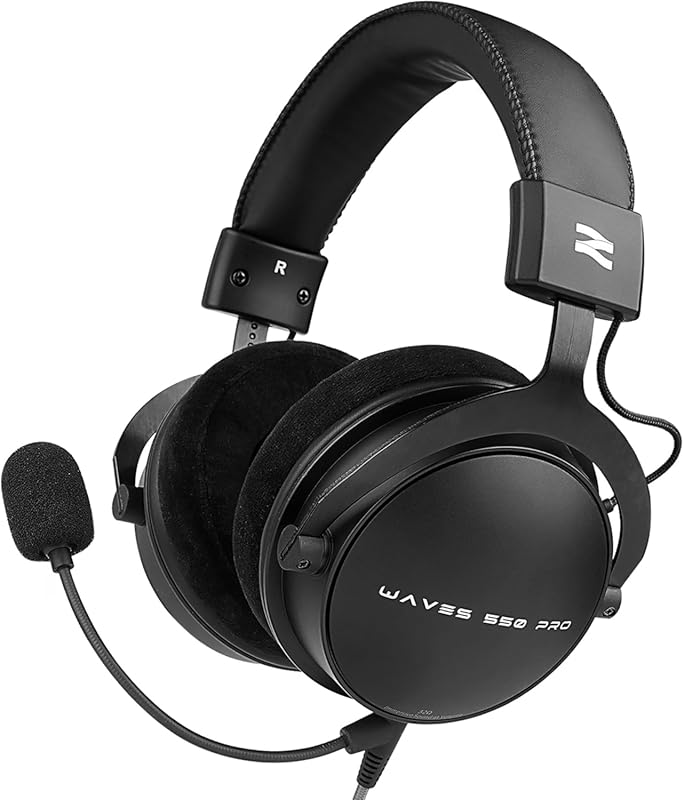
If you are into gaming, the material quality of your peripherals matters a lot. The best gaming headsets and keyboards both benefit from premium materials that improve comfort and durability during long sessions.
Similarly, if you are building a setup for competitive gaming, the feel and responsiveness of your keyboard are critical. Many gamers look at the fastest options available, and the materials used in the switches and keycaps play a big role in that speed and responsiveness. Understanding keyboard materials helps you appreciate why some keyboards cost more and perform better.
Maintaining Your Keyboard Materials
Once you know what your keyboard is made of, you can take better care of it. Here are a few simple tips.
- Clean keycaps regularly: Use a soft cloth and mild cleaner. Avoid harsh chemicals that can damage plastic.
- Keep liquids away: Water and other liquids can damage the PCB and switches. Spills are one of the most common causes of keyboard failure.
- Use a keyboard cover: If you eat or drink near your desk, a keyboard cover protects the materials from dust and spills.
- Store properly: If you need to move your keyboard, keep it in a padded case to protect the housing and PCB from damage.
Taking care of the materials in your keyboard extends its lifespan significantly. A well-maintained mechanical keyboard can last a decade or more. Even a budget membrane keyboard can last several years with proper care.
Final Thoughts
Computer keyboards are more complex than they appear at first glance. From the ABS and PBT plastics of the keycaps to the tiny metal contacts inside each switch, every material serves a purpose. The PCB connects it all together, and the frame holds everything in place. Even small details like rubber feet and braided cables contribute to the overall quality and feel of the keyboard.
Understanding what your keyboard is made of empowers you as a consumer. You can choose better, maintain smarter, and get more value from your investment. The next time you sit down at your desk, take a moment to appreciate the engineering and materials that go into every keystroke.
If you are looking to upgrade your setup, consider exploring the fastest gaming keyboards available. These keyboards use premium materials and advanced switch technology to give you the best possible typing and gaming experience. And if you are building a full gaming rig, pairing a quality keyboard with the best gaming headsets creates a complete peripheral setup that enhances every session.
Frequently Asked Questions
What are keyboard keycaps made of?
Most keyboard keycaps are made from ABS or PBT plastic. ABS is the cheaper and more common option, while PBT is denser, more durable, and feels better over time. Some premium keycaps are made from materials like POM, resin, or even wood.
How long do keyboard materials last?
It depends on the materials and how well you maintain the keyboard. PBT keycaps can last for many years without showing wear. Mechanical switches are rated for 50 to 100 million keystrokes. A quality keyboard with good materials can easily last five to ten years with proper care.
Why do some keyboards feel better than others?
The feel of a keyboard comes down to the materials used. Better plastics like PBT, metal frames, quality switches, and foam padding all contribute to a more premium feel. Cheap keyboards use lower-grade materials that wear out faster and feel less satisfying to type on.
Are membrane keyboards as durable as mechanical keyboards?
Generally, no. Membrane keyboards use rubber domes that wear out over time and become mushy. Mechanical keyboards use individual switches that are rated for tens of millions of keystrokes. However, a well-built membrane keyboard can still last several years.
What is the best material for keyboard keycaps?
PBT is widely considered the best material for keycaps. It is more durable, resists shine, and feels textured and pleasant under your fingers. ABS is a good budget option, but it wears down faster and develops a smooth, greasy surface over time.
Can I replace the materials in my keyboard?
Yes, many keyboard enthusiasts swap out keycaps, switches, and even stabilizers to customize their keyboard. Keycap sets in different materials and colors are widely available. Switch replacement is also common in hot-swappable keyboards, allowing you to change the feel without soldering.