What Are the Dangers of Buying an Unlocked Iphone

Buying an unlocked iPhone can seem like a great deal, but it comes with serious risks you need to know about. What Are The Dangers Of Buying An Unlocked Iphone? From voided warranties to carrier incompatibility, these pitfalls can cost you time and money. Understanding these dangers helps you make a safe, informed purchase.
Buying a phone should feel exciting, not stressful. Yet many shoppers dive into the world of unlocked iPhones without checking the traps. The promise of freedom from carriers and lower prices is real, but so are the dangers. What Are The Dangers Of Buying An Unlocked Iphone? The answer is longer than most people think. You might walk away with a device that cannot make calls, loses its value overnight, or even exposes your personal data. This guide breaks down every risk you need to know before you click “Buy Now.”
An unlocked iPhone is not a single thing. It can mean a factory unlocked phone sold directly by Apple, or a used device someone else has freed from a contract. Both carry different risks. The first is generally safe. The second is a gamble. Many buyers focus only on the price tag and ignore the fine print. They do not check the IMEI status, the iCloud lock, or the network bands. That is exactly where the trouble starts. The dangers are real, and they can turn a $200 savings into a $1,000 headache.
Key Takeaways
- Third-party unlocked iPhones often carry hidden flaws like iCloud locks or blacklisted IMEI numbers that can brick your device.
- Carrier compatibility is not guaranteed, meaning an unlocked phone might not work on all networks, especially CDMA or older towers.
- Apple’s warranty and support may not apply if the device was purchased from an unauthorized seller or shows signs of tampering.
- Security and privacy risks increase with unlocked phones that have been jailbroken, exposed to malware, or left with default passcodes.
- Software updates can be delayed or blocked on certain unlocked models, leaving you vulnerable to bugs and security flaws.
- Always verify the IMEI, activation lock, and seller reputation before handing over your money to avoid a costly mistake.
📑 Table of Contents
What Does “Unlocked iPhone” Actually Mean?
Locked vs. Unlocked: The Simple Difference
A locked iPhone is tied to one carrier. You cannot swap SIM cards without the carrier’s permission. An unlocked iPhone works with any compatible SIM. But “unlocked” does not mean “safe.” It simply means the network restriction has been removed. The device could still be blacklisted, stolen, or missing key features. Many people confuse a network unlock with a clean device. They are not the same thing.
Why People Choose Unlocked Phones
Shoppers pick unlocked iPhones for a few reasons. They want to travel internationally and use local SIM cards. They want to avoid carrier bloatware. They want to resell the phone for a higher price. Some people buy unlocked because they think it means better privacy. While it is true that you control your carrier choice, the unlocked status itself does not make the phone more secure. In fact, the path to an unlocked phone can introduce serious dangers.
The Hidden Risks of Third-Party Unlocked iPhones
Stolen or Blacklisted Devices
The biggest danger is buying a phone that is on the IMEI blacklist. Carriers share blacklists globally. If a phone was reported stolen or has unpaid bills, it will not connect to any network. You could pay full price and still have a useless brick. The seller might not even know. They bought it in good faith from a shady source. You inherit the problem. Always check the IMEI status before you buy. A quick online lookup can save you thousands.
iCloud and Activation Lock Traps
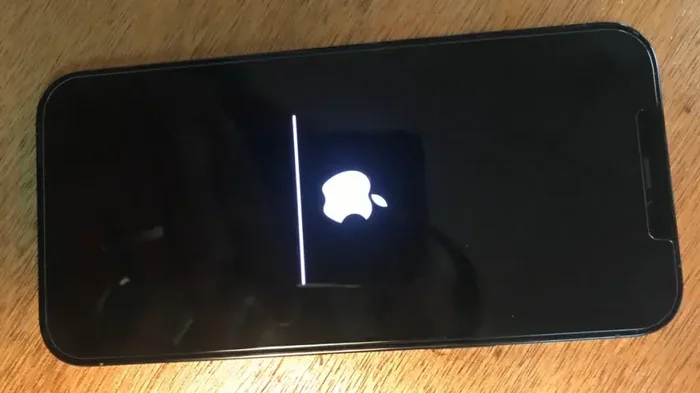
Apple’s activation lock is a security feature, but it becomes a trap when you buy a used unlocked phone. If the previous owner did not sign out of iCloud, the phone remains linked to their account. You cannot activate it, erase it, or use it. This is called an iCloud lock. Some sellers will try to bypass it with shady tools. Those tools often break the phone further. The dangers of buying an unlocked iPhone often start with a simple iCloud lock that the seller did not disclose.
The Camera Feature Myth
Some buyers worry that an unlocked iPhone will miss out on exclusive camera features. They have heard rumors about certain modes being locked behind carrier deals. While Apple does not gate basic camera functions behind carriers, the perception exists. For example, the unique flower effect in the iPhone camera is a software feature available on all models, but people still fear missing out on special modes. The real danger is not missing a camera filter. The real danger is buying a phone that cannot take a clear picture because it has a blocked IMEI or a broken baseband. Focus on connectivity, not camera myths.
Carrier Compatibility Nightmares
Not All Networks Are Equal
An unlocked iPhone does not mean it works on every network. The United States has two main network types: GSM and CDMA. AT&T and T-Mobile use GSM. Verizon and US Cellular use CDMA. Most modern unlocked iPhones support both. But older models or cheaper variants might only support one. If you buy an unlocked iPhone that only works on GSM, it will not function on a CDMA network. You will have no signal. This is a common compatibility nightmare that buyers overlook.
Band Support and 5G Issues
Carriers use different frequency bands for 4G and 5G. An unlocked iPhone bought from one region might not support the bands used by your local carrier. You might get 4G in some areas and no signal in others. The phone could show “No Service” permanently. This is not a software glitch. It is a hardware limitation. Always check the specific model number against your carrier’s supported bands. A quick search for your iPhone model and band list will reveal the truth.
The Traffic Light Camera Analogy
Think of network bands like traffic light cameras. What are the cameras on top of traffic lights for? They monitor specific lanes and frequencies. If your phone does not support the right band, it is like a camera that cannot see your lane. The network is there, but your device cannot connect. This is why compatibility checks are not optional. They are essential. Skipping this step is one of the most common mistakes buyers make.
Warranty and Support Gaps
Apple’s Warranty Does Not Follow the Phone
Apple offers a one-year limited warranty on all new iPhones. But that warranty is tied to the original purchaser. If you buy a third-party unlocked iPhone, you might not be the original buyer. Apple may refuse service. They will not honor the warranty if the serial number shows it was sold by a reseller or an unauthorized dealer. Even if the phone is brand new, the lack of a proper receipt can void your claim. Always ask for the original proof of purchase and check Apple’s warranty status online.
Carrier Support Disappears
When you buy a locked phone, the carrier often provides support for activation, troubleshooting, and repairs. An unlocked phone loses that safety net. If your device has a hardware issue, you must rely on Apple or a third-party repair shop. Apple Store geniuses might still help you, but they will not fix carrier-specific issues. You are on your own. This support gap is a real danger that many buyers do not consider until something breaks.
Quick Tips for Protecting Your Purchase
- Buy direct from Apple or an authorized reseller whenever possible.
- Request the original box, receipt, and invoice from the seller.
- Check the IMEI status on Apple’s website and your carrier’s blacklist database.
- Verify the model number matches your carrier’s supported bands.
- Never share your Apple ID password with a seller or a third-party unlock service.
Security and Privacy Dangers
The Hidden Camera Parallel
Privacy is a major concern with any smartphone. Just as hidden cameras in the workplace raise serious privacy questions, an unlocked iPhone that has been tampered with can become a surveillance risk. Some cheap unlocked phones come pre-loaded with spyware or have had their security patches stripped. The seller might have installed tracking apps that you cannot remove. Without proper security updates, your personal data, photos, and banking information are exposed. This is not a theoretical risk. It happens with alarming frequency in the second-hand market.
Unlocked Phones and Data Theft
An unlocked iPhone that has been jailbroken or restored with unofficial software can leak data. Jailbreaking removes Apple’s security layers. It opens the door to malware, keyloggers, and unauthorized app access. Even if the phone looks clean, a previous owner might have left behind malicious profiles. These profiles can intercept your messages, capture your passwords, and track your location. The danger is invisible until the damage is done. Always factory reset the device and change the Apple ID password immediately after purchase.
Software Update Delays
Apple pushes iOS updates to all supported iPhones at the same time. But some unlocked models, especially those sold through unofficial channels, may experience delayed updates. The seller might have disabled the update feature to prevent the phone from being traced or locked. Without the latest updates, your device lacks critical security patches. Hackers can exploit known vulnerabilities. The phone becomes an easy target. Keeping your software updated is one of the simplest ways to stay safe, and an unlocked phone should not block that.
How to Safely Buy an Unlocked iPhone
Buy Direct from Apple or Authorized Sellers
The safest path is to buy directly from Apple or an authorized carrier. Apple’s refurbished store offers unlocked iPhones with a full warranty. Authorized resellers like Best Buy or Amazon also sell clean, verified devices. The price might be higher than a random online seller, but the peace of mind is worth it. You avoid the blacklist, the iCloud lock, and the compatibility issues. This is the best way to answer the question “What Are The Dangers Of Buying An Unlocked Iphone?” by removing the dangers entirely.
Check the IMEI and Activation Lock
Before you complete any purchase, run the IMEI through a checker. Websites like Swappa or Apple’s own support page can tell you if the device is clean. Check the activation lock status on Apple’s Activation Lock page. If it shows the phone is linked to an Apple ID, walk away. No deal is worth the risk. Also, look for a clean ESN (Electronic Serial Number) on CDMA networks. These checks take five minutes and can save you from a costly mistake.
Expert Insight: What to Demand from the Seller
If you must buy from a third-party seller, demand proof of ownership. Ask for the original purchase receipt. Request a video of the phone being activated with a new SIM card. Verify the model number matches the description. A reputable seller will provide all of this without hesitation. If they hesitate or make excuses, that is a red flag. Trust your instincts. The dangers of buying an unlocked iPhone are real, but they are entirely avoidable with the right checks.
Common Mistakes Buyers Make
Many people fall into the same traps when buying an unlocked iPhone. The first mistake is ignoring the IMEI check. They trust the seller’s word and skip the lookup. The second mistake is assuming all unlocked phones are the same. A factory unlocked iPhone from Apple is not the same as a used phone unlocked by a third-party service. The third mistake is forgetting to check the carrier bands. They buy a phone that looks perfect but cannot connect to their home network. The fourth mistake is skipping the iCloud and activation lock check. They end up with a phone they cannot use. The fifth mistake is not reading the return policy. If the phone turns out to be blacklisted, you need a way to get your money back.
Conclusion
The world of unlocked iPhones offers real freedom, but it also hides real dangers. What Are The Dangers Of Buying An Unlocked Iphone? They range from blacklisted IMEI numbers and iCloud locks to carrier incompatibility and security vulnerabilities. You can avoid every one of these pitfalls with a little knowledge and the right checks. Always verify the IMEI, confirm the activation lock status, and buy from reputable sources. Do not let the lower price blind you to the risks. A safe unlocked iPhone is a great tool. A risky one is a costly lesson. Take the time to protect yourself, and you will enjoy the freedom without the fear.
Frequently Asked Questions
Can an unlocked iPhone still be tracked by carriers?
Yes. Even if a phone is unlocked, carriers can still track your device through the IMEI and SIM card. An unlocked status does not make you anonymous. It only means you are not tied to one network. If the phone is blacklisted, the carrier will block it entirely, which is a form of tracking and control.
Is it illegal to buy an unlocked iPhone?
No, buying an unlocked iPhone is perfectly legal in the United States and most countries. The danger lies not in the legality but in the source. Purchasing a stolen or blacklisted unlocked phone can get you into trouble, even if you did not know it was stolen. Always verify the device’s history.
What happens if I buy an unlocked iPhone with an iCloud lock?
The phone will be unusable. You cannot activate it, make calls, or use any services. The previous owner must remove the device from their iCloud account. If they refuse or cannot be reached, the phone is effectively a paperweight. This is one of the most common and frustrating dangers of buying a used unlocked iPhone.
Do unlocked iPhones get the same software updates as locked ones?
Yes, Apple delivers the same iOS updates to all supported iPhones, regardless of lock status. However, some third-party unlocked phones may have their update mechanisms disabled or altered. Always ensure the device is running the latest iOS and that automatic updates are turned on.
Can I fix a blacklisted unlocked iPhone?
Usually, no. If the IMEI is blacklisted, the phone cannot connect to any major carrier network. Some services claim to clean blacklists, but most are scams. The only reliable fix is to return the phone to the seller or report the purchase to your carrier and local authorities.
What is the safest way to buy an unlocked iPhone online?
The safest way is to buy directly from Apple’s refurbished store, an authorized reseller, or a trusted marketplace like Swappa that verifies IMEI and activation lock status. Avoid random social media sellers or too-good-to-be-true deals. Always check the return policy and verify the device before accepting delivery.