What Is First Word Latency in Ram
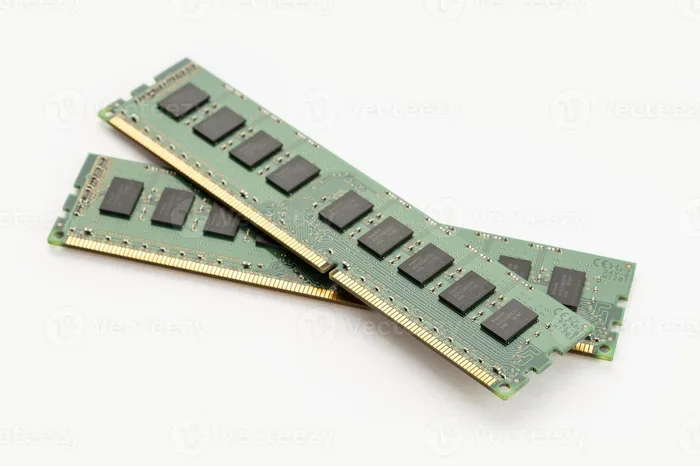
First word latency in RAM is the delay between requesting data and receiving the first piece of that data. It is a critical timing metric that directly affects how quickly your laptop responds, loads applications, and handles multitasking. Understanding this metric helps you choose the right memory and fine-tune your system for better performance.
If you have ever wondered why your laptop feels slow when opening apps or why games stutter despite a powerful processor, the answer might lie in first word latency in RAM. This metric measures the time it takes for your memory to deliver the very first piece of data after a request. It is one of the most overlooked yet important specs when buying or upgrading a laptop.
RAM is the short-term workspace for your computer, handling everything from background tasks to heavy multitasking. To truly understand what the RAM in a laptop does, you need to look beyond just capacity and speed. What the RAM in a laptop does is fetch and deliver data, and how quickly it does that depends heavily on latency. First word latency gives you the truest measure of that speed.
In this guide, we break down what first word latency means, why it matters, and how you can use it to make smarter decisions about your laptop’s memory. Whether you are a gamer, a creator, or just someone who wants a snappy system, understanding this concept will help you get the most out of your hardware.
Key Takeaways
- First word latency measures the initial delay when RAM responds to a data request, impacting overall system snappiness.
- Lower latency means faster performance, especially in gaming, video editing, and heavy multitasking.
- CAS latency and frequency both matter, but first word latency gives the true picture of memory responsiveness.
- DDR4 and DDR5 have different latency profiles, and newer RAM can offer better effective latency despite higher CL values.
- You can check and optimize latency through BIOS settings, XMP profiles, and proper dual-channel configuration.
- First word latency affects boot times and app loading, making it a key spec for laptop buyers.
📑 Table of Contents
- What Is First Word Latency in RAM?
- How First Word Latency Affects Laptop Performance
- CAS Latency vs. First Word Latency: What Is the Difference?
- Factors That Influence First Word Latency
- How to Measure and Check Your RAM Latency
- Tips to Reduce First Word Latency and Boost Speed
- Common Mistakes When Thinking About RAM Latency
- Expert Insights: What Manufacturers Say About Latency
- Key Takeaways
- Conclusion
What Is First Word Latency in RAM?
The Basic Definition
First word latency is the time gap between a memory controller sending a request and the RAM delivering the first word of data. A “word” is the smallest unit of data the memory bus can handle at once. In modern systems, this is typically 64 bits or 8 bytes. The latency is measured in nanoseconds or clock cycles.
When you open a program, the processor asks the RAM for specific instructions. The RAM needs a few steps to locate and send that data. First word latency captures the delay of that very first step. It is different from burst latency, which covers the transfer of a full cache line.
Why It Is Called “First Word”
The term “first word” refers to the initial data chunk that leaves the memory module. After the RAM locates the correct row and column, it outputs the first word. The rest of the data follows quickly in a burst. But that first word determines how fast your system feels when switching tasks or loading a new scene in a game.
Think of it like opening a book. You flip to the right page (row activation), find the exact line (column access), and then read the first sentence (first word). The time it takes to get to that first sentence is the first word latency.
How First Word Latency Affects Laptop Performance
Real-World Impact on Speed
Lower first word latency means your laptop feels more responsive. Applications open faster, browser tabs switch instantly, and games load smoother. This is especially true for tasks that require frequent small data requests, like compiling code or running databases.
For example, if two RAM modules have the same frequency of 3200 MHz but different first word latencies, the one with lower latency will deliver data sooner. The processor spends less time waiting, which keeps your system busy and efficient.
First Word Latency vs. Bandwidth
Many people focus only on bandwidth, which is how much data can be transferred per second. However, bandwidth alone does not tell the whole story. High bandwidth with high latency can still feel sluggish because the system waits for the first piece of data. First word latency complements bandwidth by showing the initial delay.
Imagine a highway with many lanes (high bandwidth) but a long toll booth wait (high latency). The road can handle lots of cars, but each car takes a long time to start moving. A low-latency RAM module is like a fast toll booth: cars start moving almost immediately.
CAS Latency vs. First Word Latency: What Is the Difference?
Understanding CAS Latency (CL)
CAS latency, or Column Address Strobe latency, is a common spec you see on RAM packaging, like CL16 or CL18. It measures the number of clock cycles needed to access a specific column of data after the row is activated. However, CAS latency is an absolute number, not a real-time measurement.
First word latency goes a step further. It converts CAS latency into actual time by factoring in the clock speed. The formula is: First Word Latency (ns) = (CAS Latency / RAM Frequency) × 1000. This gives you the true delay in nanoseconds, making it easier to compare different RAM generations.
Why First Word Latency Is More Accurate
Because CAS latency is tied to clock cycles, a higher frequency RAM with a higher CL can still have lower first word latency than a slower RAM with a lower CL. For instance, DDR4-3200 CL16 and DDR4-3600 CL18 might seem different, but their first word latencies can be very close or even favor the faster kit.
This is why first word latency is a better indicator of real-world memory responsiveness than CAS latency alone. It tells you exactly how long the wait is, in time, not just in cycles.
Factors That Influence First Word Latency
RAM Generation and Technology
The RAM generation you use plays a big role. DDR3, DDR4, and DDR5 all have different base architectures and signaling speeds. DDR5, for example, uses a different prefetch architecture and memory controller design that can reduce effective first word latency even if the CL number looks higher.
DDR4 typically operates at 1.2V with frequencies from 2133 MHz to 4800 MHz. DDR5 starts at 4800 MHz and can go much higher, with improved power management and on-die ECC. These technological leaps directly affect how quickly the first word can be delivered.
Frequency and Timings
Frequency and timings work together. Higher frequency reduces the duration of each clock cycle, which can lower first word latency even if CAS latency stays the same. The primary timings—tRCD, tRP, and tRAS—also matter. These represent the delays for row address strobe, row precharge, and row active time.
Tighter timings (lower numbers) generally mean better first word latency. However, they also require more power and can be harder to stabilize, especially when overclocking. Finding the right balance is key for a laptop that stays cool and responsive.
Dual Channel and Rank Configuration
Using dual-channel mode can effectively reduce perceived latency because the memory controller can access two modules simultaneously. This does not change the first word latency of a single request, but it increases the overall data throughput, making the system feel faster.
The rank of the RAM module also matters. A single-rank module often has slightly better latency than a dual-rank module because the memory chip can be accessed more directly. However, dual-rank modules offer more capacity and can improve bandwidth, which helps with sustained data transfers. Understanding what does the RAM do in a laptop helps you appreciate why dual-channel mode and rank matter. What does the RAM do in a laptop is fetch and deliver data, and the way you configure it changes how efficiently that happens.
How to Measure and Check Your RAM Latency
Using Software Tools
You do not need expensive hardware to check your RAM’s first word latency. Several free software tools can read your memory timings and calculate the latency for you. CPU-Z is a popular choice that shows CAS latency, frequency, and other key specs.
You can also use AIDA64 or Thaiphoon Burner to get detailed SPD information. These tools display the raw JEDEC timings and XMP profiles, allowing you to see exactly what your laptop is running. Once you have the CAS latency and frequency, you can apply the formula to calculate first word latency.
Checking Latency in BIOS
Your laptop’s BIOS or UEFI firmware often displays memory timings. You can enter the BIOS by pressing a specific key during boot, usually F2, Del, or F10. Look for the DRAM Configuration or Memory Settings section. Here you can see the current CAS latency, frequency, and whether XMP or EXPO profiles are enabled.
If you want to manually adjust timings to reduce first word latency, you can do so in the BIOS. However, be careful. Incorrect settings can cause system instability or prevent your laptop from booting. Always save your current profile before making changes.
Tips to Reduce First Word Latency and Boost Speed
Enable XMP or EXPO Profiles
Most modern laptops ship with RAM running at JEDEC standard speeds, which are often lower than the module’s rated speed. Enabling the XMP (Intel) or EXPO (AMD) profile in BIOS forces the memory to run at its rated frequency and timings, which can significantly improve first word latency.
For example, if you have DDR4-3200 CL16 RAM but your laptop is running it at 2133 MHz, enabling XMP will double the frequency and tighten the timings. The result is a much lower first word latency and a noticeably snappier system.
Before you tweak settings, it is wise to know what is RAM good for in a laptop. What is RAM good for in a laptop includes handling background tasks, gaming, and creative work, and getting the timings right ensures you get the full benefit.
Optimize Dual-Channel Configuration
Make sure your laptop is running in dual-channel mode. This typically requires installing matching RAM sticks in the correct slots. Check your laptop’s manual or use a tool like CPU-Z to verify the channel configuration. Dual-channel mode doubles the bandwidth, which helps the memory controller fetch data faster.
While dual-channel does not directly lower the first word latency of a single request, it reduces the time the processor waits for large data sets. This makes multitasking and heavy workloads feel much smoother.
Keep Your RAM Cool
Heat can cause memory errors and trigger thermal throttling, which slows down the RAM and increases latency. Ensure your laptop’s cooling system is working properly. Clean the vents, use a cooling pad, and avoid blocking the air intake.
Some high-performance laptops allow you to monitor RAM temperatures in the BIOS or through software like HWMonitor. Keeping your RAM cool helps maintain stable timings and consistent first word latency, especially during long gaming sessions or rendering work.
Common Mistakes When Thinking About RAM Latency
Many users assume that higher frequency always means better performance. This is not always true. A 4000 MHz kit with loose timings can have worse first word latency than a 3200 MHz kit with tight timings. Always look at the full timing profile, not just the speed.
Another common mistake is ignoring the RAM’s rank and density. High-density modules can sometimes have slightly higher latency due to signal integrity challenges. For the best results in a laptop, choose matched kits from the same manufacturer and with the same part number.
Finally, do not confuse first word latency with the overall memory access time. The memory controller performs many background operations, like precharging and refreshing, which add to the total latency. First word latency is just one part of the puzzle, but it is the most visible part to the user.
Expert Insights: What Manufacturers Say About Latency
Leading RAM manufacturers like Corsair, Kingston, and G.Skill emphasize that first word latency is a critical metric for performance-sensitive users. They often publish latency calculators on their websites, allowing you to compare different kits side by side.
According to experts, the sweet spot for laptop RAM in 2024 is DDR5-5600 with CL46 or DDR4-3200 with CL14. These configurations offer an excellent balance of speed and low first word latency. For architecture and video editing, where large datasets are common, tighter timings can make a noticeable difference in application responsiveness.
Memory overclocking can push first word latency even lower, but it requires a stable platform and adequate cooling. Most laptop users will benefit more from simply enabling XMP and ensuring dual-channel mode than from manual overclocking.
Key Takeaways
- First word latency is the delay before the first data word arrives after a memory request, and it directly impacts system responsiveness.
- Lower latency equals faster feel, especially for small, frequent data accesses like opening apps or switching tabs.
- CAS latency alone can be misleading; always calculate or check the true first word latency in nanoseconds.
- DDR5 and DDR4 have different latency characteristics, and newer is not always lower in CL, but effective latency can improve.
- Enable XMP, use dual-channel, and keep RAM cool to maintain the lowest possible first word latency.
- Frequency, timings, rank, and channel configuration all work together to determine your real-world memory speed.
Conclusion
First word latency in RAM is a simple but powerful metric that reveals how quickly your laptop’s memory responds to the processor’s requests. It is more than just a number on the spec sheet; it is the key to a snappy, responsive system. By understanding what first word latency in ram means and how to optimize it, you can make informed decisions about your next laptop or RAM upgrade.
Whether you are choosing between DDR4 and DDR5, enabling XMP profiles, or simply checking your timings, the goal is the same: reduce the wait time for that first piece of data. A lower first word latency means faster boot times, smoother gaming, and quicker application loading. Take control of your laptop’s memory performance today, and you will feel the difference in every task.
Frequently Asked Questions
What is a good first word latency for a laptop?
A good first word latency for a laptop is typically under 10 nanoseconds for DDR4 and under 8 nanoseconds for DDR5. These values indicate fast, responsive memory that handles everyday tasks and gaming with ease. Lower numbers always mean better performance, but the difference is most noticeable when comparing modules of the same generation.
Does first word latency affect gaming?
Yes, first word latency can affect gaming, especially in titles that rely on quick asset loading and frame pacing. Lower latency reduces the time the CPU waits for data, which can lead to smoother frame delivery and fewer stutters. While bandwidth matters too, tight latency timings give your GPU more consistent data to render with.
How do I lower my RAM’s first word latency?
You can lower first word latency by enabling XMP or EXPO profiles in your BIOS, ensuring dual-channel mode is active, and choosing RAM with tight primary timings. Keeping your laptop cool also helps maintain stable latency. Avoid mixing different RAM sticks, as this can force the system to run at slower JEDEC speeds.
Is first word latency the same as CAS latency?
No, CAS latency is measured in clock cycles, while first word latency is measured in real time (nanoseconds). First word latency converts CAS latency using the RAM’s frequency, giving you the true delay. This makes it a more accurate way to compare different memory kits.
Can first word latency be too low?
In practice, extremely low first word latency is rarely a problem. However, if you push timings too tight for your specific hardware, you may experience instability, blue screens, or boot failures. Always test your system thoroughly after adjusting latency settings, and stick to manufacturer-recommended XMP profiles for safety.
Why is first word latency important for multitasking?
First word latency is crucial for multitasking because it determines how quickly the memory can respond to frequent, small data requests. When you have many apps open, the processor constantly switches between tasks, and low latency ensures each switch happens almost instantly. This keeps your system feeling fluid even under heavy load.