What Is Intel Core I5
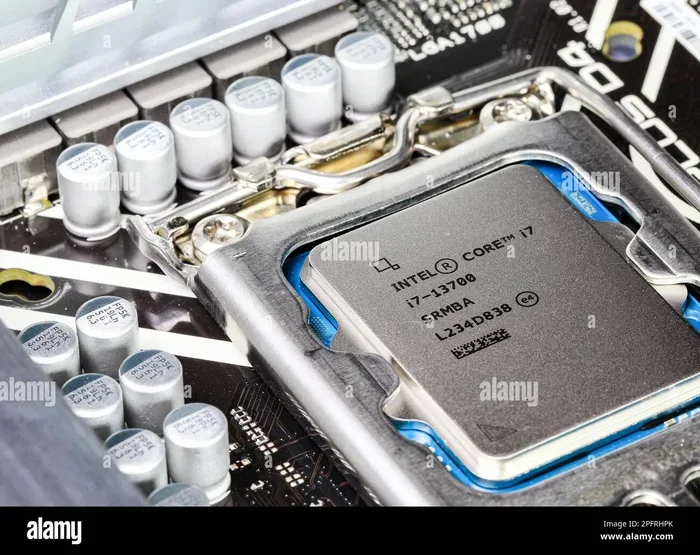
The Intel Core I5 is a mid-range processor designed by Intel for everyday computing, multitasking, and light creative work. It balances performance and price, making it ideal for students, professionals, and casual users. Understanding the Intel Core I5 helps you choose the right laptop without overspending.
If you are shopping for a new laptop, you have probably seen the name Intel Core I5 everywhere. It is one of the most popular processors on the market today. But what exactly is it, and why does it matter?
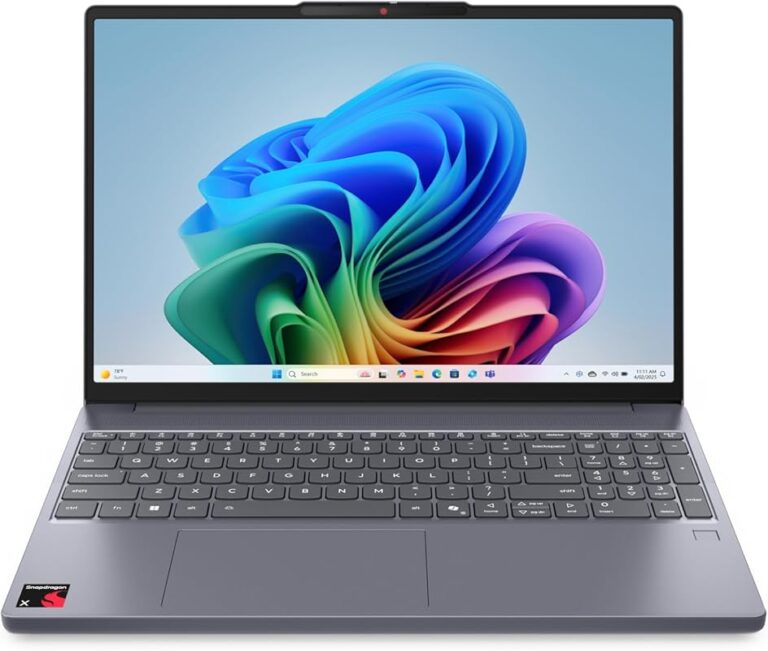
The Intel Core I5 is a mid-range central processing unit, or CPU, made by Intel. Think of the CPU as the brain of your laptop. It handles everything from opening apps to playing videos. The Intel Core I5 strikes a sweet spot between power and price. It gives you more than enough speed for daily tasks without breaking the bank.
Whether you are a student writing papers, a professional working from home, or someone who enjoys streaming movies, the Intel Core I5 can handle it all. In this guide, we will break down everything you need to know about this processor. You will learn what makes it tick, how it compares to other options, and why it might be the perfect fit for your next laptop.
Key Takeaways
- Mid-Range Powerhouse: The Intel Core I5 delivers solid performance for everyday tasks at an affordable price point.
- Multiple Generations Available: Each new generation brings better efficiency, speed, and features.
- Great for Everyday Use: It handles web browsing, office work, streaming, and light gaming with ease.
- Key Specs Matter: Clock speed, core count, cache, and integrated graphics all affect real-world performance.
- Pairs Well with 8–16 GB RAM: Matching the right RAM ensures smooth multitasking on your Intel Core I5 laptop.
- Budget-Friendly Choice: The Intel Core I5 offers excellent value compared to higher-end Core I7 and Core I9 chips.
📑 Table of Contents
- What Exactly Is the Intel Core I5?
- Why Choose a Laptop with Intel Core I5?
- Intel Core I5 Generations: What You Need to Know
- Intel Core I5 vs. Other Intel Processors
- How to Pick the Best Laptop with Intel Core I5
- Common Uses for an Intel Core I5 Laptop
- Quick Tips for Getting the Most Out of Your Intel Core I5 Laptop
- Common Mistakes to Avoid
- Expert Insights
- Conclusion
What Exactly Is the Intel Core I5?
The Intel Core I5 belongs to Intel’s Core processor family. Intel makes three main tiers: Core I3, Core I5, Core I7, and Core I9. The I5 sits in the middle. It offers more power than an I3 but costs less than an I7 or I9.
Intel designed the Core I5 for mainstream users. These are people who need reliable performance for everyday computing. The processor comes in both laptop and desktop versions. However, in this article, we focus on the laptop Intel Core I5 because that is what most shoppers care about.
How the Intel Core I5 Works
Every processor has several key parts that determine how fast and smooth it runs. Here are the most important ones for the Intel Core I5:
- Cores: Most modern Intel Core I5 chips have 4 to 6 cores. Each core can handle a separate task at the same time.
- Clock Speed: This measures how fast each core works. It is measured in gigahertz, or GHz. Higher GHz means faster processing.
- Cache Memory: This is a small, super-fast memory inside the processor. It stores frequently used data so the CPU does not have to fetch it from RAM every time.
- Turbo Boost: Intel’s Turbo Boost technology automatically speeds up the processor when you need extra power.
- Integrated Graphics: Most Intel Core I5 chips come with built-in graphics. This means you do not need a separate graphics card for basic tasks.
All of these parts work together to deliver a smooth experience. When you open a browser, type a document, or watch a video, the Intel Core I5 juggles all of these tasks behind the scenes.
Why Choose a Laptop with Intel Core I5?
There are many reasons why the Intel Core I5 remains one of the best-selling processor choices. Let us look at the biggest advantages.
1. Excellent Price-to-Performance Ratio
The Intel Core I5 gives you strong performance without the premium price tag of an I7 or I9. For most users, the difference in day-to-day speed between an I5 and an I7 is barely noticeable. You save money while still getting a fast, responsive machine.
2. Great for Everyday Computing
Need to browse the web, check email, edit spreadsheets, or write documents? The Intel Core I5 handles all of these tasks effortlessly. It also streams HD and 4K videos without any stuttering.
3. Good for Light Creative Work
Photo editing in Lightroom, basic video cuts in Premiere Pro, and music production in GarageBand all run well on an Intel Core I5 laptop. It is not meant for heavy 3D rendering, but for most creative tasks, it is more than enough.
4. Energy Efficiency
Intel has improved the power efficiency of each new generation of Core I5 processors. This means longer battery life on your laptop. You can work longer between charges, which is a huge plus for students and travelers.
Intel Core I5 Generations: What You Need to Know
Intel releases new processor generations roughly every year or two. Each generation brings improvements in speed, efficiency, and features. Here is a quick look at the recent generations.
10th and 11th Generation Intel Core I5
These older generations still appear in many budget and mid-range laptops. They offer 4 cores and solid performance for basic tasks. If you find a laptop with a 10th or 11th gen Intel Core I5, it is still a great machine for everyday use.
12th and 13th Generation Intel Core I5
These are the current mainstream choices. They feature hybrid architecture with performance cores and efficiency cores. This design helps the laptop stay fast while saving battery. The 12th and 13th gen Intel Core I5 chips are excellent for multitasking and light gaming.
14th Generation Intel Core I5
The newest generation brings incremental improvements. You get slightly higher clock speeds and better efficiency. If you are buying a new laptop today, a 14th gen Intel Core I5 is a future-proof choice.
| Generation | Cores | Best For | Release Year |
|---|---|---|---|
| 10th Gen | 4–6 | Basic computing, web browsing | 2020 |
| 11th Gen | 4–6 | Light creative work, students | 2021 |
| 12th Gen | 6–8 | Multitasking, mainstream users | 2022 |
| 13th Gen | 6–8 | Improved multitasking, efficiency | 2023 |
| 14th Gen | 6–8 | Future-proof, all-around use | 2024 |
Intel Core I5 vs. Other Intel Processors
It helps to understand how the Intel Core I5 compares to its siblings. This way, you can make a smarter buying decision.
Intel Core I5 vs. Intel Core I3
The Core I3 is Intel’s entry-level processor. It has fewer cores and lower clock speeds. For very basic tasks like email and light browsing, an I3 is fine. But the Intel Core I5 delivers noticeably better performance for multitasking and heavier workloads.
Intel Core I5 vs. Intel Core I7
The Core I7 is a high-end processor. It has more cores, higher clock speeds, and larger cache. If you do heavy video editing, 3D modeling, or advanced gaming, the I7 is better. But for most users, the Intel Core I5 is more than enough. The price difference is often significant.
Intel Core I5 vs. AMD Ryzen 5
AMD’s Ryzen 5 is a direct competitor to the Intel Core I5. Both offer excellent mid-range performance. In many benchmarks, they perform similarly. Your choice may come down to brand preference, laptop design, and price.
How to Pick the Best Laptop with Intel Core I5
Not all Intel Core I5 laptops are the same. Here are the key factors to consider before you buy.
RAM Matters
Pairing your processor with the right amount of RAM is crucial. For smooth performance, look for at least 8 GB of RAM. If your budget allows, go for 16 GB. This gives you room for multitasking without slowdowns. Check out our guide on what is good RAM for a laptop to learn more.
Storage Type and Capacity
An SSD (solid-state drive) makes a huge difference in speed. It boots your laptop faster and opens apps quicker. A laptop with an Intel Core I5 and a 512 GB SSD is a great combination. You get fast performance and plenty of storage for files and apps.
Display and Build Quality
The processor is only one part of the equation. A good display, comfortable keyboard, and sturdy build matter just as much. Look for a Full HD (1080p) screen at minimum. An IPS panel offers better viewing angles and colors.
Battery Life
Since the Intel Core I5 is energy efficient, you can expect solid battery life. Many laptops with this processor last 8 to 12 hours on a single charge. Always check real-world battery reviews before purchasing.
Budget Considerations
Laptops with an Intel Core I5 range from around $400 to $900 depending on the model and specs. You can find excellent options in the $500–$700 range. Spending more gets you better build quality, brighter screens, and more storage.
Common Uses for an Intel Core I5 Laptop
The Intel Core I5 is versatile. Here are some common scenarios where it shines:
- Student Life: Writing essays, researching online, and running educational software all work smoothly on an Intel Core I5.
- Remote Work: Video calls, email, cloud apps, and document editing are no problem. The processor handles virtual meetings with ease.
- Media Consumption: Streaming Netflix, YouTube, and Spotify runs perfectly. The integrated graphics handle 1080p and even 4K content well.
- Light Gaming: Casual games like Minecraft, The Sims, and indie titles run great. You can also play many older AAA titles on medium settings.
- Photo and Video Editing: Basic to intermediate editing tasks are well within the Intel Core I5’s capabilities.
- Programming and Development: Running IDEs, compiling code, and testing applications work reliably on this processor.
If you are looking for a well-rounded laptop that covers all these use cases, a model with an Intel Core I5 and solid RAM is a smart pick. For example, a laptop Intel Core I5 16 GB RAM setup gives you plenty of headroom for any task.
Quick Tips for Getting the Most Out of Your Intel Core I5 Laptop
- Keep Your Laptop Updated: Install Windows and driver updates regularly. These often include performance improvements for your processor.
- Close Unused Apps: Even though the Intel Core I5 handles multitasking well, closing apps you are not using frees up resources.
- Use an SSD: Always choose a laptop with an SSD over an HDD. The speed difference is dramatic.
- Adjust Power Settings: Use power-saving mode when on battery to extend your runtime.
- Clean Your Laptop Regularly: Dust buildup can cause overheating, which slows down your processor over time.
Common Mistakes to Avoid
- Skipping RAM Checks: A powerful processor paired with too little RAM creates a bottleneck. Always check the RAM before buying.
- Ignoring Thermals: Some budget laptops with Intel Core I5 have poor cooling. This can cause the processor to throttle and slow down.
- Overpaying for Higher Generations: A 12th gen Intel Core I5 is excellent. You do not always need the latest generation to get great performance.
- Forgetting About Storage: A fast processor with a slow HDD will feel sluggish. Prioritize SSD storage.
Expert Insights
Industry experts generally agree that the Intel Core I5 is the best all-around processor for most laptop buyers. It delivers reliable performance, good battery life, and excellent value. Tech reviewers often recommend the Intel Core I5 as the go-to choice for students, home users, and professionals who do not need extreme computing power.
According to recent benchmarks, the latest Intel Core I5 generations perform within 10–15% of the Core I7 in most everyday tasks. That gap shrinks even further when both chips have the same amount of RAM and storage. This means you get 90% of the I7 experience at a much lower price.
If you are still deciding, consider this: the Intel Core I5 is not about having the absolute fastest chip. It is about having the right chip for your needs. And for the vast majority of users, it is exactly that.
Conclusion
The Intel Core I5 is a proven, reliable, and versatile processor that powers millions of laptops worldwide. It offers the perfect balance of performance, efficiency, and affordability. Whether you are a student, a professional, or a casual user, the Intel Core I5 delivers everything you need for a smooth computing experience.
When shopping for your next laptop, the Intel Core I5 should be at the top of your list. Pair it with sufficient RAM, an SSD, and a good display, and you will have a machine that lasts for years. Do not overpay for a higher-end processor unless your specific work demands it. The Intel Core I5 is the smart choice for smart buyers.
Take your time, compare models, and find the laptop that fits your budget and needs. With an Intel Core I5, you cannot go wrong.
Frequently Asked Questions
Is Intel Core I5 good for gaming?
The Intel Core I5 handles light to moderate gaming very well. It can run popular titles like Minecraft, Fortnite, and The Sims at smooth frame rates. For heavy AAA gaming at high settings, a Core I7 or a dedicated gaming laptop is better.
How many cores does the Intel Core I5 have?
Most modern Intel Core I5 laptop processors have 4 to 6 cores. Newer generations like the 12th and 13th gen feature hybrid architecture with performance and efficiency cores, giving you 6 to 8 threads for multitasking.
Can I upgrade the processor in my laptop from I3 to I5?
In most laptops, the processor is soldered onto the motherboard and cannot be upgraded. However, some desktop PCs with LGA sockets allow CPU swaps. Always check your specific laptop model before assuming an upgrade is possible.
What RAM is best paired with an Intel Core I5?
8 GB of RAM is the minimum for smooth performance. 16 GB is ideal for multitasking and future-proofing. Check out our guide on what is a good amount of RAM for a laptop for more details on finding the right setup.
How long do Intel Core I5 laptops last?
With proper care, an Intel Core I5 laptop can last 5 to 7 years or more. The processor remains capable for everyday tasks throughout its lifespan. Keeping your software updated and maintaining good battery habits helps extend its life.
What is the difference between Intel Core I5 and Intel Core I7?
The main differences are higher clock speeds, more cores, and larger cache in the Core I7. The I7 also supports hyper-threading in most generations. For most users, the Intel Core I5 offers the same real-world experience at a lower cost.