What Is the Difference Between Internal External Website Hosting

Internal website hosting means you manage your own servers on-site, giving you full control over your data and setup. External website hosting relies on a third-party provider who handles the servers, maintenance, and security. Both approaches have unique strengths, and choosing the right one depends on your budget, technical skills, and business needs. This guide breaks down everything you need to know.
Running a website starts with one big decision: where will your site live? You can keep everything in-house or hand the job over to a hosting provider. This choice shapes your internal external website hosting experience in major ways. It affects your budget, your security, your daily workflow, and how your site performs under traffic spikes.
Many beginners feel overwhelmed by this decision. The jargon alone can be confusing. But the truth is, the core concepts are straightforward. Once you understand what each option offers, the choice becomes much clearer. Let us walk through it together.
In this guide, we will break down internal vs external website hosting in plain language. You will learn what each approach means, how they compare, and which one makes the most sense for your situation. Whether you are a small business owner, a developer, or just curious about how websites work, this guide has you covered.
Key Takeaways
- Internal hosting gives you complete control but requires significant upfront investment and ongoing maintenance.
- External hosting is more affordable and easier to manage, making it ideal for most small to medium businesses.
- Security responsibilities differ greatly between internal and external setups.
- Scalability is much easier with external hosting providers.
- Costs vary widely depending on your hosting choice and infrastructure needs.
- Performance depends on your hardware for internal hosting and the provider’s infrastructure for external hosting.
📑 Table of Contents
What Is Internal Website Hosting?
Internal website hosting means you own and operate the servers that run your website. This is also called self-hosting or on-premise hosting. You buy the physical hardware, set it up in your office or a dedicated space, and handle everything yourself.
Think of it like owning a car versus leasing one. When you own the car, you are responsible for repairs, insurance, fuel, and maintenance. When you lease, the company handles all of that. Internal hosting works the same way. You have full control, but you also carry the full burden.
How Internal Hosting Works
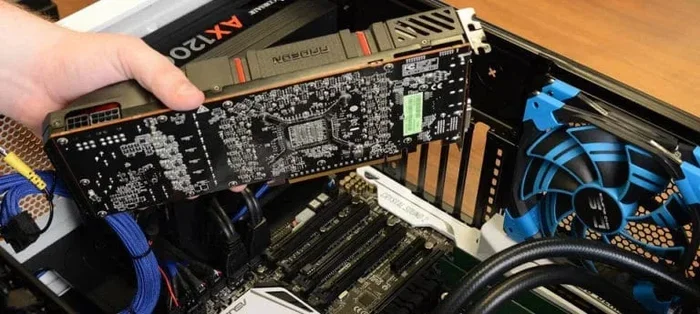
With internal hosting, you need a physical server machine. This could be a rack-mounted server in a closet or a dedicated room in your building. You also need a stable internet connection with enough bandwidth to handle your website traffic. Your team manages the operating system, software updates, security patches, and backups.
The server hardware matters a lot here. You need enough RAM to handle your site’s demands. The storage you choose also plays a big role. For example, the difference between SSD and NVME storage types can affect how fast your server reads and writes data. NVME drives are significantly faster than traditional SSDs, which matters for websites with heavy traffic or large databases.
Who Should Use Internal Hosting?
Internal hosting makes sense for certain situations. Large enterprises with dedicated IT teams often prefer this approach. They need strict control over sensitive data and want to keep everything within their own walls. Organizations with heavy compliance requirements, like healthcare or finance, may also lean toward internal setups.
Another group that benefits is companies with very predictable traffic patterns. If your site gets a steady stream of visitors and you know your resource needs, internal hosting can be cost-effective over time. You avoid monthly fees and pay only for the hardware you own.
What Is External Website Hosting?
External website hosting means you rent server space from a third-party provider. Companies like Bluehost, SiteGround, AWS, and others own massive data centers filled with servers. You pay them a fee, and they handle the hardware, connectivity, and often much of the maintenance.
This is like renting an apartment instead of buying a house. You get a place to live without the headaches of property taxes, repairs, or landscaping. The provider manages the infrastructure, and you focus on your website content and business.
Types of External Hosting
External hosting comes in several flavors. Shared hosting puts your site on a server with many other websites. It is the most affordable option but comes with limited resources. VPS hosting gives you a virtual slice of a server with dedicated resources. Dedicated hosting rents you an entire server all to yourself. And cloud hosting spreads your site across multiple servers for maximum reliability and flexibility.
The RAM and processing power you get depends on your plan. When choosing a plan, it helps to understand what your site needs. For instance, learning about what the RAM on a laptop does can give you a basic understanding of how memory affects performance, even though servers work differently from laptops.
Who Should Use External Hosting?
External hosting is ideal for most people and businesses. Small businesses, bloggers, e-commerce stores, and startups all benefit from the ease and affordability of external solutions. You do not need a dedicated IT team. The hosting provider handles server maintenance, security updates, and uptime.
External hosting also shines when your traffic is unpredictable. If your site goes viral or experiences seasonal spikes, cloud hosting can scale up automatically. You do not need to buy new hardware or reconfigure your setup. The provider handles it behind the scenes.
Key Differences Between Internal and External Hosting
Now that you understand both options, let us compare them head to head. This section breaks down the major differences so you can see which approach fits your situation.
Control and Customization
Internal hosting gives you absolute control. You choose every piece of hardware, every software setting, and every security measure. You can customize your server environment down to the smallest detail. This level of control is unmatched by any external provider.
External hosting offers less control. You are limited to the options your provider gives you. Most providers offer control panels like cPanel or Plesk that make management easy, but you cannot tweak the underlying server hardware. For most website owners, this level of control is more than enough.
Cost Comparison
The cost structures are very different. Internal hosting requires a large upfront investment. You need to buy servers, networking equipment, and cooling systems. You also need a secure physical space to house the equipment. Ongoing costs include electricity, internet service, and IT staff salaries.
External hosting works on a subscription model. You pay a monthly or annual fee, and that is usually it. The provider absorbs the hardware costs and passes savings to you. For most small businesses, the predictable monthly cost of external hosting is much easier to budget for.
Security Considerations
Security is where the two approaches diverge the most. With internal hosting, you are the sole gatekeeper. You set up firewalls, manage access controls, and apply security patches. If something goes wrong, the responsibility is entirely yours. This can be empowering for experienced teams but risky for those without deep technical knowledge.
External hosting providers invest heavily in security. They employ dedicated security teams, use enterprise-grade firewalls, and perform regular audits. However, you are sharing responsibility. Your own practices, like using strong passwords and keeping your CMS updated, still matter a great deal. A breach on your end can happen even with a secure provider.
Maintenance and Uptime
Internal hosting demands constant attention. You need to monitor server health, apply updates, manage backups, and troubleshoot issues. Your server’s cooling system also matters. The best CPU cooler for your server can prevent overheating and downtime, but you are the one who has to research, purchase, and install it.
External hosting takes this burden off your shoulders. The provider handles hardware maintenance, cooling, and power redundancy. Most reputable providers guarantee 99.9% uptime in their service agreements. This reliability is one of the biggest draws of external hosting for businesses that cannot afford downtime.
Scalability
Scaling with internal hosting is painful. If your website grows and needs more resources, you have to buy new hardware, install it, and configure it. This process can take days or even weeks. During that time, your site may struggle under the increased load.
External hosting makes scaling almost effortless. With cloud hosting, you can upgrade your plan or add resources with a few clicks. Your site stays online throughout the process. This flexibility is a game-changer for growing businesses that cannot predict their traffic patterns.
Pros and Cons at a Glance
Here is a quick comparison of both hosting approaches to help you weigh your options.
- Internal Hosting Pros: Full control, complete data ownership, no recurring hosting fees, highly customizable, strong compliance capabilities.
- Internal Hosting Cons: High upfront costs, requires IT expertise, ongoing maintenance burden, harder to scale, single point of failure risk.
- External Hosting Pros: Lower upfront costs, easy to manage, scalable, reliable uptime, built-in security features, no hardware maintenance.
- External Hosting Cons: Less control, recurring monthly costs, shared resources (in some plans), dependency on the provider, potential vendor lock-in.
Which Hosting Option Should You Choose?
The right choice depends on your specific situation. Let us look at a few scenarios to help you decide.
Choose Internal Hosting If…
- You have a dedicated IT team with server management skills.
- Your business handles highly sensitive data that must stay on-premise.
- You have predictable traffic and resource needs.
- You want to avoid recurring monthly fees and prefer a one-time investment.
- Compliance regulations require you to maintain physical control over your data.
Choose External Hosting If…
- You are a small business or solo entrepreneur without a dedicated IT team.
- Your traffic is unpredictable or growing rapidly.
- You want a simple, hands-off approach to website management.
- You need reliable uptime without managing hardware yourself.
- You prefer a predictable monthly budget over large upfront costs.
For most website owners, external hosting is the smarter choice. It removes the complexity and lets you focus on what really matters: creating great content and growing your business. Internal hosting still has its place, but it is really only practical for organizations with the resources and expertise to manage it effectively.
Common Mistakes to Avoid
Whether you lean toward internal or external hosting, there are some pitfalls you should watch out for.
- Underestimating costs. Internal hosting looks cheap at first, but the hidden costs of electricity, cooling, and IT staff add up fast. External hosting seems affordable, but costs can spike if you do not monitor your usage.
- Ignoring security. Even with external hosting, you are responsible for your website’s security. Keep your software updated, use strong passwords, and install security plugins.
- Skipping backups. No hosting setup is immune to data loss. Always maintain regular backups, whether you host internally or externally.
- Choosing based on price alone. The cheapest option is rarely the best. Look at reliability, support quality, and features before you commit.
- Not planning for growth. Your hosting needs will change as your site grows. Choose a solution that can scale with you without requiring a complete rebuild.
Final Thoughts
The difference between internal and external website hosting comes down to control versus convenience. Internal hosting puts the power in your hands but demands significant resources and expertise. External hosting simplifies the process and shifts the technical burden to a provider, but it limits your control over the underlying infrastructure.
Most website owners will find that external hosting offers the best balance of cost, reliability, and ease of use. It lets you focus on your content and your audience instead of server cables and cooling fans. Internal hosting remains a strong option for organizations with strict data requirements and the technical team to support it.
Take your time evaluating your needs. Consider your budget, your technical skills, your traffic expectations, and your security requirements. The right hosting choice is the one that aligns with your goals and lets your website thrive. With the right foundation in place, you can build something truly great online.
Frequently Asked Questions
What is the main difference between internal and external website hosting?
Internal hosting means you own and manage your own servers on-site. External hosting means you rent server space from a third-party provider who handles the hardware and maintenance. The main difference is control versus convenience.
Is internal hosting cheaper than external hosting?
Internal hosting has lower monthly costs but requires a large upfront investment in hardware and infrastructure. External hosting has predictable monthly fees but no upfront costs. Over time, internal hosting can be cheaper for large organizations, but external hosting is usually more affordable for small to medium businesses.
Can I switch from internal to external hosting?
Yes, you can migrate your website from internal hosting to an external provider. The process involves moving your files and database to the new server. Many hosting providers offer migration assistance to make the transition smoother and less stressful.
Which hosting type is more secure?
Both options can be secure, but they require different approaches. Internal hosting gives you full control over security measures, which is great if you have a skilled IT team. External hosting providers invest heavily in enterprise-grade security, which benefits users who lack dedicated security staff.
Do I need technical skills for internal hosting?
Yes, internal hosting requires strong technical knowledge. You need to understand server administration, networking, security, and troubleshooting. Without these skills, internal hosting can become a costly and frustrating experience rather than a cost-saving one.
Which external hosting type is best for beginners?
Shared hosting is the most beginner-friendly option. It is affordable, easy to set up, and requires no technical knowledge. As your website grows, you can upgrade to VPS or cloud hosting for more resources and better performance.