Why Is Micro Usb Hated
Micro USB has been the most complained-about connector in the tech world for over a decade. People hate it for its bad design, poor durability, and the annoying orientation problem that makes plugging it in a daily frustration. The charging cable wears out fast, and the data transfer speeds are painfully slow by modern standards. This article breaks down exactly why Micro USB earned such a bad reputation and how USB-C solved every problem. If you have ever wondered why everyone replaced their Micro USB cables, the answers are right here.
Micro USB has been the most complained-about connector in the tech world for over a decade. People hate it for its bad design, poor durability, and the annoying orientation problem that makes plugging it in a daily frustration. The charging cable wears out fast, and the data transfer speeds are painfully slow by modern standards. This article breaks down exactly why Micro USB earned such a bad reputation and how USB-C solved every problem. If you have ever wondered why everyone replaced their Micro USB cables, the answers are right here.
Micro USB was once everywhere. You found it in phones, tablets, e-readers, and even some laptops. But over the years, something changed. People started to hate Micro USB. The frustration grew until a new connector took over. That connector is USB-C.
So why does everyone dislike Micro USB so much? The reasons go deeper than just personal preference. There are real design problems, durability issues, and technical limitations. In this article, we will explore every reason people give up on Micro USB. We will also look at how USB-C solved these problems and why it became the new standard.
If you have ever struggled to plug in a cable the right way, you are not alone. This is a problem that affects millions of people every day. Let us dig into why Micro USB earned such a bad reputation.
Key Takeaways
- Micro USB had a flawed design: The non-reversible connector frustrated millions of users every single day.
- Durability was a major problem: The cable would fray and break after just a few months of regular use.
- Slow data and charging speeds: Micro USB could not keep up with modern power and data demands.
- USB-C solved these issues completely: A reversible plug, faster speeds, and better build quality made USB-C the clear winner.
- Legacy devices still use Micro USB: Many older gadgets still rely on this outdated connector today.
- The transition to USB-C is complete: Most new devices now use USB-C as the universal standard.
📑 Table of Contents
The Rise and Fall of Micro USB
How Micro USB Became the Standard
Micro USB came out in the mid-2000s. It replaced the older Mini USB connector. At the time, it felt like a big step forward. The connector was smaller. It fit more devices. Phone makers loved it because it saved space inside their designs.
For about ten years, Micro USB ruled the world of charging and data transfer. Almost every Android phone used it. Cameras, speakers, and portable batteries all relied on it. The USB standard made sure every Micro USB cable worked with every device. That universality was a huge selling point.
But universality also meant mediocrity. Because every device used the same connector, nobody felt pressured to make it better. The design stayed the same for a decade. And that is when the problems started to show.
The Problems Nobody Talked About
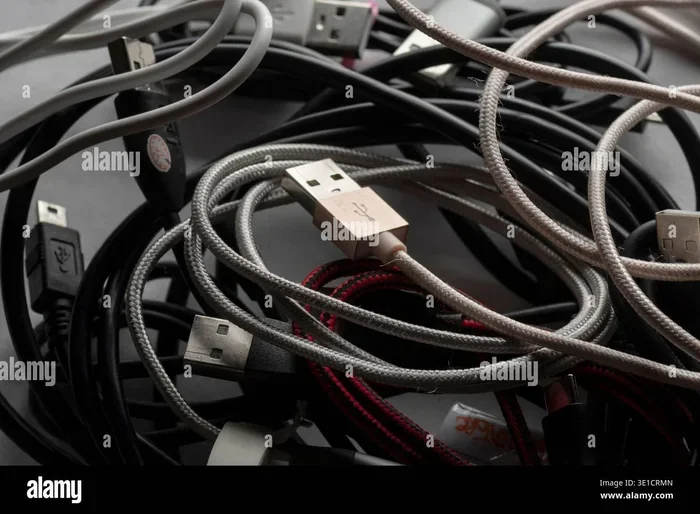
Deep down, the Micro USB connector had serious flaws. The design was not built for the way people actually use cables. You plug it in, pull it out, and repeat that motion hundreds of times a week. Over time, the connector wears out. The metal contacts get damaged. The plastic housing cracks.
Many users also noticed that the cable would stop working from the bend point near the plug. This is a common issue with charging cable design. The Micro USB connector simply was not strong enough to handle daily wear and tear.
Quick Tips for Extending Micro USB Cable Life
If you still use Micro USB cables, here are a few tips to make them last longer:
- Avoid bending the cable sharply near the connector. This is where most breaks start.
- Do not yank the cable out by pulling on the wire. Always grip the plug itself.
- Use a cable with a strain relief boot. This is the flexible piece near the connector that absorbs stress.
- Store cables loosely in a bag. Tangled cables experience more internal wire damage over time.
The Top Reasons People Hate Micro USB
The Orientation Nightmare
This is the number one reason people hate Micro USB. You have to figure out which way the cable goes in. Try one way. It does not fit. Flip it over. Still does not fit. Try again. And again. This tiny annoyance happens every single day.
The connector has the contacts on the bottom. So you have to feel around in the dark or guess the right direction. There is no reversible plug to save you. This is the exact problem that USB-C solved. With USB-C, you can plug it in either way and it always works.
It might sound like a small thing. But when you do it five or ten times a day, it adds up fast. That is why the orientation problem made Micro USB so frustrating for so many people over the years.
Durability and Cable Wear
Micro USB cables do not last long. The connector end is the weakest part. After a few months, the cable starts to fray right where it meets the plug. Sometimes the cable stops charging. Sometimes it only works if you hold it at a certain angle.
This is a cable durability problem. The Micro USB design puts stress on a small area where the cable meets the connector. The strain relief is not strong enough. So the internal wires break, and the connection fails.
Compare this to modern connectors that have better strain relief and stronger construction. The difference is clear. Micro USB was simply not built to last through years of daily use.
Slow Charging and Data Speeds
Micro USB was designed for a different era. The USB 2.0 spec that most Micro USB cables use tops out at 480 Mbps for data transfer. That is slow by today’s standards. Charging speeds were also limited. Most Micro USB cables only support up to about 10 watts of power.
Modern devices need much more than that. Fast charging requires higher wattage. Fast data transfer requires better bandwidth. Micro USB simply could not keep up. This is why devices started moving to USB 3.0 and later USB-C, which supports much faster speeds and higher power delivery.
If you try to charge a modern device with a Micro USB cable, it will charge slowly. You will also wait much longer to transfer files. This limitation is one of the biggest reasons people moved away from Micro USB entirely.
Common Mistakes That Make Micro USB Problems Worse
Here are mistakes that shorten the life of your Micro USB cables even more:
- Using cheap cables: Bargain cables often have thinner wires and poor connector housing. They fail faster.
- Ignoring fraying: When the cable starts to fray, stop using it. Continuing to use a damaged cable can damage your device port too.
- Forcing the connector: If it does not fit, do not push harder. You are likely bending the pins inside.
- Using the wrong cable: Not all Micro USB cables support the same power levels. Using a basic cable for fast charging causes heat buildup.
Micro USB vs USB-C: A Side-by-Side Comparison
| Feature | Micro USB | USB-C |
|---|---|---|
| Reversible Plug | No | Yes |
| Max Data Speed | 480 Mbps (USB 2.0) | Up to 40 Gbps (USB 4) |
| Max Power Delivery | ~10W | Up to 240W (USB PD) |
| Durability Rating | Low (5,000+ cycles) | High (10,000+ cycles) |
| Connector Size | Small | Slightly larger but compact |
| Cable Lifespan | Short (months of daily use) | Long (years of daily use) |
| Adapter Availability | Plenty of USB adapters available | Growing, including USB-C enclosures |
The table above shows the clear difference between these two connector types. USB-C wins in almost every category. It is faster, more durable, and far more convenient to use. This is why the industry made the switch.
For those who still use older devices with Micro USB, there are adapter options available. You can find USB adapter solutions that let you connect modern accessories to older devices. But these are temporary fixes, not long-term solutions.
Why USB-C Replaced Micro USB
The Reversible Plug Changed Everything
The biggest game-changer was the reversible design. USB-C can be plugged in either direction. No more guessing. No more flipping the cable back and forth. This one feature alone solved the biggest complaint about Micro USB.
USB-C also supports USB power delivery, which means devices can charge much faster. Laptops, tablets, and phones all benefit from this. A single USB-C cable can now power almost any device. That kind of universal connector capability is what Micro USB always promised but never fully delivered.
Better Build Quality and Longer Lifespan
USB-C connectors are built to last. They are rated for 10,000 or more plug cycles. Micro USB was only rated for about 5,000 cycles. That means a USB-C cable will outlast a Micro USB cable by a significant margin.
The cable construction is also better. USB-C cables have stronger strain relief and thicker shielding. This means they resist fraying and breakage much better. If you are tired of replacing your cables every few months, switching to USB-C is the answer.
Faster Speeds and Future-Proof Design
USB-C supports the latest USB specifications. USB 3.2 and USB 4 offer data transfer speeds that Micro USB cannot even dream of. If you need to move large files quickly, USB-C is the only option that makes sense today.
Even external storage devices like NVMe SSDs now use USB-C connections. You can get an M.2 NVMe SSD to USB 3.1 adapter to connect ultra-fast drives to your computer. This kind of capability was impossible with Micro USB.
The USB-C standard is also forward-compatible. New versions of USB keep getting faster and more powerful. When you buy a USB-C cable today, it will work with future devices too. That is not something you can say about Micro USB.
What This Means for Your Everyday Devices
Most new phones, tablets, and laptops now use USB-C. Apple switched the entire iPhone lineup to USB-C in 2023. Google and Samsung have been using it for years. Even gaming accessories and portable drives are moving to USB-C.
If you still have devices that use Micro USB, it is time to think about upgrading. Your old charging cable is holding you back. Slower charging, slower data transfer, and constant frustration are not worth keeping around.
For those who need to connect older devices to modern equipment, adapters can help bridge the gap. A USB adapter lets you use newer cables with older ports. But the real solution is to move your devices to USB-C whenever possible.
Some users still keep a few Micro USB cables around for older gadgets. That is fine. Just know that these cables are becoming less useful every year. The industry has moved on, and Micro USB is officially a legacy connector now.
The Final Word on Micro USB
There is no shortage of reasons why Micro USB is hated. The bad design, poor durability, slow speeds, and annoying orientation all add up. People did not just grow to dislike it overnight. The frustrations built up over years of daily use.
USB-C replaced Micro USB for good reasons. It is faster, more durable, reversible, and future-proof. The switch was not just a trend. It was a necessary upgrade that improved the experience for everyone who uses portable devices every day.
If you are still using Micro USB devices, consider making the change. Your cables will last longer. Your devices will charge faster. And you will never have to flip a cable three times to get it to fit again. The end of Micro USB is a win for all of us.
Frequently Asked Questions
Why did Micro USB become so popular in the first place?
Micro USB became popular because it was small, cheap, and universal. Phone makers loved it because it saved space inside devices. The USB standard made sure every cable worked with every device. For about a decade, it was the go-to connector for almost all portable electronics.
Is Micro USB completely obsolete now?
Not entirely. Many older devices still use Micro USB, including budget phones, Bluetooth speakers, and some portable batteries. However, most new devices have switched to USB-C. Micro USB is now considered a legacy connector and is slowly being phased out of the market.
Can I still buy Micro USB cables today?
Yes, you can still buy Micro USB cables. They are widely available online and in stores. However, the market is shifting toward USB-C. New devices and accessories are increasingly using USB-C, so Micro USB cables are becoming harder to find in mainstream retail stores.
Does USB-C really charge faster than Micro USB?
Yes, USB-C supports much faster charging. It can deliver up to 240 watts of power through USB Power Delivery. Micro USB is limited to about 10 watts. This means USB-C can charge phones, tablets, and even laptops much faster than Micro USB ever could.
What should I do if my device still uses Micro USB?
If your device still uses Micro USB, consider upgrading to a USB-C device when possible. In the meantime, you can use a USB-C to Micro USB adapter to connect modern accessories. Good quality adapters are available and can help bridge the gap during the transition period.
Are all USB-C cables the same?
No, not all USB-C cables are the same. Some support USB 2.0 speeds, while others support USB 3.2 or USB 4. Some cables support high power delivery, and others do not. Always check the specs before buying a USB-C cable to make sure it meets your needs for speed and power.