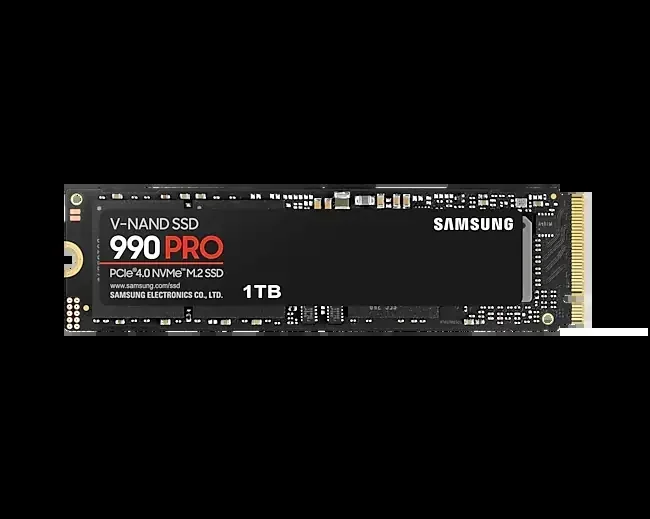
2230 Nvme M 2 Ssd
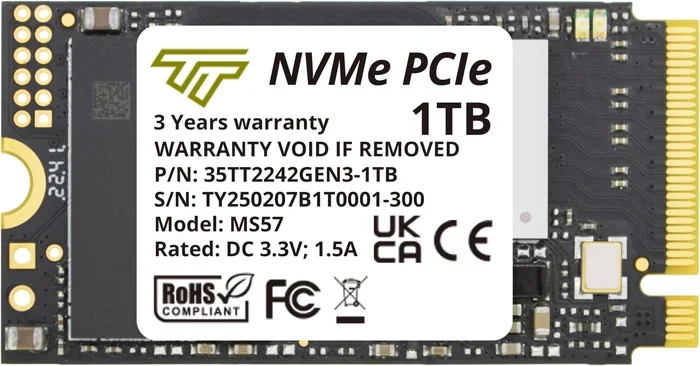
The 2230 NVMe M 2 SSD is a next-generation compact storage drive that delivers blazing NVMe speeds in a tiny footprint. It is ideal for ultrabooks, handheld gaming devices, and mini PCs where space is limited. This guide covers everything you need to know about the 2230 form factor, including speeds, compatibility, and top picks.
A 2230 NVMe M 2 SSD is a small but mighty storage drive that is changing how we think about compact computing. If you own a slim laptop, a handheld gaming device, or a mini PC, there is a good chance this tiny drive could be the upgrade your system needs. In this guide, we will break down everything you need to know about the 2230 NVMe M 2 SSD, from its size and speed to compatibility and real-world use cases.
Storage technology has come a long way. The days of bulky hard drives are long gone. Today, the NVMe M 2 SSD standard dominates the market, and the newest addition to the family is the 2230 form factor. It is compact, fast, and built for the devices we use every day. Let us dive in and explore why this little drive is making a big impact.
Key Takeaways
- Smaller Than 2280: The 2230 NVMe M 2 SSD is 22mm wide and 30mm long, making it significantly smaller than the standard 2280 drive.
- Blazing NVMe Speeds: These drives use the PCIe NVMe protocol, offering read speeds that far exceed traditional SATA SSDs.
- Perfect for Compact Devices: The 2230 form factor is the go-to choice for ultrabooks, handheld gaming consoles, and mini PCs.
- Growing Compatibility: More laptops and devices now support the 2230 slot, expanding your upgrade options.
- Check Your BIOS: Always verify that your device supports the 2230 NVMe M 2 SSD before purchasing.
- Enclosure Options Exist: You can use a 2230 NVMe M 2 SSD in an external enclosure for portable high-speed storage.
📑 Table of Contents
- What Is a 2230 NVMe M 2 SSD?
- 2230 vs 2280: What Is the Difference?
- Benefits of a 2230 NVMe M 2 SSD
- Best Use Cases for the 2230 NVMe M 2 SSD
- How to Choose the Right 2230 NVMe M 2 SSD
- Installation and Compatibility Tips
- Common Mistakes to Avoid
- Expert Insights: The Future of 2230 NVMe M 2 SSDs
- Final Thoughts
What Is a 2230 NVMe M 2 SSD?
The name 2230 tells you everything about the drive’s physical size. It is 22mm wide and 30mm long. Compare that to the standard M 2 NVMe SSD in the 2280 form factor, which is 22mm wide but 80mm long. The 2230 is less than half the length, making it perfect for devices where every millimeter of space counts.
Inside, the 2230 NVMe M 2 SSD uses the same NVMe protocol over PCIe that its larger siblings use. This means you get the same lightning-fast speeds in a much smaller package. The drive connects directly to the motherboard through an M 2 slot, bypassing the slower SATA interface entirely.
Why Does Size Matter?
Modern devices are getting thinner and lighter. Ultrabooks, tablets, and handheld gaming consoles all demand compact components. The 2230 M 2 NVMe SSD was designed specifically for these devices. It provides enterprise-grade storage performance without taking up precious space inside the chassis.
Devices like the Steam Deck and Lenovo ThinkPad Mini use the 2230 slot. As more manufacturers adopt this form factor, the demand for high-quality 2230 NVMe M 2 SSDs continues to grow.
2230 vs 2280: What Is the Difference?
The most common question we get is about the difference between the 2230 and 2280 NVMe M 2 SSD. Both are M.2 drives, but their sizes and use cases are quite different.
Physical Dimensions
- 2230 SSD: 22mm x 30mm x 3.8mm (typical thickness)
- 2280 SSD: 22mm x 80mm x 3.8mm (typical thickness)
The width stays the same at 22mm, but the length is where the difference lies. The 2280 is the most popular size for desktop PCs and standard laptops. The 2230 is built for ultra-compact devices.
Performance Comparison
In terms of raw performance, there is no difference between a 2230 and a 2280 NVMe M 2 SSD of the same generation. Both use PCIe Gen 3 or Gen 4, and both deliver the same NVMe speeds. The performance depends on the NAND flash type, the controller, and the PCIe generation, not the form factor.
Here is a quick comparison table:
- Interface: PCIe NVMe for both
- Max Read Speed: Up to 7,000 MB/s on Gen 4 drives for both
- Max Write Speed: Up to 5,000 MB/s on Gen 4 drives for both
- Form Factor: 2230 (compact) vs 2280 (standard)
- Best For: Mini devices vs desktops and standard laptops
So if you are choosing between the two, the decision comes down to your device’s slot size, not performance.
Benefits of a 2230 NVMe M 2 SSD
There are many reasons to choose a 2230 NVMe M 2 SSD for your system. Let us look at the key advantages.
1. Compact Design
The biggest benefit is the small size. In ultra-thin laptops and handheld devices, space is at a premium. The 2230 drive fits where a 2280 simply cannot. This allows manufacturers to build thinner, lighter devices without sacrificing storage performance.
2. Blazing Fast Speeds
Do not let the small size fool you. A NVMe M 2 SSD in the 2230 format delivers the same incredible speeds as any other NVMe drive. You get boot times measured in seconds, near-instant file transfers, and smooth performance even during heavy workloads.
3. Low Power Consumption
Smaller SSDs tend to consume less power, which is a huge plus for battery-powered devices. The 2230 NVMe M 2 SSD helps extend laptop and handheld battery life while still providing fast storage access.
4. No Moving Parts
Like all SSDs, the 2230 NVMe drive has no moving parts. This means it is more durable and less prone to damage from drops or vibrations compared to traditional hard drives. This is especially important for portable devices that move around a lot.
Best Use Cases for the 2230 NVMe M 2 SSD
The 2230 form factor is not just a novelty. It fills a real need in the market. Here are the best use cases where a 2230 NVMe M 2 SSD shines.
Handheld Gaming Devices
Devices like the Steam Deck and the ASUS ROG Ally use the 2230 slot. If you want to expand your portable gaming storage, a 2230 NVMe M 2 SSD is the way to go. You can add hundreds of gigabytes or even a couple of terabytes of fast storage for your game library.
Ultrabooks and Thin Laptops
Many modern ultrabooks come with a 2230 M.2 slot for storage. Upgrading to a larger or faster 2230 NVMe M 2 SSD can breathe new life into an older laptop. You get faster boot times, quicker application launches, and more space for your files.
Mini PCs and NUCs
Mini PCs like Intel NUC and similar compact systems often use the 2230 form factor. These tiny machines pack a lot of power into a small chassis, and the 2230 SSD fits perfectly inside.
External Enclosures
You can also place a 2230 NVMe M 2 SSD inside an M 2 NVMe enclosure to create a portable high-speed external drive. This is great for professionals who need to transfer large files on the go. The compact size of the 2230 makes it an ideal fit for small, portable enclosures.
If you are interested in this option, check out our M 2 NVMe SSD enclosure review for recommendations on the best enclosures available.
How to Choose the Right 2230 NVMe M 2 SSD
Not all 2230 NVMe M 2 SSDs are created equal. Here are the key factors to consider before buying one.
Capacity
2230 drives are available in various capacities, from 256GB to 2TB and beyond. For most users, a 1TB 2230 NVMe M 2 SSD strikes the perfect balance between price and storage space. If you are a gamer or work with large media files, consider a 2TB NVMe M 2 SSD in the 2230 format.
You can also explore options like the 512GB NVMe M 2 SSD if you need a more budget-friendly upgrade. For those who want maximum storage, a 4TB NVMe M 2 SSD is available in select 2230 models.
PCIe Generation
Look for PCIe Gen 4 or Gen 5 drives for the best performance. Gen 3 drives are still fast but will feel slower by comparison. The PCIe Gen 4 NVMe M 2 SSD offers excellent speeds at a reasonable price point and is the current sweet spot for most users.
NAND Flash Type
Most modern 2230 NVMe M 2 SSDs use TLC (Triple-Level Cell) NAND, which offers a great balance of speed, endurance, and price. Some budget options use QLC NAND, which is faster to read but has lower write endurance. For most users, TLC is the way to go.
Brand Reputation and Warranty
Stick with reputable brands that offer solid warranties. A good warranty tells you the manufacturer stands behind their product. Look for at least a 3-year warranty on your 2230 NVMe M 2 SSD.
Installation and Compatibility Tips
Installing a 2230 NVMe M 2 SSD is straightforward, but there are a few things to keep in mind.
Check Your Device Manual
Before buying a 2230 drive, confirm that your device has a 2230 M.2 slot. Not all devices with M.2 slots support the 2230 form factor. Some slots are designed only for 2280 drives. Check your device manual or the manufacturer’s website for compatibility details.
BIOS and Driver Updates
Make sure your system BIOS is up to date before installing a new NVMe drive. Some older systems may need a BIOS update to properly recognize newer 2230 NVMe M 2 SSDs. You can also check if you need to update your NVMe drivers after installation.
Thermal Management
Even though the 2230 SSD is small, it can still generate heat during heavy workloads. Some devices come with a small heatsink for the M.2 slot. If yours does not, consider adding a tiny thermal pad or a small M.2 heatsink to keep your drive running cool.
For tips on maintaining your NVMe drive and keeping it running smoothly, check out our guide on what happens if an NVMe SSD disconnects to learn more about common issues and how to avoid them.
Common Mistakes to Avoid
- Buying the wrong form factor: Always double-check that your device uses a 2230 slot and not a 2280 slot.
- Ignoring PCIe compatibility: A PCIe Gen 5 drive will work in a Gen 4 slot but will run at Gen 4 speeds.
- Skipping BIOS updates: An outdated BIOS can cause compatibility issues with newer 2230 NVMe M 2 SSDs.
- Overlooking thermal protection: Even compact drives need proper cooling in enclosed spaces.
- Not checking enclosure support: If you plan to use the drive externally, make sure the enclosure supports the 2230 form factor.
Expert Insights: The Future of 2230 NVMe M 2 SSDs
The 2230 form factor is still relatively new, but it is growing fast. Major manufacturers are investing heavily in 2230 NVMe M 2 SSD technology. As handheld gaming devices and ultra-compact laptops become more popular, the demand for these small but powerful drives will only increase.
We expect to see even faster PCIe Gen 5 2230 drives hitting the market soon. These will push read speeds well beyond 10,000 MB/s, making the 2230 format competitive with even the largest 2280 drives. The future of compact storage is bright, and the 2230 NVMe M 2 SSD is leading the way.
For those looking to explore related storage options, our articles on SSD NVMe PCIe M 2 and 2TB NVMe M 2 SSD provide additional insights into the broader NVMe M.2 ecosystem.
Final Thoughts
The 2230 NVMe M 2 SSD is a fantastic storage solution for anyone who needs speed and compact size in one package. Whether you are upgrading a handheld gaming device, a slim laptop, or a mini PC, this small drive delivers big performance. Its NVMe speeds, low power draw, and tiny footprint make it the ideal choice for modern portable computing.
When shopping for a 2230 NVMe M 2 SSD, focus on capacity, PCIe generation, NAND type, and brand reliability. With the right drive, you will enjoy fast boot times, quick file transfers, and a much smoother computing experience. The 2230 form factor is here to stay, and it is already transforming the compact device market.
Take the time to verify your device compatibility, pick the right drive for your needs, and enjoy the speed that only a NVMe M 2 SSD can deliver. Your compact device deserves storage that keeps up with your workflow and your play.
Frequently Asked Questions
What is a 2230 NVMe M 2 SSD used for?
A 2230 NVMe M 2 SSD is used in compact devices like handheld gaming consoles, ultrabooks, and mini PCs. It provides fast storage in a very small form factor, making it ideal for devices where space is limited but performance is still important.
Is a 2230 NVMe M 2 SSD as fast as a 2280 NVMe SSD?
Yes, the speed depends on the NAND type, controller, and PCIe generation, not the form factor. A 2230 NVMe M 2 SSD with the same specs as a 2280 drive will deliver identical performance. Both use the same NVMe protocol over PCIe.
Can I use a 2230 NVMe M 2 SSD in an external enclosure?
Yes, you can place a 2230 NVMe M 2 SSD in a compatible M.2 NVMe enclosure to create a portable external drive. Make sure the enclosure specifically supports the 2230 form factor, as not all enclosures do.
What capacity options are available for 2230 NVMe M 2 SSDs?
2230 NVMe M 2 SSDs are available in capacities ranging from 256GB to 2TB and beyond. The most popular choices are 1TB for general use and 2TB for users who need more storage for games or large media files.
How do I know if my device supports a 2230 NVMe M 2 SSD?
Check your device manual or the manufacturer’s website for the M.2 slot specifications. Look for the form factor listed as 2230. You can also open your device and physically measure the existing M.2 slot if the documentation is unclear.
Are 2230 NVMe M 2 SSDs more expensive than 2280 drives?
Not necessarily. The price depends more on the capacity, NAND type, and PCIe generation than the form factor. 2230 drives are sometimes slightly more expensive due to their specialized design, but the price gap is closing as adoption increases.