4tb Ssd M 2 Nvme
A 4TB SSD M.2 NVMe drive delivers massive storage with blazing-fast speeds that transform any PC. These drives use the NVMe protocol over PCIe to crush traditional SATA SSDs and hard drives in every benchmark. Whether you are a gamer, creator, or professional, a 4TB NVMe M.2 SSD gives you room to grow without sacrificing performance.
Key Takeaways
- Massive Capacity: A 4TB NVMe M.2 SSD holds thousands of games, large video files, and entire project libraries in one drive.
- Blazing Speeds: PCIe Gen4 and Gen5 M.2 NVMe drives offer sequential reads up to 7,000+ MB/s, far faster than SATA SSDs.
- Easy Installation: The M.2 2280 form factor slots directly onto the motherboard with no cables needed.
- Price Is Dropping: 4TB NVMe M.2 SSD prices have fallen significantly, making them more affordable than ever.
- Watch for Compatibility: Always check your motherboard supports M.2 NVMe and has enough PCIe lanes for the drive.
- Top Picks Exist: Drives like the Crucial T705 and Samsung 990 Pro lead the 4TB NVMe M.2 SSD market in performance and reliability.
📑 Table of Contents
Why a 4TB SSD M.2 NVMe Drive Is a Game Changer
Storage needs keep growing. Games are bigger. Video projects are longer. And your old drives just cannot keep up anymore. That is exactly why a 4TB SSD M.2 NVMe drive has become the go-to upgrade for so many PC users. You get enormous capacity wrapped in a tiny stick that flies through data at incredible speeds.
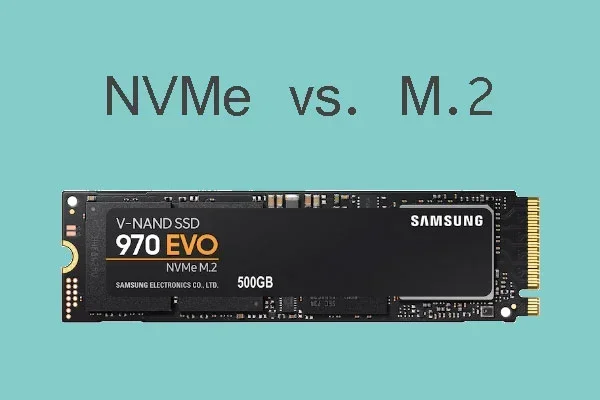
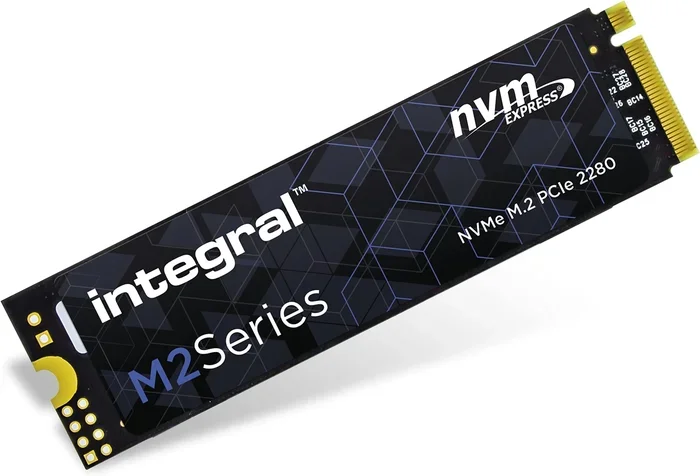
The M.2 form factor is small and compact. It looks like a stick of gum and plugs directly into your motherboard. No cables. No mounting brackets. No fuss. Inside that tiny package, NVMe technology uses the PCIe bus to communicate with your system. This means speeds that leave older SATA drives in the dust.
A 4TB NVMe M.2 SSD is perfect for people who need both space and speed. You can store your entire game library, keep raw video footage ready for editing, and still have room for future projects. The days of juggling multiple drives are over.
How Fast Is a 4TB NVMe M.2 SSD?
Speed is where NVMe really shines. A standard SATA SSD tops out around 550 MB/s. A 4TB SSD M.2 NVMe drive on PCIe Gen4 can hit 7,000 MB/s or more. That is over twelve times faster for reading data. Writing speeds are also dramatically better, often exceeding 5,000 MB/s on Gen4 drives.
Gen5 NVMe M.2 drives push even further. Some 4TB NVMe M.2 SSD models now reach sequential read speeds above 10,000 MB/s. Real-world performance depends on your motherboard, your CPU, and the drive’s controller. But even mid-range Gen4 drives feel lightning fast in everyday use.
Here is what that speed means for you:
- Game load times drop to seconds.
- Large video files transfer in minutes instead of hours.
- Your operating system boots almost instantly.
- Heavy applications open without any lag.
Understanding the M.2 Form Factor
The M.2 standard defines the physical shape and connector of the drive. Most 4TB SSD M.2 NVMe drives use the 2280 size. That means they are 22 millimeters wide and 80 millimeters long. This is the most common M.2 size supported by modern motherboards.
M.2 slots can support both SATA and NVMe protocols. This is an important distinction. Not every M.2 slot on a motherboard supports NVMe. Some only work with older SATA M.2 drives. Before you buy a 4TB NVMe M.2 SSD, check your motherboard manual to confirm NVMe support.
The 2280 size fits into M.2 slots on nearly all modern ATX and micro-ATX boards. Some smaller boards may only have one M.2 slot, so plan your setup accordingly. If you need more than one NVMe drive, look for boards with multiple M.2 slots.
M.2 Key Types Explained
M.2 drives come in different key types. The B key and M key are the most common. Most NVMe M.2 SSDs use the M key slot. This is the slot you want for a 4TB SSD M.2 NVMe drive. The B key slot is usually for SATA M.2 drives. Some slots support both keys and work with either type.
Top 4TB NVMe M.2 SSDs Worth Buying
The market for 4TB SSD M.2 NVMe drives has grown fast. Several brands now offer excellent options at various price points. Here are some of the top choices you should consider.
Crucial T705 4TB PCIe Gen5 NVMe M.2 SSD
The Crucial T705 is one of the fastest consumer NVMe drives available. It uses PCIe Gen5 technology and delivers outstanding read speeds. The 4TB model gives you plenty of room for large files and demanding workloads. It is a strong pick for anyone building a high-performance PC.
You can read more about the Crucial T705 4TB PCIe Gen5 NVMe M.2 SSD to see how it stacks up against the competition.
Samsung 990 Pro 4TB NVMe M.2 SSD
Samsung has long been a leader in the NVMe space. The 990 Pro offers excellent sustained performance and a reliable TLC NAND flash design. It works great as a boot drive and a storage drive at the same time. The 4TB variant handles heavy workloads with ease.
Kingston Fury Renegade 4TB NVMe M.2 SSD
The Kingston Fury Renegade brings strong Gen4 performance at a competitive price. It is a solid choice for gamers and content creators who need a 4TB NVMe M.2 SSD without breaking the bank. The drive includes a heatsink for thermal management.
Who Needs a 4TB SSD M.2 NVMe Drive?
Not everyone needs 4TB of fast storage. But certain users benefit enormously from the combination of capacity and speed.
Gamers
Modern AAA games regularly exceed 100GB each. A 4TB SSD M.2 NVMe drive can hold 30 or more large games without any storage anxiety. You keep your entire library installed and ready to play. Load times become nearly instant.
Video Editors and Creators
Video editing requires fast access to large media files. A 4TB NVMe M.2 SSD lets you store raw footage and edit directly from the drive without lag. The NVMe speeds make scrubbing through timelines smooth and responsive.
Workstation Users
Professionals working with 3D rendering, CAD files, or massive datasets need both space and speed. A 4TB NVMe drive serves as the primary workspace for active projects while keeping everything fast and accessible.
Content Creators and Streamers
Streamers recording high-bitrate gameplay and content creators managing large asset libraries benefit from the massive 4TB capacity. The fast write speeds ensure smooth recording and quick file transfers.
Installation and Setup Tips
Installing a 4TB SSD M.2 NVMe drive is straightforward. But a few tips can make the process smoother and protect your investment.
Step-by-Step Installation
- Power off your PC and unplug it from the wall.
- Open the case and locate an M.2 slot on your motherboard.
- Remove the protective cover from the M.2 slot.
- Insert the drive at a 30-degree angle and press it down gently.
- Secure the drive with the small mounting screw.
- Close the case and power on your PC.
Enabling NVMe Mode in BIOS
After installation, you may need to enable NVMe mode in your BIOS. Restart your PC and enter the BIOS setup. Look for the storage configuration section and ensure the M.2 slot is set to NVMe mode. Save your settings and reboot.
Heatsink Considerations
High-performance NVMe drives generate heat. Many 4TB NVMe M.2 SSD models come with a heatsink included. If yours does not, consider adding one. A heatsink prevents thermal throttling and keeps your drive running at peak speeds during long workloads.
Common Mistakes to Avoid
- Forgetting to check motherboard compatibility before buying.
- Installing the drive without securing it properly.
- Ignoring BIOS settings and leaving the slot in SATA mode.
- Overlooking thermal management for sustained workloads.
- Not updating the drive firmware after installation.
Is a 4TB NVMe M.2 SSD Worth the Price?
Prices for 4TB SSD M.2 NVMe drives have dropped significantly over the past couple of years. What once cost a small fortune is now within reach of most PC builders. The price per gigabyte continues to fall as technology improves and competition increases.
When you compare the cost to buying multiple smaller drives, a single 4TB NVMe M.2 SSD often makes more sense. You get one fast drive instead of juggling several. You save on power, cables, and mounting space. The simplicity alone is worth the investment for many users.
For most people, the answer is yes. A 4TB NVMe M.2 SSD is worth it if you need fast storage with plenty of room. The performance boost over older drives is noticeable every single day. From boot times to game loading to file transfers, everything feels faster and more responsive.
Looking Ahead: What Next for NVMe M.2 Storage
The NVMe M.2 SSD market keeps evolving. PCIe Gen5 drives are becoming more mainstream. Future generations promise even higher speeds and better efficiency. Capacity options are also expanding as NAND flash technology improves.
When you invest in a 4TB SSD M.2 NVMe drive today, you are getting a product that will serve you well for years. The speeds are more than enough for current workloads and ready for whatever comes next. Storage demands will only grow, and having a large, fast NVMe drive puts you ahead of the curve.
Whether you are building a new PC or upgrading an existing one, a 4TB NVMe M.2 SSD is one of the best upgrades you can make. It transforms how you use your computer and removes storage bottlenecks that slow you down every day.
For more details on the 4TB form factor specifically, check out our 4TB NVMe M.2 SSD guide for additional insights and comparisons.
Frequently Asked Questions
What is the difference between a 4TB SSD M.2 NVMe and a regular SSD?
A 4TB SSD M.2 NVMe drive uses the NVMe protocol over PCIe lanes, which is much faster than the SATA protocol used by regular 2.5-inch SSDs. NVMe drives can reach speeds of 7,000 MB/s or more, while SATA SSDs max out around 550 MB/s. The M.2 form factor also makes them smaller and easier to install.
Do I need a special motherboard for a 4TB NVMe M.2 SSD?
Yes, your motherboard needs an M.2 slot that supports NVMe. Most modern motherboards from the last few years include at least one M.2 slot with NVMe support. Check your motherboard manual to confirm the slot supports PCIe NVMe drives, not just SATA M.2 drives.
Can I use a 4TB SSD M.2 NVMe as my boot drive?
Absolutely. A 4TB NVMe M.2 SSD makes an excellent boot drive. The fast read speeds mean your operating system loads in seconds. You can also install your most-used applications and games on the same drive for the best performance.
How much does a 4TB NVMe M.2 SSD cost?
Prices vary by brand and model, but 4TB NVMe M.2 SSDs typically range from around $200 to $400. The Crucial T705 and Samsung 990 Pro are popular options in this range. Prices continue to drop as technology advances and more manufacturers enter the market.
Do I need a heatsink for my 4TB M.2 NVMe SSD?
It depends on your workload. For everyday use and gaming, most drives stay cool without a heatsink. But if you do heavy sustained writes like video editing or large file transfers, a heatsink helps prevent thermal throttling. Many 4TB SSD M.2 NVMe drives come with a heatsink included.
Will a 4TB NVMe M.2 SSD improve my gaming experience?
Yes, significantly. Games installed on a 4TB NVMe M.2 SSD load much faster than on a SATA SSD or hard drive. You also benefit from faster texture streaming, which reduces pop-in in open-world games. The extra 4TB of space means you can keep more games installed at once.
=== CONCLUSION ===
A 4TB SSD M.2 NVMe drive is one of the best upgrades you can make to any modern PC. The combination of massive 4TB capacity and NVMe blazing speeds transforms how you work, play, and create. Whether you are a gamer building a new rig, a video editor handling large projects, or a professional who needs reliable fast storage, a 4TB NVMe M.2 SSD delivers on every front.
The technology is mature, prices are competitive, and the performance gains are real and noticeable. Do your research, pick the right drive for your needs, and enjoy the speed and space that only a 4TB SSD M.2 NVMe can provide. Your future self will thank you every time you boot up your PC.