Sales Automation

Sales automation is the engine that powers modern SaaS growth. By letting software handle repetitive tasks, teams close more deals, nurture leads faster, and understand performance with crystal‑clear data. Read on to see why every SaaS business needs it and how to get started today.
Key Takeaways
- Automation speeds lead handling: Leads are assigned, scored, and followed up within minutes, not hours.
- Data‑driven insights improve forecasting: Real‑time dashboards reveal bottlene‑points before they hurt revenue.
- Integration is essential: Connecting CRM, email, and phone systems creates a seamless sales engine.
- Personalization scales: Automated sequences can still feel one‑to‑one with dynamic content.
- Cost of sales drops dramatically: Less manual work means lower CAC and higher margins.
- Adoption requires culture change: Training and clear KPIs keep teams motivated to use the tools.
- Continuous optimization is a habit: Regular A/B tests keep the automation stack razor‑sharp.
📑 Table of Contents
- What Is Sales Automation and Why It Matters for SaaS
- Building Your Sales Automation Workflow
- Top Sales Automation Tools for SaaS Companies
- Practical Tips to Maximize Your Sales Automation ROI
- Real‑World Example: How a Mid‑Size SaaS Cut CAC by 28 %
- Understanding the Cost of Sales in a Automated Environment
- Future Trends: AI‑Powered Sales Automation
- Conclusion: Make Sales Automation Your Growth Engine
What Is Sales Automation and Why It Matters for SaaS
Imagine you could hand off the boring parts of selling—data entry, follow‑up emails, meeting scheduling—to a tireless assistant that never sleeps. That’s sales automation in a nutshell. For SaaS companies, where the sales cycle often involves multiple touchpoints, rapid scaling, and heavy reliance on data, automating repetitive tasks is not a luxury; it’s a competitive necessity.
When you automate, you free your reps to focus on what they do best: building relationships, handling objections, and closing deals. The result? Higher win rates, shorter sales cycles, and a healthier cost of sales. In fact, many high‑growth SaaS firms report up to a 30 % reduction in CAC after implementing a robust automation stack.
Core Components of a Sales Automation Stack
- Customer Relationship Management (CRM): The central hub where every interaction is recorded.
- Lead Capture & Enrichment: Forms, chatbots, and third‑party data that turn anonymous visitors into qualified prospects.
- Email & Sequence Builders: Tools that send timed, personalized messages without manual effort.
- Task & Workflow Automation: Rules that assign leads, set reminders, and trigger alerts.
- Analytics & Reporting: Dashboards that turn raw data into actionable insights.
Building Your Sales Automation Workflow
Before you buy any software, sketch out the exact steps a lead takes from first touch to closed‑won. This map becomes the blueprint for your automation rules.
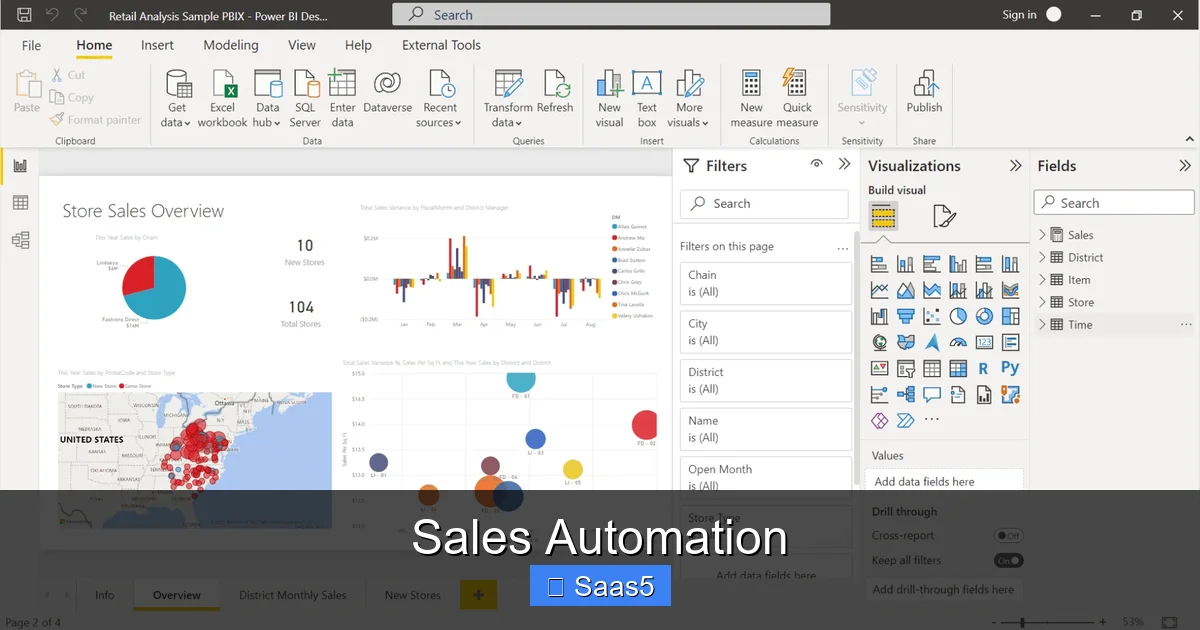
Visual guide about Sales Automation
Image source: blog.coupler.io
1. Capture the Lead
Use web‑forms, landing‑page pop‑ups, or chat widgets to collect contact details. A good practice is to ask for just enough information to qualify the lead—typically name, email, company, and role.
2. Enrich & Score
Immediately enrich the lead with firmographic data (size, industry, tech stack) using services like Clearbit or ZoomInfo. Then apply a lead‑scoring model that awards points for criteria such as company revenue, job title, and website activity.
3. Route to the Right Rep
Automation rules in your CRM can assign leads based on territory, product expertise, or workload. For example, “If lead score ≥ 70 and industry = ‘FinTech’, assign to Rep A.” This ensures the hottest prospects land in the hands of the most qualified sellers.
4. Nurture with Sequences
While a rep prepares for a call, an automated email sequence can deliver value‑added content—case studies, product demos, ROI calculators—tailored to the lead’s profile. Each step is triggered by an action (e.g., link click) or a time delay.
5. Log Activities & Update Status
Every email opened, call made, or meeting booked should automatically update the lead’s timeline in the CRM. This creates a single source of truth for both sales and marketing teams.
6. Forecast & Optimize
With all data flowing into one system, you can generate real‑time forecasts, spot stages where deals stall, and run A/B tests on email copy or call scripts.
Top Sales Automation Tools for SaaS Companies
Choosing the right toolset depends on your company size, tech stack, and budget. Below are the most popular categories and a few leading vendors.

Visual guide about Sales Automation
Image source: foto.wuestenigel.com
CRM Platforms with Built‑In Automation
- HubSpot CRM: Free tier includes lead capture, email sequences, and basic workflow automation.
- Salesforce Sales Cloud: Highly customizable; best for enterprises that need deep integration.
- Zoho CRM: Affordable and includes AI‑powered lead scoring.
Dedicated Sales Engagement Platforms
- Outreach: Powerful sequencing, call logging, and analytics.
- Salesloft: Strong on team collaboration and multi‑channel outreach.
- Mixmax: Simple Gmail‑centric tool for small SaaS teams.
Lead Enrichment & Scoring Services
- Clearbit Reveal: Real‑time enrichment based on email domain.
- ZoomInfo: Comprehensive B2B database for firmographic data.
- Leadspace: AI‑driven scoring that learns from closed‑won patterns.
Practical Tips to Maximize Your Sales Automation ROI
Implementing technology alone won’t guarantee success. Here are proven tactics to get the most out of your automation investment.
Visual guide about Sales Automation
Image source: almicroinstruments.com
Start Small and Iterate
Pick one high‑impact process—like lead assignment—and automate it first. Measure the time saved, then expand to email sequences, reporting, and beyond. This incremental approach reduces risk and builds confidence across the team.
Keep Personalization at Scale
Use dynamic fields to inject a prospect’s name, company, or recent activity into emails. Even a simple “I noticed you visited our pricing page” line can dramatically boost response rates.
Align Sales and Marketing KPIs
Both teams should agree on what constitutes a qualified lead, the ideal sales cycle length, and revenue targets. Shared dashboards keep everyone accountable and highlight hand‑off friction points.
Monitor Data Quality Rigorously
Automation is only as good as the data feeding it. Set up validation rules to prevent duplicate contacts, and schedule regular clean‑ups of stale records.
Invest in Training and Adoption
Even the smartest tool fails if reps revert to spreadsheets. Run hands‑on workshops, create cheat sheets, and celebrate quick wins to embed the new workflow into daily habits.
Measure the Right Metrics
Key performance indicators for sales automation include:
- Average Lead Response Time (aim for < 5 minutes)
- Lead‑to‑Opportunity Conversion Rate
- Opportunity Win Rate
- Sales Cycle Length
- Cost of Sales (CAC)
Tracking these metrics over time shows whether automation is truly moving the needle.
Real‑World Example: How a Mid‑Size SaaS Cut CAC by 28 %
Acme Analytics, a B2B SaaS with 150 employees, struggled with a 45‑day sales cycle and high CAC. They implemented a three‑step automation plan:
- Lead Scoring Integration: Connected Clearbit to their CRM, assigning scores instantly.
- Automated Nurture Sequences: Built 7‑day email tracks that delivered product use‑cases based on industry.
- Task Automation: Set up rules that created follow‑up tasks for reps the moment a prospect opened a demo link.
The result? Response times fell from 12 hours to under 3 minutes, the sales cycle shrank to 31 days, and CAC dropped from $12,000 to $8,640—a 28 % reduction. The company attributes the success to “clear visibility into every touchpoint and the ability to act instantly,” a core benefit of sales automation.
Understanding the Cost of Sales in a Automated Environment
When you automate, the direct labor component of your cost of sales shrinks, but you must account for software licensing, integration, and ongoing maintenance. A useful benchmark is to compare the total automation spend against the reduction in CAC. If your automation stack costs $50,000 per year and saves $150,000 in CAC, you have a net gain of $100,000.
For a deeper dive into calculating a reasonable cost of sales for SaaS products, see our guide on what is a reasonable cost of sales for SaaS product.
Future Trends: AI‑Powered Sales Automation
The next wave of automation will be driven by artificial intelligence. Predictive lead scoring, AI‑generated email copy, and conversational bots that qualify prospects in real time are already emerging. As AI models become more accurate, the line between human and machine interaction will blur, allowing reps to focus even more on high‑value strategic work.
Key AI Features to Watch
- Predictive Forecasting: Algorithms that adjust quotas based on pipeline health.
- Smart Playbooks: Real‑time suggestions for next best actions during a call.
- Automated Sentiment Analysis: Detects prospect mood from email tone and flags risky deals.
Conclusion: Make Sales Automation Your Growth Engine
Sales automation is no longer a nice‑to‑have; it’s the backbone of scalable SaaS growth. By capturing, enriching, scoring, and nurturing leads automatically, you accelerate the sales cycle, lower CAC, and free your team to close more high‑value deals. Start with a single, high‑impact workflow, measure results, and expand gradually. Keep data clean, personalize at scale, and align your entire organization around shared metrics. When you do, the automation stack becomes a relentless engine that drives revenue day after day.
Frequently Asked Questions
What is sales automation?
Sales automation uses software to handle repetitive sales tasks—like lead routing, email sequencing, and data entry—so reps can focus on selling.
Which SaaS tools are best for automating sales?
Popular choices include HubSpot CRM, Salesforce Sales Cloud, Outreach, and Clearbit for lead enrichment. The right fit depends on your team size and budget.
How does sales automation affect the cost of sales?
Automation reduces manual labor, shortens the sales cycle, and improves conversion rates, which together lower the overall cost of acquiring a customer (CAC).
Can I still personalize outreach when using automation?
Yes. Use dynamic fields and behavior‑based triggers to insert a prospect’s name, company, or recent activity, keeping messages relevant at scale.
What metrics should I track to gauge automation success?
Key metrics include lead response time, lead‑to‑opportunity conversion rate, win rate, sales cycle length, and CAC.
Is AI the future of sales automation?
AI adds predictive scoring, smart playbooks, and sentiment analysis, making automation smarter and more proactive, which is shaping the next generation of sales tools.