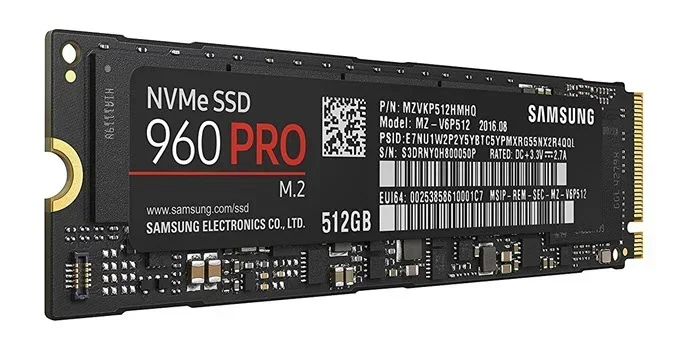
M 2 2280 Nvme Ssd
The M 2 2280 NVMe SSD is one of the most popular storage devices for modern laptops and desktops. This compact drive delivers blazing-fast speeds, making it ideal for gaming, creative work, and everyday computing. Understanding its specs helps you pick the right drive for your needs. Whether you are upgrading or building new, this guide covers everything you need to know.
If you have been shopping for a new solid state drive, you have probably seen the term M 2 2280 NVMe SSD everywhere. This small but mighty storage device has become the go-to choice for anyone who wants fast boot times, quick file transfers, and a reliable storage device for their computer. Whether you are a gamer, a content creator, or just someone tired of slow load times, understanding this form factor is essential.
The M 2 2280 refers to the physical size and shape of the drive. The M 2 part means it uses the M.2 connector, and 2280 tells you it is 22 millimeters wide and 80 millimeters long. This standardized size ensures that most modern motherboards and laptops can accept it without any special adapters. The NVMe part stands for Non-Volatile Memory Express, which is a protocol that allows the drive to communicate with your system at incredibly high speeds through the PCIe interface.
In this guide, we will break down everything you need to know about the M 2 2280 NVMe SSD. From speeds and capacities to installation tips and compatibility, you will find all the answers here. Let us dive in.
Key Takeaways
- Compact Form Factor: The M 2 2280 design fits most modern laptops and desktops without extra cables.
- Blazing Speeds: NVMe PCIe technology offers much faster read and write speeds than older SATA drives.
- Multiple Capacities: You can find M 2 2280 NVMe SSDs ranging from 256GB to 4TB to fit any budget.
- Easy Installation: Most systems support plug-and-play M 2 slots, making upgrades simple.
- Gen3 vs Gen4 Matters: Newer Gen4 NVMe drives offer double the bandwidth of Gen3 for demanding tasks.
- Heatsinks Help Performance: Adding a heatsink prevents thermal throttling during heavy workloads.
📑 Table of Contents
- What Is an M 2 2280 NVMe SSD?
- How Fast Is an M 2 2280 NVMe SSD?
- Capacity Options for M 2 2280 NVMe SSDs
- How to Choose the Right M 2 2280 NVMe SSD
- Installation and Setup Tips
- Top M 2 2280 NVMe SSD Brands and Models
- Benefits of Upgrading to an M 2 2280 NVMe SSD
- Common Mistakes to Avoid When Buying an M 2 2280 NVMe SSD
- Conclusion
What Is an M 2 2280 NVMe SSD?
An M 2 2280 NVMe SSD is a type of solid state drive that uses the M.2 form factor and the NVMe protocol to deliver storage. Unlike traditional hard drives with spinning disks, these drives use flash memory chips to store data. This means no moving parts, which leads to faster access times, lower power consumption, and greater durability.
The M.2 standard was designed to replace the older mSATA format. It supports both SATA and PCIe interfaces, but NVMe drives use the PCIe lane for much faster data transfer. The 2280 designation tells you the physical dimensions, which is 22mm by 80mm. Other M.2 sizes exist, such as 2230 or 22110, but 2280 is the most common for desktop and laptop storage.
M.2 vs SATA SSD: What Is the Difference?
Many people confuse M.2 drives with SATA SSDs, but they are not the same thing. An M.2 drive is a physical shape, while SATA is an older interface. You can have an M.2 SATA SSD or an M.2 NVMe SSD. The NVMe version is significantly faster because it uses the PCIe bus instead of the SATA III limit of 600MB/s.
Here is a quick comparison:
- M.2 SATA SSD: Max speed around 550MB/s. Uses the same SATA protocol as 2.5-inch drives.
- M.2 NVMe SSD: Speeds range from 1,500MB/s to over 7,000MB/s depending on the PCIe generation.
- 2.5-inch SATA SSD: Same speed as M.2 SATA but requires a power cable and mounting bracket.
For most users, the M 2 2280 NVMe SSD is the clear winner in terms of performance. The speed difference is especially noticeable when booting your operating system, opening large applications, or transferring big files.
How Fast Is an M 2 2280 NVMe SSD?
Speed is one of the main reasons people choose an NVMe drive. The actual performance depends on several factors, including the PCIe generation, the number of lanes, and the NAND flash type used in the drive.
PCIe Generations Explained
The PCIe interface comes in different generations, and each one doubles the bandwidth of the previous version. Here is how they compare:
- PCIe Gen3: Offers up to 3,500MB/s sequential read speeds for a single-lane drive. Most common and still very fast.
- PCIe Gen4: Doubles the bandwidth to around 7,000MB/s. This is the current mainstream standard for high-performance drives.
- PCIe Gen5: The newest standard offers up to 14,000MB/s. Still relatively new and expensive but coming soon to more drives.
When shopping for a drive, you will often see terms like sequential read and sequential write speeds. Sequential read measures how fast the drive can pull large files from storage, while sequential write measures how fast it can save them. Random read and write speeds also matter a lot for everyday tasks like opening apps or loading games.
Real-World Speed Differences
In everyday use, you will notice the biggest differences when booting Windows, launching heavy applications like video editing software, or copying files from one drive to another. A Gen3 NVMe drive will feel lightning fast for most tasks. A Gen4 drive will feel even snappier, especially with large file transfers. But for basic web browsing and document editing, even a Gen3 drive will feel instant.
Capacity Options for M 2 2280 NVMe SSDs
M 2 2280 NVMe SSDs come in a wide range of storage capacities to fit different needs and budgets. The right capacity for you depends on what you plan to store on the drive.
Common Capacity Tiers
- 256GB: Best for operating systems and light use. Enough for Windows and a few essential apps.
- 512GB: The sweet spot for most users. Handles Windows, games, and everyday files comfortably.
- 1TB: Ideal for gamers and content creators who need space for large games and project files.
- 2TB: Great for professionals who work with large video files or need to store everything on one drive.
- 4TB: The top tier for users who need maximum storage without compromising speed.
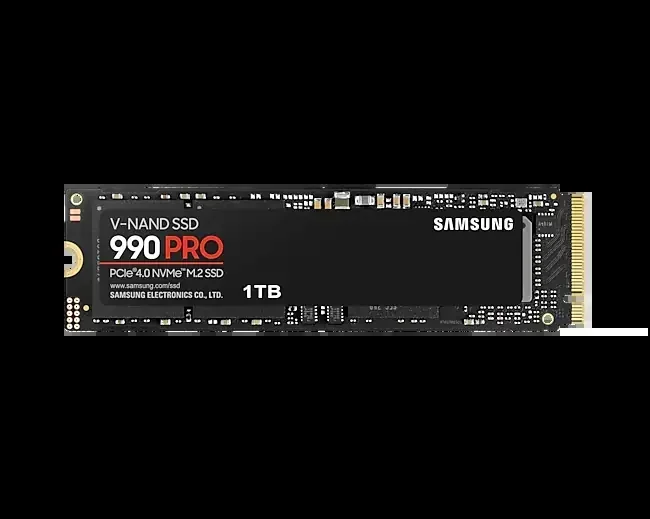
If you are looking for a reliable 1Tb M 2 Nvme Ssd, there are many excellent options on the market today. For those who need even more space, a 2Tb Nvme M 2 Ssd offers plenty of room without breaking the bank. Prices have dropped significantly over the past few years, making larger capacities more accessible than ever.
How to Choose the Right M 2 2280 NVMe SSD
With so many options available, picking the right M 2 2280 NVMe SSD can feel overwhelming. But it does not have to be. By focusing on a few key factors, you can find the perfect drive for your setup.
Consider Your Use Case
Think about what you will use the drive for. If you are building a gaming PC, prioritize read speeds and capacity. A 1TB or 2TB NVMe drive will handle most modern games easily. If you are a video editor, look for drives with high sustained write speeds to avoid bottlenecks during long rendering sessions.
Check Your Motherboard Compatibility
Before buying any drive, check your motherboard manual to confirm it has an M.2 slot that supports NVMe. Some older boards only support M.2 SATA drives, which would not take advantage of NVMe speeds. Also, check how many M.2 slots your board has and whether any of them share bandwidth with SATA ports.
Look at the NAND Flash Type
Most modern NVMe SSDs use TLC (Triple-Level Cell) NAND flash, which offers a good balance of speed, endurance, and price. Some budget drives use QLC (Quad-Level Cell), which stores more data per cell but tends to be slower and less durable over time. For most users, TLC is the best choice.
Do You Need a Heatsink?
High-performance NVMe drives can generate significant heat during heavy workloads. Many drives come with or without a heatsink. If you are running a Gen4 or Gen5 drive in a tight enclosure, a heatsink can help maintain peak performance by preventing thermal throttling. Some motherboards even include built-in M.2 heatsinks, so check before buying a separate one.
Installation and Setup Tips
Installing an M 2 2280 NVMe SSD is one of the easiest upgrades you can do on a computer. Most modern systems feature dedicated M.2 slots right on the motherboard, which means no extra cables or power connections are needed.
Step-by-Step Installation
- Locate the M.2 slot on your motherboard. It is usually labeled and positioned near the CPU socket.
- Insert the drive at a 30-degree angle into the slot. The gold contacts should face down.
- Press the drive gently until it lies flat, then secure it with the small screw that came with your motherboard.
- Power on your system and enter the BIOS to confirm the drive is detected.
- Install your operating system or migrate your existing drive to the new NVMe SSD.
Driver Updates
After installation, it is a good idea to check for the latest NVMe drivers from your drive manufacturer or motherboard vendor. Updated drivers can improve stability and performance. For example, if you have a WD Blue NVMe drive, you may want to download the latest nvme m 2 ssd wd blue driver to ensure optimal operation.
Common Installation Mistakes
One common mistake is forgetting to install the retention screw, which can cause the drive to become loose over time. Another mistake is inserting the drive the wrong way around. Always check the alignment notches on the connector before inserting. Finally, make sure your BIOS is set to AHCI or NVMe mode rather than IDE mode for the best performance.
Top M 2 2280 NVMe SSD Brands and Models
The market is filled with great options, but some brands stand out for reliability and performance. Here are a few popular choices:
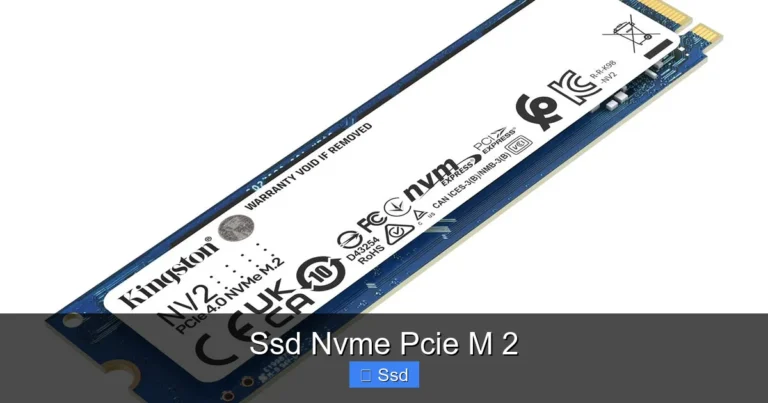
- Kingston NV2: A budget-friendly option that delivers solid NVMe speeds at an affordable price point.
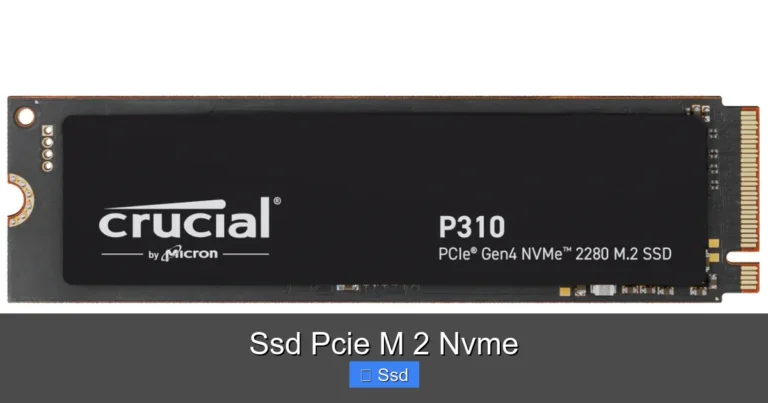
- Crucial P310: A reliable Gen4 NVMe drive that offers excellent value for everyday and gaming use.
- Corsair MP600 Core XT: A high-performance drive with a compact design and strong sustained speeds.
- Samsung 970 EVO Plus: A well-known and trusted model that has been a favorite for years.
- Crucial T705: A Gen5 NVMe drive for users who want the absolute fastest speeds available today.
Each of these drives uses the M 2 2280 form factor, so they will fit in any compatible slot. The right choice depends on your budget, speed needs, and capacity requirements. For more detailed reviews of specific models, check out our guides on the Kingston NV2 1TB M.2 NVMe SSD, the M.2 PCIe NVMe SSD overview, and the 2TB NVMe M.2 SSD options available on our site.
Benefits of Upgrading to an M 2 2280 NVMe SSD
Upgrading from an old hard drive or SATA SSD to an M 2 2280 NVMe SSD can transform your computing experience. Here are the key benefits:
- Faster Boot Times: Your operating system will load in seconds instead of minutes.
- Quick File Transfers: Copying large files takes a fraction of the time compared to older drives.
- Improved Gaming Performance: Games load faster, and open-world experiences feel smoother with reduced texture pop-in.
- Better Multitasking: Switching between apps feels instant because the drive can handle multiple requests simultaneously.
- No Moving Parts: Without spinning disks or read/write heads, NVMe drives are more resistant to physical shock and vibration.
- Low Power Consumption: NVMe drives use less energy than traditional hard drives, which can extend laptop battery life.
For laptop users especially, upgrading to a 1Tb Ssd M 2 Nvme or a 512Gb Nvme M 2 Ssd can breathe new life into an older machine. The speed improvement is dramatic and makes even basic tasks feel much more responsive.
Common Mistakes to Avoid When Buying an M 2 2280 NVMe SSD
Not all M.2 drives are created equal, and some common mistakes can cost you performance or compatibility. Here is what to watch out for.
Buying an M.2 SATA Drive When You Need NVMe
This is the most common mistake. An M.2 slot does not always mean NVMe support. Check your motherboard specs carefully to confirm the slot supports PCIe NVMe drives. Buying a SATA M.2 drive for an NVMe slot will work, but you will not get the speed benefits.
Ignoring Drive Endurance Ratings
Every NVMe SSD has a TBW (Terabytes Written) rating that tells you how much data you can write before the drive is expected to wear out. For most users, this is not a concern, but heavy writers like video editors should pay attention to this spec.
Skipping the Heatsink
As mentioned earlier, NVMe drives can get hot. Skipping a heatsink on a high-performance drive can lead to thermal throttling, which slows the drive down when it gets too warm. A small investment in a heatsink can save you from disappointing performance.
Forgetting to Update Firmware
Drive manufacturers regularly release firmware updates that improve performance and fix bugs. After purchasing your drive, check the manufacturer’s website for any available updates and install them.
Conclusion
The M 2 2280 NVMe SSD is the best storage option available for most modern computers today. Its compact size, incredible speed, and affordable prices make it a no-brainer upgrade for anyone looking to improve their system’s performance. Whether you choose a 512GB model for everyday tasks or a 2TB drive for heavy workloads, you will notice the difference immediately.
Take the time to check your motherboard compatibility, pick the right capacity for your needs, and consider adding a heatsink if you are pushing the drive hard. With the right M 2 2280 NVMe SSD, your computer will feel faster and more responsive than ever before. The upgrade is simple, affordable, and well worth the effort.
Frequently Asked Questions
What does M 2 2280 mean?
M 2 2280 refers to the physical dimensions of the drive. The M 2 part means it uses the M.2 connector, and 2280 means it is 22 millimeters wide and 80 millimeters long. This is the most common size for desktop and laptop NVMe SSDs.
Is an M 2 2280 NVMe SSD the same as a regular SSD?
Not exactly. M 2 2280 refers to the physical shape and size of the drive. NVMe refers to the communication protocol. A regular SATA SSD can also come in an M.2 form factor, but it will be much slower than an NVMe version because it uses an older interface.
Can I use an M 2 2280 NVMe SSD in any computer?
Most computers built after 2018 support M.2 NVMe SSDs. However, you should check your motherboard or laptop manual to confirm it has an M.2 slot that supports NVMe and PCIe interfaces. Some older systems only support M.2 SATA drives.
Do I need a heatsink for my M 2 2280 NVMe SSD?
It depends on your workload. For light to moderate use like gaming or everyday tasks, most drives run cool enough without a heatsink. But if you are doing heavy file transfers, video editing, or using a Gen4 or Gen5 drive continuously, a heatsink can help prevent thermal throttling and maintain peak speeds.
How much faster is an NVMe M 2 SSD compared to a SATA SSD?
NVMe M 2 SSDs are typically 3 to 5 times faster than SATA SSDs in real-world use. While a SATA SSD maxes out around 550MB/s, a Gen3 NVMe drive can reach 3,500MB/s and a Gen4 drive can hit 7,000MB/s or more. The difference is most noticeable during large file transfers and boot times.
What capacity should I choose for my M 2 2280 NVMe SSD?
For most users, 1TB offers the best balance of speed, capacity, and price. If you only need to install your operating system and a few apps, 512GB will work fine. Gamers and content creators should consider 2TB or more to store large games and project files without running out of space.