Are All Usb C Wall Chargers the Same

Not all USB-C wall chargers are created equal. The power delivery, wattage, and chip technology vary widely, which affects charging speed and safety. This guide breaks down the differences so you can choose the right USB-C wall charger for your devices.
When you grab a USB-C wall charger off the shelf, it is easy to assume they are all the same. After all, the connector looks identical, and most devices use the same USB-C port. But the truth is, these chargers vary a lot in power output, technology, and safety features. Understanding those differences can save you money, protect your devices, and even extend battery life.
Many people buy a charger based on price alone, not realizing that a cheap unit might lack USB Power Delivery support or could overheat under heavy load. This guide walks you through everything you need to know about USB-C wall chargers, from wattage and voltage to the rise of GaN chips. By the end, you will know exactly how to pick the right charger for your phone, laptop, or tablet.
Key Takeaways
- USB-C wall chargers differ in wattage and protocol: Not every charger delivers the same power, and USB Power Delivery (PD) standards vary.
- GaN chargers run cooler and are more efficient: Gallium Nitride technology allows smaller, faster chargers with less heat.
- Compatibility matters: A charger must match your device’s voltage and amperage requirements to charge safely.
- Cable quality affects charging speed: Even the best USB-C wall charger won’t fast charge if the cable can’t handle the power.
- Multi-port chargers are great for travel: They let you charge several devices at once, but total wattage is shared.
- Always check for safety certifications: Look for UL, CE, or FCC marks to ensure the charger won’t damage your gear.
📑 Table of Contents
- What Makes USB-C Wall Chargers Different
- Do All USB-C Chargers Work With Every Device?
- Quick Tips for Choosing the Right USB-C Wall Charger
- Common Mistakes People Make With USB-C Chargers
- Expert Insights: Why Charger Quality Matters
- Comparison: Types of USB-C Wall Chargers
- Travel Charger Considerations
- Safety Features to Look For
- Final Thoughts on USB-C Wall Chargers
What Makes USB-C Wall Chargers Different
The biggest difference between chargers lies in how much power they can deliver. A basic USB-C wall charger might output just 5 watts, while a premium unit can push 100 watts or more. That gap matters a lot if you are charging a laptop or a fast-charging phone.
USB Power Delivery (PD) Explained
USB Power Delivery is a protocol that lets devices negotiate the right amount of power. Instead of a fixed output, PD chargers and devices talk to each other. The device asks for what it needs, and the charger supplies it safely. This is why a single USB-C wall charger can charge a phone, a tablet, and a laptop, each at different speeds. Not all chargers support PD, though. Some older or cheaper models only offer fixed 5V/3A, which limits charging speed. When shopping, look for “PD” or “USB Power Delivery” on the label.
Wattage and Voltage Basics
Wattage tells you the total power a charger can provide. Voltage and current work together: Watts = Volts × Amps. A charger rated at 20V/5A delivers 100W, while one at 5V/3A gives only 15W. For fast charging, you need a charger that can supply higher voltage or amperage. Most modern USB-C wall chargers support multiple voltage profiles, automatically adjusting to match your device. If you use a low-wattage charger with a power-hungry laptop, it might charge slowly or not at all. Always check the wattage rating on the charger brick and compare it to your device’s requirements.
GaN vs. Traditional Silicon
Gallium Nitride (GaN) is a semiconductor material that has revolutionized USB-C wall chargers. Traditional silicon chips generate a lot of heat and need bulky components. GaN chips run cooler and are more efficient, allowing manufacturers to shrink the charger size without losing power. A GaN USB-C wall charger can deliver 65W or 100W in a compact brick that fits in your pocket. They also tend to have better heat dissipation, which means they last longer. If you travel often, a GaN charger is a game-changer. You can find them in multi-port designs that charge a phone and a laptop simultaneously. The efficiency of GaN also means less energy wasted as heat, which can save a bit on your electricity bill over time.
Do All USB-C Chargers Work With Every Device?
Physical compatibility is one thing; electrical compatibility is another. A USB-C wall charger will physically plug into any device with a USB-C port, but that does not mean it will charge at full speed. Some devices require specific voltage curves or proprietary fast-charging protocols. For example, certain phones use Qualcomm Quick Charge or proprietary solutions that work best with their own branded chargers. However, USB PD is a universal standard, so most modern devices will negotiate the best possible speed with any PD-compatible charger.
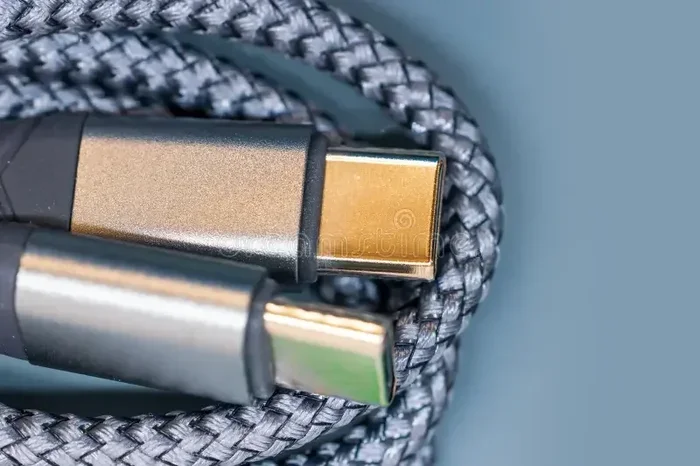
One thing to watch: the USB-C cable matters just as much as the charger. A cheap cable might only handle 3A, limiting a 100W charger to 60W. If you want to experience the full potential of a high-wattage USB-C wall charger, use a cable rated for the same amperage. Look for cables marked “56kΩ resistor” or “e-marked” for reliable performance. Many people overlook this and wonder why their fast charger is not living up to expectations. The cable’s resistance and wire gauge directly affect how much power reaches your device.
If you are charging accessories like headphones or external drives, the charger’s compatibility is equally important. For instance, if you use a USB-C cable to power your audio gear, you might want to check which Best USB Type C Headphones pair well with fast-charging setups. Similarly, storage enclosures like the M 2 Nvme To Usb C Ssd Enclosure rely on a stable USB-C connection, and the charger you use must supply clean, consistent power to avoid data corruption. Even adapters such as the Nvme Ssd To Usb Adapter benefit from a quality USB-C wall charger that provides reliable USB Power Delivery. For a deeper dive into how USB-C handles both data and power, you can also explore our guide on M 2 Nvme Ssd Usb.
Quick Tips for Choosing the Right USB-C Wall Charger
- Check the wattage: Match the charger’s wattage to your device’s needs. A phone might need 18W, while a gaming laptop could require 65W or more.
- Look for USB PD: A charger with USB Power Delivery ensures your device gets the right voltage automatically.
- Consider GaN technology: GaN chargers are smaller, cooler, and more efficient than traditional silicon models.
- Do not forget the cable: Buy a high-quality USB-C cable that supports the amperage of your charger.
- Multi-port vs. single-port: If you travel with multiple devices, a multi-port charger saves space, but remember that total wattage is shared among ports.
- Check safety certifications: UL, CE, and FCC marks indicate the charger has been tested for electrical safety.
- Think about travel: A compact GaN charger with foldable prongs is ideal for international trips and daily commutes.
- Avoid ultra-cheap no-name brands: They often skip safety features and use subpar components that can overheat.
Common Mistakes People Make With USB-C Chargers
One of the biggest mistakes is assuming all USB-C wall chargers are interchangeable. A 5W charger that came with an old phone will struggle to charge a modern laptop. Another mistake is using a damaged or uncertified cable, which can cause slow charging, overheating, or even fire hazards. People also ignore the importance of heat dissipation. If a charger gets too hot, it might be a sign of poor efficiency or a mismatched power profile. Touch the charger after 10 minutes of use; if it is uncomfortable to hold, it is not working efficiently.
Some users buy the cheapest option without checking for USB Power Delivery support. This can lead to frustration when the device charges at a snail’s pace. Others stack multiple low-wattage chargers in a power strip, thinking they will get more power. In reality, each charger has its own limit, and daisy-chaining adapters can be dangerous. Always use a single, properly rated USB-C wall charger for each device. Also, never leave a charger plugged in and unattended for long periods, especially if it shows signs of swelling or unusual heat.
Expert Insights: Why Charger Quality Matters
Cheap chargers often cut corners on component quality. They might use thicker copper wires to save cost, which increases resistance and reduces efficiency. A high-quality USB-C wall charger uses precision resistors and smart chips that regulate voltage precisely. This protects your battery from overcharging and reduces long-term wear. Experts also point out that a good charger maintains stable output even under heavy load, which is crucial for power-hungry devices like gaming laptops or video editing tablets.
Another expert tip: pay attention to the charger’s standby power draw. Even when not connected to a device, some chargers sip power, which adds up over months. Look for models with low idle power consumption if you leave chargers plugged in all the time. Investing in a reliable USB-C wall charger from a reputable brand can save you from replacing damaged batteries or devices down the road. Brands that use real GaN chips and include safety features like over-voltage protection, over-current protection, and short-circuit protection are worth the extra cost.
Temperature management is another key factor. A well-designed charger will throttle power or shut down safely if it gets too hot. Cheap chargers often lack thermal sensors, which can lead to permanent damage or, in worst cases, a fire hazard. Always choose a charger that lists its thermal management features on the packaging or product page.
Comparison: Types of USB-C Wall Chargers
| Charger Type | Typical Wattage | Technology | Best For |
|---|---|---|---|
| Basic USB-C Charger | 15W–18W | Fixed 5V/3A or 9V/2A | Phones, earbuds, light use |
| USB PD Charger | 30W–100W | USB Power Delivery | Laptops, tablets, fast charging |
| GaN Charger | 30W–100W+ | Gallium Nitride | Travel, compact setups, multi-device |
| Multi-Port GaN Charger | 65W–140W shared | GaN + PD | Families, travel, desks with multiple devices |
As you can see, the right charger depends on what you need. A basic 18W USB-C wall charger is fine for a phone, but a 65W GaN PD charger is a better choice if you also charge a laptop. The table above helps you compare the options at a glance. When shopping, keep in mind that a higher wattage charger will not force more power into a device than it needs. The device will only draw what it can handle, thanks to the PD protocol.
Travel Charger Considerations
If you travel frequently, your USB-C wall charger needs to be compact, lightweight, and versatile. A GaN charger with foldable prongs and multiple ports can replace several bulky adapters. Look for a universal input range of 100–240V so it works in any country. A 65W or 100W GaN charger can handle most laptops and phones, making it a one-brick solution for your carry-on. Pack a reliable USB-C cable in your travel pouch, and you will never worry about running out of power.
Some travel chargers include a built-in USB-C PD port and a standard USB-A port for older devices. This gives you flexibility without adding bulk. Just remember that the total wattage is shared between ports. If you charge a laptop at 65W on one port, the other port might only provide a few watts for a phone. Plan your charging strategy accordingly.
Safety Features to Look For
A good USB-C wall charger should include multiple layers of protection. Over-voltage protection prevents too much voltage from reaching your device. Over-current protection shuts down the charger if the draw exceeds safe limits. Short-circuit protection guards against accidental pin shorts. Thermal protection ensures the charger powers down if it overheats. Look for these features on the product description or packaging. Chargers without these safeguards are a risk, no matter how cheap they are.
Certifications from UL, CE, and FCC are strong indicators that the charger has passed rigorous safety tests. A USB-C wall charger with these marks has been evaluated for electrical safety and electromagnetic compatibility. Avoid chargers that lack any certification or have vague claims about “smart chips” without proof. Sticking with reputable brands reduces the risk of a faulty charger damaging your expensive devices.
Final Thoughts on USB-C Wall Chargers
So, are all USB-C wall chargers the same? Absolutely not. They differ in wattage, protocol, chip technology, and build quality. Choosing the right one means understanding your device’s power needs and matching them with a charger that delivers safely and efficiently. A USB-C wall charger with USB Power Delivery and GaN technology gives you the best combination of speed, size, and reliability.
Next time you need a replacement or a travel charger, take a moment to check the specs. Look for PD support, adequate wattage, and a trusted brand. Your devices will thank you with faster charges and longer lifespans. A small investment in the right charger pays off every day. Do not let a cheap, mismatched charger slow you down or put your gear at risk.
Frequently Asked Questions
Can I use any USB-C wall charger with my laptop?
You can plug any USB-C charger into a laptop, but it may not charge at full speed. Look for a charger that supports USB Power Delivery and meets or exceeds your laptop’s wattage requirement. A charger with insufficient wattage might charge slowly or not at all.
Is GaN better than a normal USB-C charger?
Yes, GaN chargers are more efficient and run cooler than traditional silicon-based chargers. They also tend to be smaller and lighter, making them ideal for travel. A GaN USB-C wall charger can deliver high wattage in a compact form factor.
Do I need a special cable for fast USB-C charging?
Yes, the cable matters. A standard USB-C cable might only support 3A, which limits charging speed. For fast charging, use a cable rated for the charger’s amperage and look for e-marked or 56kΩ resistor cables. The right USB-C cable ensures your charger delivers its full power.
Can a USB-C wall charger damage my device?
A quality charger with proper safety certifications will not damage your device. It negotiates the correct voltage and current with your gadget. However, cheap, uncertified chargers might supply unstable power, which can harm batteries or circuitry over time.
How do I know if my charger supports USB Power Delivery?
Check the charger’s label or product description for “USB Power Delivery” or “PD” support. Most modern USB-C wall chargers include PD, but some budget models may not. You can also check your device’s manual for recommended charging specs.
Can I use a phone charger to charge a tablet or laptop?
You can, but it may charge very slowly or not at all if the wattage is too low. Tablets and laptops need higher wattage than phones. A 15W phone charger will struggle with a laptop that requires 45W or more. Always match the charger’s output to your device’s needs.