Do I Need Hdmi 2 1 for 120hz
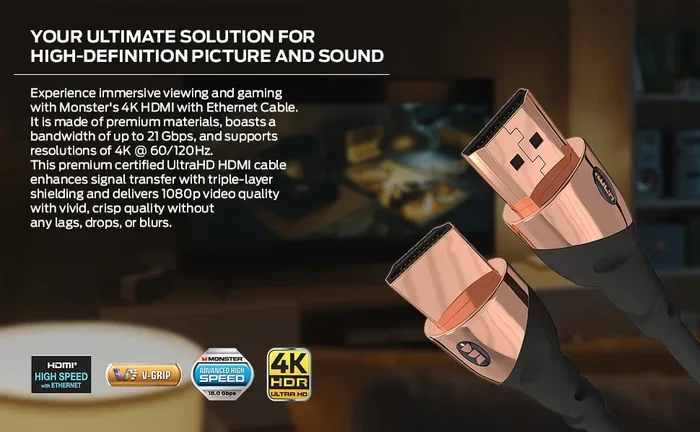
HDMI 2.1 brings big benefits for 120Hz gaming, but you might not always need it. Whether your console, PC, or TV supports 120Hz at high resolutions depends on your setup. This guide explains what HDMI 2.1 offers, when it matters, and when older cables still get the job done.
If you are shopping for a new TV or gaming monitor, you have probably seen the term HDMI 2.1 everywhere. And if you care about smooth gameplay at 120Hz, you might be wondering whether this newer cable standard is a must-have or just marketing hype.
The short answer is: it depends on your setup. HDMI 2.1 opens the door to 120Hz at 4K resolution, which is a big deal for serious gamers. But if you play at 1080p or 1440p, your older HDMI 2.0 cable might still do the trick. Let us walk through everything you need to know so you can make a smart decision without overspending.
In this guide, we will cover what HDMI 2.1 actually is, how it compares to HDMI 2.0, which devices benefit most, and whether the upgrade is worth your money. By the end, you will know exactly what cable you need for your 120Hz display.
Key Takeaways
- HDMI 2.1 enables 120Hz at 4K: It provides the bandwidth needed for smooth high-resolution gaming.
- HDMI 2.0 can still handle 120Hz: But usually only at lower resolutions like 1080p or 1440p.
- Next-gen consoles benefit most: The PS5 and Xbox Series X use HDMI 2.1 features for 120fps gaming.
- You may not need an upgrade: If you game at 1080p or 1440p, your current cable might work fine.
- Check your devices first: Both your source and display must support HDMI 2.1 to unlock its full potential.
- HDMI 2.1 includes bonus features: VRR, ALLM, and eARC add value beyond just refresh rates.
📑 Table of Contents
What Is HDMI 2.1 and Why Does It Matter?
HDMI 2.1 is the latest version of the HDMI standard. It was released in 2017 and brought a major leap in bandwidth and capabilities. Think of it as a wider highway for your audio and video signals. More lanes mean more data can flow through at once.
The biggest selling point of HDMI 2.1 is its massive bandwidth boost. It supports up to 48 gigabits per second, compared to 18 gigabits per second for HDMI 2.0. This extra bandwidth is what makes 120Hz at 4K possible. Without it, you would hit a wall at lower refresh rates or resolutions.
Key Features of HDMI 2.1
HDMI 2.1 is not just about higher refresh rates. It comes packed with features that improve your overall viewing and gaming experience. Here are the standout capabilities:
- 4K at 120Hz: Smooth motion at ultra-high resolution for next-gen gaming.
- 8K at 60Hz: Support for even higher resolutions for future-proof displays.
- Variable Refresh Rate (VRR): Reduces screen tearing and stuttering during gameplay.
- Auto Low Latency Mode (ALLM): Automatically switches to low-latency mode for gaming.
- eARC (Enhanced Audio Return Channel): Delivers uncompressed audio to soundbars and receivers.
- Dynamic HDR: Supports HDR metadata frame by frame for better contrast and color.
These features work together to create a smoother, more immersive experience. Even if you do not use every single feature, having them available gives you flexibility as technology evolves.
Do You Actually Need HDMI 2.1 for 120Hz?
This is the question most people want answered. And the honest answer is: it depends on what resolution you game at and what devices you own.
If you want to play games at 4K resolution with a 120Hz refresh rate, then yes, you need HDMI 2.1. HDMI 2.0 simply does not have enough bandwidth to push that much data. You would be stuck at 4K and 60Hz or 120Hz at 1080p with an older cable.
But if you game at 1080p or 1440p, HDMI 2.0 can handle 120Hz just fine. In that case, upgrading to HDMI 2.1 would not give you any noticeable benefit for refresh rate alone. You would only benefit if you also wanted to use features like VRR or ALLM.
When HDMI 2.1 Is Essential
There are specific situations where HDMI 2.1 becomes a necessity rather than a luxury:
- You own a PS5 or Xbox Series X and want to game at 4K 120fps.
- You have a 4K 120Hz TV or monitor and want to use its full potential.
- You care about VRR and ALLM for a tear-free, responsive gaming experience.
- You want to future-proof your setup for upcoming 8K and higher refresh rate displays.
If any of these apply to you, HDMI 2.1 is a worthwhile investment. It is especially important if you are building a gaming PC with a powerful GPU. Pairing a high-end graphics card with a 120Hz 4K display without the right cable would be a bottleneck.
Speaking of gaming PCs, if you are also wondering about system memory for smooth gameplay, check out our guide on do I need 32GB RAM for gaming to make sure your whole setup is balanced.
When HDMI 2.0 Is Still Good Enough
Not everyone needs HDMI 2.1 right now. If any of these situations describe your setup, your current cable is probably fine:
- You game at 1080p or 1440p and are happy with 120Hz at those resolutions.
- Your TV or monitor only supports 4K at 60Hz.
- You primarily play single-player games where frame rate consistency matters less.
- You are on a tight budget and do not want to spend extra on a new cable.
HDMI 2.0 cables are still widely available and much cheaper than HDMI 2.1 cables. For casual gamers and everyday viewing, they remain a solid choice.
HDMI 2.1 vs HDMI 2.0 for 120Hz Gaming
Let us compare the two standards side by side so you can see exactly what you are gaining or missing.
| Feature | HDMI 2.0 | HDMI 2.1 |
|---|---|---|
| Max Bandwidth | 18 Gbps | 48 Gbps |
| 4K at 120Hz | Not Supported | Fully Supported |
| 4K at 60Hz | Fully Supported | Fully Supported |
| VRR Support | No | Yes |
| ALLM Support | No | Yes |
| 8K at 60Hz | Not Supported | Fully Supported |
| eARC Support | Basic ARC | Enhanced eARC |
| Cable Length at Full Speed | Up to 50 feet | Up to 10 feet (recommended) |
The comparison makes it clear that HDMI 2.1 is the superior standard for 120Hz gaming at 4K. However, HDMI 2.0 still handles many common use cases well. The right choice depends on your specific needs and hardware.
Real-World Performance Differences
In practical terms, the difference between HDMI 2.0 and HDMI 2.1 is most noticeable at 4K resolution. At 1080p and 1440p, both cables deliver smooth 120Hz gameplay without any issues.
If you own a PS5, you might also be interested in storage upgrades. The PS5 uses an M.2 NVMe SSD for PS5 to expand its storage, and it connects through the console’s expansion slot rather than HDMI. But having enough storage ensures your games load quickly while you enjoy 120Hz gameplay through your HDMI 2.1 connection.
Which Devices Benefit Most from HDMI 2.1?
Not all devices take full advantage of HDMI 2.1. Let us look at which setups benefit the most from this newer standard.
PlayStation 5 and Xbox Series X
Next-gen consoles are the biggest beneficiaries of HDMI 2.1. Both the PS5 and Xbox Series X support 4K gaming at 120fps, but only when connected with an HDMI 2.1 cable. Without it, you are limited to 4K at 60fps or lower resolutions at 120fps.
If you have invested in a next-gen console, an HDMI 2.1 cable is one of the cheapest upgrades you can make. It costs relatively little and unlocks the full performance of your hardware. It is a no-brainer for serious console gamers.
Gaming PCs and High-End GPUs
Modern graphics cards from NVIDIA and AMD support 120Hz at 4K in many titles. To actually see those frame rates, you need an HDMI 2.1 connection between your PC and your display. A high-end GPU paired with an HDMI 2.0 cable would leave performance on the table.
If you are also wondering about RAM for your gaming setup, our article on do I need 32GB RAM for gaming can help you figure out the right memory configuration for smooth 120Hz performance.
4K 120Hz TVs and Monitors
If you have purchased or are considering a 4K 120Hz display, HDMI 2.1 is essential. These panels are designed to take full advantage of the HDMI 2.1 bandwidth. Using an HDMI 2.0 cable with a 4K 120Hz TV would cap you at 60Hz, which defeats the purpose of the purchase.
Make sure your entire signal chain supports HDMI 2.1. This means your source device, cable, and display all need to be compatible. A single HDMI 2.0 link in the chain will limit your experience.
How to Choose the Right HDMI Cable for 120Hz
Not all HDMI cables labeled as “HDMI 2.1” are created equal. Here is what to look for when buying one.
Check the Cable Rating
Look for cables rated as “Ultra High Speed HDMI.” This is the official HDMI 2.1 certification. Cables without this rating may claim HDMI 2.1 compatibility but might not deliver the full 48 Gbps bandwidth needed for 4K at 120Hz.
Ultra High Speed cables are tested to handle the maximum bandwidth. They also support all the advanced features like VRR, ALLM, and eARC. This is the only cable type you should buy for a 120Hz setup.
Consider Cable Length
HDMI 2.1 signals can degrade over long distances. For best results, keep your cable under 10 feet (about 3 meters). If you need a longer run, look for cables with active signal boosters or fiber optic construction.
Shorter cables also tend to be more affordable. You do not need to spend a fortune on a 6-foot Ultra High Speed HDMI cable. Many quality options are available at reasonable prices.
Make Sure Your Devices Support It
A great HDMI 2.1 cable will not help if your devices do not support the standard. Check the specifications of your TV, monitor, console, or PC to confirm HDMI 2.1 compatibility. Both the source and the display need to support it for the full experience.
Quick Tips for Buying the Right Cable
- Always look for the “Ultra High Speed” label on the packaging.
- Avoid cheap no-name cables that claim HDMI 2.1 support without certification.
- Keep cable runs under 10 feet for reliable performance.
- If in doubt, buy from reputable brands with verified compatibility.
- Check that your devices have HDMI 2.1 ports, not just HDMI 2.0 ports.
Common Myths About HDMI 2.1 and 120Hz
There is a lot of misinformation floating around about HDMI 2.1. Let us clear up some of the most common myths.
Myth 1: You Must Have HDMI 2.1 for 120Hz
This is not entirely true. HDMI 2.0 can support 120Hz at 1080p and 1440p. You only need HDMI 2.1 for 120Hz at 4K resolution. If your setup does not require 4K at 120Hz, your current cable might be sufficient.
Myth 2: All HDMI 2.1 Cables Are Expensive
While early HDMI 2.1 cables carried a premium price, the market has matured significantly. You can now find certified Ultra High Speed HDMI cables at very reasonable prices. You do not need to spend a fortune to get the right cable.
Myth 3: HDMI 2.1 Is Only for Gaming
HDMI 2.1 benefits go beyond gaming. The eARC feature improves audio quality for movie watching. VRR and ALLM enhance the overall viewing experience for streaming and console gaming alike. It is a versatile upgrade for any home entertainment setup.
Myth 4: You Need a New TV to Use HDMI 2.1
You do need a TV or monitor that supports HDMI 2.1 to take advantage of its features. But many modern 4K TVs and gaming monitors now include HDMI 2.1 ports. If you are buying new hardware for 120Hz gaming, HDMI 2.1 support should be a standard feature.
Final Thoughts
So do you need HDMI 2.1 for 120Hz? The answer comes down to your resolution and your devices. If you want 4K at 120Hz for gaming, HDMI 2.1 is a must. It provides the bandwidth that HDMI 2.0 simply cannot match.
On the other hand, if you game at 1080p or 1440p, HDMI 2.0 will handle 120Hz without any problems. In that case, upgrading to HDMI 2.1 would only matter if you want the extra features like VRR and ALLM.
The good news is that HDMI 2.1 cables are widely available and more affordable than ever. If your setup calls for it, there is no reason to wait. Check your devices, pick up an Ultra High Speed cable, and enjoy the smoothest 120Hz gaming experience your hardware can deliver.
Take a moment to evaluate your current setup. If you are using an older HDMI standard with a 120Hz 4K display, upgrading to HDMI 2.1 could make a noticeable difference. It is one of the simplest and cheapest upgrades you can make for better gaming and viewing.
Frequently Asked Questions
Can I get 120Hz at 4K with HDMI 2.0?
No, HDMI 2.0 does not have enough bandwidth for 4K at 120Hz. It can handle 4K at 60Hz or 120Hz at lower resolutions like 1080p and 1440p. You need HDMI 2.1 for 4K 120Hz.
Is HDMI 2.1 backward compatible?
Yes, HDMI 2.1 is fully backward compatible. You can use an HDMI 2.1 cable with older devices that only support HDMI 2.0. The connection will work, but you will only get the features your older device supports.
Do I need HDMI 2.1 for PS5 gaming?
If you want to play PS5 games at 4K and 120fps, you need an HDMI 2.1 cable. Without it, you will be limited to 4K at 60fps or 1080p at 120fps. An HDMI 2.1 cable is essential for unlocking the PS5’s full visual potential.
How much does an HDMI 2.1 cable cost?
Prices have dropped significantly since HDMI 2.1 launched. You can find certified Ultra High Speed HDMI 2.1 cables for around $10 to $25 for lengths under 6 feet. Longer or premium cables may cost more, but you do not need to spend a lot.
Does HDMI 2.1 improve picture quality?
HDMI 2.1 does not directly improve picture quality in terms of resolution or color. However, it supports Dynamic HDR and eARC, which can enhance your viewing experience. The main benefit is enabling higher refresh rates at higher resolutions.
Can I use a longer HDMI 2.1 cable without signal loss?
HDMI 2.1 signals can weaken over long distances. For best results, keep your cable under 10 feet. If you need a longer cable, look for active HDMI 2.1 cables or fiber optic options that maintain signal strength over greater lengths.
=== CONCLUSION ===
HDMI 2.1 is an important standard for anyone serious about 120Hz gaming at 4K resolution. It provides the bandwidth and features that older HDMI standards simply cannot match. But it is not a requirement for everyone. If you game at lower resolutions or do not need advanced features, your current setup might already be sufficient.
The key is to evaluate your devices, your resolution needs, and your budget. If HDMI 2.1 makes sense for your setup, it is a relatively affordable upgrade that can transform your gaming experience. Take the time to choose a certified Ultra High Speed cable, and you will be ready to enjoy smooth, tear-free 120Hz gameplay at its best.