Is Hdmi 2 1 Worth It for Gaming
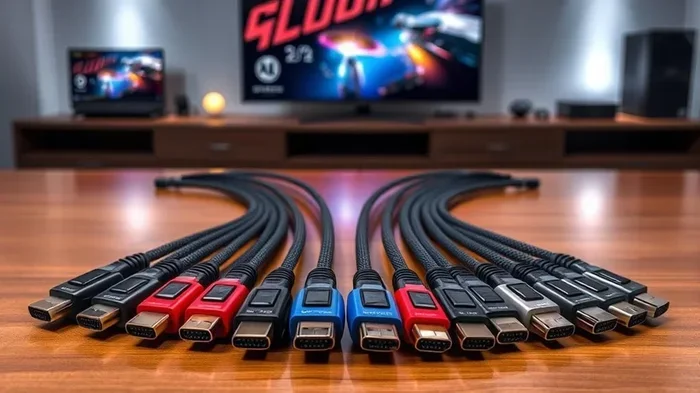
HDMI 2.1 brings big upgrades to gaming, including 4K at 120Hz, VRR, and much higher bandwidth. If you own a next-gen console or a high-end gaming monitor, this connection can seriously improve your experience. However, not every gamer needs it, so let us help you decide if the investment makes sense for your setup.
HDMI 2.1 is the latest version of the popular audio-video connection standard, and it has been turning heads in the gaming world. If you have been shopping for a new TV, monitor, or gaming setup, you have probably seen “HDMI 2.1” thrown around as a major selling point. But is HDMI 2.1 really worth it for gaming, or is it just marketing hype?
The short answer is: it depends on your setup and what you play. HDMI 2.1 brings serious upgrades like higher resolutions, faster refresh rates, and smarter display features. These improvements can make a huge difference if you are pushing high frame rates at 4K or playing on a next-gen console. On the other hand, if you are gaming at 1080p on an older screen, you might not notice much change.
In this guide, we will walk through everything you need to know about HDMI 2.1 for gaming. We will cover the key features, who benefits most, and whether the upgrade is right for you. By the end, you will know exactly if this connection standard deserves a spot in your gaming setup.
Key Takeaways
- HDMI 2.1 supports 4K at 120Hz and even 8K resolution, making it ideal for next-gen gaming.
- Features like VRR and ALLM reduce screen tearing and input lag, giving you a smoother gaming experience.
- You need both a compatible source and display to take advantage of HDMI 2.1 capabilities.
- Ultra High Speed HDMI cables are required to unlock the full bandwidth of HDMI 2.1.
- Console owners with PS5 or Xbox Series X benefit the most from upgrading to HDMI 2.1.
- Casual gamers on a 1080p setup may not see a big difference, so HDMI 2.0 could still work fine.
📑 Table of Contents
What Is HDMI 2.1?
HDMI 2.1 is the newest version of the HDMI standard. It was released in 2017 and brought a big leap in bandwidth and capabilities. The standard supports data transfer rates of up to 48 Gbps, which is a massive jump from the 18 Gbps offered by HDMI 2.0. This extra bandwidth opens the door to higher resolutions, faster refresh rates, and new gaming features.
Key Features of HDMI 2.1
HDMI 2.1 comes packed with features that are especially exciting for gamers. Here are the most important ones:
- Higher Bandwidth (48 Gbps): This is the foundation of everything else. More bandwidth means more data can flow through the cable every second, supporting richer visuals.
- 4K at 120Hz: You can run games at 4K resolution with a smooth 120 frames per second. This is a huge step up from the 60Hz limit of HDMI 2.0 at 4K.
- 8K at 60Hz: For those with 8K displays, HDMI 2.1 can deliver content at this ultra-high resolution.
- Variable Refresh Rate (VRR): This feature syncs the display refresh rate with the game’s frame rate, reducing tearing and stuttering.
- Auto Low Latency Mode (ALLM): This automatically switches the display to its lowest latency mode when you start gaming, reducing input lag.
- Quick Frame Transport (QFT): This reduces the time it takes for frames to travel from the source to the display, lowering latency even further.
- eARC (Enhanced Audio Return Channel): This supports high-quality audio formats like Dolby Atmos and DTS:X, which is great for immersive gaming audio.
How HDMI 2.1 Differs from HDMI 2.0
To understand why HDMI 2.1 matters, it helps to compare it with its predecessor. HDMI 2.0 maxes out at 18 Gbps of bandwidth. This limits you to 4K at 60Hz or 1080p at 240Hz. HDMI 2.1, with its 48 Gbps bandwidth, removes these bottlenecks. You can push 4K at 120Hz, 8K at 60Hz, or even higher refresh rates at lower resolutions. The gaming-specific features like VRR and ALLM were also not part of the HDMI 2.0 standard, making HDMI 2.1 a true upgrade for serious gamers.
Why HDMI 2.1 Matters for Gaming
Gaming demands a lot from your hardware. Every millisecond counts, and every frame matters. HDMI 2.1 was designed with these demands in mind. Let us look at why it has become such a big deal in the gaming community.
4K 120Hz Gaming
One of the biggest selling points of HDMI 2.1 is the ability to game at 4K resolution with a 120Hz refresh rate. At 4K, you get incredibly sharp and detailed images. At 120Hz, the motion is buttery smooth, which is especially noticeable in fast-paced games like shooters, racing games, and action titles. HDMI 2.0 simply cannot deliver both at the same time. With HDMI 2.1, you get the best of both worlds.
For example, if you are playing a racing game on a PS5 and your TV supports HDMI 2.1, you can experience the game at 4K with 120 frames per second. The result is a stunningly smooth and detailed image that makes you feel like you are right inside the game. This level of quality was not really possible before HDMI 2.1 came along.
VRR and ALLM Explained
Variable Refresh Rate, or VRR, is a game-changer for anyone who cares about smooth visuals. Without VRR, your display refreshes at a fixed rate, but your console or PC might not be outputting frames at that exact same rate. This mismatch causes screen tearing, where the top and bottom of the screen show different frames at the same time. VRR solves this by having the display adjust its refresh rate on the fly to match the frame rate the game is producing.
Auto Low Latency Mode, or ALLM, is equally important. When you launch a game, ALLM automatically tells your TV or monitor to switch to its gaming mode. This mode reduces input lag, which is the delay between pressing a button and seeing the action on screen. Lower input lag means more responsive controls, which can be the difference between winning and losing in competitive games.
These features are not just nice to have. They are essential for anyone who takes gaming seriously. And HDMI 2.1 is the first standard to include them natively.
HDMI 2.1 and Next-Gen Consoles
The rise of HDMI 2.1 is closely tied to the arrival of next-gen gaming consoles. Both the PlayStation 5 and the Xbox Series X support HDMI 2.1, and they are designed to take full advantage of its capabilities.
PlayStation 5 and HDMI 2.1
The PS5 outputs games at up to 4K with a 120Hz refresh rate. To unlock this, you need an HDMI 2.1 connection. Without it, you are capped at 4K 60Hz or lower. If you have invested in a 4K 120Hz TV, using an HDMI 2.1 cable ensures you are getting the full experience Sony intended. It is one of the easiest ways to boost your PS5 gaming performance.
Similarly, if you are looking to upgrade your entire setup, you might want to check whether your other gear is holding you back. For instance, if you are using a smaller system, you may want to see if mini PCs are good for gaming as an alternative setup option.
Xbox Series X and HDMI 2.1
The Xbox Series X also supports HDMI 2.1 and can output games at 4K 120Hz. Microsoft has been very vocal about the importance of HDMI 2.1 for the best Xbox experience. Features like VRR and ALLM are fully supported on the Xbox Series X through HDMI 2.1, making it a key part of the console’s value proposition.
Even if you are not on a next-gen console, HDMI 2.1 is still relevant. Many modern gaming PCs can output at 4K 120Hz or higher, and they need HDMI 2.1 to do so. If you are building or upgrading a gaming PC, make sure your graphics card, monitor, and cables all support HDMI 2.1 to get the full picture.
Do You Actually Need HDMI 2.1?
This is the million-dollar question, and the answer is not a simple yes or no. Whether HDMI 2.1 is worth it depends on several factors, including your current setup, what you play, and your budget.
Who Benefits Most from HDMI 2.1
Certain gamers will see a huge benefit from upgrading to HDMI 2.1. If any of the following apply to you, HDMI 2.1 is probably worth it:
- You own a PS5 or Xbox Series X: These consoles are built for HDMI 2.1. Without it, you are leaving performance on the table.
- You have a 4K 120Hz TV or monitor: HDMI 2.1 is the only way to unlock 4K 120Hz gaming on consoles and PCs.
- You play fast-paced competitive games: VRR and ALLM can significantly reduce screen tearing and input lag, giving you a competitive edge.
- You want the best visual quality: If you care about sharp images, smooth motion, and immersive audio, HDMI 2.1 delivers on all fronts.
For these users, the upgrade to HDMI 2.1 is a no-brainer. It unlocks features that simply are not available with older standards.
When HDMI 2.0 Is Still Fine
On the other hand, HDMI 2.1 is not essential for everyone. If you fall into any of these categories, you might not need to rush out and upgrade:
- You game at 1080p or 1440p: HDMI 2.0 can easily handle these resolutions at high refresh rates. You will not notice a difference with HDMI 2.1 at these settings.
- You use an older TV or monitor: If your display does not support 4K 120Hz or VRR, HDMI 2.1 will not add any benefit.
- You are a casual gamer: If you play slower-paced games or do not mind a little screen tearing, HDMI 2.0 will serve you just fine.
- You are on a tight budget: HDMI 2.1 cables and compatible displays can be more expensive. If the upgrade does not fit your budget, there is no shame in sticking with HDMI 2.0.
Sometimes the simplest choice is the best one. And if you are just starting out with a gaming setup, you might want to explore some other budget-friendly options first. For example, you could look into whether overclocking your monitor is worth it to squeeze more performance out of your current gear before spending on new connections.
HDMI 2.1 Cables and Equipment
If you decide that HDMI 2.1 is right for you, you will need the right cables and equipment to make it all work. Not all HDMI cables are created equal, and using the wrong one can limit your experience.
Ultra High Speed HDMI Cables
To support the full 48 Gbps bandwidth of HDMI 2.1, you need an Ultra High Speed HDMI cable. These cables are certified to handle the higher data rates and are backward compatible with older HDMI versions. Look for the Ultra High Speed HDMI certification label on the packaging. This ensures the cable has been tested and verified to work with HDMI 2.1 features.
Ultra High Speed HDMI cables are not overly expensive. A good quality one typically costs between 10 and 25 dollars, depending on the length and brand. This is a small price to pay for the massive performance boost you get. Just make sure you buy from a reputable brand to avoid counterfeit cables that do not actually support the full bandwidth.
TVs and Monitors with HDMI 2.1
Your display also needs to support HDMI 2.1 to take advantage of its features. Most modern 4K TVs from brands like Samsung, LG, Sony, and TCL now include at least one HDMI 2.1 port. If you are shopping for a new TV for gaming, look for models that have multiple HDMI 2.1 ports so you can connect more than one device.
For PC gamers, monitors with HDMI 2.1 are becoming more common, though they are still more expensive than their HDMI 2.0 counterparts. Brands like ASUS, LG, Samsung, and Acer now offer gaming monitors with HDMI 2.1 that support 4K 120Hz or even higher refresh rates at lower resolutions. If you are also considering upgrading your display, you might want to check if gaming glasses are worth it as well, since they can complement your new setup by reducing eye strain during long sessions.
Common Mistakes to Avoid
Even with HDMI 2.1, there are some pitfalls that can ruin your experience. Here are a few common mistakes to watch out for:
- Using a non-certified cable: Not all cables labeled “HDMI 2.1” actually support the full bandwidth. Always look for the Ultra High Speed certification.
- Assuming all ports on your TV are HDMI 2.1: Many TVs have a mix of HDMI 2.0 and HDMI 2.1 ports. Check your TV manual to find out which ports support the full standard.
- Ignoring your source device: Your console or PC also needs to support HDMI 2.1. If your source device only outputs HDMI 2.0, the cable and display will not make a difference.
- Not enabling VRR and ALLM in settings: Even with HDMI 2.1 hardware, these features need to be turned on in your console or display settings to work.
The Bottom Line
So, is HDMI 2.1 worth it for gaming? For most serious gamers with next-gen consoles or high-end setups, the answer is a clear yes. HDMI 2.1 delivers smoother visuals, lower input lag, and support for the highest resolutions and refresh rates available today. It is a future-proof investment that will serve you well as games and displays continue to evolve.
However, if you are gaming at lower resolutions on older hardware, HDMI 2.1 may not be a priority right now. Focus on the areas that will give you the biggest improvement for your specific situation. Whether you choose to upgrade now or wait, understanding what HDMI 2.1 offers puts you in a great position to make the best decision for your gaming experience.
Take a look at your current setup. Do you have a 4K 120Hz display? Do you own a PS5 or Xbox Series X? If so, HDMI 2.1 is definitely worth the upgrade. If not, there is no rush. Technology moves fast, and by the time you do upgrade, HDMI 2.1 will be even more affordable and widespread.
In the end, the best gaming setup is the one that fits your needs and budget. HDMI 2.1 is a powerful tool that can elevate your gaming experience, but it is not the only factor that matters. Combine it with a great display, solid hardware, and the right accessories, and you will be well on your way to the best gaming experience possible.
Frequently Asked Questions
Is HDMI 2.1 only for gaming?
No, HDMI 2.1 is not just for gaming. It also supports higher resolutions and better audio for movies, streaming, and general home entertainment. However, gaming is where its features like VRR and ALLM shine the most, making it especially valuable for gamers.
Can I use an HDMI 2.1 cable with an HDMI 2.0 device?
Yes, HDMI 2.1 cables are backward compatible with older HDMI versions. The connection will work, but you will only get the features supported by the older device. You will not get 4K 120Hz or VRR unless both the source and display support HDMI 2.1.
Do I need a new TV to use HDMI 2.1?
Yes, you need a TV or monitor that has at least one HDMI 2.1 port to take advantage of HDMI 2.1 features. If your current display only has HDMI 2.0 ports, upgrading the cable alone will not unlock the new capabilities.
Are all HDMI 2.1 cables the same?
Not all cables marketed as HDMI 2.1 are the same. Look for the Ultra High Speed HDMI certification to ensure the cable can handle the full 48 Gbps bandwidth. Cheaper uncertified cables may not deliver the performance you need.
Will HDMI 2.1 improve my gaming on a 1080p TV?
Not significantly. HDMI 2.1 is designed for higher resolutions and refresh rates. On a 1080p TV, HDMI 2.0 is already more than enough, and you will not see a meaningful improvement with HDMI 2.1 at that resolution.
How much does an HDMI 2.1 cable cost?
Ultra High Speed HDMI cables typically cost between 10 and 25 dollars for most lengths. Premium brands may charge a bit more, but you do not need to spend a fortune. Just make sure the cable is certified to avoid buying one that does not actually support HDMI 2.1 bandwidth.