Is Hdmi 2 1 the Best
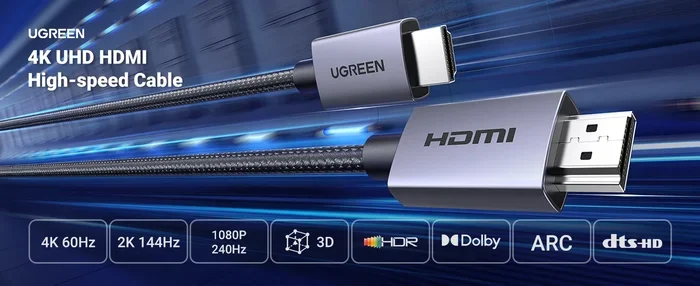
HDMI 2.1 is the latest and most advanced HDMI standard, offering massive upgrades in bandwidth, resolution, and refresh rate support. It brings features like 4K at 120Hz, 8K capability, VRR, and eARC that make it a game-changer for both gamers and movie lovers. If you own a modern console, PC, or TV, HDMI 2.1 might be the best upgrade you can make.
HDMI 2.1 has been making waves in the tech world. If you have been shopping for a new TV, monitor, or gaming setup, you have probably seen this term thrown around a lot. But what does it actually mean? And more importantly, is HDMI 2.1 really the best option for you?
The short answer is yes, for most people who want top-tier performance. HDMI 2.1 brings a ton of new features that improve both gaming and movie watching. But there is more to the story. In this guide, we will break down everything you need to know about HDMI 2.1, from its specs to its real-world benefits.
Whether you are a hardcore gamer, a movie enthusiast, or just someone who wants the best picture quality, this article will help you decide if HDMI 2.1 is the right choice for your setup. Let us dive in.
Key Takeaways
- HDMI 2.1 offers up to 48 Gbps bandwidth, far surpassing HDMI 2.0’s 18 Gbps, enabling stunning higher resolutions and refresh rates.
- 4K at 120Hz and 8K support make HDMI 2.1 ideal for next-gen gaming and ultra-high-definition content.
- Features like VRR, ALLM, and eARC improve gaming performance and home theater audio quality significantly.
- Not everyone needs HDMI 2.1 right now, but if you have a compatible TV or monitor, the benefits are hard to ignore.
- Ultra High Speed HDMI cables are required to get the most out of HDMI 2.1, and they are backward compatible.
- The best investment for your PC setup depends on your current hardware and what you plan to use it for.
📑 Table of Contents
What Is HDMI 2.1?
HDMI 2.1 is the newest version of the HDMI standard. It was released in 2017 and has since become the go-to connection for modern displays and devices. The biggest upgrade is bandwidth. HDMI 2.1 supports up to 48 gigabits per second (Gbps), compared to HDMI 2.0’s 18 Gbps. That is a huge jump.
This extra bandwidth allows for much higher resolutions and refresh rates. You can run 4K at 120Hz, 8K at 60Hz, and even 10K in some cases. For gamers, this means smoother gameplay and sharper visuals. For movie watchers, it means a more immersive experience with better color and detail.
HDMI 2.1 also introduces several new features that were not available before. These include Variable Refresh Rate (VRR), Auto Low Latency Mode (ALLM), and Enhanced Audio Return Channel (eARC). Each of these plays a big role in improving your viewing or gaming experience.
Key HDMI 2.1 Features
- Higher bandwidth up to 48 Gbps
- 4K at 120Hz and 8K at 60Hz support
- Variable Refresh Rate (VRR) for smoother gaming
- Auto Low Latency Mode (ALLM) for reduced input lag
- eARC for better audio quality
- Dynamic HDR for improved contrast and color
- Quick Frame Transport (QFT) for reduced latency
HDMI 2.1 vs HDMI 2.0: What Is the Difference?
Understanding the difference between HDMI 2.1 and HDMI 2.0 helps you see why the newer standard is so appealing. HDMI 2.0 has been the standard for several years and still works well for most everyday tasks. But HDMI 2.1 takes things to the next level.
The main differences come down to bandwidth, resolution support, and new features. HDMI 2.0 maxes out at 4K at 60Hz. HDMI 2.1 pushes that to 4K at 120Hz and beyond. For casual TV watching, HDMI 2.0 is still fine. But if you want the best experience, especially for gaming, HDMI 2.1 is the clear winner.
| Feature | HDMI 2.0 | HDMI 2.1 |
|---|---|---|
| Bandwidth | 18 Gbps | 48 Gbps |
| Max Resolution | 4K at 60Hz | 8K at 60Hz / 4K at 120Hz |
| VRR Support | No | Yes |
| ALLM Support | No | Yes |
| eARC Support | No | Yes |
| Dynamic HDR | No | Yes |
| Cable Type | Standard High Speed | Ultra High Speed |
As you can see, the gap is significant. If you are building a new PC or buying a next-gen console, HDMI 2.1 should be on your radar. It is also worth noting that HDMI 2.1 cables are backward compatible. You can use an Ultra High Speed HDMI cable with older devices, and it will work just fine at the lower bandwidth levels.
Why HDMI 2.1 Is Great for Gaming
Gaming is where HDMI 2.1 really shines. If you have a PS5, Xbox Series X, or a powerful gaming PC, HDMI 2.1 unlocks features that make games look and feel better. The 4K at 120Hz support alone is a game-changer for competitive and immersive gaming.
Variable Refresh Rate (VRR) is one of the most important features for gamers. VRR syncs your display’s refresh rate with your device’s frame rate. This reduces screen tearing and stuttering, giving you a smoother experience. If you have ever noticed visual glitches during fast-paced games, VRR fixes that problem.
Auto Low Latency Mode (ALLM) is another big deal. It automatically switches your TV or monitor to low-latency mode when you start gaming. This reduces input lag, meaning your actions on the controller or keyboard translate faster to what you see on screen. For competitive gamers, every millisecond counts.
If you are into PC gaming and want to optimize your setup, checking your Space Marine 2 best settings for PC can help you get the most out of your hardware. Pairing those settings with an HDMI 2.1 connection ensures you are getting the best possible performance.
Quick Tips for Gamers Using HDMI 2.1
- Make sure your TV or monitor supports HDMI 2.1 ports
- Use an Ultra High Speed HDMI cable to get full 48 Gbps bandwidth
- Enable VRR and ALLM in your device settings
- Check that your GPU or console firmware is up to date
- Test different refresh rates to find the sweet spot for your setup
Is HDMI 2.1 Worth It for Home Theater?
Even if you are not a gamer, HDMI 2.1 has a lot to offer for home theater setups. The eARC feature is a major upgrade for audio. eARC allows you to send high-quality audio from your TV to your soundbar or AV receiver. This means you can enjoy Dolby Atmos and other advanced audio formats without any compression or quality loss.
Dynamic HDR is another feature that improves your movie watching experience. Unlike static HDR, which applies the same settings to the entire video, Dynamic HDR adjusts the picture frame by frame. This results in better contrast, deeper blacks, and more vivid colors. Movies and shows look significantly better with Dynamic HDR enabled.
If you are investing in a new home theater system, choosing the best PC monitor for the money or a high-quality TV with HDMI 2.1 support can make a huge difference. The visual and audio improvements are noticeable right away. You do not need to be a tech expert to appreciate the difference that HDMI 2.1 brings to your entertainment setup.
One thing to keep in mind is that not all content supports 8K or 120Hz yet. Most streaming services still deliver 4K content at 30Hz or 60Hz. But as content creators adopt these new standards, having HDMI 2.1 ensures your setup is ready for the future. It is a forward-thinking investment that pays off over time.
Quick Tips for Home Theater Users
- Look for TVs and soundbars that support eARC for the best audio experience
- Use the HDMI ports labeled eARC on your TV for audio output
- Enable Dynamic HDR in your TV settings for movies
- Consider an Ultra High Speed HDMI cable for the best signal quality
- Check your content source to ensure it supports the features you want
Common Mistakes When Choosing HDMI Cables
One of the biggest mistakes people make is buying the wrong HDMI cable. Not all cables support HDMI 2.1 features. If you want to get the full 48 Gbps bandwidth and all the new features, you need an Ultra High Speed HDMI cable. These cables are certified to handle the demands of HDMI 2.1.
Another mistake is assuming that any HDMI cable will work for 4K at 120Hz. Older cables like High Speed HDMI cables max out at 18 Gbps, which is not enough for the full HDMI 2.1 experience. You might get a signal, but it will not be at the quality you expect.
People also sometimes overlook the importance of cable length. Longer cables can degrade the signal, especially at higher bandwidths. If you need a long run, look for cables with built-in signal boosters or fiber optic options. These maintain signal quality over longer distances.
Finally, do not fall for marketing gimmicks. Some cables are labeled with misleading terms like “HDMI 2.1 compatible” but do not actually meet the Ultra High Speed certification. Always look for the official Ultra High Speed HDMI label to ensure you are getting a genuine HDMI 2.1 cable.
Common Mistakes to Avoid
- Buying a cable without the Ultra High Speed certification
- Assuming all 4K cables support 120Hz
- Ignoring cable length and signal degradation
- Falling for misleading marketing labels
- Not checking if your devices actually support HDMI 2.1
Expert Insights on HDMI 2.1
Industry experts agree that HDMI 2.1 is the future of display connectivity. The increased bandwidth and new features address the growing demands of modern gaming and content creation. As display technology continues to evolve, HDMI 2.1 provides the foundation for higher resolutions and smoother experiences.
According to HDMI Licensing administrators, the adoption of HDMI 2.1 has grown rapidly since its release. Most new high-end TVs, monitors, and gaming consoles now include HDMI 2.1 ports. This widespread adoption means that investing in HDMI 2.1 equipment today ensures compatibility for years to come.
If you are wondering what kind of investment makes sense for your PC setup, consider the best investment for the lifespan of your PC. Upgrading to HDMI 2.1-compatible components is one of the smartest moves you can make. It extends the usefulness of your current setup and prepares you for future technology.
For those who also use their PC for emulation or retro gaming, the best emulator for PC in 2026 can take advantage of HDMI 2.1’s high refresh rate support for a smoother retro gaming experience. This combination of old and new technology is where HDMI 2.1 really flexes its muscles.
What Experts Say
- HDMI 2.1 is essential for next-gen gaming. The VRR and ALLM features alone justify the upgrade.
- eARC transforms home theater audio. It delivers uncompressed surround sound for a cinematic experience.
- Ultra High Speed cables are a must. Without the right cable, you cannot access the full benefits of HDMI 2.1.
- Backward compatibility is a huge plus. You do not need to replace all your existing devices at once.
Is HDMI 2.1 the Best Choice for You?
So, is HDMI 2.1 the best choice? For most people, the answer is yes. If you have a modern TV, a next-gen console, or a gaming PC with a powerful GPU, HDMI 2.1 gives you the best possible picture and audio quality. The features like VRR, ALLM, eARC, and Dynamic HDR are not just marketing buzzwords. They genuinely improve your experience.
That said, HDMI 2.1 is not a must-have for everyone. If you watch standard content on a 1080p TV or use older devices, HDMI 2.0 will still serve you well. The key is to match your connection to your setup. If you are building or upgrading a modern entertainment system, HDMI 2.1 is the way to go.
The beauty of HDMI 2.1 is its versatility. It works for gaming, movies, work, and everything in between. It is a single cable that handles both video and audio at the highest quality. Few other connections can match that level of convenience and performance.
As technology continues to advance, HDMI 2.1 will only become more important. 8K content is slowly becoming more available, and gaming is pushing toward even higher frame rates. By choosing HDMI 2.1 now, you are future-proofing your setup and ensuring you are ready for whatever comes next.
In conclusion, HDMI 2.1 is the best HDMI standard available today. It offers unmatched bandwidth, advanced features, and future-proof capabilities. Whether you are a gamer, a movie lover, or someone who just wants the best picture quality, HDMI 2.1 delivers on all fronts. The upgrade is worth it, and the benefits are real.
Frequently Asked Questions
Do I need an HDMI 2.1 cable for HDMI 2.1 features?
Yes, you do. To get the full 48 Gbps bandwidth and access features like 4K at 120Hz, you need an Ultra High Speed HDMI cable. Standard HDMI cables will not support these capabilities.
Is HDMI 2.1 backward compatible?
Absolutely. HDMI 2.1 cables and ports work with older HDMI devices. You can plug an Ultra High Speed HDMI cable into an HDMI 2.0 port, and it will work at the lower bandwidth levels. The connection is fully compatible across versions.
Can I use HDMI 2.1 for PC gaming?
Yes, HDMI 2.1 is great for PC gaming. It supports high refresh rates and VRR, which reduce screen tearing and make games smoother. Just make sure your GPU and monitor both support HDMI 2.1 to get the full benefits.
Does HDMI 2.1 improve audio quality?
It does, thanks to eARC. Enhanced Audio Return Channel allows you to send uncompressed, high-quality audio from your TV to your sound system. This means better surround sound and support for formats like Dolby Atmos.
Are all 4K TVs HDMI 2.1 compatible?
No, not all 4K TVs support HDMI 2.1. Many older 4K TVs only have HDMI 2.0 ports. If you want HDMI 2.1 features, make sure to check the TV’s specifications before purchasing. Look for ports labeled as HDMI 2.1.
Is HDMI 2.1 only for gaming?
No, HDMI 2.1 benefits all types of content. While gamers get the most noticeable improvements, movie watchers also enjoy better HDR, higher resolutions, and superior audio through eARC. It is a versatile standard that enhances any viewing experience.
=== CONCLUSION ===
HDMI 2.1 is the best HDMI standard available right now, and it is easy to see why. The massive bandwidth upgrade, support for 4K at 120Hz and 8K, and features like VRR, ALLM, and eARC make it a must-have for anyone serious about their display setup. Whether you are a gamer chasing the smoothest gameplay or a movie lover craving cinematic quality, HDMI 2.1 delivers.
The best part is that HDMI 2.1 equipment is becoming more affordable and widely available. Ultra High Speed HDMI cables are reasonably priced, and more TVs and monitors are including HDMI 2.1 ports as standard. It is no longer a luxury feature reserved for expensive setups. It is becoming the norm.
If you are ready to upgrade your setup, start by checking your current devices for HDMI 2.1 support. Then invest in the right cables and accessories to unlock the full potential of this impressive standard. You will notice the difference immediately, and your setup will be ready for whatever display technology comes next.