Sell Your Laptop Fast
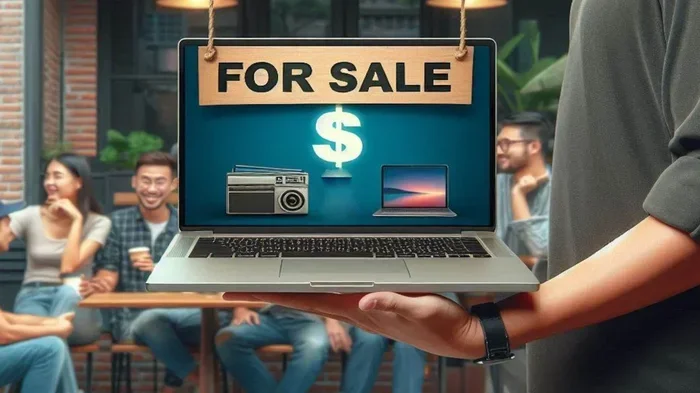
Selling your laptop fast is easier than you think when you follow the right steps. This guide covers everything you need to know about selling your laptop fast, from preparing your device and choosing the best platform to pricing it correctly and closing the deal safely. Whether you have an old workhorse or a high-end gaming machine, you will find actionable tips to maximize your resale value and get cash in your hands quickly.
Have an old laptop collecting dust in a closet? Maybe you just upgraded to a newer model, or your current machine no longer meets your needs. Whatever the reason, sell your laptop fast is likely what you are searching for right now. The good news is that turning that unused device into cash is simpler than most people think.
There are many ways to sell a laptop, but not all of them work equally well. Some methods take days, while others might leave you waiting for weeks. The key is knowing which approach fits your timeline, your laptop’s condition, and your target price. This guide walks you through every step to make the process smooth and profitable.
Whether you want to sell your old laptop for quick cash or maximize the return on a high-end machine, you are in the right place. Let us dive into the strategies that actually work in 2024 and beyond.
Key Takeaways
- Clean and back up your data first: A fresh, wiped laptop looks better and sells faster to any buyer.
- Choose the right selling platform: Online marketplaces, trade-in programs, and local buyers each have pros and cons.
- Set a fair price based on condition and specs: Research comparable listings to price your laptop competitively.
- Upgrade components before selling: Adding RAM or swapping in an SSD can significantly boost your laptop’s resale value.
- Sell your broken laptop too: Even non-working laptops have value through specialized buyers and repair shops.
- Protect yourself during transactions: Meet in safe locations and use secure payment methods when selling locally.
📑 Table of Contents
- Why Selling Your Laptop Fast Matters
- Prepare Your Laptop for Sale
- Choose the Best Platform to Sell
- Set the Right Price for Your Laptop
- Maximize Your Laptop’s Value Before Selling
- Write a Great Listing Description
- Close the Sale Safely and Quickly
- Common Mistakes to Avoid When Selling Your Laptop
- What If Your Laptop Is Broken or Old?
- Final Thoughts
Why Selling Your Laptop Fast Matters
Laptops lose value over time. Every month you wait, the resale price drops. Technology moves fast, and buyers always prefer newer models. If you want to get cash for laptop devices you no longer use, acting quickly gives you the best shot at a good price.
Beyond money, there are practical reasons to sell fast. Old laptops take up space, and holding onto them rarely makes sense. Many people also have data security concerns. The longer a used device sits unused, the more risk there is if it falls into the wrong hands. Selling quickly solves all of these problems at once.
The Hidden Value in Old Laptops
Here is something many people do not realize. Even a five-year-old laptop can still be worth $100 to $300 or more, depending on the specs. Buyers looking for budget machines, students, or anyone needing a backup device will pay for a working laptop. You might be sitting on more value than you think.
If your laptop has a solid processor, enough memory, and a decent screen, do not assume it is worthless. There is always a market for affordable computing. The trick is finding the right buyer and presenting the device in the best possible light.
Prepare Your Laptop for Sale
First impressions matter a lot when selling electronics. A clean, well-organized laptop signals to buyers that the device was cared for. This simple step can shave hours off your selling time and help you command a higher price.
Back Up and Wipe Your Data
Before anything else, back up all your important files. Use an external hard drive or cloud storage to save documents, photos, and anything else you need. Once your data is safe, you need to wipe your laptop clean of all personal information.
Do a full factory reset. On Windows, go to Settings and select “Reset this PC.” On a Mac, use Disk Utility to erase the drive and reinstall macOS. This ensures no personal data remains. A clean device also runs faster, which makes a better impression on buyers.
Clean the Hardware Thoroughly
Take a soft cloth and gently wipe down the screen and body. Use compressed air to blow dust out of the keyboard and vents. If the keyboard is sticky, a quick cleaning can make a big difference. Check for any scratches or damage and note them honestly when you list the laptop.
Many buyers search for a laptop with a clean, working keyboard and a scratch-free screen. Spending 20 minutes on physical cleaning can add $20 to $50 to your final price. It is one of the easiest laptop selling tips out there.
Gather Original Accessories and Packaging
If you still have the charger, the original box, and any paperwork, keep them. Buyers often pay more for a complete package. A laptop with its charger and box looks more legitimate and trustworthy than one sold with a random replacement cable.
Choose the Best Platform to Sell
Where you list your laptop matters just as much as how you prepare it. Different platforms attract different buyers, and each has its own fees, timelines, and convenience levels. Picking the right one can mean the difference between a quick sale and a long wait.
Online Marketplaces
Platforms like eBay, Facebook Marketplace, and Craigslist give you the most control over pricing and who you sell to. You set your price, write the description, and choose how to handle payment. These sites work well if you want to sell your laptop online and are comfortable handling local transactions.
The downside is that you deal with potential scammers and time-wasters. You also need to ship the laptop if the buyer is not local. Always use secure payment methods and meet in public places for local sales.
Trade-In Programs
Many retailers and manufacturers offer trade-in programs. Amazon, Best Buy, and Apple all have options where you can get a quote and ship your laptop for free. The process is fast and convenient, but the offers are usually lower than what you would get selling privately.
If speed is your top priority, trade-in programs are hard to beat. You can often get a quote in minutes and receive payment within days. This is a great option if you want to trade in laptop devices without the hassle of finding individual buyers.
Specialized Laptop Buyers
There are websites and services dedicated to buying used laptops. Gazelle, Decluttr, and Swappa are popular options. They give you an instant quote based on your laptop’s specs and condition. If the quote works for you, they handle the rest, including free shipping and payment.
These services are ideal if you want a straightforward, no-negotiation process. However, compare their offers against what you might get from a private sale. Sometimes the difference is worth the extra effort of listing elsewhere.
Set the Right Price for Your Laptop
Pricing is where many sellers make mistakes. Price too high, and you will wait forever for a buyer. Price too low, and you leave money on the table. The sweet spot is a fair price that reflects your laptop’s condition, specs, and current market demand.
Research Comparable Listings
Before setting a price, search for similar laptops on your chosen platform. Look at sold listings, not just active ones, to see what buyers actually paid. Check the model name, processor type, RAM amount, and storage size. Compare apples to apples for the most accurate pricing.
For example, if you are looking to sell your laptop fast, check what similar models in the same condition are listed for on eBay and Facebook Marketplace. Take the average and adjust slightly downward if you need a quick sale, or hold firm if you can wait for the right buyer.
Factor in Condition and Upgrades
A laptop in mint condition with original packaging will always sell for more than a scratched, well-used one. Be honest about any wear and tear. Buyers appreciate transparency and will trust your listing more.
If you have upgraded your laptop, mention it in the listing. Adding more RAM or installing a fast SSD can make a big difference. Even a simple upgrade like swapping in a 2TB NVMe SSD for laptop use can make older models feel new again and justify a higher asking price.
Quick Tips for Pricing
- Check sold listings, not just active ones, for real market value.
- Price 5 to 10 percent below the highest comparable listing for a fast sale.
- Include the price in the title to attract serious buyers.
- Be open to reasonable offers but set a bottom line you are comfortable with.
- Bundle accessories like chargers or cases to justify a slightly higher price.
Maximize Your Laptop’s Value Before Selling
Sometimes a small investment before selling pays off big. Upgrading certain components or fixing minor issues can boost your laptop’s resale value significantly. This section covers the most effective ways to make your laptop more attractive to buyers.
Upgrade the RAM
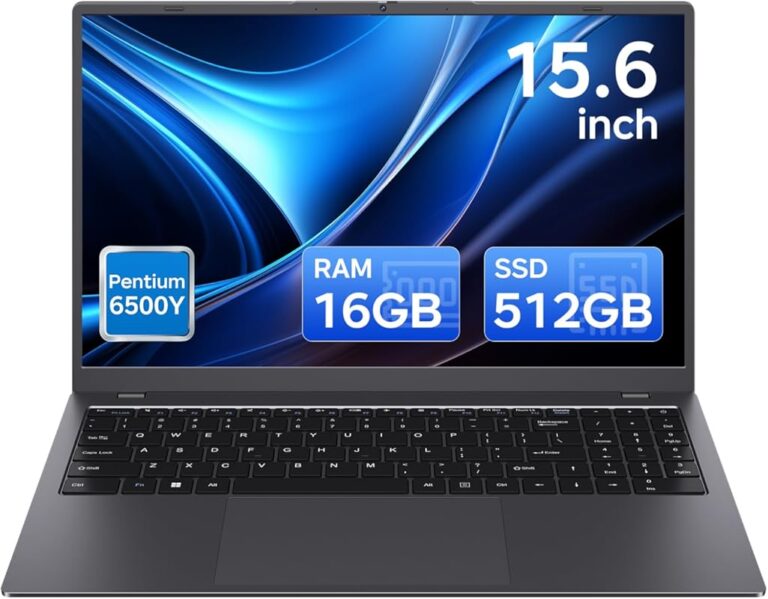
Memory is one of the first things buyers check. A laptop with 8GB of RAM feels outdated in 2024. If your laptop supports it, upgrading to 16GB or more can increase the resale value by a noticeable margin. Many laptops with expandable RAM up to 64GB can see a significant price bump after an upgrade.
If you are unsure how to do this yourself, check your laptop’s manual or watch a quick video tutorial. The process is usually straightforward and takes less than 15 minutes. The cost of a RAM upgrade is often recovered many times over in the higher sale price.
Replace the Hard Drive with an SSD
A traditional hard drive slows down any laptop. Replacing it with a fast NVMe M.2 SSD transforms the performance and makes the machine much more appealing to buyers. Even older laptops feel snappy with a solid-state drive installed.
A 512GB PCIe NVMe M.2 SSD for laptop is a popular and affordable upgrade. Buyers love laptops that already have an SSD because it saves them the hassle and cost of doing it themselves. This is one of the best upgrades you can make if you want to get the best price for your laptop.
Fix Minor Issues Before Listing
Does your laptop mouse cursor freeze or behave erratically? A quick fix can save you from buyers backing out of a deal. If the touchpad is acting up, check the drivers or try a simple reset. Sometimes the issue is as simple as a stuck key or a dirty sensor.
Small repairs like these take minutes but make a huge difference in buyer confidence. A laptop that works perfectly out of the box sells faster and at a better price than one with known issues. If you cannot fix something, be upfront about it and adjust the price accordingly.
Write a Great Listing Description
Your listing is your sales pitch. A well-written description builds trust and answers buyer questions before they even ask. Spend time crafting a clear, honest, and detailed listing.
What to Include in Your Listing
- The exact model name and number.
- Processor type and generation.
- Amount of RAM and storage type and capacity.
- Screen size and resolution.
- Battery health and cycle count.
- Any scratches, dents, or cosmetic issues.
- What is included in the sale (charger, box, etc.).
- Why you are selling the laptop.
Use Clear, Honest Photos
Take photos in a well-lit room with a plain background. Show the laptop from multiple angles, including the screen, keyboard, bottom, and any ports. Include close-ups of any imperfections. Honest photos build trust and reduce the chances of returns or disputes.
Buyers want to see what they are getting. A listing with clear photos and a detailed description will always outperform one with a single blurry picture. This is one of the simplest yet most effective laptop selling tips you can follow.
Close the Sale Safely and Quickly
Once you have a buyer interested, the final steps matter just as much as everything before. A smooth, safe transaction builds your reputation and encourages positive feedback or reviews.
For Local Sales
If you are selling to someone nearby, meet in a public place like a coffee shop or shopping center. Bring a friend if possible. Accept cash or use a secure payment app like Venmo or PayPal. Never accept cashier’s checks or wire transfers from strangers, as these are common scam methods.
Let the buyer test the laptop on the spot. Open it up, check the screen, keyboard, and ports. Answer any questions honestly. A smooth in-person sale builds trust and often leads to repeat business or referrals.
For Online Sales
When shipping a laptop, use a sturdy box with plenty of padding. Wrap the laptop in bubble wrap and secure it so it cannot move inside the box. Take photos of the laptop before packing as proof of its condition at the time of shipment.
Use a tracked shipping service and require a signature on delivery. This protects you in case the buyer claims the item was damaged or never received. Keep all shipping receipts and tracking numbers until the transaction is complete.
Common Mistakes to Avoid When Selling Your Laptop
Even experienced sellers make mistakes. Knowing what to avoid can save you time, money, and frustration. Here are the most common pitfalls and how to steer clear of them.
- Overpricing your laptop: Check the market first. An unrealistic price will scare away serious buyers and make your listing look outdated.
- Skipping the data wipe: Leaving personal data on a sold laptop is a serious security risk. Always do a full factory reset before handing it over.
- Being vague in the description: Buyers want details. Vague listings get ignored or lead to returns when the buyer feels misled.
- Ignoring minor repairs: A $10 fix can add $50 or more to your sale price. Do not overlook small issues that are easy to address.
- Selling through unverified channels: Stick to reputable platforms and trusted buyers. If a deal feels too good to be true, it probably is.
Avoiding these mistakes keeps your selling process smooth and protects both you and the buyer. A trustworthy reputation leads to faster sales and better offers over time.
What If Your Laptop Is Broken or Old?
Not every laptop is in perfect shape, and that is okay. Even broken or very old laptops have value. Many buyers specialize in purchasing non-working devices for parts or repair.
Check your local electronics recycling centers or repair shops. They often buy broken laptops cheaply. You can also list the device as-is on platforms that cater to repair enthusiasts. Be upfront about the condition, and you will find a buyer willing to work with it.
Do not let a broken laptop collect dust forever. Even if the screen is cracked or the motherboard has issues, the hard drive, RAM, and other components may still be valuable. Selling a broken laptop is always better than throwing it away.
Final Thoughts
Selling your laptop fast does not have to be stressful or complicated. With the right preparation, the right platform, and a fair price, you can turn your old device into cash in just a few days. The key is to act quickly, present your laptop honestly, and choose a selling method that fits your needs.
Start by backing up your data, cleaning the laptop, and researching the market price. Pick a platform that matches your timeline, write a clear and detailed listing, and handle the transaction safely. Follow these steps and you will be well on your way to a successful and profitable sale.
Remember, every day you wait is a day your laptop loses value. Take action today, and you will be surprised how quickly and easily you can sell your laptop fast and move on to your next upgrade.
Frequently Asked Questions
What is the fastest way to sell a laptop?
The fastest way is to use a trade-in program or a buyback service like Amazon Trade-In, Best Buy, or Gazelle. You get an instant quote, ship the laptop for free, and receive payment within days. If you prefer a local sale, Facebook Marketplace or Craigslist can also produce quick results if you price competitively.
How much can I get for my old laptop?
The resale value depends on the brand, model, specs, and condition. Most laptops from the last five years sell for $100 to $500. High-end models with upgraded components like extra RAM or a new SSD can fetch even more. Check sold listings on eBay for the most accurate estimate.
Should I upgrade my laptop before selling it?
Yes, upgrading RAM or replacing the hard drive with an SSD can significantly boost the resale value. These are relatively inexpensive upgrades that buyers notice immediately. A laptop that already has 16GB of RAM and a fast SSD feels modern and commands a higher price than one with outdated specs.
Is it safe to sell my laptop online?
It is safe if you take the right precautions. Use reputable platforms, meet in public for local sales, and accept secure payment methods. Always wipe your data before handing over the device. Never share personal information or accept payment through unsafe methods like wire transfers or cashier’s checks.
Can I sell a laptop that does not turn on?
Yes, you can. Many buyers specialize in purchasing non-working laptops for parts or repair. List the device honestly, describe the issue clearly, and price it accordingly. You can also check with local repair shops or electronics recyclers who may be interested.
How do I wipe my laptop before selling it?
On Windows, go to Settings, select “Update & Security,” then “Recovery,” and choose “Reset this PC.” Select “Remove everything” to wipe all personal data. On a Mac, restart and hold Command + R to enter Recovery Mode, then use Disk Utility to erase the drive. Always back up your files first.