What Are the Four Main Components of a General Purpose Computer

A general purpose computer has four main components that work together to process, store, and move data. These are the central processing unit, memory, storage, and input/output devices. Understanding each part helps you make better decisions about buying, building, or upgrading your system.
A general purpose computer is a machine designed to handle many different tasks. From browsing the web to editing photos, these devices rely on a set of core parts working in harmony. If you have ever wondered what makes your computer tick, the answer lies in four main components. Each part plays a unique role, and none of them can do the job alone.
In this guide, we will break down every computer component in plain language. You do not need to be a tech expert to understand how these parts work. Whether you are a student, a home user, or someone looking to build a new system, this article will give you the clarity you need. Let us dive into the world of computer hardware and explore what makes a computer a computer.
Key Takeaways
- The CPU acts as the brain of the computer, executing instructions and handling calculations.
- Memory (RAM) provides short-term workspace for active tasks and running applications.
- Storage holds your data permanently, including files, apps, and the operating system.
- Input and output devices let you interact with the computer and receive results.
- All four components must work together for a computer to function properly.
- Knowing these parts helps you troubleshoot issues and choose the right upgrades.
📑 Table of Contents
- What Is a General Purpose Computer?
- The Four Main Components of a Computer
- How These Components Work Together
- Why Understanding Computer Components Matters
- Quick Tips for Maintaining Your Computer
- Common Mistakes People Make With Computer Components
- Expert Insight: The Future of Computer Components
- Final Thoughts
What Is a General Purpose Computer?
A general purpose computer is built to perform a wide range of tasks. Unlike a specialized device like a calculator or a washing machine controller, a computing device like a desktop or laptop can run games, spreadsheets, video editors, and web browsers. This flexibility comes from its design and the four core parts inside it.
The idea behind a general purpose system is simple. You give it different instructions, and it follows them. This is possible because of the way the computer architecture is built. Each part has a specific job, and together they create a machine that can adapt to almost any workload. Think of it like a kitchen. The stove, the fridge, the knives, and the counter all do different things. But together, they let you cook almost anything.
The Four Main Components of a Computer
Every general purpose computer has four essential parts. These are the pieces that make everything else possible. Let us look at each one in detail.
Component 1: The Central Processing Unit (CPU)
The CPU is often called the brain of the computer. It carries out instructions from programs and handles all the calculations your system needs. Without a CPU, nothing happens. You press a key, and the CPU processes that input. You click a mouse, and the CPU figures out what to do next.
The central processing unit has two main jobs. First, it fetches instructions from memory. Second, it decodes and executes those instructions. This cycle happens billions of times per second in modern processors. That is why your computer can do so many things so quickly.
When people talk about processing speed, they are usually referring to the CPU. A faster processor means your computer parts can work through tasks more quickly. This affects everything from boot times to how smoothly your games run. The CPU sits on the motherboard, which is the main circuit board that connects all the components together.
Modern CPUs come with multiple cores. Each core can handle its own set of instructions. This means a multi-core processor can do several things at the same time. That is why system performance has improved so much over the years. More cores generally mean better multitasking and faster data processing.
Component 2: Memory (RAM)
Random access memory, or RAM, is the short-term workspace of your computer. When you open a program, it loads into RAM. When you edit a document, the changes happen in RAM. RAM is fast, but it is temporary. Once you turn off your computer, the data in RAM disappears.
Think of RAM like a desk. The bigger your desk, the more papers you can spread out and work on at the same time. Similarly, more computer memory lets you run more apps without slowing down. If you do not have enough RAM, your system has to work harder, and everything gets sluggish.
So what is the ram of a laptop, exactly? It is a small chip or set of chips that plugs into the motherboard. The amount of RAM you have directly affects how well your system handles multitasking. For most users, 8GB is a solid starting point. But if you edit video or play demanding games, you may want more.
Understanding what does the ram do in a laptop is key to grasping how your computer works. RAM bridges the gap between your slow storage drive and your fast CPU. It holds the data your processor needs right now, so the CPU does not have to wait. This makes your entire system feel much more responsive.
If you are wondering whether your current setup is enough, consider this: is 8gb of ram enough for a laptop? For everyday tasks like web browsing, email, and office work, 8GB is usually fine. But power users often benefit from 16GB or more. The right amount depends on what you do with your machine.
Component 3: Storage
While RAM is temporary, storage is permanent. Your storage drive holds your operating system, applications, documents, photos, and everything else. Even when you turn off the computer, the data stays put. This is what makes storage so important.
There are two main types of hard drive storage you will encounter. The first is the traditional hard disk drive, or HDD. It uses spinning disks to read and write data. HDDs offer a lot of space at a low price. The second type is the solid state drive, or SSD. It has no moving parts and uses flash memory instead. SSDs are much faster and more reliable than HDDs.
Most modern computers use SSDs as their main drive. They load programs faster and boot up in seconds. If you need a lot of extra space, you can add an HDD for storing large files like videos and backups. Many laptops with a lot of ram also come with fast SSDs to keep everything running smoothly.
The storage drive connects to the motherboard through a cable or socket. When your CPU needs to access a file, it sends a request to the storage drive. The drive finds the file and sends it back. This process happens in milliseconds, which is why you can open programs and files so quickly.
Component 4: Input and Output Devices
The final piece of the puzzle is input and output devices. These are the parts you actually touch. Input devices let you send data to the computer. Output devices let the computer send data back to you. Together, they create the bridge between you and the machine.
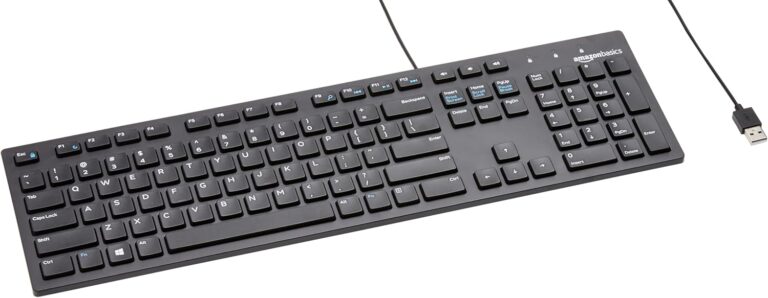
Common input devices include keyboards, mice, touchpads, and microphones. Webcams and scanners are also input devices. When you type on a keyboard or click a mouse, you are giving the computer instructions. The CPU processes those instructions, and the result appears on your screen.
Output devices include monitors, speakers, and printers. Your monitor displays visual information. Your speakers play sound. Your printer produces physical copies of digital documents. All of these are peripheral devices that expand what your computer can do.
Some devices work as both input and output. A touchscreen on a laptop, for example, lets you tap to input commands and also displays results. USB drives can both receive data from and send data to the computer. This flexibility is part of what makes modern computer parts so versatile.
How These Components Work Together
The four components do not work in isolation. They communicate constantly through the motherboard. When you open a program, here is what happens behind the scenes. Your input device sends a signal to the CPU. The CPU fetches the program from storage. It loads the program into RAM. Then it processes the instructions and sends the results to the output device.
This whole cycle takes place in fractions of a second. The speed of your system performance depends on how well all four parts work together. A fast CPU with slow storage will still feel sluggish. Plenty of RAM with a weak CPU will bottleneck your data processing. Balance is key.
The motherboard acts as the central hub. It provides the pathways for data to travel between components. Every hardware component connects to the motherboard in some way. The quality and design of the motherboard can affect how well your parts communicate with each other.
Understanding this teamwork helps you make smarter buying decisions. If you want a faster computer, you need to think about all four parts. Upgrading just one component may not solve your problem. The best approach is to look at the whole system and find the bottleneck.
Why Understanding Computer Components Matters
Knowing the four main parts of a computer gives you real-world benefits. It helps you troubleshoot problems. It guides you when shopping for a new machine. And it empowers you to get the most out of your current setup.
For example, if your computer runs slowly, you can check whether the issue is with your computer memory, your storage, or your processor. If games lag, you might need a better CPU or more RAM. If your computer takes forever to start up, your storage drive might be the culprit. This kind of diagnostic thinking saves you time and money.
It also helps you talk to tech support or salespeople with confidence. Instead of feeling overwhelmed by jargon, you can ask the right questions. You know what matters and why. That knowledge is power, whether you are buying a new laptop or fixing an old one.
If you are curious about checking your current specs, you can learn how to check the ram of a laptop in just a few minutes. This simple skill gives you insight into your system’s capabilities and helps you plan upgrades more effectively.
Quick Tips for Maintaining Your Computer
Taking care of your computer hardware keeps all four components running smoothly. Here are some simple tips you can follow today.
- Keep your software updated. Updates often include performance improvements and security fixes that help your CPU and memory work better.
- Don’t overload your storage drive. Aim to keep at least 15 to 20 percent of your drive free. This helps your system maintain good speed.
- Restart your computer regularly. This clears your RAM and gives your CPU a fresh start. It is one of the simplest ways to keep things running smoothly.
- Use a surge protector. Power surges can damage sensitive components. A good surge protector is inexpensive and worth the peace of mind.
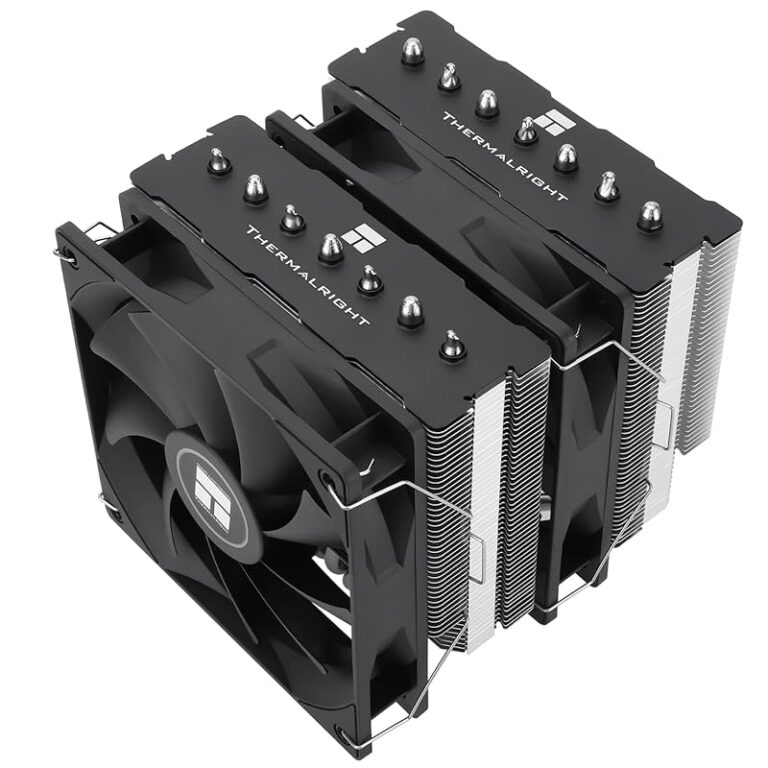
- Clean the vents and fans. Dust buildup causes overheating, which can slow down your CPU and shorten the life of your hardware.
- Scan for malware regularly. Malicious software can consume your memory and processing power without you even knowing it.
Common Mistakes People Make With Computer Components
Even tech-savvy users sometimes make mistakes when thinking about their computer parts. Here are a few to avoid.
- Ignoring RAM when buying a new system. Many people focus only on the CPU or storage and overlook memory. But RAM is just as important for everyday performance.
- Confusing storage and memory. Storage holds your files permanently. Memory holds them temporarily while you work. They are not the same thing.
- Thinking more cores always means better performance. More cores help with multitasking, but single-core speed matters too. The balance between the two is what counts.
- Neglecting cooling. A hot CPU slows down and can even get damaged. Good airflow and thermal paste go a long way.
Expert Insight: The Future of Computer Components
The four main components of a computer have evolved a lot over the decades. CPUs keep getting faster and more efficient. RAM speeds continue to improve. Storage technology has shifted from spinning disks to flash memory. And input and output devices have become more intuitive and versatile.
Looking ahead, we can expect even more changes. Processors are becoming more specialized, with separate chips for AI tasks and graphics. Memory technologies like DDR5 offer higher speeds and better efficiency. Storage is getting faster with technologies like PCIe 5.0 NVMe drives. And new input methods, like gesture control and eye tracking, are redefining what output devices can do.
Despite all these changes, the basic architecture remains the same. The four core components are still the foundation of every general purpose computer. Understanding them today means you are prepared for whatever comes next.
Final Thoughts
The four main components of a general purpose computer are the CPU, memory, storage, and input/output devices. Each one plays a vital role, and all four must work together for your system to run well. Whether you are a casual user or a power user, knowing how these parts function gives you an edge.
Understanding your computer hardware does not require a degree in engineering. It just takes curiosity and a willingness to learn. With the knowledge you have gained from this guide, you can make smarter choices, troubleshoot problems with confidence, and get the most out of your machine every single day.
So the next time you sit down at your computer, take a moment to appreciate the four components working hard behind the scenes. They are the reason your machine can do almost anything you ask of it. And now, you know exactly how they make it all happen.
Frequently Asked Questions
What are the four main components of a general purpose computer?
The four main components are the central processing unit (CPU), memory (RAM), storage, and input/output devices. Each part has a specific job, and together they allow the computer to process, store, and move data effectively.
What does the CPU do in a computer?
The CPU executes instructions and performs calculations. It acts as the brain of the computer, fetching, decoding, and executing commands from programs. Without a CPU, the computer cannot function at all.
How much RAM do I really need?
For most everyday tasks, 8GB of RAM is sufficient. However, if you do video editing, gaming, or heavy multitasking, 16GB or more will give you a smoother experience. The right amount depends on your specific needs and workload.
Can I upgrade just one component of my computer?
Yes, you can upgrade individual components like RAM or storage. However, the best performance comes from balanced upgrades. If one component is significantly weaker than the others, it can limit the overall performance of your system.
What is the difference between storage and memory?
Storage is permanent and holds your files, apps, and operating system even when the computer is off. Memory (RAM) is temporary and only holds data while the computer is running. When you turn off the computer, RAM is cleared.
Why are input and output devices important?
Input and output devices are how you interact with your computer. Without them, you cannot send commands or receive results. They include keyboards, mice, monitors, and speakers, and they bridge the gap between you and the machine.