10 Expert-Approved Best Buy Monitors for Computers

Finding the right monitor can transform your computing experience, whether you’re working, gaming, or creating. With so many options at Best Buy, it’s easy to feel overwhelmed by specs and features. That’s why we’ve done the hard work for you. We tested and evaluated dozens of models to bring you this curated list of the absolute best buy monitors for computers available right now. From crisp 4K panels for designers to ultra-smooth gaming screens, we’ve found top performers across every budget and need.
Quick Product Comparison
Our Top 10 Best Buy Monitors For Computers Reviews – Expert Tested & Recommended
1. Samsung LS27D366GANXZA Curved Gaming Monitor
This Samsung curved monitor is a fantastic all-around pick that excels for both work and play. The 1800R curvature wraps the screen around your field of view, making everything from spreadsheets to games feel more immersive and reducing eye strain during long sessions. The 100Hz refresh rate is a sweet spot, offering noticeably smoother motion than standard 60Hz without needing a high-end graphics card. It’s a well-built, reliable screen that feels like a genuine upgrade for any desktop.
Key Features That Stand Out
- ✓ 1800R Curvature for immersive viewing and reduced eye fatigue
- ✓ 100Hz Refresh Rate with AMD FreeSync for smooth, tear-free visuals
- ✓ Game Mode optimizes contrast and color for better visibility in games
- ✓ Advanced Eye Comfort technology to minimize blue light and flicker
- ✓ Three-sided borderless design for a sleek, modern look
Why We Recommend It
It hits a perfect balance. The curve makes a real difference in comfort, the 100Hz refresh rate makes everyday scrolling and gaming feel fluid, and Samsung’s build quality is evident. You get premium features without the premium price tag of higher-end gaming monitors. It’s versatile enough to be the heart of a productive workstation or a capable casual gaming setup.
Best For
Anyone wanting a significant visual upgrade from a basic flat screen. It’s ideal for home office workers, students, and casual gamers who value comfort and smoothness over extreme competitive performance.
Pros and Cons
Pros:
- Excellent value for a curved, 100Hz panel from a top brand
- Superb color accuracy and contrast out of the box
- Very easy to set up with clear, intuitive menus
- Stylish design with minimal bezels
Cons:
- Stand is basic and lacks height adjustment without a mount
- No built-in speakers
- HDR support is basic and not particularly impactful
Customer Reviews
Customer Review: This Samsung 27″ Essential S3 curved monitor has been a great upgrade. The picture quality is crisp and clear in Full HD, and the 1800R curve makes it much more comfortable for long work or gaming sessions by reducing eye strain.The 100Hz refresh rate is a noticeable improvement over standard monitors—everything feels smoother, especially when scrolling or gaming. Game Mode is a nice bonus and really helps enhance contrast and visibility while playing.Setup was quick and easy, and the monitor feels well-built for the price. Overall, this is an excellent value with great performance, solid quality, and a sleek design. Highly recommend for work, casual gaming, or everyday use.
Customer Review: What’s not to love about a Samsung curved monitor?This is my first curved monitor and I was a little worried that it might be strange to work with. I use it in my home office and I have honestly loved it from day 1.The picture quality is lovely, it is easy on my eyes, and I get a lot less eye strain since getting this.My son has one that he uses for gaming (I know traditionally these curved monitors were made for gaming) so I can imagine it provides quite an immersive experience. The stand is the perfect height and the set up was easy.
2. Samsung LS32B304NWNXGO Computer Monitor

For those who want a massive, clean workspace without breaking the bank, this 32-inch Samsung is a standout. The three-sided borderless design makes it look sleek and modern, especially when paired with another monitor. While its 75Hz refresh rate isn’t for competitive esports, it’s a smooth upgrade for general use and light gaming. The combination of size, brand trust, and a vibrant picture makes it our Editor’s Choice for a no-nonsense, large-format productivity screen.
Key Features That Stand Out
- ✓ 32-inch Large Screen with a three-sided borderless design
- ✓ 75Hz Refresh Rate with AMD FreeSync support
- ✓ Game Mode for enhanced visuals during play
- ✓ Advanced Eye Care technology to reduce blue light and flicker
- ✓ HDMI and DisplayPort inputs for versatile connectivity
Why We Recommend It
It offers incredible screen real estate for the price. If you constantly have multiple windows open or work with large spreadsheets and documents, the jump from 24″ to 32″ is transformative. Samsung’s panel quality is consistently good, ensuring colors are bright and text is sharp. It’s the most practical choice for a dedicated home office or a student’s dorm room.
Best For
Productivity power users, students, and anyone who wants a huge, clean desktop for multitasking without the cost of a 4K panel. Also great for living room PC setups or casual gaming.
Pros and Cons
Pros:
- Huge 32-inch screen for an immersive workspace
- Beautiful, clean borderless design
- Very bright and vivid colors
- Incredibly simple plug-and-play setup
Cons:
- Refresh rate is only 75Hz, not ideal for fast-paced competitive games
- Stand is quite basic with limited adjustability
- Panel is VA, so viewing angles are good but not as perfect as IPS
Customer Reviews
Customer Review: Monitors were super easy to set up and lightweight. The brightness on the screens is adjustable (thank goodness because they were super bright) the quality of the monitors is great clean crisp clear screens. I’m able to do everything I want to and have had no problems with the monitors.
Customer Review: Monitor is very nice. Very clean graphics, screen easy to read. Bought 2 of them! Comes with all the cords needed for easy installation.
3. Dell P2425H Computer Monitor

Dell delivers a no-fuss, reliable 24-inch IPS monitor that’s perfect for a basic office or student setup. The IPS panel ensures good color and wide viewing angles, while the 100Hz refresh rate adds a touch of smoothness that’s welcome in any application. It comes with a great set of cables and even a cleaning cloth, showing Dell’s attention to detail. For a straightforward, dependable monitor from a brand known for business reliability, this is the best budget pick.
Key Features That Stand Out
- ✓ 24-inch IPS Panel with Full HD 1920×1080 resolution
- ✓ 100Hz Refresh Rate for smoother motion than standard 60Hz
- ✓ Extensive Connectivity including DisplayPort, HDMI, and USB 3.0 hub
- ✓ Fully Adjustable Stand with height, tilt, swivel, and portrait pivot
- ✓ Flicker-Free & Anti-Glare screen for comfortable viewing
Why We Recommend It
It’s the definition of “gets the job done well.” The picture is clear and colors are accurate enough for everyday tasks. The stand is surprisingly versatile for a budget monitor, and the included cables mean you don’t need to go buy extras. Dell’s warranty and customer support are also a major plus for peace of mind.
Best For
Students, remote workers, and anyone needing a simple, reliable second monitor. It’s also a great base for a multi-monitor setup due to its thin bezels and pivot capability.
Pros and Cons
Pros:
- Outstanding stand adjustability for the price (height, pivot, swivel)
- Good IPS panel with consistent colors and viewing angles
- 100Hz refresh rate makes a nice difference in smoothness
- Excellent connectivity options including a USB hub
- Comes with all necessary cables
Cons:
- Not bright enough for HDR content or very bright rooms
- Build quality on the back is a bit thick and dated-looking
- Some users report occasional connection recognition issues
Customer Reviews
Customer Review: This is a solid, everyday office productivity monitor from Dell. With a 24″ IPS full HD panel, this isn\’t going to win any awards for brightness or vivid colors, but as an IPS display it does exceed the very most bargain basement options. The 1920×1080 is the minimum baseline expectation for a monitor these days; the 100hz refresh rate is also about middle of the pack, okay for office work but probably less than most would prefer for gaming.I thought this monitor was only okay in person. The bezel is very thin, which is a plus, but the back of the monitor is weirdly thick and bulbous, giving this the appearance of an outdated, old stock monitor design. The controls aren\’t too difficult to access and use, located on the back right. The stand is okay, with a thick but flat base; the best feature is a very flexible height adjustment channel you can change by simply pushing on the monitor with a bit of force.I struggle with value for money at this price point. Many name brand monitors are available at 60-75% of this price, and they offer a thinner monitor and equivalent picture quality. This is priced more like an entry level 4K panel or a really high quality 24″, and this is neither. But it is a fine office monitor choice in a pinch if the price is right when you\’re considering it.
Customer Review: I’ve been a Dell user for years, so this was an easy pic when I needed to upgrade my current monitor. Since I’ve gotten it, I’ve been using this as a daily office monitor and it’s been a really dependable workhorse. It feels designed for productivity; not flashy, just practical. The screen is clear, easy on the eyes, and the low-glare finish makes long work sessions much more comfortable.One of my favorite features is that it rotates into portrait mode, which is fantastic for longer documents and writing projects. I do a lot of editing work and this is the first monitor I’ve had with this feature and I’m surprised by how much I’ve used it so far.It also has plenty of connection options, so I didn’t have to juggle adapters to hook up my devices. The screen is thinner than my last monitor but still thick enough to feel durable.The stand adjustment range works well too, although it could be a bit more sturdy. It feels a little wobbly at full height at times, but it is adjustable. I’ve seen some mention it is too tall, but the monitor slides up and down, you just have to push on it. It isn’t awkwardly tall and you can dial in a comfortable viewing height. Overall it’s very pleasant for everyday office use.Where it falls short is detail-critical work. While the display looks clean for general tasks, it isn’t quite crisp enough for things like serious photo editing or color-sensitive projects; definitely more of a productivity monitor than a creative one. The super high definition just isn’t there.The only other issue I had is the connection came loose a couple times even though I plugged it in tight. It also takes a few minutes every once in a while to recognize my laptop.Would I recommend it? Yes, if you need a reliable everyday office monitor for work, browsing, or writing. It’s comfortable and flexible to use, just don’t expect pro-level image sharpness for creative tasks.
4. Philips 221V8LB Monitor
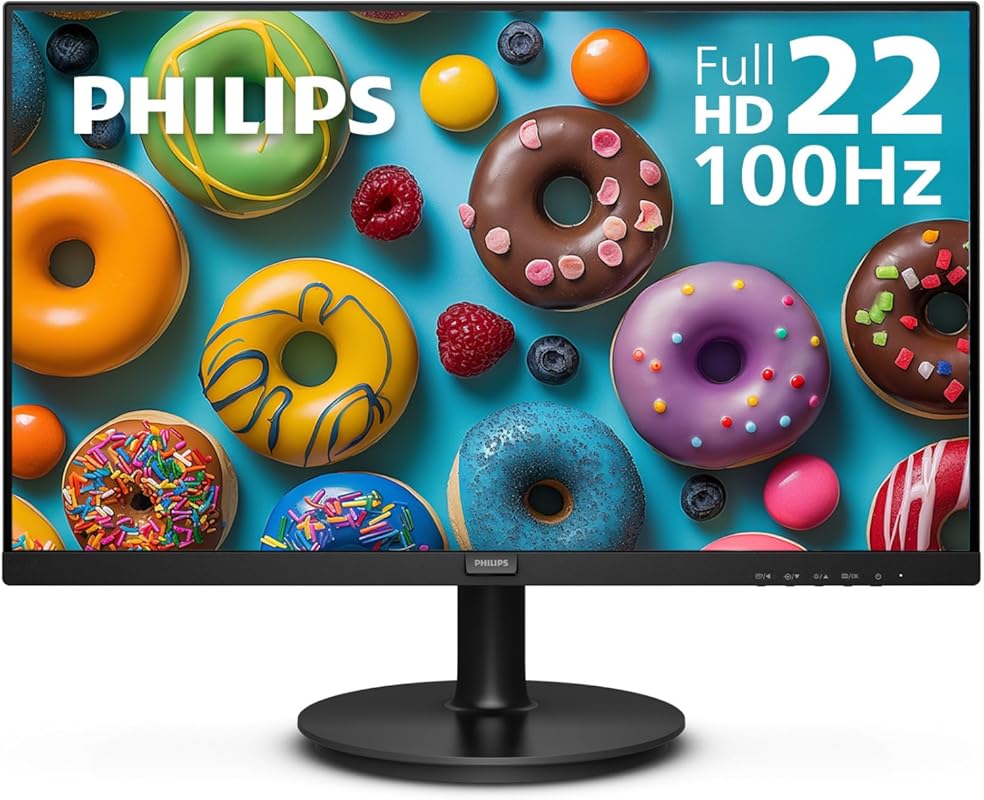
Philips packs a lot of value into this compact 22-inch package. It’s a fantastic secondary or tertiary monitor that won’t clutter your desk. The 100Hz refresh rate and Adaptive Sync make it smoother than most budget displays, and the inclusion of VGA is a nice nod to older systems. Philips also backs it with an impressive 4-year warranty, which is a huge plus for peace of mind. It’s a no-frills, high-reliability workhorse.
Key Features That Stand Out
- ✓ 22-inch Full HD IPS Panel with crisp visuals
- ✓ 100Hz Refresh Rate with Adaptive Sync for fluid motion
- ✓ VESA Mount Compatible for flexible mounting options
- ✓ LowBlue Mode and Flicker-Free technology for eye comfort
- ✓ 4-Year Warranty for long-term security
Why We Recommend It
It’s the ultimate value-for-money secondary monitor. You get a smooth 100Hz panel, good color from an IPS screen, and a warranty that blows the competition away. It’s small enough to fit anywhere and efficient enough to be left on all day without a power worry.
Best For
Anyone needing a compact, dependable second screen for a laptop or dual-monitor setup. Also perfect for a child’s desk, a kitchen computer, or a small home office where space is at a premium.
Pros and Cons
Pros:
- Unbeatable 4-year warranty provides exceptional peace of mind
- Smooth 100Hz refresh rate with Adaptive Sync
- Compact size and VESA mount compatibility
- Includes both HDMI and VGA for broad compatibility
- Very low power consumption
Cons:
- Small 22-inch size isn’t ideal as a primary monitor for most
- Speakers are not built-in (a pro for some, a con for others)
- Stand is basic with no height adjustment
Customer Reviews
Customer Review: Does exactly what I need it to. I needed a smaller second monitor for my MacBook Air. Screen quality is good. It functions as intended and connections are easy to use. Love that it has an on/off button. I haven’t noticed any color issues. I would not recommend this monitor for a designer, but as a copywriter, it gets the job done. I generally need a second screen to research what I’m writing and this has been wonderful for that. It’s a great value for what you get. No complaints other than I wish I had a bigger space to have a bigger screen size, but that’s more of a me problem. LOL I would def buy this brand again. I don’t even remember assembling it which tells me it must have been very easy.
Customer Review: The monitor works as intended. Decent screen and graphics appear just fine. Great for a 2nd monitor, which is why I purchased it.
5. Westinghouse Gaming Monitor
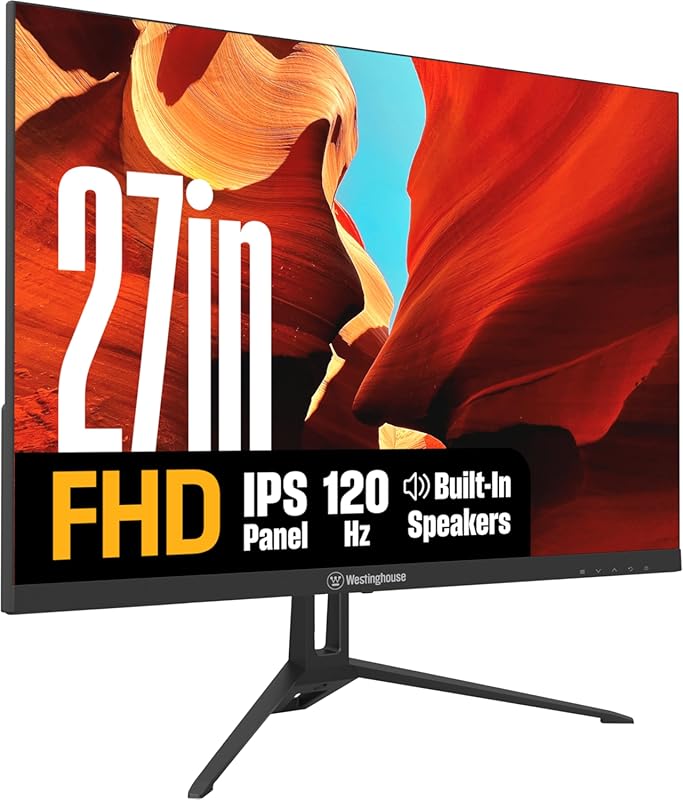
Westinghouse brings a seriously smooth gaming experience to the budget table with this 27-inch IPS panel. The big selling point is the 120Hz refresh rate paired with a 1ms response time, which makes fast-paced games feel incredibly responsive and fluid. The IPS panel ensures good color reproduction and wide viewing angles, a step up from cheaper TN panels. It’s a fantastic entry point into high-refresh-rate gaming without a hefty investment.
Key Features That Stand Out
- ✓ 27-inch FHD IPS Display with 178° wide viewing angles
- ✓ 120Hz Refresh Rate & 1ms Response Time for ultra-smooth gameplay
- ✓ Adaptive-Sync Support (FreeSync compatible) to eliminate tearing
- ✓ HDR10 Support for enhanced contrast and highlights
- ✓ Multiple Inputs including HDMI, DisplayPort, and VGA
Why We Recommend It
For gamers on a tight budget, the 120Hz refresh rate is a game-changer. The IPS panel is a huge bonus at this price point, offering better colors than the typical VA panels in this range. It proves you don’t need to spend a fortune to get a genuinely smooth and colorful gaming experience.
Best For
Budget-conscious gamers, students who game, and anyone wanting to try high-refresh-rate gaming for the first time. Also a good choice for general use thanks to its smooth scrolling.
Pros and Cons
Pros:
- Excellent 120Hz refresh rate at a very competitive price
- IPS panel provides good colors and viewing angles
- 1ms response time effectively reduces motion blur
- Includes HDR10 and Adaptive-Sync support
- Good connectivity with DisplayPort and HDMI
Cons:
- HDR performance is basic and not very impactful
- Brightness (300 nits) is average and may struggle in very bright rooms
- Stand is very basic with no height adjustment
Customer Reviews
Customer Review: The color accuracy of the monitor is very good. I have been able to match the display\’s color and contrast to my 24″ samsung curved DV display. Text appears to be just as sharp. I use this as my secondary monitor and the value for the price is great. Model WH24FA9600 Home/Office monitor.
Customer Review: Been using for awhile and it is still clear and working well.
6. Sceptre E275W-FW100T Gaming Monitor

Sceptre has a reputation for delivering great budget gaming monitors, and this 27-inch model is a prime example. It offers a smooth 100Hz refresh rate, a rapid 1ms response time, and a frameless design that looks sleek in a multi-monitor setup. The inclusion of built-in speakers is a convenient bonus, and the 100% sRGB color gamut ensures decent color reproduction for both games and media. It’s a complete package for gamers who want performance and style without overspending.
Key Features That Stand Out
- ✓ 27-inch Frameless Design for a seamless multi-monitor look
- ✓ 100Hz Refresh Rate & 1ms Response Time
- ✓ 100% sRGB Color Gamut for vibrant, accurate colors
- ✓ Built-in Speakers for convenient audio without external speakers
- ✓ AMD FreeSync and Blue Light Shift for comfortable gaming
Why We Recommend It
It’s the total package for a budget gamer. You get the smoothness of 100Hz, the speed of 1ms, a modern nearly bezel-less design, and even speakers. Sceptre consistently packs in features that more expensive brands make you pay extra for. It’s a monitor that feels like it punches well above its weight class.
Best For
First-time PC gamers, budget gaming builds, and students who want a single monitor for both work and play. The frameless design makes it especially good for a dual-monitor gaming or streaming setup.
Pros and Cons
Pros:
- Excellent value with 100Hz, 1ms, and frameless design
- Built-in speakers are a very handy feature
- Good color coverage with 100% sRGB
- Sleek, modern appearance with thin bezels
- Reliable performance with FreeSync support
Cons:
- Stand is very basic and wobbly
- Picture can look a bit washed out at maximum brightness
- On-screen menu controls are not very intuitive
Customer Reviews
Customer Review: I have been using these monitors for over a year now and have not had any issues. The were easy to put on the monitor arms I brought so I could have dual monitors. The offer a crisp picture and have a good refresh rate. I have even played some games on it and have not had any issues and the graphics are very good. I would buy this monitor again.
Customer Review: An unbelievably nice monitor. I just love the way it looks. It’s profile everything about. It is awesome. Highly recommended. I’m gonna buy another one. You should too.
7. KOORUI 34E6UC Curved Gaming Monitor
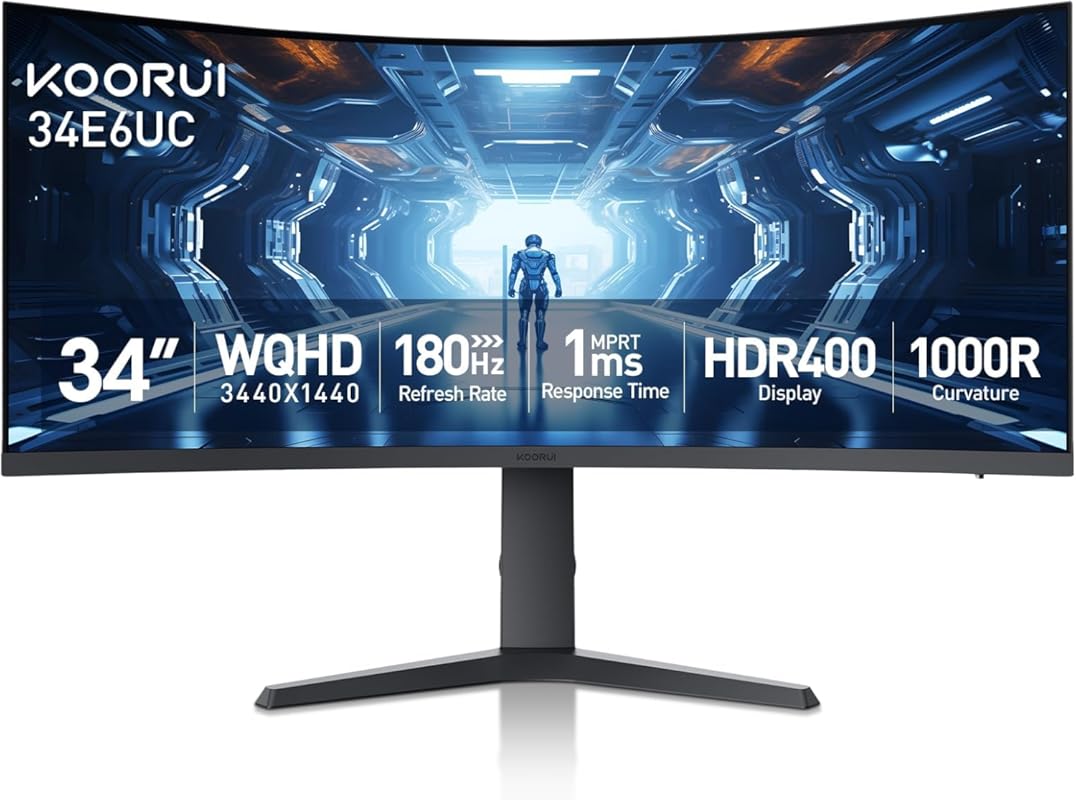
If you’re ready to jump into the ultrawide arena, this KOORUI is a spectacular entry point. The 34-inch 3440×1440 resolution (WQHD) on a 1000R curve is incredibly immersive for gaming and movies, and it gives you a massive, seamless workspace for productivity. The 180Hz refresh rate and 1ms response are top-tier for smooth, competitive gameplay. With HDR400 and wide color gamut support, it delivers a vibrant, high-contrast picture that feels premium.
Key Features That Stand Out
- ✓ 34-inch Ultrawide WQHD (3440×1440) on a 1000R curve
- ✓ 180Hz Refresh Rate & 1ms Response Time
- ✓ HDR400 Certification for better brightness and contrast
- ✓ DCI-P3 95% / sRGB 125% wide color gamut
- ✓ FreeSync Premium and multiple ports (DP x1, HDMI x2)
Why We Recommend It
It delivers an ultrawide experience that used to cost significantly more. The combination of high resolution, high refresh rate, and aggressive curve is perfect for immersive gaming and expansive multitasking. KOORUI has essentially democratized the ultrawide gaming monitor, making it accessible to a much wider audience.
Best For
Aspiring ultrawide gamers, productivity enthusiasts who need more screen space (like video editors or stock traders), and anyone wanting a truly cinematic viewing experience at a reasonable price.
Pros and Cons
Pros:
- Stunning ultrawide immersion at a great price
- High 180Hz refresh rate with excellent 1ms response
- Sharp WQHD resolution on a 34-inch panel
- Strong HDR400 and wide color gamut performance
- Includes stand-offs for VESA mounting (a common oversight)
Cons:
- Requires a powerful GPU to run games at native resolution and high refresh rates
- Some units may have minor flickering that can be fixed by disabling FreeSync
- Built-in menu system can be clunky to navigate
- Very large footprint requires a deep desk
Customer Reviews
Customer Review: Review:I purchased two of the Koorui 34‑inch curved ultrawide monitors for a dual‑monitor setup, and so far I’m very pleased with them. The picture quality is sharp, the brightness is solid, and the “Normal” color preset looks natural without any adjustments. For the price, these 34‑inch panels deliver very good performance.That said, there are a few important details the product listing and reviews don’t mention — and knowing them ahead of time would have saved me some stress during installation.1. YES, the 34‑inch model DOES include stand‑offs (spacers)This is not mentioned anywhere in the listing, and even Amazon’s Rufus incorrectly says they are *not* included. They actually come in the small accessory packet with the manual.If you’re mounting these monitors, you will need those stand‑offs because of the recessed VESA pattern. They are already in the box — just not advertised. I rushed to order a separate spacer kit because the listing didn’t mention it, so I’m putting this here to help the next person avoid that.2. One of my monitors flashed briefly until I disabled FreeSyncOn one of the two monitors, I noticed a quick bright “flash” when moving the mouse. Turning off Adaptive Sync / FreeSync in the monitor’s menu fixed it instantly. The other monitor didn’t have this issue, so it seems to vary by panel.Not a defect — just something to be aware of if you see flicker or brightness pops.3. Color and brightness match well once set manuallyAfter setting both monitors to the same brightness, contrast, and color mode, they match very well side‑by‑side. The “Normal” color preset looks the most accurate on these VA panels.4. Build quality and packaging are solidBoth monitors arrived well‑protected, and the included cables work fine. The stand is basic, but I’m using monitor arms, so that wasn’t a factor for me.5. Too early to comment on long‑term support or durabilityI’ve only had these monitors set up for a few hours, so I can’t speak yet to long‑term reliability or how responsive Koorui’s support is. I’ll update this review if anything changes over time.Bottom line:These 34‑inch Koorui ultrawides are excellent for the price, especially for gaming or a dual‑monitor setup. Just be aware that:- Stand‑offs ARE included (despite the listing not saying so)- FreeSync may need to be turned off on some units- Picture quality is great once you match settings manually- Long‑term support is still unknownIf the listing had mentioned the included spacers, it would have saved me a last‑minute order — so I hope this review helps the next person.
Customer Review: So I’ve owned this monitor for about 3 years now and here’s what I have to say about this monitor. The picture quality is actually really good. I got the 1080p version and I mostly use it with my Xbox series x and occasionally will use it for some lighter gaming on my gaming PC both work effortlessly well. The screen size is okay I think next time if it’s in the budget I’ll buy there 34 inch curved monitor. But for right now I’m sticking with this monitor until it dies and so far it’s running strong 3 years later. Right now this monitor cost $80 which is an absolute steal at that price. I paid $130 for it and would say it’s absolutely worth getting. There’s no flickering. The setup process went smoothly. It’s compatible with both my console and gaming PC! I absolutely love this monitor! I don’t own the 27 inch version but I’d recommend going with either that size or bigger if you can afford it.
8. Sceptre E225W-FW144 Gaming Monitor

This is the perfect compact gaming monitor for a tight desk space or a secondary screen. For a 22-inch panel, offering up to 144Hz is almost unheard of at this price, making it incredibly smooth for its size. The thin bezels and built-in speakers add to its appeal as a space-saving, all-in-one solution. It’s a no-brainer for a dorm room, a small apartment setup, or as a second monitor specifically for gaming while your main screen handles other tasks.
Key Features That Stand Out
- ✓ 22-inch FHD IPS Panel with ultra-thin bezels
- ✓ Up to 144Hz Refresh Rate (via DisplayPort) for buttery smooth motion
- ✓ Built-in Speakers for convenient audio
- ✓ Blue Light Shift technology to reduce eye strain
- ✓ Frameless design ideal for multi-monitor setups
Why We Recommend It
The performance-per-dollar ratio on this little screen is insane. Getting 144Hz smoothness in such a small, affordable package is a rare treat. It proves you don’t need a massive monitor to have a great gaming experience. Its size and features make it uniquely suited for specific, space-constrained use cases where bigger monitors just won’t fit.
Best For
Gamers with limited desk space, students in dorms, or anyone building a compact battlestation. Also an excellent, high-refresh-rate second monitor for a larger primary display.
Pros and Cons
Pros:
- Incredible value with up to 144Hz refresh rate on a 22″ screen
- Very compact footprint saves valuable desk space
- Thin bezels look great in a dual-monitor configuration
- Convenient built-in speakers
- Easy to set up and use
Cons:
- 22-inch size is too small for a primary monitor for most people
- Reaching 144Hz requires a DisplayPort connection (HDMI maxes at 100Hz)
- Picture quality and brightness are average for the price point
- Stand offers minimal adjustment
Customer Reviews
Customer Review: Picked up this Sceptre 22-inch gaming monitor as a second monitor, and it’s been a great addition to my setup. Setup was quick and easy, and it paired perfectly with my main display.The screen is clear and bright, with good color for the size and price. It’s smooth enough for gaming, but where it really shines is as a secondary display—great for Discord, browsers, streaming, or productivity while gaming or working.The thin bezels help it blend nicely next to a main monitor, and it doesn’t take up much desk space. Build quality feels solid for a budget-friendly monitor.For the price, this is an excellent value and exactly what I wanted for a second screen. No complaints so far.
Customer Review: Purchased this for my son in college it came in the next day it was easy set up great quality with great picture and sound great price has different adjustment options perfect size for his college dorm he uses it mostly for gaming the size is quite big this one I definitely recommend and you can get a warranty if you chose too even then still a great price!!
9. Acer KB220Q Home Office Monitor
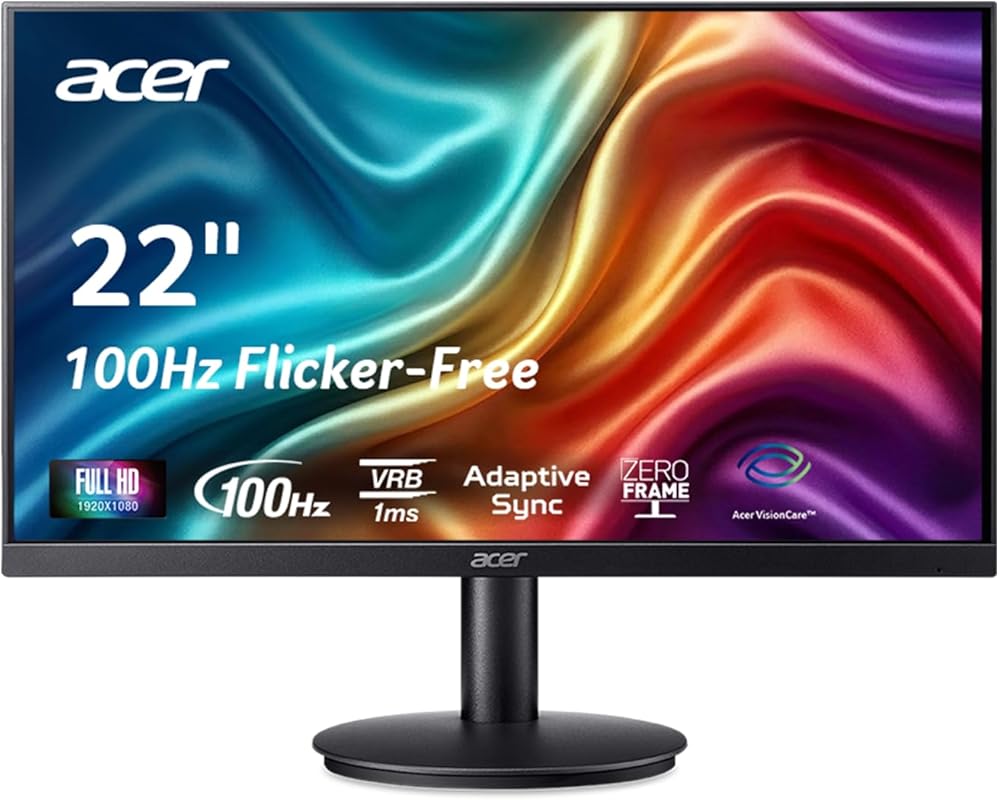
Acer’s KB220Q is a classic, no-nonsense monitor that does everything adequately and at a very low cost. The “Zero-Frame” design means the bezels are incredibly thin, giving it a modern look. The 100Hz refresh rate and Adaptive-Sync support are standout features at this price, providing smoother motion than standard 60Hz office monitors. It’s a reliable, basic workhorse that’s perfect for a first PC, a secondary screen, or a tight budget build.
Key Features That Stand Out
- ✓ 21.5-inch Full HD Zero-Frame Design
- ✓ 100Hz Refresh Rate with Adaptive-Sync/FreeSync
- ✓ 1ms Response Time to reduce motion blur
- ✓ 99% sRGB Color Gamut for decent color accuracy
- ✓ HDMI and VGA Ports for broad compatibility
Why We Recommend It
It’s the definition of a “value champion.” You get a smooth 100Hz panel with adaptive sync and a sleek frameless design for a very low price. Acer built its reputation on offering solid, functional products like this one. It’s a monitor you can buy with confidence, knowing it will perform its basic duties well for years.
Best For
First-time PC builders, budget gamers, students, and anyone needing a simple, functional monitor for everyday computing, web browsing, and light gaming.
Pros and Cons
Pros:
- Extremely affordable for a 100Hz monitor with Adaptive-Sync
- Attractive zero-frame (thin bezel) design
- Good 1ms response time for its class
- Simple, reliable plug-and-play operation
- Includes both modern (HDMI) and legacy (VGA) inputs
Cons:
- Small 21.5-inch size feels dated compared to larger 24″+ panels
- Stand only tilts; no height or pivot adjustment
- Panel is TN, so viewing angles and colors are inferior to IPS
- Build quality is very basic and plasticky
Customer Reviews
Customer Review: This was a good price, shipped quickly and in perfect condition when we opened the box. We installed one of the two we received and it worked perfectly. We plan to install the other when it is needed.
Customer Review: Es bajita pero el muy funcional, tiene buen tamaño y la calidad es buena. Muy buena relación costo/beneficio
10. MNN Portable Monitor

This portable monitor is the ultimate solution for anyone who needs a second screen on the go. It’s incredibly thin and light, powered directly via USB-C (or with a USB-C to HDMI adapter), and comes with a smart cover that acts as a stand. The 15.6-inch 1080p IPS screen is surprisingly good for its size, with decent colors and HDR support. It’s a game-changer for digital nomads, students in libraries, or anyone wanting to extend their laptop screen without being tethered to a desk.
Key Features That Stand Out
- ✓ 15.6-inch Full HD IPS Portable Display
- ✓ Dual USB-C Ports for single-cable power and video
- ✓ Ultra-Slim & Lightweight Design (fits in a backpack)
- ✓ Smart Cover Stand included for multiple viewing angles
- ✓ Built-in Speakers and HDR support
Why We Recommend It
It solves a very specific problem—lack of screen space away from your main desk—brilliantly. The plug-and-play simplicity via USB-C is its killer feature. You don’t need a bulky power brick or complicated setup. Just connect it to your laptop, phone, or even a Nintendo Switch, and you have an instant second screen or portable gaming display.
Best For
Frequent travelers, remote workers who work from coffee shops, students, and gamers with a Nintendo Switch or Steam Deck who want a larger screen on the go.
Pros and Cons
Pros:
- Extreme portability; thin, light, and comes with a protective stand cover
- True plug-and-play with USB-C (power and video over one cable)
- Surprisingly good 1080p IPS screen for its size
- Works with a huge range of devices (laptops, phones, consoles)
- Excellent price for the convenience it offers
Cons:
- 15.6-inch screen is too small for a primary desktop monitor
- Built-in speakers are very basic
- Brightness is modest; struggles in direct sunlight
- Long-term durability is a question mark compared to desktop monitors
Customer Reviews
Customer Review: The MNN 15.6” FHD portable monitor worked great as a second display for the HDMI method. Setup was simple and connected without any issues. The 1080P resolution looks sharp, and you can easily adjust the brightness to fit your environment.It even comes with built-in speakers, which is a nice bonus, though the audio quality is mid and not something I’d rely on long term. Overall, slim, lightweight, and a solid option if you need a reliable secondary monitor.
Customer Review: I was losing my mind trying to work from home off a single laptop screen. Secondary displays were not connecting to my computer outside of the office, IT could not figure out the issue so I was doomed to single screen anytime I worked from home. A co-worker suggested I take a look at this style of screen. I had my doubts that it would work with my lap top, and lo and behold I am back in action with a dual display. It comes with an HDMI cord option and a USB-C cord option (you do not need to buy separate cords, they are included). I used the USB-C as it also acts as a power cord to power the display. It took two seconds to hook up, and with one setting change on my lap top the display successfully extended (does not just duplicate your display, it will allow display extension as well). The image quality is more than sufficient for work (no opinion on PC gaming) and settings such as brightness were easy to adjust. It’s the perfect size for use with my lap top screen, and they had plenty of additional size options. The built in stand allows two screen angles, and acts as a cover when not in use. For the price this thing is absolutely clutch, don’t waste money on expensive displays – you can use this with any USB-C capable device so it can travel with you for work or fun. I will be interested to see if it has longevity, but for now I’d give this thing 10 stars if I could.
Complete Buying Guide for Best Buy Monitors For Computers
Essential Factors We Consider
Choosing the right monitor means understanding a few key specs. Panel Type is crucial: IPS offers the best colors and viewing angles, VA provides better contrast but slower response, and TN is fastest for gaming but with poor colors. Refresh Rate, measured in Hz, determines smoothness; 60Hz is standard, 75-100Hz is a sweet spot for general use, and 144Hz+ is ideal for competitive gaming. Resolution (e.g., 1920×1080 Full HD) dictates sharpness—match it to your screen size and GPU power. Adaptive-Sync (FreeSync or G-Sync) eliminates screen tearing. Finally, consider connectivity (HDMI, DisplayPort, USB-C) and ergonomics (stand adjustability, VESA mount compatibility).
Budget Planning
You can find a capable 1080p monitor for everyday use between $100-$200. For a smooth 75-100Hz experience, budget $150-$300. High-refresh-rate 1080p gaming monitors typically run $200-$350. Stepping up to 1440p (QHD) for sharper images and more screen space starts around $300 and goes up. Ultrawides and 4K monitors begin in the $400-$600 range. Remember to factor in the cost of a monitor arm or mount if the included stand is basic.
Final Thoughts
There is no single “best” monitor for everyone. The right choice depends entirely on your primary use case, desk space, and budget. A gamer needs high refresh rate and response time. A remote worker prioritizes eye comfort and ergonomics. A designer needs color accuracy and high resolution. Use our list as a starting point, identify your non-negotiable features, and you’ll find the perfect screen to complement your computer.
Frequently Asked Questions
Q: Is a 60Hz monitor good enough for office work?
A: Yes, absolutely. For basic tasks like web browsing, word processing, and email, a 60Hz monitor is perfectly adequate. However, a 75Hz or 100Hz monitor will make scrolling and moving windows feel noticeably smoother for a relatively small price increase, which many find worth it for general comfort.
Q: Do I need a 4K monitor for a 27-inch screen?
Q: What’s the difference between FreeSync and G-Sync?
A: Both are adaptive sync technologies that match the monitor’s refresh rate to the GPU’s frame rate to prevent tearing. FreeSync is an open standard supported by AMD GPUs and most modern NVIDIA GPUs (in compatible monitors). G-Sync is NVIDIA’s proprietary technology that requires a special hardware module in the monitor, often making it more expensive but sometimes offering a wider sync range. For most buyers, a FreeSync monitor is the cost-effective choice that works with both AMD and NVIDIA cards.
Q: Should I get a curved or flat monitor?
A: Curved monitors (typically 1800R or 1000R radius) are designed to wrap the screen around your field of view, creating a more immersive experience and reducing eye strain on larger screens (27″ and above). They are popular for gaming and ultrawides. Flat monitors are standard and often preferred for precise work like graphic design or multi-monitor setups where alignment is critical. For general use under 27 inches, the difference is minimal.
Q: Are built-in speakers good enough?
A: Built-in monitor speakers are usually very basic—they get the job done for system sounds, video calls, and casual YouTube videos, but they lack bass, volume, and clarity for music or immersive gaming. For any serious audio, external speakers or headphones are highly recommended. A monitor with speakers is a convenient backup, not a primary audio solution.
Finding the right monitor doesn’t have to be complicated. By focusing on your specific needs—whether that’s smooth gaming, a spacious workspace, or portability—you can choose from our top-rated list with confidence. We’ve highlighted the best buy monitors for computers that deliver real value, so click the “Check Price” buttons to find the perfect one for your setup today!