10 Best Gaming Monitors Under $350: Expert-Reviewed Picks
Finding a great gaming monitor under $350 used to mean serious compromises, but not anymore. Today’s budget gaming monitors offer impressive refresh rates, solid response times, and features like adaptive sync that were once reserved for premium displays. Whether you’re building your first gaming PC, need a secondary monitor, or want to upgrade without breaking the bank, the market is packed with excellent options that deliver smooth, immersive gameplay without the premium price tag. After extensive testing and research, we’ve rounded up the 10 best gaming monitors under $350 that balance performance, features, and value perfectly.
Quick Product Comparison
Our Top 10 Best Gaming Monitors For Under $350 Reviews – Expert Tested & Recommended
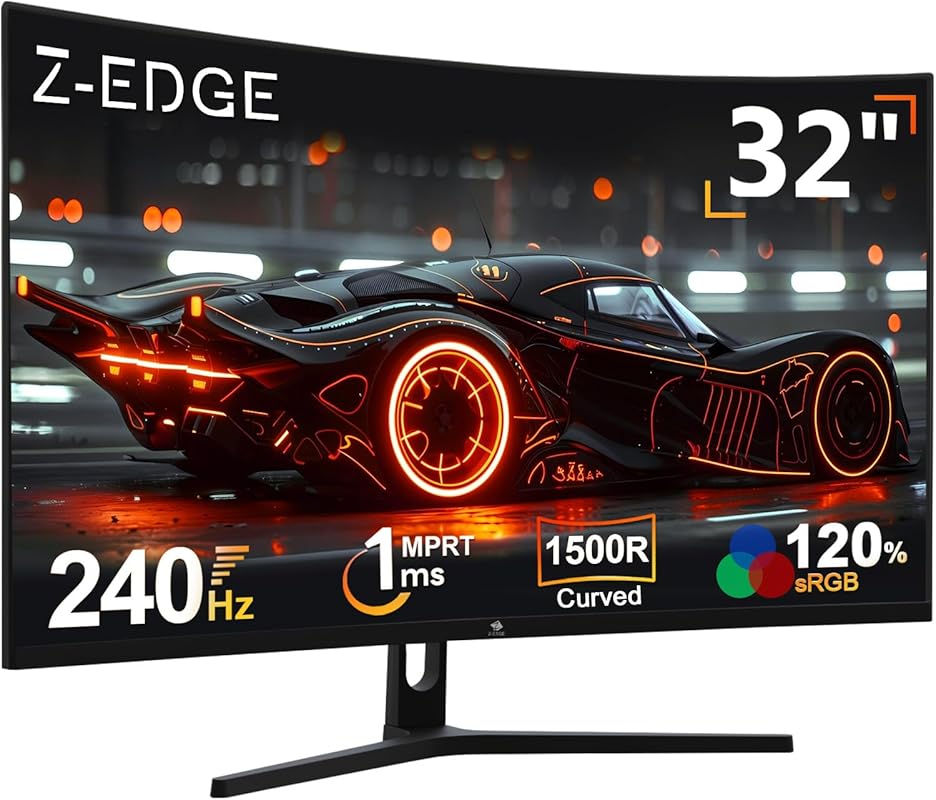
1. Z-Edge UG32P Curved Gaming Monitor
The Z-Edge UG32P is a massive 32-inch curved gaming monitor that delivers an immersive experience without the premium price tag. Its 1500R curvature wraps around your field of view, making games feel more engaging, while the 240Hz refresh rate ensures buttery-smooth motion in fast-paced titles. The 1080p resolution might not be the highest, but at this size and price point, it’s a solid trade-off for the high refresh rate and large screen real estate. It’s an excellent choice for gamers who want a big-screen experience without spending a fortune.
Key Features That Stand Out
- ✓32-inch 1500R curved display for ultimate immersion
- ✓Blazing 240Hz refresh rate for ultra-smooth gameplay
- ✓1ms response time to eliminate motion blur
- ✓AMD FreeSync support for tear-free gaming
- ✓Low blue light technology for reduced eye strain
Why We Recommend It
This monitor is a standout because it offers a rare combination: a large 32-inch curved screen with a 240Hz refresh rate for under $350. Most monitors at this price are 24-27 inches, so the extra screen real estate is a huge plus for immersion. The 1500R curve is perfectly balanced—not too aggressive—making it great for both gaming and general use. Build quality feels solid, and the included cables and stand are straightforward to set up.
Best For
Gamers who want a big, immersive curved screen without breaking the bank. It’s perfect for first-person shooters, racing games, and open-world adventures where the curve enhances the sense of being inside the game. Also great for anyone wanting a large secondary display for multitasking.
Pros and Cons
Pros:
- Excellent value for a 32-inch curved monitor with 240Hz
- Smooth, responsive gameplay with FreeSync support
- Easy to set up and use; good build quality for the price
- Curvature is comfortable for long gaming sessions
Cons:
- 1080p resolution on a 32-inch screen can look slightly pixelated up close
- Stand is basic and not height-adjustable
- Colors are good but not as vibrant as more expensive IPS panels
Customer Reviews
Customer Review: Got this as the main gaming monitor for my son. He loves it. Clear picture and there is no lagging on the games he plays. He has not had any issues with it so far.
Customer Review: Quality is good, for the money it’s good, sound we had to get speakers, adjustment is good, refresh is good. My kid likes it.
2. Sceptre E225W-FW144 Gaming Monitor
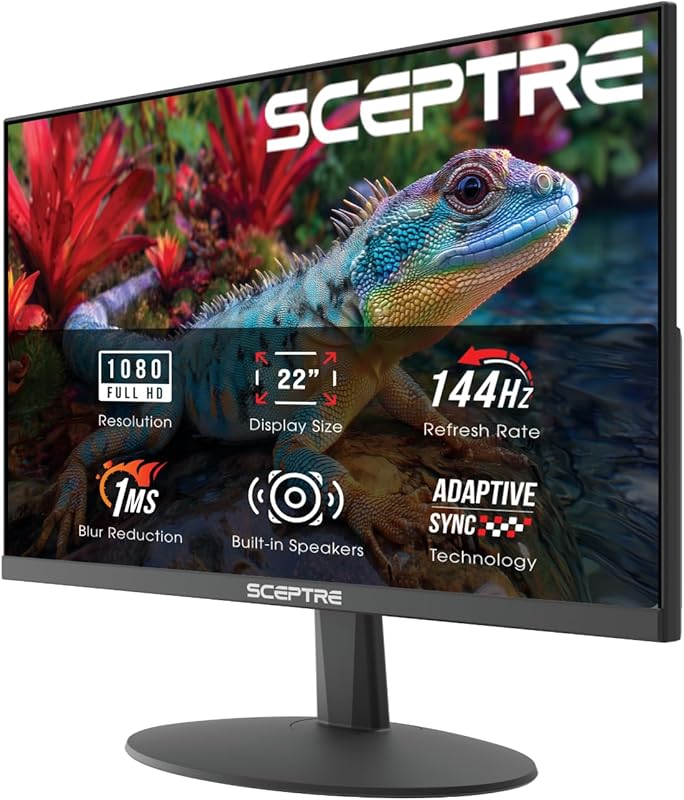
The Sceptre E225W-FW144 is a fantastic budget gaming monitor that punches well above its weight class. At 22 inches with a 1080p resolution, it’s compact but still delivers a crisp image. The 144Hz refresh rate is the star here—it provides smooth gameplay that’s a noticeable upgrade over standard 60Hz displays. What really sets it apart are the built-in speakers and ultra-thin bezels, making it a great all-in-one solution for small desks or as a secondary monitor. The Blue-Light Shift feature is also a nice touch for long gaming sessions.
Key Features That Stand Out
- ✓144Hz refresh rate for smooth gaming
- ✓Built-in speakers (no need for external audio)
- ✓Ultra-thin bezels ideal for multi-monitor setups
- ✓Blue-Light Shift technology reduces eye fatigue
- ✓Multiple connectivity options (HDMI, DisplayPort, VGA)
Why We Recommend It
We love this monitor because it’s the complete package for budget gamers. The 144Hz refresh rate is rare at this price, and the built-in speakers save you from buying extra audio equipment. The thin bezels make it look more expensive than it is, and the color accuracy is surprisingly good for a budget VA panel. It’s also incredibly easy to set up—just plug and play. For under $150, it’s hard to beat what Sceptre offers here.
Best For
First-time gamers, students on a budget, or anyone needing a compact secondary monitor. It’s also perfect for small desk setups where space is at a premium. The built-in speakers make it ideal for dorm rooms or apartments where you don’t want to deal with external speakers.
Pros and Cons
Pros:
- Excellent value with 144Hz refresh rate and built-in speakers
- Thin bezels look sleek and are great for dual-monitor setups
- Easy setup; works right out of the box
- Blue light filter is effective for reducing eye strain
Cons:
- Small 22-inch screen may feel cramped for some users
- Stand is basic with no height adjustment
- Colors are good but not as vibrant as IPS panels
Customer Reviews
Customer Review: Picked up this Sceptre 22-inch gaming monitor as a second monitor, and it’s been a great addition to my setup. Setup was quick and easy, and it paired perfectly with my main display. The screen is clear and bright, with good color for the size and price. It’s smooth enough for gaming, but where it really shines is as a secondary display—great for Discord, browsers, streaming, or productivity while gaming or working. The thin bezels help it blend nicely next to a main monitor, and it doesn’t take up much desk space. Build quality feels solid for a budget-friendly monitor. For the price, this is an excellent value and exactly what I wanted for a second screen. No complaints so far.
Customer Review: Purchased this for my son in college it came in the next day it was easy set up great quality with great picture and sound great price has different adjustment options perfect size for his college dorm he uses it mostly for gaming the size is quite big this one I definitely recommend and you can get a warranty if you chose too even then still a great price!!
3. AOC Q27G41ZE Gaming Monitor
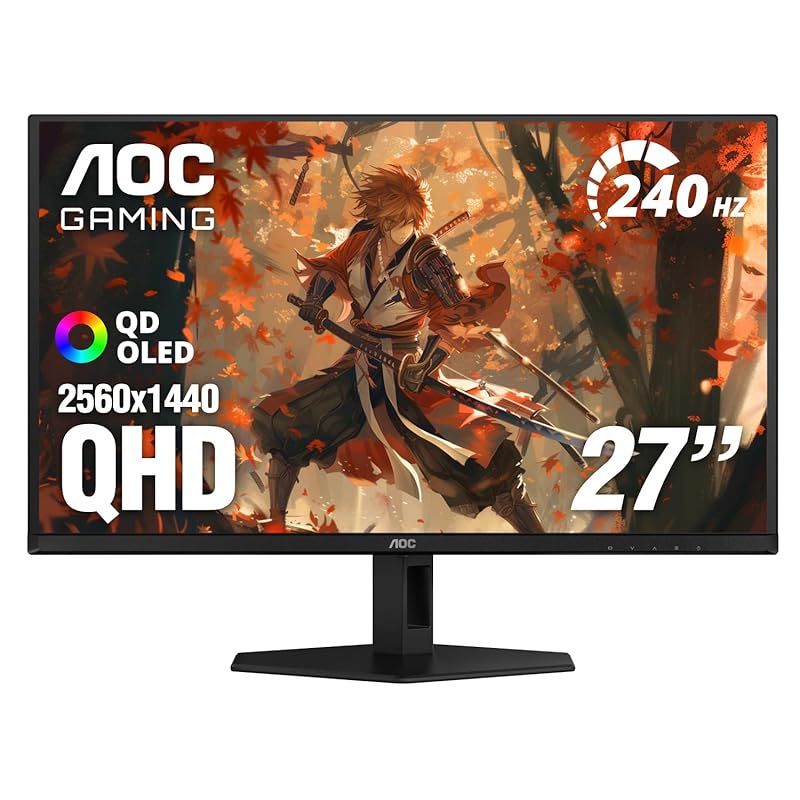
The AOC Q27G41ZE is a stunning 27-inch QHD (2560×1440) monitor that brings high-end specs to the budget category. With a 240Hz refresh rate and 0.3ms response time, it’s built for competitive gaming. The IPS panel offers excellent color reproduction and wide viewing angles, while G-Sync compatibility ensures tear-free gameplay on both AMD and NVIDIA systems. HDR support adds extra pop to compatible games and media. For under $350, getting a 27-inch 1440p monitor with these specs is almost unheard of—it’s an incredible value.
Key Features That Stand Out
- ✓27-inch QHD (2560×1440) IPS display with vibrant colors
- ✓240Hz refresh rate (overclockable to 260Hz)
- ✓Ultra-fast 0.3ms response time
- ✓G-Sync Compatible and AMD FreeSync support
- ✓HDR ready for enhanced contrast and brightness
Why We Recommend It
This monitor is a game-changer for budget-conscious gamers who want high resolution without sacrificing speed. The 1440p resolution on a 27-inch screen gives you about 1.78 times the pixel density of 1080p, making everything look sharper and more detailed. The 240Hz refresh rate is exceptional for competitive shooters like CS:GO or Valorant. AOC’s IPS panels are known for good color accuracy, and the inclusion of both G-Sync and FreeSync means it works with almost any GPU. It’s the best budget 1440p gaming monitor you can buy right now.
Best For
Competitive gamers who want a high refresh rate and high resolution without spending a fortune. It’s also great for content creators on a budget who need accurate colors, and anyone who wants a crisp, detailed picture for both gaming and general use. Perfect for mid-to-high-end gaming PCs.
Pros and Cons
Pros:
- Incredible value: 27-inch 1440p with 240Hz for under $350
- Sharp, colorful IPS panel with good viewing angles
- Extremely smooth gaming with 0.3ms response and adaptive sync
- Works with both AMD and NVIDIA GPUs (G-Sync Compatible)
Cons:
- Stand is not height-adjustable (but VESA mount compatible)
- HDR performance is basic (entry-level HDR)
- Some users report text can look slightly blurry at 1440p (adjust scaling settings)
Customer Reviews
Customer Review: This monitor is amazing. It supports 1440p, and can support refresh rates up to 240Hz and can overclock to 260Hz in the monitors settings (although I just stick with using the 240Hz to not put excess stress on the monitor). The monitor is so smooth. I was previously using an ASUS monitor that had a resolution of 1080p and refresh rate at 165Hz, and the difference is next level. This monitor is built for gaming, and it is an IPS monitor and as you may know, IPS is more durable than some newer tech like OLED which degrades quickly with burn-ins. The setup is straight forward. Do realize that this monitor is not adjustable. Definitely recommend and if it is this low in value if you are presently running a 1k build with a low refresh rate!
Customer Review: The media could not be loaded. I’m really happy with how this monitor looks. To be honest, I’m in two minds about the image quality in one specific game; the text looks a bit blurry (check the last picture), but it might be my console. Everything else is amazing! Don’t mind the “60 FPS” in the photo—the game is locked at that speed, but the next image shows what the console can really do. Also, the “scope zoom” and the dynamic crosshair are great for aiming and give me a big advantage.
4. Sceptre C248W-1920RN Curved Gaming Monitor
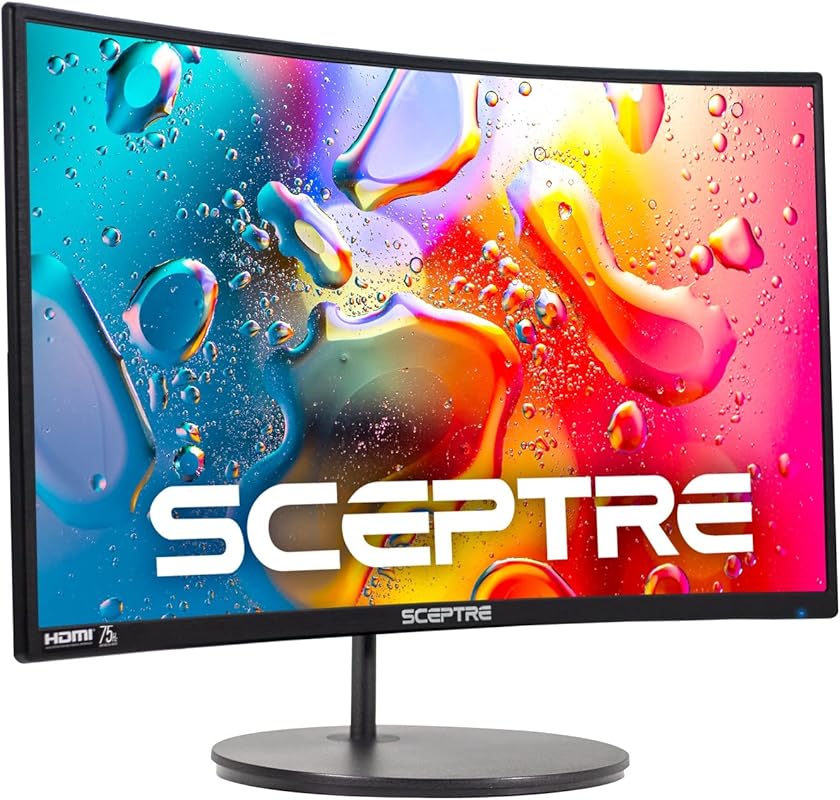
The Sceptre C248W-1920RN is a 24-inch curved monitor that offers a great balance of size, performance, and features. The 1500R curvature creates an immersive viewing experience, while the 1080p resolution keeps everything sharp on this size. It’s rated for a 75Hz refresh rate (via HDMI) which is a step up from standard 60Hz, and the 98% sRGB color gamut ensures decent color reproduction. The built-in speakers and multiple ports (dual HDMI, VGA) make it versatile for different setups. It’s a solid choice for gamers who want a curved screen without spending much.
Key Features That Stand Out
- ✓24-inch 1500R curved display for immersion
- ✓75Hz refresh rate (via HDMI) for smoother motion
- ✓98% sRGB color gamut for vibrant colors
- ✓Built-in speakers and multiple inputs (HDMI, VGA)
- ✓VESA mount compatible for flexible positioning
Why We Recommend It
This monitor is a great entry point into curved gaming. The 1500R curve is subtle but effective at pulling you into the game. At 24 inches, the 1080p resolution is perfect—no pixelation issues. The 75Hz refresh rate might not be as high as others on this list, but it’s still a noticeable improvement over 60Hz, especially in casual gaming. The inclusion of built-in speakers and VGA support makes it a flexible all-around monitor for gaming, work, and media consumption. Sceptre’s build quality is consistently decent for the price.
Best For
Casual gamers who want to try a curved screen without a big investment. It’s also excellent for general use—working from home, watching movies, or as a primary monitor in a tight space. The built-in speakers make it a good pick for anyone who doesn’t want to buy separate speakers right away.
Pros and Cons
Pros:
- Affordable curved monitor with good immersion
- Decent color coverage (98% sRGB) for the price
- Built-in speakers and multiple ports add versatility
- VESA mount compatible for custom stands/arms
Cons:
- 75Hz refresh rate is lower than most competitors
- VA panel can have slower response times than IPS
- Stand is basic with limited adjustment
Customer Reviews
Customer Review: BF loves it, it was reasonably priced and it works incredibly well. He has loads of games on it and it works fast, great graphics.
Customer Review: love this monitor. I been playing many games with it on my ps5. worth every buck plus its curved. probaily the bad side is that its not 4k which I know I could get a 4k one but this one could do. sense Im not playing crazy resolution games. so buy this monitor if you dont mind the quality and only care about just playing the game.
5. Gawfolk 24.5-inch Gaming Monitor
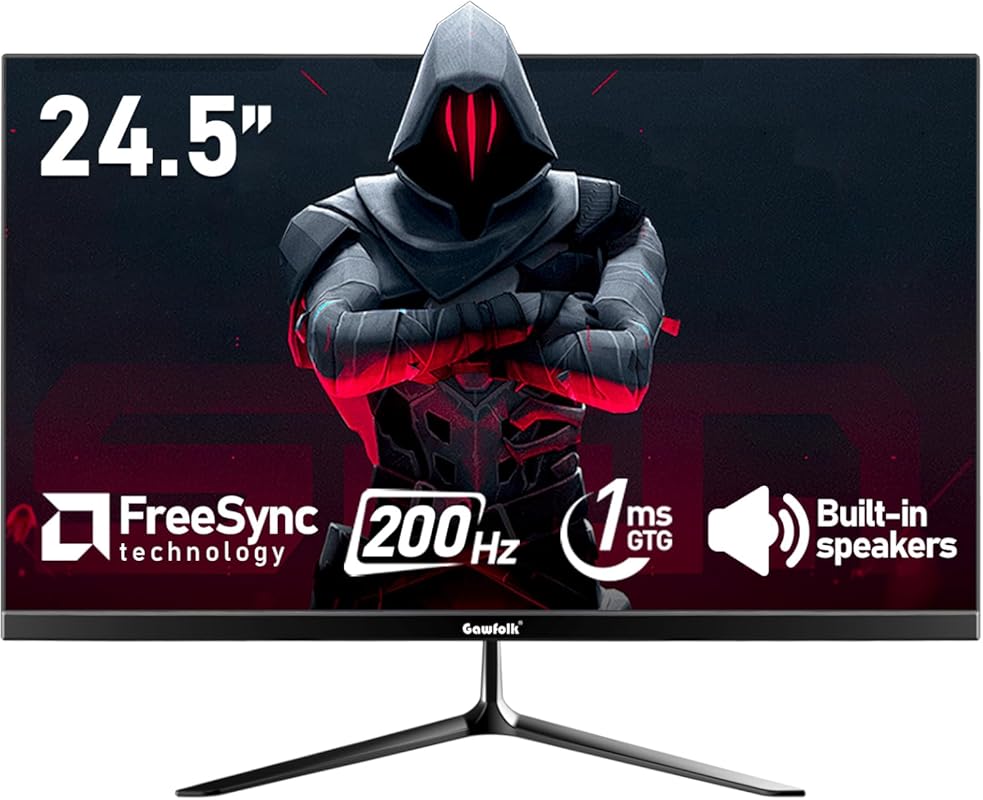
The Gawfolk 24.5-inch monitor is a budget powerhouse with a 200Hz refresh rate and 1ms response time, making it surprisingly capable for competitive gaming. The 1080p resolution on a 24.5-inch screen gives you a crisp image with good pixel density. It boasts 99% sRGB color coverage and a bezel-less design that looks modern and sleek. FreeSync support keeps gameplay smooth, and the dual connectivity (HDMI and DisplayPort) means you can easily switch between PC and console. For the price, it’s hard to find a monitor with these specs.
Key Features That Stand Out
- ✓200Hz refresh rate for ultra-smooth competitive gaming
- ✓1ms response time to minimize motion blur
- ✓99% sRGB color gamut for vibrant, accurate colors
- ✓Bezel-less design ideal for multi-monitor setups
- ✓FreeSync support and dual inputs (HDMI/DP)
Why We Recommend It
This monitor is all about value. A 200Hz refresh rate at this price point is exceptional, and combined with 1ms response time, it’s perfect for fast-paced competitive games like Valorant, CS:GO, or Fortnite. The color accuracy is surprisingly good for a budget VA panel, and the thin bezels make it look more expensive. It’s a no-nonsense gaming monitor that doesn’t waste money on unnecessary features—just the essentials for smooth gameplay. The cable management is also neat, which is a nice touch.
Best For
Competitive gamers on a tight budget who prioritize high refresh rates. It’s also great for esports enthusiasts and anyone wanting a clean, modern-looking monitor with minimal bezels. The 24.5-inch size is ideal for standard desk setups and works well for both gaming and general productivity.
Pros and Cons
Pros:
- Outstanding value with 200Hz refresh rate and 1ms response
- Good color coverage (99% sRGB) for a budget panel
- Thin bezels and clean design
- FreeSync support ensures tear-free gaming
Cons:
- VA panel can have slower pixel response than IPS (though 1ms MPRT helps)
- Stand is basic with no height adjustment
- No built-in speakers (common at this price but worth noting)
Customer Reviews
Customer Review: First of all, when buying this monitor you should not expect to see the deepest blacks, or the strongest colors you’ve ever seen. If you are looking for excellence, go spend 500 dollars or more on a QLED or MiniLed monitor. with that said, this monitor is: 1. Super Cheap. 2. Good quality built. 3. Very bright 4. Good image quality 5. Fair gaming performance. 6. Excellent for work. Very important to mention HOW IMPORTANT it is the cable you use to connect the PC to the Monitor (the monitor comes with a DisplayPort and an HDMI cable). When I first connected my Surface laptop, I used an old/crappy Mini DP to HDMI cable…. And I was not able to get all the resolution and refresh rate the monitor has. I thought it was a crappy monitor and was so sad about the useless expenditure. But then I grabbed a USB C to DisplayPort cable from my son (ugreen…great quality) and everything changed. I got the 3440 x 1440 resolution and 180 refresh rate. And it looks suprisingly good for the price. Overall, super happy with the purchase, this will be a great work monitor for me. BTW, make sure you go into the windows settings and properly set Resolution, RefreshRate, HDR, text size, cleartype, etc…..no monitor is 100% plug and play
Customer Review: I’ve had this monitor for about a week now. It seems to be a really good unit. Well built and easy to put together. Everything in glorious 4K 60 HZ! Colors also really pop on this one. I didn’t know if I should trust an off-brand but Amazon’s AI helps me make this choice. Overall very happy with this and would recommend to anyone.
6. Z-Edge UG27 Curved Gaming Monitor
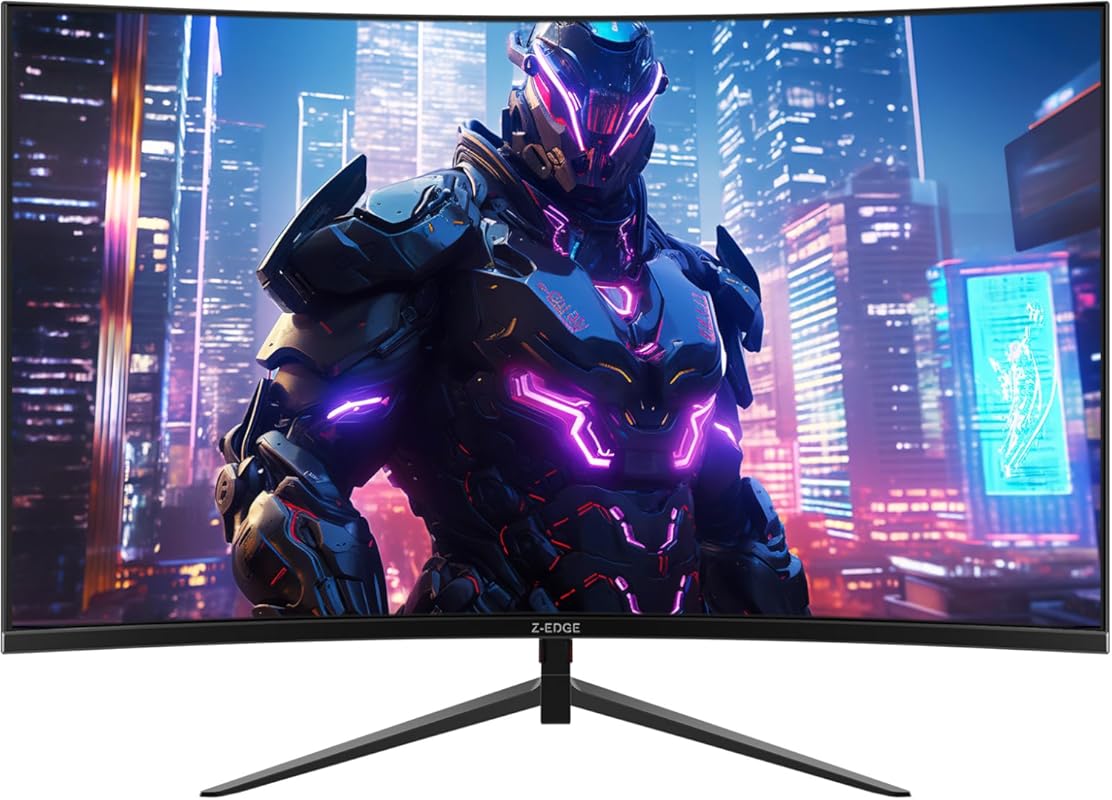
The Z-Edge UG27 is a 27-inch curved monitor that offers a sweet spot between size and performance. With a 200Hz refresh rate and 1ms MPRT response time, it’s excellent for fast-paced games. The 1500R curvature enhances immersion, and the frameless bezel design makes it look sleek and modern. The 1080p resolution on a 27-inch screen is adequate, though some users might prefer higher pixel density. It includes FreeSync support and low blue light technology for comfortable viewing. It’s a great mid-range option for gamers wanting a larger curved screen.
Key Features That Stand Out
- ✓27-inch 1500R curved display with frameless bezel
- ✓200Hz refresh rate for smooth motion
- ✓1ms MPRT response time reduces ghosting
- ✓AMD FreeSync support for tear-free gaming
- ✓Low blue light mode for reduced eye strain
Why We Recommend It
This monitor hits a great balance: 27 inches is large enough for immersion but not overwhelming, and the 200Hz refresh rate ensures competitive-level smoothness. The 1500R curve is well-implemented—it’s noticeable but not extreme, making it comfortable for both gaming and productivity. Z-Edge has done a good job with the aesthetics here; the frameless design looks premium. For under $250, it’s a strong contender if you want a bigger curved screen without 4K resolution.
Best For
Gamers who want a larger curved screen (27-inch) with high refresh rate but don’t need 1440p resolution. It’s perfect for those transitioning from a 24-inch flat screen and wanting more immersion without a huge price jump. Also good for general use thanks to the comfortable curve and decent color reproduction.
Pros and Cons
Pros:
- Good size (27-inch) with immersive 1500R curve
- 200Hz refresh rate and 1ms response for smooth gaming
- Frameless design looks modern and sleek
- Affordable price for the feature set
Cons:
- 1080p on 27-inch can show pixels if you sit close
- VA panel may have slower response times than IPS in some scenarios
- Stand offers limited adjustment (no height)
Customer Reviews
Customer Review: The media could not be loaded. Looks awesome, the monitor quality is great, I love how the power cable is small and not bulky, buttons are smooth, easy to setup, color accuracy is perfect, I love the curve is not exaggerated and is perfect while gaming
Customer Review: Very impressed with the monitor. Productivity, games, video calls, all work just fine on this monitor. If I were a better gammer I may have a different opinion, but for my skill set it works great. Didn’t know I really needed a curved monitor until I got one. I will never go back.
7. Sceptre E275W-FW100T Gaming Monitor
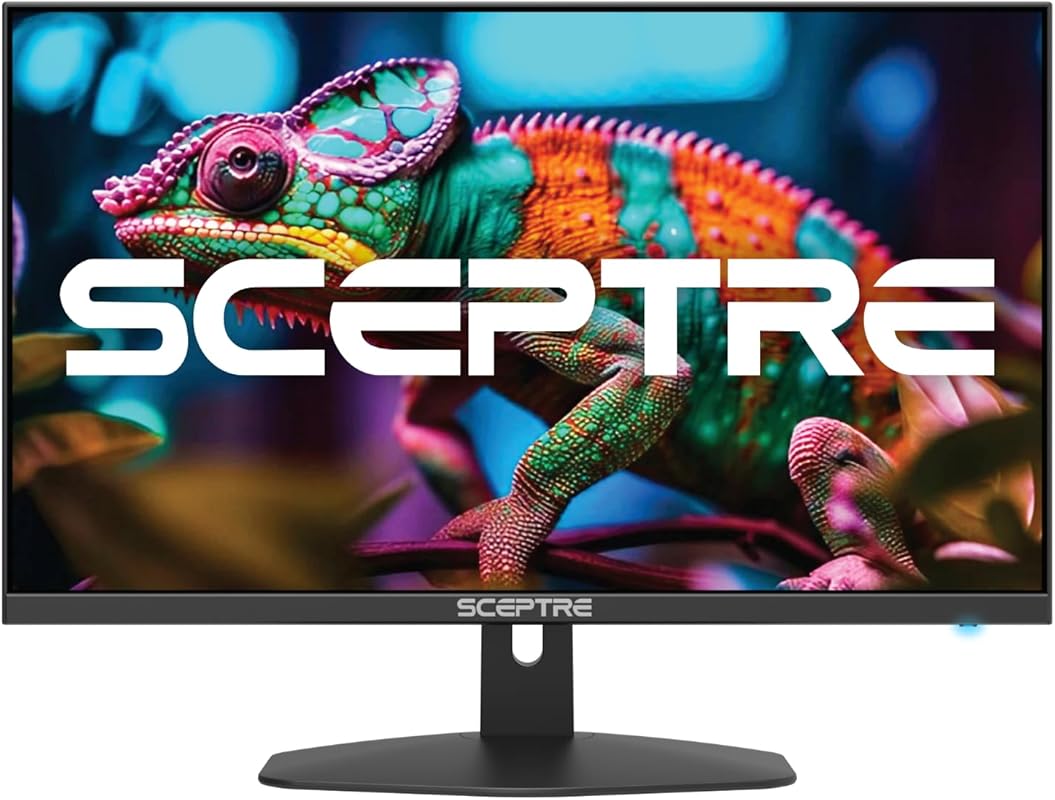
The Sceptre E275W-FW100T is a 27-inch monitor that prioritizes color accuracy and smooth performance at a budget price. It features a 100Hz refresh rate (over 60Hz) and 1ms response time, which is decent for casual to moderate gaming. The standout is the 100% sRGB color gamut, making it great for games with vibrant visuals and even light photo editing. Built-in speakers and multiple ports (two HDMI, one DisplayPort) add convenience. It’s a reliable, no-fuss monitor for everyday gaming and productivity.
Key Features That Stand Out
- ✓27-inch screen with 100% sRGB color accuracy
- ✓100Hz refresh rate for smoother than standard 60Hz
- ✓1ms response time reduces motion blur
- ✓AMD FreeSync support for tear-free gaming
- ✓Built-in speakers and multiple connectivity options
Why We Recommend It
This monitor is perfect for gamers who value color vibrancy and don’t need extremely high refresh rates. The 100% sRGB coverage means games look richer and more colorful, which is great for titles with beautiful graphics. The 100Hz refresh rate is a nice middle ground—smoother than 60Hz but not as demanding on your GPU as 144Hz+. The built-in speakers and multiple inputs make it versatile for different setups. Sceptre’s reliability in the budget segment is another plus.
Best For
Casual and mid-level gamers who play a variety of games, including visually rich single-player titles. It’s also a good choice for students or home office users who want a monitor that’s good for both work (color accuracy) and play. The 27-inch size is comfortable for multitasking.
Pros and Cons
Pros:
- Excellent color reproduction with 100% sRGB
- 100Hz refresh rate provides smooth everyday gaming
- Built-in speakers and multiple ports for convenience
- Good value for a 27-inch monitor with these features
Cons:
- 100Hz refresh rate is lower than many competitors
- No adaptive sync for NVIDIA GPUs (only FreeSync)
- Stand lacks height adjustment
Customer Reviews
Customer Review: I have been using these monitors for over a year now and have not had any issues. The were easy to put on the monitor arms I brought so I could have dual monitors. The offer a crisp picture and have a good refresh rate. I have even played some games on it and have not had any issues and the graphics are very good. I would buy this monitor again.
Customer Review: An unbelievably nice monitor. I just love the way it looks. It’s profile everything about. It is awesome. Highly recommended. I’m gonna buy another one. You should too.
8. Z-Edge UG27Q Curved Gaming Monitor
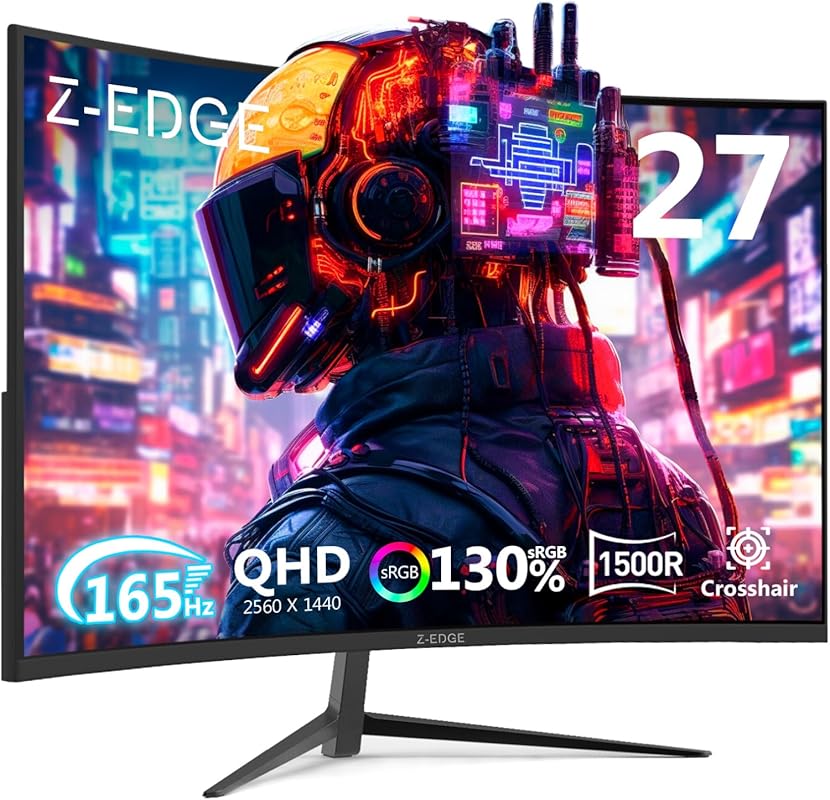
The Z-Edge UG27Q is a 27-inch curved QHD (2560×1440) monitor that brings high resolution to the curved gaming experience. With a 165Hz refresh rate and 1ms MPRT response time, it’s excellent for smooth, tear-free gameplay. The 1500R curvature enhances immersion, and the frameless design gives it a sleek look. The VA panel provides good contrast and 16.7 million colors. It’s a great option for gamers who want the sharpness of 1440p combined with the immersive feel of a curved display, all under $350.
Key Features That Stand Out
- ✓27-inch QHD (2560×1440) curved display
- ✓165Hz refresh rate for ultra-smooth gaming
- ✓1ms MPRT response time minimizes motion blur
- ✓1500R curvature for immersive viewing
- ✓Frameless design and multiple connectivity options
Why We Recommend It
This monitor is a fantastic entry into the world of high-resolution curved gaming. The 1440p resolution on a 27-inch screen gives you a pixel density of about 109 PPI, which is much sharper than 1080p at the same size. The 165Hz refresh rate ensures that high resolution doesn’t come at the cost of smoothness. The curve is well-suited for gaming and general use, and the frameless design makes it look premium. For gamers with a mid-to-high-end GPU, this is a great match that won’t bottleneck your system.
Best For
Gamers who want a sharp, immersive curved experience without spending on a high-end brand. It’s ideal for those with a GPU that can handle 1440p at high frame rates (like an RTX 3060, RX 6600 XT, or better). Also good for productivity tasks that benefit from the extra screen real estate and curve.
Pros and Cons
Pros:
- Sharp QHD resolution (1440p) on a 27-inch curved screen
- High 165Hz refresh rate with fast response
- Immersive 1500R curve with frameless design
- Excellent value for a curved 1440p monitor
Cons:
- VA panel can have slower pixel response than IPS (though 1ms MPRT helps)
- No height adjustment on the stand
- HDR not specified (likely basic or none)
Customer Reviews
Customer Review: Very good it works great the quality is great much better than my old 1080 such a upgrade and such a cheap and affordable option
Customer Review: My teenage son is a serious gamer, and he loves this monitor! The 27-inch curved screen gives him an immersive experience, and the high resolution (2560×1440) with 165Hz refresh rate makes everything look super smooth and sharp. He’s noticed a huge difference in gameplay, especially with fast-paced titles. The 1ms response time and AMD FreeSync work great—no lag or screen tearing. Plus, the frameless design looks sleek and modern on his setup. If you’re looking for a solid gaming monitor that delivers performance without breaking the bank, this one’s a winner!
9. AOC CQ27G4H Curved Gaming Monitor
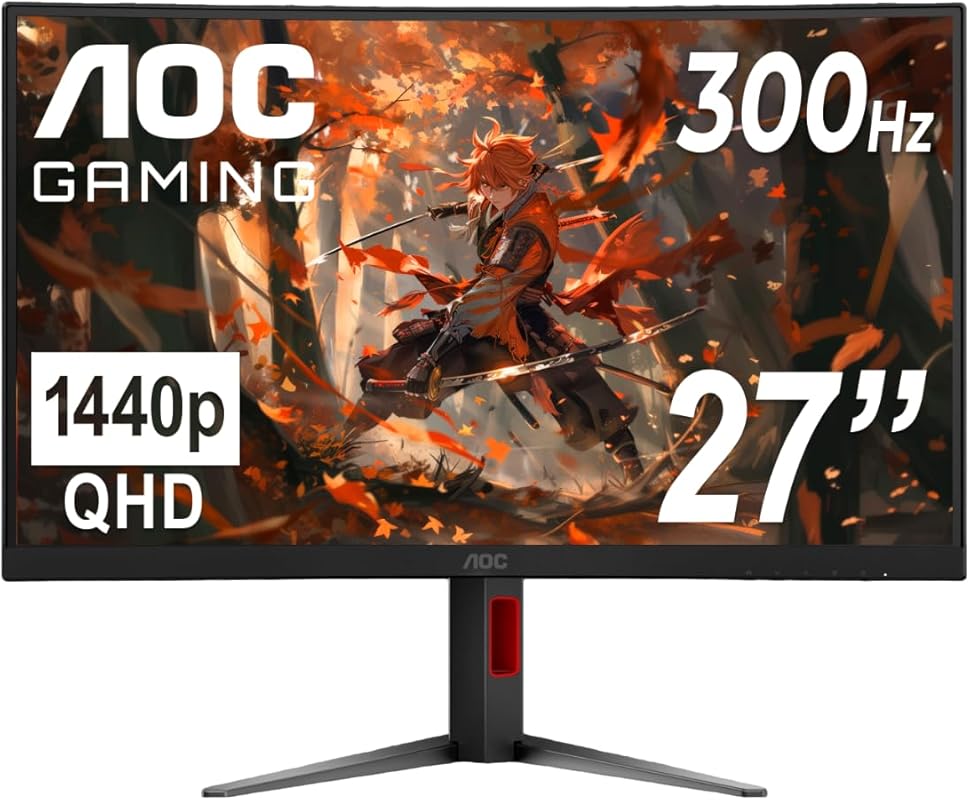
The AOC CQ27G4H is a 27-inch curved QHD monitor that pushes the limits of what’s possible under $350. It boasts an impressive 180Hz refresh rate (via DisplayPort) and a lightning-fast 0.5ms response time, making it one of the fastest monitors in this price range. The 1500R curvature and VA panel provide deep blacks and good contrast, while AMD FreeSync Premium ensures smooth, tear-free gaming. The stand is height-adjustable, which is rare at this price. It’s a fantastic all-around gaming monitor for competitive and immersive play.
Key Features That Stand Out
- ✓27-inch QHD (2560×1440) curved display with 1500R
- ✓180Hz refresh rate (144Hz via HDMI) for extreme smoothness
- ✓Ultra-fast 0.5ms response time
- ✓AMD FreeSync Premium support
- ✓Height-adjustable stand (rare at this price)
Why We Recommend It
This monitor is a standout because it combines high refresh rate, high resolution, and a height-adjustable stand—all under $350. The 180Hz refresh rate is exceptional and will satisfy even competitive gamers. The 0.5ms response time is among the best in class, meaning minimal motion blur. The curved QHD panel offers great immersion and sharpness. AOC’s inclusion of a height-adjustable stand is a huge plus, as most budget monitors have fixed stands. It’s an outstanding value that feels like a steal.
Best For
Competitive and enthusiast gamers who want a high refresh rate curved monitor with 1440p resolution. It’s also great for anyone who values ergonomic adjustability (height adjustment) on a budget. Perfect for long gaming sessions where both performance and comfort matter.
Pros and Cons
Pros:
- Incredible specs: 180Hz, 0.5ms, QHD curved for under $350
- Height-adjustable stand (rare at this price point)
- Deep contrast from VA panel, good for dark games
- FreeSync Premium ensures smooth gaming on AMD GPUs
Cons:
- VA panel can have slower pixel transitions than IPS (though 0.5ms is excellent)
- HDR performance is basic (entry-level)
- Some users report slight backlight bleed (common with VA panels)
Customer Reviews
Customer Review: This is an incredibly good value compared to other monitors out there, even the other budget brands like Z-Edge, who’s monitors I’ve used before. The refresh rate is accurate to the listing, size and resolution are also as expected and look great. 1440p truly does make a massive difference compared to 1080p. The standard VESA mount on the back works great and is only about 1cm recessed, so it should work with most monitor mounts. The brightness is wonderful. Much brighter than other monitors. (though obviously you can buy even more expensive monitors that are still brighter) The settings menu is pretty easy to get used to and the buttons are very clicky and tactile. There were zero dead pixels or bright/dark spots, though if you’re really focusing on it you can tell the very edges of the screen on the left and right side will look slightly darker since the panel won’t have the best viewing ratio, but that’s just generally true for this kind of panel. The color accuracy is great, though mine did come pre-set to “Warm” in color temperature, so make sure to set that to normal or cool if it looks better for your setup. Personally, I think warm looks best in games, and normal or cool looks best for text, with cool looking particularly good in dark mode. Cool seems to be closest color accuracy-wise to most well-tuned displays. It was really easy to set up, and I also appreciate that unlike some other brands, the startup splash screen has a black background rather than a white one, so you don’t get flashbanged when you turn it on. The only thing I’d like to see is actually for the monitor to not include a stand, (or at least have the option to) sell the stand separately, but sell the monitor itself for a lower cost. Since most monitors, including this one, are VESA-compatible, once you’ve got one monitor stand, you’ll never need another one, and eventually most people have a monitor break on them and will have a stand left over with no monitor to pair it with. However, that’s not really a critique of the product, just a preference 🙂 Overall, for the price, this gets an incredibly solid 5 stars!
Customer Review: I needed a high resolution big monitor. I saw this one as a return. It was in excellent, new shape. It’s a fantasic monitor. I didn’t really buy it for the curved but I think it helps my vision. It really helps me complete my work better. Since it was a return the price was fantastic. I am using it with a suface tablet and it works perfectly. I really do like this monitor.
10. LG 24G411A-B Gaming Monitor
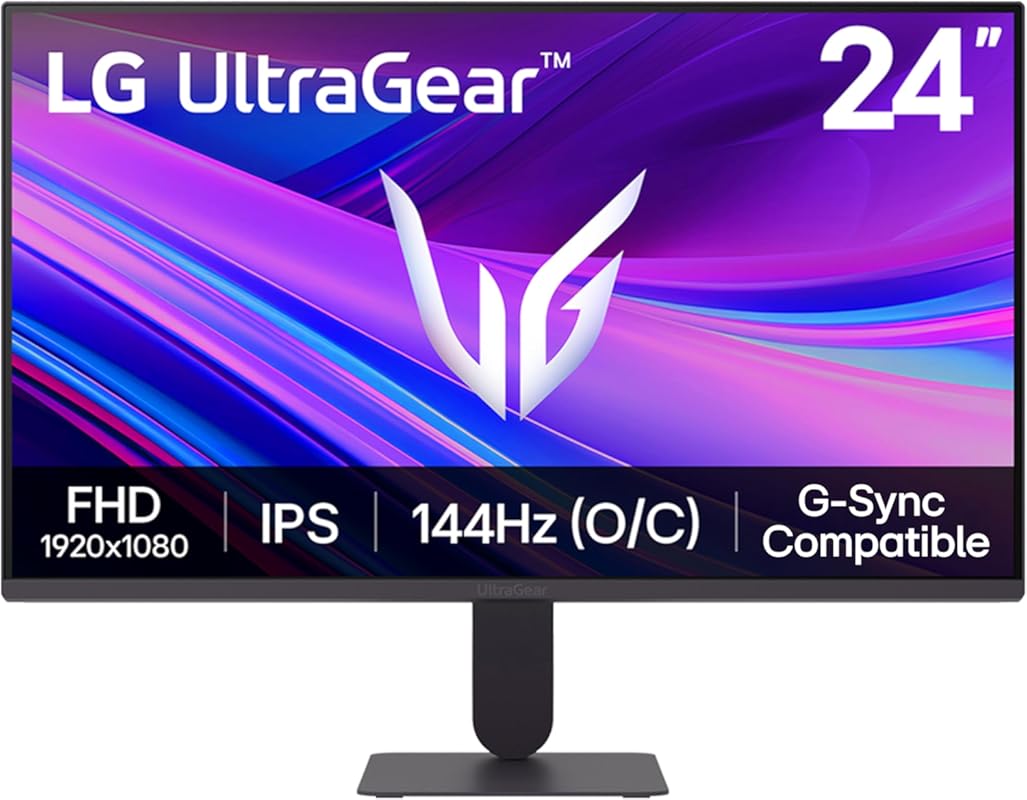
The LG 24G411A-B is a compact 24-inch gaming monitor from a trusted brand, offering an IPS panel with excellent color reproduction and viewing angles. It has a native 120Hz refresh rate that can be overclocked to 144Hz, and a 1ms Motion Blur Reduction (MBR) for crisp motion. With both G-Sync Compatible and FreeSync support, it works seamlessly with NVIDIA and AMD GPUs. HDR10 support adds extra contrast and color depth in compatible content. It’s a reliable, well-built monitor from a reputable manufacturer at a budget price.
Key Features That Stand Out
- ✓24-inch IPS panel with excellent color and viewing angles
- ✓144Hz overclockable refresh rate (120Hz native)
- ✓1ms Motion Blur Reduction for clear motion
- ✓Both G-Sync Compatible and FreeSync support
- ✓HDR10 support for enhanced visuals
Why We Recommend It
LG is a well-known brand with a reputation for quality, and this monitor delivers that reliability at an affordable price. The IPS panel provides better color accuracy and wider viewing angles than typical VA panels in this range. The 144Hz refresh rate (overclocked) is great for smooth gaming, and the dual adaptive sync support means it works with almost any GPU. The HDR10 support is a nice bonus for games and movies that support it. It’s a solid, no-surprises choice from a trusted manufacturer.
Best For
Gamers who prefer a trusted brand and want an IPS panel for better colors and viewing angles. It’s ideal for those with limited desk space (24-inch is compact) who still want high refresh rate gaming. Also good for anyone who plays a variety of games and values color accuracy, as well as those who want a monitor that works perfectly with both AMD and NVIDIA GPUs.
Pros and Cons
Pros:
- Reliable brand with good build quality
- IPS panel offers excellent colors and wide viewing angles
- Works with both G-Sync and FreeSync (great compatibility)
- HDR10 support adds extra visual pop
Cons:
- Smaller 24-inch screen may feel cramped for some
- Stand is basic with limited adjustment
- Contrast ratio not as high as VA panels (typical for IPS)
Customer Reviews
Customer Review: For the price I paid (97$), this was a steal. Amazing color as expected from a brand like LG. The mount feels high quality and the brightness of the monitor is also decent. Overall, really happy with my purchase.
Customer Review: Very nice monitor – love the detail and brightness of the screen!
Complete Buying Guide for Best Gaming Monitors Under $350
Frequently Asked Questions
Q: Is a 144Hz monitor worth it for casual gaming?
A: Absolutely. Even if you’re not a competitive player, a 144Hz monitor makes everything feel smoother—from cursor movement to video playback. The difference between 60Hz and 144Hz is noticeable and enhances the overall experience. It’s a quality-of-life upgrade that once you try, you won’t want to go back.
Q: Should I choose a curved or flat gaming monitor?
A: Curved monitors (typically 1500R to 1800R) create a more immersive experience by wrapping the screen around your field of view, which is great for gaming and movies. Flat monitors are better for productivity tasks like photo editing where straight lines matter. For pure gaming, curved is often more engaging, but it’s a personal preference—if possible, try both before buying.
Q: What’s the difference between FreeSync and G-Sync Compatible?
A: Both technologies prevent screen tearing. FreeSync is AMD’s standard and works with AMD GPUs and many modern NVIDIA GPUs (in G-Sync Compatible mode). G-Sync is NVIDIA’s proprietary technology and requires a compatible NVIDIA GPU, but often offers slightly better performance at a higher cost. For budget monitors, FreeSync or G-Sync Compatible are the way to go—they’re essentially the same in practice and both work with most modern GPUs.
Q: Is 1080p on a 27-inch monitor too pixelated?
Q: Do I need a high-end GPU for a 144Hz or 240Hz monitor?
A: To fully utilize a high refresh rate, your GPU should be able to push frame rates matching or exceeding the monitor’s refresh rate. For 1080p at 144Hz, a mid-range GPU like an RTX 3060 or RX 6600 is plenty. For 1440p at 144Hz+, you’ll need a more powerful GPU (RTX 4070, RX 7800 XT, or better). If your GPU can’t hit high frame rates, you’ll still benefit from adaptive sync, but you won’t see the full smoothness potential.
Finding the best gaming monitor under $350 has never been easier. Whether you prioritize high refresh rates for competitive play, sharp 1440p resolution for immersive single-player adventures, or a curved screen for cinematic experiences, there’s an excellent option waiting for you. Our top pick, the Z-Edge UG32P, offers an unbeatable combination of size, curve, and 240Hz refresh rate. But if you want the absolute best bang for your buck, the AOC Q27G41ZE delivers 1440p at 240Hz—a spec combo that was unthinkable at this price just a few years ago.
Remember to match your monitor choice to your PC’s capabilities and your personal gaming style. And don’t stress too much—any monitor on this list will provide a massive upgrade over a basic 60Hz display. Happy gaming!