Top 10 Best Low-Cost CPU Coolers: Expert Tested & Reviewed
Finding a reliable CPU cooler that won’t break the bank is crucial for any PC builder. A good cooler keeps your processor running at optimal temperatures, ensures system stability during intense workloads or gaming, and can even reduce noise compared to stock solutions. With so many options across air coolers and AIOs, it’s easy to feel overwhelmed. We’ve tested and evaluated dozens of budget-friendly models to bring you this curated list of the best low cost CPU coolers that deliver exceptional value without compromising on performance or build quality.
Quick Product Comparison
Our Top 10 Best Low Cost Cpu Cooler Reviews – Expert Tested & Recommended
1. Thermalright AXP-90 X53 Low-Profile CPU Air Cooler
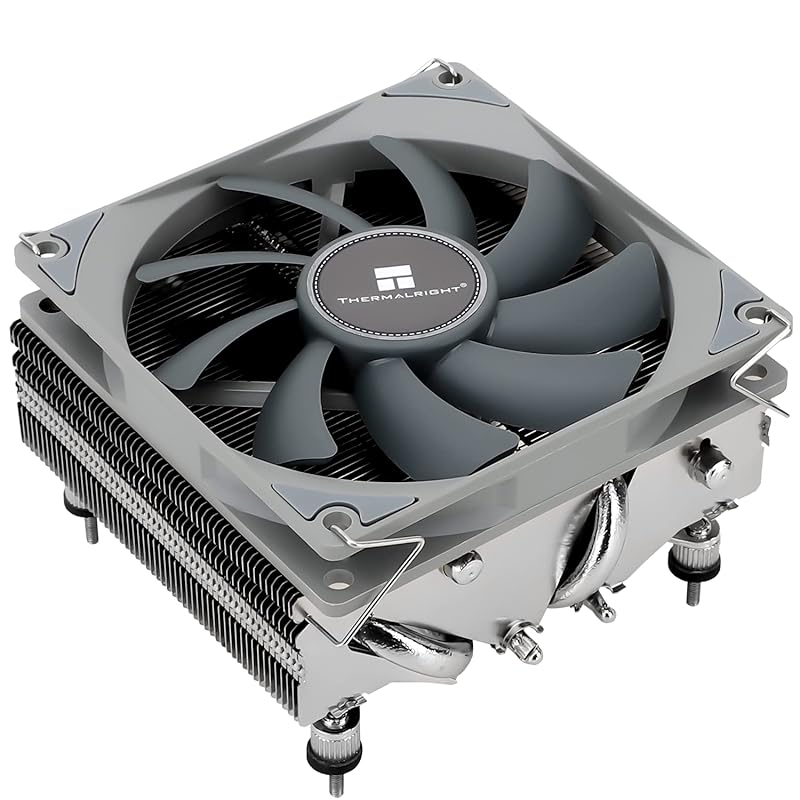
The Thermalright AXP-90 X53 is a compact low-profile powerhouse. With a total height of just 53mm, it fits into the smallest HTPC and ITX cases while still packing four heat pipes and a 90mm PWM fan. It’s built with an all-metal platform and includes a backplate for secure mounting. This cooler is perfect for everyday builds where space is limited but you still want reliable, quiet cooling for mid-range CPUs.
Key Features That Stand Out
- ✓ 53mm total height for extreme space constraints
- ✓ 4 direct-contact heat pipes with secondary reflow soldering
- ✓ 90mm PWM fan with quiet operation
- ✓ Wide socket support: Intel LGA 115X/1200, AMD AM4
- ✓ All-metal construction with nickel plating for durability
Why We Recommend It
This cooler punches way above its weight class. For its size, it delivers impressive cooling performance, easily handling CPUs up to around 90W TDP. The build quality feels solid and premium, and the installation, while requiring some care due to the low-profile design, is straightforward with clear instructions. It’s an unbeatable value for anyone building a compact system.
Best For
HTPC builders, Small Form Factor (SFF) enthusiasts, and anyone with a case that has severe height restrictions (under 55mm). It’s ideal for Ryzen 5/7 or Intel i5/i7 CPUs that don’t draw excessive power.
Pros and Cons
Pros:
- Extremely compact form factor without sacrificing too much performance
- Very quiet operation thanks to the efficient PWM fan
- Excellent build quality with all-metal components
- Affordable price point for what it offers
Cons:
- Mounting can be tedious; often requires replacing the stock backplate
- Not suitable for high-TDP CPUs like Ryzen 9 or Intel i9
- May require careful cable management in tight cases
Customer Reviews
Customer Review: Installed the Thermalright AXP90-X53 Full Copper on my micro-ATX system, and I’m seriously impressed. Despite its small size, it keeps my CPU temps low and runs almost silently. The full-copper design not only looks great but performs way above expectations. Easy to mount, solid quality, and perfect for compact cases.
Customer Review: Works great with the stock fan but if you have a few extra bucks put a bigger not so slim fan on with better static pressure and you got yourself a great copper cooler it can cool the 9600x easily and keeps it around 75⁰c installation was simple and easy on am5 fits really well in any case looks amazing as copper should
2. Noctua NH-L9x65 Low-Profile CPU Cooler
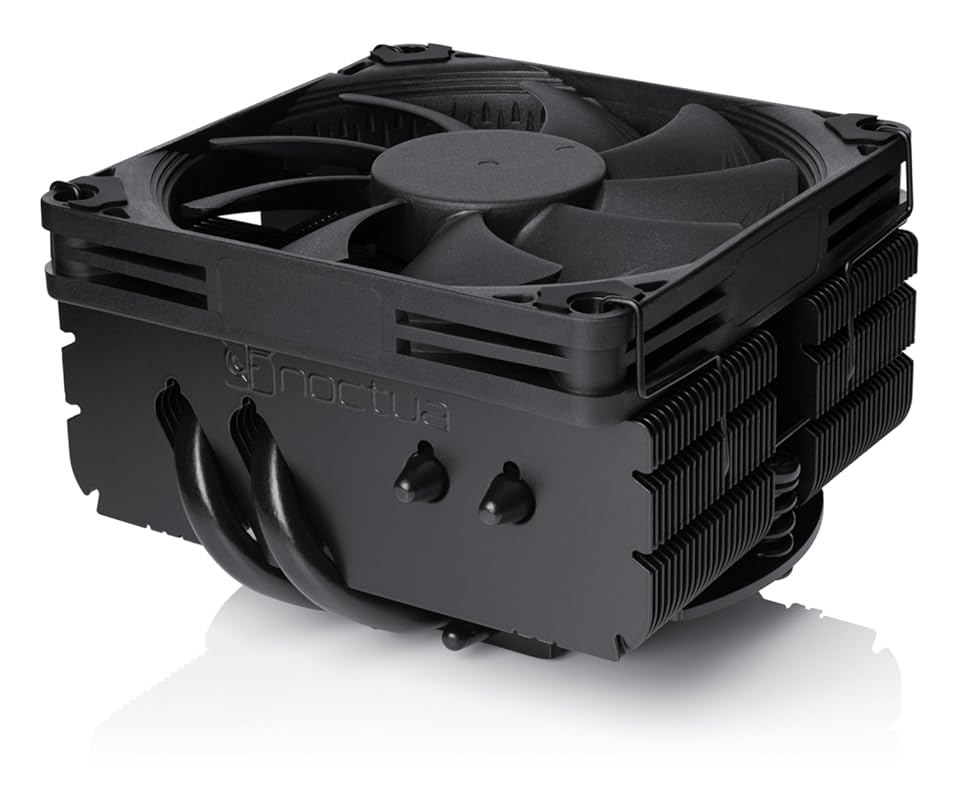
The Noctua NH-L9x65 is an award-winning low-profile cooler that combines a 65mm height with a 95x95mm footprint. This design ensures it stays clear of RAM and PCIe slots on most motherboards. It features the renowned NF-A9x14 slim fan with PWM and a Low-Noise Adaptor, delivering excellent cooling with near-silent operation. The all-black chromax.black edition looks sleek and integrates beautifully into any build.
Key Features That Stand Out
- ✓ Only 65mm total height, ideal for tight SFF builds
- ✓ 95x95mm footprint avoids RAM and PCIe interference
- ✓ NF-A9x14 PWM fan with Low-Noise Adaptor for whisper-quiet operation
- ✓ Includes SecuFirm2 mounting system for easy installation
- ✓ Premium build quality with 6-year warranty
Why We Recommend It
Noctua’s reputation for near-perfect cooling and silence is on full display here. The NH-L9x65 outperforms many taller coolers, making it a top choice for HTPCs and small form factor PCs where every millimeter counts. The fan is exceptionally quiet even under load, and the overall fit and finish are outstanding. It’s a premium product that justifies its cost with performance and reliability.
Best For
HTPC builders, SFF enthusiasts, and anyone who needs a low-profile cooler that won’t block RAM slots. It handles mid-range to high-end CPUs like the Ryzen 7 7700X surprisingly well, making it versatile for compact gaming and productivity rigs.
Pros and Cons
Pros:
- Outstanding cooling performance for its size class
- Extremely quiet operation, even under heavy load
- Excellent RAM and PCIe clearance thanks to its square footprint
- Top-tier build quality and easy installation
Cons:
- Higher price compared to other low-profile coolers
- May still be too tall for the most extreme ultra-thin cases
- No RGB lighting (a pro for some, a con for others)
Customer Reviews
Customer Review: I’m running this on my Ryzen 7 7700X and honestly, it handles it way better than I expected. Even when I’m pushing it hard with heavy workloads or gaming, it peaks at around 75°C (167°F), which is pretty wild for a low-profile cooler. The all-black look is super clean and the build quality feels premium. If you need to save space but don’t want your CPU cooking, this is definitely the move.
Customer Review: This is noctua…the best brand for cooling period. Extremely easy to install and very quite. The black matches my build and the price to performance including noise can not be beat.
3. PCCOOLER RZ700D Black CPU Air Cooler
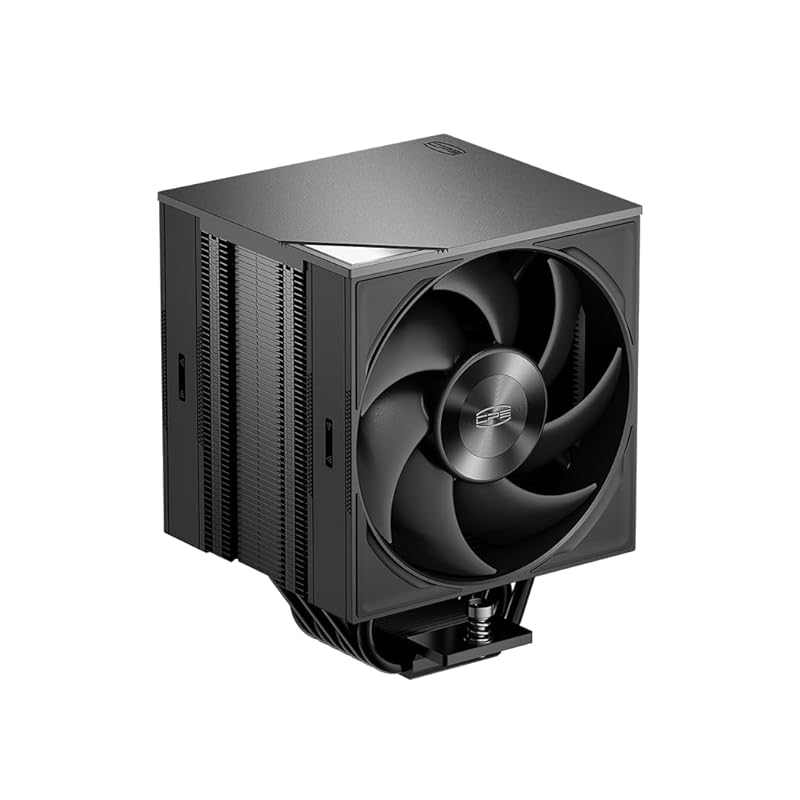
The PCCOOLER RZ700D is a massive single-tower air cooler that delivers performance rivaling 360mm AIOs at a fraction of the cost. It features seven heat pipes and a dense 60mm fin stack, paired with a high-static pressure F5 S120 PWM fan. The magnetic top cover and clip-free fan mounting make installation and maintenance easier than most large coolers. It’s a no-nonsense, professional-looking cooler built for high-end CPUs.
Key Features That Stand Out
- ✓ 7 heat pipes with enlarged wavy fin stack for extreme heat dissipation
- ✓ 240W TDP rating—handles Ryzen 9 and Core i9 with ease
- ✓ Dual Ball Bearing PWM fan with up to 79.8 CFM airflow
- ✓ Magnetic top cover and tool-free fan mounting
- ✓ Wide socket support for Intel LGA 1700/1851/1200 and AMD AM5/AM4
Why We Recommend It
If you want flagship-level air cooling without the AIO complexity, the RZ700D is your pick. It’s incredibly well-built, almost entirely metal, and provides cooling that’s within a few percent of high-end liquid coolers. The performance is plug-and-play, with no coil whine or excessive noise. For the price, it’s an exceptional value for high-TDP builds.
Best For
Enthusiasts with high-end CPUs (Ryzen 9, Core i9) who prefer air cooling’s reliability. It’s perfect for overclockers and productivity users who need sustained performance without liquid cooling risks. Ensure your case has ample height (about 6.1 inches) and GPU clearance.
Pros and Cons
Pros:
- Cooling performance nearly matches 360mm AIOs
- Extremely quiet operation with no coil whine
- Solid, all-metal construction feels premium and durable
- Clean, professional aesthetic with no RGB
- Good RAM clearance thanks to offset design
Cons:
- Large size requires careful case clearance verification
- Fan must be removed temporarily during installation
- No mounting tools included
- Price is higher than typical air coolers (but still less than many AIOs)
Customer Reviews
Customer Review: Overall verdict: A heavy duty air cooler that delivers near AIO performance with less complexity and a clean professional look.The PCCOOLER RZ700D is a large single tower CPU air cooler built for high end systems, and it feels like a flagship product the moment you take it out of the box. It uses seven heatpipes, a dense fin stack, and a single S120 PWM fan to focus on strong cooling without noise or flashy lighting. I used it on an AMD 5950X to replace an older 360mm AIO, which is a tough comparison, and the results were better than expected.Packaging was solid overall. The outer box had some minor damage from being shipped in an Amazon bag, but inside there was plenty of foam and the cooler itself was well protected. Nothing was damaged, and it clearly survived being tossed around without issue.Installation was easier than expected for a cooler of this size. No tools are included, so you will need a Phillips screwdriver, and a small wrench helps but is not required. All mounting hardware for AMD AM4 and AM5 and several Intel sockets is included. I used the AM4 setup and found it more straightforward than some other large coolers. The fan comes pre installed but needs to be removed briefly to access the mounting screws. This is clearly explained in the instructions and only takes a moment. A single use tube of thermal paste is included and worked well. There is also a fan splitter so both fan cables run to one header.Size is the main thing to watch. The cooler is tall at about 6.1 inches, and it is also wide and deep at roughly 4.92 by 5.31 inches. In my case it sat very close to the back of the graphics card but did not cause any issues. Still, checking case and motherboard clearances before buying is important.In use, performance has been excellent. Temperatures stayed within about five percent of my previous 360mm AIO, which is impressive for an air cooler with no liquid and fewer moving parts. It was truly plug and play once installed. There was no coil whine or unexpected noise. Visually, it looks great. The matte black finish, solid metal construction, and simple magnetic top cover give it a very clean and professional appearance with no RGB.Durability feels excellent. The cooler is almost entirely metal, with only the fans made of plastic. It feels dense, well built, and made to last.At a list price of $68.99, it is on the higher end for air cooling, but the performance, build quality, and design make it feel like a good value. It competes well with mid tier liquid coolers without the added complexity.Pros:• Excellent cooling performance close to a 360mm AIO• Quiet operation with no coil whine• Very solid metal construction• Clean, professional look with no RGB• Good RAM clearance and wide socket supportCons:• Large size requires careful case clearance checks• Fan must be removed during installation• No tools included• Higher price for an air coolerBuyer tip: Measure your case carefully before buying, especially cooler height and GPU clearance, and keep a Phillips screwdriver handy for installation.Bottom line: A premium air cooler that delivers strong, quiet performance and a refined look, making it a smart choice for high end CPUs if you have the space for it.
Customer Review: I love the design of this cooler, which not only looks great but also made it one of the easiest to install I’ve ever done, and I’ve been building PCs for over 20 years.The packaging was good, with everything very securely set in high-density foam. You’ve got your standard accessories, mounting hardware for both AMD and Intel, and a small tube of thermal paste, enough for a few applications.The cooler itself is already assembled, but mounting and un-mounting the fans is very easy. They use a click-in system, where you take the magnetic top plate off and just pull the fans free from the mounts. This is great as it makes it incredibly easy to install, the only negative I can see is that it locks you in to using ONLY these fans if you need to replace one at some point. They are ball bearing fans though, so hopefully they will last a very long time.For installation you simply install whichever mounting system you need (I’m on AM5), remove your heat sink protective cover, apply your pea-sized ball of paste, lightly press, lift, and then seat it down. The cooler is off-set to allow for ram slots, which is a very nice design, so be aware that you don’t mount it backwards. Once installed, connect your fans to their respective headers and click them in, snap on the top plate and you’re done.For performance I let it bake in for 24 hours before doing any thermal tests. At idle I’m using a very low fan curve, so they’re only turning around 10-20%. At this setting it idles around 45-50c. Under gaming I see fan speeds between 50-60%, or around 1,200 rpm, and between 60-65c, which would be around 5,200 – 5,600mhz in boost with a slight overclock. Under a stress test load the CPU will lock in at 5,300mhz on all cores and thermals top out at around 82c. These are about where I expected things to land and is perfectly acceptable. For normal day to day and gaming it’s quiet and maintains good thermals.This is a very nice performing and looking cooler.
4. Minorsonic 360mm AIO CPU Cooler
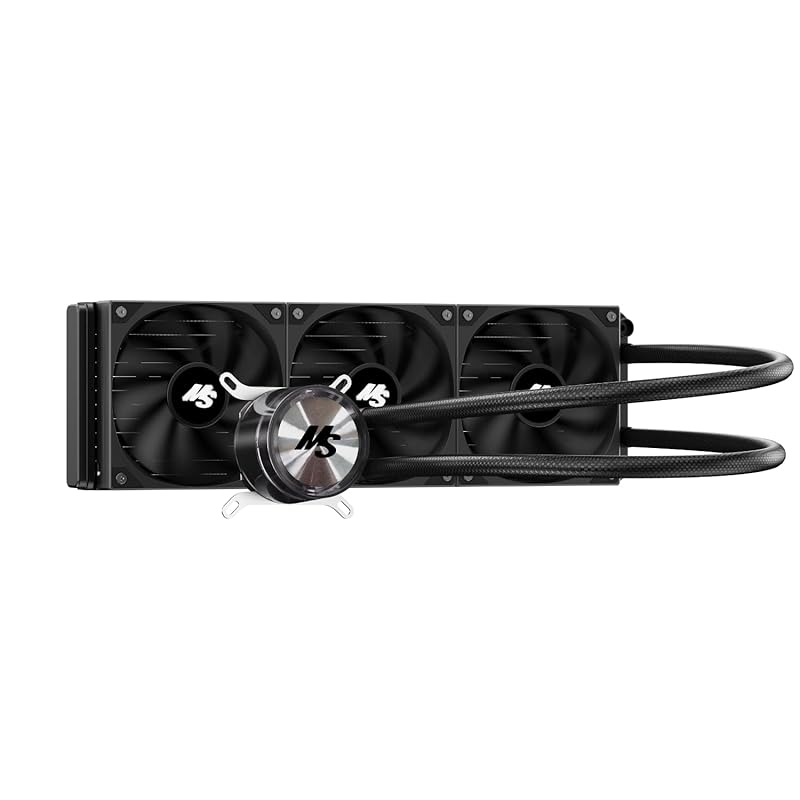
The Minorsonic 360mm AIO brings liquid cooling to a budget price point. It supports both Intel LGA 1851/1700 and AMD AM5/AM4 sockets, making it versatile for recent platforms. The 120mm PWM fans auto-adjust up to 1600 RPM for optimal airflow and low noise. Its industrial-grade motor and simple, all-black design with minimal cables make it a clean, functional choice for those wanting AIO performance without the premium cost.
Key Features That Stand Out
- ✓ 360mm radiator with three 120mm PWM fans
- ✓ Universal socket compatibility for Intel and AMD
- ✓ Smart PWM fans up to 1600 RPM for balanced noise and cooling
- ✓ Industrial-grade motor for durability
- ✓ Simple all-black aesthetic with minimal cabling
Why We Recommend It
This AIO proves you don’t need to spend a fortune for 360mm cooling. It effectively handles high-TDP CPUs like the Ryzen 9 7950X or Core i9-14900K, keeping temps in check during sustained loads. The fan noise is manageable, and the pump is quiet. For around $40-$50, it’s a steal if your case supports a 360mm radiator and you prefer the look and RAM clearance of an AIO.
Best For
Budget-conscious builders with high-end CPUs who have a case that accommodates a 360mm radiator. It’s great for overclocking, content creation, and gaming rigs where air cooler clearance is an issue. Avoid if you’re uncomfortable with potential AIO maintenance or long-term reliability concerns.
Pros and Cons
Pros:
- Excellent cooling performance for the price
- Wide socket compatibility for current platforms
- Clean, minimal design without RGB overload
- Easy installation with clear instructions
Cons:
- Fan bearings may wear out faster than premium brands (some users report noise after a few months)
- Pump noise can be noticeable at high speeds
- Radiator mounting can be fiddly in some cases
- Long-term reliability not as proven as established brands
Customer Reviews
Customer Review: The aio works great no temp throttling at all. ALTHOUGH one of the fans bearings has gone out within 2 months of being installed in the new build. Now I have to try to find a matching fan to replace it with. Seller is awesome they reached out to me and made it right.
Customer Review: I’m actually very impressed with this AIO. I bought it for $42.50. I use it on a 9850x3d test bench. It keeps everything cool even when pushing frequency well above 5.6ghz. It’s very simple, sturdy, and quiet. I love that it is all black, only has 2 wires, and doesn’t have RGB. Great value for the money.
5. Thermalright AXP90 X36 Low-Profile ITX CPU Cooler
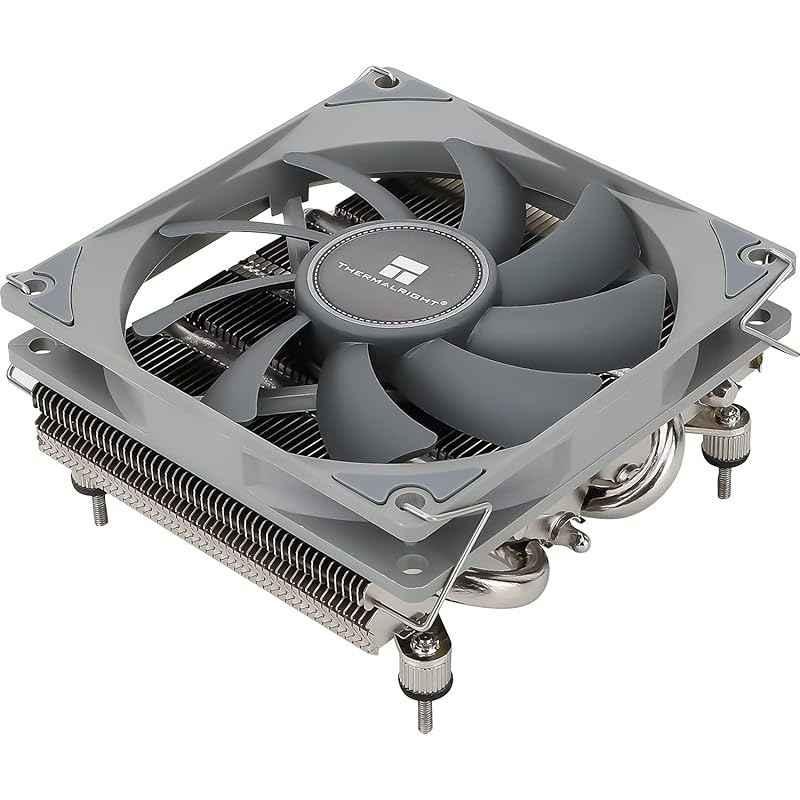
The Thermalright AXP90 X36 is an even more compact sibling to the X53, with a total height of just 36mm. It uses a slim TL-9015 PWM fan and a nickel-plated copper base. This cooler is designed for the most space-constrained builds, such as mini-ITX systems like the ASRock DeskMini X300. Despite its tiny size, it provides adequate cooling for 65W-90W CPUs, making it a fantastic value for ultra-small form factor PCs.
Key Features That Stand Out
- ✓ Only 36mm total height—fits in the tiniest cases
- ✓ TL-9015 slim PWM fan for low noise in a small package
- ✓ Nickel-plated copper base for excellent thermal transfer
- ✓ All-metal construction with backplate fastener
- ✓ Supports Intel LGA 115X/1200 and AMD AM4
Why We Recommend It
When every millimeter counts, the AXP90 X36 is often the only viable air cooling option. It’s surprisingly effective for its size, keeping lower-power CPUs like the Ryzen 5 5600G or Intel i5 cool and quiet. The price is astonishingly low for a copper-based cooler, and the build quality is solid. It’s the go-to choice for ultra-compact builds where an AIO isn’t practical or desired.
Best For
Ultra-small form factor (USFF) builds with severe height restrictions (under 40mm). Ideal for HTPCs, mini-ITX office PCs, and silent media centers. Best paired with 65W TDP CPUs or lower; avoid high-power chips.
Pros and Cons
Pros:
- Extremely low profile—fits where no other air cooler can
- Very quiet operation for its size class
- Copper base provides good thermal conductivity
- Incredibly affordable for a copper cooler
- Includes thermal paste and mounting hardware
Cons:
- Mounting is tedious and often requires replacing the stock backplate
- Limited to lower TDP CPUs (around 90W max)
- May not handle sustained loads on hotter CPUs
- Fan is non-standard, making replacements tricky
Customer Reviews
Customer Review: The AXP90 is an amazing low profile CPU cooler and for the price it is completely unbeatable. Wherever you simply cannot use a tower cooler (because of height restrictions) or don’t want to invest in an AIO, this cooler will suit your needs well.The Good:Cooling – For coolers with appropriate wattage, about 90W or below, the AXP90 will keep them cool, with the idle temps of lower draw chips, such as the Ryzen 5600G, being only slightly above ambient. Even running a full core workload at 100% the chip will be nowhere near thermal throttling.Noise – The fan used here, despite its size, is nearly silent. Even when almost completely open in the side of a Deskmini X300 I cannot hear it at all past a couple feet away from it; the fridge in the kitchen makes more ambient noise despite being half a house away.Price – I don’t think you can get better for $23. Out the door for $25 with tax, having a low profile cooler be effective and quiet for less than half the cost of a competing Noctua option is enormous; I’d never pay twice the amount for something that can’t do much better.The Bad:Mounting – The mounting, while being part of the nature of low profile options, is definitely tedious and you need to be prepared to replace the backplate to make this work. Unlike a lot of AM4 coolers which use the backplate already, this cannot. So be mindful of the order of assembly or you’ll be forced to mount the cooler in-case behind a mess of wires (be real, you didn’t cable manage)!Overall, I am very satisfied and would definitely recommend the AXP90 to anyone needing a low profile CPU cooler, limited budget or otherwise.
Customer Review: Overall, seems great so far. I use Thermalright and Arctic whenever I need something involving fans. If one of them doesn’t have what I’m looking for, the other almost certainly does (in this build, as an example, Thermalright had a CPU cooler that fit, and arctic has 40mm fans that’ll fit).Everything I have gotten from thermalright, which at this point includes an aio, a cpu cooler, and two kinds of fans of different thicknesses and sizes, has been great, and this one seems no exception.I haven’t measured the temps that this gives me yet since I don’t have my case or gpu yet, but it seems to keep things cool. It will fit in my case, and it isnt too loud. Very happy with it so far. I also seen people with my same case use this cooler with higher powered cpus than my 9600x, so I figure this should last me a long while. This is also my second time using the included thermal paste. The applicator could be better, but the paste is good, and they include enough.If it means I don’t have to buy my own paste quite as often, then I am happy.For $20 vs noctuas $60 price tag for the same thing, this is by far the better use of money.
6. RUIX GT820 Dual-Tower CPU Air Cooler
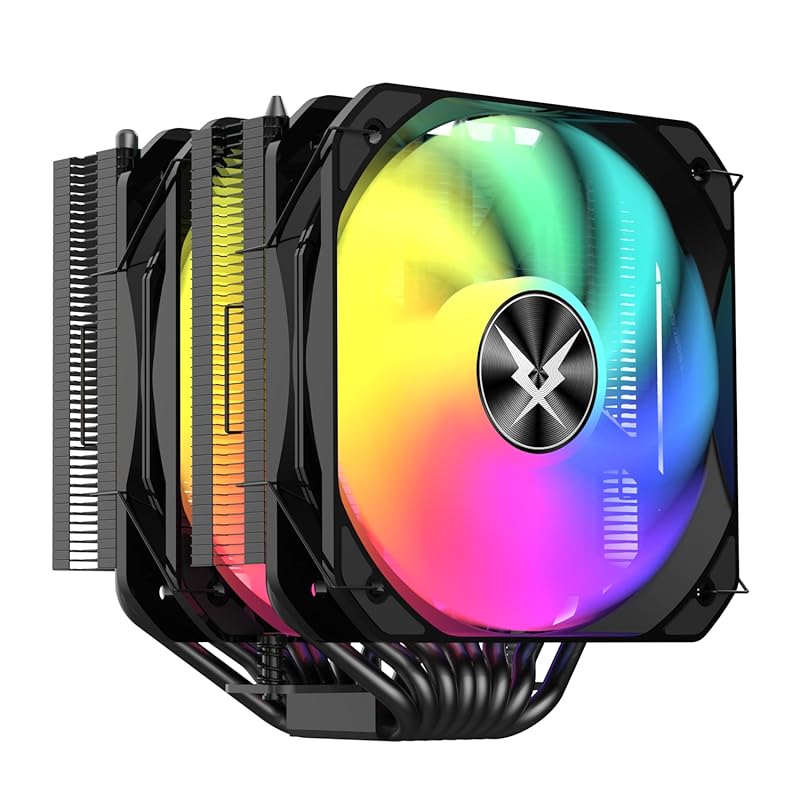
The RUIX GT820 is a massive dual-tower air cooler with eight heat pipes and a large 130mm PWM fan. Its dual-tower design provides exceptional cooling capacity, rated for up to 240W TDP, making it suitable for the most powerful consumer CPUs. The reinforced heatsink ensures maximum contact and heat dissipation. It’s a robust, no-frills cooler that prioritizes performance over aesthetics, though it does include some RGB lighting on the fan.
Key Features That Stand Out
- ✓ Dual-tower design with 8 heat pipes for extreme cooling
- ✓ 240W TDP rating—handles overclocked high-end CPUs
- ✓ Large 130mm PWM fan for high airflow and static pressure
- ✓ Reinforced heatsink construction for durability
- ✓ Compatible with Intel LGA 1851/1700/1200/115X and AMD AM5/AM4
Why We Recommend It
For users who need maximum air cooling performance without resorting to liquid cooling, the GT820 is a beast. It competes directly with top-tier dual-tower coolers from Noctua and be quiet! at a lower price. The 130mm fan moves a ton of air quietly, and the eight heat pipes ensure efficient heat transfer. It’s a straightforward, high-performance solution for power users.
Best For
Overclockers and enthusiasts with flagship CPUs (Ryzen 9, Core i9) who want the best air cooling possible. Ideal for large ATX cases with ample height and width clearance. Not suited for small form factor builds due to its bulk.
Pros and Cons
Pros:
- Exceptional cooling performance rivaling top-tier dual-tower coolers
- Large fan provides high airflow with decent noise levels
- Very solid construction feels built to last
- Excellent value for the cooling capacity
- Wide socket support for current and older platforms
Cons:
- Extremely bulky—requires significant case clearance
- May block the first RAM slot on some motherboards
- Installation requires a long screwdriver for tight spaces
- RGB lighting is minimal and not customizable (if that matters to you)
Customer Reviews
Customer Review: So far this product has been STUPID GOOD. I’m running a Intel core ultra 7 265kf at idle it sits around 31c at full load no higher than 70c……. though I’ve not overclocked. And as other reviews have stated you will need a skinny long screwdriver. Also pretty bulky it will cover your 1st ram slot but because I’m only running 2 sticks it doesn’t affect me. It also may not cover the slots depending on the motherboard I use a asus stricx z890 atx
Customer Review: Unbeatble price. Dual tower cooling solution suible for all platfrom. Kept my 9700x under 60 degree.
7. Noctua NH-L9a-AM5 Low-Profile CPU Cooler
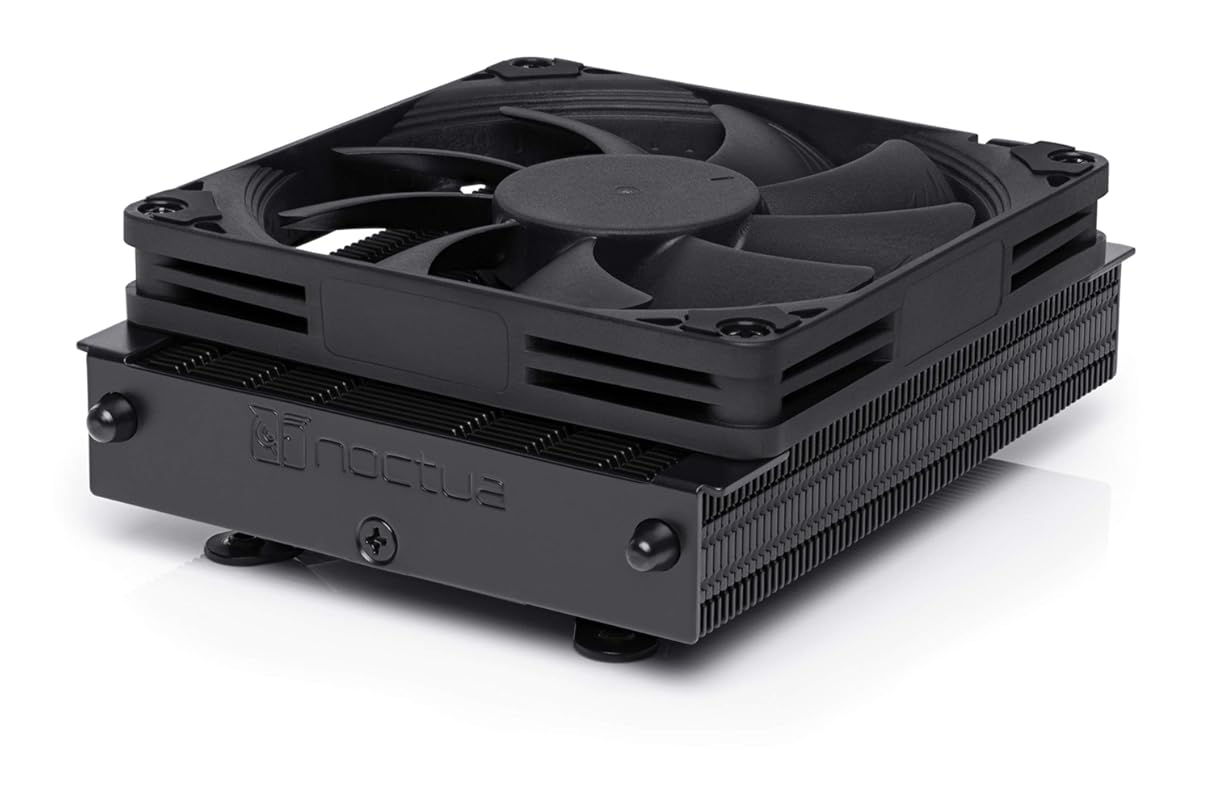
The Noctua NH-L9a-AM5 is the AM5-specific version of their legendary low-profile cooler. At only 37mm tall, it’s optimized for AMD’s AM5 socket with a tailored heatsink design that addresses the chiplet hotspot issue. It includes the award-winning NF-A9x14 fan with a Low-Noise Adaptor and comes with additional hardware for mounting taller fans. The all-black chromax.black edition looks sleek and provides 100% RAM and PCIe compatibility on AM5 motherboards.
Key Features That Stand Out
- ✓ Only 37mm height—fits in the smallest AM5 SFF builds
- ✓ AM5-optimized design for better chiplet hotspot cooling
- ✓ NF-A9x14 PWM fan with Low-Noise Adaptor
- ✓ Includes hardware for mounting up to 25mm tall fans
- ✓ 100% RAM and PCIe clearance on AM5 motherboards
Why We Recommend It
For AM5 builders in tight cases, this is the undisputed king. Noctua’s engineering shines with a heatsink mass and shape specifically tuned for AMD’s dual-chiplet design, resulting in better hotspot temperatures than generic low-profile coolers. The installation is dead simple, the build quality is impeccable, and the noise levels are whisper-quiet. It’s expensive for a low-profile cooler, but you’re paying for top-tier engineering and reliability.
Best For
AM5-based SFF and HTPC builds where every millimeter of clearance matters. Perfect for Ryzen 5 and 7 CPUs in compact cases. If you have a Ryzen 9, consider a taller cooler unless your case absolutely cannot accommodate more height.
Pros and Cons
Pros:
- Best-in-class cooling for AM5 low-profile coolers
- Extremely quiet operation with included Low-Noise Adaptor
- Perfect RAM and PCIe clearance on AM5 boards
- Easiest installation process in its class
- Premium thermal paste and extra hardware included
Cons:
- High price for a low-profile cooler
- Only compatible with AM5 (not cross-platform)
- Still limited by low-profile physics—not for extreme overclocking
- No RGB lighting (again, a pro for many)
Customer Reviews
Customer Review: This review doesn’t exist in a vacuum, as I tried almost every other cooler at this size constraint, and the others don’t perform as well. The total mass of the unit, the AM5-optimized hot-spot dissipation, and the manufacturers obsessive commitment to noise reduction = the best AM5 CPU cooler under 40mm. The competition is both louder and less efficient, as they either haven’t optimized for the AM5 hot-spots or don’t have enough total mass to soak the heat for air transfer. And just to add more QOL improvements, the Noctua NH-L9a-AM5 has the easiest installation, the best fit and finish, clear and detailed instructions, field-leading thermal paste, and additional hardware for mounting taller fans. As always, they include their “low-noise” adapter cable, in a tidy little package that exude quality.
Customer Review: This has been my cooler for my daily driver PC. I have had no issues with heat throttling, noise levels are fine. Build quality is what you would expect from anything Noctua. Installation process is quick and easy.
8. Thermalright AXP90 X36 Black Low-Profile CPU Cooler
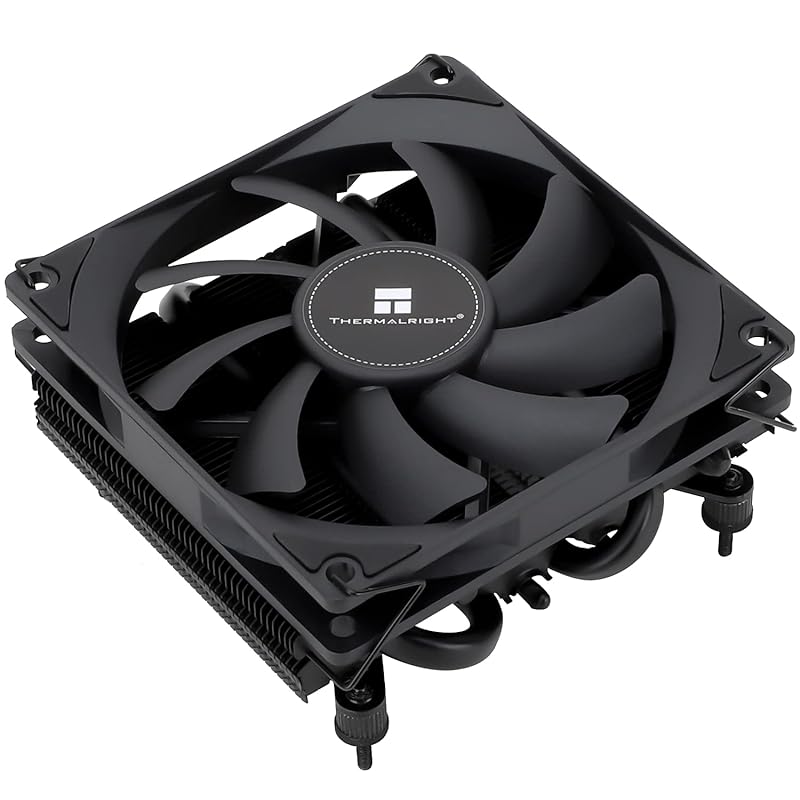
The black version of the AXP90 X36 offers the same ultra-low 36mm profile but with a sleek all-black finish and a TL-9015B PWM fan. It’s functionally identical to the standard AXP90 X36, making it a great choice for builders who want a more integrated, stealthy look in their compact system. The nickel-plated copper base and all-metal construction ensure good thermal performance and durability at an unbeatable price.
Key Features That Stand Out
- ✓ 36mm total height for extreme low-profile builds
- ✓ All-black aesthetic with TL-9015B PWM fan
- ✓ Nickel-plated copper base for excellent heat transfer
- ✓ All-metal platform with backplate fastener
- ✓ Supports Intel LGA 115X/1200 and AMD AM4
Why We Recommend It
If you loved the AXP90 X36 but wanted a darker color scheme, this is your cooler. It delivers the same impressive cooling for its size class at the same rock-bottom price. The black finish blends better with modern components and cases. For budget SFF builders, it’s hard to beat the value proposition—you get copper-based cooling for less than many aluminum competitors.
Best For
Ultra-small form factor builds where a blacked-out aesthetic is desired. Ideal for HTPCs, mini-ITX office PCs, and silent media centers with 65W-90W CPUs. A perfect match for cases like the SilverStone RVZ03 or Fractal Design Node 202.
Pros and Cons
Pros:
- Extremely low profile with stylish black finish
- Copper base provides superior thermal conductivity
- Very quiet for such a small fan
- Incredibly affordable—best value in low-profile cooling
- Includes thermal paste and all necessary mounting hardware
Cons:
- Mounting remains tedious and requires backplate replacement
- Limited to lower TDP CPUs (around 90W max)
- Fan is non-standard, making replacements difficult
- Not suitable for AM5 without an adapter (check compatibility)
Customer Reviews
Customer Review: The AXP90 is an amazing low profile CPU cooler and for the price it is completely unbeatable. Wherever you simply cannot use a tower cooler (because of height restrictions) or don’t want to invest in an AIO, this cooler will suit your needs well.The Good:Cooling – For coolers with appropriate wattage, about 90W or below, the AXP90 will keep them cool, with the idle temps of lower draw chips, such as the Ryzen 5600G, being only slightly above ambient. Even running a full core workload at 100% the chip will be nowhere near thermal throttling.Noise – The fan used here, despite its size, is nearly silent. Even when almost completely open in the side of a Deskmini X300 I cannot hear it at all past a couple feet away from it; the fridge in the kitchen makes more ambient noise despite being half a house away.Price – I don’t think you can get better for $23. Out the door for $25 with tax, having a low profile cooler be effective and quiet for less than half the cost of a competing Noctua option is enormous; I’d never pay twice the amount for something that can’t do much better.The Bad:Mounting – The mounting, while being part of the nature of low profile options, is definitely tedious and you need to be prepared to replace the backplate to make this work. Unlike a lot of AM4 coolers which use the backplate already, this cannot. So be mindful of the order of assembly or you’ll be forced to mount the cooler in-case behind a mess of wires (be real, you didn’t cable manage)!Overall, I am very satisfied and would definitely recommend the AXP90 to anyone needing a low profile CPU cooler, limited budget or otherwise.
Customer Review: Overall, seems great so far. I use Thermalright and Arctic whenever I need something involving fans. If one of them doesn’t have what I’m looking for, the other almost certainly does (in this build, as an example, Thermalright had a CPU cooler that fit, and arctic has 40mm fans that’ll fit).Everything I have gotten from thermalright, which at this point includes an aio, a cpu cooler, and two kinds of fans of different thicknesses and sizes, has been great, and this one seems no exception.I haven’t measured the temps that this gives me yet since I don’t have my case or gpu yet, but it seems to keep things cool. It will fit in my case, and it isnt too loud. Very happy with it so far. I also seen people with my same case use this cooler with higher powered cpus than my 9600x, so I figure this should last me a long while. This is also my second time using the included thermal paste. The applicator could be better, but the paste is good, and they include enough.If it means I don’t have to buy my own paste quite as often, then I am happy.For $20 vs noctuas $60 price tag for the same thing, this is by far the better use of money.
9. Cooler Master Hyper 212 Black CPU Air Cooler
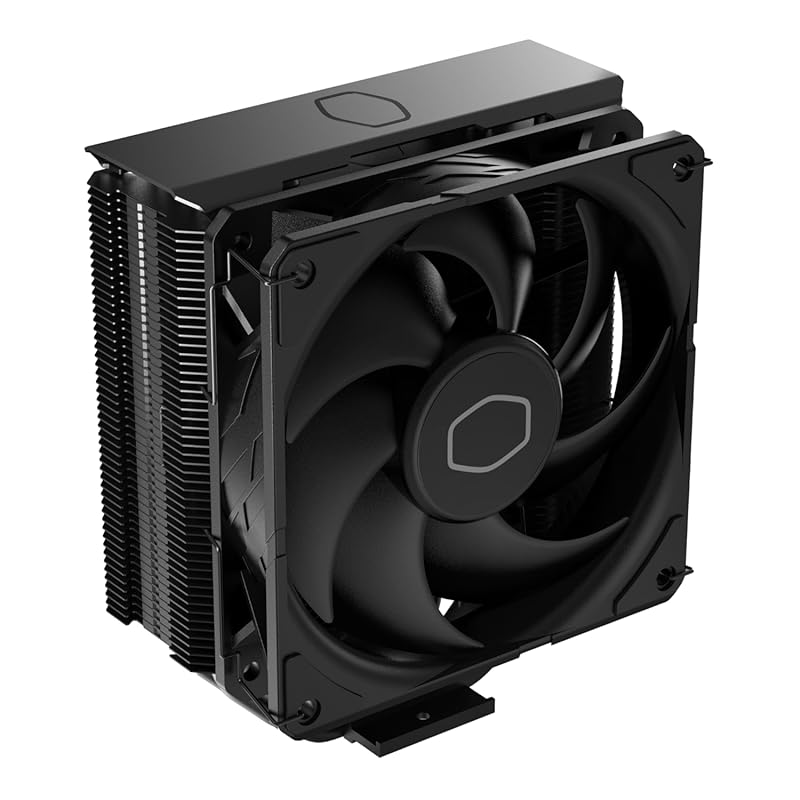
The Cooler Master Hyper 212 Black is a legendary budget air cooler that has been a staple for years. This updated version features an all-black design, a SickleFlow 120 PWM fan, and four direct-contact heat pipes. It’s compatible with Intel LGA 1851/1700/1200 and AMD AM5/AM4. The Hyper 212 offers excellent cooling for mid-range CPUs like the Ryzen 5/7 or Core i5/i7, often matching or beating stock coolers at a low price point.
Key Features That Stand Out
- ✓ Four direct-contact heat pipes with copper base
- ✓ SickleFlow 120 PWM fan with optimized blade design
- ✓ Wide compatibility for Intel and AMD sockets
- ✓ All-black aesthetic for modern builds
- ✓ Low noise operation with PWM control (690-2500 RPM)
Why We Recommend It
The Hyper 212 Black is a proven, no-nonsense cooler that just works. It’s easy to install, runs quietly under normal loads, and provides a significant upgrade over stock coolers. While it may not compete with high-end air coolers for extreme overclocking, it’s more than capable for everyday use and mild overclocking. Its long-standing reputation and consistent performance make it a safe, reliable choice.
Best For
First-time builders, budget gamers, and anyone needing a solid upgrade from a stock cooler. Perfect for mid-range builds with Ryzen 5/7 or Core i5/i7 CPUs. A great starting point if you’re new to aftermarket cooling.
Pros and Cons
Pros:
- Excellent value for money—proven performance at a low cost
- Easy installation with clear instructions
- Quiet operation with PWM control
- Wide socket compatibility
- Durable construction with a sleek black finish
Cons:
- Can be tricky to install on some motherboards due to backplate design
- May not handle high-TDP CPUs (like Ryzen 9) under heavy loads
- Included thermal paste is average—consider upgrading
- Taller than some low-profile options (155mm)
Customer Reviews
Customer Review: This fan was selected for use in my new desktop computer, and my experience with it thus far has been positive. It looks good, with attractive color accents that enhance the overall appearance of my new desktop. Beyond aesthetics, the fan exhibits a robust and sturdy construction, instilling confidence in its long-term durability. Most importantly, it performs well, and moves a lot of air, which is crucial for maintaining optimal system performance.The fan’s sturdy build is a notable advantage, suggesting resilience and longevity. Additionally, the appealing color scheme adds a welcome visual element to the computer’s internal components. Its capacity to move a substantial amount of air is a critical pro, ensuring efficient cooling and contributing to the overall stability and performance of the system.At this time, no drawbacks have been identified.In conclusion, this fan proves to be a solid choice for a computer build, offering a combination of effective cooling performance, durable construction, and pleasing visual design. Its ability to move a significant volume of air, coupled with its sturdiness and attractive colors, makes it an excellent choice.
Customer Review: I purchased the Hyper 212 Black edition because the standard Evo clashed with the darker theme of the case. For starters, shipping was quick. I was home so I was able to receive my stuff as soon as the delivery person dropped it off.I ordered this particular cooler because I kept seeing great reviews about it. I was running the Corsair H60 sealed water cooling system but it was a few years old and I started to get a bit concerned with it leaking on my 1080ti and giving me a very expensive paperweight. I’ve included photos of how it looks, and my CPU temp during a game of Rocket League at 4K resolution. It was even if not better than my water cooler.Installation was pretty cut and dry, my system uses an AM3+ socket and I had no issues mounting the radiator stack. The only problem I had was my screw driver wasn’t the right kind to reach the screws so it took longer than it should have to get them threaded in. Mounting the fan was a bit of a pain but had I removed my upper exhaust fan it would have been much easier. I ended up removing it to connect the fan to my CPU fan header later on.As far as system specs,AMD FX-8350 processorASRock 980de3 motherboard16GB DDR3 ram, Hyper X Fury(I had no issues with clearance involving the ram)MSI Armor GeForce 1080ti video cardAll crammed into the very poorly designed Gamdias Talos M1 RGB case. The airflow in this case is totally dog poop so the fact that my temps are very reasonable is great.I did not use the supplied thermal paste, I opted for Arctic Silver 5, I have heard the supplied Cooler Master paste is not very good and will cause issues later on. Also, because of the cutout on the motherboard mounting surface, I didn’t have to remove the motherboard to put the X bracket on the back.Overall, I definitely recommend this cooler if you want a budget air cooler and you can support the size of radiator.
10. Iota L36 BK 360mm AIO CPU Cooler
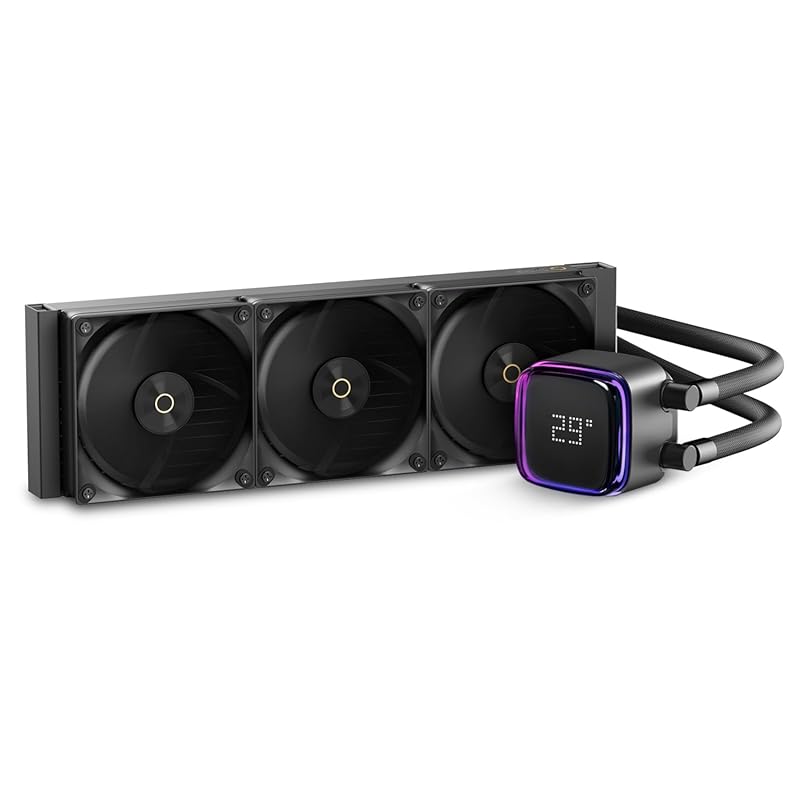
The Iota L36 BK is a feature-packed 360mm AIO that includes a unique floating digital display on the pump. This display shows real-time CPU or GPU temperature, switchable between Celsius and Fahrenheit. It has a powerful 70*70*65mm pump and three PWM fans for strong cooling with a 300W TDP rating. The all-black design with ARGB lighting on the pump adds a touch of style, while the simple two-wire setup keeps installation clean.
Key Features That Stand Out
- ✓ Floating digital display showing real-time CPU/GPU temps
- ✓ 360mm radiator with three PWM fans
- ✓ 300W TDP rating for high-end CPUs
- ✓ Powerful 70mm pump for efficient liquid circulation
- ✓ All-black design with ARGB pump lighting
Why We Recommend It
If you want an AIO with a cool tech feature and solid performance without the premium price, the Iota L36 BK is a great pick. The digital display is genuinely useful for monitoring temps at a glance. Cooling performance is on par with other 360mm AIOs in its price range, handling overclocked Ryzen 9 and Core i9 CPUs. It’s a functional, good-looking cooler that stands out from the crowd.
Best For
Builders with high-end CPUs who want a 360mm AIO with a unique visual element. The digital display is great for showcase builds or for those who like to monitor temps without software. Ensure your case supports a 360mm radiator in the top or front mount.
Pros and Cons
Pros:
- Unique digital temperature display is practical and eye-catching
- Strong cooling performance for high-TDP CPUs
- Clean all-black design with subtle ARGB
- Simple two-wire pump connection reduces cable clutter
- Good value for a 360mm AIO with extra features
Cons:
- Display may be gimmicky for some users
- Long-term reliability of the display/pump not as proven as established brands
- Fan noise can be noticeable at high speeds
- Radiator mounting hardware is basic
Customer Reviews
Customer Review: Excellent quality, simple and functional, excellent price.
Customer Review: Bought this one because my other cooler was failing, came with all the parts and easy to follow instructions, great deal the the digital display is a nice addition. Keeps cpu very cool
Complete Buying Guide for Best Low Cost Cpu Cooler
Essential Factors We Consider
When choosing a budget CPU cooler, focus on socket compatibility—ensure it supports your motherboard’s socket (AM5, AM4, LGA 1700, etc.). Check the TDP rating; match the cooler’s capacity to your CPU’s power draw (e.g., a 65W CPU needs at least a 100W cooler for headroom). Clearance is critical: measure case height for air coolers, and ensure your case supports the radiator size for AIOs. Noise levels matter—look for PWM fans and check dB(A) ratings if quiet operation is a priority. Finally, consider build quality; metal construction and reliable mounting systems last longer.
Budget Planning
You don’t need to spend much for great cooling. Under $30: solid low-profile coolers like the Thermalright AXP90 X36 or basic tower coolers. $30-$60: the sweet spot—excellent air coolers like the Hyper 212 Black or Noctua NH-U12S. $60-$100: high-end air coolers (PCCOOLER RZ700D) or 240mm-280mm AIOs. Over $100: premium 360mm AIOs with fancy features. For most mid-range builds, $40-$70 gets you fantastic performance. Remember to factor in thermal paste (~$5) if not included.
Final Thoughts
The best low cost CPU cooler balances performance, noise, and compatibility for your specific build. Air coolers are reliable, low-maintenance, and often quieter than cheap AIOs. AIOs offer better RAM clearance and can look sleeker but have a small risk of leaks. For most users on a budget, a quality air cooler like the PCCOOLER RZ700D (high-end) or Thermalright AXP90 X53 (low-profile) provides the best value. Always double-check case and motherboard clearance before buying—a cooler that doesn’t fit is a wasted investment.
Frequently Asked Questions
Q: Is an air cooler or AIO better for budget builds?
A: For most budget builds, a quality air cooler is the better choice. They’re cheaper, more reliable (no pump or fluid), easier to install, and often quieter than low-end AIOs. AIOs make sense only if you need the RAM clearance or have a case that can’t fit a large air cooler.
Q: How do I know which CPU cooler fits my case?
A: Check your case specifications for CPU cooler height clearance (for air coolers) or radiator support (for AIOs). Measure the space from the motherboard to the side panel. For air coolers, also check width/depth for RAM and PCIe clearance. For AIOs, confirm your case has mounting holes for 120mm, 240mm, 280mm, or 360mm radiators in the desired location (top, front, side).
Q: Can I use a low-profile cooler for gaming?
A: Yes, but with limits. Low-profile coolers like the Noctua NH-L9x65 or Thermalright AXP90 handle mid-range CPUs (Ryzen 5/7, Core i5/i7) well for gaming. They may run warmer under sustained loads compared to tower coolers, but they’re perfectly fine for 60+ FPS gaming. Avoid using them with high-TDP CPUs (Ryzen 9, Core i9) for long gaming sessions.
Q: Should I prioritize noise or cooling performance?
A: Prioritize cooling performance first—your CPU’s lifespan and stability depend on safe temperatures. A cooler that’s too loud won’t be enjoyable, but a cooler that can’t keep up will throttle and hurt performance. Look for coolers with PWM fans that adjust speed based on temperature. A good balance is a cooler that stays under 50 dB(A) under load while keeping temps below 85°C for your CPU.
Q: Are cheap CPU coolers reliable long-term?
Choosing the best low cost CPU cooler doesn’t mean settling for less. As this list shows, you can get excellent cooling, quiet operation, and solid build quality without spending a fortune. Whether you need a tiny low-profile unit for an HTPC, a massive air cooler for overclocking, or a budget AIO for a gaming rig, there’s a option here that fits your needs and budget. Don’t let CPU thermals hold back your build—pick one of these top-rated coolers and enjoy a cooler, quieter, more stable system today.
Ready to upgrade your cooling? Click any “Check Price on Amazon” button above to grab the best low cost CPU cooler for your build!