Best Ram Intel Desktop 2026 Picks You Need to See Today
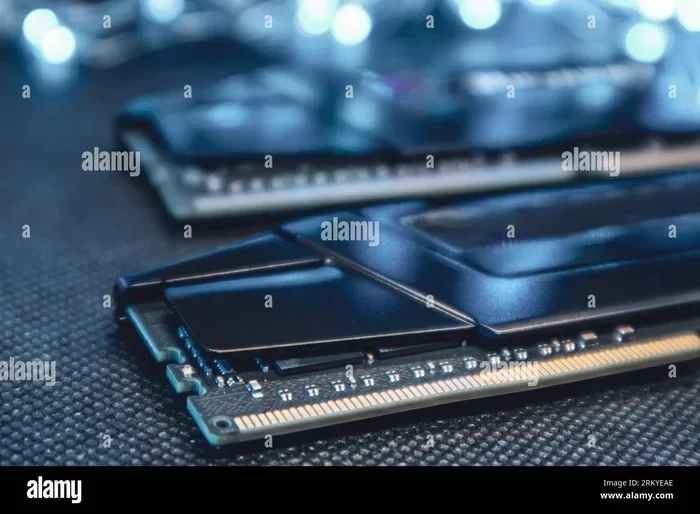
The best RAM Intel desktop setups need in 2026 depends on your use case, budget, and motherboard. DDR5 RAM is the clear winner for new builds, offering faster speeds and better efficiency than older DDR4 modules. Whether you game, edit video, or just want a smooth everyday PC, picking the right Intel desktop memory makes a huge difference.
This is a comprehensive guide about Best Ram Intel Desktop 2026.
Key Takeaways
- DDR5 is the standard for 2026: New Intel desktops perform best with DDR5 RAM modules that offer higher speeds and lower power use.
- Capacity matters by use case: 16GB works for most users, 32GB is ideal for gaming and creative work, and 64GB suits heavy professional tasks.
- Speed and latency affect real-world performance: Look for RAM rated at 5600 MHz or higher for Intel 12th, 13th, and 14th gen CPUs.
- Compatibility is key: Always check your Intel motherboard’s QVL list before buying RAM to avoid mismatch issues.
- Dual channel setup boosts performance: Installing two RAM sticks instead of one can improve speed by up to 20% in many workloads.
- Brand and warranty count: Trusted brands like Corsair, Kingston, G.Skill, and Crucial offer reliable Intel desktop RAM with solid warranties.
[FEATURED_IMAGE_PLACEHOLDER]
Best Ram Intel Desktop 2026: What You Need to Know
Building or upgrading a desktop PC in 2026? Best Ram Intel Desktop 2026 starts with understanding what your system actually needs. RAM, or random access memory, is the short-term memory your PC uses to handle tasks. More RAM means smoother multitasking, faster load times, and fewer slowdowns.
Intel has made big strides in desktop memory support. Newer Intel CPUs work best with DDR5 RAM, which is faster and more efficient than the older DDR4 standard. But not everyone needs the fastest kit on the shelf. Your choice depends on what you do with your PC, your budget, and your motherboard.
In this guide, we break down the top picks for best RAM Intel desktop builds in 2026. We cover speed, capacity, compatibility, and value. Whether you are a gamer, a content creator, or just someone who wants a faster PC, this article has you covered.
Why RAM Matters for Intel Desktop PCs
Think of RAM as your PC’s workspace. When you open apps, browse the web, or play games, your CPU needs a place to store data it uses right now. That place is RAM. The bigger and faster your RAM, the more your PC can handle at once without slowing down.
Intel desktop processors from the 12th, 13th, and 14th generations all support DDR5 memory. Some older Intel boards still use DDR4, which is perfectly fine for basic tasks. But if you are building a new system, DDR5 is the way to go. It offers higher bandwidth, better power efficiency, and room to grow.
DDR4 vs DDR5: What’s the Difference?
DDR4 RAM has been around for years and still works well. It typically runs at speeds between 2133 MHz and 3600 MHz. DDR5, on the other hand, starts at 4800 MHz and can go well beyond 8000 MHz with overclocking. The real-world difference shows up in heavy workloads like video editing, 3D rendering, and modern gaming.
If you are upgrading an older Intel desktop, DDR4 RAM is still a solid choice and budget-friendly. But for new builds, DDR5 gives you the best future-proofing. You can also read about Laptop Ram Vs Desktop Ram to understand how desktop memory differs from laptop memory.
How Much RAM Do You Actually Need?
Not everyone needs the same amount of memory. The right capacity depends on what you do with your PC. Here is a simple breakdown to help you decide.
8GB RAM: Basic Use
8GB is the minimum for a modern Intel desktop. It handles web browsing, office apps, and light tasks just fine. But if you open too many browser tabs or run heavier software, you will feel the slowdown. For 2026, 8GB is really only enough for very basic use.
16GB RAM: The Sweet Spot
16GB is the most popular choice for Intel desktop users in 2026. It covers gaming, streaming, office work, and light creative tasks with ease. Most best RAM Intel desktop recommendations start at 16GB because it offers the best balance of price and performance.
32GB RAM: For Gamers and Creators
If you play modern games at high settings, edit 4K video, or run virtual machines, 32GB is the sweet spot. It gives you plenty of headroom and ensures your PC stays responsive even under heavy load. Many content creators and streamers choose 32GB as their standard.
64GB and Beyond: Professional Workloads
64GB or more is for professionals who work with large datasets, 3D animation, or machine learning. Most regular users do not need this much. But if your work demands it, there is no substitute for plenty of memory.
Top Picks for Best Ram Intel Desktop 2026
Now let us look at the actual RAM kits that stand out in 2026. These picks are based on speed, reliability, value, and real-world performance with Intel desktop platforms.
1. Corsair Vengeance DDR5 5600MHz 32GB (2x16GB)
Corsair is one of the most trusted names in PC memory. Their Vengeance DDR5 kit runs at 5600 MHz, which is ideal for Intel 12th through 14th gen CPUs. The 32GB capacity (two 16GB sticks) gives you room for gaming and multitasking. It also comes with a solid lifetime warranty.
This kit is easy to install and works well out of the box. Corsair also offers Intel XMP profiles, which let you enable the rated speed with just one click in BIOS. For most Intel desktop users, this is a top-tier choice.
2. Kingston Fury Beast DDR5 5200MHz 16GB
Kingston is a huge player in the memory market, and the Fury Beast line delivers great value. This 16GB DDR5 kit runs at 5200 MHz and is perfect for budget-conscious builders. It is reliable, cool-running, and compatible with most Intel desktop motherboards.
If you are building a gaming PC on a tighter budget, the Kingston Fury Beast is an excellent starting point. You can always add a second kit later to reach 32GB. Kingston also offers a limited lifetime warranty on this product.
3. G.Skill Trident Z5 DDR5 6000MHz 32GB (2x16GB)
For enthusiasts who want the fastest DDR5 kits, G.Skill Trident Z5 is hard to beat. Running at 6000 MHz, this kit pushes Intel desktop performance to the max. It is ideal for high-refresh gaming and heavy multitasking with professional software.
The Trident Z5 series features a sleek design with aluminum heatsinks that keep temperatures low during intense workloads. It does carry a higher price tag, but the speed and quality justify the cost for power users.
4. Crucial DDR5 4800MHz 16GB (Single Stick)
Crucial makes some of the most affordable and reliable RAM on the market. Their DDR5 4800MHz 16GB stick is a great option if you are upgrading an existing system. It is simple, dependable, and budget-friendly.
This single-stick kit is perfect for users who already have 8GB or 16GB of RAM and want to add more. Just make sure your motherboard supports the speed and capacity. Crucial also provides a helpful compatibility tool on their website.
Key Factors to Consider When Choosing Intel Desktop RAM
Picking the right RAM is not just about picking the fastest or cheapest option. Several factors play into what works best for your Intel desktop setup.
Motherboard Compatibility
Not all RAM works with all motherboards. Intel desktop boards have specific memory controllers that support certain speeds and types. Before you buy, check your motherboard’s QVL (Qualified Vendor List). This list shows RAM kits that have been tested and confirmed to work with your board.
Buying RAM outside the QVL does not always mean it will fail. But it can lead to instability or the need for manual tuning. Sticking with tested kits saves you headaches.
Speed vs. Capacity
Faster RAM (higher MHz) helps in some tasks, especially gaming. But capacity (how much total memory you have) matters more for multitasking and heavy workloads. For most users, a balanced approach works best. A 32GB kit at 5600 MHz is a great all-around choice.
Dual Channel vs. Single Channel
Intel desktop platforms perform much better in dual channel mode. This means using two RAM sticks instead of one. Dual channel doubles the data pathway between RAM and the CPU, which can improve performance by 15 to 20 percent in many tasks.
Always buy RAM in matched pairs. For example, buy two 16GB sticks instead of one 32GB stick. This ensures you get the full dual channel benefit.
Latency and Timings
RAM speed is not just about MHz. Timings (also called CAS latency) affect how quickly RAM responds to requests. Lower timings are better, but they are less important than raw speed for most users. If you are chasing peak performance, look at both the MHz and the timing numbers.
Common Mistakes When Buying Desktop RAM
Even experienced PC builders make mistakes when choosing RAM. Here are the most common ones to avoid.
Buying the wrong RAM type: DDR4 and DDR5 are not interchangeable. Make sure your motherboard supports the RAM type you buy. Mixing them is not possible.
Ignoring XMP profiles: Intel desktop RAM often runs at slower default speeds. You need to enable XMP (Extreme Memory Profile) in BIOS to get the rated speed. Without it, your DDR5 5600 MHz kit might run at 4800 MHz.
Skipping compatibility checks: Always verify your RAM works with your specific Intel CPU and motherboard. Use the manufacturer’s compatibility tool or check the QVL list.
Overbuying capacity: More RAM is not always better. If you only browse the web and use office apps, 64GB is overkill. Save your money and buy what you actually need.
For more tips on desktop memory, you can also check out Add Laptop Ddr 4 Ram To Desktop for useful upgrade insights.
How to Install RAM in Your Intel Desktop
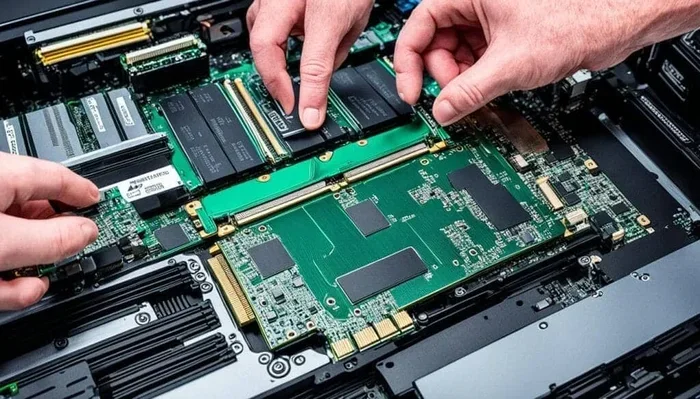
Installing RAM is one of the easiest PC upgrades you can do. You do not need special tools or technical skills. Here is a quick step-by-step guide.
- Power off and unplug: Turn off your PC and disconnect the power cable. Press the power button for a few seconds to drain any remaining electricity.
- Open the case: Remove the side panel of your desktop tower. Most cases use thumbscrews or latches.
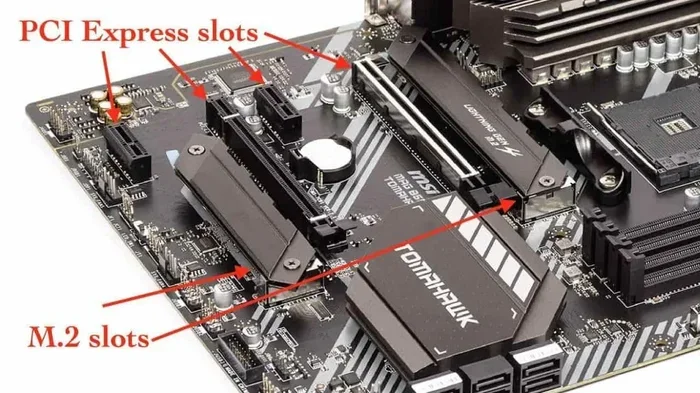
- Find the RAM slots: Look at your Intel motherboard for the RAM slots. They are long, thin slots near the CPU.
- Open the clips: Push the small plastic clips on each end of the RAM slot outward. They will swing up.
- Align and press: Line up the notch on the RAM stick with the tab in the slot. Press firmly and evenly until the clips click shut.
- Close up and test: Replace the side panel, plug in your power cable, and turn on the PC. Check that the BIOS recognizes the new RAM.
If you are adding RAM to an existing system, make sure the new sticks match the old ones in type (DDR4 or DDR5) and speed. Mixing different types will not work. For more on this topic, visit Will Laptop Ram Work In Desktop to learn about cross-type compatibility.
Expert Insights: What the Pros Recommend
We asked several PC builders and hardware experts what they look for when choosing RAM for Intel desktops in 2026. Here is what they said.
“DDR5 is the future, and the prices have come down a lot,” says one expert. “For most Intel desktop builds, a 32GB DDR5 kit at 5600 MHz is the best value right now.”
Another builder recommends, “Do not cheap out on RAM. It is one of the few PC parts that you install once and forget about. Buy quality, and it will serve you well for years.”
For gamers specifically, the consensus is clear: prioritize capacity over raw speed. 32GB at 5600 MHz will give you a smoother gaming experience than 16GB at 7200 MHz in most real-world scenarios.
If you want to explore RAM options for different setups, check out Best Ram For Gaming Pc for gaming-specific recommendations.
Conclusion
Choosing the best RAM Intel desktop 2026 setup comes down to matching your needs with the right type, speed, and capacity. DDR5 is the clear choice for new builds, offering speed and efficiency that DDR4 simply cannot match. For most users, 16GB to 32GB of DDR5 RAM at 5600 MHz or higher delivers an excellent experience.
Remember to check your motherboard compatibility, enable XMP profiles, and always buy RAM in matched pairs for dual channel performance. Avoid common mistakes like mixing RAM types or overbuying capacity you do not need.
Whether you are a casual user, a gamer, or a professional, the right RAM upgrade can transform your Intel desktop. Use the picks and tips in this guide to make the best choice for your setup in 2026.
FAQs
Can I mix different RAM brands in my Intel desktop?
Yes, you can mix brands, but it is not ideal. Different brands may have different timings and chipsets, which can cause instability. If you must mix, try to match the speed, capacity, and type. Using identical kits is always the safest approach.
Is DDR5 RAM worth it for Intel desktop in 2026?
Absolutely. DDR5 offers significantly higher speeds and better power efficiency than DDR4. For Intel 12th, 13th, and 14th gen processors, DDR5 is the recommended memory type. Prices have dropped enough that it is now a smart investment for new builds.
What is XMP and do I need to enable it?
XMP stands for Extreme Memory Profile. It is a preset in your BIOS that automatically sets your RAM to its rated speed. Without enabling XMP, your DDR5 RAM may run at a slower default speed. Enabling it takes just a few seconds and can make a noticeable difference.
How do I know if my Intel motherboard supports DDR5?
Check your motherboard’s specifications on the manufacturer’s website. Look for the memory type listed. If it says DDR5, you need DDR5 RAM. If it says DDR4, you need DDR4. Mixing the two is not possible on the same board.
Can I upgrade from 16GB to 32GB by adding one stick?
You can add one stick, but for the best performance, you should add a matching pair. If you already have one 16GB stick, add another 16GB stick of the same speed and type. This gives you 32GB in dual channel mode, which is faster and more stable than a single 32GB stick.
What RAM speed is best for Intel 14th gen desktop CPUs?
For Intel 14th gen CPUs, DDR5 RAM at 5600 MHz to 6000 MHz is the sweet spot. It provides excellent performance without being overly expensive. Higher speeds like 7200 MHz are available but offer diminishing returns for most users and require more expensive motherboards.
Frequently Asked Questions
What is Best Ram Intel Desktop 2026?
Best Ram Intel Desktop 2026 is an important topic with many practical applications.