Best Ram Ssd Minecraft Servers You Will Love in 2026
Finding the best RAM SSD Minecraft servers in 2026 means choosing setups with fast storage and enough memory to keep your world running smooth. Whether you are a casual builder or a hardcore player, the right server hardware makes a huge difference in performance. This guide walks you through top options, key specs, and simple tips to get the most out of your Minecraft experience.
Minecraft has come a long way since its early days. Today, players want seamless worlds, massive builds, and zero lag. The secret sauce behind a great Minecraft experience often comes down to two things: RAM and SSD storage. When you pair these components the right way, your server runs like butter. In 2026, the landscape of Minecraft servers has evolved, and choosing the right setup matters more than ever.
Whether you are setting up a private world for friends or running a public multiplayer server, the hardware underneath the hood determines everything. Slow storage causes stuttering. Not enough server RAM causes crashes. And a weak processor leads to low tick rates. This guide breaks down what you need to know to find the best RAM SSD Minecraft servers that will keep your world thriving in 2026.
Key Takeaways
- SSD storage drastically cuts load times: NVMe and SATA SSDs make chunk loading and world saves much faster than old hard drives.
- More RAM means smoother gameplay: Servers with 8GB to 16GB of RAM handle more players and plugins without lag.
- The right CPU matters too: A strong processor like an Intel i7 keeps tick rates stable even during heavy activity.
- Hosting choice affects everything: You can pick between self-hosting, VPS, or managed server providers based on your needs and budget.
- Optimization is key: Using the right plugins, keeping software updated, and monitoring performance keeps any server running well.
- Price varies widely: Budget options start around $5 per month, while high-end setups can cost $50 or more monthly.
📑 Table of Contents
Why RAM and SSD Matter for Minecraft Servers
Before we dive into specific picks, let us talk about why these two components are so important. Minecraft is a unique game. It constantly loads and saves chunks of terrain. It tracks hundreds of entities, mob movements, and player actions every single tick. All of this data lives in memory and on disk.
RAM acts as your server’s short-term memory. It holds active chunks, player data, and plugin information. When your server runs low on RAM, it starts swapping data to disk. This causes lag, freezes, and terrible performance. More RAM means your server can handle more players, more plugins, and more complex worlds without breaking a sweat.
SSD storage is your server’s long-term memory. When the server saves world data or loads new chunks, it reads from and writes to the disk. Traditional hard drives (HDDs) are painfully slow for this task. SSD storage slashes load times and makes world generation feel instant. An NVMe SSD is even faster than a standard SATA SSD, making it the gold standard for Minecraft hosting in 2026.
How Much RAM Do You Really Need?
The amount of server RAM you need depends on what you plan to run. Here is a simple breakdown:
- 2GB to 4GB: Good for a small private server with 2 to 5 players. No heavy plugins.
- 6GB to 8GB: Great for medium servers with 10 to 20 players and a handful of plugins.
- 10GB to 16GB: Perfect for large community servers with many plugins, mods, and 30+ players.
- 32GB or more: Ideal for massive networks, minigame hubs, or modded servers with heavy resource usage.
As a rule of thumb, always add a little extra headroom. Server performance drops fast when you hit the memory ceiling. If you run a modded setup, lean toward the higher end of these ranges.
Why SSDs Beat HDDs for Minecraft
The difference between an SSD and an HDD in a Minecraft server is night and day. Here are the key reasons why SSD storage is non-negotiable in 2026:
- Faster chunk loading: Players experience smoother transitions as they move across the world.
- Quicker world saves: The server writes data to disk in a fraction of the time.
- Reduced I/O bottlenecks: SSDs handle many small read/write operations much better than HDDs.
- Better backup speeds: Automated backups complete faster, protecting your world data.
- Lower latency: Faster disk access means fewer delays during gameplay.
If you are still running an HDD-based gaming server, upgrading to even a basic SATA SSD will feel like a massive improvement. And if budget allows, an NVMe drive takes things to the next level.
Top Picks for Best RAM SSD Minecraft Servers in 2026
Now let us get into the fun part. Here are some of the best options for Minecraft servers that combine strong RAM and fast SSD storage. These picks cover different budgets and use cases.
1. Shockbyte
Shockbyte has been a go-to name in the Minecraft hosting world for years. Their plans start with 4GB of RAM and NVMe SSD storage. They offer easy one-click installs for popular server software like Spigot, Paper, and Bukkit. Plans are affordable, starting around $5.50 per month, and they include DDoS protection and 24/7 support.
What makes Shockbyte stand out is their focus on server uptime. They guarantee 99.9% uptime, which means your world stays online even during traffic spikes. Their customer dashboard is clean and easy to use, making it a solid choice for beginners and veterans alike.
2. Apex Hosting
Apex Hosting is another strong contender for the best RAM SSD Minecraft servers in 2026. Their entry-level plans come with 4GB of RAM and SSD storage, while their higher tiers offer up to 14GB of RAM with NVMe drives. Apex also provides a custom control panel that makes server management a breeze.
One thing that sets Apex apart is their mod support. If you want to run a modded multiplayer server, they have pre-installed modpacks for popular mod packs like Feed The Beast and All the Mods. Their support team is responsive and knowledgeable, which is a huge plus when things go wrong.
3. BisectHosting
BisectHosting offers competitive pricing and solid hardware. Their plans start at 4GB of RAM with NVMe SSD storage and scale up to 12GB or more. They support all major server types including Forge, Fabric, and Spigot. BisectHosting also includes a free subdomain and DDoS protection on all plans.
For those looking for a reliable dedicated server experience without breaking the bank, BisectHosting hits a sweet spot between performance and cost. Their setup process is straightforward, and their knowledge base is packed with helpful guides.
4. Hostinger Minecraft Hosting
Hostinger has expanded into the Minecraft server space, and they bring some impressive specs to the table. Their plans include NVMe SSD storage and generous RAM allocations starting at 4GB. What makes Hostinger appealing is their overall value — they bundle Minecraft hosting with their broader web hosting ecosystem, which can save you money if you already use their services.
Hostinger’s control panel is modern and intuitive. You can manage your server, install plugins, and monitor performance all from one place. Their customer support is available 24/7 via live chat, which is reassuring if you run into any issues.
5. PebbleHost
PebbleHost is a newer player but has quickly gained a reputation for excellent performance. Their plans start with 4GB of RAM and NVMe SSD storage, and they offer powerful higher-tier options with up to 32GB of RAM. PebbleHost uses enterprise-grade hardware, which means your server performance stays consistent even under heavy load.
They also offer a unique feature: custom server locations. You can choose from a wide range of data centers around the world, which helps reduce server latency for players in different regions. This is a big deal for global multiplayer servers where players span multiple continents.
Hardware Guide: Building or Choosing Your Server Setup
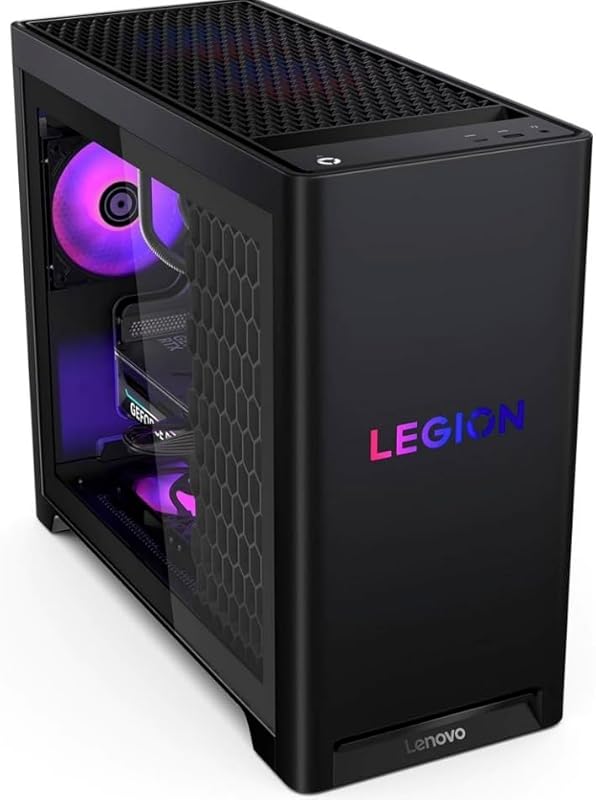
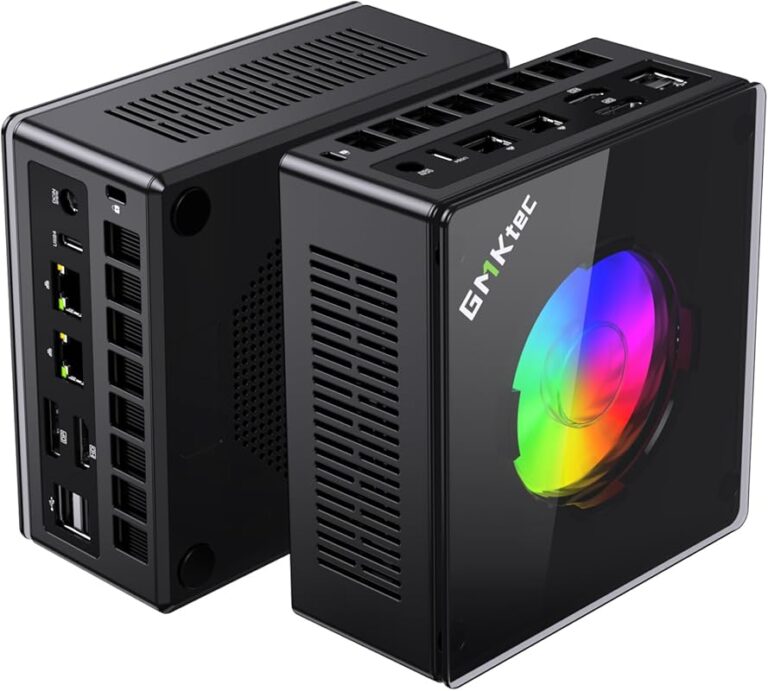
Some players prefer to host their own Minecraft server on local hardware or a remote machine. If you go this route, you need to understand what makes a setup tick. The right combination of RAM, SSD, and processor can rival any paid hosting service.
Processor (CPU)
The CPU handles game logic, entity updates, and redstone calculations. For a smooth Minecraft server experience, an Intel Core i5 or i7 is a great starting point. If you are running a heavily modded server with many players, an Intel i7 with multiple cores will handle the load much better. You can find solid options in refurbished laptops or desktop builds that include a strong CPU paired with ample RAM and SSD storage.
For example, a laptop i7 16gb ram 512gb ssd setup can serve as a capable home server for small to medium groups. Similarly, a laptop 1tb ssd 16gb ram configuration gives you plenty of room for world files, backups, and plugin data. These machines are affordable and surprisingly effective for hosting.
RAM Considerations
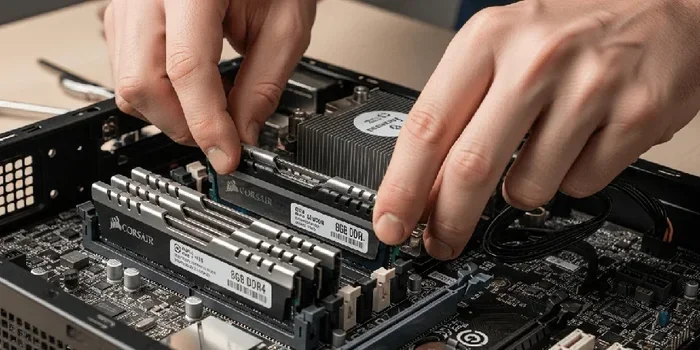
When selecting hardware for a Minecraft server, prioritize RAM above all else. Java Edition Minecraft is notoriously memory-hungry. A server running multiple plugins or mods will consume RAM quickly. If you are building a dedicated server machine, aim for at least 16GB of RAM. This gives you enough headroom for the operating system, the Minecraft server software, and several plugins running simultaneously.
For those looking at pre-built systems, a laptop with 16gb ram and ssd or a laptop 16gb ram i7 512gb ssd configuration provides a great balance of performance and convenience. These machines are portable, energy-efficient, and easy to set up. Just make sure the SSD has enough capacity to store your world files and backups.
Storage Type
Always choose an SSD over an HDD for your Minecraft server. The speed difference is dramatic. Within the SSD category, NVMe drives are faster than SATA SSDs, but even a basic SATA SSD will massively outperform any traditional hard drive. If you are on a budget, a 512GB SSD is sufficient for most servers. For larger worlds or modded setups, a 1TB SSD gives you plenty of breathing room.
In 2026, NVMe SSDs have become very affordable. A 2tb nvme ssd is now reasonably priced and offers tons of space for multiple worlds, backups, and plugin data. If you want the best server performance possible, NVMe is the way to go.
Quick Tips for Optimizing Server Performance
- Keep your server software updated to the latest version.
- Remove unused plugins to free up RAM and CPU resources.
- Set appropriate view distance to reduce chunk loading strain.
- Use a performance monitoring tool to track TPS (ticks per second).
- Schedule regular backups to an external drive or cloud storage.
- Limit the number of entities in loaded chunks with mob caps.
- Use paper or Purpur server software for better performance than vanilla.
Common Mistakes to Avoid
Even experienced server owners make mistakes. Here are some common pitfalls that hurt server performance and how to avoid them:
- Underestimating RAM needs: Many beginners buy too little RAM and wonder why their server lags. Always plan for growth and add extra memory.
- Using an HDD for storage: It might seem cheaper upfront, but the performance hit is not worth it. SSD storage is a must in 2026.
- Installing too many plugins: Every plugin uses RAM and CPU. Only install what you truly need and remove the rest.
- Ignoring server updates: Outdated software can cause compatibility issues and security vulnerabilities. Keep everything current.
- Overlooking network bandwidth: Even with great hardware, a slow internet connection will hurt player experience. Make sure your upload speed is sufficient.
- Skipping backups: Hardware failures happen. Without regular backups, you risk losing your entire world.
Avoiding these mistakes will save you headaches and keep your Minecraft server running smoothly for years to come.
Self-Hosting vs. Managed Hosting: Which Is Right for You?
Choosing between self-hosting and managed hosting is a big decision. Both approaches have pros and cons, and the right choice depends on your goals and technical comfort level.
Self-Hosting
Self-hosting means running the server software on your own hardware. You have full control over everything — the operating system, plugins, backups, and network settings. The upside is that it can be cheaper in the long run, especially if you already own a capable machine. You also get complete privacy since your world is not on a third-party server.
The downside is the responsibility. You handle maintenance, troubleshooting, security, and port forwarding. If your home internet goes down, so does your server. And if you are not comfortable with networking and server administration, the learning curve can be steep. A setup like a laptop 16gb ram 1tb ssd windows 11 works well for self-hosting because it gives you plenty of power and a familiar operating system.
Managed Hosting
Managed hosting providers handle the technical side for you. They maintain the hardware, network, and server software. You get a clean control panel, one-click installs, and professional support. The trade-off is a monthly cost, which can add up over time. However, the convenience and reliability are hard to beat.
For most players, a managed hosting provider is the smarter choice. You get professional-grade hardware, guaranteed uptime, and expert support without needing technical skills. If you want the best experience with minimal hassle, managed Minecraft hosting is the way to go in 2026.
Expert Insights: What Makes a Server Truly Fast
Through testing and community feedback, several factors consistently separate fast servers from slow ones. Here is what the experts look for when evaluating Minecraft server performance:
- NVMe SSD storage: This is the single biggest hardware upgrade you can make for chunk loading and world saves.
- Adequate RAM headroom: A server should never be running at 90% memory capacity. Leave room for spikes.
- Fast CPU clock speeds: Minecraft is heavily single-threaded, so high single-core performance matters more than core count.
- Low-latency network: A fast connection to your players reduces perceived lag even if the server hardware is strong.
- Optimized server software: Paper, Purpur, and Fabric often outperform vanilla servers in terms of ticks per second.
When you combine these elements, you get a server that feels instant. Players can build, explore, and fight without noticing any technical limitations. That is the goal of every great Minecraft server in 2026.
Final Thoughts
Choosing the best RAM SSD Minecraft servers for 2026 comes down to understanding your needs and matching them with the right hardware and hosting provider. Whether you go with a managed hosting service or build your own setup, the fundamentals remain the same: fast SSD storage, sufficient RAM, and a capable processor.
Do not underestimate the impact that SSD storage and server RAM have on your gameplay experience. A well-configured server transforms Minecraft from a choppy, frustrating experience into a smooth, immersive adventure. Take the time to evaluate your options, avoid common mistakes, and invest in quality hardware.
Your Minecraft world deserves the best foundation possible. With the right RAM and SSD setup, you will enjoy lag-free building, seamless exploration, and a thriving community for years to come. Start exploring your options today, and watch your server come alive in 2026.
If you are looking for a great survival experience on a well-optimized server, check out these best survival servers for Minecraft PC to find communities that match your style. And if you are considering self-hosting on your own hardware, a laptop with 16gb RAM and SSD setup gives you everything you need to get started without breaking the bank.
For those who want more storage space for larger worlds, consider a laptop with 1TB SSD and 16GB RAM configuration that offers plenty of room for expansion. And if you are curious about the latest pricing on high-capacity storage, you can explore current deals on 2TB NVMe SSDs for April 2026 to future-proof your setup.
Frequently Asked Questions
What is the minimum RAM needed for a Minecraft server in 2026?
For a small server with 2 to 5 players and no heavy plugins, 4GB of RAM is the minimum. However, 8GB is recommended for a smoother experience with room to grow. If you plan to use mods or plugins, aim for 10GB or more to avoid performance issues.
Can I use an HDD instead of an SSD for my Minecraft server?
Technically yes, but it is not recommended. HDDs are much slower than SSDs, which leads to longer chunk load times, lag during world saves, and a generally poor player experience. An SSD, even a basic SATA model, will dramatically improve your server’s responsiveness and speed.
What is the difference between NVMe and SATA SSDs for Minecraft servers?
NVMe SSDs connect directly to the motherboard via PCIe, making them significantly faster than SATA SSDs. For Minecraft servers, NVMe drives load chunks quicker and handle large world files more efficiently. However, a SATA SSD is still a huge upgrade over an HDD and works well for most servers.
How much does a good Minecraft server cost per month?
Basic hosting plans with 4GB of RAM and SSD storage start around $5 to $10 per month. Mid-tier plans with 8GB to 16GB of RAM and NVMe storage range from $15 to $30 monthly. High-end options with 32GB or more can cost $50 or more, depending on the provider and features.
Is self-hosting a Minecraft server worth it?
Self-hosting can be worth it if you already have capable hardware and enjoy the technical side of server management. It gives you full control and no recurring hosting fees. However, it requires port forwarding, maintenance, and a stable internet connection. For most players, managed hosting is more convenient and reliable.
How do I reduce lag on my Minecraft server?
Start by ensuring you have enough RAM and an SSD for storage. Use optimized server software like Paper or Purpur. Remove unused plugins, limit view distance, and set appropriate mob caps. Regularly monitor your server’s TPS (ticks per second) and address any performance bottlenecks quickly.