Do You Need a Special Adapter for Usb C

Do You Need A Special Adapter For Usb C? Not always, but often enough that it matters. USB-C is versatile, but not every port supports the same features. This guide explains when you need an adapter, which types to buy, and how to avoid common mistakes.
You plug in your new USB-C cable, and… nothing happens. You thought this universal connector would just work with everything, but here you are, staring at your laptop wondering if you need some kind of special adapter. The answer is: it depends. Do You Need A Special Adapter For Usb C? Not always, but often enough that it is worth understanding what you are dealing with.
USB-C has become the go-to connector for laptops, phones, tablets, and even some desktop peripherals. It is small, reversible, and fast. But here is the catch: not all USB-C ports are created equal. Some support only charging. Others handle data. A few can even push video to an external monitor. This is exactly why adapters exist, and why knowing which ones you need can save you a lot of frustration and money.
In this guide, we will walk through everything you need to know about USB-C adapters. We will cover the different types, when you actually need one, how to pick the right one, and the common mistakes people make. By the end, you will feel confident about your USB-C adapter choices.
Key Takeaways
- Not every USB-C port is the same: some only charge, while others handle data and video too.
- You need an adapter when connecting devices with different port types, like USB-C to HDMI or USB-C to USB-A.
- USB-C hubs and docking stations are great for expanding connectivity at your desk.
- Always check your port specs before buying an adapter to avoid wasting money.
- Build quality matters: cheap adapters can cause slow speeds and connection drops.
- Keep a spare USB-C adapter in your bag so you are prepared for any situation.
📑 Table of Contents
What Is USB-C and Why Is Everyone Using It
USB-C is a connector standard that has replaced older ports like USB-A and Micro-USB in many modern devices. It is small, oval-shaped, and reversible, meaning you can plug it in either way. That alone makes it a huge improvement over older connectors.
But USB-C is more than just a shape. It is a platform that supports multiple protocols. A single USB-C port can handle charging, data transfer, and video output, depending on what the device supports. This versatility is why USB-C has become so popular so quickly.
Here are some key things to know about USB-C:
- USB-C connector is reversible, so no more flipping the cable three times
- It supports USB-C data transfer speeds up to 40 Gbps with USB4
- It can deliver up to 100W of power through USB-C power delivery
- It can carry video signals to external displays
- It is used across many device brands, not just one
The problem is that not every device has a full-featured USB-C port. Some laptops only support charging through USB-C. Others might support data but not video. This is where the question of adapters comes in.
Do You Need a Special Adapter for USB-C
The short answer is no. If your device has a full-featured USB-C port and your accessory also has a USB-C connector, you can plug them straight together. No adapter needed. But life is rarely that simple.
You might need a special adapter for USB C in several common situations:
- Your laptop has USB-C but your monitor only accepts HDMI
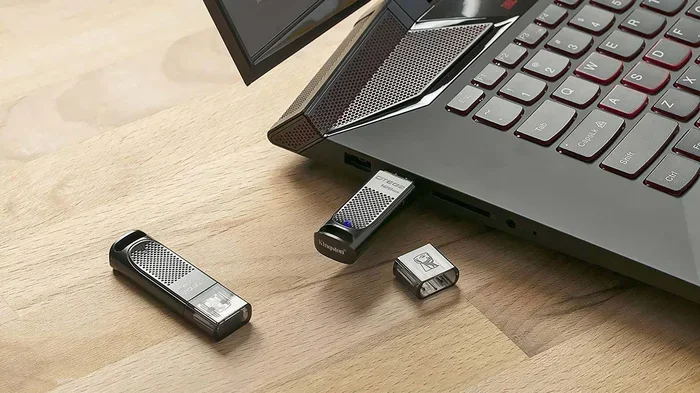
- You want to connect a USB-A flash drive to a USB-C-only laptop
- Your car stereo has an aux input but your phone only has USB-C
- You need to connect multiple devices at once using a USB-C hub
- You want to charge your device with a standard USB-A charger
So when do you need a special adapter for USB C? The answer comes down to the ports on your devices and what you want to do with them. If you are connecting two USB-C devices, you usually do not need anything extra. But if you are bridging different port types or protocols, an adapter becomes essential.
Think of it this way. A USB-C port on a modern laptop might support everything: charging, data, and video. But a USB-C port on a budget tablet might only support charging. If you want to connect that tablet to a monitor, you need an adapter even though both devices use the same connector shape.
The Most Common Types of USB-C Adapters
Not all adapters are the same. Different ones serve different purposes. Understanding what is available helps you avoid buying the wrong one.
USB-C to USB-A Adapters
This is probably the most common type. It lets you connect older USB-A devices to a newer USB-C laptop. Whether it is a flash drive, a keyboard, or a mouse, a USB-A to USB-C adapter bridges the gap between old and new technology.
These adapters are small, cheap, and very handy. Many people keep one in their laptop bag at all times. If you have ever tried plugging a USB-A cable into a USB-C port and failed, this is the solution.
USB-C to HDMI Adapters
Want to mirror your laptop screen to a TV or external monitor? A USB-C to HDMI adapter is what you need. These adapters take the digital signal from your USB-C port and convert it to an HDMI output.
Not all USB-C ports support video output, so check your laptop specs first. Look for terms like DisplayPort Alt Mode or Thunderbolt. If your port supports these, a USB-C adapter for monitor connection will work just fine.
USB-C Hubs and Docking Stations
If you need multiple ports at once, a USB-C hub or USB-C docking station is the way to go. These devices expand a single USB-C port into several ports, including USB-A, HDMI, SD card slots, and even Ethernet.
A docking station is especially useful for desk setups. You plug one cable into your laptop and instantly have access to your monitor, keyboard, mouse, and internet connection. It is a clean and simple setup that eliminates cable clutter.
For storage needs, some people use specialized adapters like an M.2 NVMe SSD to USB 3.1 Adapter to connect solid-state drives through USB-C. These are great for professionals who need fast portable storage.
USB-C Audio Adapters
Some people use USB-C for audio, especially with USB-C adapter for headphones or car audio systems. These adapters convert the digital USB-C signal to an analog audio output, like a 3.5mm headphone jack.
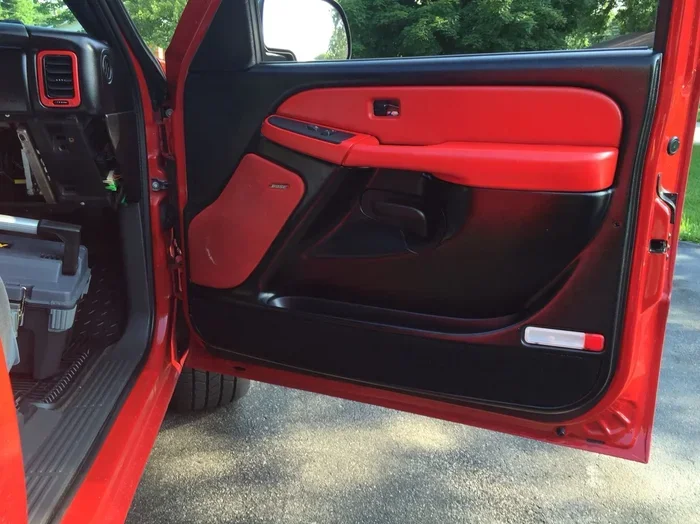
If you are connecting audio equipment in your car, you might also wonder about amplification. For example, you may ask yourself, Do You Need An Amp For Car Speakers? The same logic applies: check what your system supports before buying extra equipment.
USB-C to SD Card and MicroSD Adapters
Photographers and content creators often need to transfer files from memory cards. A USB-C adapter with an SD or MicroSD slot lets you do this directly. It is much faster and more convenient than using a card reader with a USB-A connection.
When You Definitely Need a USB-C Adapter
There are certain situations where skipping an adapter is not an option. Here are the scenarios where you will definitely need one.
Connecting to Older Displays: Most modern monitors and TVs use HDMI, not USB-C. If your laptop only has USB-C and your monitor only has HDMI, you need a USB-C to HDMI adapter or cable. Without it, you cannot extend or mirror your screen.
Using Legacy Peripherals: Many people still have USB-A devices like external hard drives, printers, or older keyboards. A USB-A to USB-C adapter makes these work with modern laptops. This is especially helpful when you are on the go and do not want to carry multiple cables.
Charging with Older Chargers: Some USB-C laptops can charge through a standard USB-A charger using an adapter. This is useful when you are traveling and only have a USB-A wall brick available. Just make sure the adapter supports adequate USB-C power delivery.
Connecting to Car Audio Systems: If your car has a USB-A port but your phone uses USB-C, an adapter helps. You can play music and charge your phone at the same time. For more on car audio connections, check out our guide on whether you need an amplifier for car speakers.
Expanding Connectivity at Your Desk: If you work from a desk and want a clean setup, a USB-C hub or USB-C docking station is almost a necessity. It connects your laptop to multiple peripherals through one port.
Quick Tip: If you use a USB-C mouse connection or need to hook up wireless peripherals, make sure your adapter supports the right protocol. Some adapters only handle charging and will not work with input devices.
How to Choose the Right USB-C Adapter
Not all adapters are created equal. Some are cheap and unreliable. Others are built to last and support fast speeds. Here is what to look for when shopping.
Check Your Port Capabilities First: Before buying anything, check what your USB-C port actually supports. Look in your laptop manual or search for your model online. You need to know if it supports data transfer, video output, and USB-C power delivery. Buying the wrong adapter for your setup is a common waste of money.
Think About What You Need to Connect: Make a list of the devices and ports you use regularly. Do you need HDMI output? USB-A ports? Ethernet? SD card slots? Your list determines the type of adapter or hub you should buy.
Speed Matters: If you are transferring large files, choose an adapter that supports the fastest speeds. Look for adapters that support USB 3.1 or USB 4 for the best USB-C data transfer rates. A cheap adapter that only supports USB 2.0 will bottleneck your speeds.
Build Quality and Brand Reputation: Cheap adapters from unknown brands can be unreliable. They might disconnect frequently or not support the speeds they advertise. Stick with reputable brands or read reviews carefully before purchasing.
Compatibility Is Key: Not every adapter works with every device. Some adapters are designed for specific chipsets or protocols. Always check that the adapter is compatible with your device before buying. Look for USB-C adapter compatibility information in the product description.
Portability vs. Functionality: If you travel often, a compact USB-C adapter that fits in your pocket is ideal. If you work at a desk all day, a larger docking station with more ports might be better. Think about your use case before deciding.
Common Mistakes People Make With USB-C Adapters
Even with the best intentions, people make mistakes when buying and using USB-C adapters. Here are the ones to avoid.
Assuming All USB-C Ports Are the Same: This is the biggest mistake. A USB-C port on a budget laptop might only support charging. A USB-C port on a high-end laptop might support data, video, and 100W power delivery. Always check your port specifications before buying an adapter.
Buying the Cheapest Option: A $5 adapter might seem like a great deal, but it often comes with trade-offs. Poor build quality, slow speeds, and unreliable connections are common with ultra-cheap adapters. Spending a little more on a quality adapter saves headaches in the long run.
Ignoring Adapter Orientation: Most USB-C reversible connector designs work both ways, but some adapters have specific orientation requirements. Make sure you know which way to plug in the adapter, especially if it is a bulky hub.
Not Checking Power Delivery Support: If you want to charge your laptop through an adapter or hub, make sure it supports USB-C power delivery. Many cheap hubs only pass through data and do not support charging at all.
Using the Wrong Cable: An adapter is only as good as the cable you pair it with. A high-quality adapter with a cheap cable will underperform. Always use cables rated for the speeds and power levels you need.
Overlooking Wireless Alternatives: Sometimes you do not need a physical adapter at all. For example, if you want to connect a wireless mouse, you might not need a USB-C adapter for a wired connection. Instead, you could use a Bluetooth mouse connection that skips adapters entirely. Similarly, if you need to connect a regular mouse, check how to connect a mouse to your laptop without extra accessories when possible.
Final Thoughts
The world of USB-C adapters can feel overwhelming at first. There are so many types, brands, and specs to consider. But the good news is that you do not need to be a tech expert to make the right choice.
Start by understanding what your devices support. Then figure out what you need to connect. From there, pick an adapter or hub that matches your needs and budget. A quality USB-C adapter is a small investment that makes a big difference in your daily workflow.
Remember, not every situation requires an adapter. But when it does, having the right one on hand saves time, frustration, and money. Keep a spare USB-C adapter in your bag, and you will be prepared for almost any connection scenario.
Whether you need a simple USB-A to USB-C dongle or a full-featured USB-C docking station, the key is knowing your setup and choosing accordingly. Take your time, do your research, and you will find the perfect USB-C adapter for your needs.
So the next time someone asks, Do You Need A Special Adapter For Usb C, you will know exactly how to answer. The right adapter keeps your devices connected and your workflow smooth.
Frequently Asked Questions
Can I use any USB-C adapter with any laptop?
Not always. You need to check what your USB-C port supports first. Some ports only handle charging, while others support data and video. Make sure the adapter matches your port capabilities to avoid compatibility issues.
Do USB-C adapters slow down data transfer speeds?
Cheap or outdated adapters can limit your speeds. Look for adapters that support USB 3.1 or USB 4 for the fastest USB-C data transfer rates. A good adapter should not slow down your connection if it matches your port’s capabilities.
Is a USB-C hub the same as a USB-C adapter?
Not exactly. A USB-C adapter usually converts one port type to another, like USB-C to HDMI. A USB-C hub expands a single port into multiple ports at once. Docking stations are larger hubs that often include power delivery support.
Can I charge my laptop through a USB-C adapter?
Yes, but only if the adapter supports USB-C power delivery. Many adapters only pass through data and do not charge your device. Always check the specifications before relying on an adapter for charging.
Are expensive USB-C adapters worth it?
Usually yes. Quality adapters from reputable brands offer better build quality, faster speeds, and more reliable connections. A slightly expensive adapter that works perfectly is better than a cheap one that disconnects constantly.
Do I need a special adapter for USB-C to connect to a monitor?
It depends on your monitor’s inputs. If your monitor has HDMI or DisplayPort and your laptop only has USB-C, you will need a USB-C to HDMI or USB-C to DisplayPort adapter. Check both devices to confirm what adapters are needed.
=== CONCLUSION ===
Understanding whether you need a special adapter for USB C comes down to knowing your devices and their capabilities. USB-C is a powerful and versatile standard, but its flexibility means not every port does everything. The right adapter fills the gaps and keeps your devices working together seamlessly.
Take a moment to check your port specs, list your connectivity needs, and invest in quality adapters. A small decision today saves you time and hassle tomorrow. Stay connected, stay prepared, and let your USB-C adapter do the heavy lifting.