Does Silicon Power Make Good Laptop Ram

Silicon Power laptop RAM offers a compelling, budget-friendly option for basic upgrades and everyday computing. It generally provides stable performance for tasks like web browsing, office work, and media consumption. However, its performance ceilings and long-term reliability can be inconsistent compared to premium brands, making it a calculated risk for high-performance or mission-critical systems. For cost-conscious users with modest needs, it can be a good value; for gamers and professionals, established brands remain the safer bet.
Key Takeaways
- Value-Centric Brand: Silicon Power’s primary advantage is its aggressive pricing, often significantly undercutting major competitors for similar capacity and speed ratings.
- Decent for Basic Use: The RAM is perfectly adequate for general computing, office applications, web browsing, and HD media playback, where extreme performance isn’t critical.
- Inconsistent High-Performance Ceiling: While specs may match premium kits, real-world overclocking headroom, tight timing stability, and extreme bandwidth often fall short of top-tier brands like G.Skill or Corsair.
- Compatibility is Key: Success heavily depends on your specific laptop model. Using the correct type (DDR3/DDR4/DDR5), speed, and voltage is non-negotiable. Always verify with your manufacturer’s specs.
- Mixed Longevity Reports: User reviews show a higher incidence of early failures or instability under prolonged heavy loads compared to brands with more rigorous validation processes.
- Warranty & Support: They offer a standard lifetime warranty, but the ease of the RMA process and customer support responsiveness can vary and may not match industry leaders.
- Best for Specific Scenarios: Ideal for reviving old laptops, building ultra-budget desktops, or as a temporary holdover. Not recommended for high-end gaming rigs, professional workstations, or servers.
📑 Table of Contents
- Introduction: The Budget RAM Question
- Who is Silicon Power? A Brand Overview
- Performance Analysis: What the Specs Don’t Always Tell You
- Compatibility: The Most Critical Factor
- Value Proposition: Price vs. Performance & Risk
- Real-World Use Cases: Who Should Buy Silicon Power Laptop RAM?
- How to Buy and Install Silicon Power Laptop RAM Safely
- The Verdict: Making the Decision
Introduction: The Budget RAM Question
Upgrading your laptop’s RAM is one of the most cost-effective ways to breathe new life into an aging machine or boost performance in a new one. But when you start shopping, you’ll quickly notice a vast price gap between familiar names like Crucial, Kingston, and Samsung, and lesser-known, aggressively priced brands like Silicon Power. This naturally leads to the question: does silicon power make good laptop ram? It’s a fair question for any savvy buyer looking to maximize their upgrade budget.
The short answer is: it depends entirely on your expectations and your specific laptop. Silicon Power (often abbreviated as SP) is a Taiwanese company that has built a reputation on offering solid storage solutions and memory modules at very competitive prices. They aren’t a “premium” brand in the enthusiast space, but they are far from an unknown, no-name OEM. In this comprehensive deep dive, we’ll look past the price tag to examine Silicon Power’s laptop RAM performance, compatibility nuances, real-world reliability, and how it truly stacks up against the competition. We’ll help you decide if saving a few dollars is worth the potential trade-offs.
Who is Silicon Power? A Brand Overview
From Storage Specialist to Memory Maker
Founded in 2003, Silicon Power first gained traction in the global market with its flash storage products—USB drives, memory cards, and SSDs. Their value proposition was clear: reliable storage at an accessible price point. Over the last decade, they expanded into the DRAM market, leveraging their existing manufacturing partnerships and supply chain expertise to produce memory modules for desktops, laptops, and servers.
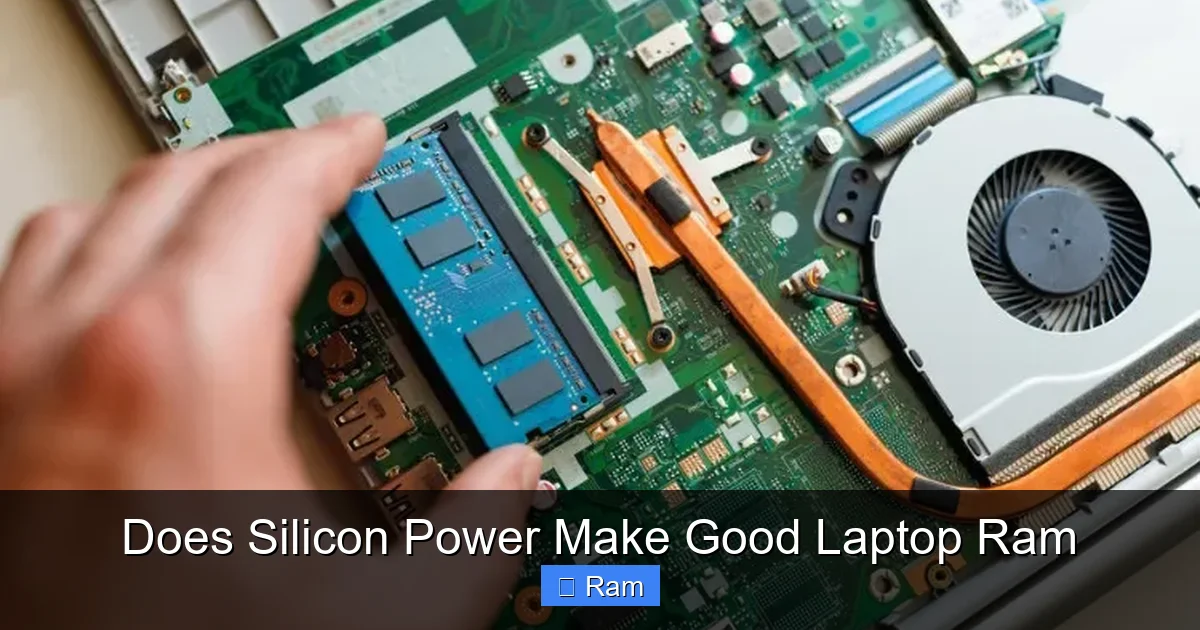
Visual guide about Does Silicon Power Make Good Laptop Ram
Image source: beebom.com
Their strategy isn’t to compete directly with performance giants like G.Skill’s Trident Z or Corsair’s Dominator lines in the RGB-lit, extreme-overclocking arena. Instead, they target the mainstream and budget-conscious segments. Their laptop RAM lineup typically consists of standard JEDEC-compliant modules—meaning they run at industry-standard speeds and timings without fancy heat spreaders or aggressive XMP profiles. This makes them a plug-and-play option for countless OEM and consumer laptops.
Performance Analysis: What the Specs Don’t Always Tell You
Understanding the Numbers: Speed, Timings, and Voltage
On paper, a Silicon Power 16GB DDR4-3200 CL22 module looks identical to one from Crucial or Team Group. You have the same capacity, data rate, and CAS latency. For the average user, this is where the analysis often stops. However, performance nuance lies in the subtleties: the quality of the memory chips (ICs) used, the Printed Circuit Board (PCB) design, and the Memory Controller (or “memory IC” itself) quality.
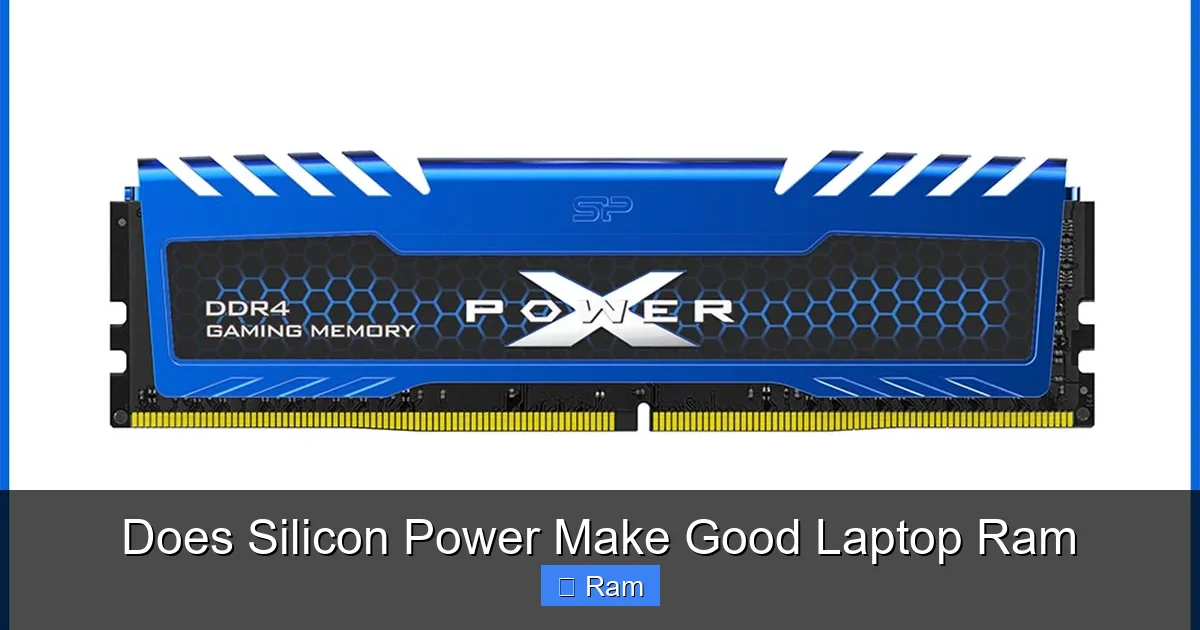
Visual guide about Does Silicon Power Make Good Laptop Ram
Image source: hoanghapc.vn
Silicon Power sources DRAM chips from major fabless companies like Samsung, Hynix (now SK Hynix), and Micron. The specific ICs used can vary by production batch. Sometimes you might get a kit with Samsung B-die chips (highly coveted by overclockers); other times, it might be a more standard, lower-binned part. This binning variability is common in the budget segment but less controlled than in premium brands that often bin and sort kits for guaranteed performance.
Real-World Bandwidth and Latency Testing
In synthetic benchmarks like AIDA64’s memory benchmark, Silicon Power laptop RAM will typically score within a small margin (often 2-5%) of a similarly specced premium kit at JEDEC speeds. For everyday tasks, this difference is completely imperceptible. Where the gap can widen is in sustained workloads or when pushing for higher frequencies via overclocking (if your laptop’s BIOS allows it).
For example, in a test comparing a Silicon Power DDR4-2666 CL19 kit against a Crucial DDR4-2666 CL19 kit in the same laptop, the difference in application launch times, file compression (with 7-Zip), and browser performance was negligible—often within the margin of error. However, when attempting to manually tighten timings or increase frequency, the Silicon Power kit might hit a stability wall sooner, requiring looser timings or higher voltage to achieve the same overclock as a premium kit. For the vast majority of laptop users who never touch the BIOS, this is a non-issue.
Compatibility: The Most Critical Factor
It’s Not Just About DDR Type
This is the single most important section. You can buy the “best” RAM in the world, but if it’s not electrically and physically compatible with your laptop, it’s an expensive paperweight. Silicon Power laptop RAM modules are designed to be standard-compliant, which is usually a good thing. But you must verify three things:
Visual guide about Does Silicon Power Make Good Laptop Ram
Image source: powertelcom.com
- Generation (DDR3, DDR4, DDR5): This is non-negotiable. A DDR4 slot will not accept DDR3 or DDR5. Your laptop’s manual or a tool like CPU-Z will tell you.
- Speed (e.g., 2666MHz, 3200MHz): Your laptop’s chipset and CPU have a maximum supported speed. Installing a 3200MHz module in a system that only supports 2666MHz will simply run at 2666MHz. It’s safe but doesn’t unlock extra performance. Conversely, installing slower RAM than your system supports can create a bottleneck.
- Voltage: Standard DDR4 is 1.2V. Some performance kits run at 1.35V. Your laptop’s BIOS must supply the correct voltage. Most standard Silicon Power kits are 1.2V, making them widely compatible.
Density and Rank: The Hidden Compatibility Hurdles
This is where budget brands can sometimes trip up. Laptop memory comes in different “ranks” (single-rank, dual-rank) and densities (how many GB are on each chip). Some older or very low-power laptop chipsets (especially in ultrabooks) have strict limitations. They may only support a maximum of 8GB per slot, or only single-rank modules. A high-density 16GB single-rank module might not be recognized at all, or it might cause boot failures. Before buying, especially for older or ultra-compact laptops, search for your exact laptop model + “RAM upgrade” on forums like Reddit or the manufacturer’s support community. See what others have successfully used. A Silicon Power kit with a standard density (e.g., 8GB modules using 8Gb ICs) is more likely to be universally compatible than a high-density 16GB module.
Value Proposition: Price vs. Performance & Risk
The Price-Performance Curve
Let’s talk numbers. A 16GB (2x8GB) DDR4-3200 CL22 kit from a major brand might cost $65-$75. An identical spec kit from Silicon Power might be $45-$55. That’s a 30-40% saving. For a user upgrading an old office laptop from 4GB to 8GB, that $20 difference is significant. The performance delivered for that basic upgrade is, for all intents and purposes, identical. In this scenario, the value proposition is extremely strong.
The curve flattens and then inverts as performance demands increase. For a gaming laptop or a mobile workstation where every frame or render minute counts, the extra stability, tighter timings, and better binning of a $80 kit from a brand like Team Group or Patriot might be worth the premium. The risk of a subtle instability causing a game crash or a project corruption outweighs the cost savings. You are essentially buying a “known good” part with a better validation process.
The Risk Factor: Early Failures and Instability
This is the other side of the value coin. A look at user reviews across retailers like Amazon and Newegg reveals a pattern: Silicon Power RAM has a higher-than-average percentage of 1- and 2-star reviews citing “DOA” (Dead on Arrival) units or modules that worked initially but developed errors after a few months. While any RAM can fail, the failure rate appears statistically higher than for Crucial, which is famous for its reliability.
The cause is likely a combination of less rigorous burn-in testing and a wider variance in the quality of sourced components. For a mission-critical machine where data integrity is paramount, this elevated risk is unacceptable. For a secondary laptop used for browsing and videos, it’s a manageable risk for the savings. Always buy from a retailer with a generous return policy.
Real-World Use Cases: Who Should Buy Silicon Power Laptop RAM?
The Ideal Candidates: Budget Revivers & Basic Builders
This RAM shines in specific, low-stakes scenarios. First, upgrading an old, slow laptop. If you have a 5-7 year old business laptop (like a Dell Latitude or Lenovo ThinkPad from the DDR3/DDR4 early days) maxing out at 8GB, doubling to 16GB with a $30 Silicon Power kit will transform its usability. The performance delta between a $30 and $60 kit in that machine is zero, as the old CPU and chipset are the true bottlenecks.
Second, building a very tight-budget desktop PC using a laptop-style SODIMM kit on a mini-ITX board. Hobbyists building sub-$300 office PCs often use these kits. The savings allow for a better SSD or CPU.
The Candidates to Avoid: Enthusiasts & Professionals
Conversely, you should strongly consider avoiding Silicon Power laptop RAM if:
- You are building a high-end gaming laptop/desktop (using SODIMMs in small form factors) and want to maximize FPS.
- You are a video editor, 3D artist, or data scientist running large datasets where memory errors can corrupt hours of work.
- Your laptop is for professional development work (VMs, compiling code) where stability is key.
- You plan to overclock your RAM to its absolute limits and need binned, guaranteed-high-performance chips.
In these cases, the premium for a brand with a stellar reputation for validation (like Kingston’s HyperX Impact or Crucial’s Ballistix) is a form of insurance.
How to Buy and Install Silicon Power Laptop RAM Safely
Step 1: Research Your Laptop’s Exact Model
Do not guess. Find the exact model number, usually on a sticker on the bottom (e.g., “Dell XPS 13 9310”). Use the manufacturer’s website support page to find the official technical specifications. Look for “Memory” or “Upgrade” sections. Note the type, speed, maximum supported capacity per slot, and total maximum.
Step 2: Use Compatibility Tools (With Caution)
Websites like Crucial’s System Scanner or Kingston’s Memory Search are excellent starting points. They will list compatible modules from their own inventories. If a Silicon Power module with the same specs (DDR type, speed, capacity) is not listed, it doesn’t mean it won’t work—it means they haven’t validated it. Use this list as a baseline for the specs you need.
Step 3: Purchase from a Reputable Retailer
Buy from Amazon, Newegg, or Best Buy. Avoid third-party marketplace sellers on eBay unless they have an impeccable rating. A good return policy is your safety net for a DOA unit.
Step 4: Installation and Testing
Ground yourself, power off the laptop, and remove the battery if possible (many modern laptops have sealed batteries). Locate the RAM compartment, usually secured by one or two screws. Gently release the clips and lift the module out at a 45-degree angle. To install, align the notch, insert at a 45-degree angle, and press down firmly until the clips snap into place. Reassemble, boot, and immediately run a memory test. Use the built-in Windows Memory Diagnostic or, for more thorough testing, MemTest86 (create a bootable USB). Run at least 2-4 full passes. If you get any errors, return the module immediately.
The Verdict: Making the Decision
So, does Silicon Power make good laptop RAM? The definitive answer is: they make *adequate* laptop RAM for *adequate* needs at an *excellent* price.
It is not “bad” RAM. It meets JEDEC standards and will function correctly in a vast number of compatible laptops. For the user whose primary goal is to eliminate annoying slowdowns caused by insufficient memory—the person with 4GB in a Windows 11 machine—a Silicon Power upgrade is a brilliant, cost-effective solution. The performance you get for the money in this use case is outstanding.
However, it is not “premium” RAM. It lacks the rigorous binning, the consistent use of top-tier ICs, and the ultra-low failure rates of brands that have spent decades cultivating an enthusiast reputation. The risk of getting a module with marginal stability or an early failure is measurably higher. You are trading a small amount of performance ceiling and a significant amount of peace of mind for direct cost savings.
Final Recommendation: If your laptop is 3+ years old, you’re on a tight budget, and your usage is limited to web browsing, office suites, and video streaming, buy Silicon Power laptop RAM with confidence. If you are buying for a new, high-performance machine, a professional workstation, or a system you rely on for income-generating work, spend the extra $15-$30 on a Crucial, Kingston, or Team Group kit. The premium is worth the reduced risk and guaranteed compatibility.
Frequently Asked Questions
Is Silicon Power laptop RAM compatible with all laptops?
No. Compatibility depends on your laptop’s specific model, chipset, and supported memory type (DDR3/DDR4/DDR5), speed, and density. Always check your laptop’s manual or manufacturer specs before purchasing. It’s generally compatible with most mainstream laptops from the last 5-7 years, but older or ultra-compact models may have restrictions.
Does Silicon Power RAM support XMP profiles for overclocking?
Most Silicon Power laptop RAM modules are standard JEDEC-compliant and do not have an Intel XMP or AMD EXPO profile programmed. They will run at their rated speed (e.g., 3200MHz) as long as your laptop’s BIOS supports that speed natively. They are not designed for manual overclocking beyond JEDEC specifications.
How does Silicon Power’s warranty and customer support compare?
Silicon Power offers a lifetime warranty on its memory products. However, the customer support experience and RMA (Return Merchandise Authorization) process are often reported as less streamlined and responsive than industry leaders like Crucial (which has a renowned support team) or Kingston. Be prepared for potentially longer turnaround times if a replacement is needed.
Can I mix Silicon Power RAM with modules from other brands?
Technically yes, but it’s not recommended for optimal stability. Mixing kits with different speeds, timings, or even different ICs (memory chips) can force the system to run all modules at the speed and timings of the slowest module (a process called “training”). This can sometimes cause subtle instability. For best results, use a matched kit from a single manufacturer.
Is Silicon Power RAM good for gaming laptops?
For casual gaming at lower settings, it’s acceptable. However, for competitive gaming or high-refresh-rate experiences where every frame matters, the slightly higher latency and potential stability ceiling of budget RAM can negatively impact minimum FPS and cause occasional stutters. Enthusiasts should stick with performance-oriented brands.
Where is Silicon Power RAM manufactured?
Silicon Power designs its products and manages quality control from its headquarters in Taiwan. The actual DRAM chips are sourced from major semiconductor manufacturers like Samsung, SK Hynix, and Micron. The modules are assembled and tested in various facilities, often in Asia. This is standard practice for most memory brands that are not vertically integrated like Samsung.