How Do Cellular Trail Cameras Work Without Subscription

Cellular trail cameras can send photos and videos straight to your phone without any monthly fees. By using prepaid data plans, built‑in SIM cards, and smart power‑saving features, they operate like a tiny, independent internet hotspot in the wild. Discover the tech, set‑up steps, and tips to get reliable, subscription‑free performance.
Key Takeaways
- Built‑in SIM vs. external dongle: Most subscription‑free models have a SIM slot you can load with prepaid data.
- Power management is crucial: Battery life hinges on motion triggers, photo settings, and cellular signal strength.
- No hidden fees: You only pay for the data you use, which is usually a few megabytes per day.
- Signal boosters help: Simple antennas or repeaters can dramatically improve reliability in remote spots.
- Choose the right carrier: Look for a network with good rural coverage and affordable prepaid plans.
- Secure mounting matters: Proper placement reduces false triggers and protects the camera from weather.
- Regular maintenance saves money: Cleaning lenses and checking battery health prevents costly data waste.
📑 Table of Contents
- Introduction: Why Go Subscription‑Free?
- 1. The Core Technology Behind Cellular Trail Cameras
- 2. Setting Up a Subscription‑Free Camera
- 3. Managing Data Without a Subscription
- 4. Boosting Signal Strength in Remote Areas
- 5. Real‑World Examples and Tips
- Conclusion: Your Path to Hassle‑Free Wildlife Monitoring
Introduction: Why Go Subscription‑Free?
Imagine setting up a trail camera deep in the woods, then getting a photo of a shy bobcat on your phone the next morning—without ever signing a contract or paying a monthly bill. That’s the promise of subscription‑free cellular trail cameras. Traditional wildlife cameras either store images on an SD card you must retrieve physically, or they rely on a service that charges you each month for data, cloud storage, or both.
Going subscription‑free puts you in control of costs and data usage. It’s especially appealing for hobbyists, researchers on a budget, or anyone who wants a “set it and forget it” solution that won’t surprise them with hidden fees. In this guide we’ll break down exactly how these cameras work, the hardware inside them, and the practical steps to get them up and running.
1. The Core Technology Behind Cellular Trail Cameras
At a high level, a cellular trail camera is just a small computer with three main components: a sensor (the camera), a cellular modem, and a power source. Let’s look at each piece and how they cooperate without a subscription.

Visual guide about How Do Cellular Trail Cameras Work Without Subscription
Image source: media1.tenor.com
1.1 The Imaging Sensor
The sensor captures stills or video when motion or heat triggers the camera. Modern units use CMOS sensors that are cheap, low‑power, and work well in low light thanks to infrared (IR) LEDs. The resolution can range from 5 MP to 20 MP; higher resolution means larger files, which uses more data.
1.2 The Cellular Modem
Inside the housing sits a miniature LTE or 4G modem—similar to what you find in a smartphone. It connects to a SIM card that you insert yourself. Because there’s no subscription, you load a prepaid plan (often a “pay‑as‑you‑go” data pack) onto that SIM. When the camera captures an image, the modem packages the file and sends it over the carrier’s network to a cloud folder or directly to your email.
1.3 Power Management
Battery life is the biggest challenge. Most cameras use AA or Li‑ion batteries. The device’s firmware constantly monitors battery voltage and adjusts how often it checks for motion, how many pictures it takes per trigger, and whether to send data immediately or store it for later when signal improves. Some models also support solar panels, extending operation through seasons.
1.4 On‑Board Processing
Before sending, the camera compresses the image or video using JPEG or H.264 codecs. Compression reduces file size dramatically—often to under 500 KB per photo—keeping data usage low. The firmware also adds timestamps, GPS coordinates (if the unit has GPS), and a unique ID so you can sort images later.
2. Setting Up a Subscription‑Free Camera
Getting started is straightforward, but a few careful steps ensure you stay away from hidden costs.

Visual guide about How Do Cellular Trail Cameras Work Without Subscription
Image source: img01.71360.com
2.1 Choose the Right Carrier and Data Plan
Look for carriers that offer low‑cost prepaid data, such as 1 GB for $10, and have solid rural coverage. In the United States, carriers like AT&T, Verizon, and T‑Mobile all provide prepaid options, but the best choice depends on your location. Check coverage maps before buying.
2.2 Insert the SIM Card
Open the SIM slot (usually on the side or bottom), place the prepaid SIM, and secure the cover. Make sure the SIM is activated; you can test it by inserting it into a phone and confirming you have data.
2.3 Configure Wi‑Fi or Cloud Settings
Most cameras come with a companion app. Connect your phone to the camera’s temporary Wi‑Fi hotspot, then open the app to input your email address, cloud storage (e.g., Dropbox, Google Drive), and any desired motion sensitivity. Turn off any “auto‑upgrade” or “cloud backup” features that might pull extra data.
2.4 Mount the Camera Properly
Use a sturdy strap or lock‑mount. Aim the lens about 3–4 feet off the ground, facing the direction wildlife is likely to travel. Avoid direct sunlight on the lens to prevent glare. A simple tree‑trunk mount works for most scenarios.
2.5 Power It Up and Test
Insert fresh batteries or connect a solar panel, then power on the unit. Walk in front of the camera to trigger a motion event. Check that you receive the photo on your phone within a few minutes. If not, verify signal strength (most cameras display bars) and adjust placement.
3. Managing Data Without a Subscription
Even without a monthly bill, you still need to watch how much data you consume. Here’s how to keep usage low.
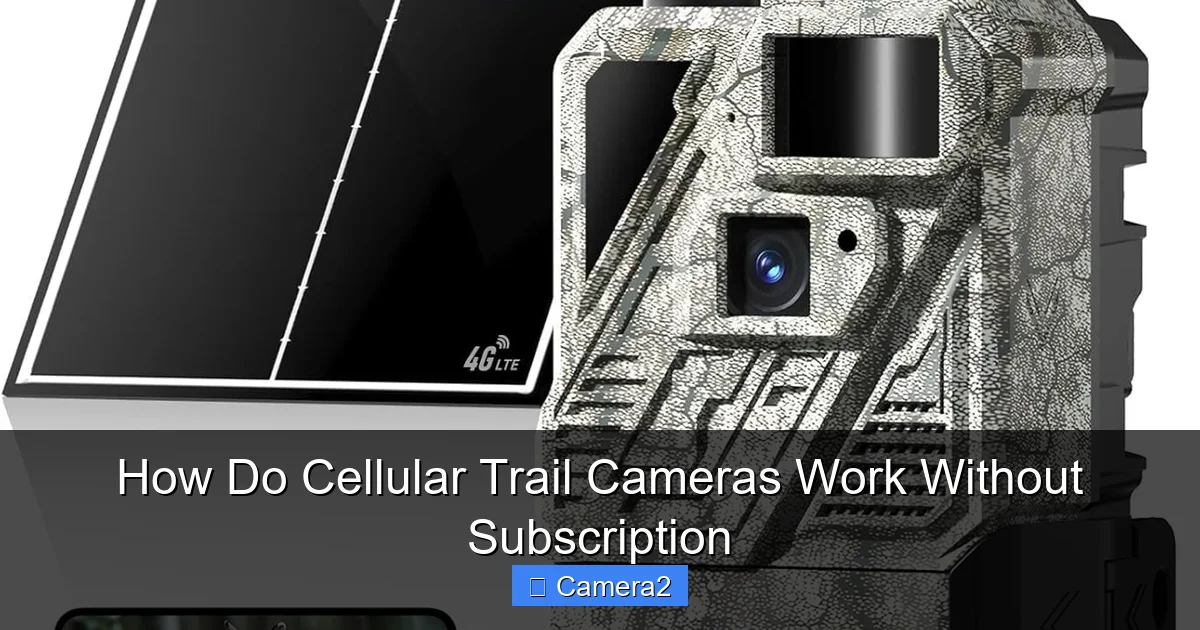
Visual guide about How Do Cellular Trail Cameras Work Without Subscription
Image source: m.media-amazon.com
3.1 Optimize Image Settings
- Resolution: 8–12 MP is sufficient for most wildlife identification; higher resolutions increase file size.
- Compression: Set JPEG quality to “medium” (around 70%).
- Capture Rate: Limit the number of photos per trigger to 1‑2 unless you need burst mode.
3.2 Use Event‑Based Uploads
Instead of sending every picture instantly, some cameras store images locally and upload them in batches when signal strength is strong. This reduces failed transmissions that waste data.
3.3 Monitor Data Usage
Log into your carrier’s portal regularly. Most prepaid plans let you set alerts when you reach 80 % of your allowance. If you notice spikes, revisit your camera settings.
3.4 Choose the Right Cloud Service
Free cloud storage (e.g., Google Photos with limited space) can be sufficient. Avoid paid services that charge per GB if you already have a prepaid plan.
4. Boosting Signal Strength in Remote Areas
Signal is the Achilles’ heel of any cellular device. Here are practical ways to improve it without spending on a subscription.
4.1 Antenna Extensions
Many cameras have a small external antenna connector. Adding a simple “rubber duck” antenna or a longer coaxial cable with a higher‑gain antenna can double the signal range.
4.2 Simple Signal Repeaters
In some cases, a low‑cost cellular repeater (also called a booster) placed nearby can amplify weak signals. Check local regulations before installing one.
4.3 Positioning Tips
- Mount the camera on the highest point of a tree or pole to avoid foliage blockage.
- Avoid metal objects (e.g., fences) that can reflect or absorb signals.
- Face the antenna toward the nearest cell tower; many carrier websites show tower locations.
4.4 Weather Considerations
Rain, snow, and extreme cold can degrade LTE performance. If you experience frequent outages during storms, consider a backup battery and schedule uploads for clear‑weather periods.
5. Real‑World Examples and Tips
Below are scenarios that illustrate how to get the most out of a subscription‑free setup.
5.1 Hobbyist Deer Tracker
Jane lives on a 50‑acre farm. She bought a 12 MP cellular camera with a prepaid 500 MB plan. By setting the camera to capture one photo per trigger and limiting resolution to 8 MP, she uses roughly 30 MB per week—well within her data budget. She mounts the unit on a 12‑foot pole near a known deer trail, adds a small external antenna, and checks the data usage monthly via her carrier’s app.
5.2 Researcher Monitoring Nesting Birds
Dr. Lee needed to monitor a remote nesting site for a month. He used a solar‑powered camera with a 2 GB prepaid SIM. Because the bird’s nest was in a dense forest, signal was spotty. He placed a passive repeater nearby and programmed the camera to store images locally, uploading them only when signal strength reached four bars. This strategy saved up to 40 % of the data plan.
5.3 Home Security in a Rural Property
Mike installed a cellular camera at his gate to receive instant alerts when a vehicle approaches. He chose a carrier with unlimited low‑speed data for IoT devices, which costs a flat $5 per month—still cheaper than a full‑service plan. By enabling “motion only” alerts and disabling video streaming, his data usage stayed under 100 MB per month.
5.4 Tips for Longevity
- Rotate Batteries: Keep spare AA batteries charged and swap them out every 2–3 months.
- Clean the Lens: Dust and spider webs blur images; a quick wipe with a microfiber cloth helps.
- Update Firmware: Manufacturers release updates that improve power efficiency—install them via the app.
- Secure the SIM: Use a SIM lock PIN to prevent theft or accidental removal.
Conclusion: Your Path to Hassle‑Free Wildlife Monitoring
Cellular trail cameras that work without a subscription give you the freedom to capture nature on your terms. By understanding the simple trio of sensor, modem, and power, choosing the right prepaid plan, and fine‑tuning settings for low data usage, you can enjoy real‑time wildlife photos without surprise bills. Remember to boost signal where needed, maintain the hardware, and regularly review your data consumption. With these steps, you’ll have a reliable window into the wild that’s both affordable and effortless.
Frequently Asked Questions
How can I tell if my cellular trail camera is using a subscription?
Check the camera’s user manual or app settings. If it asks for a “service contract” or automatically enrolls you in a monthly plan, it’s subscription‑based. Subscription‑free models let you insert a prepaid SIM and have no recurring fees.
What type of SIM card do I need for a subscription‑free camera?
Most cameras use a standard nano‑SIM. Choose a prepaid data plan that matches your expected usage—usually 500 MB to 2 GB per month is enough for occasional wildlife photos.
Will a solar panel work with a subscription‑free camera?
Yes. Many cameras have a dedicated solar input. Pairing a solar panel with a prepaid data plan extends battery life, especially in remote locations with limited sunlight.
Can I use the same prepaid SIM in multiple cameras?
Technically you can, but only one device can be active on the SIM at a time. If you need multiple cameras, purchase separate SIMs to avoid connectivity conflicts.
How do I reduce false triggers that waste data?
Adjust motion sensitivity in the app, aim the camera away from windy vegetation, and use a narrower field of view. Some models allow you to set a “cool‑down” period between triggers.
Is it safe to store my wildlife images in the cloud without a subscription?
Yes, as long as you use a reputable free cloud service (e.g., Google Drive, Dropbox). Ensure the folder is private and enable two‑factor authentication for added security.