Is It Better to Store Photos on Usb or Hard Drive
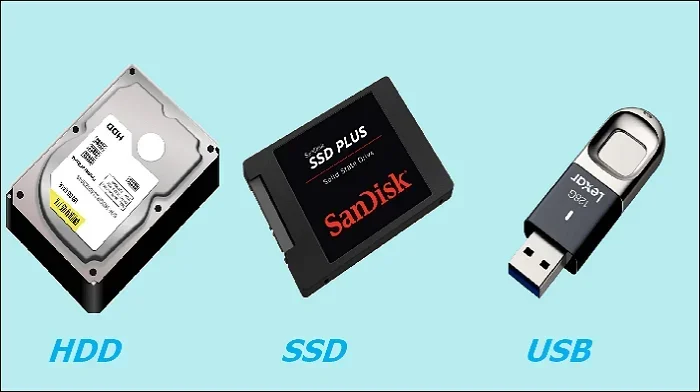
Storing photos on a USB flash drive is great for portability and quick transfers, while an external hard drive offers more space and long-term reliability. The best choice depends on how many photos you have, how often you access them, and how much protection you need. Both options have clear strengths, and this guide breaks down every factor so you can decide with confidence.
You have thousands of photos sitting on your phone or camera. You know you need to move them somewhere safe. But should you plug them into a USB flash drive or an external hard drive? This is a question many people face, and the answer is not as simple as you might think.
Is it better to store photos on USB or hard drive? Both options have real benefits. USB drives are tiny and convenient. Hard drives hold way more data and tend to last longer for permanent storage. The right choice depends on your needs, budget, and how you plan to use your photos.
In this guide, we walk through every important factor. We compare speed, capacity, durability, price, and ease of use. By the end, you will know exactly which storage option works best for your photo collection.
Key Takeaways
- USB drives are ultra-portable: They are small, lightweight, and perfect for carrying photos on the go.
- Hard drives offer more storage: You can store thousands of high-resolution photos without running out of space.
- Speed matters for large files: USB 3.0 and NVME SSDs via adapters like the M.2 NVME SSD to USB 3.1 Adapter deliver fast transfer speeds for bulk photo imports.
- Reliability differs: Hard drives are better for long-term backup, while USB drives are more prone to physical damage.
- Cost per gigabyte favors hard drives: You get way more storage for your dollar with an external hard drive.
- Use both for best results: Keep a USB for daily use and a hard drive for backup.
📑 Table of Contents
- Understanding USB Flash Drives for Photo Storage
- External Hard Drives for Photo Storage
- Speed Comparison: USB vs Hard Drive
- Storage Capacity: How Much Do You Really Need?
- Reliability and Data Safety
- Cost Comparison: Which Gives You More Value?
- Which Option Is Right for You?
- Quick Tips for Safe Photo Storage
- Final Thoughts
Understanding USB Flash Drives for Photo Storage
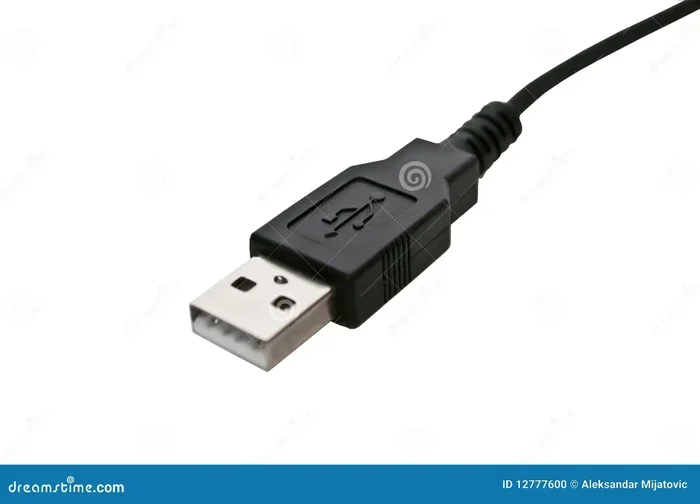
A USB flash drive is a small, portable storage device that plugs right into your computer or laptop. It has no moving parts, which makes it sturdy in some ways and fragile in others. People love them because they fit on a keychain or in a pocket.
How USB Drives Handle Photos
USB drives come in many sizes. You can find them with 16GB, 32GB, 64GB, 128GB, or even 256GB of space. A single high-resolution photo can take up 5 to 20 megabytes. That means a 64GB USB drive can hold roughly 3,000 to 12,000 photos, depending on file size.
For everyday use, a USB drive works well. You can plug it in, copy your photos, and unplug it. The process is fast and simple. Most modern USB drives use USB 3.0 or USB 3.1 technology, which makes transferring a folder of photos take just seconds or minutes.
Pros of Using a USB Drive
- Extremely portable: You can carry it anywhere.
- No cables needed: Just plug and play.
- Affordable for small storage: A 64GB drive costs under $15.
- No external power required: It draws power from the USB port.
- Great for sharing: Hand it to a friend to copy photos.
Cons of Using a USB Drive
- Limited storage: You will run out fast with large photo libraries.
- Easy to lose: Their small size is a disadvantage.
- Prone to physical damage: They can break if stepped on or snapped.
- Slower speeds on older USB 2.0 ports: Transferring many photos takes longer.
- Not ideal for long-term backup: Flash memory can degrade over time.
If you are looking for a quick way to move photos from a camera to your computer or share a few dozen pictures, a USB drive is a solid pick. But for storing your entire photo library, it falls short.
External Hard Drives for Photo Storage
An external hard drive is a larger device that connects to your computer through USB. It contains either a traditional spinning hard disk (HDD) or a faster solid-state drive (SSD). These drives come in sizes from 1TB all the way up to 4TB or more.
How Hard Drives Handle Photos
With 1TB of storage, you can hold approximately 50,000 to 100,000 photos. That is enough for years of casual shooting. A 2TB drive doubles that capacity. For serious photographers or families with thousands of digital memories, a hard drive makes a lot of sense.
Many external hard drives now connect via USB 3.0 or USB-C, which keeps transfer speeds high. If you want even faster performance, you can use an NVME SSD to USB adapter to connect a super-fast internal drive to your computer. This setup turns any SSD into a portable photo storage powerhouse.
Pros of Using an External Hard Drive
- Massive storage capacity: Store your entire photo library in one place.
- Better for long-term backup: Hard drives are designed for sustained use.
- Faster transfer speeds: Especially with USB 3.1 and USB-C connections.
- Lower cost per gigabyte: You pay less for each gigabyte of storage.
- Easy to organize: Create folders and subfolders for different events or years.
Cons of Using an External Hard Drive
- Less portable: They are bulkier than USB drives.
- Requires a cable: You need to carry the USB cable with you.
- Moving parts (HDD models): Traditional drives can break if dropped.
- Higher upfront cost: A 2TB drive costs more than a 64GB USB stick.
- Needs power in some cases: Larger drives may need a separate power source.
If you take hundreds or thousands of photos regularly, an external hard drive is the smarter long-term investment. It gives you room to grow and keeps your memories safe over the years.
Speed Comparison: USB vs Hard Drive
Speed is one of the biggest differences between USB flash drives and external hard drives. When you are importing photos from a camera or SD card, you want the process to be fast and painless.
USB 3.0 flash drives typically write at speeds between 30 and 150 MB per second. USB 3.1 drives can reach 300 to 600 MB per second. External HDDs usually write at 80 to 160 MB per second. External SSDs connected through USB 3.1 or USB-C can hit 400 to 1,000 MB per second.
For transferring a 50GB folder of photos, a fast USB 3.1 drive might take about 2 minutes. A standard HDD could take 5 to 7 minutes. An SSD via a USB-C connection could finish in under 1 minute. The difference matters when you are working with large batches of high-resolution images.
If you want the fastest possible setup, consider pairing a M.2 NVME SSD to USB 3.1 Adapter with a solid-state drive. This gives you desktop-class speeds in a portable package. It is one of the best ways to handle large photo transfers quickly.
Storage Capacity: How Much Do You Really Need?
The amount of space you need depends on how many photos you take and what camera you use. Here is a simple breakdown of how many photos different storage sizes can hold:
- 16GB: About 800 to 4,000 photos (depending on resolution)
- 32GB: About 1,600 to 8,000 photos
- 64GB: About 3,200 to 16,000 photos
- 128GB: About 6,400 to 32,000 photos
- 1TB: About 50,000 to 200,000 photos
- 2TB: About 100,000 to 400,000 photos
Most people find that 128GB to 256GB on a USB drive is enough for active use. But for a complete backup of all your photos, 1TB or more on a hard drive is the sweet spot. Think about your habits. Do you delete photos often, or do you keep everything? Your answer shapes the right storage choice.
Reliability and Data Safety
Nobody wants to lose their photos. Data loss can happen for many reasons: accidental deletion, device failure, physical damage, or even a power surge during a transfer. Understanding how each storage type handles risk helps you protect your memories.
USB Drive Reliability
USB flash drives use NAND flash memory. This is the same technology inside SD cards and phone storage. Flash memory has a limited number of write cycles. Over time, repeated writing and erasing can cause wear. For photos that you access often, this is not a big concern. But for photos you want to store for decades, a USB drive is riskier.
USB drives are also easy to misplace or damage. They are small and can be stepped on, sat on, or snapped in half. If you rely on a USB drive as your only backup, you are taking a real risk.
Hard Drive Reliability
External HDDs use spinning magnetic disks to store data. They are more durable for long-term storage because the data stays intact even when the drive is not powered on for years. However, they have moving parts, which means they can fail if dropped or jostled while running.
External SSDs are the most reliable option. They have no moving parts, resist drops better, and hold data for long periods without power. If you want the best mix of speed and reliability, an SSD-based storage solution is worth the extra cost.
The golden rule of photo storage is the 3-2-1 backup method. Keep three copies of your photos on two different types of storage, with one copy stored offsite. A USB drive and a hard drive together make a great starting point for this strategy.
Cost Comparison: Which Gives You More Value?
Price plays a big role in deciding between USB and hard drive storage. Here is a general cost comparison:
- 64GB USB drive: Around $8 to $15
- 128GB USB drive: Around $12 to $25
- 256GB USB drive: Around $20 to $40
- 1TB external HDD: Around $45 to $65
- 2TB external HDD: Around $65 to $90
- 1TB external SSD: Around $80 to $120
As you can see, hard drives offer far more storage for the price. If you need to store a large photo collection, a hard drive is the clear winner on value. USB drives make sense when you only need a small amount of portable storage.
Think of it this way. A USB drive is like a small backpack. It is handy for a day trip. A hard drive is like a large suitcase. It holds everything you need for a long journey. Choose based on the trip you are taking with your photos.
Which Option Is Right for You?
The best storage choice depends on your specific situation. Here are a few common scenarios to help you decide.
Choose a USB drive if: You only need to carry a handful of photos to share with friends or family. You want something tiny and lightweight. You are on a tight budget for a small amount of storage. You use photos occasionally and do not need to store thousands of them.
Choose an external hard drive if: You have a large photo library that fills up quickly. You want a reliable long-term backup solution. You need to store photos for years without access. You are a photographer or hobbyist who shoots in high resolution.
Use both if: You want a USB drive for quick, on-the-go access and a hard drive for secure backup. This is the most practical setup for most people. Keep your favorite or most recent photos on the USB drive for easy sharing, and store the full library on the hard drive for safekeeping.
No matter which option you pick, always format your storage device properly before moving photos. Use the FAT32 or exFAT file systems for broad compatibility. And never unplug a drive while data is being transferred, as this can corrupt your files.
Quick Tips for Safe Photo Storage
- Always make a second copy: Do not rely on a single device.
- Label your drives: Know what is on each one at a glance.
- Store drives in a cool, dry place: Heat and moisture damage electronics.
- Eject drives properly: Always use the safely remove option on your computer.
- Scan for viruses regularly: Especially if you plug the drive into multiple computers.
- Replace old drives every 3 to 5 years: Storage devices have a lifespan.
Final Thoughts
So, is it better to store photos on USB or hard drive? The honest answer is that both have a place in your photo storage plan. A USB flash drive is perfect for quick transfers, portability, and sharing a small batch of photos. An external hard drive is better for large collections, long-term backup, and cost-effective storage.
If you want the best of both worlds, use a USB drive for everyday convenience and a hard drive for your main backup. This way, your photos stay safe, organized, and easy to access. Take a few minutes today to set up your storage setup. Your future self will thank you when those memories are still safe and sound years from now.
Frequently Asked Questions
Can I store all my photos on a single USB drive?
You can, but only if your collection is small. A 128GB USB drive holds up to about 32,000 photos. If you have more than that, you will run out of space quickly. For large photo libraries, an external hard drive is a much better choice.
Is a USB drive or hard drive better for long-term photo backup?
An external hard drive is better for long-term backup. Hard drives are designed for sustained data storage and hold up well over several years. USB flash drives have a limited number of write cycles and are more likely to lose data if left unused for a long time.
How fast can I transfer photos to a USB drive vs a hard drive?
Modern USB 3.0 and USB 3.1 flash drives transfer photos at 30 to 600 MB per second. External HDDs typically write at 80 to 160 MB per second. External SSDs connected via USB-C can exceed 400 MB per second. The fastest option depends on the specific drive and connection type you use.
What is the safest way to store photos long term?
The safest approach is the 3-2-1 backup method. Keep three copies of your photos on two different types of storage devices, with one copy stored in a separate location. This protects you from device failure, theft, or natural disasters.
Do I need a special adapter to connect an SSD to my laptop?
Not always. Many external SSDs connect directly via USB-C or USB 3.0. However, if you want to use an internal M.2 NVME SSD as a portable drive, you will need an adapter such as the M.2 NVME SSD to USB 3.1 Adapter. This is a great budget option for fast portable storage.
Can I use a USB drive and a hard drive together for photo storage?
Absolutely. In fact, using both is the smartest strategy. Keep a USB drive for quick access and sharing, and use a hard drive for your full backup. This gives you flexibility, speed, and peace of mind all at once.