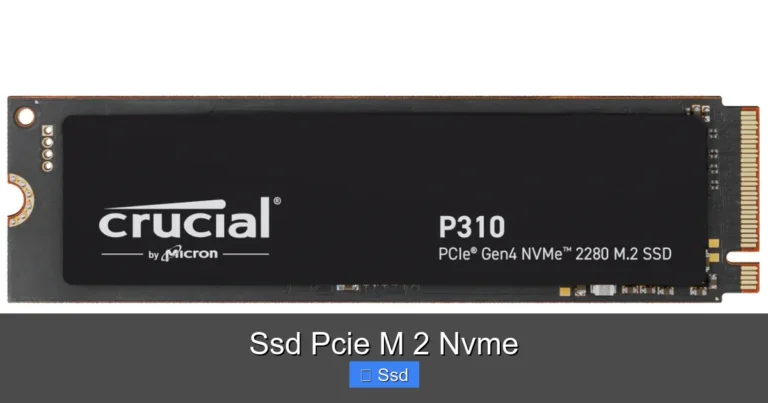
Kingston A2000 1tb Nvme Ssd
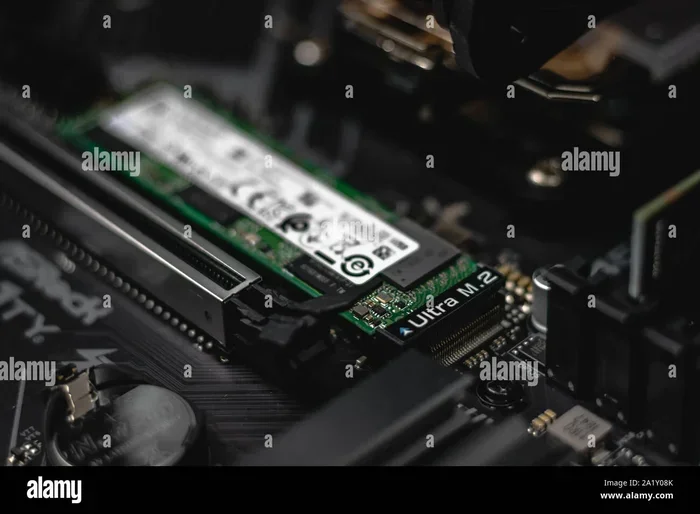
The Kingston A2000 1TB NVMe SSD is a solid budget NVMe drive that offers fast read speeds and easy installation. It uses the NVMe protocol over PCIe Gen 3 and comes in a compact M.2 2280 form factor. This drive is a great choice for anyone looking to speed up their system without spending too much.
The Kingston A2000 1TB NVMe SSD has become a popular choice for people who want faster storage without breaking the bank. Whether you are building a new PC or upgrading an older one, this drive promises to cut down boot times and speed up everyday tasks. But does it live up to the hype? In this guide, we will break down everything you need to know about the A2000.
Storage speed matters more than most people realize. A slow drive can make even the best computer feel sluggish. Upgrading to a NVMe SSD like the Kingston A2000 can transform your experience. Games load faster, apps open instantly, and file transfers finish in seconds instead of minutes.
Key Takeaways
- Fast Performance: The Kingston A2000 delivers read speeds up to 2200 MB/s, making it much faster than a standard SATA SSD.
- Compact Design: The M.2 2280 form factor fits easily into most laptops and desktops without extra cables.
- Affordable Price: This drive offers great value compared to premium NVMe options like the Crucial P3 1TB NVMe SSD.
- No DRAM Cache: The A2000 uses aDRAM-less design, which is fine for everyday use but may slow down under heavy workloads.
- Reliable Brand: Kingston is a trusted name in storage, and the A2000 comes with a five-year warranty.
📑 Table of Contents
What Is the Kingston A2000 1TB NVMe SSD?
The Kingston A2000 is a 1TB M.2 NVMe SSD designed for everyday computing. It uses the PCIe Gen 3 interface and the NVMe protocol, which makes it significantly faster than traditional SATA drives. The drive uses a single-sided M.2 2280 design, meaning it fits into the standard M.2 slot found on most modern motherboards.
Kingston built the A2000 with a focus on value. It does not include fancy features like a DRAM cache or heatsink. Instead, it keeps things simple and affordable. This makes it a great option for budget builds, office computers, and casual gaming setups.
Key Specifications
- Capacity: 1TB
- Interface: PCIe Gen 3 x4 NVMe
- Form Factor: M.2 2280
- Sequential Read Speed: Up to 2200 MB/s
- Sequential Write Speed: Up to 2000 MB/s
- DRAM Cache: None
- Warranty: 5 years
Performance: How Fast Is the Kingston A2000?
Real-world performance is what matters most when choosing a drive. The Kingston A2000 delivers impressive sequential read speeds of up to 2200 MB/s. Write speeds reach up to 2000 MB/s under ideal conditions. These numbers put it well ahead of any SATA SSD on the market.
For everyday tasks like browsing the web, watching videos, or working on documents, the A2000 feels incredibly fast. Apps launch almost instantly, and your operating system boots in seconds. Random read and write speeds are also solid for the price range, which helps with multitasking.
However, there is a trade-off. Because the A2000 lacks a DRAM cache, sustained write speeds can dip during long file transfers. This is common among budget NVMe drives, and most users will not notice it in daily use.
Gaming Performance
Gamers will be happy to know that the Kingston A2000 handles modern games well. Load times are noticeably shorter compared to a SATA SSD or a traditional hard drive. Most games will benefit from the fast read speeds, though the difference between the A2000 and a higher-end drive may be small in some titles.
Video Editing and Heavy Workloads
If you are doing heavy video editing or working with large files, the A2000 can handle the job but is not the fastest option available. For casual video work, it performs well. Professional users may want to consider a drive with DRAM cache or a higher-end controller.
Kingston A2000 vs. Other NVMe SSDs
How does the Kingston A2000 compare to its competitors? Let us take a look at a few popular options in the same price range.
| Feature | Kingston A2000 | Crucial P3 1TB | Kingston NV2 1TB |
|---|---|---|---|
| Interface | PCIe Gen 3 NVMe | PCIe Gen 3 NVMe | PCIe Gen 3 NVMe |
| Read Speed | Up to 2200 MB/s | Up to 2000 MB/s | Up to 2100 MB/s |
| Write Speed | Up to 2000 MB/s | Up to 1750 MB/s | Up to 1700 MB/s |
| DRAM Cache | No | No | No |
| Warranty | 5 years | 5 years | 5 years |
The Kingston A2000 holds its own against similar drives. It offers slightly faster read and write speeds than the Crucial P3 and the Kingston NV2. The build quality is solid, and the five-year warranty gives you peace of mind. If you are comparing options for a 1TB M.2 NVMe SSD, the A2000 deserves a spot on your shortlist.
For a deeper look at what makes the A2000 stand out, you can also check out our review of the Kingston NV2 1TB M.2 2280 NVMe SSD to understand how the two compare side by side.
Installation and Setup
Installing the Kingston A2000 is straightforward. The M.2 2280 form factor means you simply insert it into the M.2 slot on your motherboard and secure it with a single screw. No cables are needed, which makes this one of the easiest storage upgrades you can do.
Here is a quick step-by-step guide:
- Turn off your PC and unplug it from the power source.
- Open the case and locate the M.2 slot on your motherboard.
- Insert the A2000 at a 30-degree angle and press it down firmly.
- Secure it with the M.2 screw.
- Close the case and boot up your PC.
- Initialize the drive through your operating system.
Most modern operating systems, including Windows 10 and Windows 11, will recognize the drive automatically. You may need to enable NVMe support in your BIOS if the drive does not show up right away. This is a quick and easy fix.
Tips for a Smooth Installation
- Make sure your motherboard supports NVMe drives before purchasing.
- Use a thermal pad if your M.2 slot is close to a hot component.
- Back up your data before installing a new drive.
- Clone your existing drive if you want to keep all your files and programs.
Who Should Buy the Kingston A2000?
The Kingston A2000 is ideal for a wide range of users. Here are some scenarios where this drive shines:
- Budget PC Builders: If you are building a new PC on a tight budget, the A2000 gives you fast NVMe speeds at an affordable price point.
- Everyday Users: For web browsing, office work, and media consumption, the A2000 more than meets your needs.
- Gamers on a Budget: The fast read speeds reduce game load times without the premium price tag.
- Students: A reliable and fast drive for schoolwork, projects, and multimedia.
- Office Upgrades: Upgrade an old desktop or laptop with a quick and easy storage swap.
However, if you need extreme performance for professional workloads like 4K video editing or large-scale data processing, you may want to look at higher-end options. The A2000 is a budget drive, and it performs best within its price range.
Pros and Cons
Pros
- Fast read and write speeds for the price.
- Compact M.2 2280 design requires no cables.
- Easy installation on most modern systems.
- Five-year warranty from a trusted brand.
- Great value compared to competing drives.
- Uses the efficient NVMe protocol for low power consumption.
Cons
- No DRAM cache can affect sustained write performance.
- No included heatsink, which may be a concern in hot environments.
- Sequential write speeds can drop under heavy workloads.
- Not the fastest NVMe drive available on the market.
Is the Kingston A2000 Worth It?
Yes, the Kingston A2000 1TB NVMe SSD is worth buying for most users. It delivers fast NVMe speeds at a price that is hard to beat. While it may not have every premium feature, it covers all the essentials. The drive is reliable, easy to install, and backed by a strong warranty.
If you are looking for the best 1TB NVMe M.2 SSD for a budget build or a simple upgrade, the Kingston A2000 is a fantastic choice. It will breathe new life into an older PC and give you the speed benefits of NVMe technology without the premium cost.
For more information on NVMe storage and how it compares to other options, check out our guide on NVMe M.2 SSD 1TB for a broader overview of available options in this category.
Conclusion
The Kingston A2000 1TB NVMe SSD is a well-rounded, affordable, and fast storage solution that fits the needs of most PC users. It offers strong sequential read and write speeds, a compact M.2 form factor, and the reliability that Kingston is known for. While it lacks a DRAM cache and a heatsink, these omissions make sense at its price point.
If you want a quick and painless storage upgrade that will make your system feel faster, the Kingston A2000 is an excellent place to start. It is one of the best value NVMe SSDs available right now, and it gets our recommendation for anyone looking to upgrade their storage.
Frequently Asked Questions
What is the Kingston A2000 1TB NVMe SSD used for?
The Kingston A2000 is designed for everyday computing tasks like web browsing, gaming, office work, and media consumption. It also works well as a boot drive or a secondary storage drive. The fast NVMe speeds make it a great upgrade over older SATA SSDs or hard drives.
Is the Kingston A2000 faster than a SATA SSD?
Yes, the Kingston A2000 is significantly faster than a SATA SSD. It uses the PCIe Gen 3 NVMe protocol, which delivers speeds up to 2200 MB/s. A typical SATA SSD maxes out around 550 MB/s, so the A2000 is roughly four times faster in sequential read performance.
Does the Kingston A2000 need a heatsink?
The A2000 does not come with a heatsink, but most modern motherboards have built-in thermal pads on the M.2 slots. For normal use, a separate heatsink is not necessary. However, if you are running heavy workloads in a warm environment, adding a heatsink can help prevent thermal throttling.
Can I use the Kingston A2000 in a laptop?
Yes, the Kingston A2000 uses the M.2 2280 form factor, which is supported by most modern laptops. Make sure your laptop has an M.2 NVMe slot before purchasing. You can also check your laptop’s manual or specifications to confirm compatibility.
How long does the Kingston A2000 last?
Kingston backs the A2000 with a five-year warranty, which reflects the brand’s confidence in its durability. The drive uses 3D NAND flash memory, which is reliable and long-lasting. For most users, the A2000 will last many years of regular use without any issues.
How does the Kingston A2000 compare to the Kingston NV2?
The Kingston A2000 is slightly faster than the NV2 in both read and write speeds. The A2000 also has a slightly newer controller design. Both drives are budget-friendly NVMe options, but the A2000 offers a small performance edge and comes highly recommended for most users.