List The Different Types Of Computer Software Packages
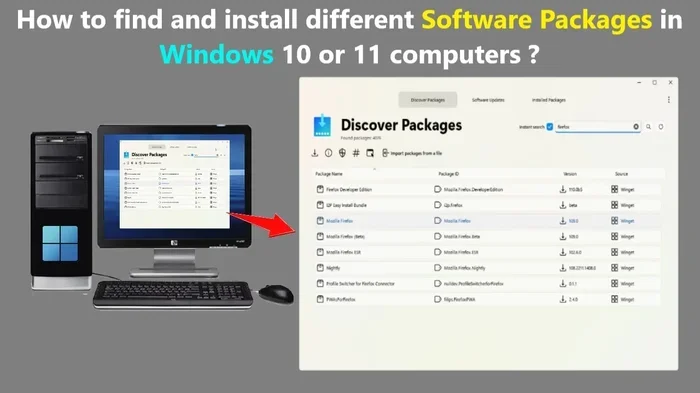
Computer software packages come in many forms, each designed for a specific purpose. This guide covers system software, application software, utility software, and more. You will learn what each type does, real-world examples, and how to choose the right software for your needs.
Computers would not do anything without software. Every program you open, every game you play, and every file you save relies on different types of computer software packages working behind the scenes. Understanding these categories helps you make smarter choices about the tools you use every day.
Whether you are a student, a professional, or someone who just wants to keep their laptop running smoothly, knowing your software options matters a lot. In this guide, we break down every major category of computer software in simple terms. You will walk away with a clear picture of what each type does and why it matters.
Key Takeaways
- System software is the backbone of your computer, managing hardware and running the operating system.
- Application software helps you do specific tasks like writing documents, editing photos, or browsing the web.
- Utility software keeps your computer healthy by cleaning, optimizing, and protecting your system.
- Productivity software includes tools like word processors, spreadsheets, and presentation programs.
- Freeware, shareware, and open source are software licensing types that affect how you use and distribute programs.
- Driver and firmware software ensures your hardware and operating system communicate properly.
- Choosing the right software depends on your needs, budget, and the device you are using.
📑 Table of Contents
- What Are Computer Software Packages?
- System Software: The Foundation of Your Computer
- Application Software: Tools That Get Things Done
- Utility Software: Keeping Your Computer Healthy
- Software Licensing: Freeware, Shareware, and Open Source
- Programming and Development Software
- How to Choose the Right Software Packages for You
- Conclusion
What Are Computer Software Packages?
Software packages are collections of programs bundled together to perform specific functions. Think of them like toolkits. Just as a toolbox holds different tools for different jobs, a software package holds programs designed to help you accomplish tasks on your computer.
These packages can be grouped into broad categories based on what they do. Some manage your hardware. Others help you create documents or edit videos. The key idea is that each type of software serves a unique role in your overall computing experience. When you know the different types of computer software packages, you can pick the right tools for your workflow.
System Software: The Foundation of Your Computer
System software is the most important category. It acts as the bridge between your computer hardware and the user. Without system software, your laptop or desktop would just be a box of metal and plastic.
Operating Systems
The operating system (OS) is the core of system software. It manages memory, runs applications, and handles input from your keyboard and mouse. Popular operating systems include Windows, macOS, and Linux. Each one provides a platform where other software can run smoothly.
Your operating system also handles device drivers, which are small programs that tell your computer how to communicate with hardware like printers, scanners, and graphics cards. You can check how to know the RAM of your laptop through your operating system settings, which shows you how system software gives you access to important hardware details.
Firmware and Middleware
Firmware is a special type of system software stored directly on hardware. It provides the basic instructions that let a device function. Your router, smart TV, and even your mouse all contain firmware. Middleware, on the other hand, sits between the operating system and applications, helping different programs talk to each other.
Application Software: Tools That Get Things Done
Application software is what most people think of when they hear the word “software.” These are the programs you open to do real work. They sit on top of your system software and rely on it to function.
Productivity and Office Software
Productivity software helps you create, edit, and manage documents. Microsoft Office is a prime example. It includes Word for writing, Excel for spreadsheets, and PowerPoint for presentations. If you have ever adjusted column alignment in Excel, you have already interacted with types of alignment in MS Excel, which is part of the broader productivity software family.
Other popular productivity tools include Google Workspace, Apple iWork, and LibreOffice. These suites cover most everyday tasks like email, word processing, and data management. Many businesses rely heavily on these packages to keep operations running.
Multimedia and Creative Software
Multimedia software lets you work with images, audio, and video. Adobe Photoshop, Premiere Pro, and Final Cut Pro are well-known examples. These programs are used by designers, filmmakers, and content creators around the world.
Even simpler tools like Windows Media Player or VLC fall into this category. They let you play music and watch videos without needing anything extra. Multimedia software continues to grow as more people create and share content online.
Communication and Business Software
Communication software includes email clients, video conferencing tools, and messaging apps. Zoom, Slack, and Microsoft Teams are widely used in both offices and homes. These tools became even more essential during recent years when remote work grew in popularity.
Business software also includes different types of marketing channels platforms, customer relationship management (CRM) tools, and project management apps. These programs help teams collaborate and stay organized no matter where they are located.
Utility Software: Keeping Your Computer Healthy
Utility software is like the maintenance crew for your computer. It performs specific tasks that keep your system running at its best. While you may not always notice it, utility software works quietly in the background.
Antivirus and Security Programs
Security software protects your computer from viruses, malware, and other threats. Programs like Norton, McAfee, and Windows Defender scan your files and block dangerous software before it can cause harm. Keeping your security software up to date is one of the simplest ways to stay safe online.
Disk Cleanup and Optimization Tools
Over time, your computer accumulates temporary files, cache data, and other digital clutter. Utility programs like CCleaner and Windows Disk Cleanup remove this junk and free up space. If you find your computer running slow, running a cleanup tool is often the first step to fixing the problem.
Some users also explore options to increase the RAM of their laptop for better performance. Can I increase the RAM of my laptop? is a common question, and utility software can help you monitor whether your current memory is being used efficiently before you make any hardware changes.
Software Licensing: Freeware, Shareware, and Open Source
Not all software is sold the same way. Licensing determines how you can use, modify, and share a program. Understanding these categories helps you make informed decisions about what to install on your computer.
- Freeware: Free to use with no restrictions. Examples include Skype and Adobe Reader.
- Shareware: Free for a trial period, then you must pay. Many antivirus programs start as shareware.
- Open Source: The source code is publicly available. Anyone can view, modify, and distribute it. Linux and LibreOffice are popular open source options.
- Commercial Software: Paid software with full features and professional support. Microsoft Office and Adobe Creative Cloud fall into this category.
Each licensing type has its pros and cons. Freeware is great for budget-conscious users, while commercial software often comes with dedicated customer support and regular updates.
Programming and Development Software
Programming software is designed for developers who write code. These tools include text editors, compilers, debuggers, and integrated development environments (IDEs). Popular examples are Visual Studio Code, Eclipse, and PyCharm.
If you are learning to code, choosing the right programming software can make a big difference. Some tools are built for specific languages like Python or JavaScript, while others support multiple languages. These programs are essential for building everything from simple apps to complex operating systems.
How to Choose the Right Software Packages for You
With so many options available, picking the right software can feel overwhelming. Here are some practical tips to guide your decision.
- Identify your needs. Write down what tasks you need software for. Are you editing photos, managing a business, or just browsing the web?
- Check system requirements. Make sure the software is compatible with your operating system and hardware. If your laptop has limited memory, you may need lightweight programs.
- Read user reviews. Other users can give you honest feedback about performance, bugs, and ease of use.
- Consider the cost. Free software may be enough for basic tasks. But if you need advanced features, investing in paid software is often worth it.
- Look for updates and support. Good software is regularly updated. Choose programs from developers who provide ongoing support and security patches.
Taking a few minutes to evaluate your options can save you time, money, and frustration in the long run. The right software makes your computer feel faster and more intuitive.
Conclusion
The world of computer software packages is vast and diverse. From system software that keeps your hardware running to application software that helps you create and communicate, each type plays a vital role. Utility programs protect and optimize your system, while licensing models determine how you access and use your tools.
Understanding these categories empowers you to make better decisions. You can choose software that fits your needs, budget, and skill level. As technology continues to evolve, new types of software will keep emerging. But the core categories remain the same. Start with the basics, explore new tools as you need them, and never stop learning about the software that shapes your digital life.
Frequently Asked Questions
What are the main types of computer software packages?
The main types include system software, application software, utility software, productivity software, and multimedia software. Each category serves a different purpose, from managing hardware to helping you create documents and edit media.
What is the difference between system software and application software?
System software manages your computer’s hardware and provides a platform for other programs to run. Application software is built on top of system software and helps you perform specific tasks like writing, browsing, or editing photos.
Is freeware the same as open source software?
Not exactly. Freeware is free to use but the source code is not necessarily available. Open source software allows anyone to view, modify, and distribute the code. Both are free in most cases, but they differ in how much control you have over the program.
How do I know which software is best for my laptop?
Start by identifying what you need the software to do. Then check your laptop’s specifications, including your operating system and available RAM. Reading user reviews and comparing features will also help you find the best fit.
Can software packages include both free and paid components?
Yes, many software packages use a freemium model. The basic version is free, but advanced features require a paid subscription. This approach lets you try the software before committing to a purchase.
Why is it important to keep software updated?
Updates fix bugs, improve performance, and patch security vulnerabilities. Running outdated software leaves your computer exposed to threats. Most programs offer automatic updates, so enabling them is one of the easiest ways to stay protected.