Nvme M.2 Ssd Enclosure
An NVMe M.2 SSD enclosure turns a bare M.2 NVMe drive into a powerful portable external SSD with blazing-fast transfer speeds. It is a simple, affordable device that plugs into your computer and gives your SSD a second life. Whether you need extra storage for creative work or a fast backup solution, this guide covers everything you need to know.
An NVMe M.2 SSD enclosure is one of the smartest storage upgrades you can make this year. If you have a spare M.2 NVMe drive lying around, this small device transforms it into a fast, portable external SSD. You get blazing speeds, compact size, and the convenience of carrying terabytes of data in your pocket.
Whether you are a video editor who needs to move huge files quickly, a gamer looking to expand your library, or simply someone who wants reliable backup storage, an NVMe M.2 SSD enclosure solves the problem elegantly. This guide walks you through everything from what these enclosures are, to how to choose the right one, and how to set it up without any headaches.
We will compare top models, share practical tips, and highlight common mistakes so you can make a confident purchase. By the end, you will know exactly which M.2 NVMe SSD enclosure fits your needs and budget.
Key Takeaways
- Speed matters: An NVMe M.2 SSD enclosure delivers transfer speeds up to 10 Gbps or more, far outpacing traditional external hard drives.
- Compatibility is key: Always confirm your M.2 drive is NVMe (not SATA) before buying an enclosure to avoid wasted money.
- USB-C is the standard: Look for USB 3.2 Gen 2 or USB 4 connections for the best real-world performance.
- Thermal design matters: NVMe SSDs run hot, so choose an enclosure with metal construction or cooling features for sustained speeds.
- Budget-friendly options exist: You do not need to spend a fortune. Quality enclosures start around $25 to $30.
- Setup is simple: Most NVMe M.2 SSD enclosures plug and play with modern operating systems in seconds.
📑 Table of Contents
What Is an NVMe M.2 SSD Enclosure?
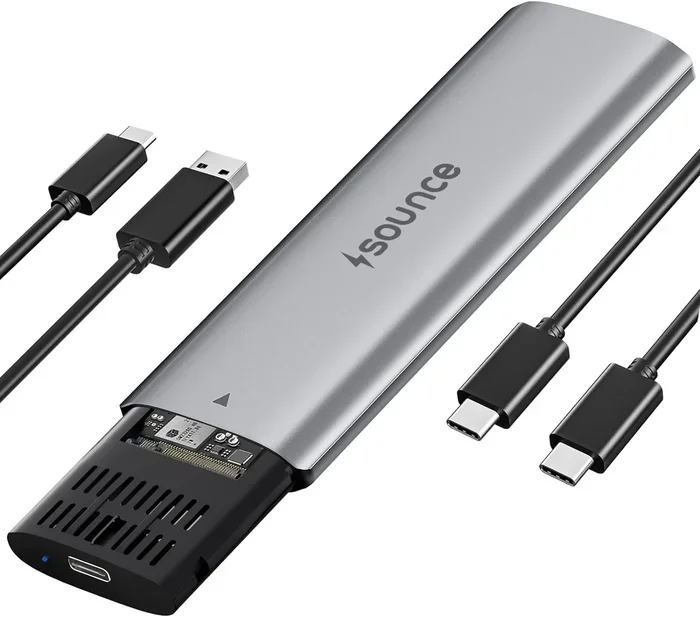
An NVMe M.2 SSD enclosure is a small protective case that houses a bare M.2 NVMe solid-state drive and connects it to your computer externally. Think of it as a bridge between your internal SSD and the outside world. The enclosure contains a controller board that translates the NVMe protocol over a USB connection, so your computer recognizes the drive as a regular external storage device.
The beauty of an NVMe M.2 SSD enclosure is its simplicity. You slide the SSD in, close the case, plug in a USB cable, and you are ready to go. No software installations, no complicated configurations, no tools required. It is one of the easiest ways to repurpose an internal drive as a portable external one.
How It Works
Inside every external NVMe enclosure, there is a small controller chip that handles communication between the M.2 NVMe SSD and your computer. When you connect the enclosure via USB, the controller receives data from the SSD and sends it through the USB connection at incredible speeds. The SSD itself stores your files, while the enclosure handles the translation and data transfer.
Most modern enclosures use USB-C connections because they offer the bandwidth needed for NVMe speeds. Older models may use USB Type-A, but those are becoming outdated fast. If you want to get the most out of your M.2 NVMe SSD enclosure, make sure your computer has a USB-C port that supports the speeds you need.
NVMe vs SATA Enclosures
It is important to understand the difference between NVMe and SATA enclosures before you buy. NVMe uses the PCIe protocol, which is much faster than the SATA protocol. An NVMe M.2 SSD enclosure can deliver real-world speeds of 1,000 MB/s or more. A SATA-based enclosure tops out around 600 MB/s. The gap is huge, especially when you are transferring large video files or backing up entire folders.
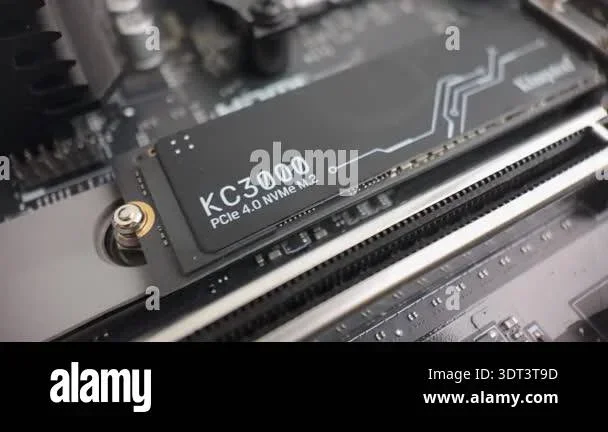
Also, not all M.2 drives are the same. A SATA M.2 SSD will not work in an NVMe enclosure, and an NVMe drive will not work in a SATA enclosure. Always check what type of M.2 SSD you have before purchasing an M.2 enclosure for SSD use. The notch and connector type are different, and forcing the wrong drive in can damage both the drive and the enclosure.
Why You Need an NVMe M.2 SSD Enclosure
There are many compelling reasons to add an NVMe M.2 SSD enclosure to your tech setup. Let us look at the biggest benefits that make these devices worth every penny.
Portability and Convenience
A bare M.2 NVMe SSD is incredibly small but also fragile without protection. An enclosure gives it a sturdy shell and a convenient plug-and-play design. You can slip it into your laptop bag, carry it in your pocket, and plug it into any compatible computer. This is a game-changer for photographers, videographers, and anyone who works with large files away from their main workstation.
Imagine finishing a video project on your laptop and needing to transfer a 100GB file to your desktop. With a portable NVMe enclosure, you just plug it in, copy the files, and you are done in under a minute. No waiting around for hours like you would with a traditional external hard drive.
Speed and Performance
Speed is the number one reason people choose an NVMe M.2 SSD enclosure. With a USB 3.2 Gen 2 connection, you can expect real-world transfer speeds between 800 and 1,000 MB/s. USB 4 enclosures can push that even higher, sometimes reaching 2,000 MB/s or more. That means copying a 50GB video file takes less than a minute instead of ten minutes or more.
For creative professionals who work with 4K or 8K video footage, this speed difference is enormous. It cuts down editing workflows, makes backups faster, and lets you move projects between computers in seconds. The NVMe transfer speed advantage over traditional external drives is simply unmatched.
Cost-Effective Storage Upgrade
Buying a brand-new external SSD can cost $100 or more for 1TB of storage. An NVMe M.2 SSD enclosure typically costs between $25 and $80, and you get to use any M.2 NVMe drive you already own. This makes it one of the most cost-effective ways to expand your storage capacity without breaking the bank.
If you have an older internal NVMe drive that you no longer use in your PC, do not let it collect dust. Pop it into a portable SSD enclosure and give it new life as a fast external drive. It is an eco-friendly choice too, since you are reusing hardware instead of throwing it away.
How to Choose the Right NVMe M.2 SSD Enclosure
Not all enclosures are created equal, and choosing the wrong one can lead to frustration. Here are the key factors to consider before you buy an NVMe M.2 SSD enclosure.
Interface and Connection Type
The connection type determines your maximum transfer speed. USB 3.2 Gen 2 offers up to 10 Gbps, which is more than enough for most NVMe drives. USB 3.2 Gen 2×2 doubles that to 20 Gbps, and USB 4 can reach 40 Gbps or more. If you have a Gen4 NVMe drive, you will want an enclosure that supports those higher speeds to get the full performance.
For most users, a NVMe SSD enclosure USB-C with USB 3.2 Gen 2 support hits the sweet spot between speed and affordability. Make sure your computer or laptop has a compatible USB-C port before you buy. A fast enclosure plugged into a slow port will not deliver the speeds you expect.
Form Factor Compatibility
M.2 NVMe SSDs come in different lengths, commonly known as 2230, 2242, 2260, and 2280. The numbers refer to the length in millimeters. Most M.2 NVMe SSD enclosure models support the popular 2280 size, but some also accept shorter lengths like 2242 or 2260. Always check the product specifications to confirm your specific drive will fit.
If you are unsure what size your M.2 drive is, check the label on the drive itself or look up the model number online. Buying the wrong enclosure means you will have to return it or buy a new one, so this small step saves time and money.
Build Quality and Cooling
NVMe SSDs generate heat during heavy use, especially when transferring large files for extended periods. A good NVMe enclosure will have a metal body that acts as a heat sink, helping to keep temperatures in check. Some premium models include aluminum construction or even passive cooling fins designed to dissipate heat naturally.
If you plan to do sustained large file transfers or run intensive workloads, build quality and thermal design should be high on your priority list. A plastic enclosure might be cheaper, but it will not manage heat as well. Over time, overheating can cause your NVMe drive to slow down or even fail prematurely.
Price vs Performance
You do not need to spend a fortune to get excellent performance from an NVMe SSD enclosure. Budget options in the $25 to $40 range can still deliver strong speeds for everyday use. Premium models with metal bodies and advanced controller chips cost more but offer better durability and thermal management.
Think about how you will use the enclosure. If you just need occasional file transfers and backups, a budget model is perfectly fine. If you are a professional who relies on sustained high-speed transfers every day, investing in a higher-quality model like the Acasis 40Gbps M.2 NVMe SSD enclosure is worth the extra cost for the peace of mind and performance.
Top NVMe M.2 SSD Enclosures Compared
Here is a quick comparison of some popular NVMe SSD enclosure options available right now. Each one has its strengths, so consider your needs and budget when choosing.
| Enclosure | Connection | Max Speed | Price Range | Best For |
|---|---|---|---|---|
| Acasis 40Gbps | USB-C | Up to 40 Gbps | $50-$70 | Gen4 NVMe drives, max speed |
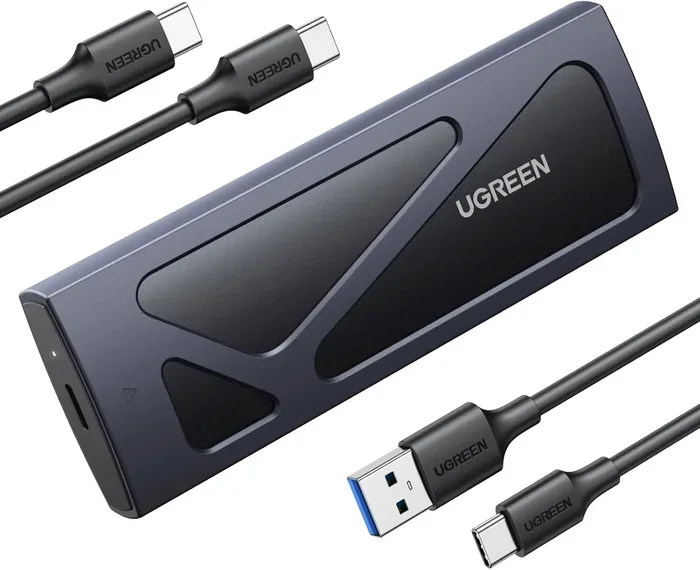
| Ugreen M.2 NVMe | USB-C | Up to 10 Gbps | $30-$45 | Solid all-around performer |
| Orico M.2 NVMe | USB-C | Up to 10 Gbps | $25-$40 | Budget-conscious buyers |
| UGREEN SATA+NVMe | USB-C | Up to 10 Gbps | $35-$50 | Dual protocol support |
The Ugreen M.2 NVMe SATA SSD enclosure is a fantastic all-rounder that offers reliable speeds at a reasonable price. It works well for most users who need a dependable M.2 NVMe SSD enclosure without spending extra on features they may not need. For those on a tighter budget, the Orico M.2 NVMe SSD enclosure delivers solid performance at an attractive price point.
If you have a Gen4 NVMe drive and want to push the limits, the Acasis 40Gbps model is the clear winner. It supports the latest USB 3.2 Gen 2×2 and even USB 4 standards, letting you take full advantage of the fastest M.2 NVMe SSDs on the market today.
How to Set Up Your NVMe M.2 SSD Enclosure
Setting up your NVMe M.2 SSD enclosure is one of the easiest tech tasks you will ever do. Most people have it running in under five minutes. Here is a simple walkthrough to get you started.
Step-by-Step Installation
First, confirm that your M.2 NVMe SSD is the right type and size for the enclosure you purchased. Most enclosures accept 2280 drives, but always double-check the product listing to be sure.
- Open the enclosure by removing the screw or sliding the cap open.
- Carefully insert the NVMe SSD into the slot at a slight angle, aligning the notches.
- Press the drive down gently until it clicks firmly into place.
- Close the enclosure and secure any screws or latches.
- Plug the USB-C cable into the enclosure and connect it to your computer.
Your computer should recognize the drive within seconds. On Windows, it will appear as a new removable drive in File Explorer. On Mac, you may need to format the drive through Disk Utility before you can use it. Simply open Disk Utility, select the new drive, click Erase, and choose the format you prefer.
Driver Installation Tips
Most modern operating systems, including Windows 10, Windows 11, and macOS, recognize NVMe drives automatically without any driver installation. However, if your drive does not show up or you experience connection issues, you may need to update your USB drivers or check for firmware updates for the enclosure.
Keeping your operating system updated is the best way to ensure smooth compatibility with any M.2 NVMe SSD enclosure. If you are using a WD Blue NVMe drive specifically, you can check for the latest drivers and support through the manufacturer’s website to keep everything running smoothly.
Common Mistakes to Avoid
Even though setting up an NVMe M.2 SSD enclosure is straightforward, there are a few common mistakes that can cause problems. Learning what to avoid will save you time and frustration.
- Buying the wrong enclosure type: Always confirm your drive is NVMe, not SATA, before purchasing. The two are not interchangeable, and mixing them up wastes money.
- Ignoring thermal management: NVMe SSDs run hot, and poor cooling can cause throttling or even permanent damage. Choose an enclosure with a metal body or cooling features if you do heavy transfers.
- Using an older USB port: If your enclosure supports USB 3.2 Gen 2, plugging it into a USB 2.0 port will bottleneck your speeds dramatically. Always use the fastest port available on your computer.
- Skipping the formatting step: A new drive in a new enclosure may need formatting before it works properly on your system. Take the five minutes to do it right from the start.
- Overlooking cable quality: A cheap or damaged USB-C cable can limit speeds and cause random disconnections. Invest in a quality cable that supports the data speeds you need.
Final Thoughts
An NVMe M.2 SSD enclosure is a simple yet incredibly useful tool that unlocks the full potential of your M.2 NVMe drives. It gives you portable, blazing-fast storage at a fraction of the cost of buying a dedicated external SSD. Whether you are a creative professional who needs to move massive files quickly, a gamer expanding your library, or someone who just wants a reliable backup solution, the right enclosure makes all the difference.
Take your time choosing the right model based on your drive type, connection needs, and budget. Follow the setup steps carefully, avoid the common mistakes listed above, and you will be up and running in minutes. With a quality M.2 NVMe SSD enclosure, you will wonder how you ever managed without one. The speed, convenience, and savings are simply unbeatable.
Frequently Asked Questions
Can I use a SATA M.2 SSD in an NVMe M.2 SSD enclosure?
No, you cannot. NVMe and SATA M.2 SSDs use different protocols and connectors. Putting a SATA drive into an NVMe enclosure will not work, and vice versa. Always check your drive type before purchasing an enclosure.
Do I need to install drivers for an NVMe M.2 SSD enclosure?
Most modern operating systems recognize NVMe enclosures automatically without any driver installation. Windows 10, Windows 11, and macOS all support them out of the box. If you experience issues, updating your USB drivers usually resolves the problem.
What is the difference between USB 3.2 Gen 2 and USB 4 for NVMe enclosures?
USB 3.2 Gen 2 offers up to 10 Gbps of bandwidth, which is enough for most NVMe drives. USB 4 can reach up to 40 Gbps, making it ideal for Gen4 NVMe SSDs that can push those higher speeds. Choose based on your drive and your speed needs.
Will my NVMe M.2 SSD enclosure work with a Mac?
Yes, most NVMe M.2 SSD enclosures work with Mac computers that have USB-C ports. You may need to format the drive through Disk Utility before first use. macOS supports NVMe drives natively once they are connected externally.
How do I know if my M.2 NVMe SSD will fit inside the enclosure?
Check the enclosure specifications for supported M.2 sizes, commonly listed as 2230, 2242, 2260, or 2280. Most enclosures support the popular 2280 size. You can find your drive’s dimensions on the label or by looking up the model number online.
Can I use an NVMe M.2 SSD enclosure for gaming?
Absolutely. An NVMe M.2 SSD enclosure provides extremely fast load times for games, especially when connected via USB 3.2 Gen 2 or USB 4. It is a great way to expand your game library on a laptop or console without sacrificing speed.
=== CONCLUSION ===
An NVMe M.2 SSD enclosure is a simple, affordable, and incredibly effective way to turn any M.2 NVMe drive into a fast, portable external SSD. It gives you the speed of NVMe technology in a compact, plug-and-play package that works with almost any computer. Whether you are a professional who needs fast file transfers or a casual user looking for extra storage, the right enclosure makes a huge difference.
Choose a model that matches your drive type, connection needs, and budget. Follow the setup steps, avoid common mistakes, and you will enjoy blazing-fast portable storage for years to come. The world of NVMe M.2 SSD enclosure technology has made external storage faster and more accessible than ever before, and there has never been a better time to take advantage of it.