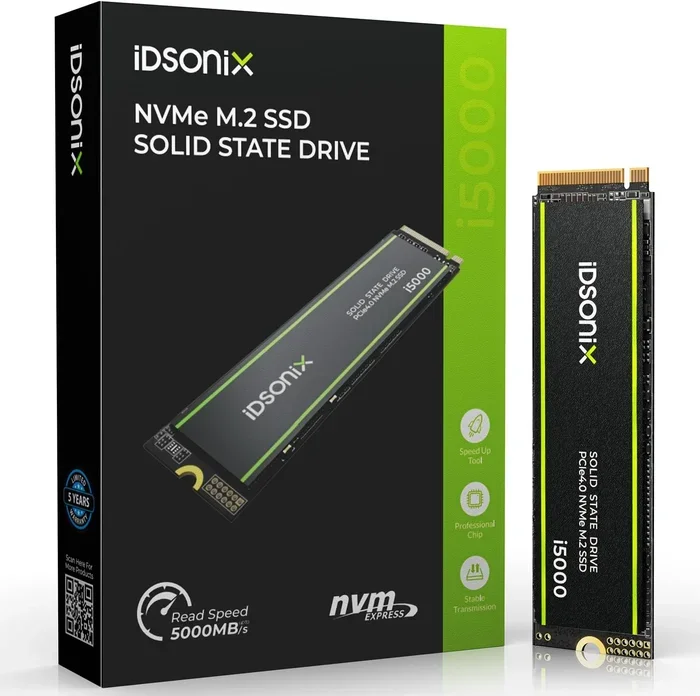
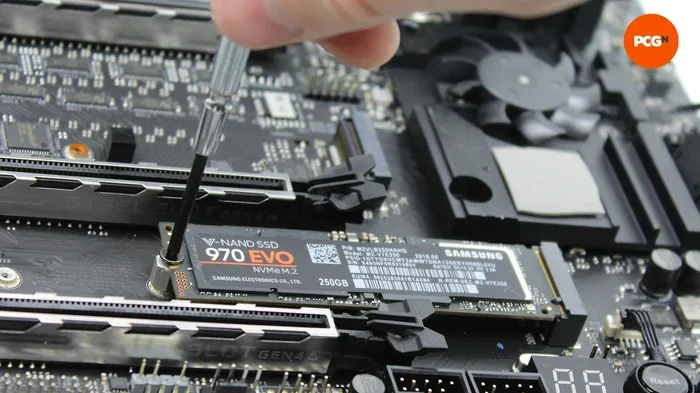
Nvme M 2 Ssd 2tb
A NVMe M 2 SSD 2TB delivers blazing-fast storage for gamers, creators, and professionals. These drives offer incredible read speeds up to 7000 MB/s and plenty of space for large files. We break down the best options, key features, and what to look for when buying one.
A NVMe M 2 SSD 2TB is one of the best upgrades you can make to your computer today. Whether you are a gamer who needs fast load times, a video editor working with huge files, or just someone tired of waiting for your PC to boot up, a 2TB NVMe drive changes everything. These drives are small, fast, and packed with storage space.
The M.2 form factor means the drive plugs directly into your motherboard with no cables. NVMe technology uses the PCIe interface, which is way faster than older SATA connections. In simple terms, a 2TB NVMe M.2 SSD gives you the speed of a race car and the storage of a large garage.
In this guide, we will walk you through everything you need to know about NVMe M 2 SSD 2TB drives. We will cover how they work, why they are so fast, which ones to buy, and common mistakes to avoid. Let us dive in.
Key Takeaways
- Speed Matters: A NVMe M 2 SSD 2TB can read data up to 7000 MB/s, making it far faster than traditional hard drives.
- Big Storage: 2TB gives you room for games, videos, photos, and apps without running out of space.
- PCIe Gen4 and Gen5: Newer generations offer even faster speeds for demanding workloads.
- Cooling is Key: Heatsinks help maintain performance during heavy use.
- Affordable Options Exist: You can find great 2TB NVMe drives at various price points.
📑 Table of Contents
- What Is a NVMe M 2 SSD 2TB?
- Why Choose a 2TB NVMe M.2 SSD?
- Top NVMe M 2 SSD 2TB Options to Consider
- NVMe vs SATA SSD: What Is the Difference?
- How to Choose the Right NVMe M 2 SSD 2TB
- Common Mistakes to Avoid When Buying a NVMe M 2 SSD 2TB
- Quick Tips for Getting the Most Out of Your NVMe M 2 SSD 2TB
- Final Thoughts on NVMe M 2 SSD 2TB
What Is a NVMe M 2 SSD 2TB?
Let us break this down into simple parts. NVMe stands for Non-Volatile Memory Express. It is a protocol that lets SSDs communicate with your computer at very high speeds. M.2 is the physical shape and size of the drive. It looks like a small stick of gum. And 2TB means you get two terabytes of storage space.
Together, a NVMe M 2 SSD 2TB is a tiny, ultra-fast drive with plenty of room for all your files. It uses the PCIe lane on your motherboard, which is the same lane used by graphics cards. This is why the speeds are so impressive compared to older SSDs.
How Does NVMe Technology Work?
NVMe was designed specifically for flash storage. Unlike older protocols like AHCI (which was built for spinning hard drives), NVMe takes full advantage of modern NAND flash memory. It uses a streamlined command queue that handles thousands of tasks at once.
Here is a simple way to think about it. Imagine a highway with one lane versus a highway with many lanes. The older SATA interface is like a single-lane road. NVMe is like a multi-lane superhighway. More lanes mean more data can flow at the same time, which means faster speeds for you.
M.2 Form Factor Explained
The M.2 shape is small and flat. It connects directly to a slot on your motherboard. There are different key types (B key, M key) that determine which slot the drive fits into. Most modern 2TB NVMe M.2 SSD drives use the M key and PCIe interface. Always check your motherboard manual to make sure you have an M.2 slot that supports NVMe.
Why Choose a 2TB NVMe M.2 SSD?
There are many reasons to pick a NVMe M 2 SSD 2TB for your system. Let us look at the biggest benefits.
Blazing Fast Speeds
The most obvious advantage is speed. A top-tier 2TB NVMe M.2 SSD can deliver sequential read speeds of up to 7000 MB/s and write speeds around 5000 MB/s. To put that in perspective, a standard SATA SSD tops out at about 550 MB/s. That means an NVMe drive can be more than ten times faster.
What does this mean in real life? You can boot Windows in seconds, open massive Photoshop files instantly, and load heavy games in a flash. For content creators editing 4K video, the speed difference is night and day.
Plenty of Storage Space
Two terabytes is a lot of space. That is 2000 gigabytes. You can store hundreds of games, thousands of photos, and hours of 4K video footage. A 2TB M.2 NVMe SSD gives you room to grow without constantly deleting files to make space.
For gamers, 2TB can hold around 50 to 60 modern AAA titles. For video editors, it is enough to store active project files and media. The generous capacity means you do not have to manage your storage as carefully.
Compact and Clean Build
M.2 drives are tiny. They take up almost no space inside your PC case. There are no cables to manage, no drive bays needed, and no extra power connectors. This makes your build cleaner and allows for better airflow. A 2TB NVMe M.2 SSD is perfect for small form factor PCs where every inch matters.
Energy Efficiency
NVMe SSDs are generally more power efficient than traditional hard drives. They use less electricity and generate less heat relative to their performance. This is especially helpful for laptop users who care about battery life. A fast NVMe M 2 SSD 2TB can actually help extend your laptop’s runtime.
Top NVMe M 2 SSD 2TB Options to Consider
The market is full of great options, and choosing the right one can feel overwhelming. Here are some of the most popular and well-reviewed 2TB NVMe M.2 SSD drives available right now.
Crucial T705 2TB PCIe Gen5 NVMe M.2 SSD
The Crucial T705 2TB PCIe Gen5 NVMe M.2 SSD is a powerhouse. It uses the latest PCIe Gen5 interface, which pushes speeds even higher than Gen4 drives. With sequential reads reaching up to 7400 MB/s, this drive handles everything from gaming to professional workloads with ease.
It uses high-quality TLC NAND flash memory, which offers a great balance of speed, endurance, and price. The Crucial T705 also comes with a generous warranty and solid reliability ratings. If you want the newest technology, this is a strong choice.
Corsair MP600 Core XT M.2 NVMe SSD
The Corsair MP600 Core XT M.2 NVMe SSD is another excellent option. It offers top-tier Gen4 speeds with reads up to 7000 MB/s. Corsair is a trusted brand in the PC hardware world, and this drive lives up to that reputation.
The MP600 Core XT includes a built-in aluminum heatsink, which helps keep temperatures in check during heavy workloads. This is a great pick for users who want plug-and-play performance without extra accessories.
Other Notable 2TB NVMe Drives
Beyond these two, there are many other solid 2TB M.2 NVMe SSD options from brands like Samsung, WD, Seagate, and Kingston. When comparing drives, look at sequential read/write speeds, endurance ratings (TBW), warranty length, and whether a heatsink is included.
NVMe vs SATA SSD: What Is the Difference?
Many people wonder whether they should buy a NVMe M 2 SSD 2TB or stick with a SATA SSD. The answer is almost always NVMe if your system supports it.
Here is a quick comparison to make it clear:
- Speed: NVMe drives are 10x to 14x faster than SATA SSDs in real-world use.
- Form Factor: NVMe uses the M.2 shape, while SATA SSDs usually come in a 2.5-inch box.
- Price: NVMe drives cost a bit more, but prices have dropped significantly.
- Compatibility: NVMe requires an M.2 slot that supports PCIe. SATA SSDs work in both M.2 and 2.5-inch bays.
If you are building a new PC or upgrading an older one, a 2TB NVMe M.2 SSD is the clear winner for performance. The speed difference is something you will notice every single day when using your computer.
How to Choose the Right NVMe M 2 SSD 2TB
Not all 2TB NVMe drives are created equal. Here are the key factors to consider before you buy.
PCIe Generation
PCIe Gen4 is the current sweet spot for most users. It offers excellent speeds without being too expensive. PCIe Gen5 is the newest standard and provides even faster speeds, but it comes at a premium price. For most people, a Gen4 NVMe M 2 SSD 2TB is more than enough.
NAND Flash Type
Most modern NVMe drives use TLC (Triple-Level Cell) NAND. TLC offers a good mix of speed, endurance, and cost. QLC (Quad-Level Cell) drives exist but generally have lower endurance. Stick with TLC for a reliable 2TB NVMe M.2 SSD that will last for years.
Heatsink and Thermal Management
Fast NVMe drives can get hot under heavy load. Many drives come with a built-in heatsink, which is a metal plate that draws heat away from the drive. If your drive does not have one, you can buy an M.2 NVMe SSD enclosure with a heatsink or add a separate M.2 heatsink to your motherboard.
Thermal throttling happens when a drive gets too hot and slows down to protect itself. A good heatsink prevents this and keeps your NVMe M 2 SSD 2TB running at full speed.
Endurance and Warranty
Endurance is measured in TBW (Terabytes Written). A higher TBW means the drive can handle more data over its lifetime. Look for drives with at least 1200 TBW for a 2TB capacity. A solid warranty (usually 5 years) also gives you peace of mind.
Price and Value
Prices for a 2TB NVMe M.2 SSD have come down a lot in recent years. You can find excellent drives in the $130 to $200 range. The 2TB SSD M.2 NVMe market is competitive, so take your time and compare prices across retailers.
Common Mistakes to Avoid When Buying a NVMe M 2 SSD 2TB
Even experienced PC builders make mistakes sometimes. Here are a few things to watch out for.
Buying a Drive Without Checking Compatibility
Not every M.2 slot supports NVMe. Some older motherboards only support SATA M.2 drives. Always check your motherboard manual to confirm that your M.2 slot supports PCIe NVMe. Otherwise, your 2TB NVMe M.2 SSD will not work at full speed or may not work at all.
Ignoring Thermal Management
Skipping the heatsink is a common mistake. Without proper cooling, your drive may throttle and lose performance during heavy tasks. If your drive does not include a heatsink, budget for one separately.
Focusing Only on Read Speeds
Marketing often highlights read speeds, but write speeds matter just as much. When you are copying large files, installing games, or saving video projects, write speed is what you feel. Look at both numbers before deciding.
Overlooking the DRAM Cache
Some budget NVMe drives skip the DRAM cache, which can slow down sustained write performance. If you plan to do heavy, continuous workloads, choose a drive with a DRAM cache for the best experience.
Quick Tips for Getting the Most Out of Your NVMe M 2 SSD 2TB
- Keep your firmware updated. Manufacturers often release updates that improve performance and fix bugs.
- Enable TRIM. TRIM helps your drive maintain peak performance over time by clearing unused data blocks.
- Use the drive as your primary boot drive. Install Windows and your most-used apps on the NVMe drive for the fastest experience.
- Monitor drive health. Use free tools like CrystalDiskInfo to check your drive’s temperature and health status regularly.
- Avoid filling the drive completely. Leave at least 10% of the drive free for optimal performance and wear leveling.
Final Thoughts on NVMe M 2 SSD 2TB
A NVMe M 2 SSD 2TB is one of the most impactful upgrades you can make to any computer. The combination of massive speed, generous storage, and compact size makes it a no-brainer for almost any user. Whether you are upgrading a laptop, building a new desktop, or adding storage for creative work, a 2TB NVMe drive delivers outstanding value.
The technology keeps getting better and more affordable every year. PCIe Gen5 drives are pushing the boundaries of speed, and Gen4 drives offer incredible performance at reasonable prices. No matter which route you choose, you will be amazed at how much faster your system feels.
Take your time, compare options like the 2TB M.2 NVMe SSD lineup, and pick the drive that fits your needs and budget. Your future self will thank you every time you boot up your PC in seconds or load a massive game instantly.
Frequently Asked Questions
Is a NVMe M 2 SSD 2TB worth it?
Absolutely. A 2TB NVMe M.2 SSD offers incredibly fast speeds and plenty of storage for games, creative projects, and everyday use. The performance boost over older drives is noticeable every day.
Can I use a NVMe M 2 SSD 2TB in a laptop?
Yes, as long as your laptop has an M.2 slot that supports NVMe. Most modern laptops do, but always check your laptop’s specs before purchasing a 2TB NVMe M.2 SSD.
Does a NVMe M 2 SSD 2TB need a heatsink?
It depends on your workload. For light everyday use, a heatsink may not be necessary. For heavy tasks like video editing or extended gaming sessions, a heatsink helps maintain top speeds.
How fast is a NVMe M 2 SSD 2TB?
Top-tier drives reach sequential read speeds of 7000 MB/s or higher. Even budget-friendly 2TB NVMe M.2 SSD options offer speeds well above 3000 MB/s, which is much faster than traditional hard drives.
How long does a NVMe M 2 SSD 2TB last?
Most quality drives have endurance ratings of 1200 TBW or higher, which translates to many years of normal use. With proper care and firmware updates, a 2TB NVMe M.2 SSD can easily last 5 to 7 years or more.
What is the difference between NVMe and PCIe?
NVMe is the communication protocol, while PCIe is the physical connection interface. A NVMe M 2 SSD 2TB uses the PCIe interface to achieve its high speeds through the NVMe protocol. Think of NVMe as the language and PCIe as the road it travels on.