Power Supply Unit for Cctv Cameras
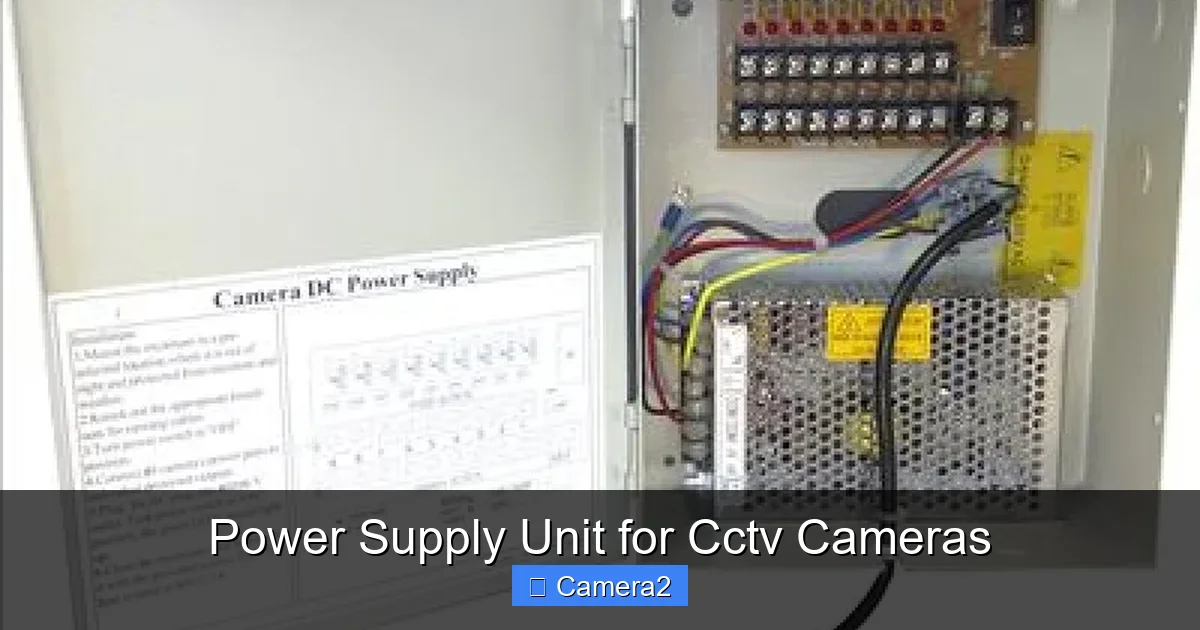
Choosing the right power supply unit for CCTV cameras is essential for reliable, uninterrupted surveillance. This guide walks you through power basics, how to calculate voltage and wattage, wiring tricks, and maintenance tips so you can install a rock‑solid system without headaches.
Key Takeaways
- Match voltage and amperage: Always select a PSU that meets or exceeds the total load of your cameras.
- Consider cable length: Voltage drop matters; use thicker wire or add a booster for long runs.
- Choose the right type: Linear, switching, PoE, and DC‑DC converters each have pros and cons.
- Plan for expansion: Add a little extra capacity now to avoid future upgrades.
- Protect against spikes: Surge protectors and fuses extend the life of your equipment.
- Regular checks pay off: Inspect connections and test voltage quarterly to catch problems early.
- Safety first: Follow local electrical codes and use proper grounding.
📑 Table of Contents
- Introduction: Why Power Matters More Than You Think
- 1. Understanding Power Basics for CCTV Cameras
- 2. Calculating the Right Capacity
- 3. Types of Power Delivery for CCTV
- 4. Wiring Tips to Prevent Voltage Drop
- 5. Protecting Your Investment
- 6. Choosing the Best Power Supply Unit for Your Setup
- Conclusion: Power Up with Confidence
Introduction: Why Power Matters More Than You Think
When you think about a CCTV system, the camera lenses, the night‑vision sensor, and the recording software usually get all the attention. Yet the humble power supply unit for CCTV cameras is the real workhorse that keeps every pixel alive. A weak or mismatched power source can cause flickering images, random reboots, or complete system failure—problems that defeat the purpose of surveillance.
In this article we’ll break down everything you need to know about powering your cameras. From basic voltage concepts to choosing the right wiring gauge, we’ll share practical examples, simple calculations, and real‑world tips you can apply today. By the end you’ll feel confident selecting, installing, and maintaining a power supply that matches your security goals.
1. Understanding Power Basics for CCTV Cameras
Voltage, Current, and Wattage – The Three Amigos
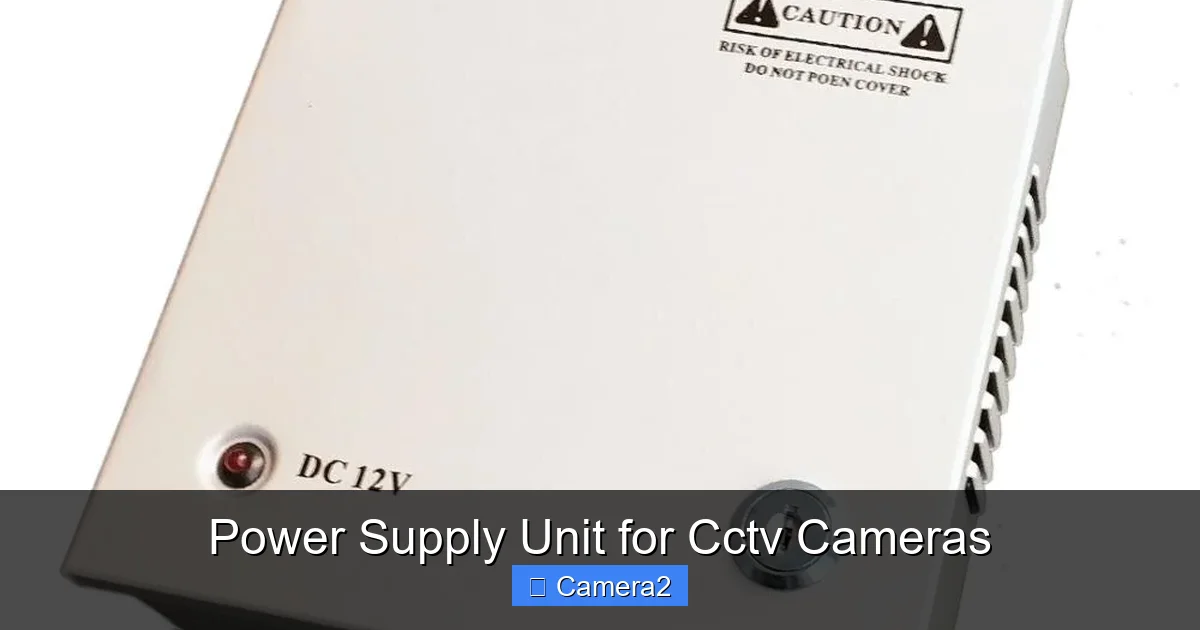
Every CCTV camera has a specified operating voltage (usually 12 V DC) and a current draw measured in amperes (A). The product of voltage and current gives you the wattage (W), which tells you how much power the camera actually consumes.
Visual guide about Power Supply Unit for Cctv Cameras
Image source: images.nexusapp.co
For example, a typical 1080p dome camera might be rated at 12 V DC and 0.5 A. That equals 6 W (12 V × 0.5 A = 6 W). Knowing this number is the first step to sizing the power supply unit for CCTV cameras correctly.
Why You Can’t Just Use Any Wall Adapter
Most people reach for a generic wall adapter because it’s cheap and easy. However, wall adapters are designed for short, low‑current runs. If you have multiple cameras or long cable runs, the adapter’s voltage can drop, causing the cameras to malfunction. A dedicated PSU built for CCTV applications provides stable voltage, higher current capacity, and built‑in protection features.
Linear vs. Switching Power Supplies
- Linear PSUs: Simple design, low noise, but bulky and less efficient (≈70%). Good for small setups.
- Switching PSUs: Compact, lightweight, and highly efficient (90%+). Most professional CCTV installations use switching units.
When you search for a power supply unit for CCTV cameras, you’ll see both types. For most modern systems, a switching PSU is the smarter choice.
2. Calculating the Right Capacity
Step‑by‑Step Load Calculation
1. List every camera and note its voltage and current rating.
2. Add up the current (amps) of all cameras.
3. Multiply the total current by the system voltage (usually 12 V) to get total wattage.
4. Add a safety margin of 20‑30% to accommodate future expansion and power spikes.
Visual guide about Power Supply Unit for Cctv Cameras
Image source: images.nexusapp.co
Practical Example: Small Retail Store
Imagine a shop with eight 5 MP cameras, each rated at 12 V DC × 0.7 A (8.4 W). Total current = 8 × 0.7 A = 5.6 A. Total wattage = 12 V × 5.6 A = 67.2 W. Adding a 25% margin gives ~84 W. A 12 V 10 A (120 W) switching PSU would be ideal, giving room for a couple of extra cameras later.
Internal Link Example
If you’re also installing a backup camera for a pickup truck, you’ll appreciate the same sizing principles. Check out our guide on Backup Cameras For Pickup Trucks for related power considerations.
3. Types of Power Delivery for CCTV
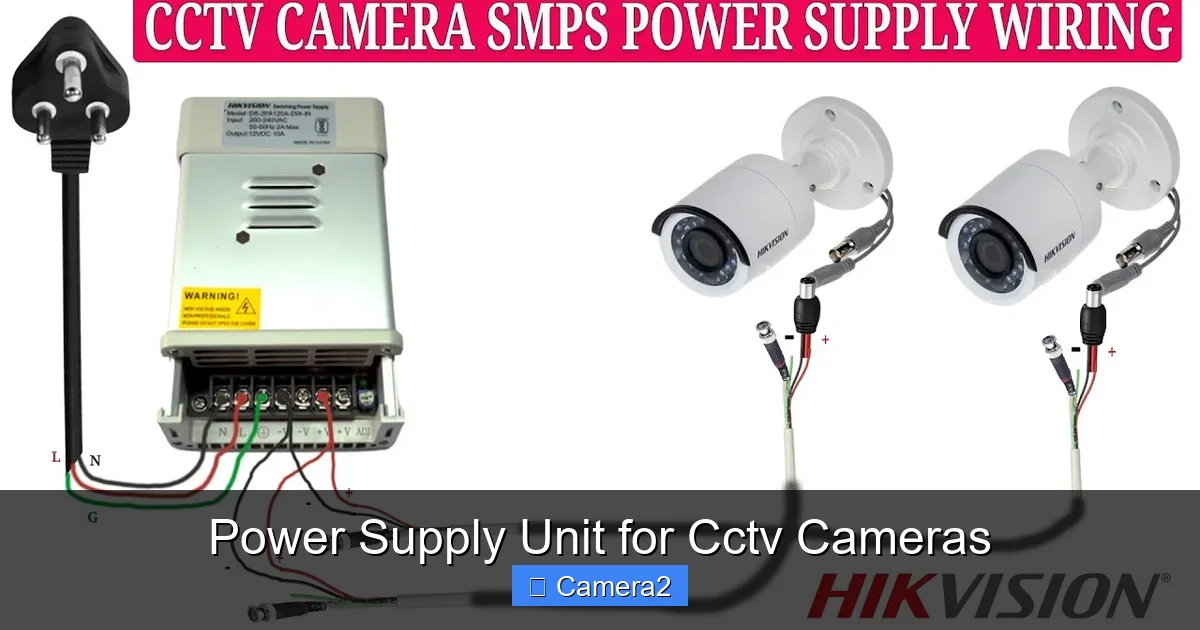
Dedicated DC Power Supplies
These are standalone units that output a fixed DC voltage. They’re simple to wire and perfect for isolated camera clusters.
Visual guide about Power Supply Unit for Cctv Cameras
Image source: i.ytimg.com
Power over Ethernet (PoE)
PoE injects power directly onto the network cable, combining data and electricity in one line. There are two standards:
- IEEE 802.3af (PoE): Up to 15.4 W per port.
- IEEE 802.3at (PoE+): Up to 30 W per port.
When using PoE, you still need a power supply unit for CCTV cameras—the PoE switch or injector is that PSU. Choose a switch that matches the total wattage of your cameras.
Hybrid Solutions: DC‑DC Converters
If you have a 24 V central supply (common in large installations), a DC‑DC buck converter can step down to 12 V for individual cameras. This reduces the number of power supplies you need and simplifies cable management.
4. Wiring Tips to Prevent Voltage Drop
Understanding Voltage Drop
Voltage drop occurs when the resistance of the cable causes the voltage at the far end to be lower than at the source. Long runs of thin wire can lose enough voltage to cause camera errors.
Choosing the Right Gauge
Use the following rule of thumb for 12 V systems:
- Up to 30 ft: 18‑AWG (good for ≤2 A per run).
- 30‑100 ft: 16‑AWG (handles 2‑5 A).
- Over 100 ft: 14‑AWG or thicker (reduces drop for higher currents).
Example: Outdoor Parking Lot
A 150‑ft run supplies four cameras (total 2 A). Using 14‑AWG wire keeps the voltage loss under 0.5 V, ensuring each camera receives close to 12 V.
Use of Voltage Boosters
If you can’t run thicker cable, a small DC‑DC booster placed midway can compensate for the loss. Just be sure the booster’s output matches the camera’s voltage.
5. Protecting Your Investment
Surge Protectors and Fuses
Power spikes from lightning or grid fluctuations can fry camera electronics. Install a surge protector rated for at least 2 kA, and add inline fuses (typically 2‑3 A) on each camera line.
Grounding Practices
Proper grounding reduces electromagnetic interference (EMI) and provides a path for fault currents. Connect the PSU’s ground terminal to a common earth ground, and keep data and power cables twisted or separated to avoid cross‑talk.
Regular Maintenance Checklist
- Visually inspect all connectors for corrosion.
- Measure voltage at each camera with a multimeter (should be within ±5% of nominal).
- Test surge protector by checking its indicator LED monthly.
- Replace any frayed or damaged cable immediately.
Related Reading
For those who love capturing wildlife, a reliable power source is just as crucial for trail cameras. Our article on Sd Card Readers For Game Cameras includes tips on powering remote units.
6. Choosing the Best Power Supply Unit for Your Setup
Key Features to Look For
- Output Voltage Stability: ±5% tolerance is standard.
- Current Capacity: Must exceed total load plus 20% margin.
- Efficiency Rating: Higher efficiency means less heat and lower electricity bills.
- Protection Circuits: Over‑current, short‑circuit, and thermal shutdown.
- Mounting Options: Wall‑mount, rack‑mount, or free‑standing depending on installation site.
Top Brands and Models (2024)
While brand preference varies, these models consistently receive high marks:
- Hikvision DS‑PSU‑12V‑10A: Compact switching PSU with built‑in surge protection.
- Altronix AL‑PSU‑12‑15: Rugged, weather‑sealed, ideal for outdoor installations.
- Ubiquiti Networks PowerSwitch 12V: PoE‑compatible switch that doubles as a power supply for IP cameras.
Buying Tips
– Read reviews that mention long‑term reliability.
– Check warranty length (minimum 2 years is advisable).
– Confirm the unit meets local electrical codes (NEC or IEC).
– If you’re unsure, consult a licensed electrician.
Conclusion: Power Up with Confidence
The power supply unit for CCTV cameras may not be the star of your security system, but it is the backbone that keeps every image clear and every recording intact. By understanding voltage, calculating load, choosing the right type of PSU, and following best‑practice wiring and protection methods, you can build a surveillance network that runs smoothly for years.
Remember to add a safety margin, protect against surges, and inspect your system regularly. With these steps, you’ll enjoy worry‑free monitoring—whether it’s a small shop, a sprawling campus, or a home backyard.
Frequently Asked Questions
What voltage do most CCTV cameras require?
Most analog and many IP cameras operate on 12 V DC, though some newer models use 24 V or PoE (48 V over Ethernet). Always check the camera’s specifications.
Can I use a single power supply for both indoor and outdoor cameras?
Yes, as long as the supply is rated for the total current and is housed in a weather‑proof enclosure if placed outdoors.
How far can I run a power cable before voltage drop becomes a problem?
For a 12 V system, keep runs under 100 ft with 16‑AWG wire for up to 5 A. Longer distances require thicker wire or a booster.
Do I need a surge protector for each camera?
One centrally placed surge protector is usually sufficient, but adding inline fuses or small protectors per line adds extra safety.
Is PoE better than a separate power supply?
PoE simplifies cabling by combining data and power, but it’s limited to 15‑30 W per port. For high‑power cameras, a dedicated DC supply may be necessary.
How often should I check the power supply voltage?
Test the voltage at each camera at least once every three months, or after any power outage or surge event.