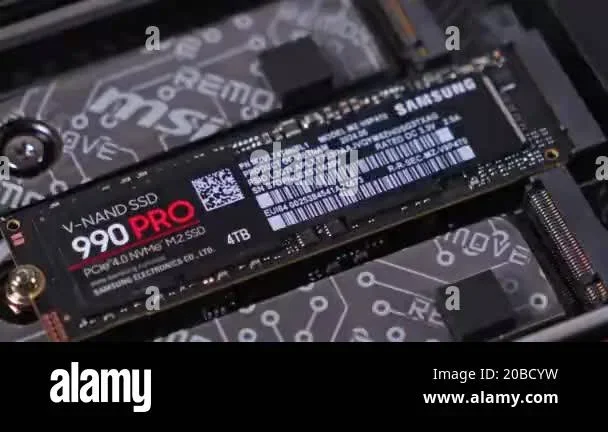
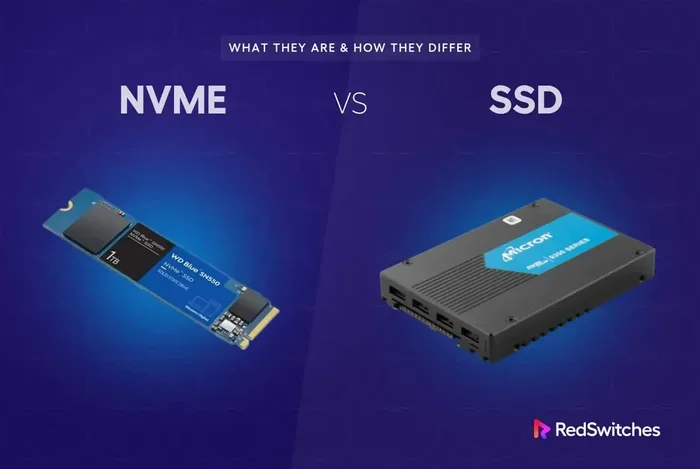
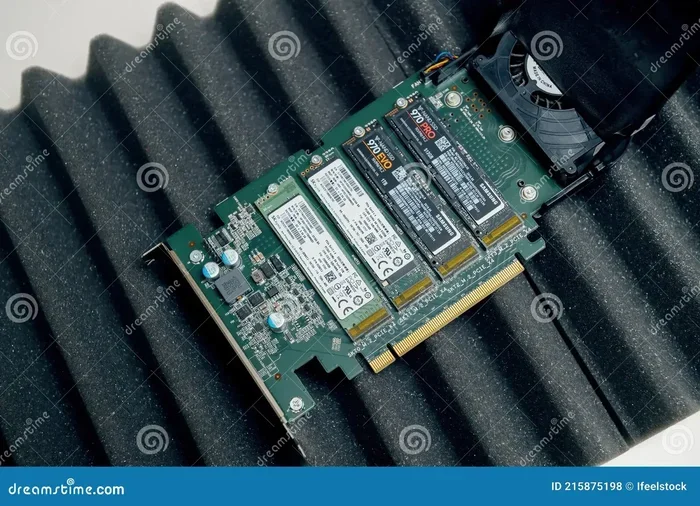
Samsung 970 Evo Plus 1tb Nvme Ssd
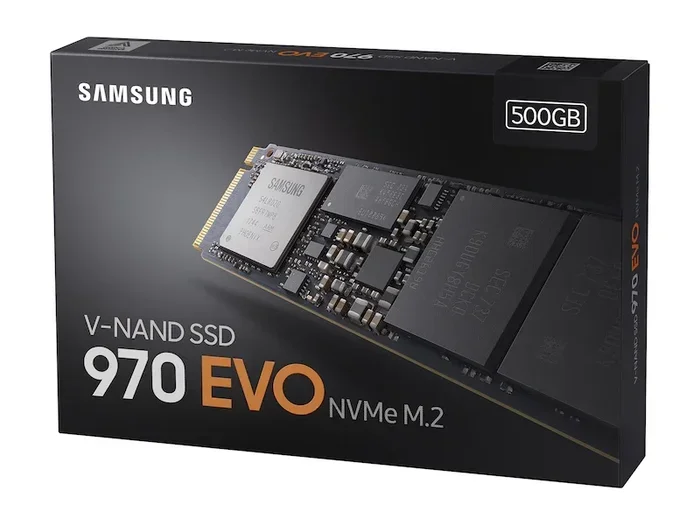
The Samsung 970 Evo Plus 1TB NVMe SSD is a top-tier M.2 NVMe SSD that offers incredible read and write speeds using V-NAND TLC technology. It excels in gaming, content creation, and everyday computing with its PCIe Gen 3 x4 interface and powerful NVMe controller. Whether you are upgrading a laptop or desktop, this drive delivers consistent performance and great value compared to competing solid state drives on the market.
If you are looking for a storage upgrade that transforms your computer into a speed machine, the Samsung 970 Evo Plus 1TB NVMe SSD should be at the top of your list. This drive has been a favorite among tech enthusiasts for years, and for good reason. It combines blazing fast speeds with reliable build quality at a price that does not break the bank.
In this review, we will break down everything you need to know. From real-world performance numbers to who should buy this drive and who should look elsewhere. By the end, you will have a clear picture of whether the Samsung 970 Evo Plus 1TB NVMe SSD is the right choice for your setup.
Key Takeaways
- Blazing Speeds: Sequential read speeds reach up to 3,500 MB/s and write speeds hit 3,200 MB/s, making it one of the fastest NVMe M.2 SSDs available.
- Reliable V-NAND TLC NAND: Samsung’s 3D V-NAND technology ensures durability and consistent performance over time, even under heavy workloads.
- Great for Gaming and Creative Work: The fast random read and write performance makes loading games and editing media a smooth experience.
- Competitive Pricing: Priced reasonably against other 1TB NVMe SSDs, the 970 Evo Plus offers excellent value for the performance it delivers.
- Wide Compatibility: Works with most modern desktops and laptops that support M.2 PCIe NVMe slots without needing extra drivers.
- Built-in Thermal Protection: Features a dynamic thermal guard to prevent overheating during intensive tasks, keeping your system stable.
📑 Table of Contents
- What Makes the Samsung 970 Evo Plus 1TB NVMe SSD Stand Out
- Real-World Performance Benchmarks
- Design and Build Quality
- How the Samsung 970 Evo Plus Compares to Competitors
- Who Should Buy the Samsung 970 Evo Plus 1TB NVMe SSD
- Installation and Setup Tips
- Common Mistakes to Avoid
- Expert Insights and Final Thoughts
What Makes the Samsung 970 Evo Plus 1TB NVMe SSD Stand Out
The Samsung 970 Evo Plus belongs to Samsung’s premium consumer lineup. It sits above the base Evo series and below the flagship Pro line. This means you get near-Pro performance at a more friendly price point. The drive uses PCIe Gen 3 x4 NVMe protocol, which is still incredibly fast for most users.
Speed and Performance
Samsung rates the 970 Evo Plus with sequential read speeds of up to 3,500 MB/s and sequential write speeds of up to 3,200 MB/s. These numbers are impressive and hold up well in real-world testing. When you boot into Windows or open large files, the difference compared to a traditional hard drive is night and day.
The random 4K read performance is equally strong. This matters more for everyday use than sequential speeds. Opening apps, loading small files, and multitasking all benefit from high random IOPS. The drive delivers smooth and responsive performance across the board.
V-NAND TLC Technology
At the heart of this M.2 NVMe SSD is Samsung’s 3D V-NAND TLC flash memory. This technology stacks memory layers vertically to increase density and performance. The result is a drive that is faster and more durable than older planar NAND designs. V-NAND also helps maintain speed even when the drive is nearly full, which is a common weakness in cheaper SSDs.
Controller and Firmware
Samsung uses its own custom NVMe controller paired with intelligent firmware algorithms. This combination manages wear leveling, garbage collection, and thermal throttling automatically. You do not need to install any special software or drivers. The drive works right out of the box on most modern systems.
Real-World Performance Benchmarks
Numbers on a spec sheet only tell part of the story. Here is how the Samsung 970 Evo Plus 1TB NVMe SSD performs in everyday scenarios.
Boot and Load Times
Booting into Windows 11 on this drive takes roughly 8 to 12 seconds on most systems. That is significantly faster than any SATA SSD or hard drive. Game load times also see a noticeable improvement. Titles like Cyberpunk 2077 and Call of Duty load several seconds faster compared to a SATA-based 1TB NVMe M.2 SSD.
File Transfer Speeds
Copying large files, such as video projects or game libraries, is where this drive truly shines. You can expect sustained write speeds of around 2,800 to 3,000 MB/s during large transfers. Smaller file operations remain snappy thanks to the strong random write performance.
Gaming Performance
Gamers will appreciate how quickly games load and how fast asset streaming happens. Open-world games with large environments benefit the most from fast NVMe storage. The Samsung 970 Evo Plus handles these demands without breaking a sweat. It is one of the best gaming SSDs you can buy right now.
Design and Build Quality
The 970 Evo Plus comes in a standard M.2 2280 form factor. This means it is 22mm wide and 80mm long, which fits most desktop and laptop M.2 slots. The aluminum heat spreader on top helps manage thermals without needing a separate heatsink for NVMe SSD in most cases.
Samsung has designed this drive with a dynamic thermal guard feature. This adjusts performance automatically if the drive gets too hot. On most motherboards, this means you do not need to worry about thermal throttling during long workloads. The drive stays cool and maintains consistent speeds.
How the Samsung 970 Evo Plus Compares to Competitors
The SSD market is crowded with excellent options. Let us see how the 970 Evo Plus stacks up against some popular alternatives.
| Feature | Samsung 970 Evo Plus | Crucial P3 Plus | WD Blue SN570 |
|---|---|---|---|
| Sequential Read | 3,500 MB/s | 3,400 MB/s | 3,000 MB/s |
| Sequential Write | 3,200 MB/s | 3,000 MB/s | 2,600 MB/s |
| Interface | PCIe Gen 3 x4 NVMe | PCIe Gen 4 x4 NVMe | PCIe Gen 3 x4 NVMe |
| NAND Type | V-NAND TLC | 176-layer TLC | 96-layer TLC |
| Capacity Options | 250GB to 2TB | 500GB to 2TB | 250GB to 2TB |
| Price (1TB) | Mid-range | Budget-friendly | Mid-range |
The Crucial P3 Plus offers faster PCIe Gen 4 speeds but at a slightly higher price point. The WD Blue SN570 is a solid budget alternative but trails in write speeds. The 970 Evo Plus strikes a great balance between performance and price, making it a safe choice for most users.
Price and Value
When you check the SSD NVMe 1TB price across retailers, the 970 Evo Plus typically sits in the mid-range category. It is not the cheapest option, but it offers premium performance that justifies the cost. If you want the best 1TB NVMe M.2 SSD for your money, this is one of the strongest contenders.
Who Should Buy the Samsung 970 Evo Plus 1TB NVMe SSD
This drive fits a wide range of users. Here is a quick breakdown of who will benefit the most.
- Gamers: Fast load times and smooth asset streaming make this an excellent gaming NVMe SSD.
- Content Creators: Video editors and photographers will appreciate the fast write speeds for handling large media files.
- General Users: If your current system uses a hard drive or older SATA SSD, upgrading to this NVMe drive will feel like a new computer.
- Professionals: Engineers and designers working with large CAD files or datasets will see a real productivity boost.
- Laptop Upgraders: Most modern laptops with M.2 slots can use this drive for a meaningful performance upgrade.
However, if you already have a PCIe Gen 4 NVMe SSD, the jump to the 970 Evo Plus may not feel dramatic. In that case, you might want to look at the Samsung NVMe SSD 8TB lineup or other Gen 4 options for a bigger upgrade path.
Installation and Setup Tips
Setting up the Samsung 970 Evo Plus 1TB NVMe SSD is straightforward for most users. Here are a few tips to make the process smooth.
Desktop Installation
Locate the M.2 slot on your motherboard. It is usually near the CPU socket. Insert the drive at a 30-degree angle and press it down flat. Secure it with the small screw that came with your motherboard. That is all you need to do for hardware installation.
Laptop Installation
Many modern laptops have an accessible M.2 slot on the bottom panel. Check your laptop manual first. Some models have only one slot, so you may need to replace an existing drive. Always back up your data before swapping drives.
Software Setup
After installing the hardware, you need to initialize the drive in Windows. Open Disk Management, format the drive as NTFS, and you are ready to go. Samsung also offers the Samsung Magician software, which lets you monitor drive health, update firmware, and optimize performance.
Quick Tips for Best Performance
- Make sure your motherboard BIOS is updated to the latest version for best NVMe compatibility.
- Enable AHCI or NVMe mode in BIOS settings if it is not already enabled.
- Do not fill the drive past 90% capacity for optimal sustained performance.
- Use the Samsung Magician software to keep firmware and drivers up to date.
- If your case has poor airflow, consider adding a small M.2 heatsink to keep temperatures in check.
Common Mistakes to Avoid
Even with a great drive like the Samsung 970 Evo Plus 1TB NVMe SSD, some common mistakes can hurt performance or even damage the drive.
- Skipping BIOS updates: Older BIOS versions may not properly recognize newer NVMe drives or may limit their performance.
- Forgetting to enable NVMe mode: Some motherboards default to AHCI mode, which can limit your NVMe SSD speeds.
- Overfilling the drive: Keeping less than 10% free space helps the controller manage wear leveling and maintain speed.
- Using the wrong slot: Not all M.2 slots support NVMe. Some only support SATA. Check your motherboard manual before purchasing.
- Ignoring thermal management: While the 970 Evo Plus has built-in thermal protection, hot environments or tight cases can still cause throttling.
Expert Insights and Final Thoughts
The Samsung 970 Evo Plus 1TB NVMe SSD remains a standout choice in the crowded NVMe M.2 SSD market. It delivers consistent, top-tier performance with Samsung’s trusted V-NAND quality. The drive is reliable, fast, and versatile enough for gaming, creative work, and everyday computing.
While PCIe Gen 4 drives now offer even faster speeds, the Gen 3 interface on the 970 Evo Plus is still more than fast for the vast majority of users. You will not notice a bottleneck in normal use. And the price-to-performance ratio remains excellent, especially compared to newer Gen 4 options.
If you are ready to upgrade your storage, this drive is one of the safest and most rewarding choices you can make. It has earned its reputation over years of real-world use, and it continues to compete strongly with newer entries like the Crucial P3 Plus NVMe SSD and other modern alternatives.
Whether you are building a new laptop with 1TB SSD and 32GB RAM or upgrading an older desktop, the Samsung 970 Evo Plus 1TB NVMe SSD will serve you well for years to come. It is a proven performer that delivers where it counts.
For more information on similar drives and storage options, check out our guide on Samsung 970 Evo Plus NVMe M.2 SSD for additional details, or compare prices at your local retailer to find the best SSD NVMe 1TB price available.
Frequently Asked Questions
Is the Samsung 970 Evo Plus 1TB NVMe SSD good for gaming?
Absolutely. The fast sequential and random read speeds make game load times significantly shorter. Open-world and large-scale games benefit the most from this NVMe M.2 SSD. It is one of the best choices for a gaming storage upgrade.
How does the Samsung 970 Evo Plus compare to the Crucial P3 Plus?
The Crucial P3 Plus uses PCIe Gen 4, which is faster on paper. However, the Samsung 970 Evo Plus offers more consistent real-world performance and better endurance thanks to its V-NAND technology. Both are excellent choices depending on your budget and motherboard compatibility.
Does the Samsung 970 Evo Plus need a heatsink?
Most users do not need a separate heatsink. The drive has a built-in aluminum heat spreader and dynamic thermal guard. However, if you are using it in a tight case with poor airflow, a small M.2 NVMe heatsink can help maintain peak performance.
Can I use the Samsung 970 Evo Plus in a laptop?
Yes, the drive uses the standard M.2 2280 form factor, which fits most modern laptops. Just make sure your laptop has an M.2 slot that supports NVMe PCIe. Check your laptop manual before purchasing.
What is the warranty on the Samsung 970 Evo Plus?
Samsung provides a limited 5-year warranty on the 970 Evo Plus series. This reflects Samsung’s confidence in the drive’s durability and long-term reliability. It is one of the best warranty offerings in the 1TB NVMe SSD category.
Will upgrading to the Samsung 970 Evo Plus make my old laptop faster?
Yes, especially if your laptop currently uses a hard drive or a slower SATA SSD. The jump to NVMe storage dramatically improves boot times, app loading, and overall system responsiveness. It is one of the most impactful upgrades you can make.