Ssd Pcie M.2 Nvme
An SSD PCIe M.2 NVMe drive is a high-speed storage device that connects directly to your motherboard through the M.2 slot using the PCIe interface and NVMe protocol. These drives deliver blazing fast read and write speeds compared to traditional SATA SSDs and hard drives. Whether you are building a new PC or upgrading an existing system, understanding PCIe M.2 NVMe technology helps you make the best choice for performance and value.
If you have been shopping for a new storage drive, you have probably seen the term SSD PCIe M.2 NVMe everywhere. These tiny but powerful drives have become the gold standard for PC storage. They are fast, compact, and deliver performance that traditional hard drives simply cannot match.
But what exactly makes an SSD PCIe M.2 NVMe drive so special? And more importantly, do you need one? In this guide, we will break it all down in simple terms. You will learn how these drives work, what makes them different from other storage options, and how to pick the right one for your setup.
Whether you are a gamer, a content creator, or someone who just wants a faster computer, this article covers everything you need to know about SSD PCIe M.2 NVMe technology. Let us dive in.
Key Takeaways
- Speed: SSD PCIe M.2 NVMe drives offer sequential read speeds up to 7,000 MB/s or more on Gen4 and Gen5 interfaces.
- Form Factor: The M.2 2280 size is the most common and fits into most modern desktops and laptops.
- Protocol Advantage: NVMe protocol communicates directly with the CPU via PCIe lanes, bypassing the slower SATA bottleneck.
- Compatibility: Not all motherboards support every PCIe generation, so always check your slot and BIOS before buying.
- Use Cases: These drives excel as boot drives, game storage, video editing workspaces, and professional workloads.
- Price: Costs have dropped significantly, making PCIe M.2 NVMe storage accessible for most budgets.
📑 Table of Contents
- What Is an SSD PCIe M.2 NVMe Drive?
- SSD PCIe M.2 NVMe vs SATA SSD: What Is the Difference?
- Understanding PCIe Generations and Their Impact
- Benefits of Using an SSD PCIe M.2 NVMe Drive
- How to Choose the Right SSD PCIe M.2 NVMe Drive
- Common Mistakes to Avoid with M.2 NVMe Drives
- Final Thoughts on SSD PCIe M.2 NVMe Storage
What Is an SSD PCIe M.2 NVMe Drive?
An SSD PCIe M.2 NVMe drive is a type of solid state storage that uses the PCIe interface and NVMe protocol to transfer data at incredibly high speeds. Let us break that down piece by piece so it makes total sense.
SSD stands for Solid State Drive. Unlike traditional hard drives that use spinning metal disks, SSDs store data on flash memory chips. This means no moving parts, faster access times, and much better durability.
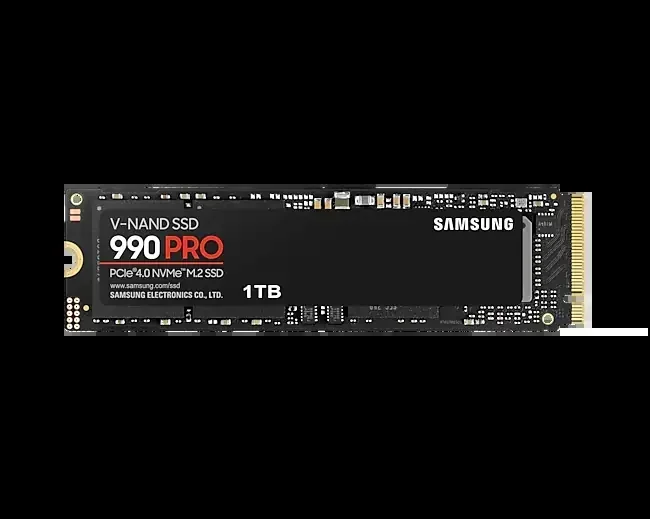
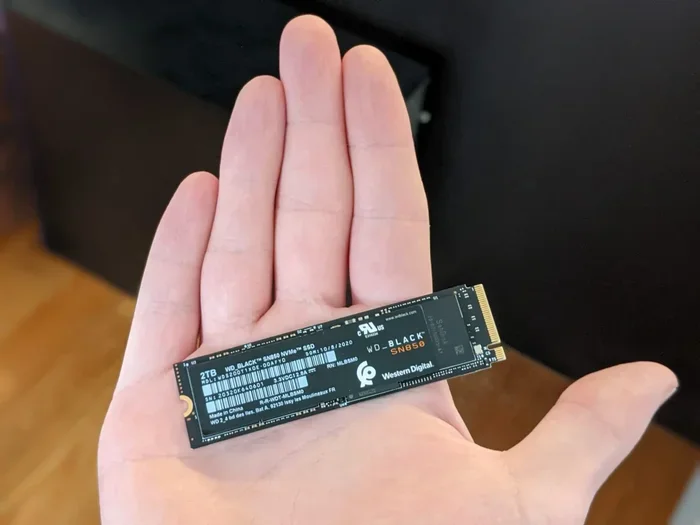
The M.2 part refers to the physical form factor. M.2 drives look like small rectangular sticks, sometimes called “gum stick” drives because of their shape. The most common size is the M.2 2280, which measures 22 millimeters wide and 80 millimeters long.
PCIe stands for Peripheral Component Interconnect Express. This is the pathway the drive uses to communicate with your computer’s processor. More PCIe lanes mean more data can flow at once, which translates directly into higher speeds.
NVMe stands for Non-Volatile Memory Express. This is the protocol that tells the drive how to talk to the system. NVMe was designed specifically for flash storage, which is why it is so much faster than older protocols like AHCI that were built for spinning hard drives.
When you put all these pieces together, you get an SSD PCIe M.2 NVMe drive that can read data at speeds of 5,000 MB/s or more and write data at similar rates. To put that in perspective, a typical SATA SSD tops out around 550 MB/s. That means a modern PCIe NVMe drive can be up to ten times faster.
How Does NVMe Protocol Work?
The NVMe protocol is a big part of what makes these drives so fast. Traditional SATA SSDs use AHCI, a protocol that was created when hard drives were the norm. AHCI was designed for slow spinning disks and creates a bottleneck for fast flash memory.
NVMe, on the other hand, was built from the ground up for SSDs. It uses a streamlined command queue that reduces latency and allows the drive to handle thousands of operations simultaneously. This is why SSD PCIe M.2 NVMe drives feel so responsive when you are booting your operating system or loading large files.
SSD PCIe M.2 NVMe vs SATA SSD: What Is the Difference?
If you are comparing an SSD PCIe M.2 NVMe drive to a SATA SSD, the differences are significant. Let us look at the key areas where they diverge.
Speed Comparison
Speed is the most obvious difference. A SATA SSD is limited by the SATA III interface, which maxes out at about 550 MB/s for both reading and writing. An SSD PCIe M.2 NVMe drive on PCIe Gen3 can reach around 3,500 MB/s. Gen4 drives push that to 7,000 MB/s or higher. And the newest Gen5 drives can exceed 10,000 MB/s.
For everyday tasks like browsing the web or opening documents, you might not notice a huge difference. But for large file transfers, video editing, or loading modern games, the speed gap becomes very obvious.
Physical Connection
SATA SSDs typically come in a 2.5-inch form factor and connect via a SATA cable. M.2 NVMe drives plug directly into the motherboard with no cables needed. This saves space inside your case and makes installation much simpler.
However, not all M.2 slots support NVMe. Some M.2 slots only support SATA. Always check your motherboard manual to confirm which type of M.2 slot you have.
Pricing and Value
Prices for SSD PCIe M.2 NVMe drives have come down a lot over the past few years. A 1TB NVMe drive now costs only slightly more than a 1TB SATA SSD. Given the massive speed advantage, most users will find that NVMe offers the better value.
| Feature | SATA SSD | SSD PCIe M.2 NVMe |
|---|---|---|
| Max Read Speed | ~550 MB/s | ~7,000 MB/s (Gen4) |
| Max Write Speed | ~520 MB/s | ~5,500 MB/s (Gen4) |
| Interface | SATA III | PCIe Gen3/Gen4/Gen5 |
| Form Factor | 2.5-inch | M.2 2280 |
| Cables Needed | Yes | No |
| Latency | Higher | Lower |
| Typical 1TB Price | ~$50-$60 | ~$55-$70 |
Understanding PCIe Generations and Their Impact
The PCIe generation your drive uses plays a huge role in its performance. Each new generation roughly doubles the bandwidth available compared to the previous one. Here is a quick look at what each generation means for your SSD PCIe M.2 NVMe drive.
PCIe Gen3
PCIe Gen3 has been around for many years and still offers excellent performance. Gen3 NVMe drives typically reach sequential read speeds of 3,000 to 3,500 MB/s. These drives are still widely available and offer great value for budget builds.
PCIe Gen4
PCIe Gen4 is the current mainstream standard. It doubles the bandwidth of Gen3 and enables speeds of 6,000 to 7,000 MB/s. Most modern motherboards from AMD and Intel now support Gen4. If you are building a new PC today, a Gen4 SSD PCIe M.2 NVMe drive is the sweet spot for performance and price.
PCIe Gen5
PCIe Gen5 is the newest standard and offers the highest speeds available. Gen5 drives can exceed 10,000 MB/s in sequential reads. These drives are still relatively expensive and are best suited for enthusiasts and professional workloads where every megabyte per second counts.
Which Generation Should You Choose?
For most users, PCIe Gen4 offers the best balance of speed and affordability. If you have an older motherboard that only supports Gen3, a Gen3 drive will still be dramatically faster than a SATA SSD. The key is to match your drive to your motherboard’s capabilities.
Benefits of Using an SSD PCIe M.2 NVMe Drive
There are many reasons to choose an SSD PCIe M.2 NVMe drive for your system. Here are the most compelling benefits.
Blazing Fast Boot Times
Your operating system will boot in seconds rather than minutes. Windows, Linux, or macOS will load almost instantly on a fast NVMe drive. This alone is a game changer for daily productivity.
Faster Game Load Times
Modern games benefit enormously from NVMe speeds. Open-world games with large asset files load textures and levels much faster on an SSD PCIe M.2 NVMe drive. You will spend less time staring at loading screens and more time playing.
Improved Workflow for Creators
If you work with video editing, 3D rendering, or large datasets, NVMe speeds will save you significant time. Exporting a 4K video timeline or scrubbing through a high-resolution footage becomes much smoother when your storage can keep up with your software.
No Cables, Clean Build
The M.2 form factor eliminates the need for SATA cables and power connectors. This leads to a cleaner, more organized build inside your PC case. Better airflow also means cooler components overall.
Low Power Consumption
NVMe M.2 drives consume less power than traditional 2.5-inch SSDs and far less than mechanical hard drives. This can translate to slightly better battery life on laptops and lower heat output in desktops.
How to Choose the Right SSD PCIe M.2 NVMe Drive
Not all NVMe drives are created equal. Here are the key factors to consider when shopping for an SSD PCIe M.2 NVMe drive.
Check Your Motherboard Compatibility
Before you buy anything, open your motherboard manual or check the manufacturer’s website. Confirm that your M.2 slot supports NVMe and which PCIe generation it supports. Some older boards may only have a single M.2 slot that runs at Gen3 speeds.
Consider the Capacity You Need
NVMe drives come in various capacities from 250GB to 8TB and beyond. For most users, a 1TB or 2TB drive strikes the best balance between price and storage space. If you store large media libraries or work with massive project files, consider a 2TB or larger drive.
Look at DRAM Cache
Drives with a dedicated DRAM cache tend to perform better under heavy workloads, especially when dealing with small random files. Budget drives without DRAM can still be fast for sequential transfers but may slow down during mixed workloads.
Brand Reputation and Warranty
Sticking with reputable brands like Samsung, Crucial, Kingston, and Western Digital gives you peace of mind. These companies offer solid warranties, typically 5 years, and have established track records for reliability.
Read and Write Speeds
Pay attention to both sequential and random read/write speeds. Sequential speeds matter for large file transfers, while random speeds (measured in IOPS) matter for everyday responsiveness. The best SSD PCIe M.2 NVMe drives excel at both.
Thermal Management
High-performance NVMe drives can generate significant heat, especially Gen4 and Gen5 models. Many drives come with heatsinks included. If your motherboard has an M.2 heatsink, make sure the drive fits properly. Overheating can cause thermal throttling, which reduces speeds during sustained workloads.
Quick Tips for Choosing
- Match your PCIe generation to your motherboard slot for the best performance.
- Go for at least 1TB if you plan to install games or applications on the drive.
- Check reviews for real-world performance, not just manufacturer claims.
- Consider a drive with a heatsink if you are running a Gen4 or Gen5 model.
- For the best value, look at PCIe Gen4 drives like the Samsung 970 EVO Plus NVMe M.2 SSD or the Crucial T705 PCIe Gen5 NVMe M.2 SSD depending on your budget.
Common Mistakes to Avoid with M.2 NVMe Drives
Even though M.2 NVMe drives are straightforward to use, there are a few common pitfalls to watch out for.
First, do not assume every M.2 slot supports NVMe. Some motherboards have M.2 slots that only work with SATA drives. Plugging an NVMe drive into a SATA-only M.2 slot will not work.
Second, do not ignore thermal throttling. A fast NVMe drive without proper cooling can slow down significantly during long transfers. Always use the heatsink that comes with the drive or install one separately.
Third, do not fill your drive to maximum capacity. NVMe drives perform best when they have at least 10 to 20 percent free space. Running a drive completely full can degrade both speed and lifespan of the flash memory cells.
Fourth, make sure your operating system and motherboard BIOS are up to date. Older BIOS versions may not properly recognize newer Gen4 or Gen5 drives, which can limit their performance or prevent them from working at all.
Final Thoughts on SSD PCIe M.2 NVMe Storage
The SSD PCIe M.2 NVMe drive has revolutionized the way we think about computer storage. With speeds that dwarf traditional SATA drives and a compact form factor that fits into virtually any modern system, there is really no reason not to upgrade if you are still using older storage.
The technology continues to evolve with each PCIe generation delivering even faster speeds and better efficiency. Prices continue to drop, making high-performance storage accessible to more people than ever before.
If you are building a new PC or upgrading an existing one, an SSD PCIe M.2 NVMe drive should be at the top of your list. The difference in everyday performance is immediately noticeable, and the benefits only grow as software and games become more demanding.
For more information on specific drives and how to get the most out of your NVMe storage, check out our detailed guides on SSD PCIe M.2 NVMe options and PCIe NVMe M.2 SSD drives that fit various needs and budgets. Whether you are looking for a budget-friendly option or the absolute fastest SSD PCIe M.2 NVMe drive on the market, there is a perfect choice waiting for you.
Upgrade your storage today and experience the difference that modern NVMe technology brings to your computing experience.
Frequently Asked Questions
What does NVMe stand for in an SSD PCIe M.2 NVMe drive?
NVMe stands for Non-Volatile Memory Express. It is a communication protocol designed specifically for flash storage like SSDs. NVMe allows the drive to communicate directly with the CPU through PCIe lanes, which is why SSD PCIe M.2 NVMe drives are so much faster than older SATA-based drives.
Can I use an NVMe M.2 drive in a laptop?
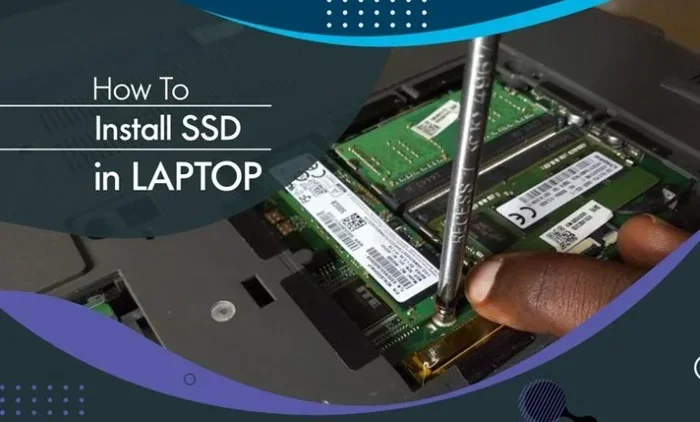
Yes, many modern laptops come with M.2 NVMe slots built in. Before purchasing a drive, check your laptop’s specifications to confirm it supports NVMe M.2 SSDs. Some ultrabooks and thin laptops use the M.2 2230 size, which is slightly shorter than the standard M.2 2280.
Is an SSD PCIe M.2 NVMe drive worth the extra cost over a SATA SSD?
Absolutely. The price difference between NVMe and SATA SSDs has narrowed significantly in recent years. For the same or slightly higher price, you get dramatically faster speeds, better responsiveness, and a cleaner installation with no cables. Most users will notice a real improvement in daily tasks.
Do all motherboards support M.2 NVMe SSDs?
Not all motherboards support NVMe in their M.2 slots. Some M.2 slots only support SATA SSDs. Always check your motherboard manual to confirm whether the M.2 slot supports PCIe NVMe drives. Most modern motherboards from the last few years do support NVMe.
How do I know which PCIe generation my NVMe drive needs?
Check your motherboard manual for the M.2 slot specifications. If your board supports PCIe Gen4, you can install a Gen4 drive and get the full speed benefits. A Gen3 drive will work in a Gen4 slot but will run at Gen3 speeds. Similarly, a Gen4 drive in a Gen3 slot will be limited to Gen3 speeds.
What size M.2 NVMe drive should I buy?
For most users, a 1TB drive offers the best value and enough space for an operating system, several games, and applications. If you work with large files or want to future-proof your setup, a 2TB drive is a great choice. The SSD PCIe M.2 NVMe capacity you choose should match your storage needs and budget.