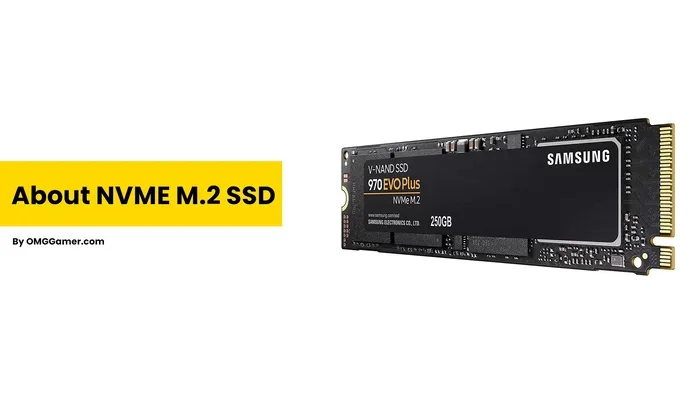
Synology M 2 2280 Nvme Ssd Snv3410

The Synology M.2 2280 NVMe SSD SNV3410 is a high-performance storage drive designed specifically for Synology NAS systems. It delivers fast NVMe speeds in a compact M.2 2280 form factor, making it ideal for expanding your network storage. Whether you want a quick SSD cache or bulk storage, this drive offers reliable performance for home and office setups.
If you own a Synology NAS and want to speed things up, the Synology M.2 2280 NVMe SSD SNV3410 is a name you have probably come across. This little drive packs a punch, and it is one of the most popular choices for people looking to upgrade their network-attached storage. In this guide, we will break down everything you need to know about this drive. From its speed numbers to compatibility, setup tips, and real-world performance, we have got you covered.
Storage speed matters a lot when you are working with large files, running apps from your NAS, or streaming media to multiple devices. A traditional hard drive just cannot keep up anymore. That is where NVMe technology comes in. The Synology M.2 2280 NVMe SSD SNV3410 uses the NVMe protocol over a PCIe connection, which means much faster data transfer compared to older SATA drives. Let us dive deeper into what makes this drive stand out.
Key Takeaways
- Designed for Synology NAS: The SNV3410 is built to work seamlessly with Synology DiskStation models that support M.2 NVMe drives.
- Compact M.2 2280 Form Factor: Its small size fits easily into M.2 slots without taking up much space inside your NAS unit.
- Fast NVMe Speeds: You get excellent read and write performance, making data access much quicker than traditional hard drives.
- Great for SSD Caching: Using this drive as a cache layer can significantly boost the responsiveness of your Synology NAS.
- Easy Installation: The drive installs directly into the M.2 slot on compatible Synology models with no extra tools or adapters needed.
- Reliable Brand Support: Synology offers firmware updates and warranty support, giving you peace of mind for long-term use.
📑 Table of Contents
- What Is the Synology M.2 2280 NVMe SSD SNV3410?
- Why Choose NVMe for Your Synology NAS?
- Compatibility: Which Synology Models Support the SNV3410?
- How to Install the Synology M.2 2280 NVMe SSD SNV3410
- Performance and Real-World Use Cases
- Common Mistakes to Avoid
- How Does the SNV3410 Compare to Other NVMe Drives?
- Final Thoughts
What Is the Synology M.2 2280 NVMe SSD SNV3410?
The SNV3410 is a solid state drive made by Synology for their NAS lineup. It uses the M.2 2280 form factor, which is a small, rectangular stick that plugs directly into an M.2 slot on your motherboard or NAS unit. The “2280” refers to the dimensions: 22 millimeters wide and 80 millimeters long. This is the most common size for NVMe M.2 drives on the market today.
Unlike traditional hard disk drives that use spinning platters, this NVMe SSD has no moving parts. It stores data on flash memory chips, which makes it faster, quieter, and more durable. The SNV3410 is specifically tuned and tested for Synology systems, so you get a smooth experience right out of the box. It is not just a generic drive you stick in and hope for the best. Synology has optimized the firmware and compatibility to make your life easier.
Key Specifications
- Form Factor: M.2 2280
- Interface: NVMe PCIe
- Capacity Options: Typically available in 1TB and 2TB variants
- Read Speeds: Up to 3,500 MB/s (varies by model)
- Write Speeds: Up to 3,000 MB/s (varies by model)
- NAND Type: TLC (Triple-Level Cell)
- Warranty: Covered under Synology support
These numbers are impressive for a NAS-focused drive. You will notice the difference the moment you start copying files or launching applications from the Synology M.2 2280 NVMe SSD SNV3410. The drive is built for endurance and daily use in a 24/7 environment, which is exactly what a NAS demands.
Why Choose NVMe for Your Synology NAS?
If you are still using a hard drive in your Synology NAS, switching to an NVMe M.2 SSD can feel like a completely different machine. But why does it matter so much? Let us look at the main reasons people choose NVMe storage for their NAS setup.
Speed That Changes Everything
The biggest advantage of NVMe protocol drives is raw speed. Traditional SATA SSDs top out around 550 MB/s. The SNV3410 easily doubles or even triples that number. When you are pulling large video files, running a Plex media server, or backing up multiple computers at once, speed makes everything feel instant. You no longer have to wait around for files to copy or load.
Low Latency for Better Responsiveness
NVMe drives have much lower latency than SATA or spinning drives. This means the time between asking for data and receiving it is tiny. For tasks like searching large photo libraries or opening databases, this low latency makes a huge difference. Your Synology NAS feels snappier and more responsive every single day.
Power Efficiency
Despite their speed, M.2 NVMe drives tend to use less power than traditional drives. This is especially important for a NAS that runs 24/7. Lower power consumption means less heat, which means a quieter and more reliable system overall. The SNV3410 is designed with efficiency in mind, so it fits perfectly into a home or small office environment.
Compatibility: Which Synology Models Support the SNV3410?
Not every Synology NAS can use the Synology M.2 2280 NVMe SSD SNV3410. You need to check your specific model before buying. The good news is that many popular Synology DiskStation models do support M.2 NVMe drives. Here is what you need to know.
Supported Synology Models
The SNV3410 works with Synology NAS units that have an M.2 slot. Some popular models include the DS920+, DS1520+, DS1621+, and various RackStation units. Always check Synology’s official compatibility list before purchasing. The list gets updated regularly as Synology adds support for new drives.
M.2 Slot vs. Expansion Card
Some Synology models have a built-in M.2 slot. Others require an M.2 PCIe expansion card. If your NAS does not have a native M.2 slot, you can buy a compatible expansion card from Synology or a third-party brand like this PCIe M.2 adapter. Just make sure the card supports NVMe and fits your NAS chassis properly.
Capacity Options Available
The SNV3410 is commonly found in 1TB and 2TB sizes. If you need more storage, you can always add multiple drives. For users who want even larger capacities, you might also explore other options like a 2TB M.2 NVMe SSD from trusted brands. The key is to match the drive to your actual storage needs and budget.
How to Install the Synology M.2 2280 NVMe SSD SNV3410
Installing the SNV3410 is surprisingly straightforward, even if you are not a tech expert. Here is a simple walkthrough of the process.
Step-by-Step Installation Guide
- Turn off your Synology NAS and unplug it from the power outlet.
- Locate the M.2 slot on your NAS motherboard. Refer to your model’s manual if you are unsure where it is.
- Remove the protective cover from the M.2 slot. Some models have a small screw or latch holding the slot cover in place.
- Hold the NVMe SSD at a 30 to 40 degree angle and gently insert the gold connectors into the slot.
- Press the drive down firmly until it sits flat against the motherboard.
- Secure the drive with the small screw if your model requires it.
- Replace the M.2 slot cover and plug your NAS back in.
- Power on the NAS and go to the DSM storage manager to initialize the drive.
That is it. In less than ten minutes, you can have your new Synology M.2 2280 NVMe SSD SNV3410 up and running. The Synology DSM interface will guide you through formatting and setting up the drive. Most users find the process much easier than they expected.
Quick Tips for Installation
- Always ground yourself before touching internal components to avoid static damage.
- Keep the drive in its anti-static bag until you are ready to install it.
- Make sure your NAS firmware is up to date before adding a new drive.
- Do not force the drive into the slot. It should slide in smoothly with gentle pressure.
Performance and Real-World Use Cases
So how does the Synology M.2 2280 NVMe SSD SNV3410 perform in everyday use? Let us talk about what you can actually expect.
SSD Cache for Faster Access
One of the most popular uses for an M.2 NVMe drive in a Synology NAS is as an SSD cache. Synology DSM allows you to set up a hot folder or volume cache using the SNV3410. This means frequently accessed files stay on the fast NVMe drive, while less-used data remains on your larger HDD array. The result is a much faster experience for daily tasks like browsing photos, opening documents, or streaming media.
Video Editing and Media Workloads
If you edit video or work with large media files directly from your NAS, the SNV3410 is a game changer. The fast read and write speeds mean smoother playback, quicker file transfers, and less waiting time. Many content creators use this drive as a working drive for active projects before moving files to long-term storage.
Virtual Machine and Docker Hosting
Running virtual machines or Docker containers on your Synology NAS? The low latency and high throughput of the Synology M.2 2280 NVMe SSD SNV3410 will make a noticeable difference. Applications launch faster, virtual disks respond quicker, and overall system performance improves significantly compared to using a traditional hard drive.
Common Mistakes to Avoid
While the SNV3410 is a great drive, there are a few common mistakes people make when setting it up. Avoiding these will help you get the best performance and longevity from your drive.
- Skipping firmware updates: Synology regularly releases firmware updates for their drives. These updates can improve performance and fix bugs. Always keep your drive firmware current.
- Using the wrong slot: Not all M.2 slots support NVMe. Some only support SATA M.2 drives. Check your NAS manual to confirm your slot supports PCIe NVMe.
- Overlooking heat management: NVMe drives can run warm. Make sure your NAS has proper airflow around the M.2 slot. Some users add a small heatsink to keep temperatures in check.
- Ignoring RAID setup: If you use multiple drives, consider setting up RAID for data protection. A single drive failure without redundancy can result in data loss.
How Does the SNV3410 Compare to Other NVMe Drives?
The market is full of NVMe M.2 SSDs, so how does the SNV3410 stack up? Here is a quick comparison to help you decide.
| Feature | Synology SNV3410 | Generic M.2 NVMe SSD |
|---|---|---|
| Synology Compatibility | Fully tested and optimized | May require manual setup |
| Firmware Support | Regular updates from Synology | Varies by manufacturer |
| Warranty | Synology support included | Depends on brand |
| Performance | Excellent for NAS workloads | Varies widely |
| Ease of Setup | Very simple via DSM | May need extra configuration |
One of the biggest advantages of the SNV3410 is the peace of mind that comes with using a drive that is specifically designed for your Synology NAS. You do not have to worry about compatibility issues or confusing setup steps. Everything just works. That said, if you are comfortable with third-party drives and want more capacity options, a Kingston M.2 NVMe SSD or a Samsung 970 EVO Plus can also be great choices for your NAS build.
Final Thoughts
The Synology M.2 2280 NVMe SSD SNV3410 is an excellent choice for anyone looking to boost their Synology NAS performance. It offers fast NVMe speeds in a compact form factor, with full compatibility and support from Synology. Whether you use it for SSD caching, media serving, or active project storage, this drive delivers reliable and impressive performance.
If you already own a compatible Synology NAS, adding the SNV3410 is one of the easiest and most impactful upgrades you can make. The installation is simple, the performance gains are immediate, and the long-term reliability gives you confidence. Your NAS will feel faster and more responsive, and you will wonder how you ever managed without it.
Take the time to check your NAS model compatibility, pick the right capacity for your needs, and enjoy the speed that NVMe storage brings to your Synology setup. You will not be disappointed.
Frequently Asked Questions
What is the Synology M.2 2280 NVMe SSD SNV3410 used for?
The SNV3410 is used to add fast NVMe storage to compatible Synology NAS systems. It works great for SSD caching, media streaming, video editing workloads, and running applications like Docker or virtual machines directly from your NAS.
Is the SNV3410 compatible with all Synology NAS models?
No, it is not compatible with every model. You need a Synology NAS that has an M.2 slot supporting NVMe PCIe drives. Check Synology’s official compatibility list for your specific DiskStation model before purchasing.
How fast is the Synology M.2 2280 NVMe SSD SNV3410?
The drive delivers read speeds up to 3,500 MB/s and write speeds up to 3,000 MB/s depending on the capacity variant. These speeds are significantly faster than traditional SATA SSDs and hard drives, making it ideal for demanding NAS tasks.
Can I use the SNV3410 as a storage drive or only as cache?
You can use the SNV3410 both as a cache drive and as a primary storage volume. Synology DSM lets you configure it either way. Many users use it for caching frequently accessed data while storing larger files on traditional hard drives.
Does the SNV3410 come with a warranty?
Yes, the SNV3410 is covered under Synology’s warranty and support program. You can get firmware updates, technical support, and replacement assistance directly from Synology if you encounter any issues with the drive.
Do I need special tools to install the SNV3410?
No special tools are needed. The drive inserts into the M.2 slot on your Synology NAS motherboard. You may need a small Phillips screwdriver if your model uses a screw to secure the drive. The entire process takes just a few minutes.