Ssd Nvme M 2 Pcie 5.0
SSD NVMe M.2 PCIe 5.0 drives deliver incredible speeds up to 14,000 MB/s, doubling the performance of Gen4 drives. They use the latest PCIe Gen5 standard and the NVMe protocol to offer blazing fast read and write rates. Whether you are a gamer, creator, or professional, this next-gen storage technology transforms your workflow and loading times.
Solid state storage has come a long way in the last few years. If you have been building or upgrading a PC recently, you have probably seen the term SSD NVMe M.2 PCIe 5.0 everywhere. These drives represent the cutting edge of storage technology. They offer speeds that were unthinkable just a couple of years ago.
The PCIe 5.0 interface paired with the NVMe protocol and the compact M.2 form factor creates a storage solution that is fast, efficient, and future-proof. In this guide, we will break down everything you need to know. From how these drives work to whether you should buy one, we have you covered.
Key Takeaways
- PCIe 5.0 doubles bandwidth: Offers up to 14,000 MB/s sequential read speeds compared to Gen4’s 7,000 MB/s.
- M.2 form factor is compact: Fits into small laptops and desktops without taking up much space.
- NVMe protocol matters: It is designed specifically for flash storage, making it far faster than old SATA drives.
- Backward compatibility exists: PCIe 5.0 drives work in Gen4 and Gen3 slots, though at reduced speeds.
- Price is still premium: Gen5 SSDs cost more than Gen4 but prices are dropping fast.
- Best for heavy workloads: Ideal for video editing, large file transfers, gaming, and data-intensive tasks.
📑 Table of Contents
- What Is SSD NVMe M.2 PCIe 5.0?
- Why Choose an NVMe M.2 PCIe 5.0 SSD?
- Top SSD NVMe M.2 PCIe 5.0 Drives on the Market
- How to Choose the Right PCIe 5.0 NVMe M.2 SSD
- Common Mistakes to Avoid When Buying PCIe 5.0 SSDs
- Expert Tips for Getting the Most from Your PCIe 5.0 NVMe Drive
- The Future of NVMe M.2 PCIe Storage
- Conclusion
What Is SSD NVMe M.2 PCIe 5.0?
Let us start with the basics. A solid state drive stores data using flash memory instead of spinning disks. This makes it much faster and more reliable than traditional hard drives. Now, NVMe stands for Non-Volatile Memory Express. It is a storage protocol built specifically for flash memory. It communicates directly with the CPU through the PCIe bus, which is the same highway your graphics card uses.
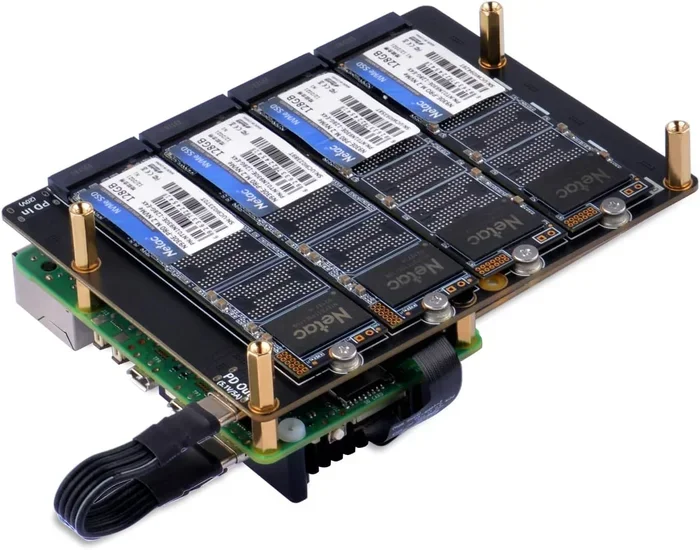
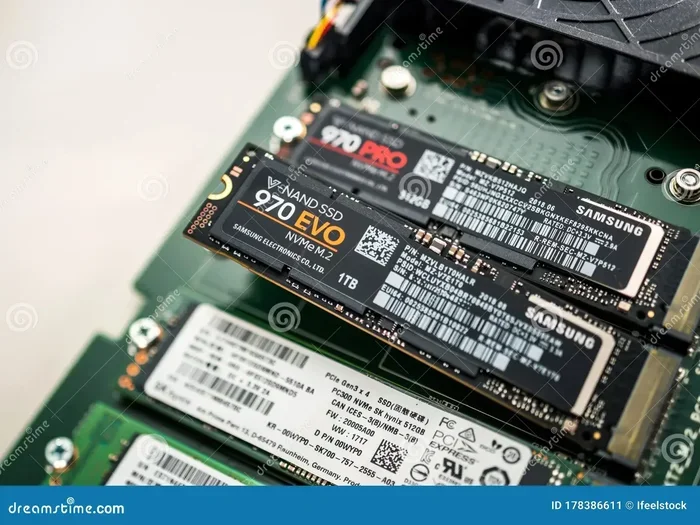
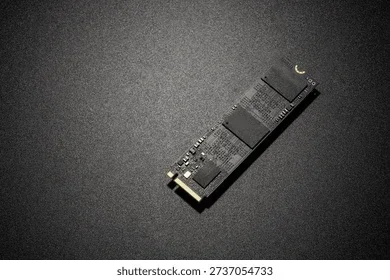
The M.2 part refers to the physical shape and size of the drive. These are small, flat sticks that plug directly into your motherboard. They look like a stick of gum. Then comes PCIe 5.0, which is the fifth generation of the Peripheral Component Interconnect Express standard. Each new generation doubles the bandwidth. So PCIe 5.0 offers roughly twice the speed of PCIe 4.0.
When you combine all of these technologies, you get a drive that can read and write data at astonishing rates. A typical NVMe M.2 PCIe 5.0 SSD can hit sequential read speeds around 14,000 MB/s. That is incredibly fast compared to older SATA SSDs that top out around 550 MB/s.
How PCIe 5.0 Differs from PCIe 4.0
The jump from PCIe 4.0 to PCIe 5.0 is significant. PCIe 4.0 offers up to about 7,000 MB/s per lane in each direction. PCIe 5.0 doubles that to around 14,000 MB/s per lane. For a typical M.2 NVMe drive that uses four lanes, this means a massive boost in total bandwidth. Here is a quick comparison:
- PCIe 3.0: Up to 3,500 MB/s read speed
- PCIe 4.0: Up to 7,000 MB/s read speed
- PCIe 5.0: Up to 14,000 MB/s read speed
This progression shows why PCIe Gen5 drives are such a big deal. They push the limits of what your system can handle. You get faster game loads, quicker file transfers, and smoother video editing. The NVMe M.2 SSD market has evolved rapidly, and PCIe 5.0 is the latest milestone.
Why Choose an NVMe M.2 PCIe 5.0 SSD?
There are many reasons to consider a PCIe 5.0 NVMe M.2 SSD. Let us look at the biggest advantages that make these drives worth the investment.
Blazing Fast Speeds
The most obvious benefit is speed. With read speeds reaching 14,000 MB/s or more, a Gen5 SSD loads games, applications, and large files in a fraction of the time. If you are working with 4K video or massive datasets, the difference is night and day. You spend less time waiting and more time creating.
Compact Form Factor
The M.2 form factor is tiny and lightweight. It takes up almost no space inside your case. This makes it perfect for small form factor builds, laptops, and compact desktops. You get enterprise-level performance in a drive that is about the size of a stick of gum. That is impressive engineering.
Lower Power Consumption
NVMe SSDs use less power than traditional hard drives. They do not have spinning platters or moving parts. This means less heat generated and longer battery life on laptops. A PCIe 5.0 M.2 SSD runs cool and efficient, which helps keep your system stable under heavy loads.
Future-Proof Your Build
Technology moves fast. Investing in PCIe Gen5 storage now means your system stays relevant longer. As software and games become more demanding, having a fast drive ensures you are ready. A Gen5 NVMe drive gives you headroom for years to come.
Top SSD NVMe M.2 PCIe 5.0 Drives on the Market
Several manufacturers have released excellent PCIe 5.0 NVMe M.2 SSDs. Here are some of the most popular options that consumers and professionals love.
Crucial T705
The Crucial T705 is one of the most talked-about Gen5 drives right now. It delivers up to 14,000 MB/s sequential read speeds. The 2TB model is particularly popular among gamers and creators. It offers excellent value for a PCIe 5.0 drive and comes with a solid warranty. If you want a reliable Gen5 NVMe M.2 SSD, the Crucial T705 is a top contender.
Crucial T705 2TB Variant
For those who need more storage, the Crucial T705 2TB model provides ample space for large game libraries and media files. It maintains the same incredible speeds while offering double the capacity. This makes it ideal for professionals who work with large projects.
Other Notable Gen5 Options
Beyond Crucial, several other brands have entered the PCIe 5.0 M.2 SSD market. Companies like Samsung, Seagate, and WD are all working on Gen5 solutions. The PCIe NVMe M.2 SSD drives category continues to grow as more manufacturers adopt the Gen5 standard. When shopping, look for drives that support the NVMe 2.0 specification for the best compatibility and features.
How to Choose the Right PCIe 5.0 NVMe M.2 SSD
Not all NVMe M.2 PCIe 5.0 SSDs are created equal. Here are the key factors to consider before making a purchase.
Capacity
Gen5 SSDs come in various sizes, from 500GB to 8TB and beyond. For most users, 1TB or 2TB strikes the best balance between price and performance. If you store large video files or have an extensive game library, go for 2TB or more. A 512GB Gen5 drive works well for a boot drive but may fill up quickly.
Sequential vs. Random Speeds
Manufacturers often advertise sequential read speeds. But random read and write speeds (measured in IOPS) matter just as much for everyday use. Random speeds affect how fast your system boots, how quickly apps open, and how smoothly multitasking feels. Look for drives with high IOPS ratings for the best real-world performance.
DRAM Cache and Controller
A good NVMe controller and a DRAM cache make a big difference. The controller manages data flow, and DRAM stores frequently accessed data for quick access. Premium Gen5 NVMe M.2 SSDs include both of these features. Budget options may skip the DRAM cache, which can affect sustained performance during heavy workloads.
Thermal Management
PCIe 5.0 drives generate more heat than older generations. Most M.2 NVMe SSDs come with a heatsink included. If your motherboard has a built-in M.2 heatsink, that is great. Otherwise, consider buying a drive with a heatsink or adding an aftermarket one. Keeping your NVMe SSD cool ensures it maintains top speeds without throttling.
Compatibility Check
Before buying a PCIe 5.0 SSD, make sure your motherboard supports it. You need a motherboard with PCIe 5.0 M.2 slots. Many modern boards from Intel and AMD now include Gen5 support. Check your motherboard manual or specs page to confirm. Also, remember that PCIe 5.0 drives are backward compatible with Gen4 and Gen3 slots, but they will run at the slower speed of the slot.
Common Mistakes to Avoid When Buying PCIe 5.0 SSDs
Shopping for a Gen5 NVMe drive can be confusing. Here are some common mistakes people make and how to avoid them.
Buying Without Checking Compatibility
The biggest mistake is buying a PCIe 5.0 M.2 SSD without verifying your motherboard supports it. A Gen5 drive in a Gen3 slot will not give you Gen5 speeds. Always double-check your motherboard specs before purchasing.
Ignoring Cooling Needs
PCIe 5.0 drives run hot. Skipping a heatsink can lead to thermal throttling, which drops your speeds significantly. Do not overlook this. A simple M.2 heatsink can make a huge difference in sustained performance.
Focusing Only on Read Speeds
Read speeds get all the attention, but write speeds matter too. If you frequently move large files or edit video, write speed is critical. Look at both numbers when comparing NVMe M.2 PCIe 5.0 SSDs.
Expert Tips for Getting the Most from Your PCIe 5.0 NVMe Drive
Once you have your SSD NVMe M.2 PCIe 5.0 drive installed, a few tips can help you get the most out of it.
- Keep your BIOS updated: Motherboard BIOS updates often improve NVMe compatibility and performance.
- Enable the NVMe driver: Make sure your operating system uses the correct NVMe driver for best speeds.
- Use the right slot: On motherboards with multiple M.2 slots, check which ones are wired to the CPU for maximum bandwidth.
- Monitor temperatures: Use software like CrystalDiskInfo to keep an eye on drive temps during heavy workloads.
- Avoid filling the drive completely: Leave at least 10-15% free space for optimal performance and wear leveling.
These small steps go a long way in keeping your Gen5 NVMe M.2 SSD running at its best for years to come.
The Future of NVMe M.2 PCIe Storage
The PCIe 5.0 SSD market is still young, but it is growing fast. Prices are dropping, and more motherboard chipsets now include native Gen5 support. As software and games continue to demand more storage bandwidth, PCIe 5.0 drives will become the new standard. Looking ahead, PCIe 6.0 is already on the horizon, promising even more bandwidth. But for now, PCIe Gen5 NVMe M.2 SSDs represent the best storage option available for enthusiasts and professionals alike.
If you are building a new PC or upgrading an existing one, a PCIe 5.0 NVMe M.2 SSD is a fantastic investment. The speed gains are real and noticeable every single day. From booting Windows in seconds to loading massive game worlds instantly, the difference is undeniable.
Conclusion
The SSD NVMe M.2 PCIe 5.0 format represents the fastest consumer storage available today. With speeds up to 14,000 MB/s, compact M.2 design, and the efficient NVMe protocol, these drives are a game-changer for gamers, creators, and professionals. Whether you choose the Crucial T705 or another Gen5 option, you are investing in storage that is built for the future. The technology is mature, prices are becoming more reasonable, and the performance gains are undeniable. Upgrade to a PCIe 5.0 NVMe M.2 SSD and experience storage like never before.
Frequently Asked Questions
What does PCIe 5.0 mean for an NVMe M.2 SSD?
PCIe 5.0 means the drive uses the fifth generation of the PCIe interface, which doubles the bandwidth of PCIe 4.0. This allows NVMe M.2 SSDs to reach read speeds of up to 14,000 MB/s, making them the fastest consumer storage drives available.
Is a PCIe 5.0 SSD backward compatible with older motherboards?
Yes, PCIe 5.0 drives are backward compatible with PCIe 4.0 and PCIe 3.0 slots. However, the drive will operate at the speed of the slower slot. To get full Gen5 speeds, you need a motherboard with PCIe 5.0 M.2 slots.
Do I need a special motherboard for an NVMe M.2 PCIe 5.0 SSD?
You need a motherboard that supports PCIe 5.0 in its M.2 slots. Many modern Intel and AMD motherboards now include Gen5 support. Always check your motherboard specifications before purchasing a PCIe 5.0 NVMe drive.
Are PCIe 5.0 NVMe SSDs worth the extra cost?
For most users, the answer is yes. The speed improvements are significant, especially for large file transfers, video editing, and gaming. As Gen5 SSD prices continue to drop, they offer excellent value for anyone who needs top-tier storage performance.
How do I keep my PCIe 5.0 NVMe M.2 SSD cool?
Most Gen5 NVMe M.2 SSDs come with a heatsink. If your motherboard has a built-in M.2 heatsink, use it. Otherwise, you can buy an aftermarket M.2 heatsink or a drive with one included. Keeping the drive cool prevents thermal throttling and maintains peak speeds.
What is the difference between NVMe and SATA SSDs?
NVMe is a storage protocol designed specifically for flash memory and uses the PCIe bus for much faster data transfer. SATA SSDs use the older AHCI protocol and are limited to about 550 MB/s. An NVMe M.2 PCIe 5.0 SSD is dramatically faster than any SATA drive, making it the clear choice for modern builds.